

Next-Gen App & Browser Testing Cloud
Trusted by 2 Mn+ QAs & Devs to accelerate their release cycles


On This Page
- App Automation using Espresso and XCUITest framework [Beta]
- Capability to specify the device location from US or EU region
- Introducing Regular Expression [REGEX]
- Debug iOS applications using the new UI Inspector
- View Device OS subversion within a test session
- Support for Enterprise Entitlements for iOS Apps [Beta]
- Test your mobile web app on Android devices in different languages
- Full-Page Screenshot in Visual UI Testing on Chrome browsers
- Addition of the ‘REMARK’ field
- Screenshot Testing
- Latest Integrations

- Home
- /
- Blog
- /
- Jun’22 Updates: App Automation Using Espresso & XCUITest, UI Inspector, Latest Integrations, And More!
Jun’22 Updates: App Automation Using Espresso & XCUITest, UI Inspector, Latest Integrations, And More!
Take a look at the latest additions in our all-in-one cloud testing platform.

Amrita Angappa
January 30, 2026
The month of June was quite colorful and filled with plenty of goodness. Right from hosting our webinar on Test Orchestration using HyperExecute to welcoming our 300th employee to the team, this month is special since we crossed many milestones we set for ourselves. It’s quite a journey, we must say!

Our team stood by this quote and succeeded in their realms of professional goals and targets.
We are yet again back with the important updates our TestMu AI users have waited for a long time. What are those special updates on our core features like real-time testing and automation testing? Read on!
App Automation using Espresso and XCUITest framework [Beta]
Good news once again! Mobile app automation with Espresso automation testing and XCUITest app testing framework is now up and running on TestMu AI. You can write more concise and reliable Android UI tests using the Espresso framework. With XCUITest, you can test your iOS apps on a real device cloud. Testing on both frameworks is currently in the Beta phase.
Capability to specify the device location from US or EU region
With region capability, you can run the App Automation across different locations either from the US or EU region.
Why use region capability?
- It would pick the nearest data center location by default.
- When you want to make changes to the Data Center region manually, it’s your go-to capability you need to pass.
- You get support for only two regions at present: USA- “US” and Europe – “EU”. We will be expanding the list very soon!

Introducing Regular Expression [REGEX]
As a matter of fact, Regular Expression or REGEX is commonly used to search or find string characters. This is used when you want to widen the search request for different devices while running app test automation.
While running your test on TestMu AI with a specified device, you might encounter various scenarios where the selected device isn’t currently available. During such cases, you can leverage REGEX to amplify your search request for different devices when you want to run the test.
For example, let’s say you are looking forward to running a new test on an iPhone on any model. To mention that, you can make use of REGEX. You can now use an iPhone to expand your device search.
Debug iOS applications using the new UI Inspector
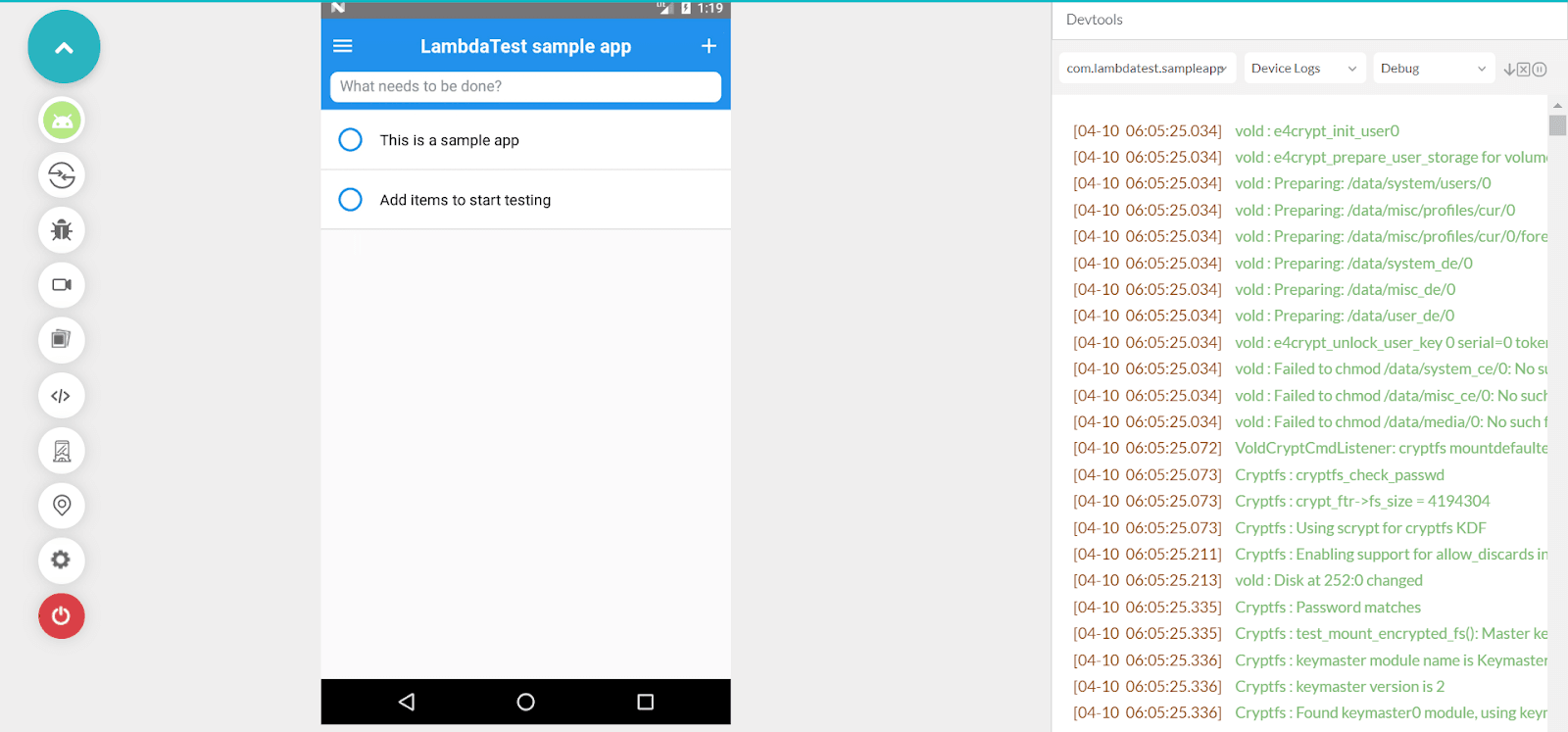
When you want to edit views and layout constraints on a real-time basis or simulate a device by delving right away into the source code, you need to depend upon your UI Inspector. Without UI Inspector, when you want to kickstart real-time app testing, you need to spend a lot of time. That’s why we have brought this feature where you can easily debug iOS applications using the new UI Inspector.
View Device OS subversion within a test session
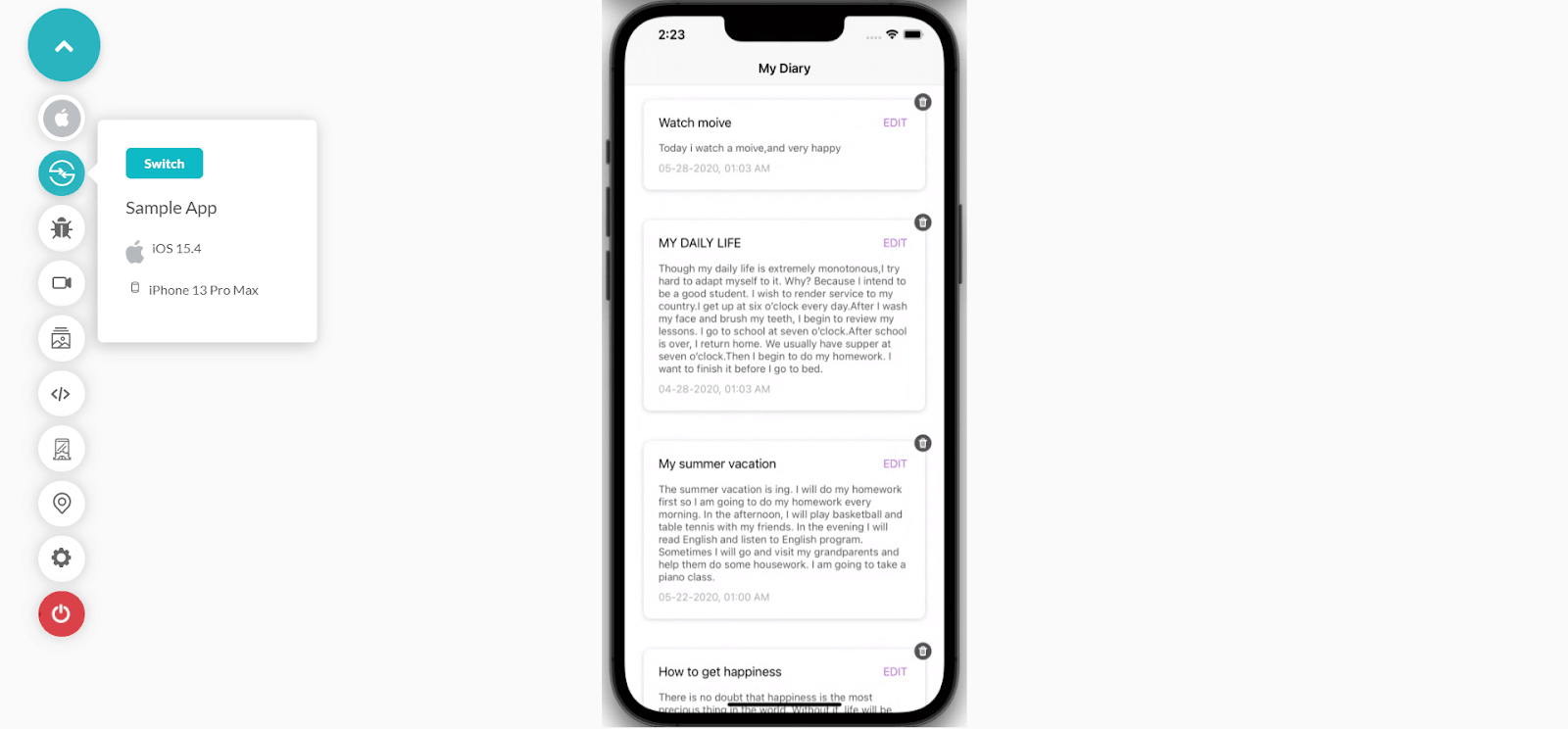
It’s always a must for testers to keep note of the Device OS to check how your app performs under different OS versions. With our latest update, you can view the Device OS subversion when you are in the test session without needing to go any further after selecting the Switch icon right from the left control bar.
Support for Enterprise Entitlements for iOS Apps [Beta]
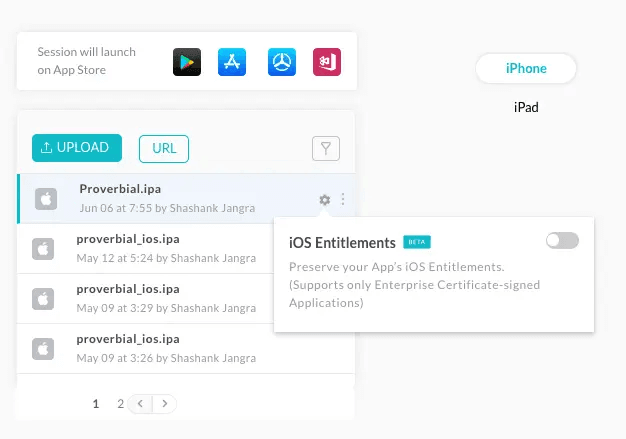
This is the latest update we have added for enterprise certificate signed apps requiring iOS mobile app testing. While uploading an application generated via an Enterprise Account, use the option provided at the beginning of the test for disabling re-signing as soon as you toggle iOS Entitlements. In addition, you can preserve the application’s certificates after you toggle the iOS Entitlements option.

Note: Test on 3000+ browsers, devices, and OS. Try TestMu AI Now!
Test your mobile web app on Android devices in different languages
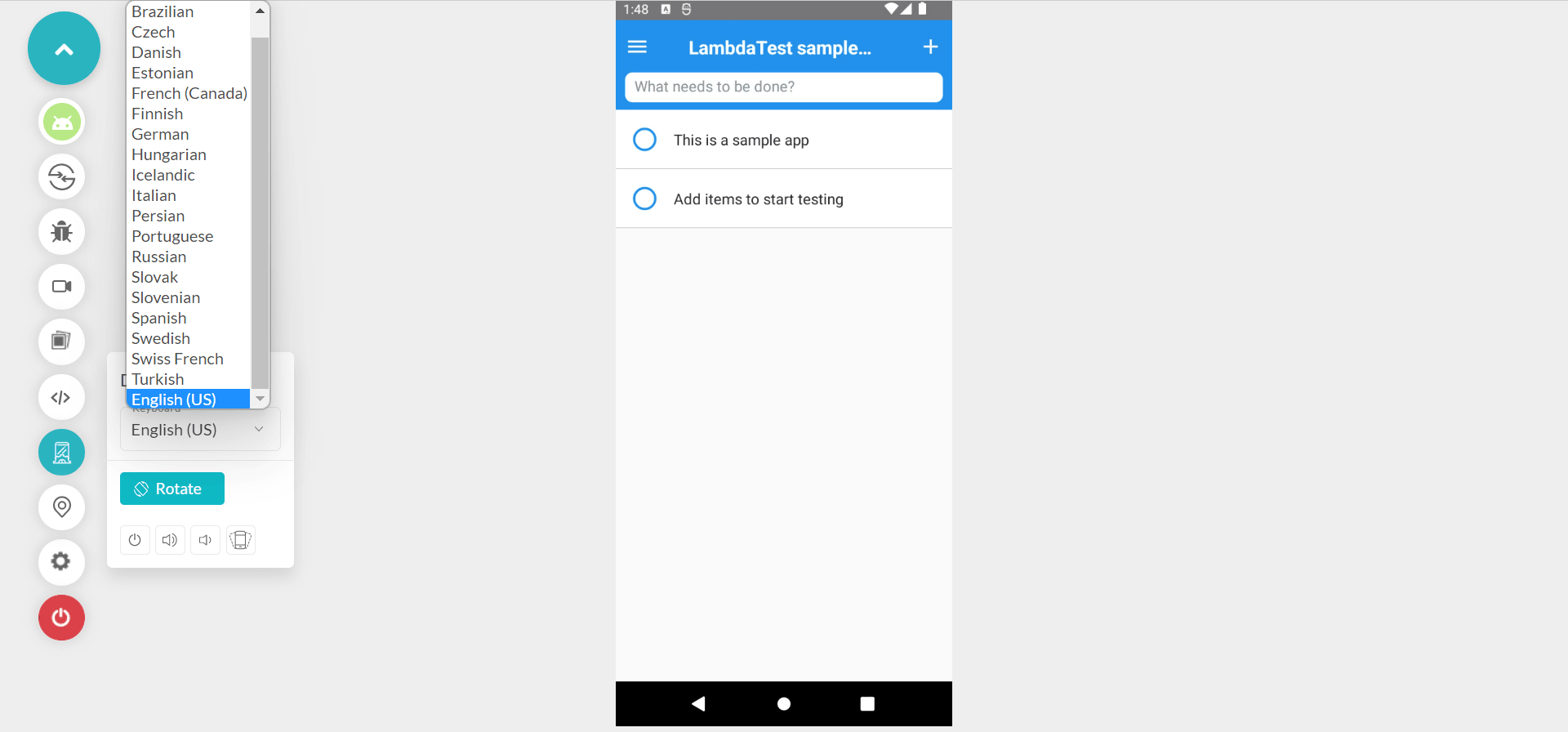
Why depend upon only English when you have a variety of options to avail? This month, we have rolled out the feature where you can test the mobile web app on Android devices in different languages ranging from Brazilian to Turkish.
Full-Page Screenshot in Visual UI Testing on Chrome browsers
Screenshot made simpler and easier. In Smart Visual UI testing, we have now let loose the ability to capture a full-page screenshot in Selenium for Chrome browsers with our latest product update. Please refer to our documentation for screenshot capturing options.
Looking forward to performing Smart UI testing? Here you go!
Subscribe to the TestMu AI YouTube channel if you are looking for the latest updates on cross browser testing, automated browser testing, and so on.
Bonus Addition: In case you are afraid of losing track of your Smart testing project, this feature is for you! If your SmartUI project doesn’t exist, then it will automatically create a project with the name you specify in the smartUI.project capability.
Addition of the ‘REMARK’ field
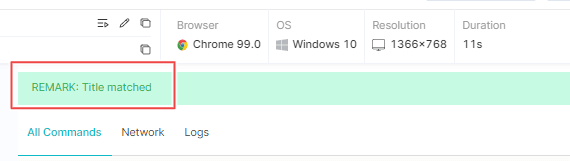
To make the process quite fuss-free, you can use the ‘REMARK’ field above Command logs for Playwright testing to check for the necessary remarks. This will make Playwright testing more friendly in approach for your team.
Screenshot Testing
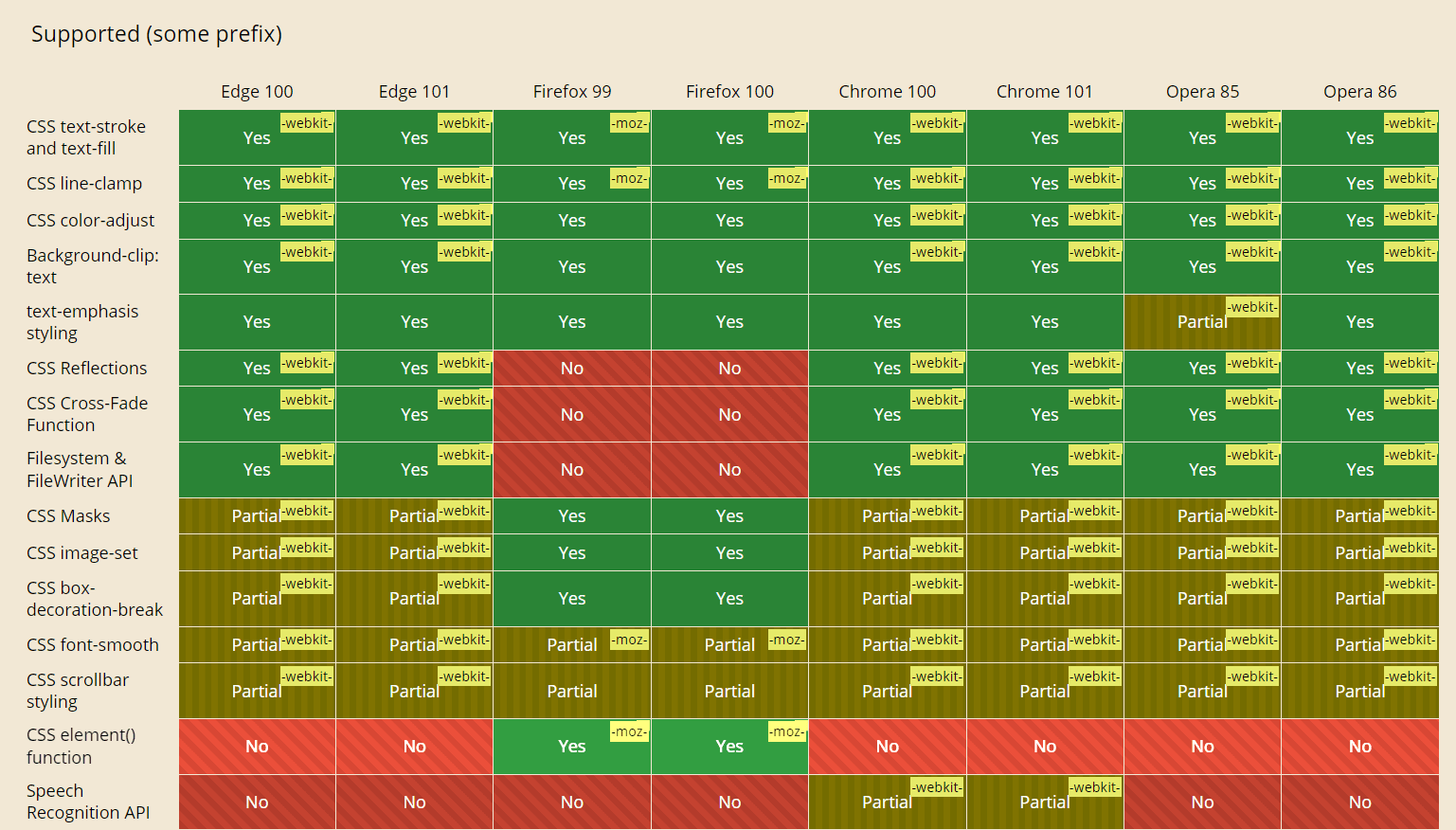
Screenshot testing is a must when comparing different versions of your website in various browsers, OS, and devices. To catch up with the latest trends, we added new browsers for screenshot testing. Here is the list of browsers we support from now on:
- Chrome 101, 100
- Firefox 100, 99
- Edge 101, 100
- Opera 86, 85
Here is a comparison of these browser versions:
Latest Integrations
Do you want to speed up your accessibility testing? Yes? That’s the reason why we have rolled out two newest TestMu AI Integrations with Evinced and Deque.
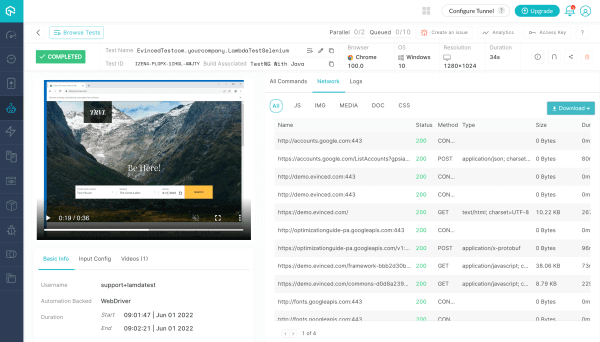
TestMu AI + Evinced integration: With TestMu AI and Evinced integration, businesses can stay a step ahead of ensuring they cover the needs of people with impairment on every front. This new addition lets you view detailed Selenium test execution reports like logs, command logs, HAR files, screenshots, and more.
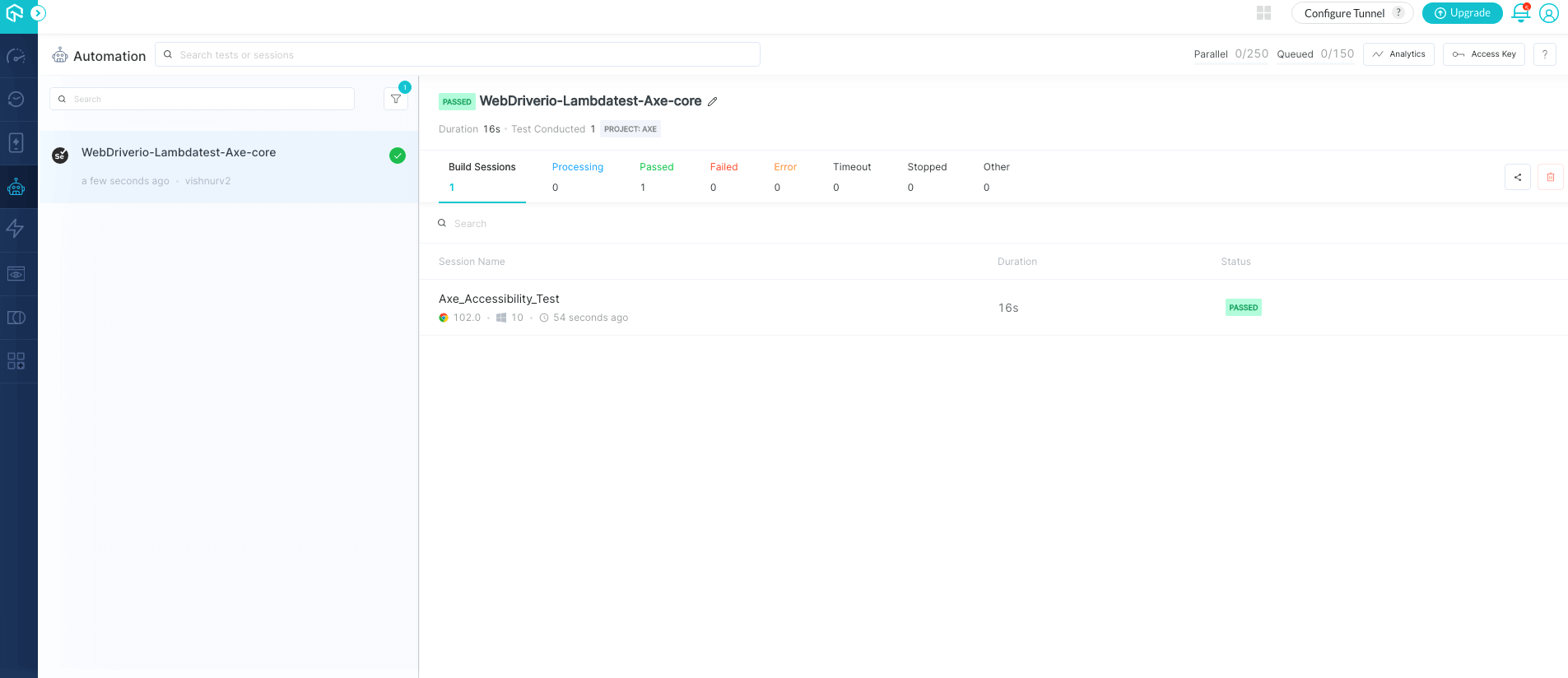
TestMu AI + Deque integration: Deque, one of the top-class digital accessibility tools, can let you integrate different functionalities into the tests you run when you are in need of scanning the content and generating an a11y score. The TestMu AI and Deque integration let you automate the Web Accessibility tests of your websites and Android web applications.

Conclusion
I hope you are as excited as us with the latest TestMu AI product update. We cannot wait to get back into our seats, take a deep breath, and start brainstorming about what to include in our next update for this month. It’s always a joy to look deeper into our customer needs and build a product with an aligned mindset. Never hesitate to contact us if you have any questions regarding our update. TestMu AI is constantly evolving & getting better, you can see how its a IBM RFT alternative.
Happy testing!


Did you find this page helpful?
More Related Hubs
TestMu AI forEnterprise
Get access to solutions built on Enterprise
grade security, privacy, & compliance
- Advanced access controls
- Advanced data retention rules
- Advanced Local Testing
- Premium Support options
- Early access to beta features
- Private Slack Channel
- Unlimited Manual Accessibility DevTools Tests