

Next-Gen App & Browser Testing Cloud
Trusted by 2 Mn+ QAs & Devs to accelerate their release cycles


Introducing The New Pre-Loaded Chrome Extension!
Pre-loaded extensions allow you to add your favorite Chrome extensions before launching the test session. Save time adding Chrome extensions again and again inside virtual machines. Give it a shot!

Salman Khan
January 27, 2026
Speed and performance play a key role when it comes to website testing. We at TestMu AI love anything that streamlines and amplifies the web testing process. Solutions that alleviate the repetitive and tedious aspects and allow more time to focus on developing applications are best. And browser extensions are a great solution to accomplish this while improving our productivity.
A browser extension helps QA engineers expedite their manual cross browser testing efforts. When performing web browser testing, you can use a variety of browsers, like Chrome, Firefox, Edge, Opera, and IE. However, among them, Chrome is still the most popular browser, accounting for 64.47% of the market share, and has a myriad of best Chrome extensions.
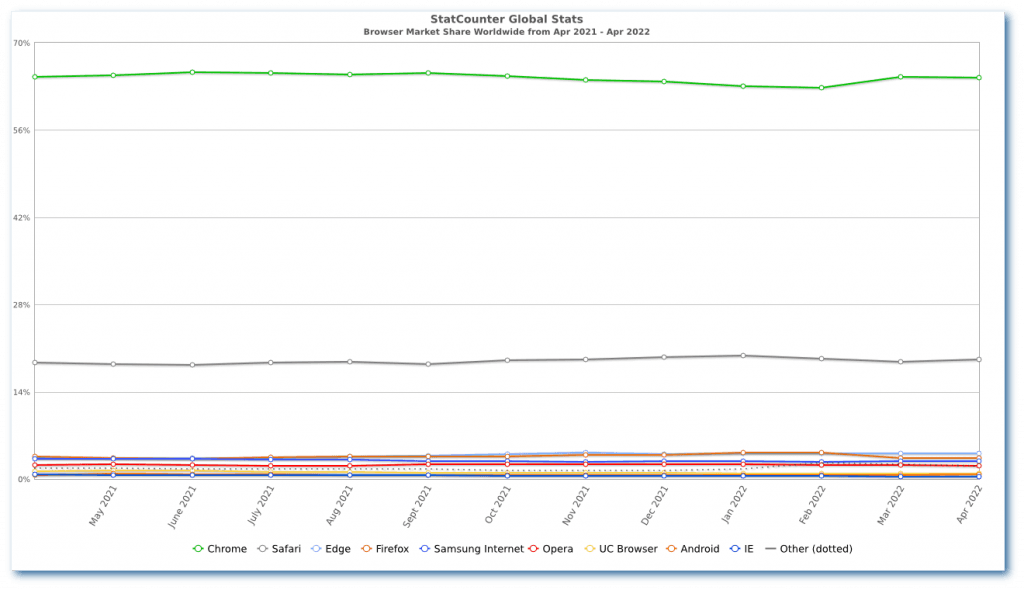
Therefore, the Google Chrome extension is a go-to tool for every developer and tester while ensuring greater productivity and saving time on manual cross browser testing. However, it becomes cumbersome to install each Chrome extension repeatedly while running cross-browser tests.
To make your life easier, we have rolled out a Pre-loaded Chrome extension, which allows you to add Chrome extensions before starting the test session, thereby saving you time to add them repeatedly. Check out the Pre-loaded Chrome Extension documentation.
Note: The Pre-Loaded Extension feature is only available for Chrome browsers.
What is a Pre-Loaded Extension for Chrome?
Using the Pre-loaded Extension feature, you can add your favorite Chrome extensions before launching the test session and say goodbye to logging in and adding Chrome extensions repeatedly inside virtual machines. Instead, the same extension will be available for you inside the test session.
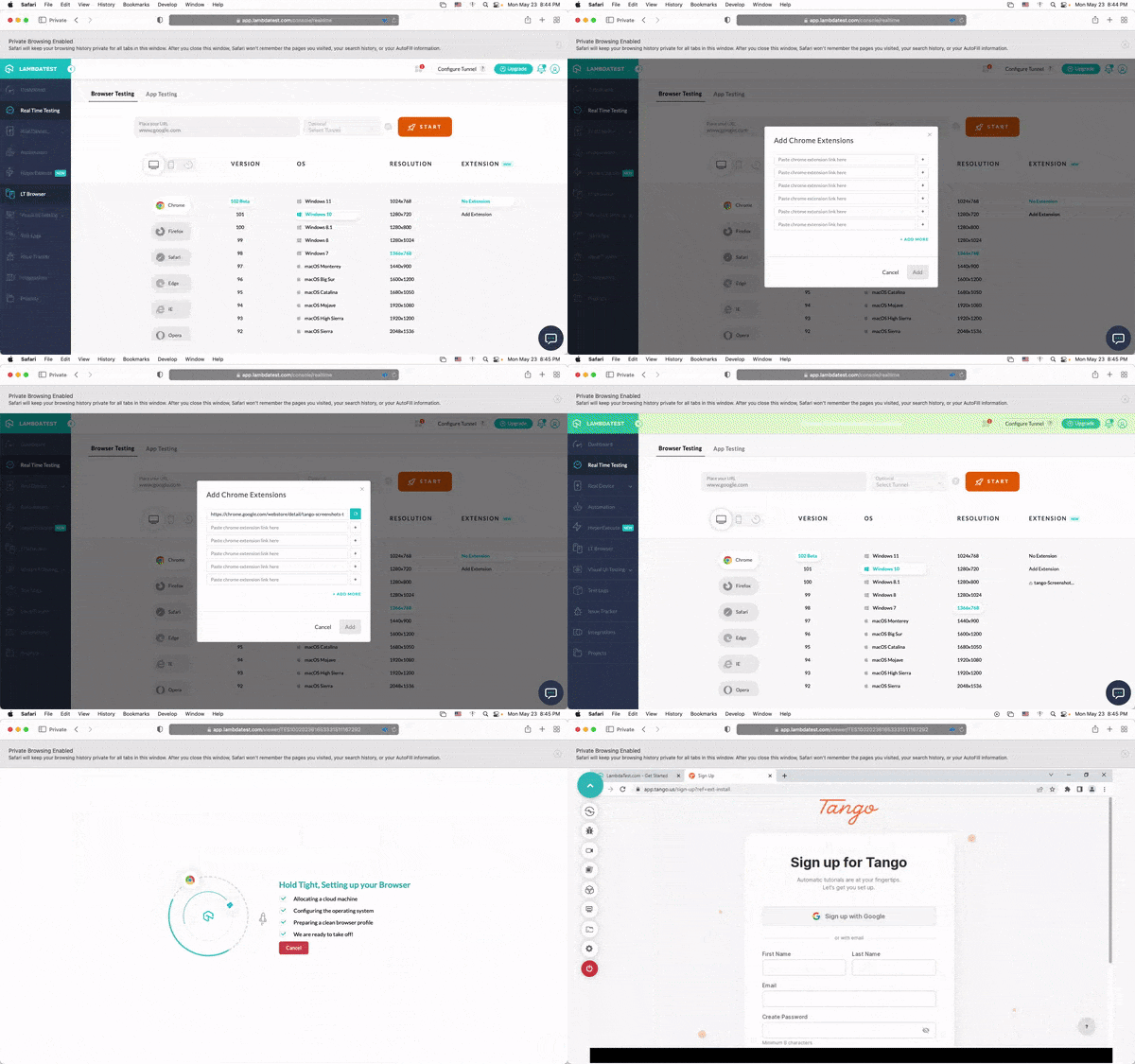
That’s not all; you can also add Chrome extensions manually within a test session.
With a Pre-loaded Extension for Chrome, devs and testers can easily install one or multiple extensions simultaneously and accomplish more in less time frame while making their testing process even more easier.

Feature of Pre-Loaded Chrome Extension
The TestMu AI Pre-loaded extension for Chrome comes with some quick, handy features like,
- Installing or reinstalling the extension
- Removing the extensions
- Adding multiple extensions
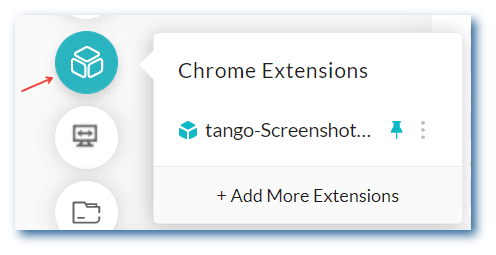
To access these features, select the Chrome extension icon from the in-built tools on the left side of the VM.
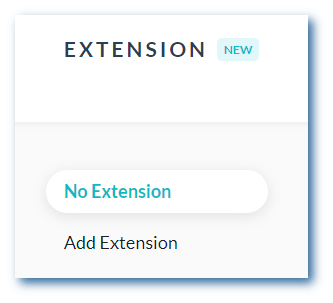
You can also launch the test without extension using the No Extension option.

Note: Want to make your life of testing easy and fuss-free while debugging? Try LT Debug Chrome extension!
Bonus Addition: Debug Apps using the new UI Inspector
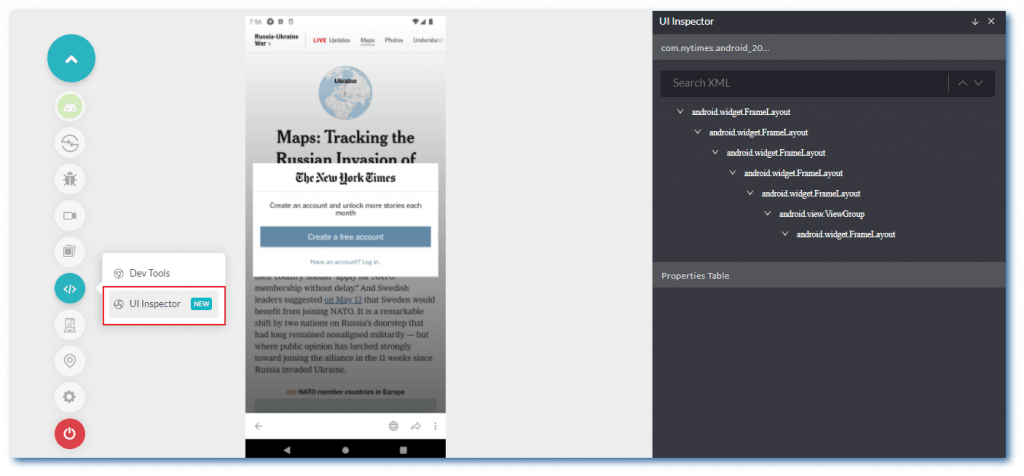
Apart from the new Pre-loaded extension, we added a new UI Inspector in Mobile App testing on Android Emulators.
The UI Inspector shows all XML logs and the properties table. It enables you to download all XML logs. In addition, if the XML tree is not visible, the UI Inspector window can be expanded horizontally (only in case the XML tree is not visible properly).
Here is the quick walkthrough video of TestMu AI Mobile App Testing on Emulators and Simulators.
Enjoyed this video? Subscribe to the TestMu AI YouTube Channel to get the latest tutorials around Selenium automation, Cypress UI testing, Mobile testing, App test automation, and more.
Note: Run live-interactive Mobile App Testing on over 3000+ real devices. Try TestMu AI Now!
Summing Up!
Hope this new Pre-loaded extension and UI Inspector features will do wonders for you and your team. Do give a spin on these features and share your feedback on the TestMu AI Community.
More exciting features are on their way… so stay tuned! Also, keep up to date on the latest product features and add-ons – visit TestMu AI Changelog.
Happy Testing!


Did you find this page helpful?
More Related Hubs
TestMu AI forEnterprise
Get access to solutions built on Enterprise
grade security, privacy, & compliance
- Advanced access controls
- Advanced data retention rules
- Advanced Local Testing
- Premium Support options
- Early access to beta features
- Private Slack Channel
- Unlimited Manual Accessibility DevTools Tests