

Next-Gen App & Browser Testing Cloud
Trusted by 2 Mn+ QAs & Devs to accelerate their release cycles


- Home
- /
- Blog
- /
- Oct’22 Updates: New Analytics And App Automation Dashboard, Test On Google Pixel 7 Series, And More
Oct’22 Updates: New Analytics And App Automation Dashboard, Test On Google Pixel 7 Series, And More
Find out what's new in the TestMu AI October 2022 Product Update.

Salman Khan
January 29, 2026
Hey everyone! We hope you had a great Hacktober. At TestMu AI, we thrive to bring you the best with each update. Our engineering and tech teams work at lightning speed to deliver you a seamless testing experience.
To end October on a high note, we’re here with a compilation of new features and updates that rolled out this month. Last month, we made a major design overhaul to our analytics and app automation dashboard, added exclusive support for macOS Ventura and testing on Google Pixel 7 series, and much more.
Let’s recap what’s new at TestMu AI in October!
New Analytics Dashboard for Test automation
The New Analytics Dashboard gives you the ability to create dashboards and custom widgets for test analytics. You can build your own custom views with various widgets and get the intended insights for the stakeholders in no time by creating dashboards.
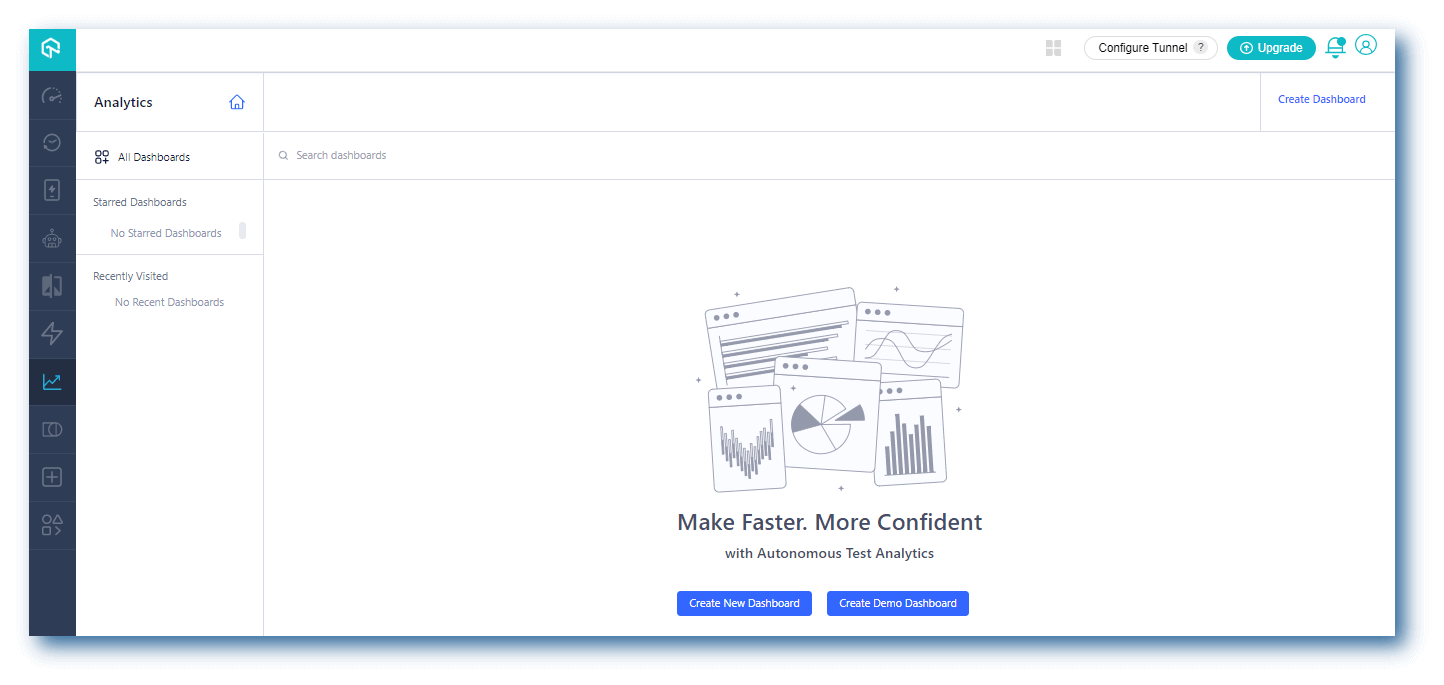
It provides a single location to monitor your builds and test runs and lets you track the following parameters.
- Test overview – Provides a snapshot of the test case health for the flaky tests identified on the platform. You can also get other details like test summary and overall distribution based on browsers and operating systems. In addition, it helps you with test trends and test status ratios.
- Resource utilization – Calculates the total resource usage for all your parallel test distributions on the TestMu AI platform.
- Error insights – Track your test trends of all error status tests.
You can view test analytics for the following TestMu AI offerings.
- Web automation testing
- App automation testing
- HyperExecute
Bonus additions in TestMu AI Automation
Here are a few additions made to TestMu AI’s web automation testing.
- Automate your website testing on the latest browser versions.
- Chrome 107 Beta (for Windows), 106, 105
- Edge 107 Beta (for Windows), 106, 105
- We added one new flag, exclude_specs, to the list of our Cypress flag. You can add the
exclude_specskey in therun_settingsoption to specify the spec files you want to exclude from the test execution.
For more information, visit our guide configuring Cypress test execution.

Note: Run Cypress tests across 50+ browser versions. Try TestMu AI Now!
The All-New App Automation Dashboard
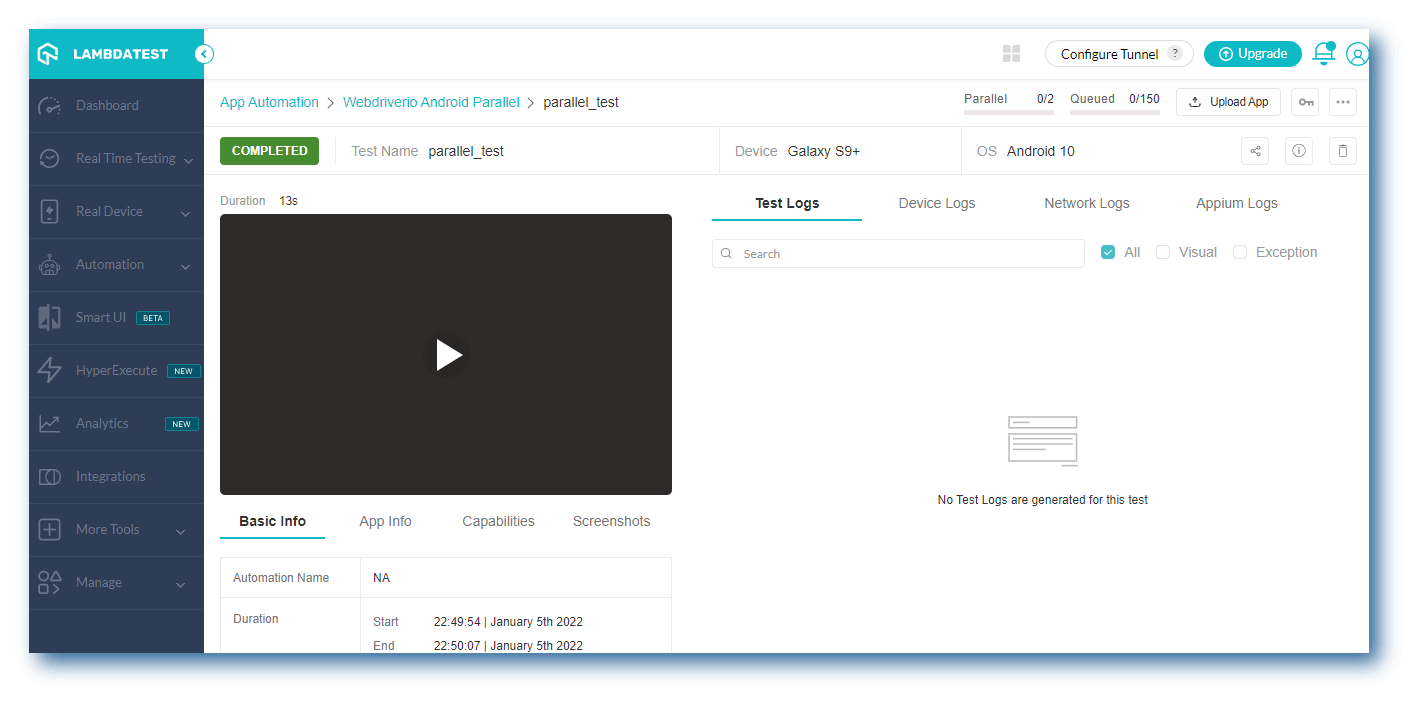
We’ve got great news for you! Our new TestMu AI App Automation Dashboard will help make your mobile automation testing even more easier. You can now find and fix bugs in a jiffy.
The new App Automation Dashboard comes with several new features and improvements. Here are the highlights:
- Optimized navigation.
- Search test via build name, test name, and test ID.
- Filter your test builds based on date, frameworks, status, users, and project.
- Track the progress of your build, session, and tests in a single view.
- Quickly debug with comprehensive test logs, device logs, network logs, and Appium logs.
- Share test logs with your colleagues or team members.
- Upload the mobile application directly from your local machine
- Get Meta data of your automation tests.
- Access to different resources like detailed documentation, GitHub samples, and more.
Test your iOS apps with Appium 2.0
TestMu AI’s App Automation now allows you to perform app test automation with Appium 2.0 on real iOS devices. In addition, we have added support to test with multiple versions of Appium so that you can choose the right version of Appium depending on the project requirements.
Not just that, we also added support to perform iOS app testing from different time zones. Therefore, you can test how iOS apps behave in different time zones, both manually and automatically.
[Exclusive] App testing on real Google Pixel 7 Series
This year has been a great one for Google smartphone users. After releasing its Pixel 6a review in July, the tech giant has now introduced its next-generation phones, the Pixel 7 and 7 Pro.
Are your mobile web and native apps ready for Google Pixel 7?
We are pleased to announce that TestMu AI’s real device cloud now offers exclusive support for manual and automated app testing of mobile web and native apps on the latest Google Pixel 7 Series.
Test your mobile applications right away on the real Google Pixel 7 smartphones.
[Exclusive] macOS Ventura is available for cross browser testing
macOS Ventura is the latest version of macOS that comes with groundbreaking capabilities. It introduces enhanced multitasking capabilities, overhauls multiple apps, and much more.
Are your websites cross-browser compatible with macOS Ventura? Test them on the TestMu AI platform that offers exclusive support for macOS Ventura to perform real-time web testing and screenshot testing.
With the TestMu AI platform, you can perform cross browser and automated screenshot testing of websites and web applications on real macOS Ventura across 3000+ real browsers environments. For screenshot testing, we also added some new browser versions.
- Chrome 103, 102
- Firefox 102, 101
- Edge 103, 102
- Opera 88, 87

Austin Siewert
CEO, Vercel
Discovered @TestMu AI yesterday. Best browser testing tool I've found for my use case. Great pricing model for the limited testing I do 👏
2M+ Devs and QAs rely on TestMu AI
Deliver immersive digital experiences with Next-Generation Mobile Apps and Cross Browser Testing Cloud

That’s all
We’re constantly updating our platform with new features to make it easier for you to work with your team. TestMu AI will soon have even more testing features to help take your software testing a level up.
Until then, do try our new features and share your feedback with us on TestMu AI Community or mail us at [email protected].


Did you find this page helpful?
More Related Hubs
TestMu AI forEnterprise
Get access to solutions built on Enterprise
grade security, privacy, & compliance
- Advanced access controls
- Advanced data retention rules
- Advanced Local Testing
- Premium Support options
- Early access to beta features
- Private Slack Channel
- Unlimited Manual Accessibility DevTools Tests