
Power Your Software Testing with AI Agents and Cloud
The Native AI-Agentic Cloud Platform to Supercharge Quality Engineering. Test Intelligently and Ship Faster.


- TestMu AI (Formerly LambdaTest)
- /
- Blog
- /
- Kane CLI Now Reads The Browser: Introducing DevTools Assertions
Kane CLI Now Reads The Browser: Introducing DevTools Assertions
Kane CLI now makes DevTools a first-class citizen. Assert on network calls, console logs, cookies, storage, and performance in plain English. No code.
Last Updated on:
Most browser tests only check what you can see. The button appears. The badge ticks up. The page says "Order Confirmed." But the request might have failed. The console might be full of red. The cart cookie might never have been set. Your test passes anyway.
The latest Kane CLI release fixes that. DevTools is now a first-class citizen. You can assert on, extract from, and replay the browser data that used to require opening Chrome DevTools by hand. All in plain English. No selectors. No boilerplate. It is the same native validation idea behind Kane CLI, now reaching the hidden layers of the browser.
What the New Release Adds
Four layers of the browser are now testable directly inside a Kane CLI objective.
Network Requests
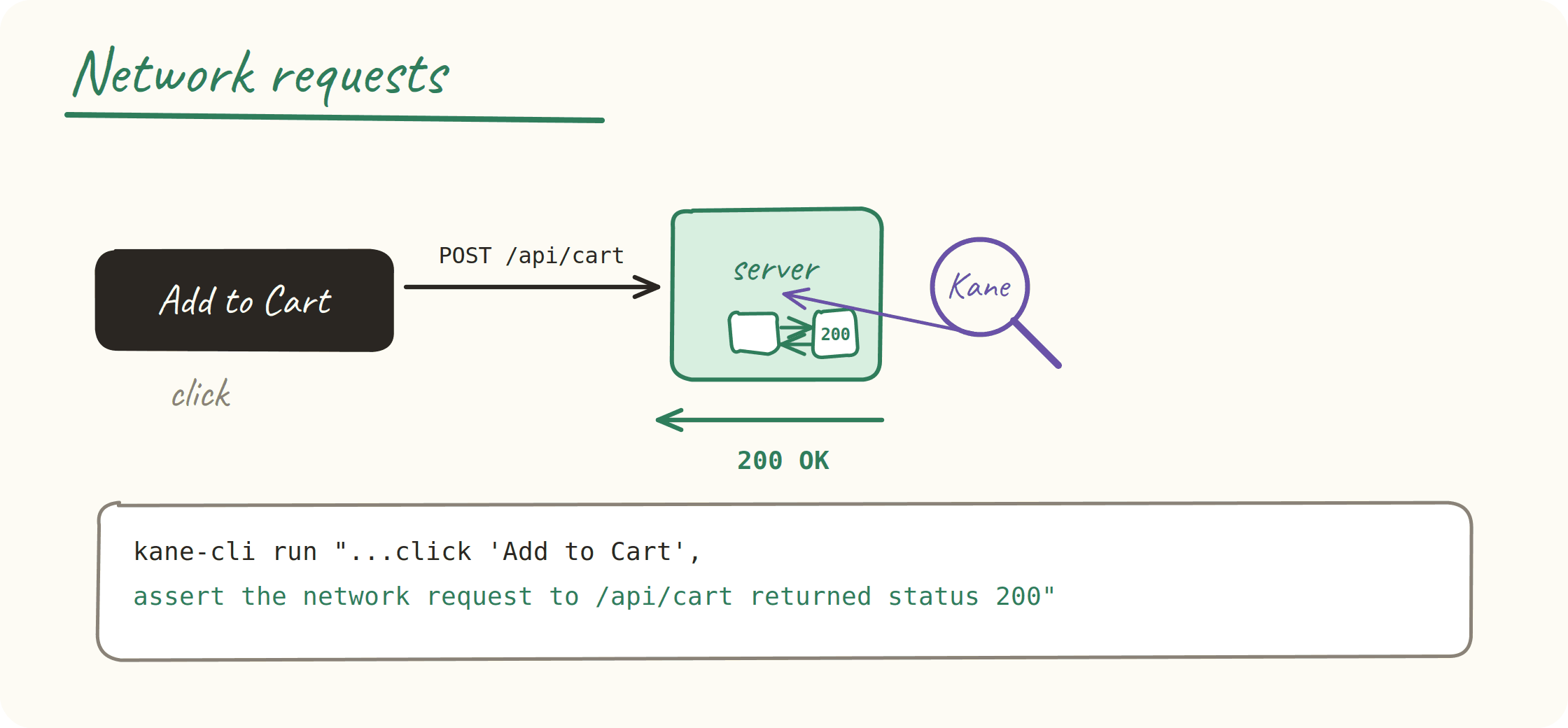
Kane CLI inspects live network traffic during a run. Assert on status codes, response bodies, and headers. New operators give you range checks like greater-than and less-than, plus not-equals.
kane-cli run "Go to https://shop.example.com, click 'Add to Cart', assert the network request to /api/cart returned status 200" --agentThe test no longer trusts the badge. It confirms the server actually said yes.
Console Output
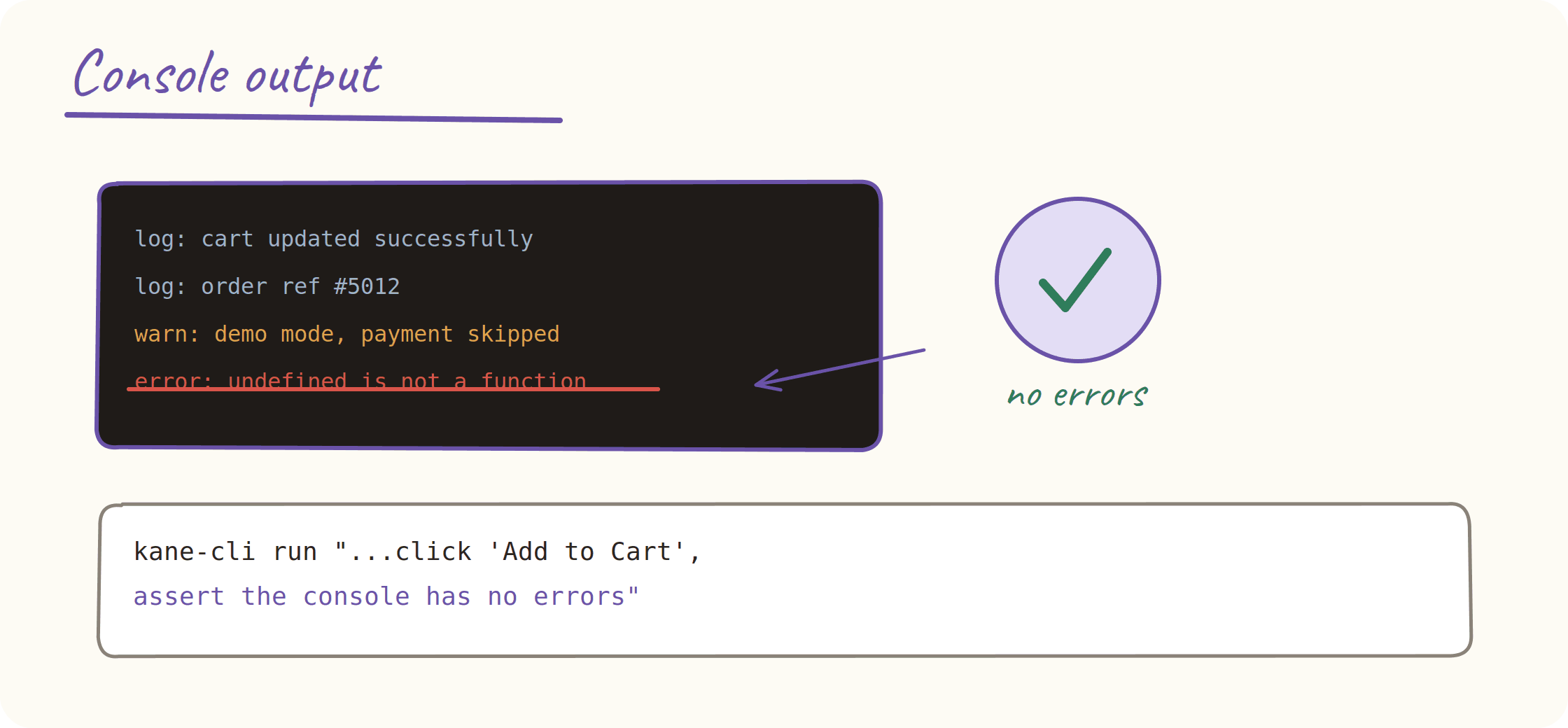
Every console message is captured per run. Errors, warnings, and app logs. Use them as assertion targets or extract them as values. Log levels are normalized for you.
kane-cli run "Go to https://shop.example.com, click 'Add to Cart', assert the console has no errors" --agentA clean console is now a pass condition, not something a human notices later.
Cookies and localStorage
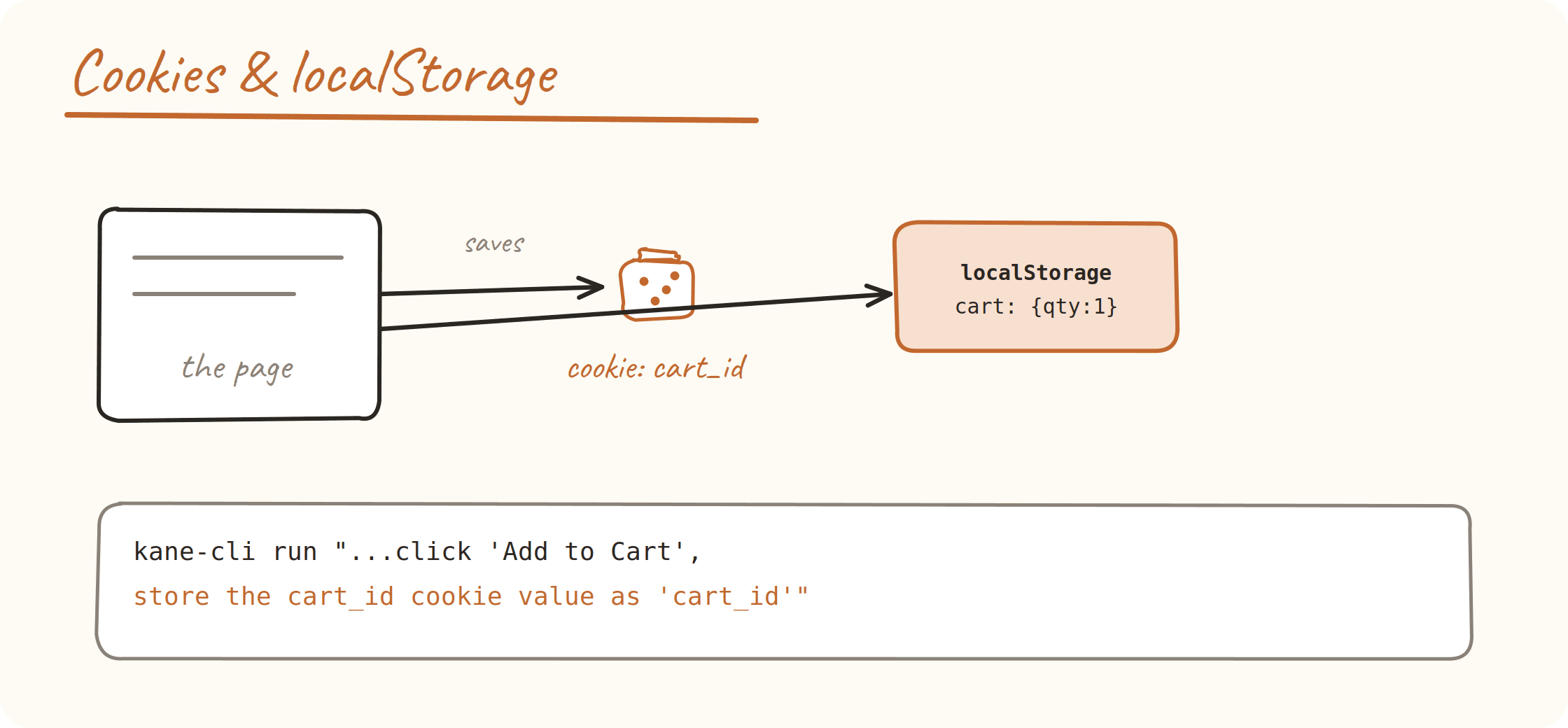
Read, assert on, and extract both. Confirm a session cookie was set. Pull a cart ID. Verify what the app stored in the browser.
kane-cli run "Go to https://shop.example.com, click 'Add to Cart', store the cart_id cookie value as 'cart_id'" --agentThe stored value lands in final_state in the run result, ready to use in the next step.
Performance Traces
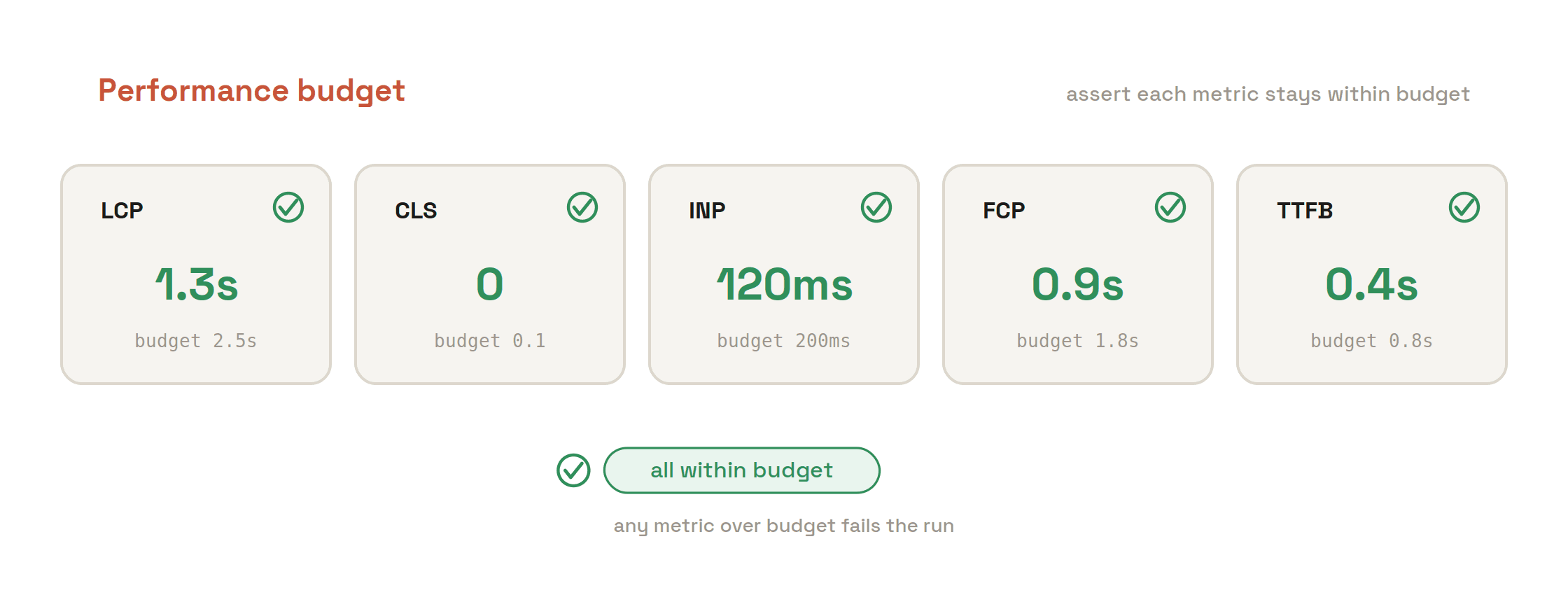
Browser performance data is collected inline and exposed as an assertion target. Gate a flow on load time.
kane-cli run "Go to https://shop.example.com, assert the page load time is under 3000ms" --agentSlow is now a failure, not a feeling.
Code Export and Replay
DevTools actions are not just for one run. With code export enabled, network queries, console reads, cookie checks, and performance snapshots all generate runnable automation code. Replay is wired end-to-end too. Network capture starts and stops correctly around the replayed steps, and console, cookie, storage, and performance actions all run again exactly as recorded.
Record once. Replay anywhere. Export to code when you want it in your repo.

Note: Stop trusting the badge. Assert on network calls, console logs, cookies, and page speed in plain English with TestMu AI. Start for free
One Click, Four Checks
Here is the full picture on a real flow. A user clicks Add to Cart. On the surface, a badge changes. Underneath, a request fires, the console logs success, a cookie is set, and the page stays fast. Until now, a human opened DevTools to confirm all of that. Kane CLI does it for you.
kane-cli run "Go to https://shop.example.com, click 'Add to Cart', assert the network request to /api/cart returned status 200, assert the console has no errors, store the cart_id cookie value as 'cart_id'" --agentKeep objectives under 15 steps. For wider coverage, split the four checks into separate runs and run them in parallel.
Note: Want the full command reference for DevTools assertions and replay? Read the Kane CLI documentation. View the docs
Get It
npm install -g @testmuai/kane-cli
kane-cli login
Already installed? Update in one line.
npm update -g @testmuai/kane-cliPlain English. Real browser. Pass or fail. Now for the layer you could not see before.
The Kane CLI Certification is free and covers writing these assertions yourself, from network calls to page speed.
Author

Bhawana
Blogs: 75


Bhawana is a Community Evangelist at TestMu AI with over 3 years of experience creating technically accurate, strategy-driven content in software testing. She has authored 50+ blogs on test automation, cross-browser testing, mobile testing, and real device testing. She also serves as Product Marketing Manager for Kane CLI, the command-line tool that runs browser automation from the terminal using natural-language flows in a real Chrome browser. Bhawana is certified in KaneAI, Selenium, Appium, Playwright, and Cypress, reflecting her hands-on knowledge of modern automation practices. On LinkedIn, she is followed by 6000+ QA engineers, testers, AI automation testers, and tech leaders.


Did you find this page helpful?
More Related Blogs

TestMu AI forEnterprise
Get access to solutions built on Enterprise
grade security, privacy, & compliance
- Advanced access controls
- Advanced data retention rules
- Advanced Local Testing
- Premium Support options
- Early access to beta features
- Private Slack Channel
- Unlimited Manual Accessibility DevTools Tests