

Next-Gen App & Browser Testing Cloud
Trusted by 2 Mn+ QAs & Devs to accelerate their release cycles


Now Run Your Cypress Tests Easily
Cypress is a powerful, easy-to-use testing platform for front-end developers that tests end-to-end web apps in modern browsers. For a more scalable & reliable cloud-based browser automation, TestMu AI is now live with Cypress CLI!

Kritika Murari
February 10, 2026
Howdy techies and TestMu AI customers! In our continuous endeavor to empower the QA community, we are elated to bring Cypress framework support on TestMu AI automation testing cloud!!
You read it right! You can now accelerate automation testing by leveraging the enormous capabilities offered by Cypress CLI on TestMu AI!
NOTE: If you want to see Cypress in action, feel free to ping us over our chat support or our support mail, or directly schedule a demo with us.
For the uninitiated ones, Cypress is a wonderful testing framework designed for modern web development and testing. Released in late 2017, as a much faster alternative to the Selenium Automation testing tool, Cypress makes end-to-end automation tests easy and fun. It is one of the few frameworks that discarded traditional WebDriver-based web automation and operates directly on the browsers leveraging browser APIs. This combined with its capability to run on headless browsers makes running Cypress tests super fast.
Watch this video to learn how to run Cypress tests in headless mode differently.
After last year’s release, Cypress currently supports Chromium family browsers like Chrome, Electron, and now Edge, as well as Firefox. In other words, Cypress now has cross browser support. You may guess where we are going with this.
TestMu AI now has native support for running Cypress based cross browser tests. And not only that, you can run these tests at a scale by running them parallelly across multiple browser environments and thereby reducing your testing times.
Curious to know how Cypress CLI on TestMu AI adds scalability and reliability to your Cypress tests? Let’s find out more!
Starting your journey with Cypress Testing? Check out how you can test your Cypress test scripts on TestMu AI’s online cloud.
Supported Browsers & Operating Systems
As a Cypress user, you may ask why choose TestMu AI when the built-in Cypress dashboard is so powerful? Imagine burning dollars on setting up an in-house Grid infrastructure that would require recursive pumping of dollars for scaling up and maintenance. There is no light at the end of the tunnel with local Grid infrastructure.
Scalability, reliability, and security are the three major things that you can achieve with Cypress CI on TestMu AI. TestMu AI not only allows you to perform Cypress testing on the cloud-based Grid but lets you perform cross browser testing at an unimaginable scale. TestMu AI supports the below listed browsers, browser versions, and Operating Systems for Cypress testing.
Note: The Operating systems, with (*) mentioned against them, will be live soon. There is no support for Chrome 82 and Edge 82 since these browser versions were not released by Google and Microsoft respectively due to release delays.
Installing Cypress
Installing the Cypress CLI for TestMu AI is easy and quick. Simply run the command npm install -g lambdatest-cypress-cli on the terminal and you are set for Cypress testing on TestMu AI. For a step-by-step guide on Cypress testing, check out our support doc for getting started with Cypress testing on TestMu AI.

Austin Siewert
CEO, Vercel
Discovered @TestMu AI yesterday. Best browser testing tool I've found for my use case. Great pricing model for the limited testing I do 👏
2M+ Devs and QAs rely on TestMu AI
Deliver immersive digital experiences with Next-Generation Mobile Apps and Cross Browser Testing Cloud

Take this certification to showcase your expertise with end-to-end testing using Cypress automation framework and stay one step ahead.
Here’s a short glimpse of the Cypress 101 certification from TestMu AI:
Diving Inside The Automation Console
Once you have set up TestMu AI Cypress CLI in your system, you can run your first ever automation script. Here is a snapshot of how you can run 10 tests in parallel using Cypress on TestMu AI:

As soon as your test script starts executing, you will be able to check the status on the TestMu AI Automation Dashboard.
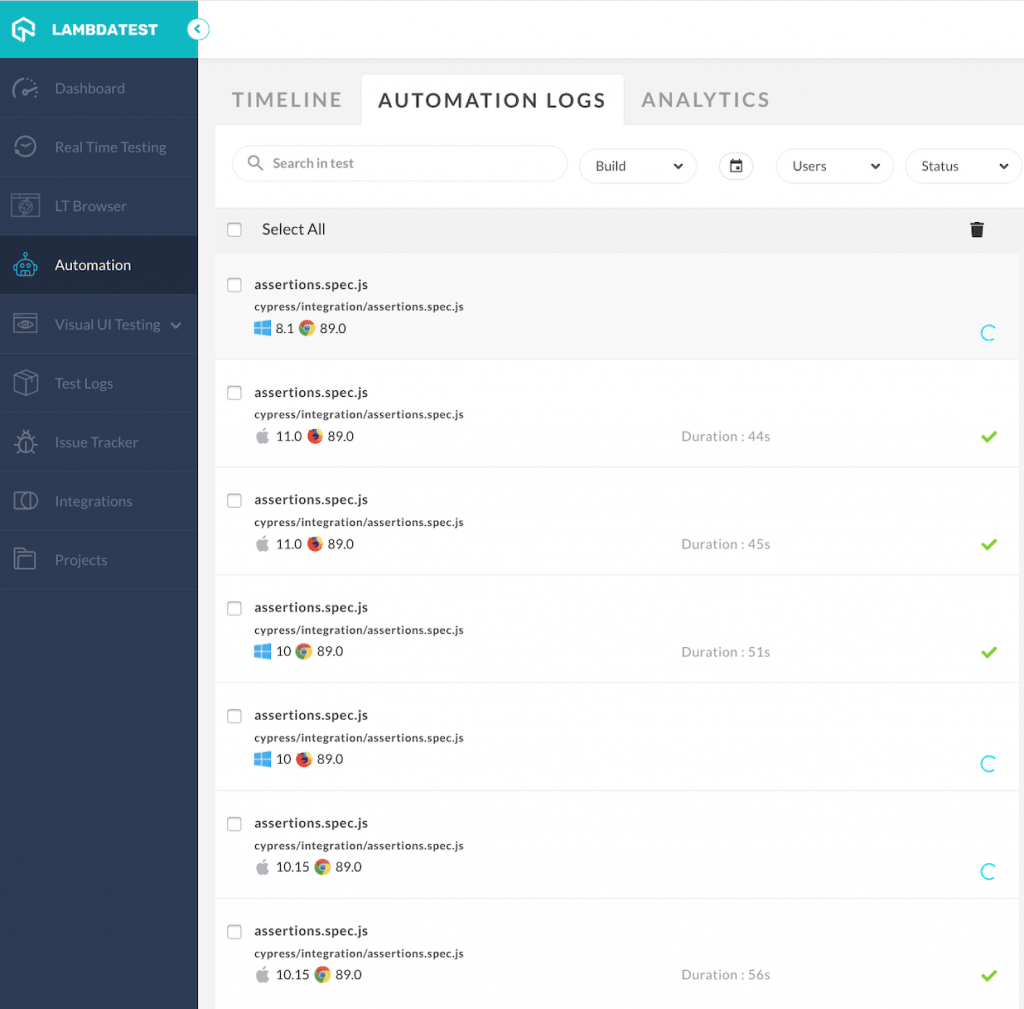
All your builds are neatly displayed in the Timeline section. You would also be able to check the timestamps for your script execution, along with the time taken for execution completion.
If the test gets executed successfully, you will see a green tick on the Timeline view and a “Completed” message on the Automation logs view of the Automation dashboard. If not, then you will see a red cross and a “Failed” message.
From the Automation Logs, you will be able to:
- View the live video feed.
- Access screenshots for each test run.
- View console logs.
- View terminal logs, and much more for each test you run.
You can also analyze each of these tests from the Analytics section.
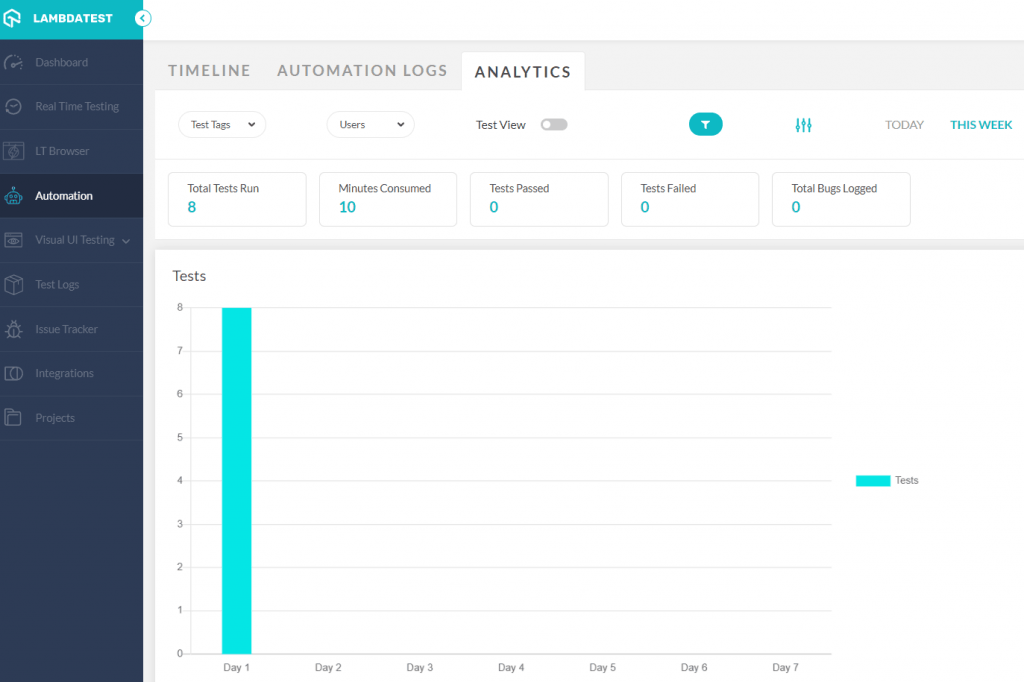
Complying with cross browser compatibility is of utmost importance and it can be a tedious and expensive task when done using the local Grid infrastructure. Using TestMu AI, you can automate testing using a secure, scalable, and reliable Cloud Grid. You can also use Cypress CLI on TestMu AI to run Cypress tests locally.
Running Cypress tests in parallel on TestMu AI Cloud Grid provides blazing fast execution speed that QA engineers would have always wished for! Need we mention that accelerated test execution would eventually result in faster time to market!
That’s not all, you can integrate your Cypress automation test with popular CI/CD tools like Jenkins, Circle CI, GitLab CI, and more. Check out TestMu AI integrations page to know more about how you can weave the magic around automation testing with Cypress, CI/CD, and TestMu AI.

Get Started with Cypress Today
With this integration, TestMu AI has given you seamless access to real-time reloads, consistent results, zero flakiness, better control, maximum parallelization, and much more. All the more reason to count on TestMu AI for executing, scaling up, and making the most of your tests in parallel across different browser versions!
If you want to see Cypress in action, feel free to ping us over our chat support or our support mail, or directly schedule a demo with us. If you are already a Cypress user, we can help you get onboarded and help you set up your current Cypress tests over TestMu AI Automation Cloud. You just have to let us know and we would be happy to help!!!!

Try out Cypress CLI on TestMu AI today. Do subscribe to our newsletter to stay updated with more exciting news!
Get the best out of your Cypress tutorial with TestMu AI’s online Cypress automation tool. Check out how you can test your Cypress test scripts using TestMu AI’s online cloud.
To supercharge your testing setup further, you can seamlessly integrate Cypress-docker with TestMu AI. Learn how to set up Cypress-docker on TestMu AI for efficient and scalable testing.
We also raised $16M in Series B!!
That’s not all for the big news for today. We’ve raised $16M in a Series B round led by Sequoia Capital, along with Telstra Ventures, Wamda Capital and leading sovereign wealth fund. This new infusion of funds will help us fast track our vision of empowering developers and testers worldwide with a powerful, comprehensive and secure continuous quality test platform. With the launch of Cypress CLI on TestMu AI, we have already taken the first step in this direction. There’s so much more to come, stay tuned!
Happy testing 🙂
Austin Siewert
CEO, Vercel
Discovered @TestMu AI yesterday. Best browser testing tool I've found for my use case. Great pricing model for the limited testing I do 👏
2M+ Devs and QAs rely on TestMu AI
Deliver immersive digital experiences with Next-Generation Mobile Apps and Cross Browser Testing Cloud


Did you find this page helpful?
More Related Hubs
TestMu AI forEnterprise
Get access to solutions built on Enterprise
grade security, privacy, & compliance
- Advanced access controls
- Advanced data retention rules
- Advanced Local Testing
- Premium Support options
- Early access to beta features
- Private Slack Channel
- Unlimited Manual Accessibility DevTools Tests