

Next-Gen App & Browser Testing Cloud
Trusted by 2 Mn+ QAs & Devs to accelerate their release cycles


On This Page
- Automate Web Accessibility With Playwright
- Take Responsive DOM Screenshots With SmartUI SDK
- Fetch Your App Profile Metrics Using API
- New Enhancements in Test Manager
- Test Local Websites With Enhanced UnderPass Application
- Filter Test Data by Hour, Day, Week, and Month
- Validate Android Automation Skills With Espresso 101 Certification
- Summing Up!

- Home
- /
- Blog
- /
- October’24 Updates: Automate Accessibility Tests With Playwright, Capture Responsive DOM Screenshots, and More!
October’24 Updates: Automate Accessibility Tests With Playwright, Capture Responsive DOM Screenshots, and More!
Explore the latest add-ons from TestMu AI. From Playwright accessibility testing to the Espresso 101 Certification, we've got you covered.

Salman Khan
January 10, 2026
Hello, testing community! A new wave of features and enhancements is here to make your testing job easier. 🚀
In October, we added support for Playwright accessibility testing, the ability to take responsive DOM screenshots in SmartUI and enhanced our UnderPass application for local testing. We also went live with many more such features and improvements in our other product offerings.
Let’s take a look!
Automate Web Accessibility With Playwright
With accessibility testing, you can ensure your websites and web apps are usable for everyone, including impaired users. In addition to Selenium and Cypress, TestMu AI now supports accessibility automation with Playwright, which lets you add accessibility checks to your Playwright tests. It means you can:
- Add accessibility checks to your Playwright scripts and catch issues before they reach users.
- Run tests on real browsers in the cloud, so you don’t need to worry about browser, browser versions or OS limitations.
- Get accessibility insights alongside your regular test reports on the TestMu AI Web Automation dashboard.
To enable the accessibility testing within your test suites, you need to set the accessibility: true in your configuration file. You can also specify other settings capabilities as shown below:
"accessibility": true,                 // Enable accessibility testing
"accessibility.wcagVersion": "wcag21a", // Specify WCAG version (e.g., WCAG 2.1 Level A)
"accessibility.bestPractice": false,    // Exclude best practice issues from results
"accessibility.needsReview": true

Take Responsive DOM Screenshots With SmartUI SDK
TestMu AI SmartUI now allows you to capture responsive DOM screenshots using SmartUI SDK. Therefore, when your website changes the DOM based on viewport size or specific breakpoints, you can configure SmartUI SDK to adjust accordingly.
When using the SmartUI CLI, the SDK captures the DOM state at a specified viewport size in the test browser and then renders it across the browsers and resolutions you’ve set in your configuration file.
If your website changes DOM elements for different screen sizes, in that case, you need to make sure to resize the viewport in your test browser and capture a snapshot at each required width.
Refer to this documentation to get started with capturing responsive DOM screenshots.
Fetch Your App Profile Metrics Using API
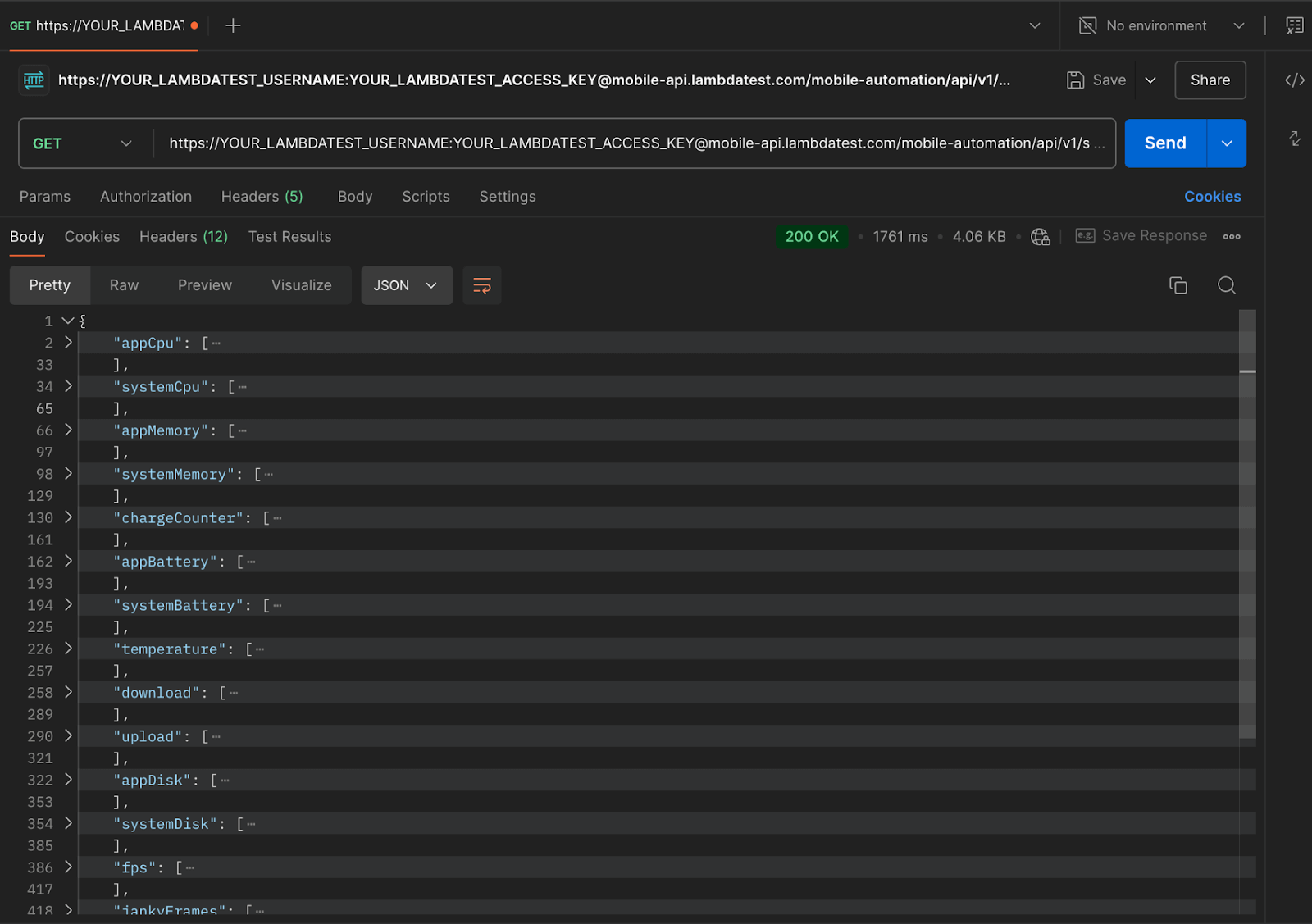
In App Automation, you can now fetch app profiling metrics using API from your test sessions. You can integrate this API into your CI/CD pipelines or automation frameworks. With this, you can easily fetch real-time performance data, such as CPU usage, memory consumption, disk usage, and network activity.
To retrieve profiling details, you can simply send a request to the TestMu AI API using your TestMu AI Username and Access Key along with the relevant session ID. The response will include comprehensive metrics in JSON format, making it easy to integrate with other tools or reporting systems for further analysis.
New Enhancements in Test Manager
We’ve added new features in Test Manager to make managing test cases easier and more organized.
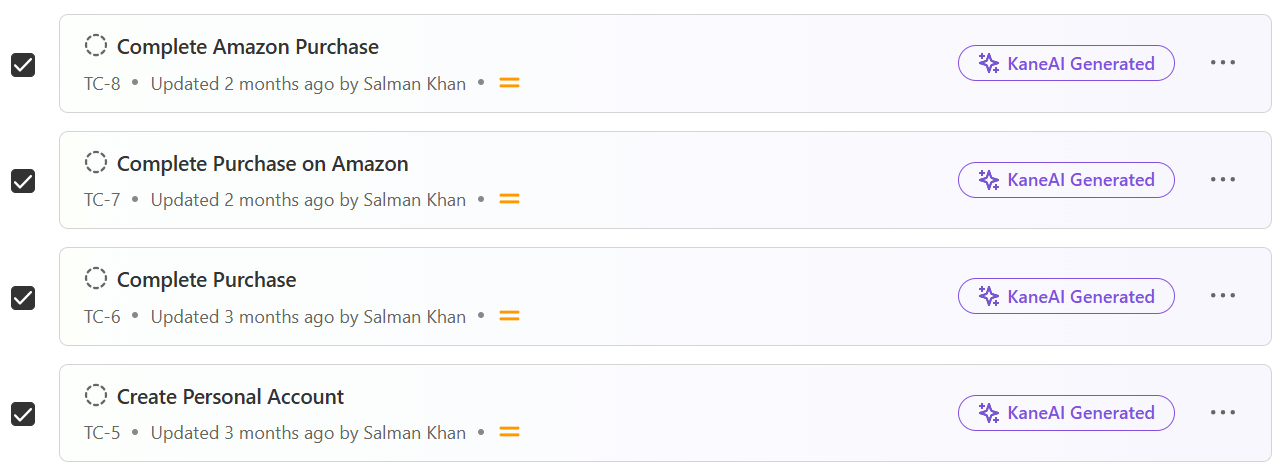
- Select Multiple Test Cases in Builds: Instead of managing cases one by one, now you can select multiple cases in a build at once. It can help you organize and make changes in bulk.
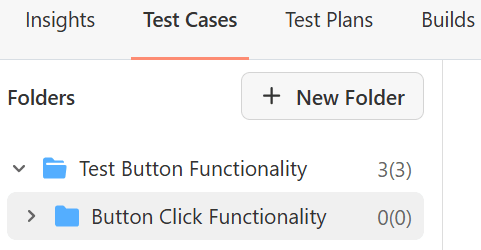
- View Test Case Count in Folders and Subfolders: You can now see the count for each folder and its subfolders at a glance. So you can get a quick view of test case counts.
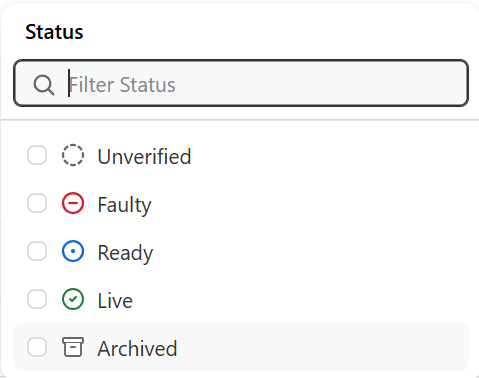
- Set Status Options for Test Cases: We have also added new test statuses such as Faulty and Ready. Also, we have updated the following existing status.
- Draft > Unverified
- Open > Live
- Closed > Archived
Test Local Websites With Enhanced UnderPass Application
UnderPass is a desktop application that lets you test local websites quickly without triggering the TestMu AI Tunnel from CLI. We’ve now further upgraded this UnderPass application from Electron v7 to the latest Electron v32. It can help you achieve better stability, performance, and compatibility across all operating systems.
Also, the UnderPass application is now available for European Union (EU) users.
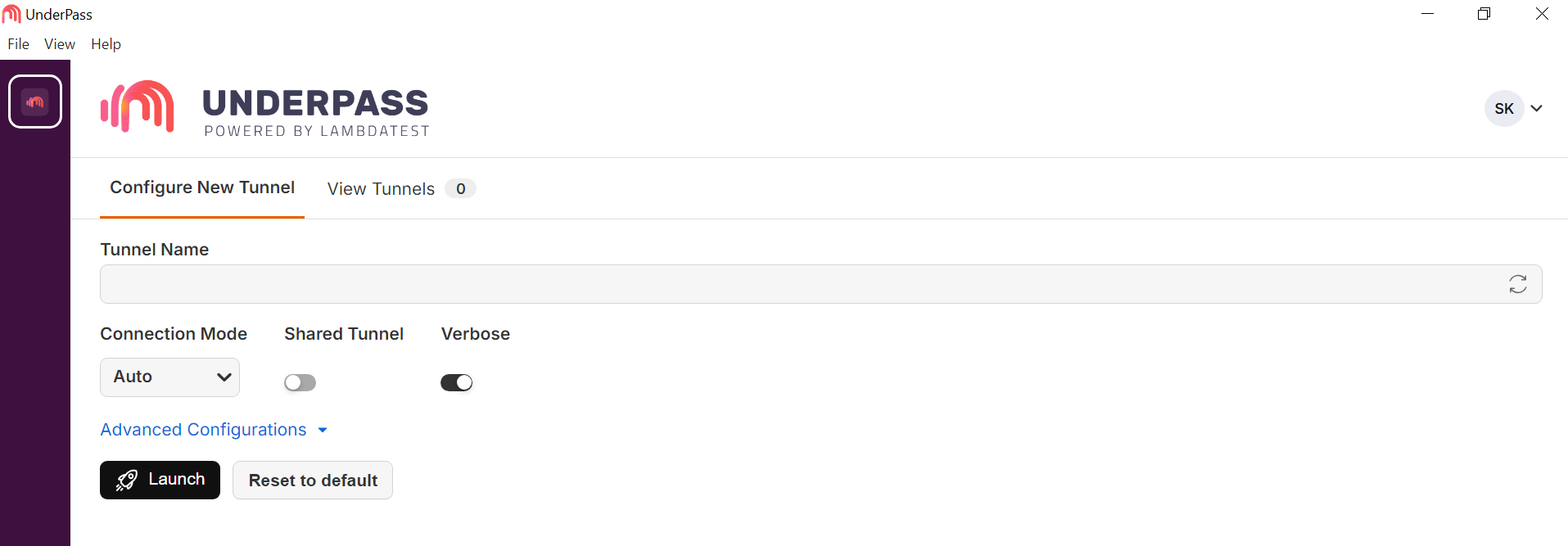
Here are some new features that UnderPass application offers:
- Bring Your Own Device (BYOD): Real device support for BYOD is available.
- NTLM Flag and Private IP: Added support for NTLM flag and private IP.
- UI/UX Enhancements: Enhanced UI/UX for better user experience.
Filter Test Data by Hour, Day, Week, and Month
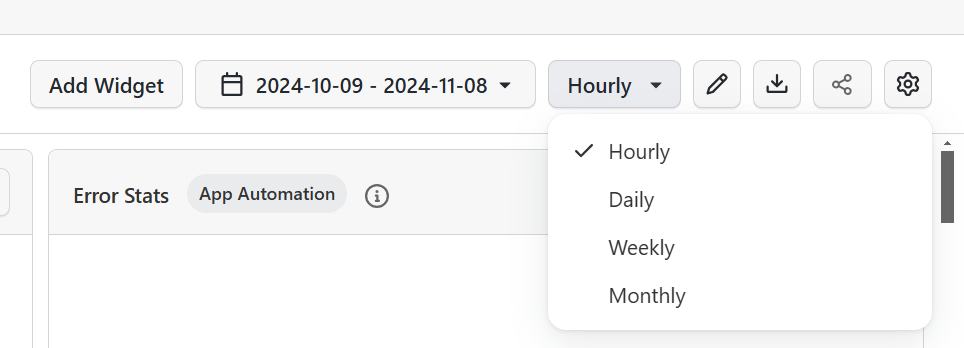
In the Test Analytics, we have optimized the date filtering for grouping tests. You can now group your test data Hourly, Daily, Weekly, and Monthly. It will help you perform in-depth time-based analysis.

Note: Experience AI-native Test Analytics. Try TestMu AI Today!
Validate Android Automation Skills With Espresso 101 Certification
Earlier this year, we went live with our first-ever certification for mobile automation, i.e., the Appium 101 Certification.
We have further expanded the TestMu AI Certifications pool by launching yet another certification for mobile automation testing. This time, it is Espresso 101 Certification.
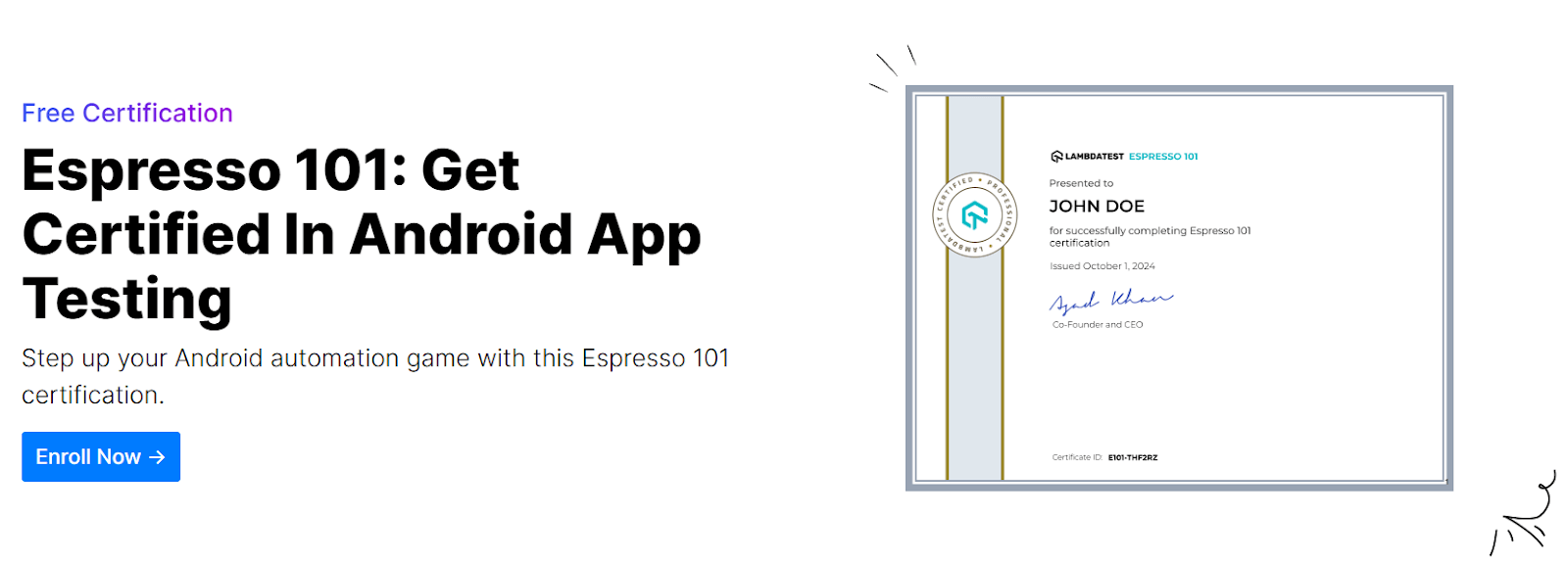
Espresso 101 Certification is ideal for anyone wanting to level up their Android app testing skills. With this certification, you can get:
- Certified for FREE.
- Hands-on experience in automating real-world scenarios.
- Globally recognized by adding a badge to your LinkedIn profile.
- Give a major push to your mobile test automation career.
Summing Up!
As you can see, October was a month packed with exciting updates. From certifications to advanced testing capabilities, we’re committed to empowering you to deliver high-quality websites and mobile apps!
Stay tuned for more innovative features and improvements coming your way!


Did you find this page helpful?
More Related Hubs
TestMu AI forEnterprise
Get access to solutions built on Enterprise
grade security, privacy, & compliance
- Advanced access controls
- Advanced data retention rules
- Advanced Local Testing
- Premium Support options
- Early access to beta features
- Private Slack Channel
- Unlimited Manual Accessibility DevTools Tests