

Next-Gen App & Browser Testing Cloud
Trusted by 2 Mn+ QAs & Devs to accelerate their release cycles


Now Test Edge & Firefox Extensions, New Browsers And More!
Now test your browser extensions over Mozilla Firefox & Microsoft Edge browsers. We've also introduced Edge 83 & Edge 84 in our Selenium Grid and you can now perform live-interactive debugging with your Selenium scripts from the automation logs. Plus, there is an improved UI for automation dashboard. Try these new updates now!!

Harshit Paul
January 29, 2026
Hey testers! We hope you are all safe and healthy as we share this exciting product update. We’ve worked hard last couple weeks to incorporate a few invaluable customer suggestions into the product and I am about to quickly share them with you. Here we go!
This product update is going to be all about our cloud Selenium Grid. Which now allows you to perform:
Now Test Browser Extensions For Mozilla Firefox & Microsoft Edge Browsers As Well
Till now, you were only able to test browser extensions on Google Chrome using our cloud Selenium Grid. Now, you could also test browser extensions for Mozilla Firefox & Microsoft Edge browsers.
Perform live interactive cross browser test on firefox browser for your public or locally hosted websites and web apps on real operating system.
Note: Browser extensions support the latest Firefox version & latest version of MS Edge is in beta stage right now. We are gathering some amazing feedback and are working to incorporate them before we get it out of beta testing. If you want to perform automated browser testing for your browser extensions on Firefox & Edge then give us a shout.
Test your browser extensions now and let us know how it went for you. 🙂
Automated Browser Testing On Microsoft Edge 83 & 84 Beta
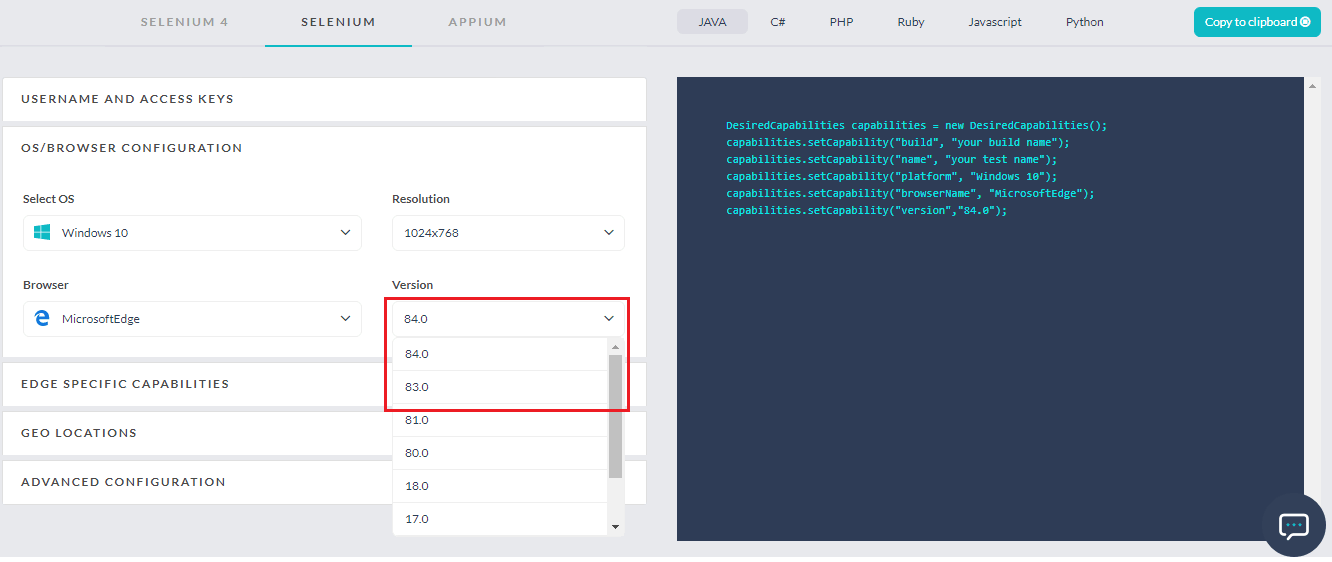
Earlier, we introduced the latest Microsoft Edge browser version in our live interactive testing. Now, they are available on our Selenium Grid as well. You can find these browser versions in our Selenium Desired Capability Generator.
Easily Debug Selenium Scripts With Live Interaction On High Sierra
Debugging could be an annoying task but we do our best to make it more convenient for you. Keeping that in mind, we have come up with a feature that lets you perform live interaction debugging while running your Selenium scripts.
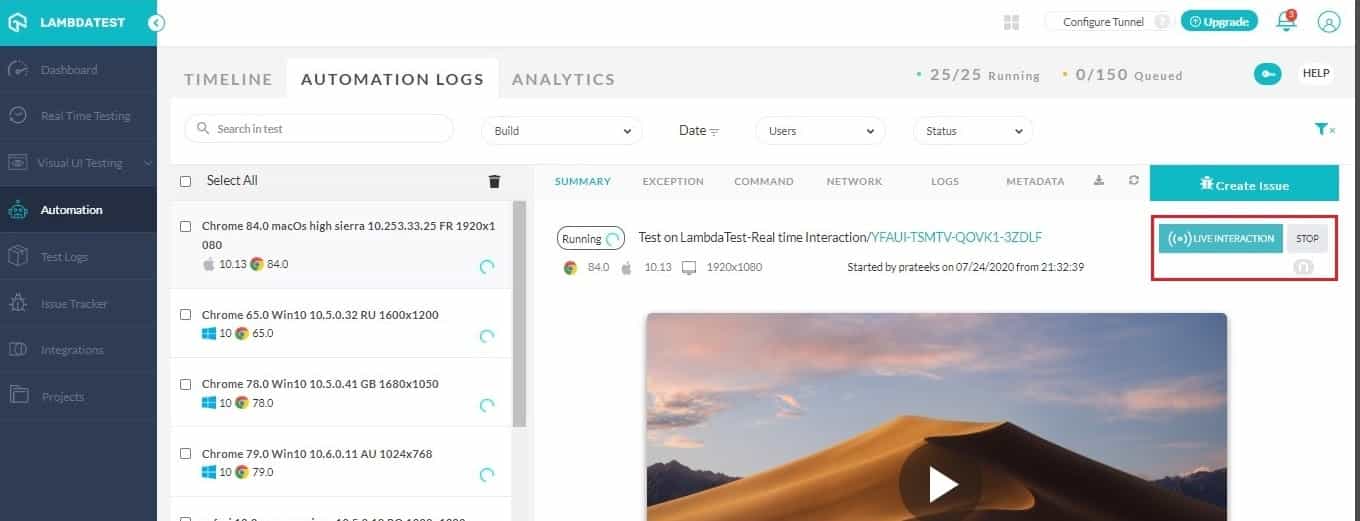
Using this feature, you will be able to pause the virtual machine that is running your Selenium script and you can then break the sessions for debugging your test scripts from the automation logs itself.
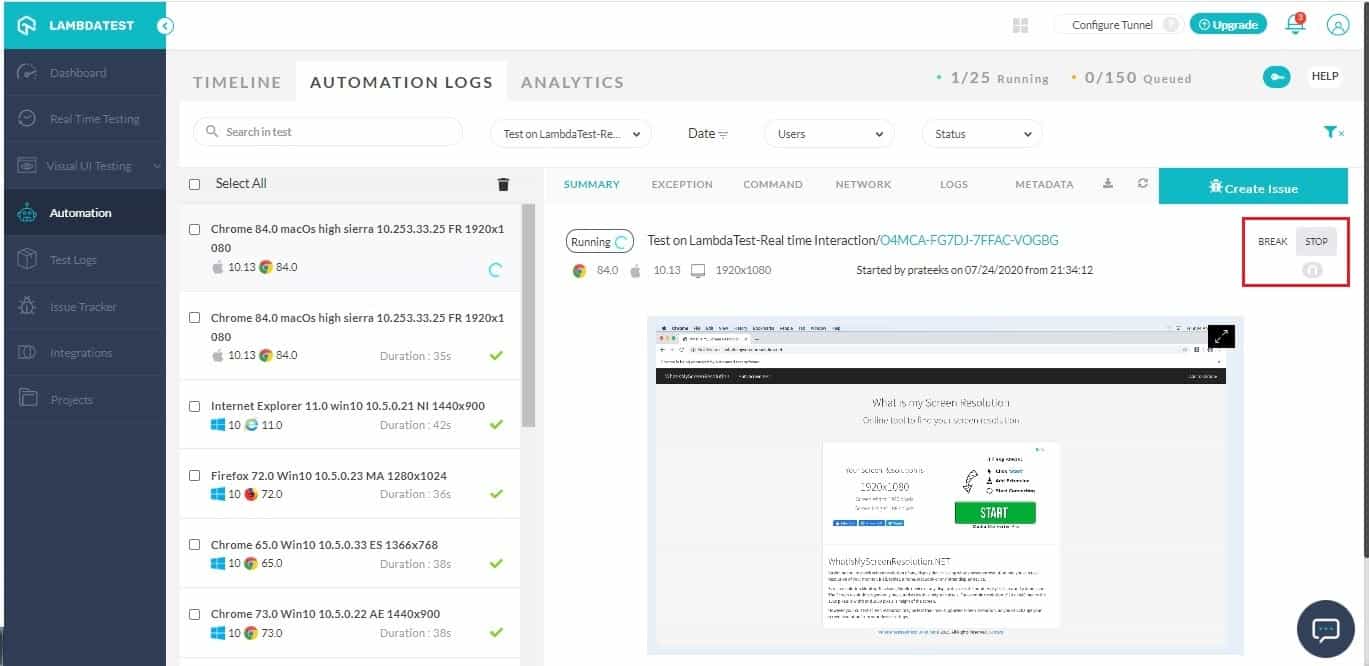
This feature is under beta testing which is why it is only present in macOS High Sierra for now. We are working to make this better for you and should be live with this feature on other operating systems shortly.
Improved UI For Automation Dashboard
Thanks to our awesome users, we were able to improve our Automation dashboard to offer better insights for Selenium testing scripts.
Bye Bye Pagination, Hello Infinite Scroll
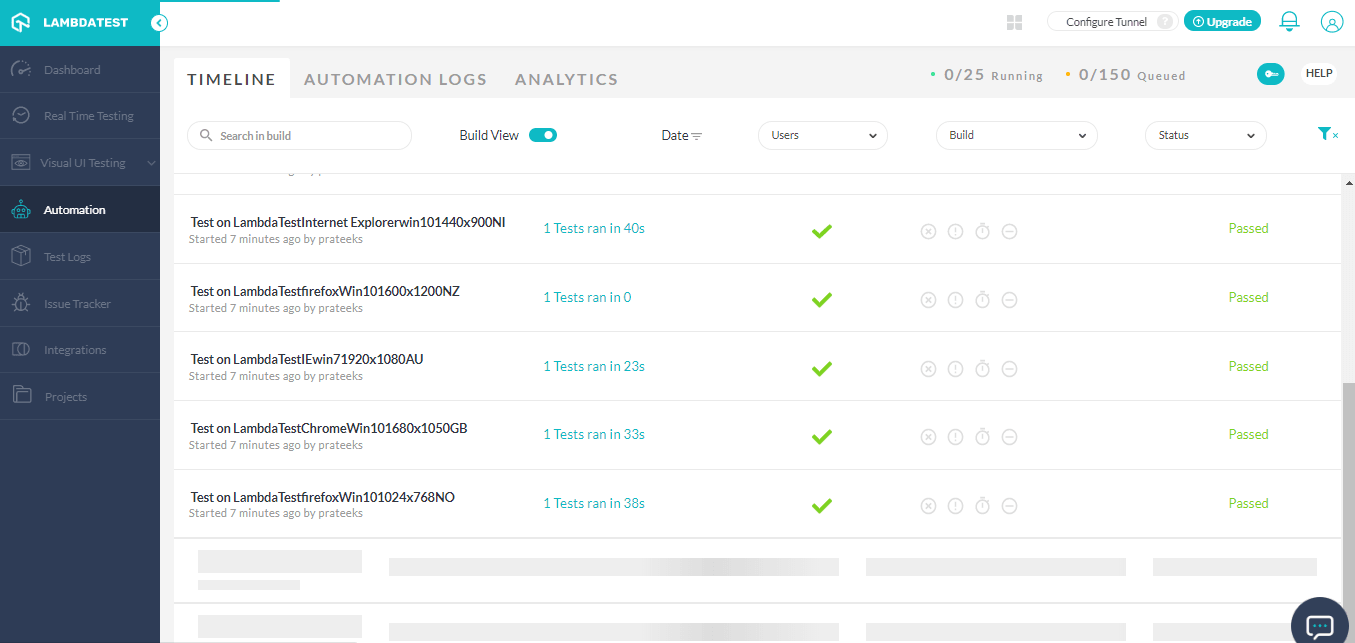
Earlier in our timeline view, we used to offer pagination where you had to go to previous pages for accessing older test builds. Not anymore! Now, you can scroll down the timeline infinitely till you find the previous builds you were looking for.
Download Build Reports & Delete Builds From Timeline
You can now download build reports directly from the timeline view. In order to download the build reports, you will need to click on the dot-menu over the right side and click on download.
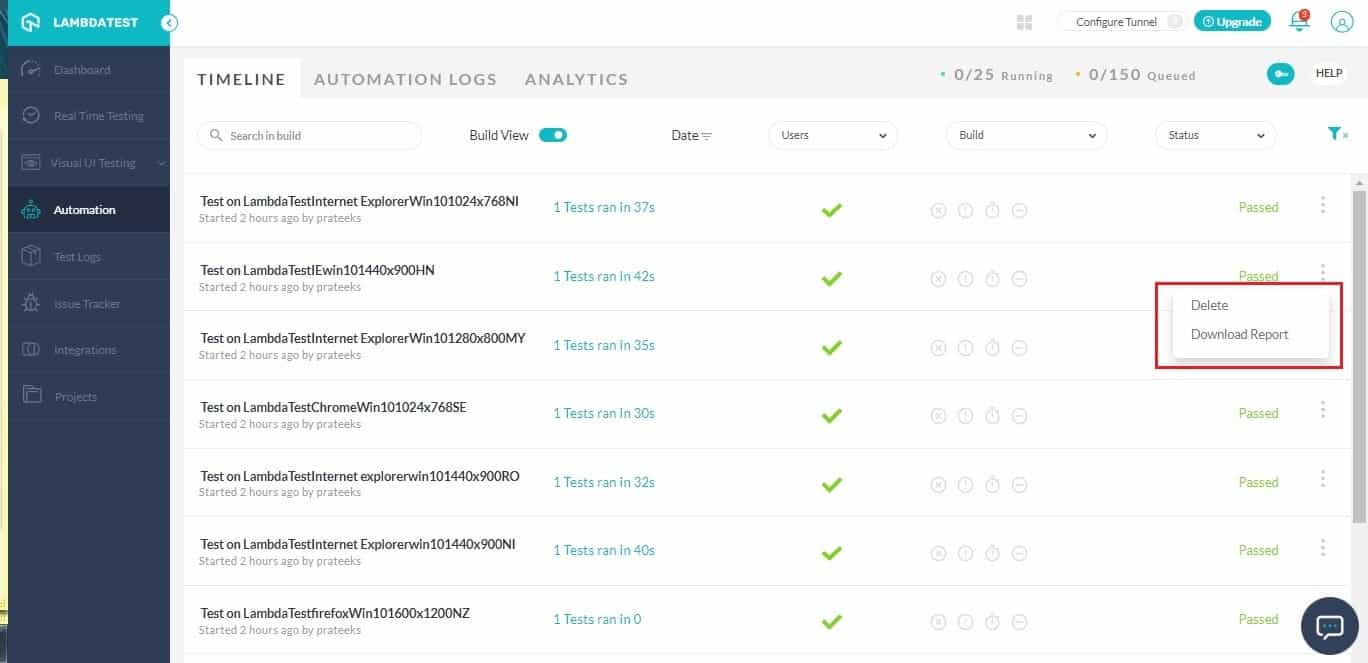
You can even delete a build from the timeline.
Change Build Name From Timeline
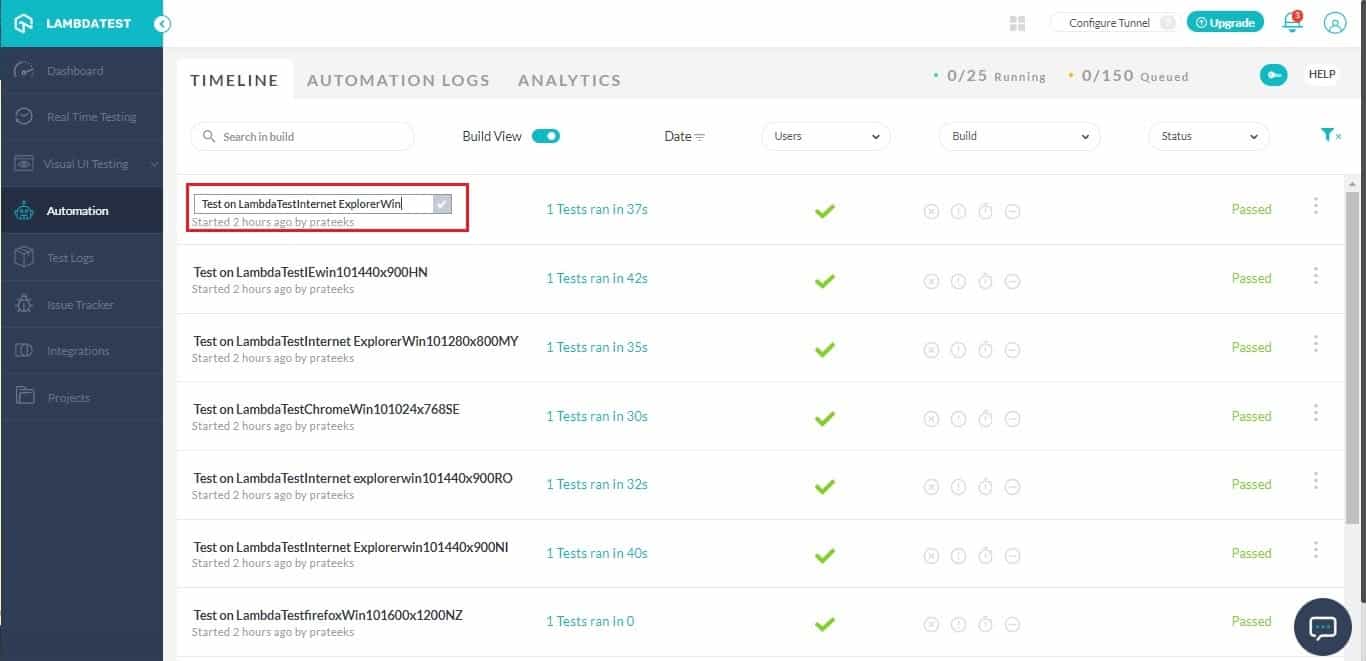
Now, you can rename a build from the timeline as well. To rename a build you will need to hover over the build name and click on the pencil icon to edit it.

After you click on the pencil icon, you can fill in the new name and save it.
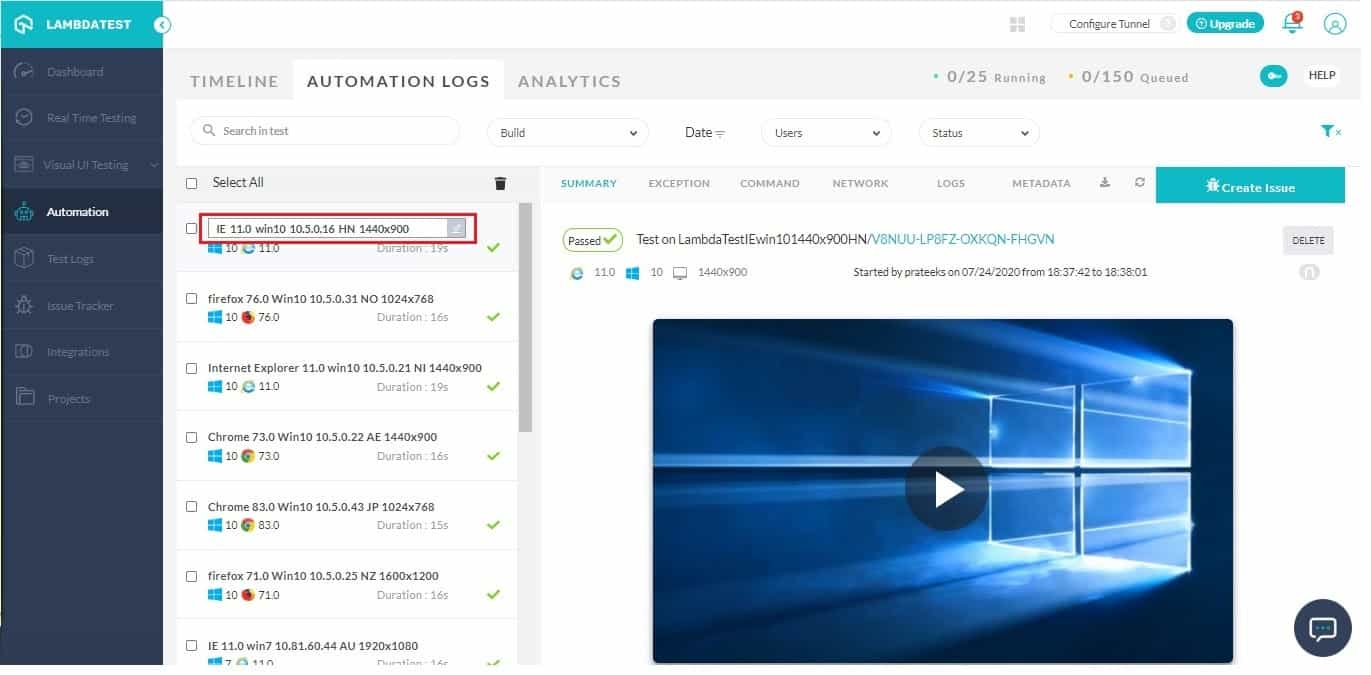
Similarly, you can even change the test name from automation logs.
Stop A Running Build
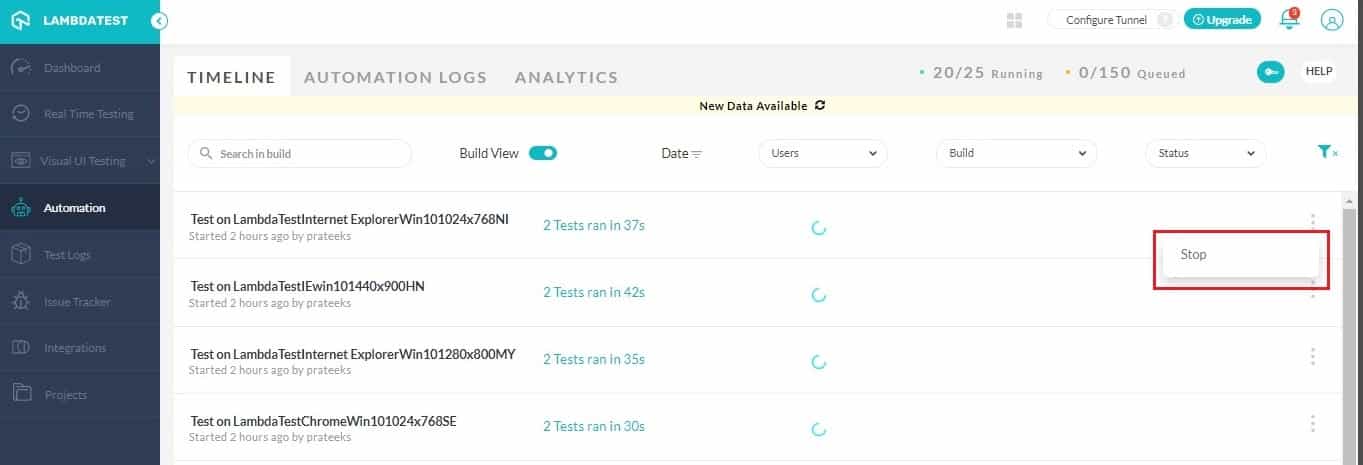
Triggered a huge automation test by mistake? No issues. You can now stop any running build from the timeline. All you need to do is hit the three dot menu on the right and click on ‘stop’.
Now with TestMu AI, you can perform real-time live interacting testing of your website or webapp starting from Firefox 63 Beta to the latest Firefox version available.
That Is All
Other than what we discussed so far, we also fixed some minor bugs and improved our Selenium Grid performance. Do give these features a spin and let us know your thoughts. We are looking forward to your amazing feedback. In case you have any questions feel free to share them with us through our 24/7 chat support. You could also mail them to us through [email protected]. Happy testing! 🙂

Austin Siewert
CEO, Vercel
Discovered @TestMu AI yesterday. Best browser testing tool I've found for my use case. Great pricing model for the limited testing I do 👏
2M+ Devs and QAs rely on TestMu AI
Deliver immersive digital experiences with Next-Generation Mobile Apps and Cross Browser Testing Cloud



Did you find this page helpful?
More Related Hubs
TestMu AI forEnterprise
Get access to solutions built on Enterprise
grade security, privacy, & compliance
- Advanced access controls
- Advanced data retention rules
- Advanced Local Testing
- Premium Support options
- Early access to beta features
- Private Slack Channel
- Unlimited Manual Accessibility DevTools Tests