

Next-Gen App & Browser Testing Cloud
Trusted by 2 Mn+ QAs & Devs to accelerate their release cycles


Gain Deeper Testing Insights Using TestMu AI and New Relic Integration
Discover a seamless testing experience by integrating TestMu AI with New Relic. Gain in-depth insights, streamline testing processes, and ensure optimal application performance.

Mythili Raju
January 29, 2026
Delving into the landscape of application performance and monitoring is essential for any development endeavor, as it provides real-time insights, proactive monitoring, and a comprehensive approach to performance management. It also highlights the crucial role of analytics in shaping the future of software development and testing.
New Relic stands out as the go-to solution for organizations aiming to elevate their testing requirements. It not only serves as a repository for test cases and results but also offers insightful analytics and reporting capabilities. It also gives you a better understanding of your automation scripts so you can quickly generate high-quality products.
The integration of TestMu AI with New Relic enables users to incorporate their test results into a personalized New Relic dashboard. It gives teams insights into how their system is doing and where potential problems lie by assisting in collecting data from all of your apps, infrastructure, and logs.
If you want to try this integration, please refer to our detailed documentation on TestMu AI integration with New Relic.
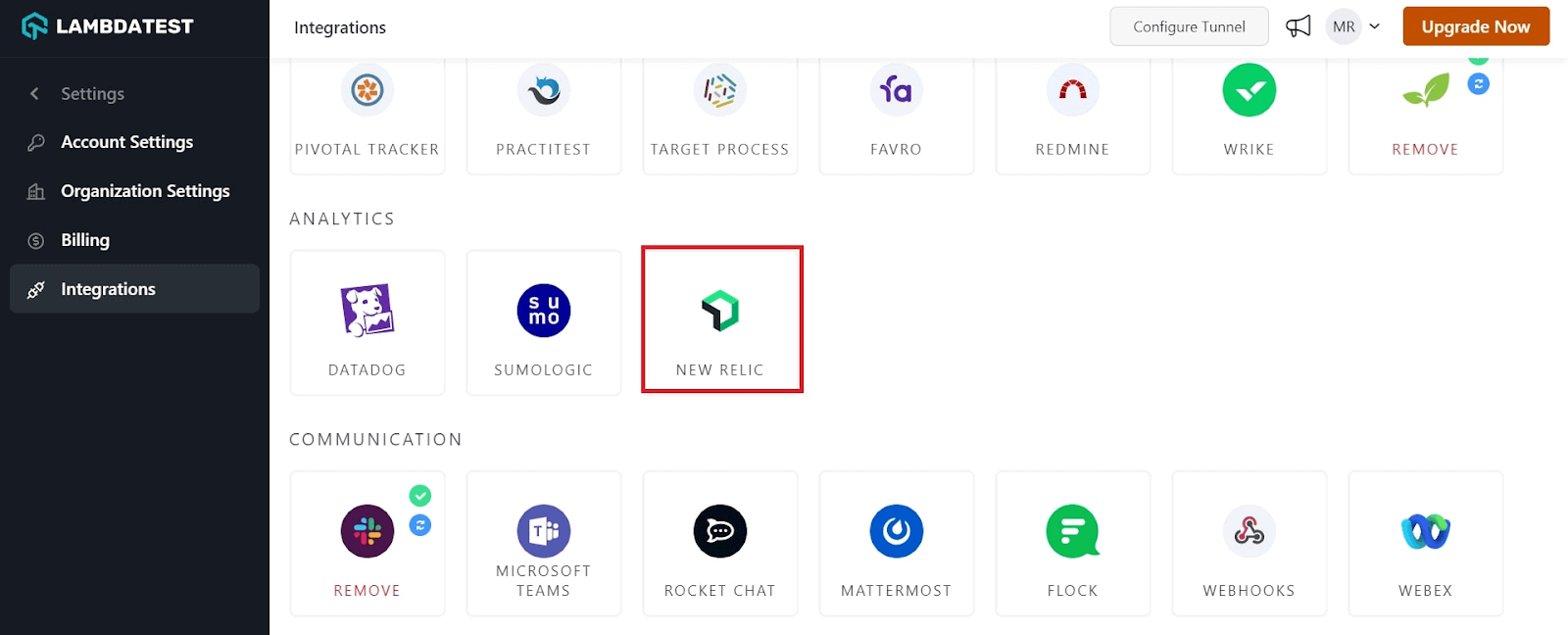
What is New Relic?
New Relic emerges as a comprehensive observability platform, offering invaluable support in monitoring, troubleshooting, and optimizing your software systems. This platform seamlessly gathers data from diverse applications, infrastructure, and logs, presenting a holistic perspective on your system’s performance.
Here are some of the use cases of New Relic that make it stand out:
- Performance Insights: New Relic integration provides performance monitoring, offering deep insights into the application’s performance metrics for optimized user experiences.
- Efficient Issue Resolution: Leveraging New Relic enables swift identification and resolution, reducing downtime and enhancing overall system reliability.
- Seamless CI/CD Integration: New Relic’s integration with TestMu AI facilitates smooth collaboration within CI/CD pipelines, allowing teams to incorporate test results into their development workflows seamlessly.

Note: Automate your test scripts to ship quality products at light speed. Try TestMu AI Today!
TestMu AI Integration with New Relic
With TestMu AI and New Relic integration, you can get a holistic overview of your testing behavior by pushing your test data from the TestMu AI platform to New Relic dashboards. This will give you a comprehensive insight into how your testing team runs tests and how they function across different browsers and operating systems.
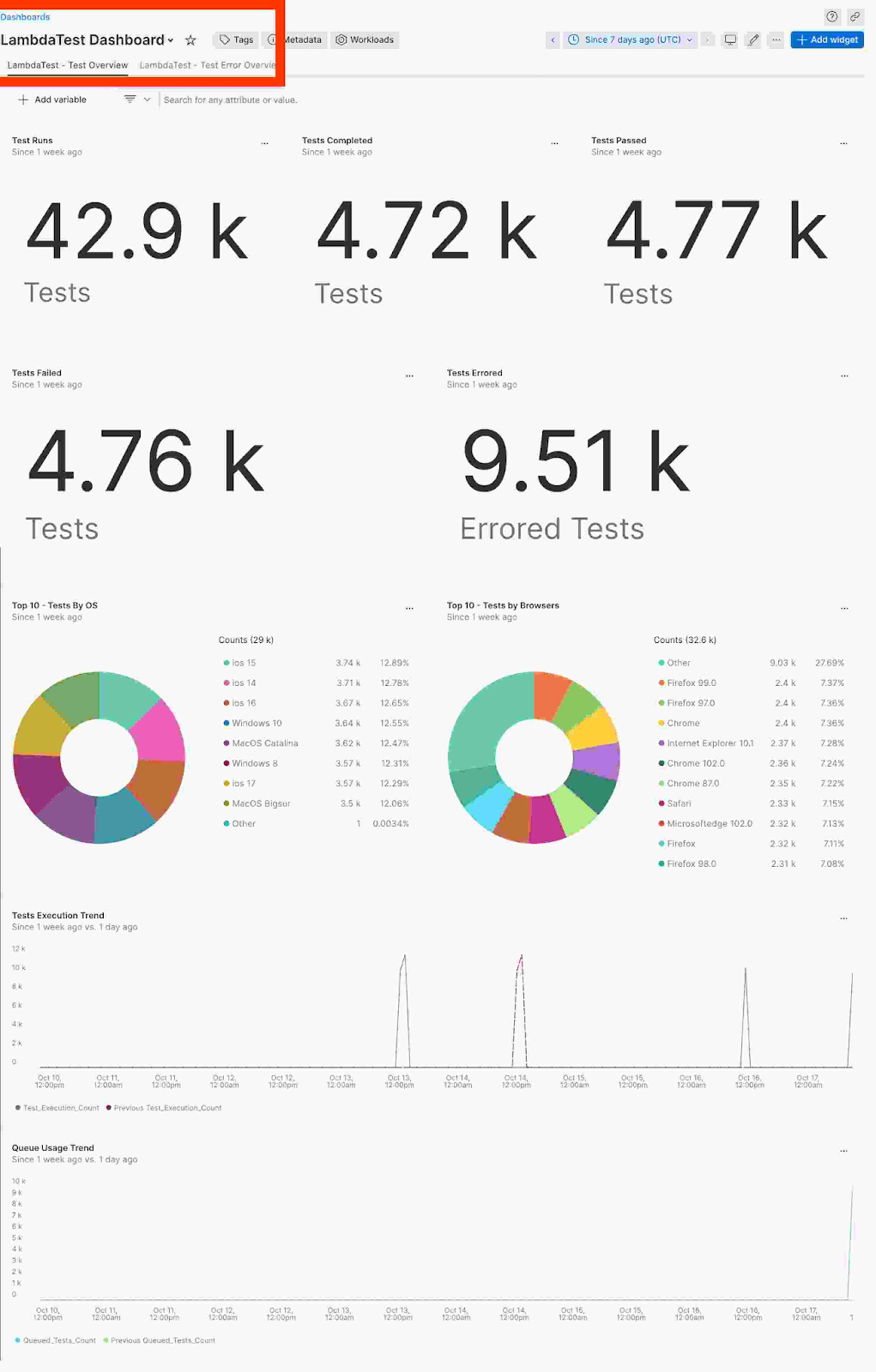
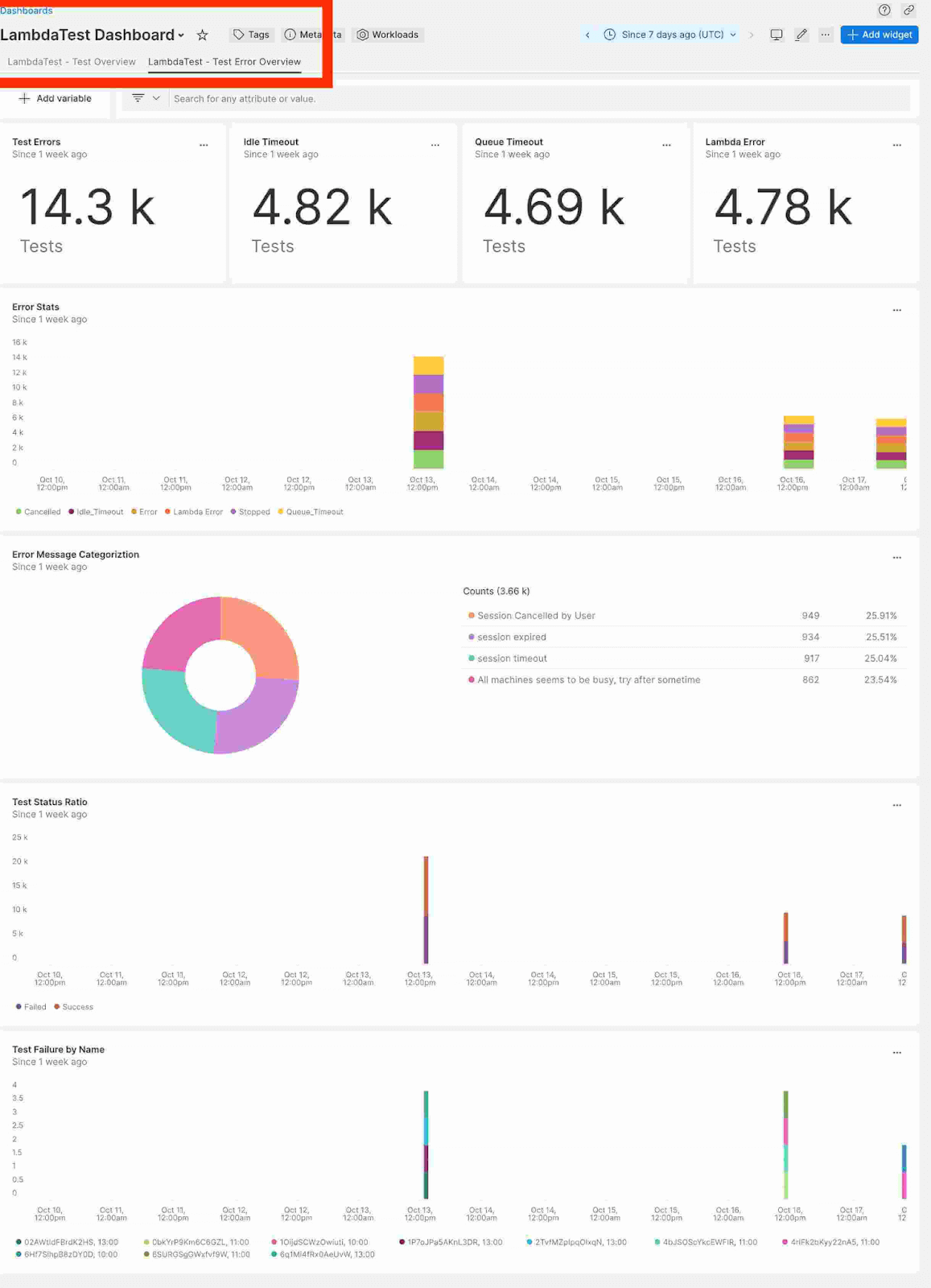
You can view your passed and failed tests against the different browsers and operating systems. The dashboard consists of TestMu AI – Test Overview and TestMu AI – Test Error Overview.
- Test Overview – Test Overview provides insights into your testing trends, including the total number of test runs, tests completed, and tests passed. It also delves into specifics, such as the distribution of test runs across browsers and devices, providing an understanding of testing patterns. The image below shows that the number of Test Runs in the past week was 42.9k, with 4.72k Tests Completed and 4.77k Tests Passed. This detailed information provides a quick and intuitive overview of your testing metrics.
- Test Error Overview – It dissects error trends, providing an in-depth analysis of types of errors, frequency, and their impact on different testing environments. This level of specificity, covering aspects like idle timeout, queue timeout, and lambda errors, enables developers to pinpoint and address issues effectively. The below image shows detailed information on the number of test errors in the past week, with Idle Timeout at 4.82k, Queue Timeout at 4.69k, and Lambda Error at 4.78k. It enables you to understand your testing error landscape.
Conclusion
In summary, the seamless integration of New Relic and TestMu AI significantly enhances the software development life cycle. With TestMu AI’s extensive cross browser testing capabilities and New Relic’s performance monitoring and diagnostic tools, developers now have the potential to streamline their workflows. This integration allows teams to swiftly identify and address software issues, ensuring a more efficient resolution process.
Don’t hesitate to try this integration, and let us know what you think about the TestMu AI Community. If you have questions or need help, contact us through our chat portal or [email protected].
Happy testing! 😊
Conclusion


Did you find this page helpful?
More Related Hubs
TestMu AI forEnterprise
Get access to solutions built on Enterprise
grade security, privacy, & compliance
- Advanced access controls
- Advanced data retention rules
- Advanced Local Testing
- Premium Support options
- Early access to beta features
- Private Slack Channel
- Unlimited Manual Accessibility DevTools Tests