

Next-Gen App & Browser Testing Cloud
Trusted by 2 Mn+ QAs & Devs to accelerate their release cycles


LT Browser 2.0 Is Now LIVE On Product Hunt! 🚀
We are now LIVE with LT Browser 2.0 on Product Hunt! Give it a spin, and let us know what you think.

Devansh Bhardwaj
January 10, 2026
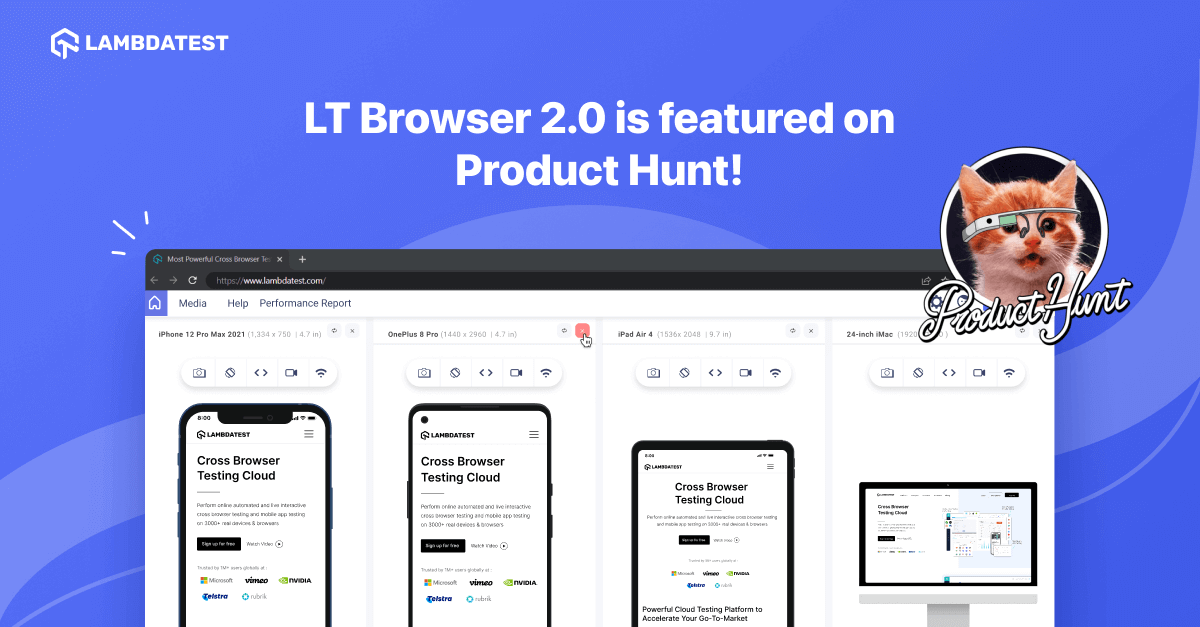
Hola, Testers! We’re thrilled to announce the launch of our latest version of the popular responsive testing tool, LT Browser 2.0, on Product Hunt. And we can’t wait to share all the exciting new features with you.
Launching LT Browser 2.0 on Product Hunt is a significant leap forward for web developers and testers. We’ve listened to our users and taken their feedback to heart, creating a more intuitive, powerful, and versatile tool.
LT Browser 2.0 takes responsive web development to the next level, offering unparalleled flexibility, speed, and accuracy. From its lightning-fast rendering Chromium engine to its intuitive interface, LT Browser 2.0 is the ultimate tool for debugging mobile websites and web applications.
Whether you’re a developer, a QA engineer, or a web designer, you’ll love the power and ease of use that LT Browser 2.0 brings to your workflow. So come and join us on this journey of innovation and discovery, and experience the future of mobile view website debugging with LT Browser 2.0!

Note: Test your mobile websites on 53+ device viewports. Try LT Browser 2.0 now
So, what exactly does LT Browser 2.0 do?
LT Browser 2.0 is a next-gen browser for developers that allows developers and testers to build, test, and debug their mobile websites and web applications across 53+ device viewports. The best part? Developers can ensure their website’s responsiveness for FREE!
Note: Visit our documentation to get started with LT Browser 2.0
How LT Browser 2.0 helps you with responsive testing?
LT Browser is a dedicated desktop application that can help you make your website responsive across various screen sizes, viewports, and resolutions. This app will help you fast-track your web design process to move on to one-click live interactive testing.
Here’s what makes LT Browser 2.0 a game-changer:
- 6X faster responsive web development by simultaneously interacting and testing with six device viewports.
- Faster mobile view debugging with dedicated Chrome DevTools for each device viewport.
- Access to multiple recording options. Fight responsive bugs by recording the entire screen or a particular LT Browser tab and sharing them with your team.
- Use regular Chrome features directly on the LT Browser 2.0, such as Chrome settings and APIs, Chrome extension support, better OS integration, access to faster and better memory management, and more.
- View real-time React code changes whenever you hit save in your IDE with hot reloading.
- The network throttling feature allows you to test your website’s responsiveness on low to high-network profiles.
- Generate multiple responsive bug reports and share them with your team through your favorite project management, bug tracking, or instant messaging tools such as Jira, Trello, Asana, GitHub, and more.
- Create unlimited custom device viewports and save them for future use.
- Generate a detailed performance report of your website in a single click to analyze key performance metrics, accessibility score, SEO, and more.
So what are your thoughts on this?
We’re already working on the next set of features for LT Browser 2.0 to help developers build web apps faster and better. We’d love to hear your thoughts! Your feedback is crucial as we continue improving the tool and providing our users with the best possible experience. So give LT Browser 2.0 a spin, and let us know what you think.
At TestMu AI, we’re committed to providing our users with the best possible experience. Your feedback is crucial in helping us achieve that goal, and we’re grateful for the valuable feedback and advice that has helped shape LT Browser into the powerful tool it is today.

Austin Siewert
CEO, Vercel
Discovered @TestMu AI yesterday. Best browser testing tool I've found for my use case. Great pricing model for the limited testing I do 👏
2M+ Devs and QAs rely on TestMu AI
Deliver immersive digital experiences with Next-Generation Mobile Apps and Cross Browser Testing Cloud



Did you find this page helpful?
More Related Hubs
TestMu AI forEnterprise
Get access to solutions built on Enterprise
grade security, privacy, & compliance
- Advanced access controls
- Advanced data retention rules
- Advanced Local Testing
- Premium Support options
- Early access to beta features
- Private Slack Channel
- Unlimited Manual Accessibility DevTools Tests