

Next-Gen App & Browser Testing Cloud
Trusted by 2 Mn+ QAs & Devs to accelerate their release cycles


Your Favorite Dev Browser Has Evolved! The All New LT Browser 2.0
Now fasten your debugging process with the all-new Chromium-based LT Browser 2.0. Read more to unwrap all its features!

Devansh Bhardwaj
January 29, 2026
We launched LT Browser in 2020, and we were overwhelmed by the response as it was awarded as the #5 product of the day on the ProductHunt platform. Today, after 74,585 downloads and 7,000 total test runs with an average of 100 test runs each day, the LT Browser has continued to help developers build responsive web designs in a jiffy.
Check out this tutorial to get a comprehensive overview of the features and functionalities of LT Browser 2.0, a next-gen browser to build, test & debug mobile websites:
Even so, the best was yet to come for LT Browser after many brainstorming sessions and numerous feedback from our beloved users. Our team had put in strenuous hours to cook this behemoth of testing browsers — a feature-packed browser for developers to cater to all your needs for debugging mobile websites.
We are proud and strong to announce the release of the new Chromium-based LT Browser 2.0!
There is so much to uncover with this updated LT Browser version so let us get right into it!
Leverage The Power of Chromium
Now take your responsive testing to the next level with the power of Chromium. The all-new LT Browser 2.0 is faster than ever as it is based on the latest native Chromium rendering engine (Blink).
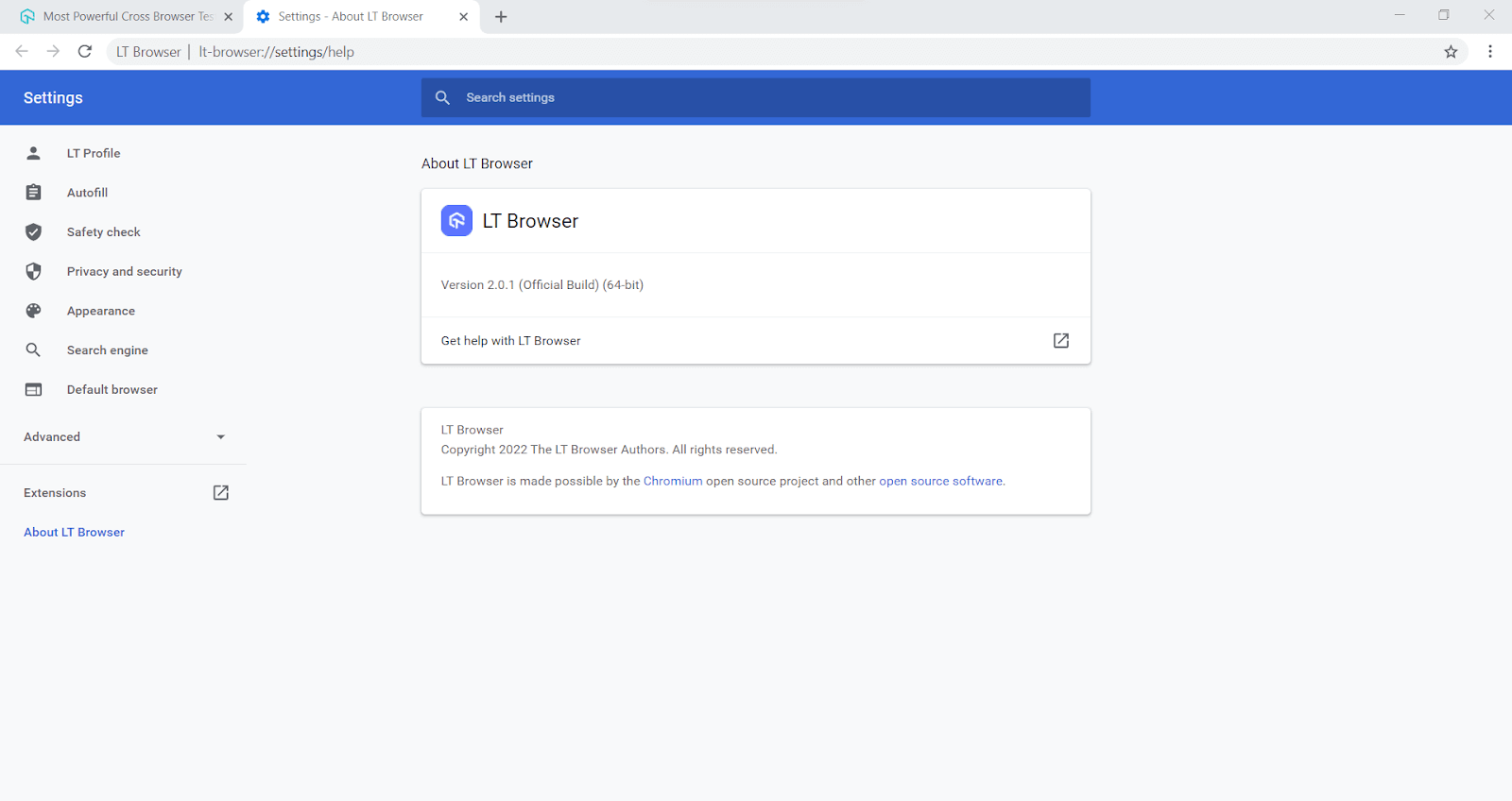
As LT Browser 2.0 has a Chromium-based engine, there is a lot more that it offers:
- Use of Chrome settings and APIs.
- Better OS integration.
- Faster and latest Chrome dev tools.
- Better memory management.
- Chrome extension support.

Interact and Test With More Devices
With LT Browser 2.0, upload your app and perform mobile app testing on six devices simultaneously. Get access to a plethora of Android and iOS devices to test on. The earlier version of LT Browser allowed users to interact with only two devices, but now you can test and interact with up to six devices in real-time.
You can also refer to our detailed LT Browser 2.0 support doc to kickstart your mobile website and web app debugging process.
Fasten Your Debugging Process With Multiple Dev
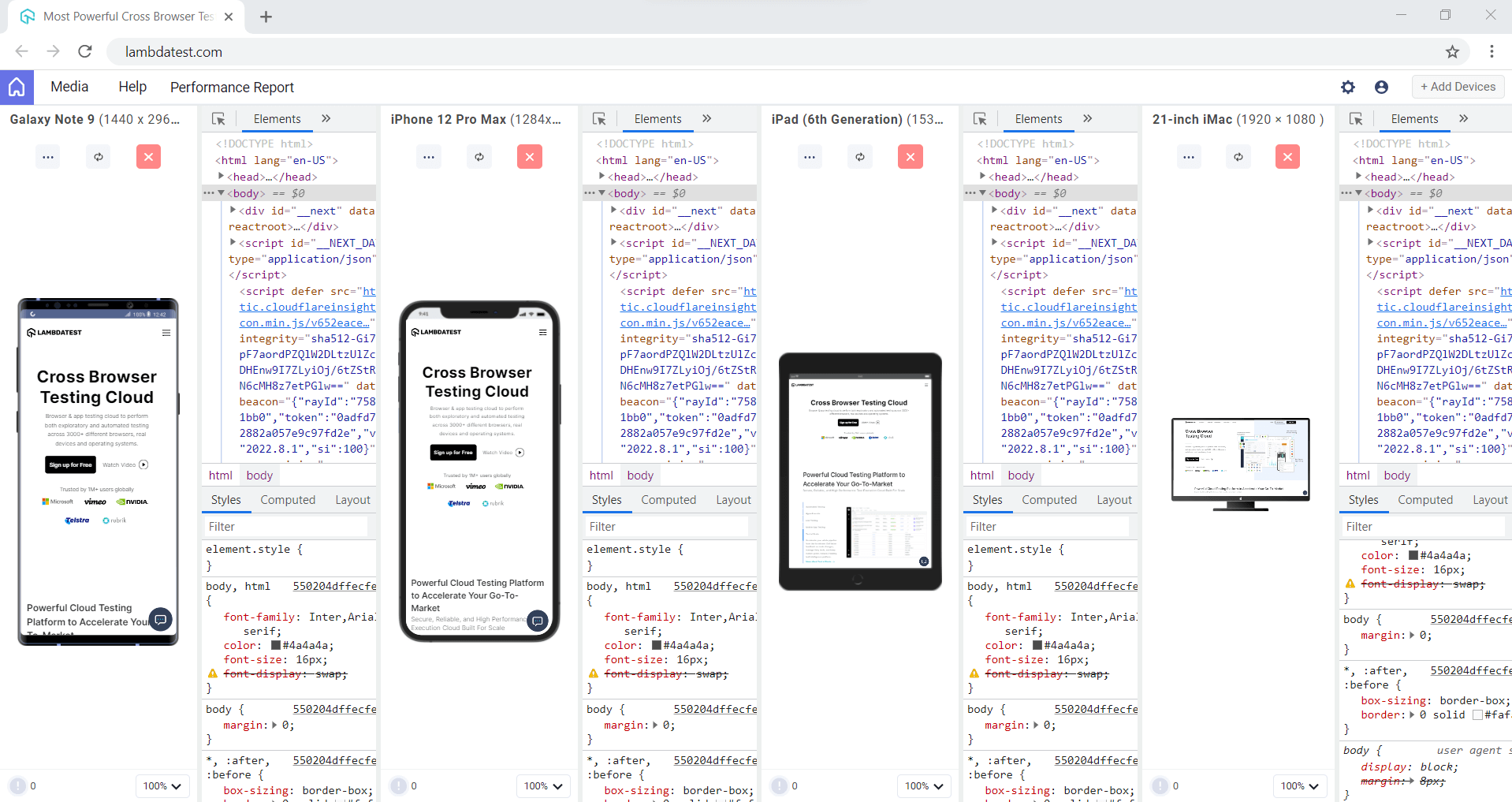
Until now, you could only use a single dev tool option, not anymore though! The latest LT Browser lets you enhance debugging with multiple dev tool options. In addition, you can now have dev tools separate for every device and debug them simultaneously.
Generate and Share Multiple Bug Reports
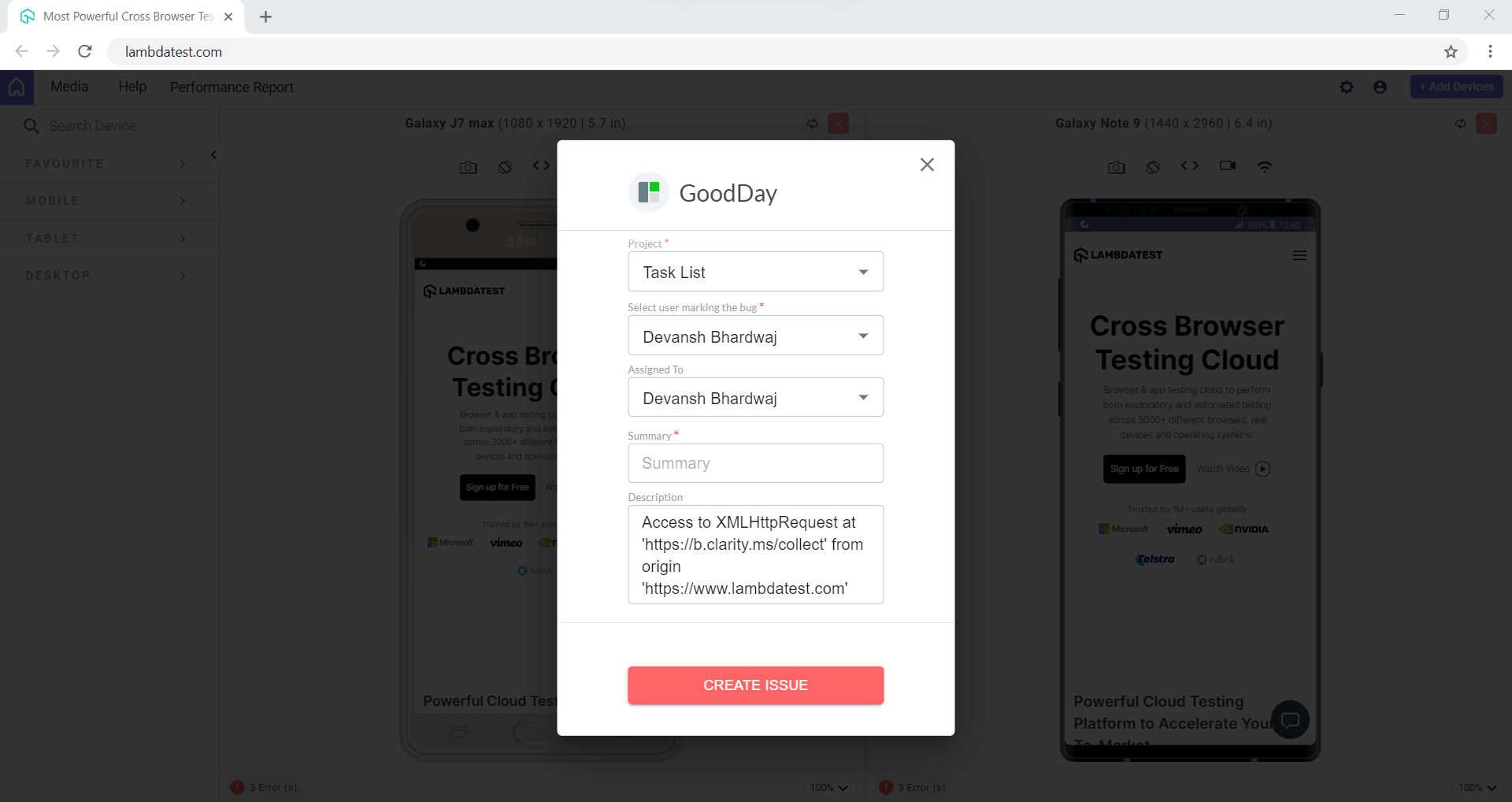
Identifying bugs and errors early in the software testing life cycle (STLC) can save developers time and effort. With the latest version, you can generate multiple error reports with many available combinations. You can also share numerous error reports with your team members by integrating your favorite project management tool.
Clearer UI and Dark Mode
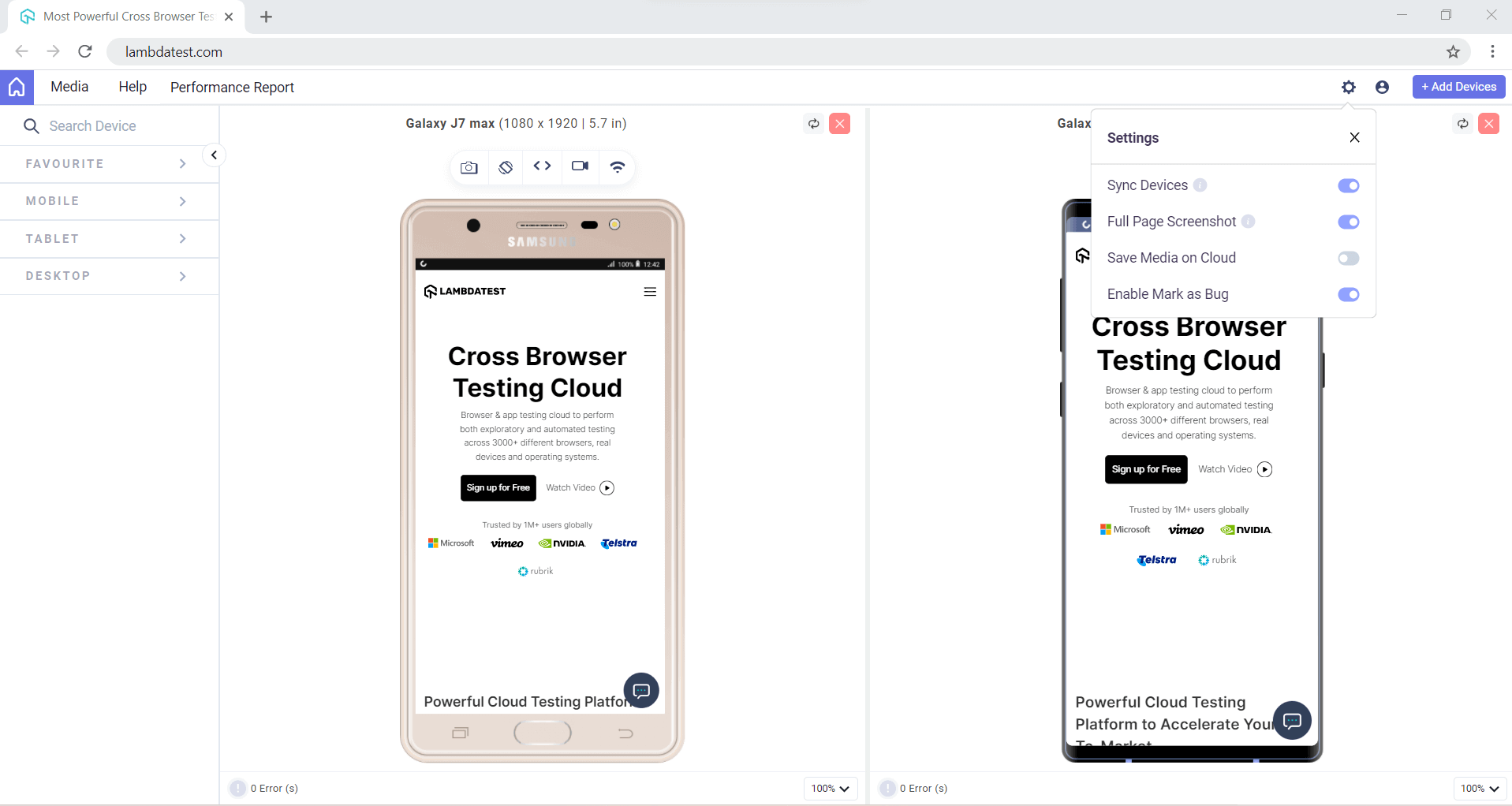
The LT Browser 2.0 now has a more precise and intuitive UI, catering to your testing needs and giving you the best testing experience possible. Also, developers can toggle to the dark or light modes per preference.
Record With Entire Screen or Browser Tab
Have you ever encountered a bug that is too tough to reproduce without enough evidence? Unlike the previous version of LT Browser, where video recording was only available for the device, users are now presented with multiple recording options.
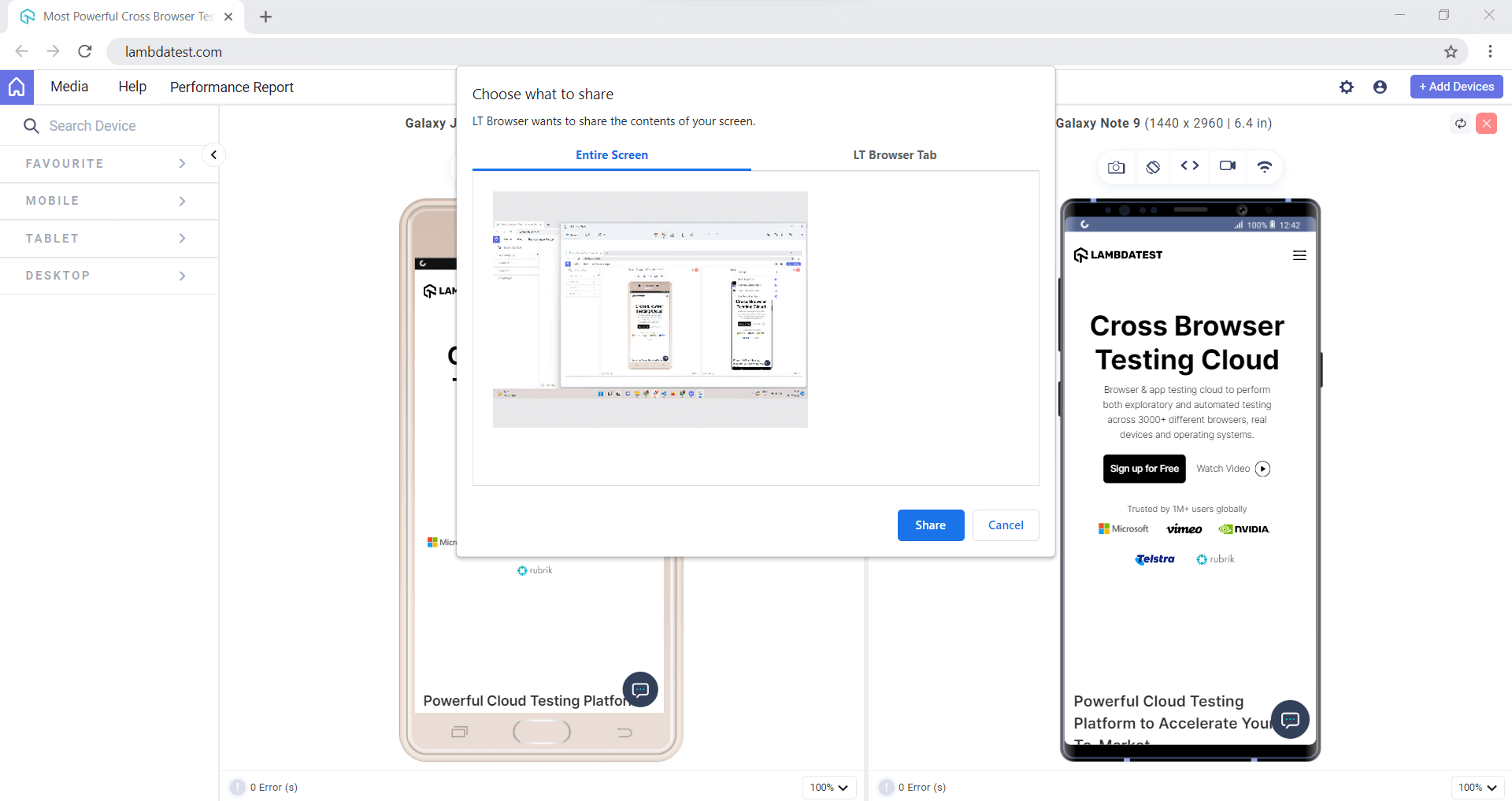
The latest version allows devs and testers to record the entire screen or a particular LT Browser tab over a tablet or mobile view. Later, if you find anything peculiar about your responsive web application, you can review these videos with your team.
There’s more…
LT Browser 2.0 will be a game changer for developers and testers around the globe. Here are some other features that LT Browser 2.0 has to offer to the developers:
- By default, two devices are available on the pod.
- Users can see their test history.
- Users can clear cookies from the settings.
- Unlimited tab option.
- Install Chrome extensions.
Wrapping It Up!
We hope you like the new version of the feature-packed LT Browser. As it has recently launched, we’d rely heavily on your suggestions & inputs around how we can make this work better for you. Feel free to share your thoughts about LT Browser 2.0 with us.
You can drop us an email at [email protected] or let our experts know about it from the 24/7 customer chat support.
Happy Testing! 🙂



Did you find this page helpful?
More Related Hubs
TestMu AI forEnterprise
Get access to solutions built on Enterprise
grade security, privacy, & compliance
- Advanced access controls
- Advanced data retention rules
- Advanced Local Testing
- Premium Support options
- Early access to beta features
- Private Slack Channel
- Unlimited Manual Accessibility DevTools Tests