

Next-Gen App & Browser Testing Cloud
Trusted by 2 Mn+ QAs & Devs to accelerate their release cycles


On This Page
- Streamline Test Process With AI-native Test Manager
- AI CoPilot Dashboard for Test Analytics
- Export Drill-Down Data With Test Analytics
- Get Slack Alerts for SmartUI Test Runs
- Appium Plugins Support for App Automation
- adb Shell Support for Real Device App Testing
- Enhancements in HyperExecute and Web Automation
- All in All

June’24 Updates: AI-Native Test Manager, AI CoPilot Dashboard, and More
In June, we went live with the AI-native Unified Test Manager, AI CoPilot Dashboard for Analytics, and more. Read on!

Salman Khan
March 2, 2026
Welcome to the June 2024 Update! Last month, we went live with some major products and features. From the AI-native Unified Test Manager that simplifies test case management to the AI CoPilot Dashboard offering insightful test analytics, there is much more to explore, so please read on!
Streamline Test Process With AI-native Test Manager
Developers and testers often juggle a lot of test cases, struggling to keep track and manage their test suites. To streamline their testing process, we rolled out an AI-an Test Manager that simplifies these tasks by providing a single place to organize and manage all test cases, automatically tracking the test progress and results.
Our AI-native unified Test Manager, currently in Beta, handles test authoring, management, triggering, and reporting, helping you boost efficiency at every stage of the testing process.
With AI-native Test Manager, you can:
- Automatically handle the creation, management, and execution of test cases, so you can focus on more strategic tasks.
- Get a seamless experience managing both manual and automated tests from one central place.
- Track test runs with a dashboard that gives you all the updates you need in real time.
- Log bugs with Jira, making issue tracking and project management a breeze.
- Fit it into your existing Behavior-Driven Development (BDD) workflow with support for Gherkin syntax.
AI CoPilot Dashboard for Test Analytics
To get the most out of your test results, we launched the AI CoPilot Dashboard (in Beta) to simplify how you handle test data. This will help you understand and improve your testing process. It turns complex data into clear, actionable insights, making it easier to enhance your testing strategy.
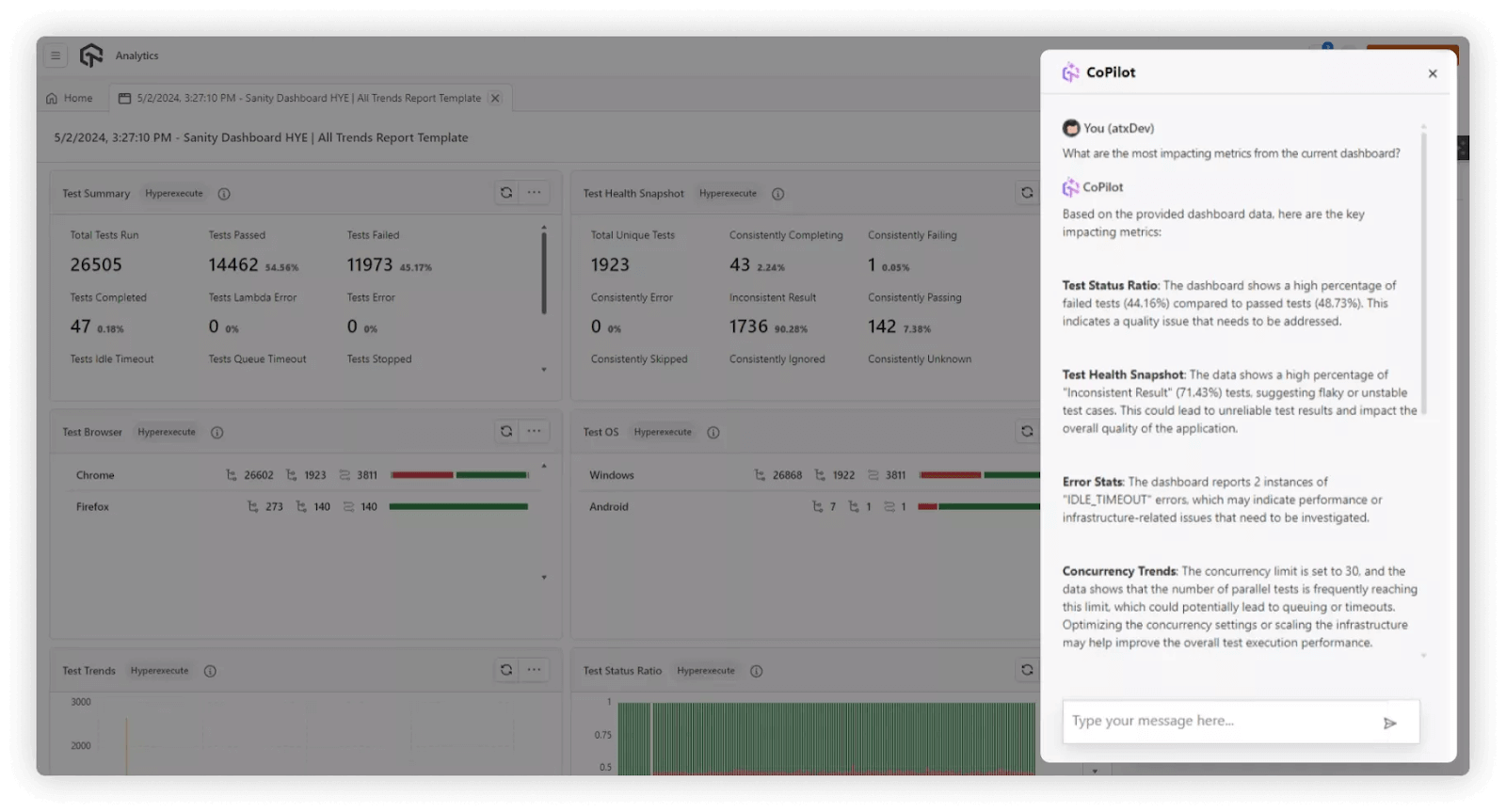
Here are some of the benefits of the AI CoPilot dashboard:
- Just type in your questions, and it will handle the complex data stuff for you.
- The dashboard looks at your data, finds trends, and gives you smart suggestions to help you plan better tests and save time.
- Get deeper insights from your tests that show you what’s working and what needs a closer look.
- The dashboard can predict future trends based on your past data, helping you stay one step ahead and prepare for potential issues.
- See how things have changed over time in your tests to make sure your testing strategies are still on point.
Export Drill-Down Data With Test Analytics
We have now added the Drill-Down widgets in Test Analytics, giving the flexibility to export your data in various formats, including CSV, Excel, and PDF. This functionality makes it easy to share your test data with team members and stakeholders or to keep it for your records.
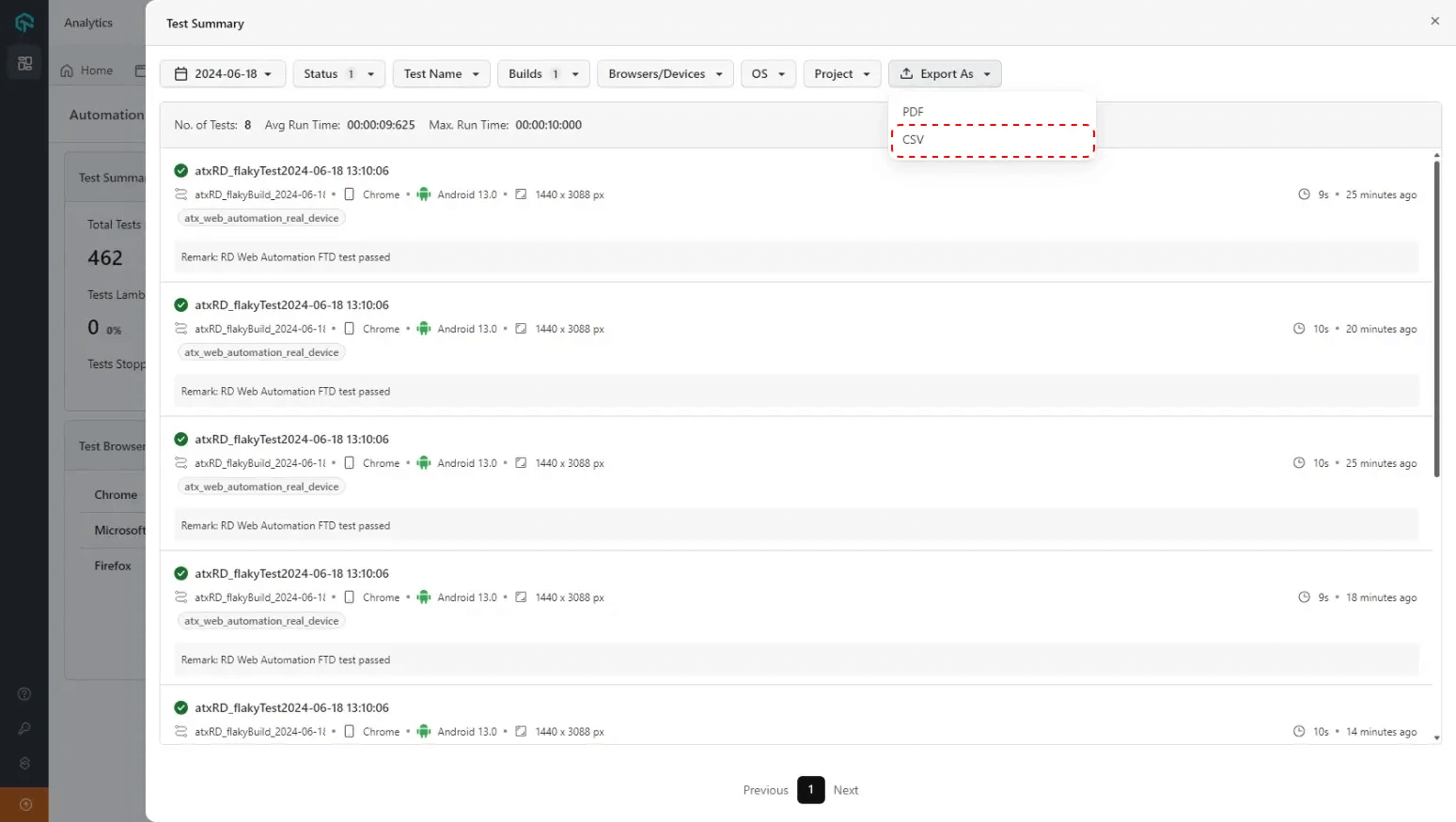
The widgets in Test Analytics let you view your test data. This helps you monitor and analyze trends in your test executions. The Drill-Down feature of these widgets allows you to dive deeper into the data, organizing it into specific categories for a detailed view. This detailed breakdown can help you spot patterns and make informed decisions based on your testing data.
Get Slack Alerts for SmartUI Test Runs
You can now integrate SmartUI with Slack to streamline your workflow by enabling real-time notifications and crucial job details directly within your Slack workspace.
This enables you to receive real-time updates on your SmartUI jobs, including granular-level details about each build, making collaboration and tracking easier than ever.
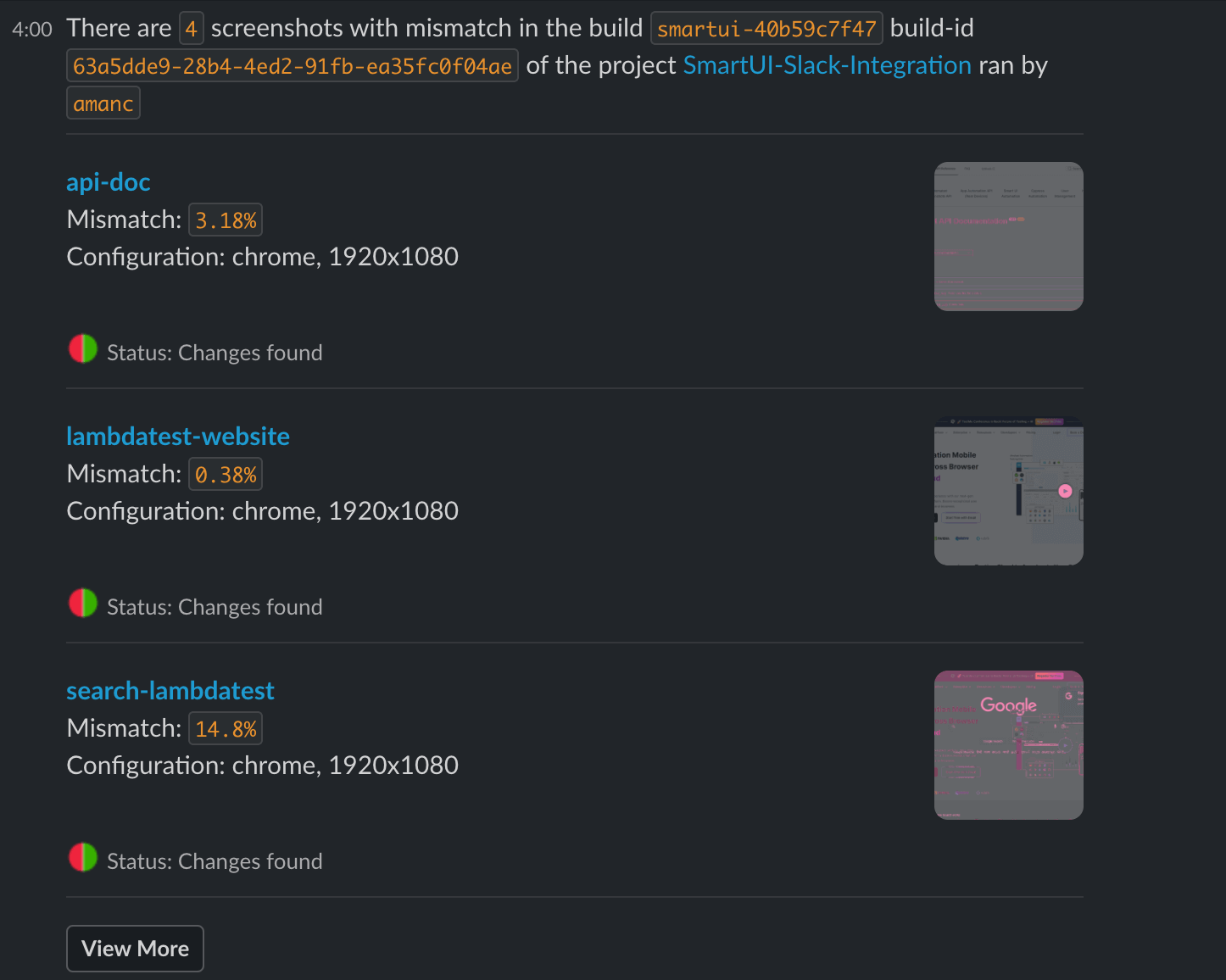
To make use of this new feature, ensure you have either admin or user-level access, and set up a dedicated Slack channel to get SmartUI alerts.
Bonus: We have also added support for Storybook 8 for SmartUI visual testing.
Appium Plugins Support for App Automation
In App Automation, you can now leverage Appium plugins and enhance your automated app testing. These plugins tweak how Appium behaves, allowing you to customize your testing environment to make it more efficient and effective for your particular requirements.
Here are some Appium plugins supported on TestMu AI:
- images: Lets you incorporate image comparison into your tests.
- element-wait: Enhance your tests with better wait capabilities.
- gestures: Allows you to test complex interactions like swipes, pinches, and zooms.
adb Shell Support for Real Device App Testing
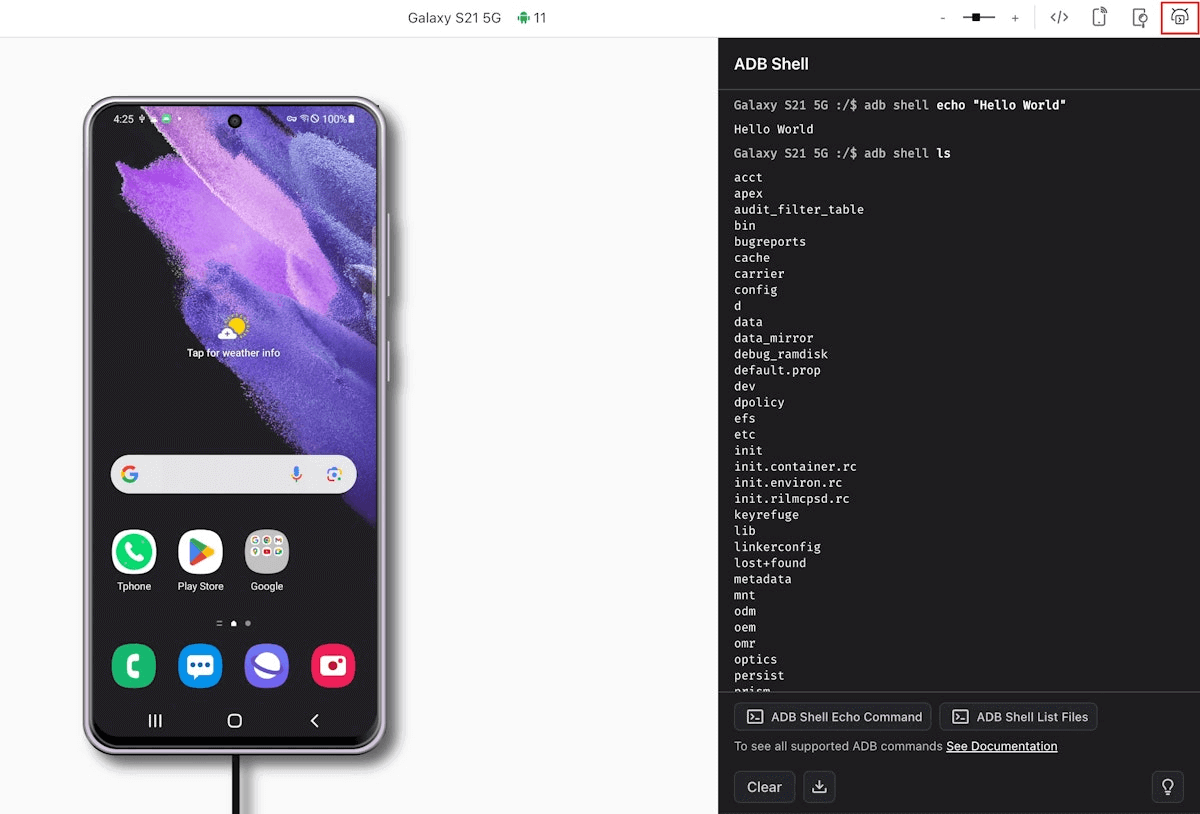
We’ve added support for the Android Debug Bridge (adb) shell in Real Device App Testing.
You can now run adb shell commands on Android devices during your app testing sessions. These adb shell commands let you interact directly with Android devices, tapping into their native capabilities and customizing your test cases with adb commands.
Enhancements in HyperExecute and Web Automation
For HyperExecute and automated web testing, we have added a few features and enhancements to help you further capitalize on your test efforts.
HyperExecute:
- You can debug your Cypress tests using Network HAR logs across all versions of Cypress. Refer to this documentation HAR Logs in HyperExecute for Cypress 10.
- When running location-specific tests, you can now set time zones based on your location. For example, capabilities.setCapability(“timezone”, “Costa_Rica”);
Check out this documentation for supported time zones.
Web Automation:
- You can run tests with Selenium using the latest version, 4.22.0.
All in All
Give the new features a spin and tell us how they work for you! Feel free to share your feedback or suggest new features on the TestMu AI Community.
If you’re catching up on updates, check out the TestMu AI Changelog.


Did you find this page helpful?
More Related Hubs
TestMu AI forEnterprise
Get access to solutions built on Enterprise
grade security, privacy, & compliance
- Advanced access controls
- Advanced data retention rules
- Advanced Local Testing
- Premium Support options
- Early access to beta features
- Private Slack Channel
- Unlimited Manual Accessibility DevTools Tests