

Next-Gen App & Browser Testing Cloud
Trusted by 2 Mn+ QAs & Devs to accelerate their release cycles


January’26 Updates: New Features in TestMu AI Insights and GitLab Integration With SmartUI
Explore what’s new at TestMu AI in January. Check out latest features like smarter Insights with build comparisons, concurrency trends, plus SmartUI GitLab integration.

Salman Khan
February 23, 2026
Last month, we focused on two areas: helping teams understand, build and test behavior faster, and reducing manual effort in visual regression testing.
The latest updates in TestMu AI Insights give you clearer build comparisons, better visibility into flakiness and concurrency, and a more complete view of test activity in one place.
On top of that, SmartUI can now run directly inside your GitLab pipelines, so visual checks happen automatically as part of CI.
Latest Features in Insights
There are a few new updates in Insights that make it easier to understand what’s happening across builds and test runs. The focus is visibility. You can see what changed, where things are unstable, and how your test infrastructure is behaving over time.
- Unique Test Instances: You can now control how retries are counted within a build. If you enable this option, multiple runs of the same test in the same environment are grouped together, and only the final result is counted.
This keeps your reports cleaner when retries are just part of your stabilization strategy. If you leave it disabled, every retry attempt shows up separately. That’s useful when you want a full execution trail and need to analyze flakiness in detail.
You can learn more about how to configure unique test instances in Insights.
- Build Comparison: You can now compare two builds in Insights side by side and see exactly what changed. It clearly shows which tests started failing, which ones were fixed, and which stayed stable.
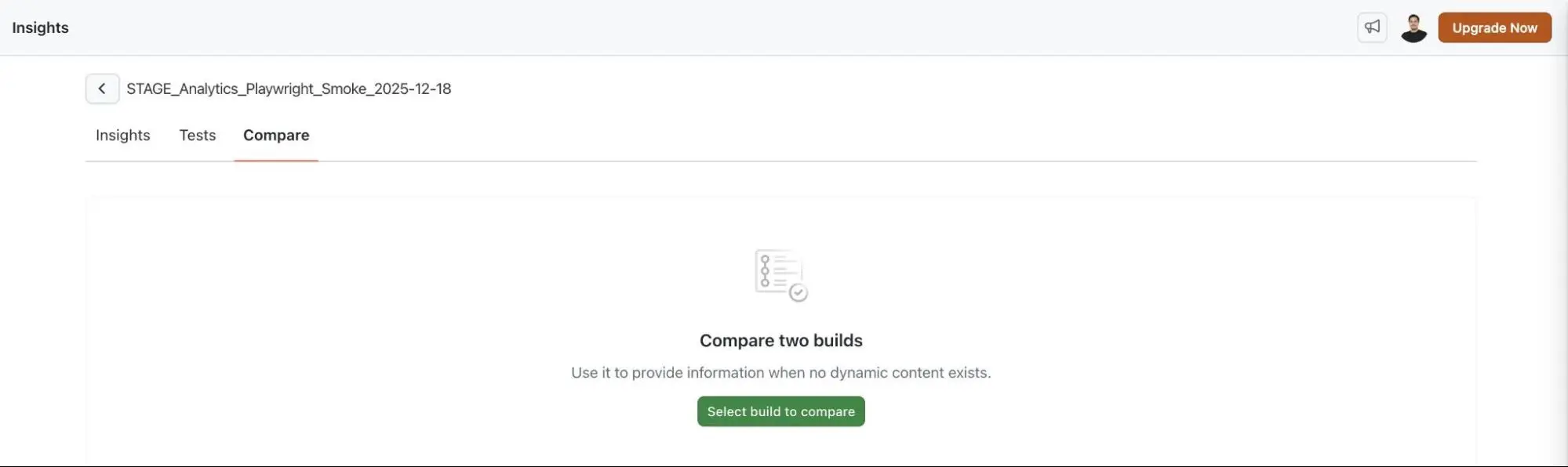
This makes release reviews and regression checks much more straightforward. Instead of scanning logs manually, you get a direct before-and-after view.
- Test Overview: There’s now a centralized Test Overview in Insights module that brings key metrics into one place.
You can see total executions, flakiness patterns, and breakdowns by status and platform. It gives you a quick read on overall test health without jumping between multiple views.
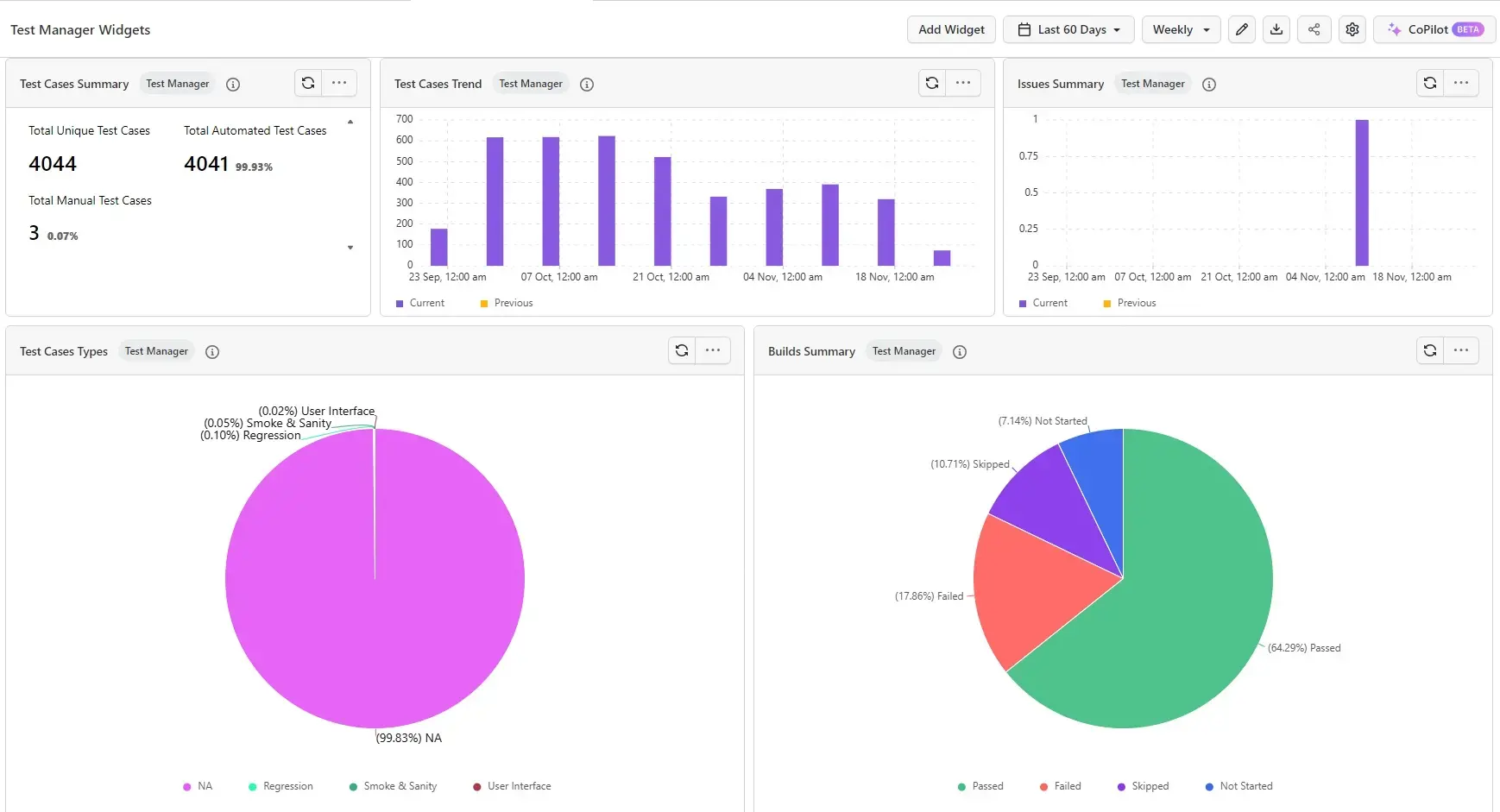
- Test Manager Dashboard Widgets: The dashboard now includes widgets that combine both manual and automated testing activity.
With dashboard widgets in Insights, you can track execution results, test case counts, and related metrics in one consolidated view. It helps when you want a high-level picture of progress across teams.
- Build Insights: Build Insights gives you a dedicated build-level view. You can review stability, execution time, and failing tests across all builds in one place.
From there, you can drill into a specific build to look at detailed metrics and individual test results.
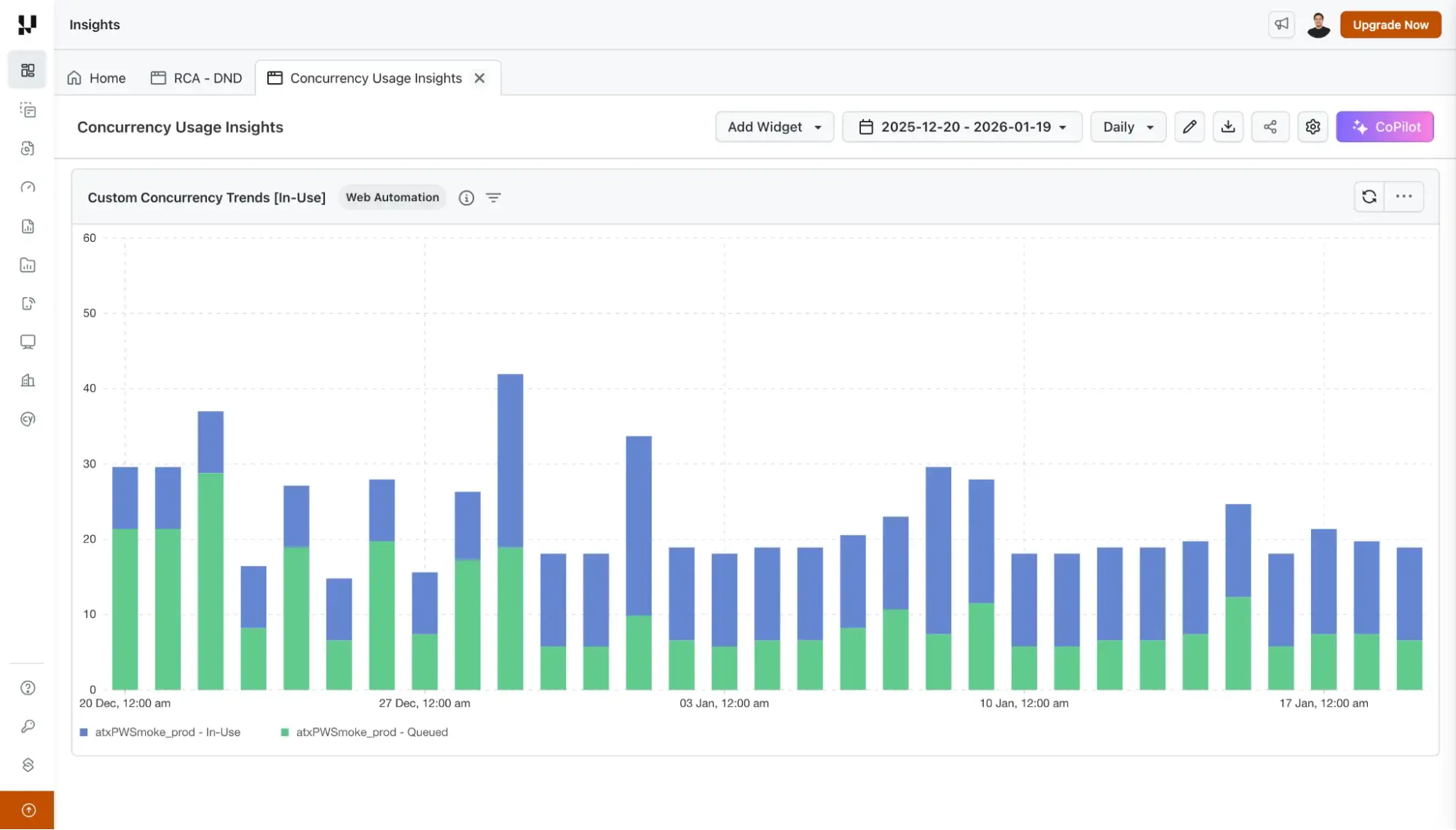
- Custom Concurrency Trends: There’s a new widget to track queued and running test concurrency over time. It highlights peak usage and shows exactly when those peaks occurred.
If you manage infrastructure limits or parallel execution capacity, this makes it easier to spot bottlenecks.
To learn more, check out this documentation on concurrency trends.
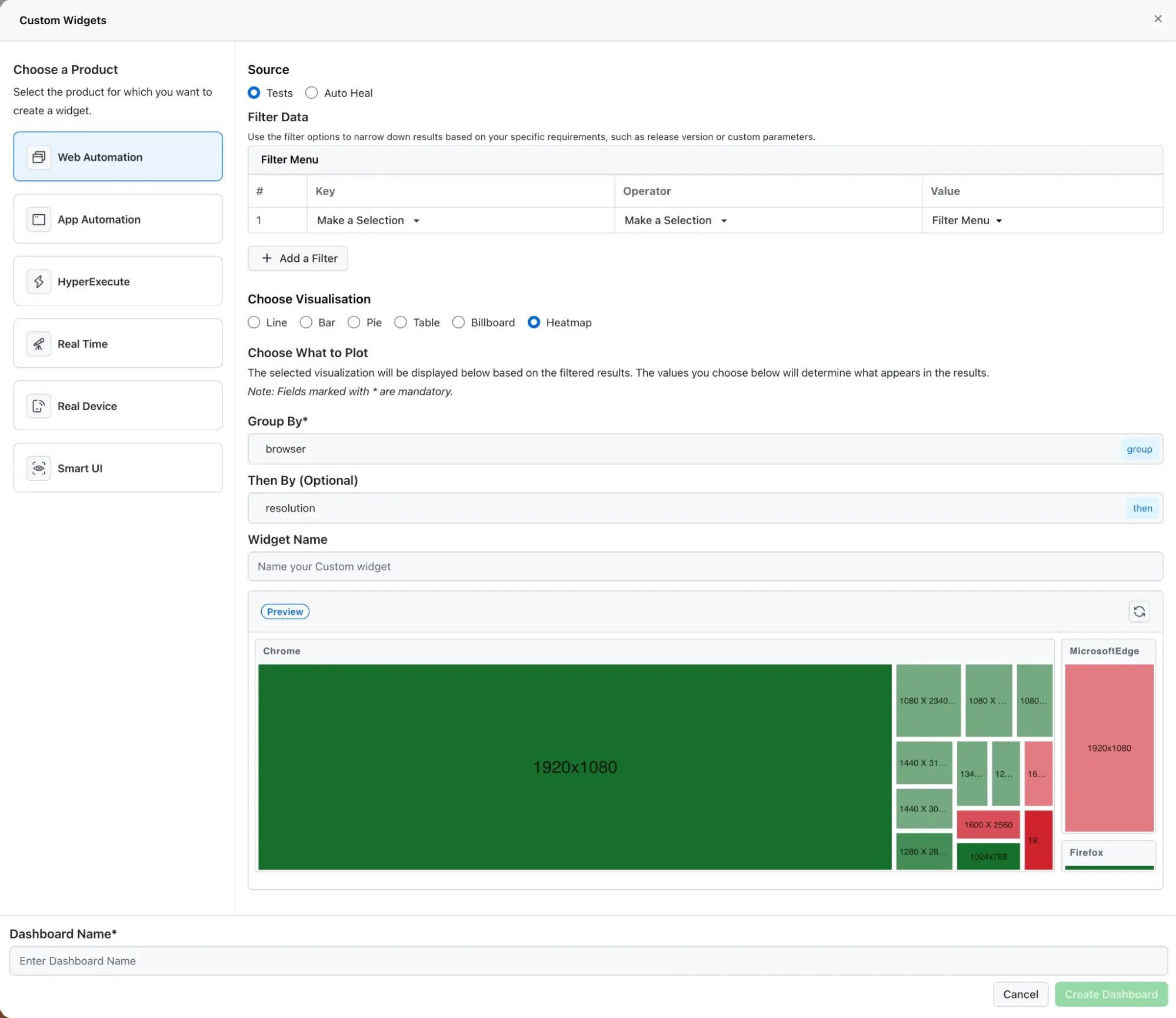
- Heatmap Widgets: Heatmap visualizations are now available to help you analyze execution patterns across multiple dimensions.
Instead of scanning rows of data, you can quickly identify trends or unusual spikes based on color intensity. It’s a simpler way to catch patterns that are harder to see in tables.
Run SmartUI Tests Via GitLab CI/CD
SmartUI now integrates directly with GitLab pipelines, so visual regression tests can run as part of your CI/CD workflow. Every time a pipeline executes, visual checks run automatically. UI regressions are flagged before changes are merged or deployed.
This removes the need to manually compare screenshots and reduces the back and forth that usually slows down release cycles.
To get started, refer to this guide on SmartUI integration with GitLab.
Summing Up!
With these updates, you can compare builds in seconds, understand retry impact more clearly, monitor concurrency trends, and see overall test health without switching between multiple views.
At the same time, SmartUI’s GitLab integration ensures visual regressions are caught automatically during CI, not after deployment.


Did you find this page helpful?
More Related Hubs
TestMu AI forEnterprise
Get access to solutions built on Enterprise
grade security, privacy, & compliance
- Advanced access controls
- Advanced data retention rules
- Advanced Local Testing
- Premium Support options
- Early access to beta features
- Private Slack Channel
- Unlimited Manual Accessibility DevTools Tests