

Next-Gen App & Browser Testing Cloud
Trusted by 2 Mn+ QAs & Devs to accelerate their release cycles


- Home
- /
- Blog
- /
- Jan’23 Updates: Live With Digital Experience Testing Cloud, HyperExecute Enhancements, And More!
Jan’23 Updates: Live With Digital Experience Testing Cloud, HyperExecute Enhancements, And More!
Hey there! We are here with the latest edition of our monthly product updates. Read here to learn more about what's new at TestMu AI in January.

Salman Khan
January 29, 2026
Hey there, everyone! Our team is always looking forward to engaging with you on a regular basis to keep you up-to-date on what is going on with our product portfolio. Keeping up with that tradition, we are back with the latest product updates.
As enterprises across the globe strive to cater to the growing needs of digital-native customers, developers need to provide a high-quality experience to customers while applications are undergoing continuous change.
Therefore, to ensure a seamless digital experience along with faster developer feedback and release velocity, we at TestMu AI are excited to announce the launch of a Digital Experience Testing Cloud. Our unified testing cloud enables enterprises to choose between live and automated , real device cloud testing, visual regression testing, and OTT testing, ensuring coverage across the entire range of omnichannel options.
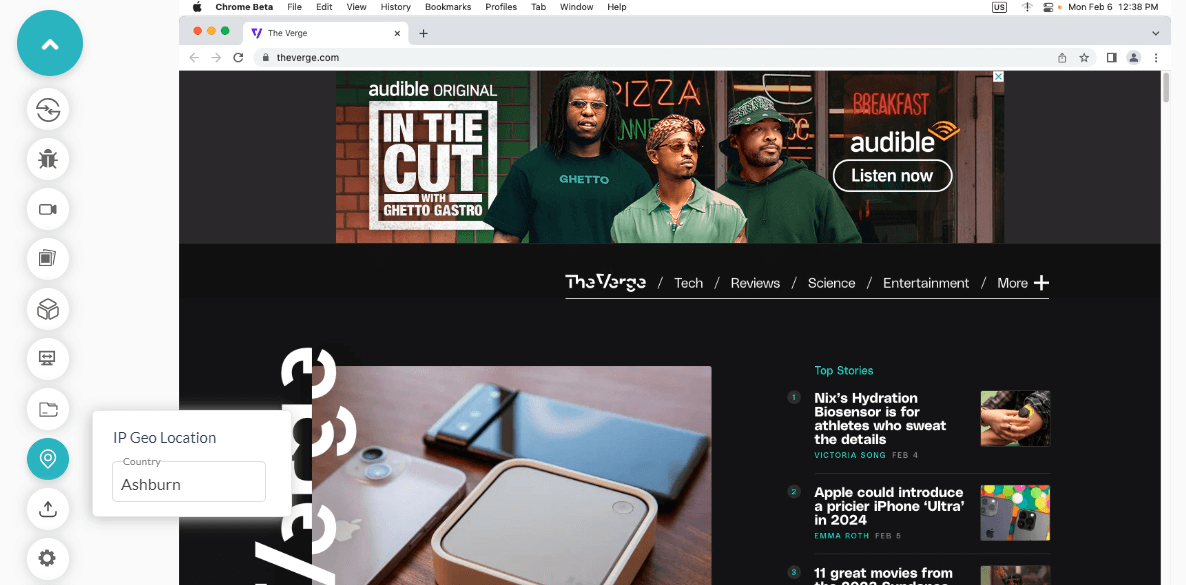
Besides, we also released new features and improvements with HyperExecute, SmartUI testing, and TestMu AI Analytics under the hood. On top of that, we scaled our online browser farm with the latest browser versions for real-time testing and added a new city – Ashburn for geolocation testing.
Let’s jump in to get the details!
Digital Testing Cloud for Enterprises
We recently introduced the Digital Experience Testing Cloud, specifically designed for enterprise use. This new cloud solution offers a comprehensive testing platform that enables enterprises to test the user experience of their websites and applications across different devices, browsers, and operating systems.
With the Digital Experience Testing Cloud, enterprises can ensure that their digital products provide a seamless and consistent user experience, regardless of their device or platform.
HyperExecute: New Features and Improvements
There are a lot of new features in HyperExecute this time. From the addition of a private cloud for HyperExecute Analytics to the addition of new feature enhancements.
Let’s look at the new features added to HyperExecute Cloud.
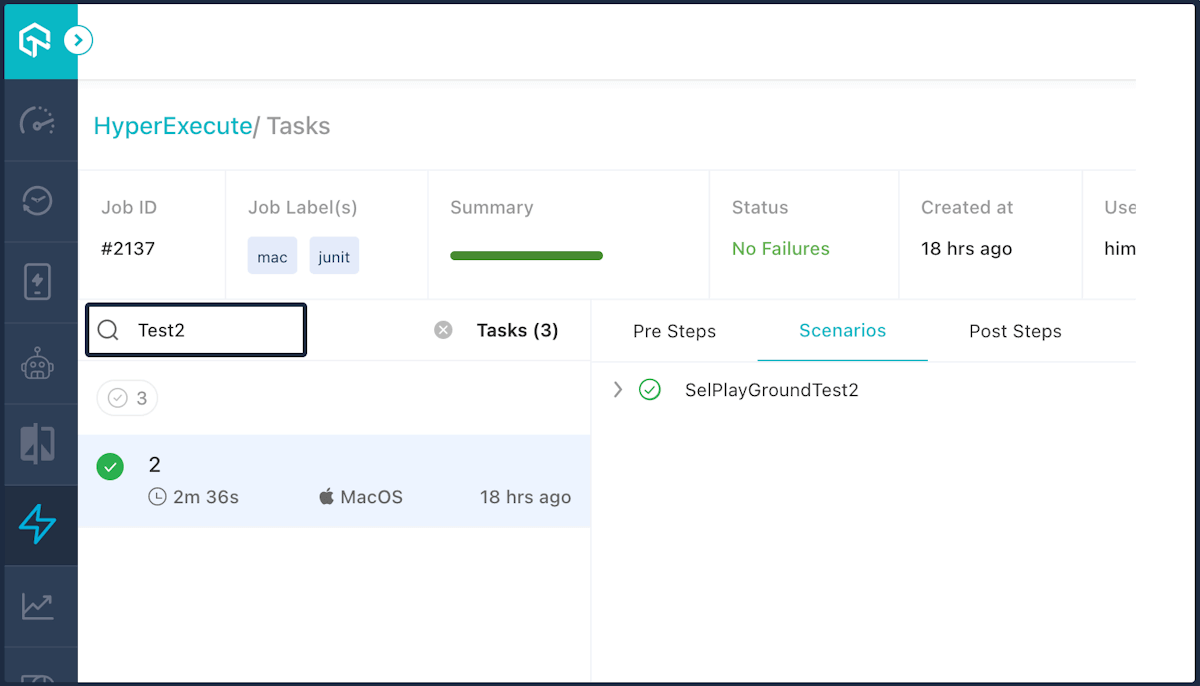
- In-built search: HyperExecute now provides an in-built search option to find specific scenarios within a HyperExecute job quickly. It will help you debug more efficiently by allowing you to find test results and logs quickly.
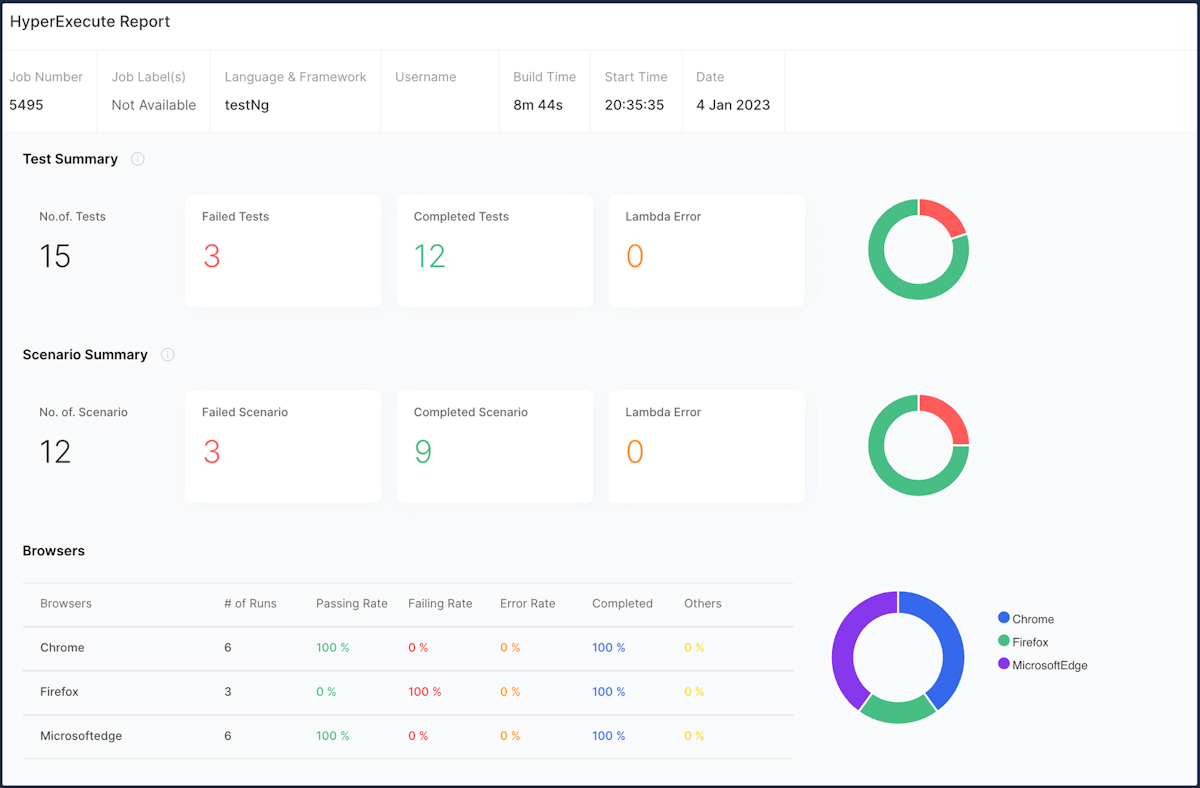
- Enhanced TestNG report generation process: We have optimized our report creation process for TestNG jobs. These reports will allow you to check the Test Summary, the Scenario Summary, Browsers, and much more.
- Inherit YAML Configurations: Are you running multiple jobs on the same project using different YAML files? Don’t worry! The Inheritance in YAML feature allows you to save the configuration settings you use and inherit them as a base in other YAML files.
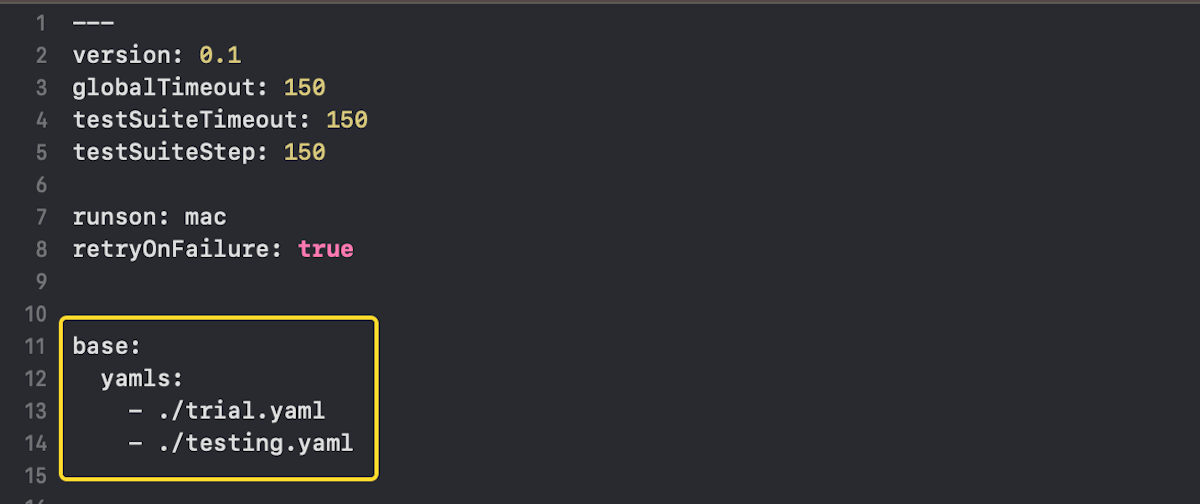
You can learn more about using this feature by referring to our tutorial – Inherit Your YAML Configurations.
- View Artifacts: You can now create custom URLs for your Artefacts in HyperExecute. By using custom URLs, you can access specific Artefacts directly and download or preview them more easily.
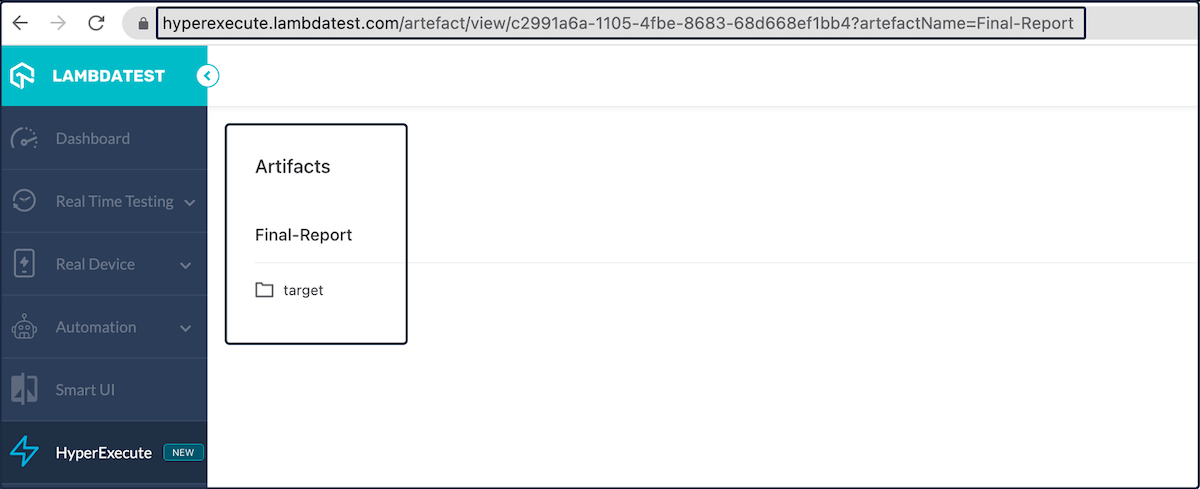
Check out our document – Construct URLs for Your Artifacts – to learn how to use this feature.
- Private Cloud Support: HyperExecute Analytics now supports private cloud. This will allow you to optimize your testing process and learn more about your tests’ performance.
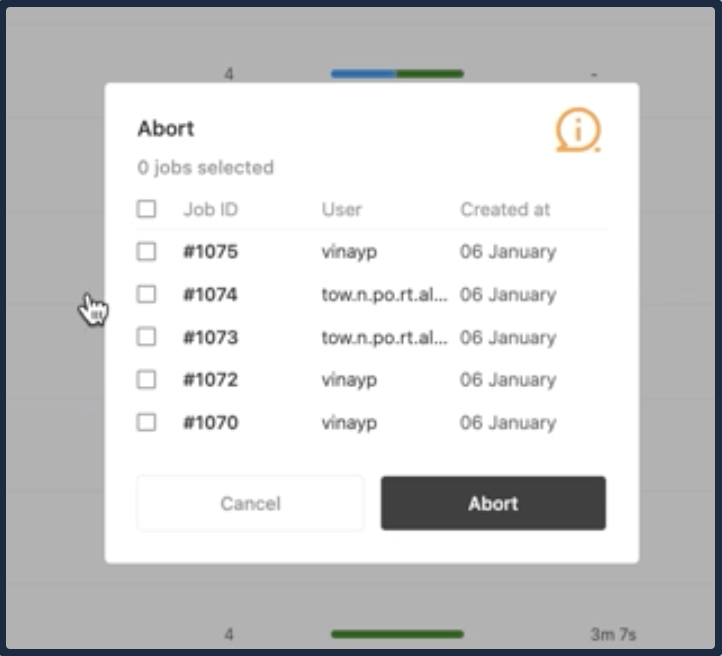
- Flexible Abort Functionality: We have enhanced the abort functionality, giving you more flexibility. It is possible to abort all jobs or a selected amount of jobs. An administrator can, however, abort all jobs currently running in their organization.
SmartUI Testing with Puppeteer, Storybook, and GitHub App
TestMu AI’s SmartUI testing platform lets you run visual regression tests in a single click across 3000+ real desktop and mobile environments to identify visual mismatches. We are pleased to announce that you can now automate visual regression testing using new frameworks and tools like Puppeteer, Storybook, and GitHub App and take your visual UI testing to the next level.
Here are the getting started guides to help you:
Latest Features in TestMu AI Test Analytics
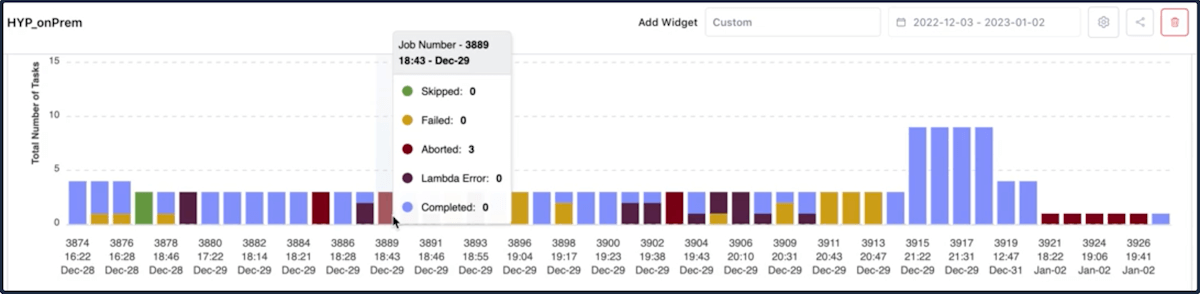
The TestMu AI Test Analytics platform has been updated with several new features. With these new customization features, you can play with widgets and modules in your Dashboards and share metrics with specific stakeholders.
Here are some new features:
- Support for filtering the dashboards by a particular time and date selection. Now you can get more precise results at your required timestamp.
- We have added the ability to edit the Dashboard Layout, where you can now arrange your widgets according to the alignment of your choice.
- Leverage the ability to copy or clone the existing dashboard with all the widgets and configurations, the same as the source dashboard, to explore more detailed insights by adding more widgets or filters without disturbing your current dashboard.
- Now see the Job runs by Time Span Summary on every graph widget added for HyperExecute in the Dashboard. This feature is exclusive to HyperExecute users.
New Browsers and Geolocation
The fresh browser versions for Chrome, Firefox, Edge, and Opera are now available for real-time browser and screenshot testing.
Browser Testing:
- Chrome 109 Beta, 108, 107, 106, 105, 104
- Firefox 109 Beta, 108, 107, 106, 105, 104, 103
- Edge 109 Beta, 108, 107, 106, 105, 104
- Opera 94, 93, 92, 91, 90, 89
Screenshot Testing:
- Chrome 108, 107, 106, 105, 104
- Firefox 108, 107, 106, 105, 104, 103
- Edge 108, 107, 106, 105, 104
- Opera 94, 93, 92, 91, 90, 89
Geolocation Testing: In addition to the above browsers, you can also test on new IP Geolocation – Ashburn.
Wrapping up
#TestMu AIYourApps and try these newly added features. Hope you enjoy our latest additions, and we look forward to your feedback. You can share your valuable feedback with us via our TestMu AI Community via our 24×7 Chat Support or by emailing us at [email protected].
Happy Testing!


Did you find this page helpful?
More Related Hubs
TestMu AI forEnterprise
Get access to solutions built on Enterprise
grade security, privacy, & compliance
- Advanced access controls
- Advanced data retention rules
- Advanced Local Testing
- Premium Support options
- Early access to beta features
- Private Slack Channel
- Unlimited Manual Accessibility DevTools Tests