

Next-Gen App & Browser Testing Cloud
Trusted by 2 Mn+ QAs & Devs to accelerate their release cycles


Enhance Web Accessibility With TestMu AI Accessibility Automation
Explore TestMu AI Accessibility Automation for seamless ADA and WCAG compliance, ensuring web inclusivity with advanced features.

Mythili Raju
January 29, 2026
Ensuring that digital platforms are accessible to all users, including those with impairments, is a moral obligation and a legal requirement across different countries. Manual accessibility testing alone is often time-consuming and can miss subtle yet critical issues due to human error. Therefore, it is recommended that automated accessibility testing be used to help consistently cover the complex requirements of accessibility standards like Web Content Accessibility Guidelines (WCAG).
To boost web inclusivity, we at TestMu AI are now live with the Accessibility Automation platform that enhances the accessibility testing process, seamlessly integrating with your build cycles and simplifying ongoing maintenance tasks.
What Is TestMu AI Accessibility Automation?
TestMu AI Accessibility Automation transforms the complexity of accessibility testing into a simplified, more manageable process. It fits effortlessly into existing testing frameworks, supporting teams in maintaining key accessibility standards without disrupting workflow. This tool is pivotal for developers aiming to deliver inclusive web experiences efficiently.
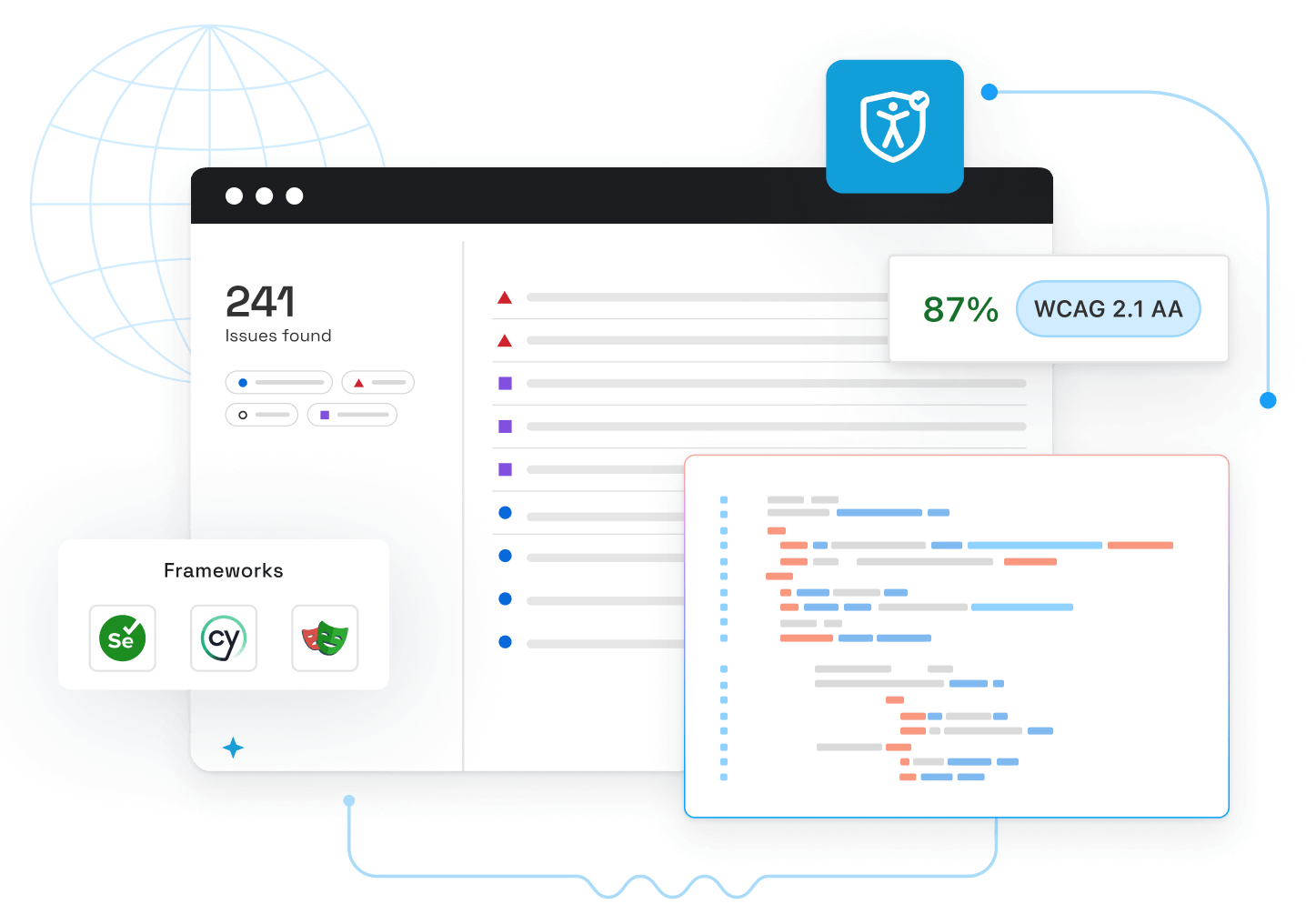
Why Choose TestMu AI Accessibility Automation?
TestMu AI Accessibility Automation not only simplifies the testing processes but also helps maintain the health of your builds over time, providing actionable reports that assist in continuous improvement and compliance management.
Let’s look at why you should go for TestMu AI Accessibility Automation:
- One-Stop Solution: TestMu AI Accessibility Automation serves as a solution for inclusive web development, streamlining the integration of accessibility standards into development processes.
- Flexible User Experience: Automated testing across multiple browsers and devices ensures flawless user experiences, seamlessly adapting to various user needs and preferences.
- Dynamic Monitoring: Automatic DOM change monitoring ensures that accessibility scans are triggered automatically whenever a change is detected, keeping compliance checks up to date without additional input.
- Customizable Testing Scope: Configure and set the scope and parameters of your accessibility tests with ease. Select from different WCAG versions for compliance, choose to highlight best practice issues or those needing review, and use tags to manage the scope of your tests.
- Actionable Insights and Reporting: Access all the accessibility reports from a unified dashboard that provides intelligent insights, historical data, and detailed issue summaries. Get specific details like CSS selector, HTML snippet, and guidelines to fix the issues, alongside the list of tests that detected the issue.
How Does TestMu AI Accessibility Automation Work?
TestMu AI Accessibility Automation enables scans and identifies any elements that hinder user accessibility. Here’s how it enhances accessibility across your web content:
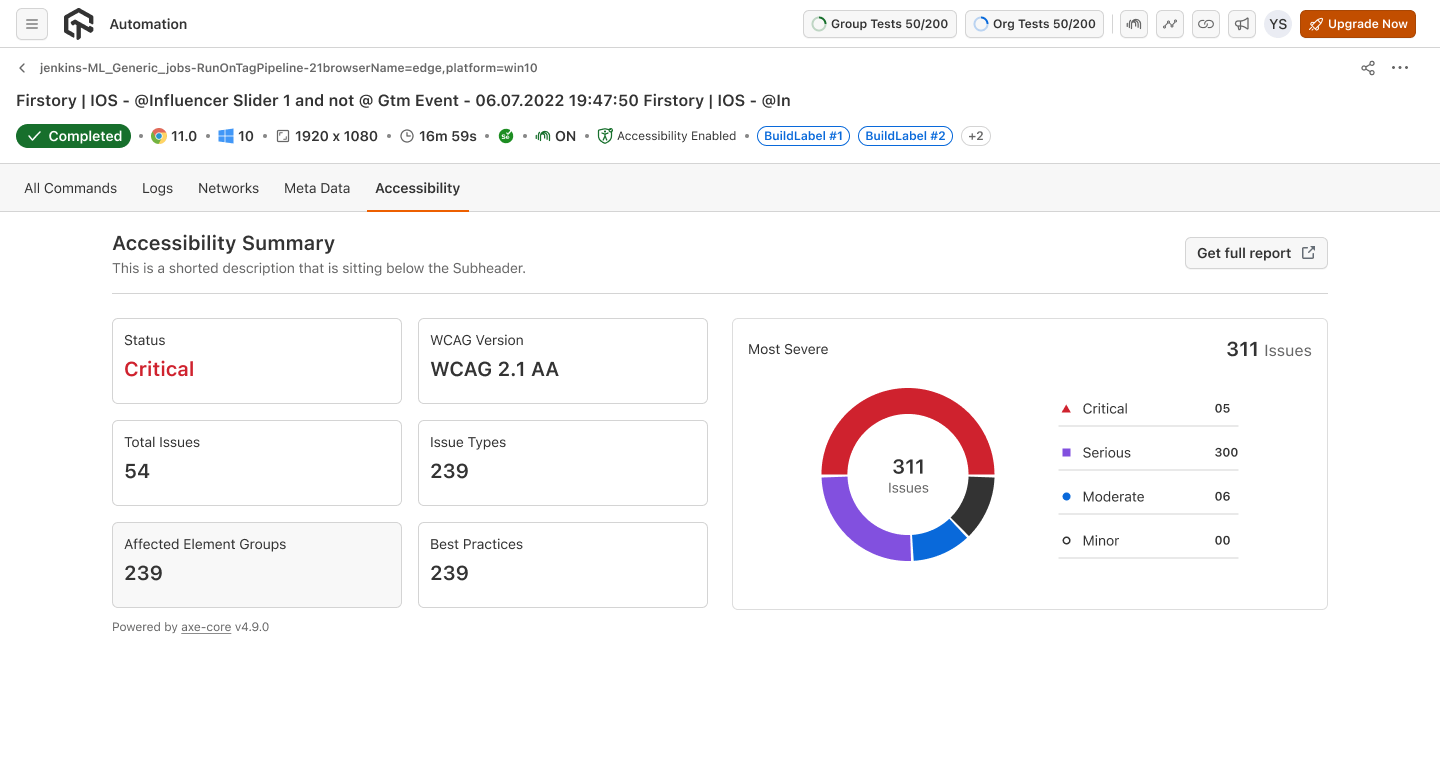
- Integrated Testing: Works hand-in-hand with popular testing frameworks like Selenium, seamlessly incorporating accessibility tests into development cycles within existing processes.
- Issue Detection: Generate clear and concise reports highlighting accessibility roadblocks across web pages. These reports categorize issues by their severity from critical to low and provide actionable suggestions on resolving them, ensuring that you can prioritize and address the most impactful problems first.
- Automated Scans: Provides advanced scanning technology to check web pages against a set of accessibility best practices. This includes identifying common issues such as missing image descriptions (alt text), insufficient color contrast between text and background, or incorrect use of ARIA attributes. These scans help ensure web applications adhere to accessibility standards like WCAG and ADA.
Conclusion
Give a spin to the TestMu AI Accessibility Automation platform today to ensure a more inclusive user experience for everyone. We can’t wait for you to explore the full potential of the TestMu AI Accessibility Automation platform.
If you need assistance or have questions, please contact us at [email protected] or our in-app chat support. We’re here to help you at every step of your journey.
Happy testing!


Did you find this page helpful?
More Related Hubs
TestMu AI forEnterprise
Get access to solutions built on Enterprise
grade security, privacy, & compliance
- Advanced access controls
- Advanced data retention rules
- Advanced Local Testing
- Premium Support options
- Early access to beta features
- Private Slack Channel
- Unlimited Manual Accessibility DevTools Tests