

Next-Gen App & Browser Testing Cloud
Trusted by 2 Mn+ QAs & Devs to accelerate their release cycles


How to Generate Tests With AI
Learn how to generate tests with AI. Automate test creation, improve coverage, and save time, letting you focus on delivering high-quality software faster.

Harish Rajora
December 28, 2025
Writing test scripts can be one of the most tedious and time-consuming processes of software testing. When software applications scale or become more complex, it becomes harder to keep up with writing test scripts manually. Relying on traditional testing methods will not give the speed at which modern software needs to be developed and released.
However, by using AI to generate tests, developers and testers can save time and effort, ensuring that all aspects of the software application are covered without constantly rewriting test cases. AI can help generate tests based on how software behaves, find potential issues, and improve overall test coverage, all while reducing human error.
Overview
Generating tests with AI speeds up quality assurance by automatically creating test cases, scripts, and data. It helps uncover edge cases, improves coverage, and reduces manual effort in test design and maintenance.
Why Generate Test Scripts With AI?
Using artificial intelligence for test generation helps teams enhance accuracy, scalability, and coverage while reducing manual effort in designing and maintaining automated test cases.
- Tackle Complex Scenarios: AI simplifies testing of complex scenarios like performance analysis, load threshold evaluation, and network latency, enabling testers to create and maintain intricate tests easily.
- Increased Test Coverage: AI scans existing test scripts, identifies untested areas, and automatically generates additional cases to improve overall test coverage and ensure more complete validation.
- Early Bug Detection: AI acts as an assistant during coding, analyzing logic in real time to predict and highlight potential bugs, ensuring issues are caught at the earliest phase.
- Ease of Management: As projects scale, managing numerous test cases becomes difficult. AI streamlines this by organizing, maintaining, and optimizing the testing workflow efficiently.
- Accuracy: Unlike manual test creation, AI minimizes human error by generating consistent, logic-based test cases, ensuring precise results and maintaining code reliability over time.
How to Use AI for Generating Tests?
AI-powered tools can simplify test creation by automatically generating cases based on requirements or existing code logic, helping teams accelerate automation testing with improved accuracy.
- TestMu AI Test Case Generator: Creates automated test cases instantly by analyzing project requirements or user stories, reducing manual effort and speeding up test design and execution.
- TestMu KaneAI: Enables testers to create, debug, and enhance end-to-end automated tests effortlessly using natural language prompts, reducing the need for complex coding and accelerating test development.
- ChatGPT: Helps testers quickly draft detailed test cases, generate automation code snippets, and design test data through conversational prompts and scenario-based interactions.
- Claude: Assists in writing structured and comprehensive test cases by interpreting documentation and translating high-level product descriptions into executable test scripts.
Why Generate Tests With AI?
Incorporating artificial intelligence to generate tests for automation testing can bring a lot of benefits:
- Tackle Complex Scenarios: Complex scenarios, such as analyzing the load threshold or performance metrics, including network latency in various network calls, can easily be done through AI. Testers can also create complex tests without worrying about their maintenance easily.
- Increased Test Coverage: AI is capable of scanning the test script and determining the areas that have not been covered through tests. Then, it can generate tests for those sections specifically and, in the process, increase the test coverage automatically.
- Early Bug Detection: To generate tests with AI is not the only thing a tester can do. AI can also be implemented as an assistant which can assist the entire coding process and predict bugs in the code as a tester is writing them. It facilitates bug detection at the earliest possible phase of testing.
- Ease of Management: As the software scales, it becomes a lot harder to manage every testing process, let alone test case management. Scalability brings its challenges, a lot of which can be eliminated with AI in the process.
- Accuracy: Automated testing is the execution of test scripts written in a programming language (scripted automation) or as instructions (codeless automation). When done manually, all of this requires time and complex logic, which can be flawed more often than we think.
AI helps generate test cases that can target each task as instructed by the tester. Yes, the tests can be complex here as well, but since AI maintains it, it is acceptable.
Generating test cases for automated testing is time-consuming and challenging. Testers must identify locators, initiate drivers, and write complex logic, all while uncertain about test coverage. Achieving 100% coverage manually is not feasible.
Generating Tests With AI
To demonstrate how AI can help generate tests easily for automated software testing, let’s explore this with three different tools:
- TestMu AI AI Test Case Generator
- TestMu AI KaneAI
- ChatGPT
- Claude
To explore more ways you can leverage AI effectively in your testing workflows, don’t miss our guide on ChatGPT Prompts for Software Testing, where we share ready-to-use prompts tailored for testers.
TestMu AI Test Case Generator
TestMu AI Test Case Generator is an intelligent capability within the TestMu AI Test Manager that allows users to instantly convert a wide range of requirement formats, including text, PDFs, images, audio, video, Jira tickets, and more, into structured, contextual software test cases. It dramatically speeds up test case creation while enhancing coverage and consistency. Designed to save time and streamline the test design process, it supports both manual and automated testing workflows with greater efficiency and precision.
Key Features
- Multi-Format Input Support: Accepts diverse input types, including plain text, PDFs, images, audio, video, CSV, Excel, JSON, XML, and direct Jira integrations.
- Contextual Test Case Generation: Converts requirements into structured test scenarios with pre-conditions, test steps, and expected results.
- Smart Grouping & Prioritization: Organizes test cases into high-level scenarios and assigns priority levels based on risk and business impact.
- Fully Editable Framework: Generated test cases are editable, allowing QA teams to refine and customize them to match internal standards.
- Seamless Integration with Test Manager: Automatically syncs with the TestMu AI Test Manager for execution tracking, test assignments, and collaboration.
- Automation-Ready with TestMu AI KaneAI: Instantly automate the generated test cases using KaneAI, our GenAI-native software testing agent.
- Iterative Refinement: Modify your input and regenerate test cases until the output perfectly aligns with your testing goals.
Generating Tests With TestMu AI KaneAI
KaneAI by TestMu is a GenAI native QA Agent-as-a-Service platform designed for high-speed quality engineering teams. It allows you to create, evolve, and debug tests using natural language while integrating seamlessly with TestMu AI’s offerings for test orchestration, execution, and analysis.
Features:
- Create and evolve tests using natural language commands.
- Generate and execute test steps based on high-level objectives.
- Convert automated tests into all major languages and frameworks like Selenium and Playwright.
- Write or paste custom JavaScript code snippets to run tests.
- Perform scrolling actions on WebElements using natural language commands.
- Run tests with advanced configurations such as changing geolocation, testing on localhost servers using TestMu AI Tunnel and testing with a dedicated proxy.

Shown below are steps to generate tests with TestMu AI KaneAI:
Note: Make sure you have access to KaneAI. To get access, please contact sales.
- From the TestMu AI dashboard, click the KaneAI option.
- Click on the Create a Web Test button. It will open up the browser with a side panel available to write test cases.
- Click on the Manual Interaction button.
- Now, the tester can interact with the browser agent, and the test will be generated for their actions. For this demo, follow these steps:
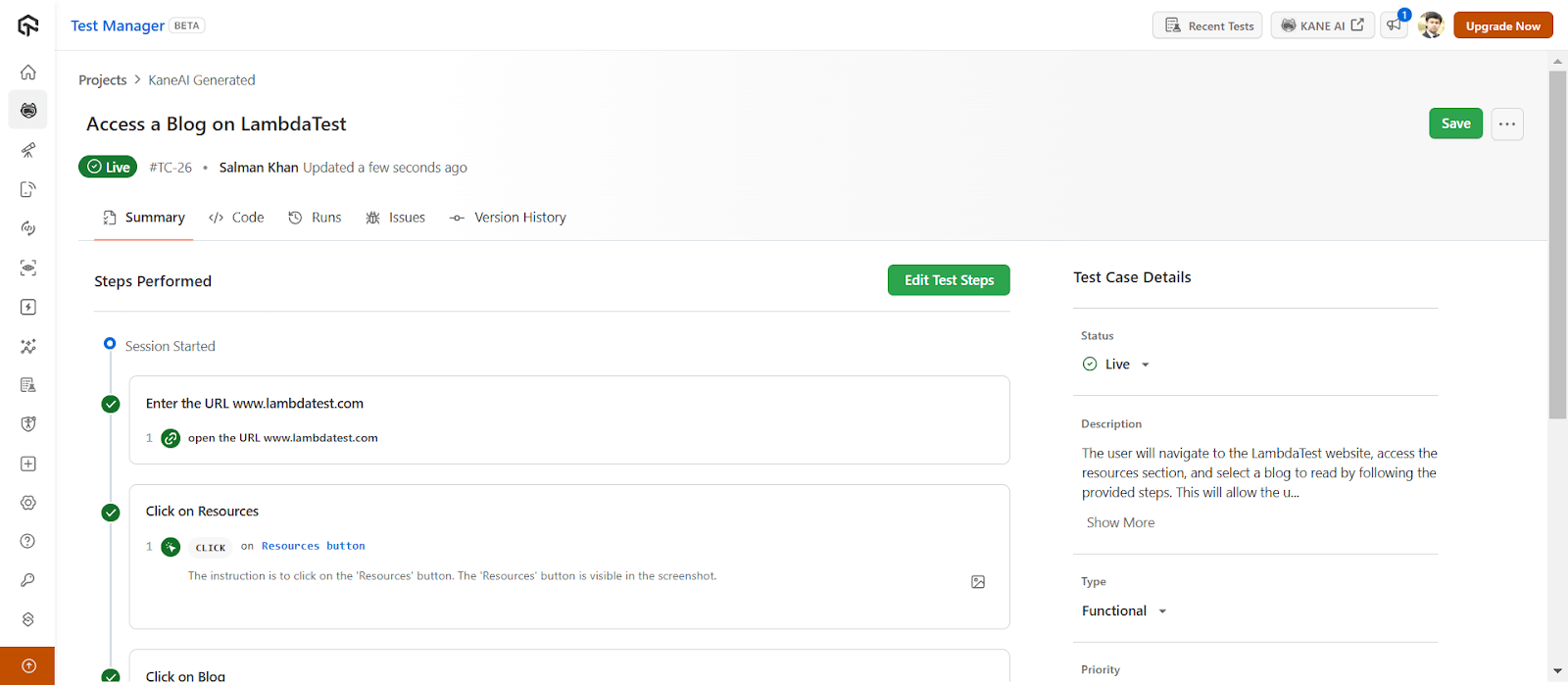
- Enter the URL www.lambdatest.com
- Click on Resources
- Click on Blog
- Scroll down
- Click on any blog
- Click on the Finish Test button.
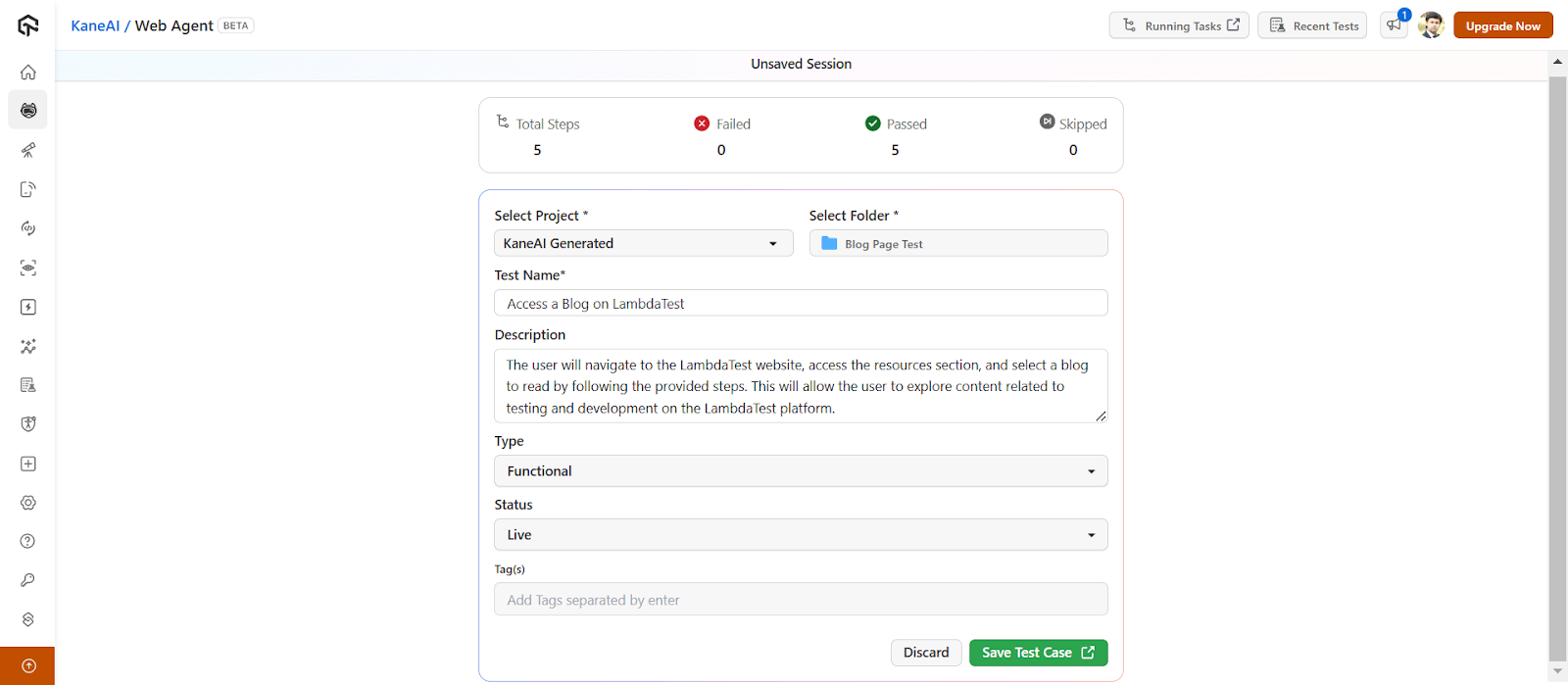
- Select the Folder where you want to save tests and choose Type and Status. You can also modify other details if need be. Then, click on the Save Test Case button.
- To generate your tests for the above test cases, click on the Code tab.
- Generate new Code: Generates new code in a different language or framework for the same test case.
- HyperExecute: Triggers tests on the TestMu AI HyperExecute platform.
- View code: Opens the code in a built-in editor to edit code files and download them.
- Download: Lets you download the entire generated tests (with code files).
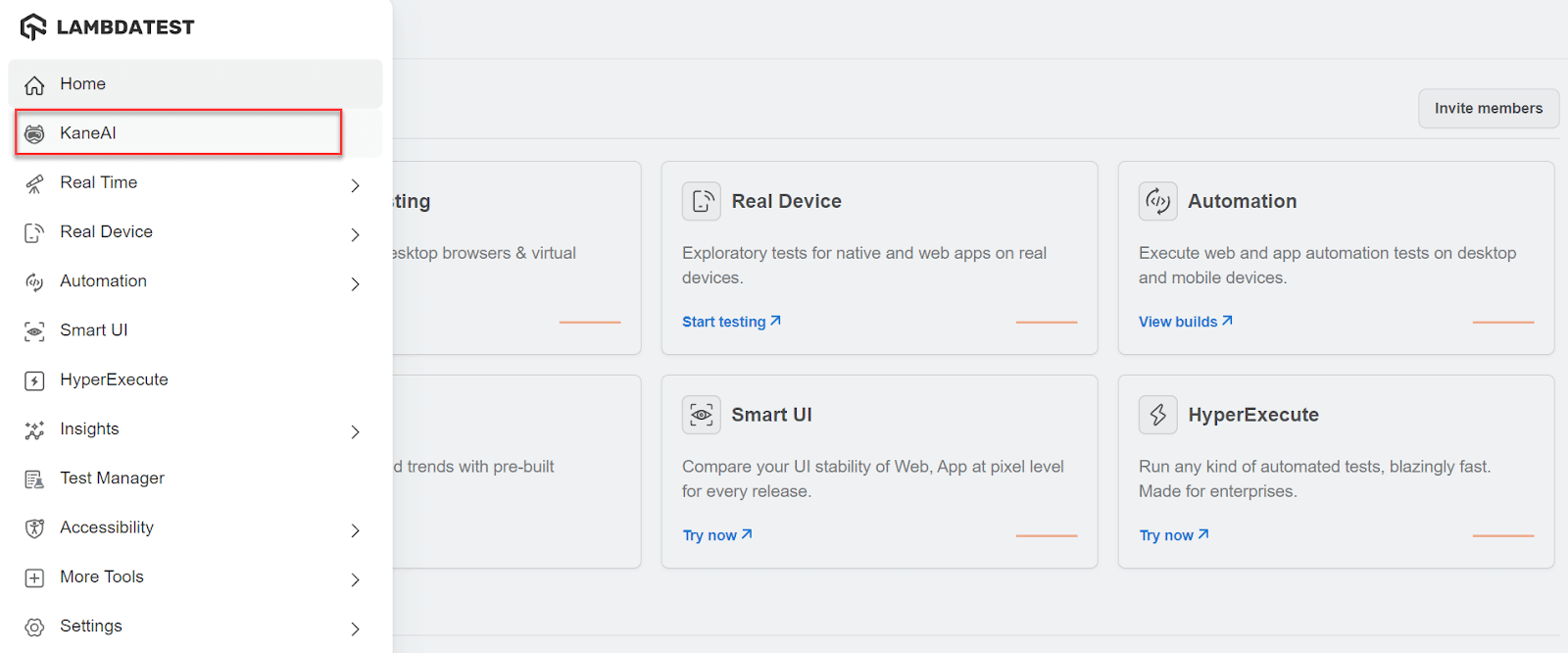
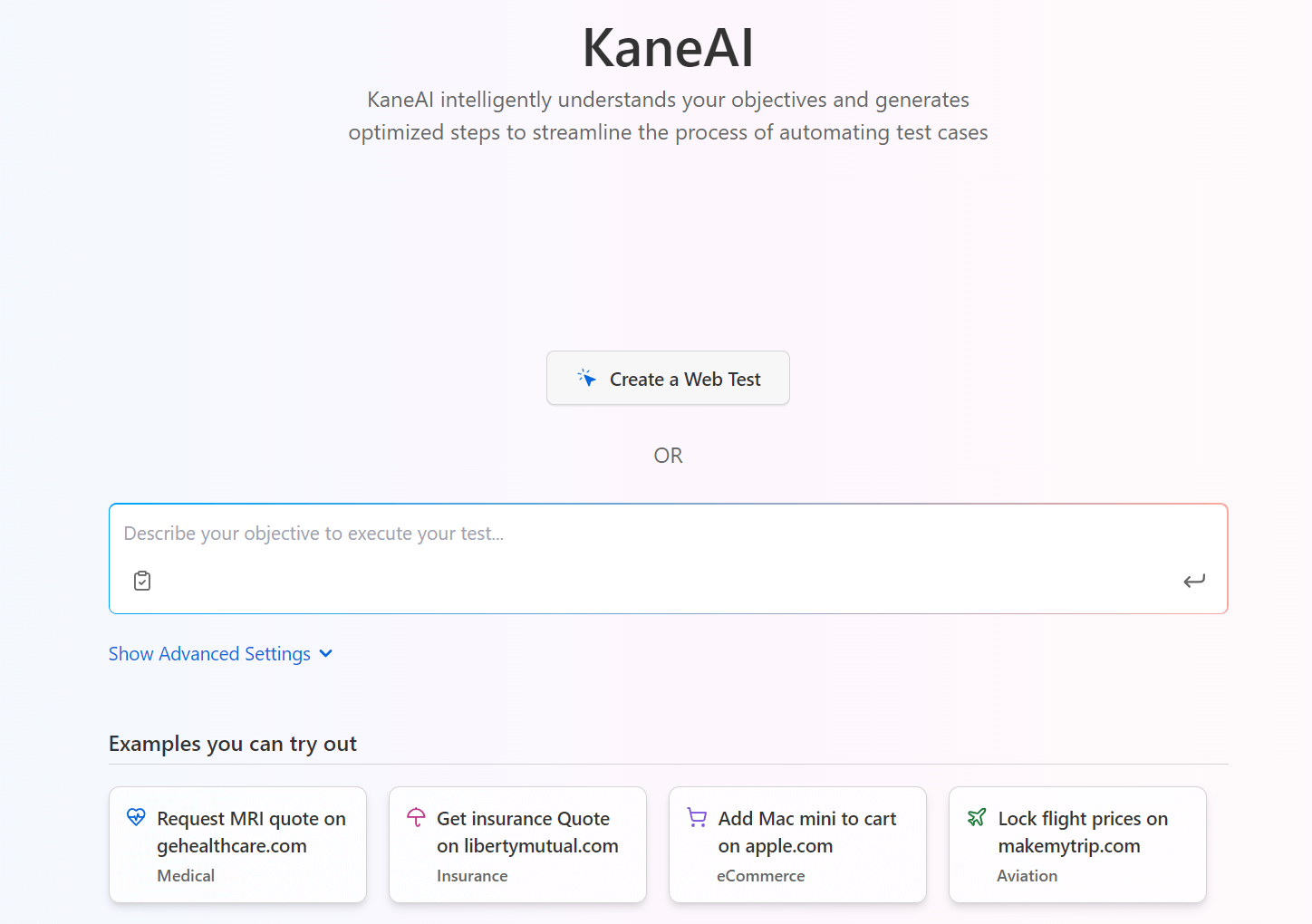
It will initiate the browser agent and provide a separate panel to generate tests. The tester can choose to either write test cases here or interact with the application manually to generate test cases. Since we are discussing the role of artificial intelligence in automated software testing, let’s generate tests through manual mode.
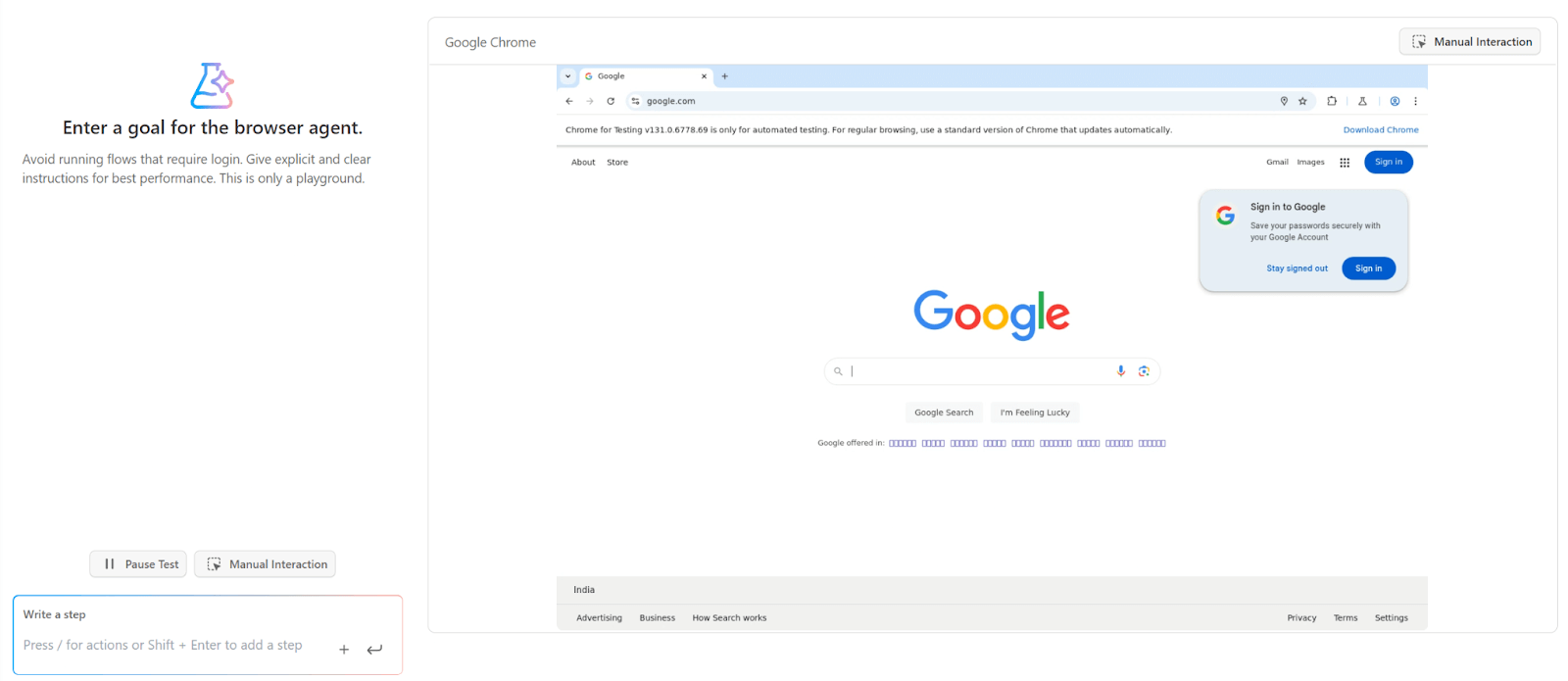
You can see all the above test steps (or actions) are converted to test cases:
As you can notice, AI has filled up all the required fields automatically to save tester time.
It will now redirect you to the TestMu AI Test Manager, where you can manage your test cases. You can also view other details like Summary, Code, Runs, Issues, and Version History.
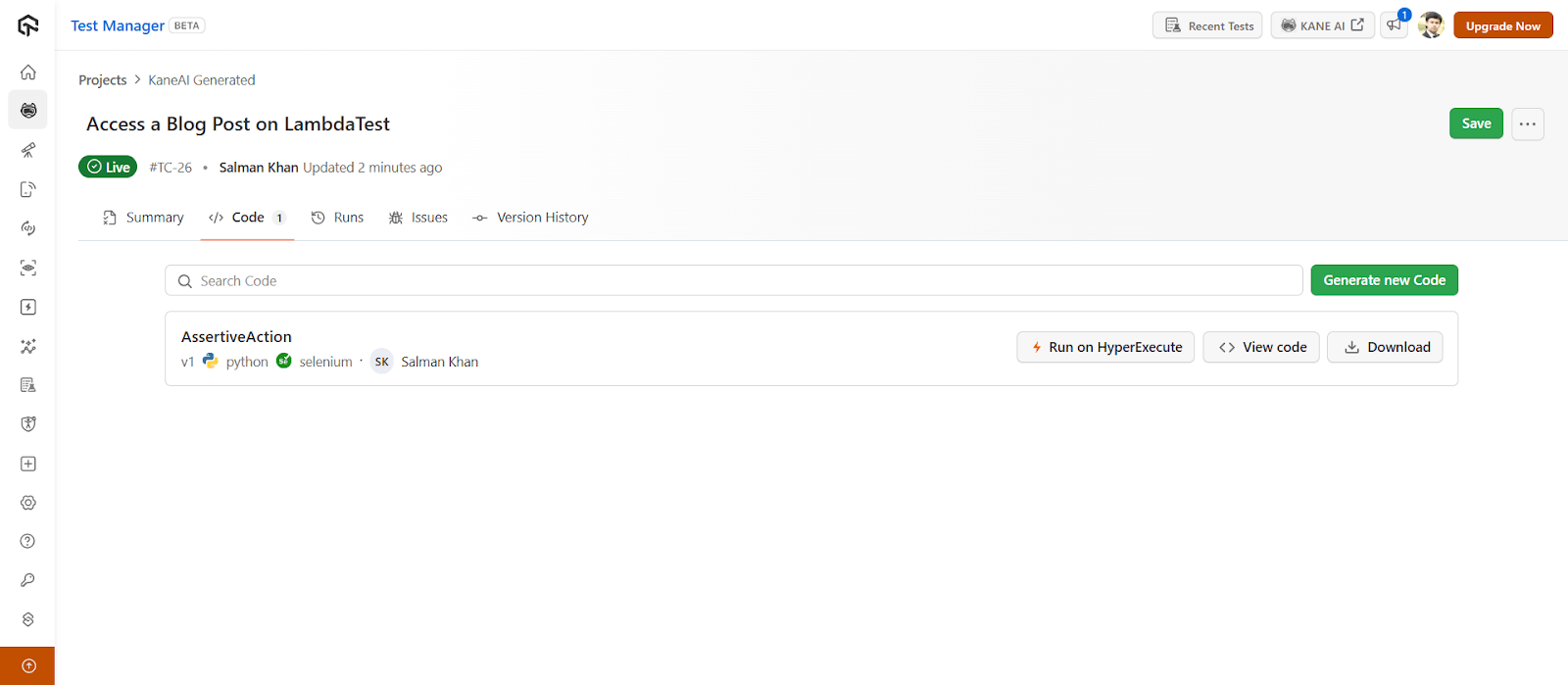
You will notice the following options and go ahead with the one that you need:
To get started, refer to this getting started guide on KaneAI.
With the rise of AI in testing, its crucial to stay competitive by upskilling or polishing your skillsets. The KaneAI Certification proves your hands-on AI testing skills and positions you as a future-ready, high-value QA professional.

Austin Siewert
CEO, Vercel
Discovered @TestMu AI yesterday. Best browser testing tool I've found for my use case. Great pricing model for the limited testing I do 👏
2M+ Devs and QAs rely on TestMu AI
Deliver immersive digital experiences with Next-Generation Mobile Apps and Cross Browser Testing Cloud

Generating Tests With ChatGPT
ChatGPT is a Generative AI platform that takes a text-based input, analyzes it with natural language processing, and provides an output for the same. It can be used to generate tests with AI by simply asking the tool to generate test scripts directly.
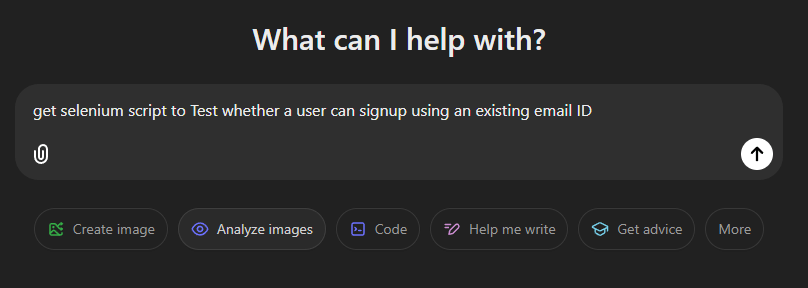
For instance, let’s say you want to test whether a user can sign up using an existing email address.
- Enter the above test scenario directly into the ChatGPT input field:
- Press Enter to get the output. This is a complete test script (with comments) for the test scenario we requested. The whole process took less than 10 seconds which would have otherwise taken at least 15-20 minutes manually.
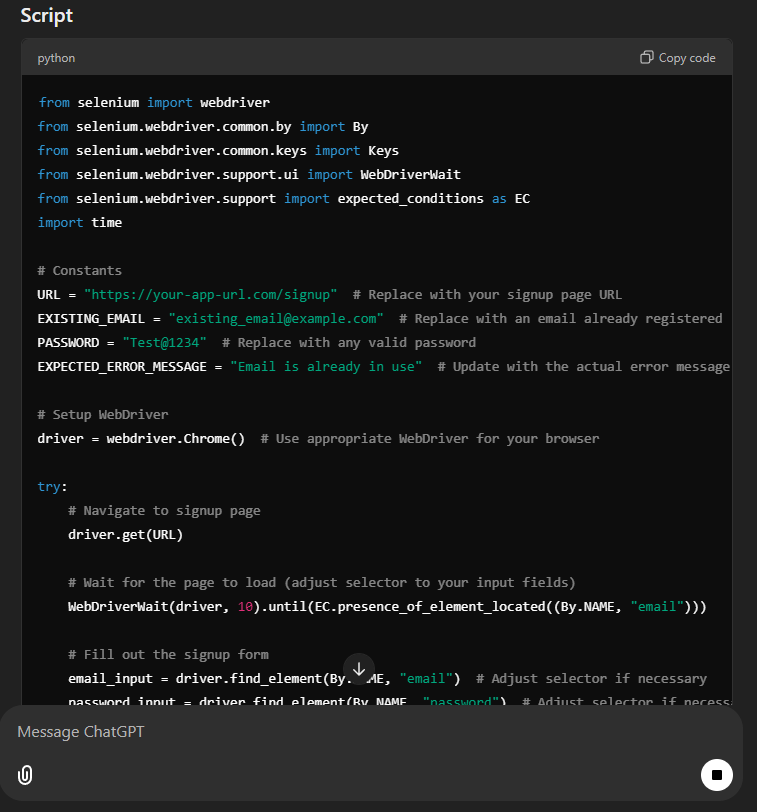
ChatGPT is an excellent way to generate tests with AI. However, the only downside is that the tester has to do some post-script generation work as well. For instance, here, they need to integrate this piece of code with their existing test suite and replace every variable accordingly.
It becomes complex as the suite grows. Also, ChatGPT can only help when automated testing is done in the scripted mode and not in codeless mode.
Generating Tests With Claude
Claude is an interesting approach to performing automation testing with the help of AI. It provides an input box, just like ChatGPT, where the tester can put down the scenario to perform, and Claude takes care of the rest.
It loves open-ended conversations, and therefore the tester need not follow a strict instruction-based approach in English. They can write a paragraph about what they want to do, and the tool will analyze, understand, and perform actions on it.
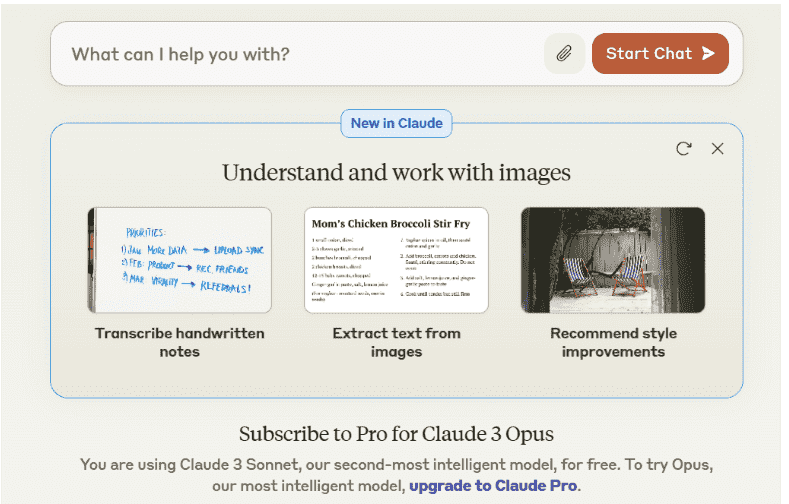
Claude is powerful and focused on transparency and accuracy. It can not only help perform certain automation tasks but can detect bugs and fix the errors in the codebase. All the tester needs to do is tell their query in the input field.
Just like ChatGPT, Claude, too is not limited to just code generation and analysis. You can perform almost any task using Claude, including providing a summary or understanding a piece of code written in any programming language.
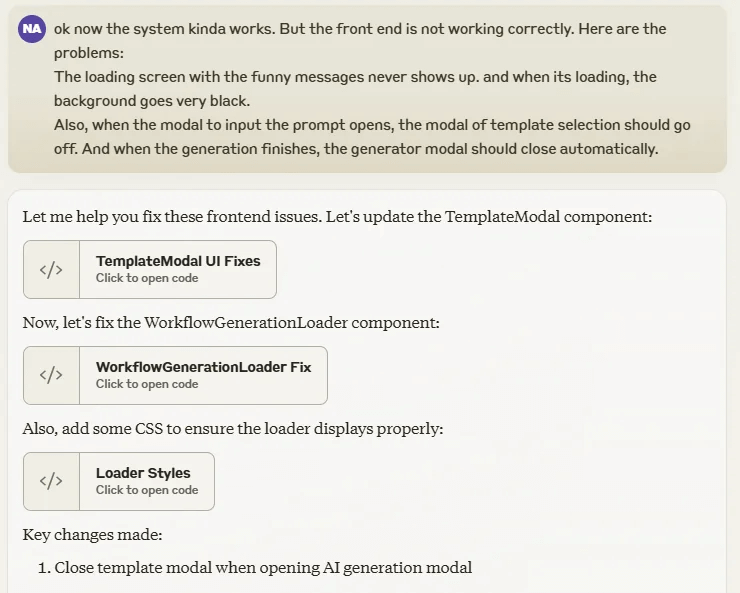
The only downside to Claude (and also ChatGPT) is that it doesn’t provide a host or agent like KaneAI, where web and mobile applications can be tested. The testers have to integrate their system with another tool (such as Puppeteer), which Claude will then drive to perform the tasks described by the tester.
Claude has also come up with its latest update, 3.5, where the tool can perform actions similar to humans without any instructions. For instance, finding buttons, clicking them, and presenting the output in either browser logs or on the chat interface directly. However, this still has a long way to go and currently cannot be used in enterprise-level testing.
AI can also support exploratory testing, dynamically interacting with applications to uncover hidden issues. Unlike scripted tests, it can adapt and explore different paths on its own. Watch this video to see exploratory testing with AI in action:
Creating Test Cases With TestMu AI Test Manager
Once the tests are generated, they need to be executed and, most importantly, managed regularly. In these situations, the team looks at the tools that provide services that are more than just prompt-based “input-output” features, and this is where TestMu AI AI-native Test Manager comes into the picture.
TestMu AI provides an AI-native unified test manager that provides test case creation, management, triggering, and reporting all in one place. With TestMu AI Test Manager, you can create test cases manually or using AI.
For demonstration, let’s look at how to create test cases with AI:
Note: Ensure you have access to the Test Manager. If not, please contact sales.
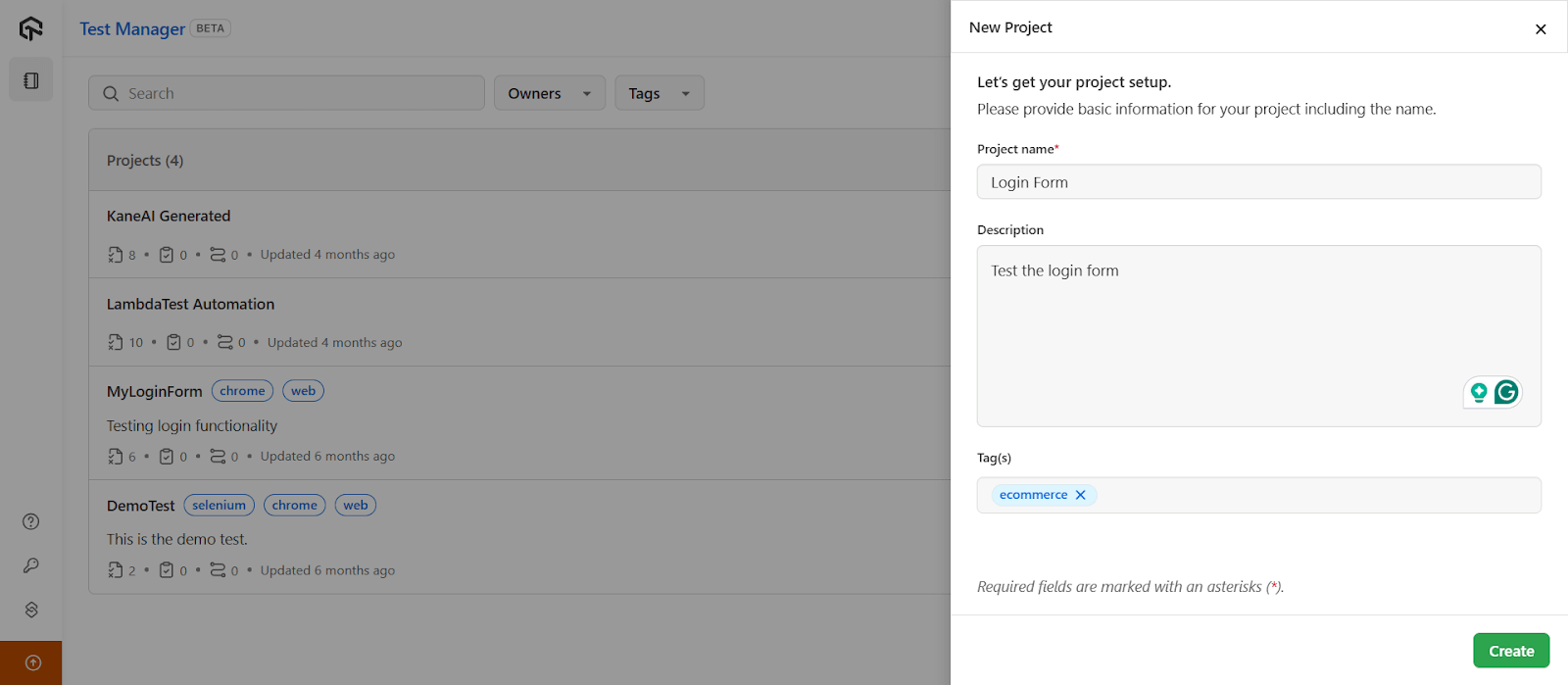
- From the top-right, click on the New Project button.
- Enter your Project name, Description and Tag(s) in the respective fields.
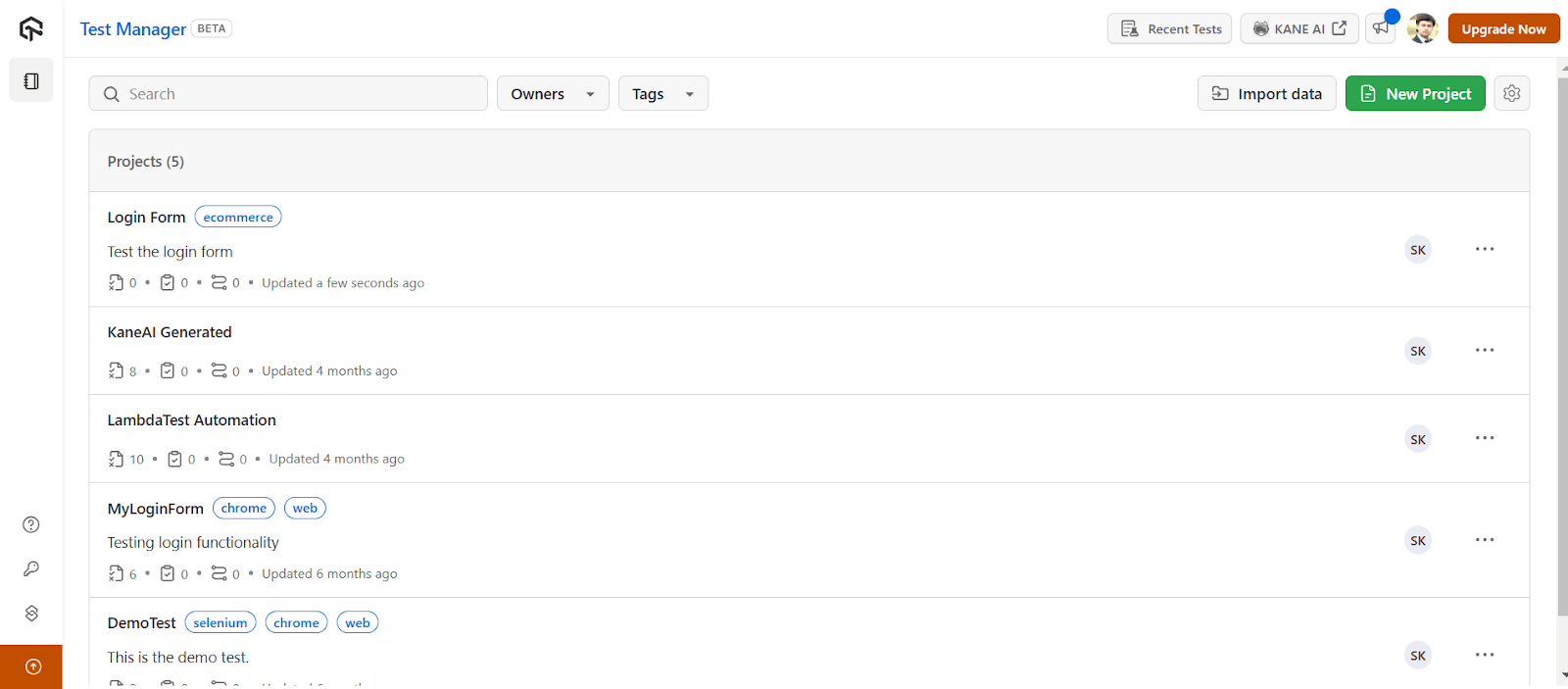
- Click on the Create button, and it takes you to the below screen.
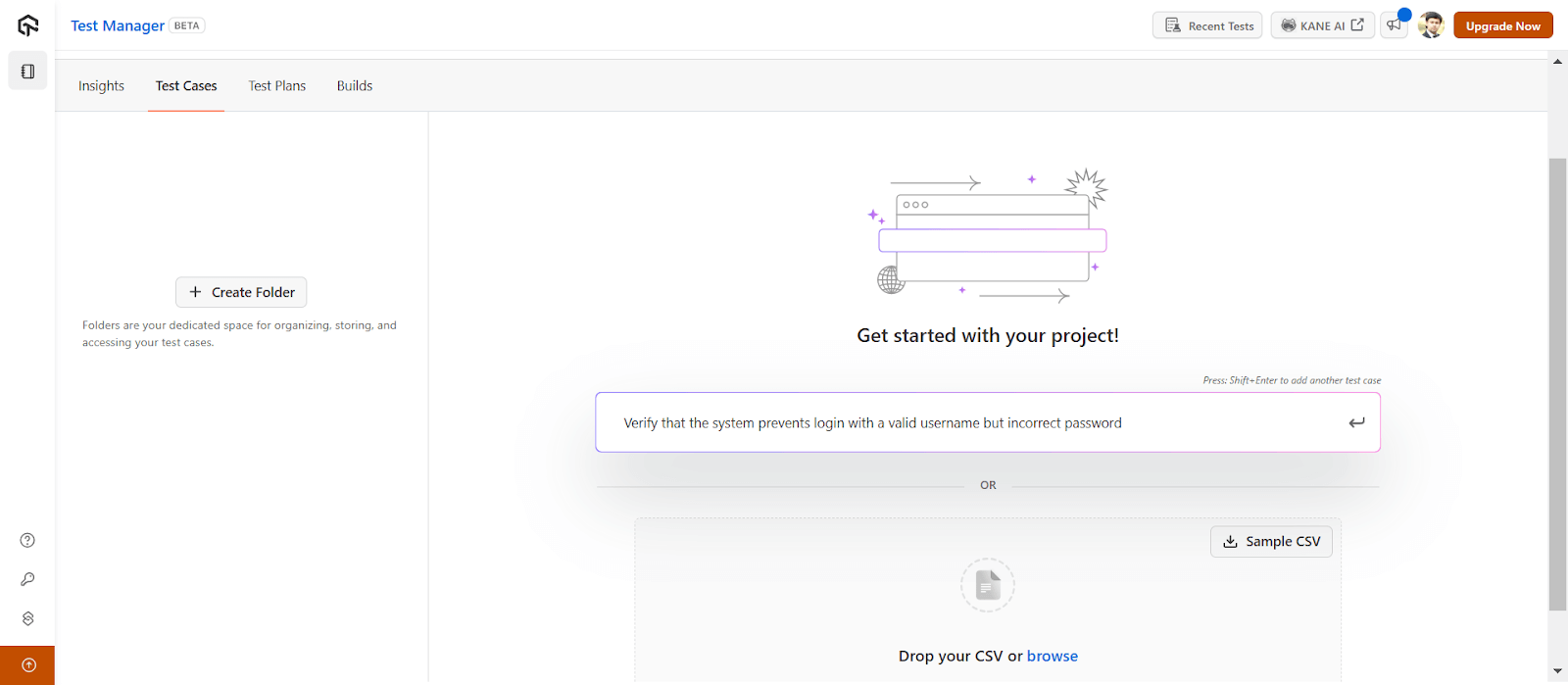
- Click on the project name that you just created, and the Test Manager will route you to the Test Cases dashboard.
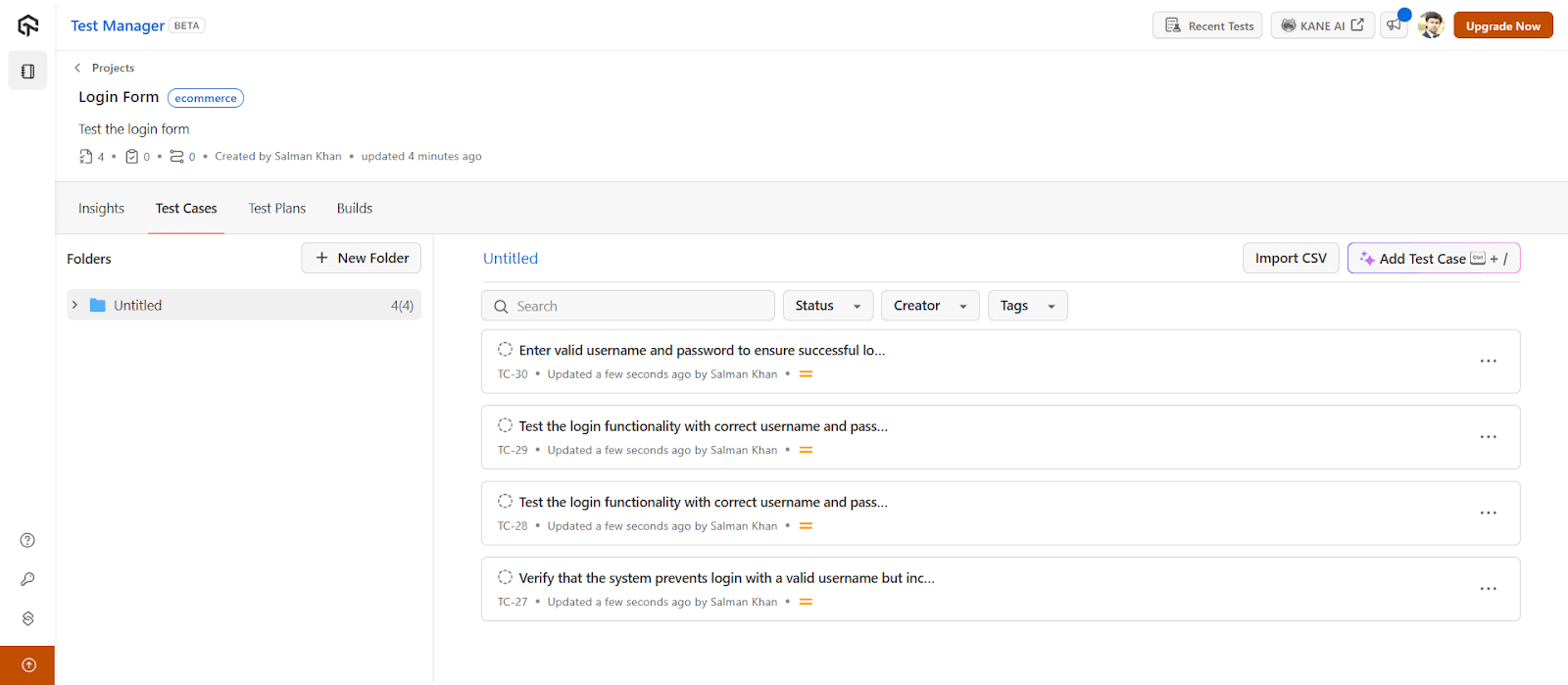
- Navigate to the prompt box and press the Tab key to generate test cases with AI. You can then press the Shift+Enter keys to generate multiple test cases. Once done, press the Enter key.
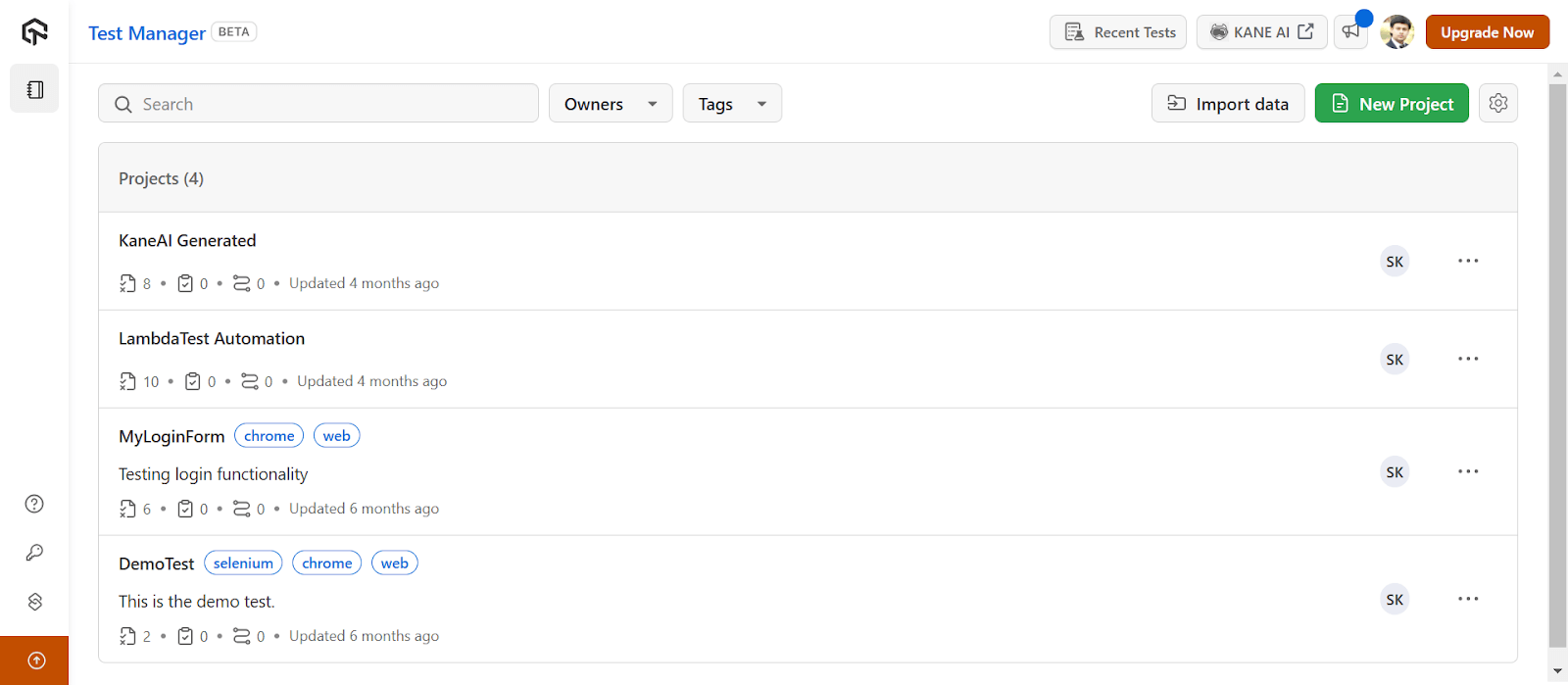
You can then organize your test cases efficiently by creating folders and subfolders. Additionally, you can copy and move test cases, export test cases and do much more.
To get started, refer to this documentation on Introduction to Test Manager.

Note: Create and manage test cases with AI-native Test Manager. Try TestMu AI Today!
Conclusion
Authoring tests in software testing is one of the most time-consuming jobs. The tester has to not only make sure the tests are maintainable and readable but also think about the coverage which sometimes can make things a bit complex. This challenge can be avoided by adopting AI in software testing to take care of the tasks that were performed manually.
It can be introduced at multiple levels, performing multiple types of jobs. Some might just be available to generate tests with AI, while some AI testing tools or test assistants like TestMu AI KaneAI can debug, fix errors, and generate test reports on their own.
Whatever method a tester opts for, AI is bound to get fabulous benefits and overcome the challenges of automation testing performed manually. It is a step ahead in getting an autonomous test infrastructure, something that we all aim for in the future.
Citations
- The Future of Software Testing: AI-Powered Test Case Generation and Validation: https://www.researchgate.net/publication/383911206_The_Future_of_Software_Testing_AI-Powered_Test_Case_Generation_and_Validation


Frequently asked questions
Did you find this page helpful?
More Related Hubs
TestMu AI forEnterprise
Get access to solutions built on Enterprise
grade security, privacy, & compliance
- Advanced access controls
- Advanced data retention rules
- Advanced Local Testing
- Premium Support options
- Early access to beta features
- Private Slack Channel
- Unlimited Manual Accessibility DevTools Tests