

Power Your Software Testing with AI Agents and Cloud
The Native AI-Agentic Cloud Platform to Supercharge Quality Engineering. Test Intelligently and Ship Faster.


- TestMu AI (Formerly LambdaTest)
- /
- Blog
- /
- 15 Best Android Emulators for Chromebook [2026]
15 Best Android Emulators for Chromebook [2026]
Compare the best Android emulators for Chromebook, from local AVDs and ChromeOS emulators to browser-based and cloud device testing, and pick the right one.
Last Updated on:
An Android emulator for Chromebook lets you run and test Android apps on ChromeOS across different Android versions, device profiles, and screen sizes without a physical Android device. ChromeOS can run Android apps natively through ARC, but it is locked to a single Android version and has compatibility gaps with some apps. Android emulators for chromebook bridge that gap. It allows you to install any APK build, test across Android versions, and evaluate how your UI behaves on everything from phones to Chromebook-sized screens.
The options span cloud platforms, local emulators, and Linux-mode containers. The right pick depends on how much hardware your Chromebook has, whether you need real-device validation, and whether the emulator must run inside CI.
Key Takeaways
- An Android emulator for Chromebook runs Android apps on ChromeOS across different Android versions, device profiles, and screen sizes, which ChromeOS cannot do alone because its native ARC runtime is locked to a single Android version.
- Android Studio is the pick for local development on a Chromebook, installed through Linux (Beta), and it needs hardware virtualization plus 8GB of RAM or more before AVD boot times stay workable.
- TestMu AI runs the tests on a cloud of 10,000+ real Android and iOS devices, so the Chromebook needs no local virtualization, and paid plans start at $15 per month.
- Waydroid, crosvm, QEMU, Redroid, Cuttlefish AVD, and docker-android all run in Linux mode or on a separate Linux host, which suits offline development and CI pipelines more than casual app use.
- Appetize.io needs no local install, because the APK is uploaded to the browser based platform, a device profile is picked, and the Android session streams inside the Chromebook browser.
- Genymotion covers CI/CD multi-device automation across SaaS, desktop, and hourly PaaS tiers, while Anbox Cloud runs Android inside Ubuntu containers and requires an Ubuntu Pro subscription.
- Emulators cannot reproduce a real biometric sensor, NFC, camera behavior, network radio conditions, or how an OEM skin such as Samsung One UI renders a layout, so release sign-off still needs real hardware.
- Google counts more than 580 million large-screen Android devices and calls it the fastest growing segment of Android users, which is the audience Chromebook app testing serves.
Best Android Emulators for Chromebook Compared
Chromebook emulators differ by type (cloud vs local), Android version support, protocol compatibility, and use cases like gaming, development, or CI/CD integration.
| Emulator | Type | Best for | Pricing |
|---|---|---|---|
| Android Studio | Local IDE | Day-to-day Android dev on a Chromebook with 8GB+ RAM | Free |
| TestMu AI | Cloud platform | Real-device cloud + ChromeOS testing at scale | Free; paid from $15/mo |
| Genymotion | Cloud & desktop | CI/CD multi-device automation | SaaS, desktop, and hourly PaaS tiers |
| Anbox Cloud | Container cloud | Streaming and scalable Android test farms on Ubuntu | Custom; requires Ubuntu Pro |
| Waydroid | Local container | Low-latency offline runs on a Linux-mode Chromebook | Free / open-source |
| Cuttlefish AVD | Local / cloud VM | Framework-fidelity CI testing (CTS, AOSP) | Free / open-source |
Google's Android Distribution Dashboard shows the live spread of active Android versions, the same fragmentation that makes multi-version emulator testing essential for any app targeting ChromeOS.
15 Best Android Emulators for Chromebooks?
Top Android emulators for Chromebook include TestMu AI, Android Studio, Genymotion, Crosvm, Waydroid, and BlueStacks, each offering unique features for testing and development.
Two intents get bundled under "ChromeOS emulator": running an Android virtual device on a Chromebook, and emulating the ChromeOS environment itself on another machine. The list below covers both, so you can pick a browser-based mobile emulator online or a full ChromeOS build depending on what you need to validate.
Emulators make it easier to test your app across different screen sizes, Android versions, and configurations without needing multiple physical devices, helping you ensure a smooth experience for Chromebook users.
1. Android Studio
Android Studio is the official IDE for Android development. It can be installed on many Chromebooks via Linux (Beta). On compatible models with hardware virtualization, its built-in Android emulator lets you test apps across different Android versions and hardware profiles directly from ChromeOS.
On Chromebook, Android Studio works best with 8GB RAM or more. Below that, AVD boot times slow significantly, and using a cloud-based testing platform offers a more practical option for quick iteration.
Key features:
- Broad Android version compatibility: Run AVDs across older, current, and preview Android versions efficiently.
- Hardware and sensor simulation: Simulates accelerometer, GPS, orientation, network, and rotation for complete sensor testing.
- ChromeOS-supported system images: Use ChromeOS-specific system images from the SDK Manager to test apps on larger screens.
- Configurable device profiles: Create custom device profiles with unique screen sizes, resolutions, RAM, and hardware configurations.
- Official and fast-release builds: Receive updated emulator versions immediately, as Android Studio is maintained by Google.
Best for: Day-to-day Android development with the AVD on a Chromebook that has 8GB+ RAM and hardware virtualization enabled.
Pricing: Free.
2. TestMu AI (Formerly LambdaTest)
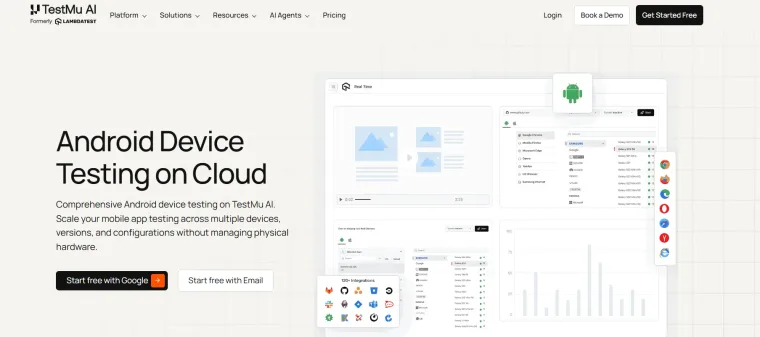
TestMu AI is a cloud-based testing platform that enables mobile app testing across a wide range of Android environments for Chromebooks. Instead of relying solely on simulators, it allows teams to perform Android device testing on cloud using real devices, helping validate performance under actual user conditions.
With access to 10,000+ Android and iOS devices on TestMu AI's real device cloud, teams can validate how their app behaves across different browsers and device configurations without maintaining physical hardware. On the browser side, you can also test on Chrome browser versions 15 to the latest from the same dashboard. For ChromeOS-specific setup, including device selection and capabilities, refer to the ChromeOS testing guide.
Key features:
- Device Simulation: Emulate multiple Android devices and screen sizes directly on a Chromebook for accurate testing environments.
- OS Version Flexibility: Covers a wide range of Android versions, from legacy releases through the latest builds, for compatibility testing.
- App Control: Install, launch, terminate, and uninstall APKs seamlessly within the emulator environment.
- Device Interaction: Simulate rotations, keyboard input, volume changes, shaking, and screen locking for realistic behavior.
- Hardware Profile Simulation: Configure RAM, CPU, and storage settings to mirror real Chromebook hardware.
- App Deployment: Upload APKs and run them on any selected virtual device without requiring physical hardware.
- Cross-OS Support: Run tests across Android, iOS, and ChromeOS, while Chromebook users get optimized support for Android testing.
Best for: Cloud testing across real Chromebooks and a large real-device fleet, including ChromeOS-specific runs at team scale.
Pricing: TestMu AI offers a free Freemium plan with no trial time limit. Paid plans are billed monthly or annually: Virtual Live $15/mo, ChromeOS Live $29/mo, and Real Device Plus Live $39/mo on annual billing, with custom Enterprise pricing.

Note: Test your Android apps on ChromeOS emulators with TestMu AI. Try TestMu AI free.
3. Genymotion
Genymotion is one of the leading emulators for Chromebooks, widely used for mobile testing and development. It offers multiple formats: as a SaaS-based emulator accessible via the cloud, as a device image for cloud platforms like AWS, and as a native desktop application for Windows, macOS, and Linux. For Chromebook users, the SaaS version is ideal.
Key features:
- Custom device initialization: Define virtual device CPU, RAM, storage, screen resolution, and Android version precisely.
- Automation integration: Connect with CI/CD pipelines and automated test frameworks directly.
- Multi-emulator management: Launch, configure, and control multiple virtual Android devices simultaneously.
- Sensor and network simulation: Configure GPS, network speed, and device rotation for emulated Android devices.
- Cloud-based device templates: Select from pre-configured cloud device images for rapid, standardized setup.
Best for: CI/CD multi-device automation and tightly configured virtual Android devices for QA teams.
Pricing: Free desktop edition for personal use; paid SaaS (pay-as-you-go or per-device subscription), desktop Individual and Business licenses, and hourly PaaS instances for teams. Check the vendor's pricing page for current rates.
4. ChromeOS Emulator (crosvm)
Crosvm is a lightweight virtual machine monitor developed for ChromeOS, enabling developers to run an emulator for Chromebooks directly without physical devices. It allows Android virtual devices to simulate real hardware, including CPU, memory, storage, and GPU, ensuring accurate testing of apps on Chromebook-sized screens and proper interaction with ChromeOS features.
Key features:
- Hardware virtualization support: Efficiently utilize host CPU, GPU, and memory for accurate testing.
- Device isolation: Run Android virtual devices in a sandbox, preventing interference with ChromeOS operations.
- ChromeOS integration: Execute Android apps and emulators directly within ChromeOS without additional third-party software.
- Performance monitoring: Track CPU, memory, and I/O usage of Android emulators for optimization.
- Custom VM configurations: Define virtual CPU cores, RAM, and storage for precise emulator environments.
Best for: Lightweight ChromeOS-native sandbox runs on the Chromebook itself when you want minimal overhead.
Pricing: Free, open-source (BSD-3-Clause).
5. ChromiumOS (Brunch Framework)
Brunch Framework allows running ChromiumOS on non-ChromeOS devices, letting developers test the Android emulator for Chromebook-like environments effectively. It helps simulate Chromebook environments, deploy Android virtual devices, and validate app performance, responsiveness, and UI behavior without needing a physical Chromebook.
Key features:
- Cross-platform testing: Run ChromiumOS builds on standard laptops for effective app compatibility testing.
- ChromeOS-like environment: Replicate Chromebook behavior for accurate Android app testing.
- Kernel and driver support: Provides drivers and kernel modules to enable Android emulator execution in ChromiumOS.
- Custom image deployment: Install ChromiumOS images supporting various virtual devices and screen resolutions.
- Open-source development: Enables customization of Android emulator environments for Chromebook-specific testing.
Best for: Running ChromiumOS on a standard x86 PC to validate Android apps in a Chromebook-like environment without buying hardware.
Pricing: Free, open-source.
6. Anbox Cloud
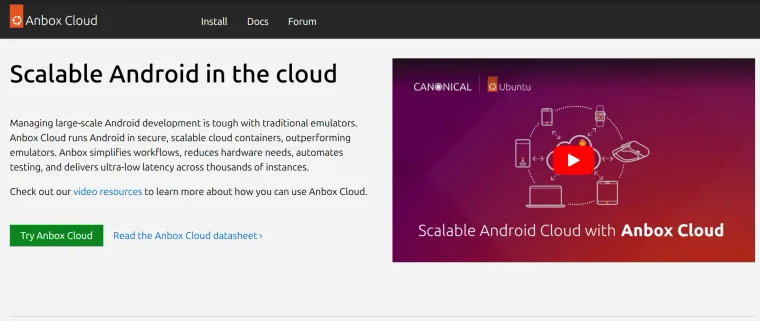
Anbox Cloud is Canonical's container-based Android platform. It runs Android instances inside secure Ubuntu containers across AWS, Azure, GCP, Oracle Cloud, or a private cloud, and is built for streaming, automated testing, and scalable Android workloads. For Chromebook users, the value is the cloud side: you point your Chromebook at Anbox Cloud instances rather than running emulation locally.
Key features:
- Container-based Android: Runs Android in LXD containers rather than full VMs, reducing per-instance overhead for large test farms.
- Cloud-agnostic: Deploys on AWS, Azure, GCP, Oracle Cloud, or private Ubuntu infrastructure.
- Low-latency streaming: Built-in WebRTC streaming layer lets Chromebook users interact with the remote Android instance from a browser.
- Test automation hooks: ADB access and APIs for orchestrating large fleets of Android instances during CI runs.
- Ubuntu Pro backed: Comes with Canonical's long-term security maintenance and 24/7 enterprise support.
Best for: Streaming and scalable Android test farms on Ubuntu cloud infrastructure when local emulation on the Chromebook is not enough.
Pricing: Custom, and requires an Ubuntu Pro subscription. Ubuntu Pro is priced as a percentage of the underlying cloud compute cost on AWS, Azure, or GCP, with custom rates for private cloud deployments.
7. QEMU
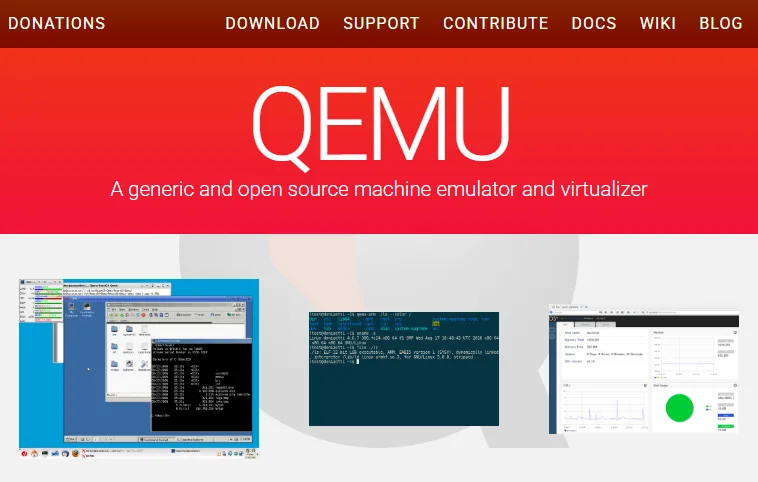
QEMU (Quick Emulator) is a general-purpose open-source machine emulator and virtualizer. It is not an Android emulator on its own, to run Android on a Chromebook you point QEMU at an Android system image. The two practical sources are Android-x86 ISO images and Cuttlefish disk images converted with cvd2img.
QEMU runs inside Linux (Crostini) on x86 Chromebooks with KVM acceleration enabled. On ARM Chromebooks the Android path through QEMU is limited, so container options like Waydroid or Anbox Cloud are usually a better fit. Note that the official Android-x86 project has been dormant for years, so its ISOs ship Android 9-era builds; teams that need a current Android version should pair QEMU with Cuttlefish images instead.
Key features:
- Full system emulation: Emulate a complete Android environment, including CPU, memory, and peripherals.
- KVM acceleration: With KVM enabled on an x86 Chromebook in Linux mode, near-native CPU speed makes Android boot and app execution far faster than pure software emulation.
- Multi-architecture support: Boot x86_64 or ARM Android images on a Linux host, though x86 Chromebooks see the best performance.
- Snapshot support: Save and restore VM state for quick rollback during testing.
- Pairs with Cuttlefish: Use cvd2img to convert Cuttlefish disk images into QEMU-bootable disks for current AOSP builds.
Best for: Engineers who want a low-level, scriptable Android VM on an x86 Chromebook in Linux mode and are comfortable wiring up an Android-x86 or Cuttlefish image themselves.
Pricing: Free, open-source (latest major release v11.0, April 2026).
8. Appetize.io
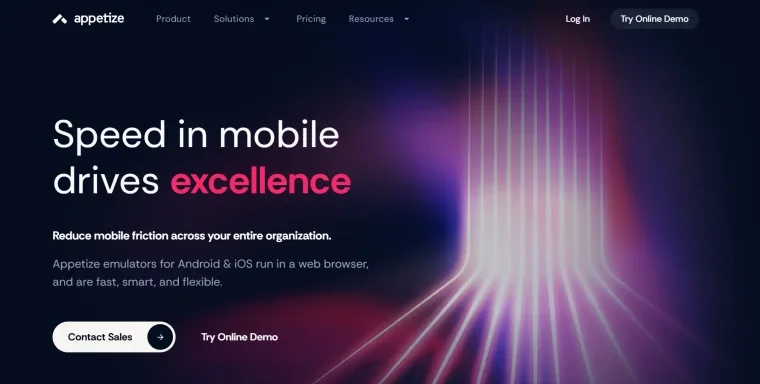
Appetize.io is a cloud-based platform that allows you to use emulators for Chromebooks to run apps directly in a browser. Users can upload APK files, select device profiles, and simulate Android devices without needing physical hardware, making it ideal for testing and validating apps on ChromeOS efficiently.
Key features:
- Browser-based access: Launch Android emulators directly from a browser, eliminating local software installation.
- Multiple device simulation: Emulate different Android devices with varying screen sizes, resolutions, and OS versions.
- APK deployment support: Upload and run APK files on virtual Android devices from a Chromebook environment.
- Session configuration: Set device model, OS version, and runtime options for accurate app testing.
- Cloud-hosted environment: Access consistent Android environments without relying on local system resources.
Best for: Embedding browser-based Android emulators in support, training, sales demo, and design review flows on a Chromebook.
Pricing: Free tier with limited monthly streaming minutes; paid Starter, Premium, and Enterprise plans, plus on-premise and private-cloud licensing for larger deployments. Check the vendor's pricing page for current rates.
9. MEmu Play
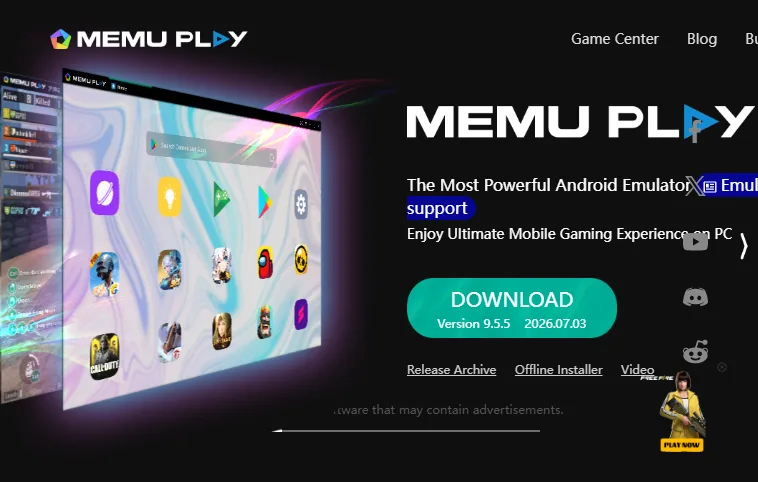
MEmu Play enables users to run Android apps and games smoothly on their Chromebooks. Known for its compatibility and high-performance features, MEmu Play allows Chromebook users to experience Android with optimized gaming performance, including keymapping for keyboard and mouse control and enhanced frame rates for demanding applications.
Key features:
- Multi-instance support: Run multiple Android emulator instances simultaneously for efficient testing.
- Customizable hardware allocation: Set CPU cores, RAM, and graphics resources for each emulator instance.
- Android version flexibility: Support multiple Android versions for accurate compatibility testing.
- Keyboard and mouse keymapping: Simulate touch inputs accurately for Android apps on Chromebook keyboards.
- High-performance rendering: Optimize frame rates and graphics rendering for smooth app and game performance.
Best for: Gaming and high-performance multi-instance Android app runs on Windows hosts (limited direct Chromebook use).
Pricing: Free (developed by Microvirt).
10. Waydroid
Waydroid is an Android emulator for Chromebooks that runs in Linux mode. Using a container with direct hardware access requires some Linux Kernel adjustments during setup. It includes a minimal Android image based on LineageOS, providing improved performance and efficient app execution.
On compatible Chromebooks with Linux enabled, the direct hardware access produces noticeably lower input latency compared to QEMU running the same app, making it the better choice when testing touch-heavy interactions locally.
Key features:
- Containerized architecture: Run Android apps without the heavy resource consumption of traditional virtual machines.
- Direct hardware access: Android applications interact directly with Chromebook hardware for faster, more responsive performance.
- Minimal Android image: Uses a lightweight LineageOS-based Android image, reducing overhead while preserving essential functionality.
- Linux-based integration: Run Android apps seamlessly alongside Linux applications on Chromebooks.
- Performance optimization: Leverage containerization and Linux Kernel access for efficient Android app execution.
Best for: Low-latency offline Android runs on Chromebooks with Linux mode enabled, especially for touch-heavy testing.
Pricing: Free, open-source.
11. AirDroid Web
AirDroid Web mirrors a physical Android device connected to the platform. It requires only a QR code scan and works as a cast to a bigger screen, such as a Chromebook desktop, useful for quick interaction and observation without a full emulator setup.
Key features:
- Device mirroring via QR code: Mirror an Android device on a Chromebook quickly and securely by scanning a QR code.
- Cross-network connection: Connect Android devices and Chromebooks over the cloud without requiring the same local network.
- Chromebook-based control: Navigate Android apps using the Chromebook keyboard, mouse, and touchpad once mirrored.
- Multiple device support: Mirror up to five Android devices simultaneously to a Chromebook for parallel testing.
Best for: Mirroring a physical Android device onto a Chromebook screen for quick interaction when you already own the device.
Pricing: Consumer plans (AirDroid Personal and Cast) plus per-device Business tiers (Basic, Standard, and Enterprise) for fleet management. Check the vendor's pricing page for current rates.
Note: AirDroid Web is a device mirroring tool, not a traditional emulator. It requires a physical Android device. Included here as a lightweight alternative for Chromebook users who already own an Android device.
12. BlueStacks
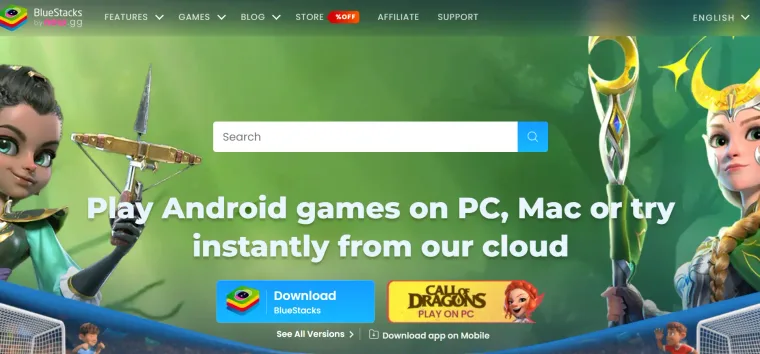
BlueStacks is a powerful emulator for Chromebooks that works via a Chrome extension or cloud access. While widely used for gaming, it also allows developers and testers to install, run, and test Android applications directly on Chromebook devices. It supports multiple Android versions, keymapping, performance tuning, and customizable resource profiles, making it ideal for both app testing and casual use on ChromeOS.
Key features:
- Enhanced input controls: Supports keymapping, mouse, and keyboard inputs on Chromebooks for precise Android app control.
- Cloud and ChromeOS installation: Access BlueStacks via a web platform or Chrome extension for in-browser Android emulation.
- Automation rules with macros: Automate sequences of actions to streamline repeated testing workflows on Chromebooks.
- Performance customization: Adjust memory, CPU allocation, and graphics settings to optimize for Android applications.
Best for: Casual Android app use, gaming, and macro automation on a Chromebook through the cloud or Chrome extension.
Pricing: Free (ad-supported) for all core features. An optional BlueStacks Prime subscription removes sponsored ads and adds rewards, priority support, and in-game discounts. Operated by now.gg, Inc.
13. Cuttlefish AVD
Cuttlefish is Google's official virtual Android device, built and maintained inside the AOSP project. It runs locally on Linux x86 and ARM64 hosts (including Linux mode on a Chromebook) and remotely on third-party clouds, with the explicit goal of staying framework-faithful to a physical phone so that CI suites and CTS tests behave the same on Cuttlefish as on real hardware.
Where Android Studio's emulator is tuned for app developers, Cuttlefish is tuned for platform engineers, AOSP contributors, and CI fleets that need many concurrent Android devices with consistent behavior.
Key features:
- Framework fidelity: Designed to respond to OS-level interactions just like a physical phone target, ideal for CTS and platform testing.
- Local and remote operation: Runs on a Linux-mode Chromebook for offline testing and on Google Cloud or other providers for large CI fleets.
- Multiple concurrent devices: Built to scale to many parallel virtual devices on a single host, useful for sharded test runs.
- AOSP-native: Maintained alongside the Android platform itself, so it tracks new Android releases on day one.
- Open source: Apache 2.0 licensed, with full source available in the AOSP tree.
Best for: Framework-fidelity testing for AOSP work, CTS validation, and remote or local virtual device farms used in CI.
Pricing: Free, open-source (Apache 2.0, part of AOSP).
14. Redroid
Redroid (Remote anDROID) runs full Android inside Docker containers, so it starts quickly and can run many Android instances on a single machine. It runs on a Linux server rather than on ChromeOS itself, so from a Chromebook you connect to it on a cloud or Linux host. That makes it a strong fit for large-scale and automated testing.
Key features:
- Container-based Android: Runs Android in Docker, Podman, or Kubernetes, without a heavy virtual machine.
- Many instances at once: Start lots of separate Android containers on one machine for large test runs.
- GPU acceleration: Uses the host GPU for smoother graphics than software-only emulation.
- Wide Android support: Offers ready-made images for older and recent Android versions.
- Standard tooling: Connect over ADB and view the screen with scrcpy or a web viewer.
Best for: Running lots of Android instances on a cloud or Linux server, controlled from a Chromebook, for large-scale automated testing.
Pricing: Free, open-source (Apache 2.0).
15. docker-android
docker-android runs the official Android emulator inside a Docker container, bundled with Appium and a browser-based screen view. The emulator needs a Linux machine with hardware acceleration, so you run it on a Linux or cloud host and then watch and control it from your Chromebook browser. That setup makes it a favorite for automated app testing in CI pipelines.
Key features:
- Real emulator in Docker: Runs Google's official Android emulator in a container, with no local setup on the Chromebook.
- Appium included: Comes with Appium, so UI and end-to-end tests work right out of the box.
- View it in a browser: Watch and control the emulator from any browser, which is handy on ChromeOS.
- Device profiles: Emulates named devices like the Samsung Galaxy S10 for realistic screen sizes.
- Built for CI: Works with Jenkins and cloud platforms like AWS, Azure, and GCP.
Best for: Running the official Android emulator and Appium in Docker on a Linux or CI host, controlled from a Chromebook browser.
Pricing: Free, open-source (MIT License).
Key Takeaway: The 15 emulators above fall into three groups. Cloud platforms such as TestMu AI, Appetize.io, and Anbox Cloud move the compute off the Chromebook entirely. Local tools such as Android Studio, Genymotion, BlueStacks, and MEmu Play run virtual devices on the machine itself and depend on hardware virtualization and available RAM. Linux-mode containers and virtual machines such as Waydroid, crosvm, QEMU, Redroid, Cuttlefish AVD, and docker-android fit offline development and CI pipelines, while Brunch Framework runs ChromiumOS on non-ChromeOS hardware and AirDroid Web mirrors a connected physical Android device.

Why Use Android Emulators on Chromebooks?
Running an emulator on a Chromebook gives you access to virtual Android devices with different screen sizes, Android versions, and hardware configurations.
This allows you to:
- Behavior testing: Check how your app functions beyond ChromeOS limitations, including UI behavior and feature support.
- Feature validation: Test features that may not run natively on a Chromebook by using a full Android environment.
- Device profiles: Simulate multiple Android device configurations without relying on physical hardware.
- Large screen testing: Google reports more than 580 million large-screen Android devices, the fastest growing segment of Android users.
For developers seeking accurate results, an Android emulator for Chromebook provides a reliable way to test app performance, UI consistency, and compatibility across different Android environments, something that Play Store testing alone cannot provide.
To support this, Google maintains an official ChromeOS test case checklist covering window resizing, keyboard and mouse input, and laptop-to-tablet mode transitions, the same scenarios an Android emulator for Chromebook is designed to validate.
How to Choose the Right Emulator for Chromebooks?
Choosing the right Android emulator for your Chromebook depends on testing needs, development workflow, and system capabilities. With options ranging from cloud-based platforms like TestMu AI and Appetize.io to local emulators like Android Studio and Waydroid, evaluate these factors before deciding:
Consider the following factors:
- Purpose of use: BlueStacks and MEmu Play are optimized for gaming; TestMu AI, Android Studio, and Cuttlefish AVD are built for professional testing and development.
- Platform type: Cloud-based emulators like TestMu AI, Anbox Cloud, or Appetize.io need no local hardware resources; local options like Waydroid and QEMU provide full hardware integration and offline testing.
- Android version support: Emulators like Android Studio and Genymotion allow testing across multiple versions from older releases to the latest builds.
- Hardware and resource needs: Crosvm and Waydroid leverage hardware virtualization on the Chromebook itself; cloud platforms shift the compute off the device entirely.
- Feature requirements: TestMu AI and Genymotion offer extensive testing features; AirDroid Web is better suited for device mirroring; Cuttlefish AVD is the right pick for CTS and framework-level validation.
- Ease of setup and maintenance: Waydroid and Brunch Framework require kernel modifications; Appetize.io and TestMu AI are ready to use with minimal configuration.
If you’re also working on Windows devices, many of the same principles apply. Android emulators for Windows, like BlueStacks, MEmu Play, or Genymotion, provide similar functionality, allowing app testing, development, or gaming, but are optimized for PC hardware and OS environments. This makes it easy to maintain consistency across platforms while testing your Android apps.
By evaluating your requirements across these areas, you can select an Android emulator for Chromebook that best matches your development or testing workflow, ensuring accurate app performance, compatibility, and productivity.
Do Emulators Really Match Real Device Testing?
Google's own documentation notes that just running your mobile app on a Chromebook doesn't give users the best experience; gaps remain specific and testable.
No. Android emulators for Chromebooks provide a convenient way to run and test apps without needing physical devices. While an Android emulator online is useful for quick checks, emulators cannot reproduce a real biometric sensor, NFC, real camera behavior, real network radio conditions, or how an OEM skin like Samsung One UI actually renders your layout, which is exactly where device-specific bugs hide.
Google's Large Screen App Quality guidelines define three tiers of ChromeOS compatibility: ready, optimized, and differentiated, each requiring test scenarios that emulators can prototype, but only real devices can fully validate.
To bridge these gaps, platforms like TestMu AI's real device cloud provide instant access to actual Chromebooks and Android devices, enabling validation under real-world conditions without maintaining a physical device lab.
Why Use TestMu AI for Real Device Testing for Chromebooks?
TestMu AI provides instant access to a wide range of Android devices without the need to maintain an in-house device lab. With Android device test on cloud, teams can quickly identify device-specific issues, ensure consistent performance across different Chromebook models, and accelerate the release cycle through remote, scalable testing.
With TestMu AI, you can test on real devices from anywhere, ensuring your app delivers a seamless experience to all users.
Testing on real devices provides several key advantages over emulators:
- Extensive coverage: Test across multiple Chromebook models and Android versions to ensure compatibility.
- Real-time interaction: Experience actual app behavior, including touch, multitasking, and hardware-specific interactions.
- Parallel testing: Run multiple tests simultaneously on different Chromebooks, reducing QA time.
- Accurate network simulation: Validate performance under real network conditions like Wi-Fi, 4G, or 5G.
- Hardware and sensor accuracy: Reliably test accelerometer, orientation, camera, and other sensors.
- Automated testing support: Integrate with frameworks like Appium and Espresso for efficient automation.
While emulators are useful during early development or quick checks, adding real device testing to your mobile app testing workflow ensures apps perform reliably on actual Chromebooks.
Conclusion
Pick an emulator that matches your goal: local emulators like Android Studio and Waydroid for offline development, Cuttlefish AVD for framework-level CI runs, and cloud platforms like TestMu AI or Anbox Cloud when you need to test across real Chromebook configurations without buying hardware. Start with TestMu AI's real device cloud for cross-device validation, then follow the ChromeOS testing documentation to wire your suite into a real test run. Combine an emulator for fast iteration with real-device validation before release, and you cover both the daily dev loop and the final production sign-off.
Author

Shivam Singh
Blogs: 4

Shivam Singh is a Lead Member of Technical Staff at TestMu AI (formerly LambdaTest), architecting the Real Device Cloud that runs automated app and web tests on real Android and iOS devices. He designed the architecture for real-device app and web automation and wrote the microservices from scratch in Golang, including the XCUITest and Espresso execution layers for iOS and Android. His platform reached peak parallel concurrency of 150+ for app automation while handling roughly 500,000 tests a month, and he leads the team that keeps the automation grid running. He brings over eight years of engineering experience and holds a B.Tech in Computer Science.
Reviewer

Shubham Soni
Reviewer
Shubham Soni is a Senior Member of Technical Staff at TestMu AI (formerly LambdaTest), building the Real Device Cloud and real-time testing infrastructure. He optimized the WebRTC services that power live testing to sub-100ms latency with adaptive bitrate streaming, led a frontend migration from Angular to React that cut page load time from 5-6 seconds to 1-1.5 seconds, and contributes to the official Device SDK. He led a team of four to build an accessibility testing product covering manual and automated testing and mentored a team of six on a real-time testing product. He brings over eight years of experience and earlier scaled a cloud code platform to 200K+ monthly users. Shubham holds a B.Tech in Computer Science.


Emulators for Chromebook FAQs
Did you find this page helpful?
More Related Blogs
TestMu AI forEnterprise
Get access to solutions built on Enterprise
grade security, privacy, & compliance
- Advanced access controls
- Advanced data retention rules
- Advanced Local Testing
- Premium Support options
- Early access to beta features
- Private Slack Channel
- Unlimited Manual Accessibility DevTools Tests