

Next-Gen App & Browser Testing Cloud
Trusted by 2 Mn+ QAs & Devs to accelerate their release cycles


- Home
- /
- Blog
- /
- Dec’22 Updates: The All-New LT Browser 2.0, XCUI App Automation with HyperExecute, And More!
Dec’22 Updates: The All-New LT Browser 2.0, XCUI App Automation with HyperExecute, And More!
To end the year on a high note, we’re here with a compilation of new features and updates. Check out what’s new at TestMu AI this December!

Salman Khan
January 29, 2026
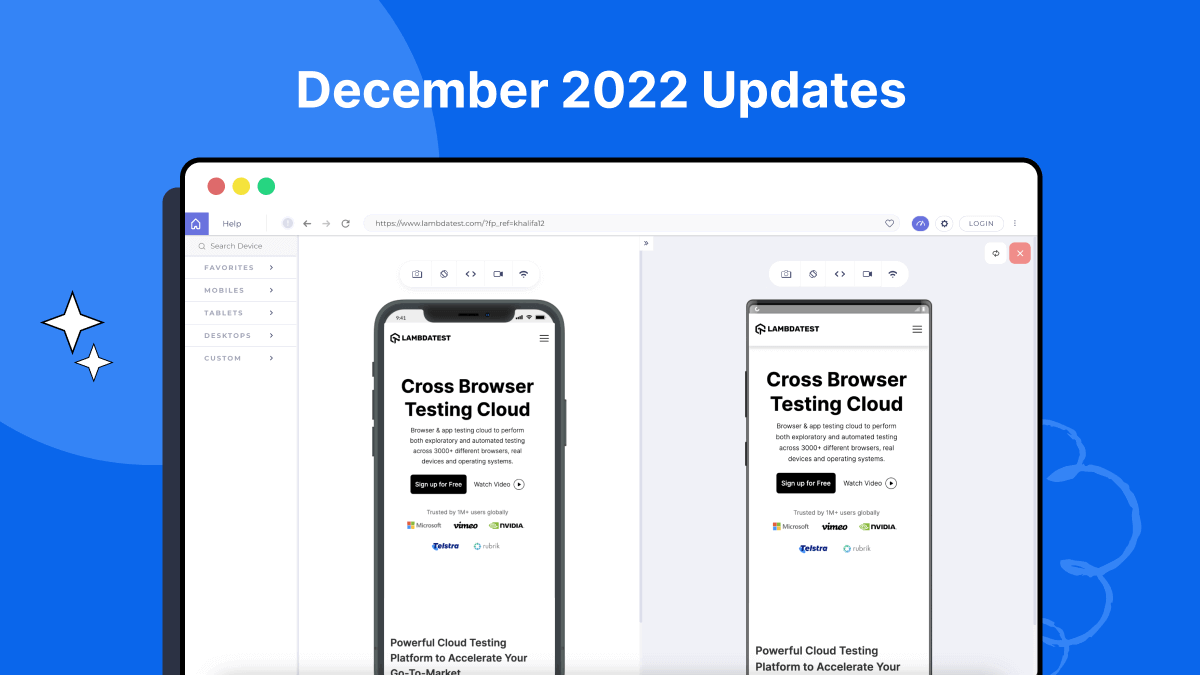
Greetings folks! With the new year finally upon us, we’re excited to announce a collection of brand-new product updates. At TestMu AI, we strive to provide you with a comprehensive test orchestration and execution platform to ensure the ultimate web and mobile experience.
In the last month, new exciting features have been added to the TestMu AI platform, such as the all-new Chromium-based LT Browser 2.0, support for Windows 11 on HyperExecute, and XCUI App Automation with HyperExecute on real devices.
We also released support for Cypress testing using WebKit, debugging with UI Inspector on real Android and iOS devices, along with some new features and improvements in TestMu AI Test Analytics and HyperExecute cloud.
Let’s look at the latest releases to make your TestMu AI experience even smoother.
Meet the All-New LT Browser 2.0
We’re pleased to announce the beta release of the new Chromium-based LT Browser 2.0. With its lightning-fast rendering engine (Blink), the all-new LT Browser 2.0 is a revolution in responsive testing. Following numerous brainstorming sessions and feedback from our users. Our team spent countless hours developing this feature-packed browser to make debugging mobile websites easier for you.
In addition to the enhanced performance, LT Browser 2.0 offers several features that help you create responsive websites for various devices.
LT Browser 2.0 includes the following new features.
- Powered by the latest Chromium version.
- A more appealing and clean user interface.
- Test and interact with four devices at once.
- A dedicated DevTool for each viewport is available.
- Unlimited custom device viewports are available for testing.
- Share and generate multiple error reports.
- Use Chromium settings.
- Add extensions to Chrome.
- Launch device viewports in unlimited browser tabs.
- Record with full screen or browser tab.
You can learn more about the above features in detail by referring to our announcement blog – Chromium-Based LT Browser 2.0.

Hasten your XCUI App Automation with HyperExecute
HyperExecute is a blazing-fast test execution & orchestration cloud that runs 70% faster than existing cloud-based grids. It allows you to run tests on Windows, macOS, and Linux containers with pre-installed support for Java, Node.js, Python, and more.
To make your App Automation even more productive, TestMu AI’s App Automation now supports XCUI App Automation with HyperExecute cloud. The XCUI tests are generally run in sequence, which can be time-consuming. With XCUI and HyperExecute, you can speed up this process by splitting the tests into shards. By dividing the tests into shards, you can run them parallelly and save time running other XCUI test cases.
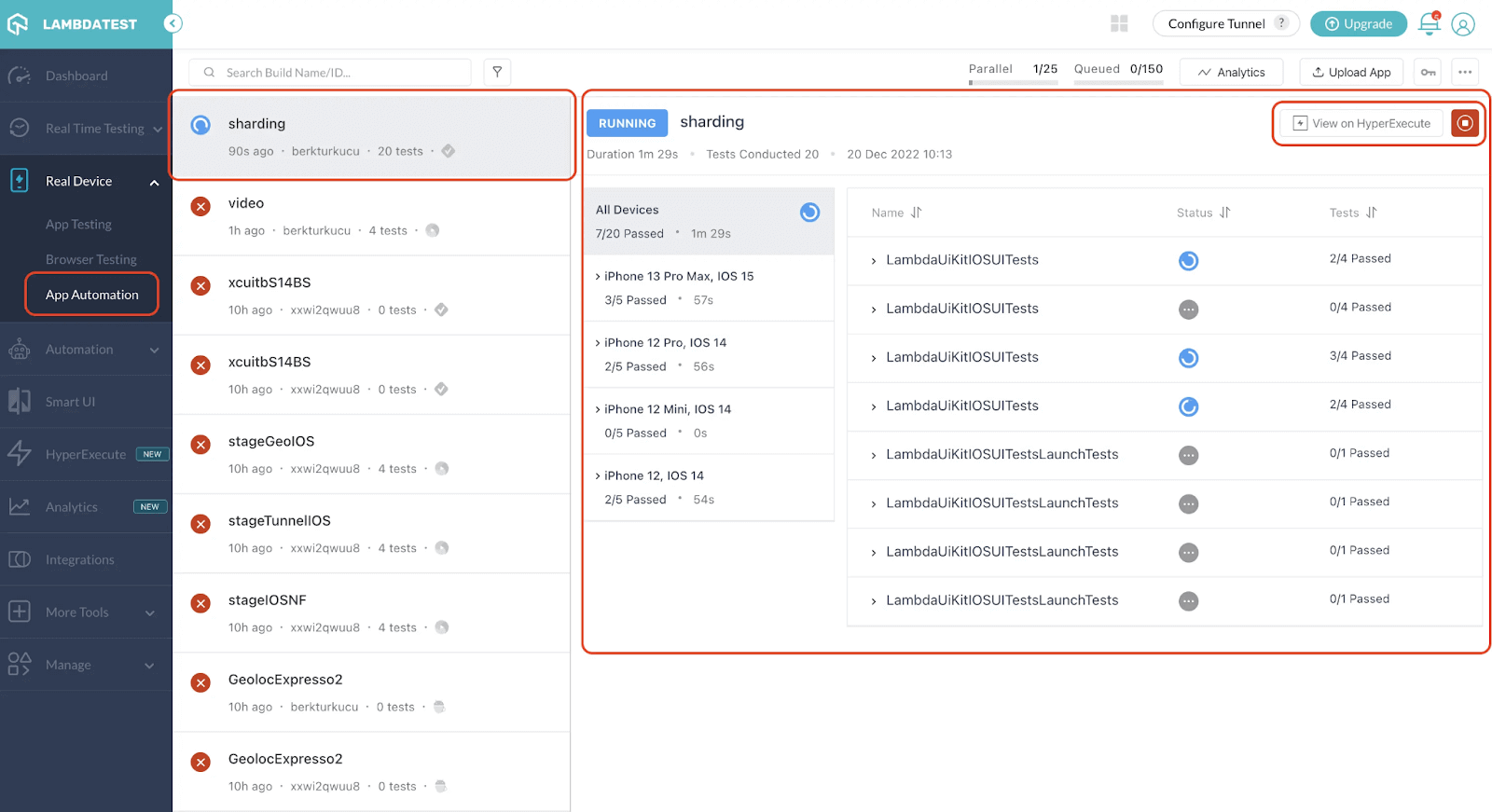
For more help, please refer to our documentation – Sharding for XCUI.
In addition, here are some more features added to our app test automation cloud.
- We added support for iOS App Settings. They are permissions or preferences for an app that can be enabled or disabled via iOS settings. Due to security concerns, access to the device settings is restricted on TestMu AI’s iOS public cloud devices.
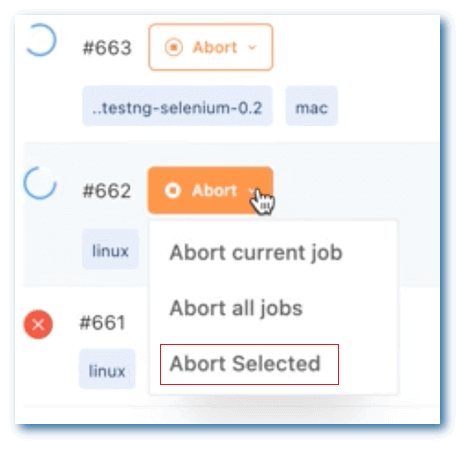
- An admin can now stop a build or app automated test running in their organization.
However, in various cases, you need to test the native app for multiple permissions that can only be enabled and disabled through the iOS App Settings.
Test on Windows 11 in HyperExecute
Now harness the real power of end-to-end test automation by running your tests on the latest Windows 11. To configure this, just add a runson key to the HyperExecute YAML file.
After that, set the value of the runson key to win11, and you are ready to test!
version: 0.1
runson: win11
testSuiteTimeout: 90
autosplit: true
retryOnFailure: true
maxRetries: 1
concurrency: 2
globalTimeout: 150
testSuiteTimeout: 150
testSuiteStep: 150
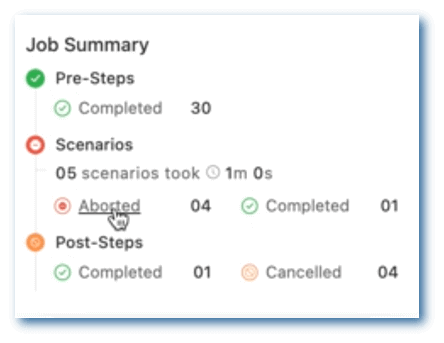
Some other feature additions and enhancements to HyperExecute cloud are shown below.
- HyperExecute allows you to retry failed commands during the pre-stage level. To do this, configure the preDirectives key in the HyperExecute YAML file as shown below:
preDirectives:
   commands:
     - mkdir -p m2_cache_dir
     - mvn -Dmaven.repo.local=$CACHE_DIR -Dmaven.test.skip=true clean install
  maxRetries: 5
The value of the maxRetries key determines how many times you want to retry a command.
New Features Galore in TestMu AI Test Analytics
TestMu AI has just introduced a host of new features to its Test Analytics platform. These new customization features enable you to make your Dashboards more useful by adding widgets and modules and sharing metrics with specific stakeholders.
Check them out!
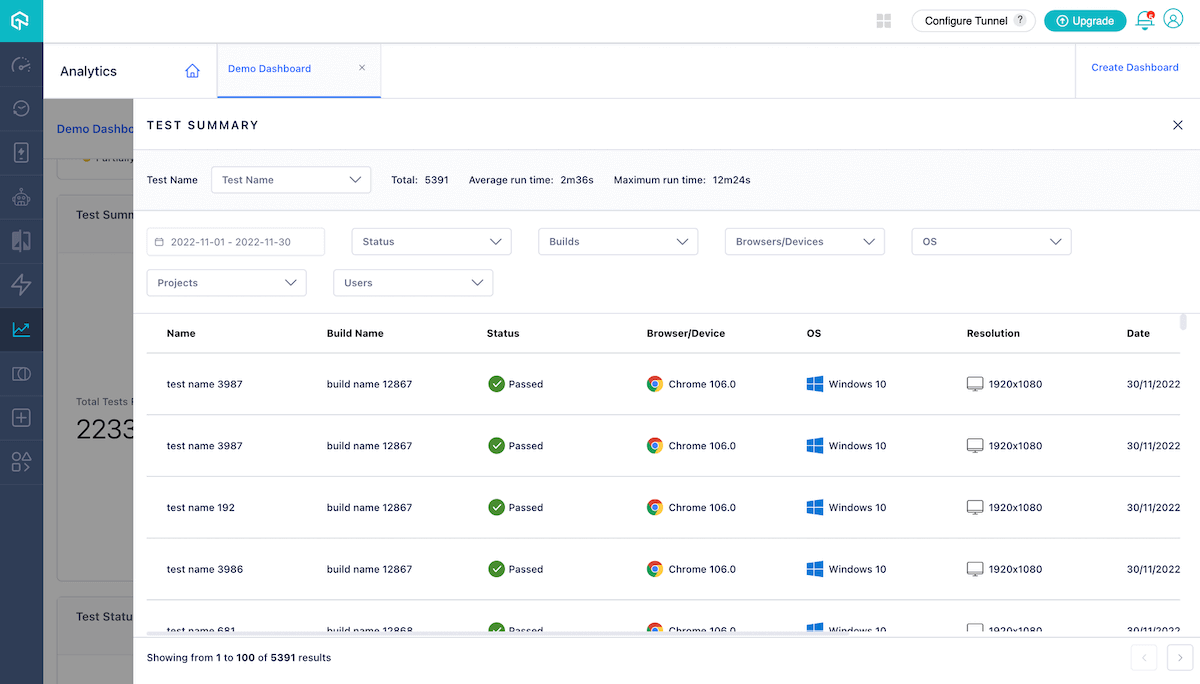
- You can now click on the cards of the Test Summary widget and get a holistic view of your tests, including Test Name, Test Status, Browser/Device, and more.
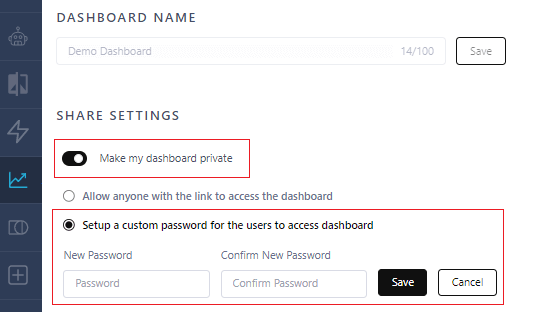
- You can now restrict access to your Analytics Dashboard. In addition, you can secure the Test Analytics Dashboard by setting a custom password.
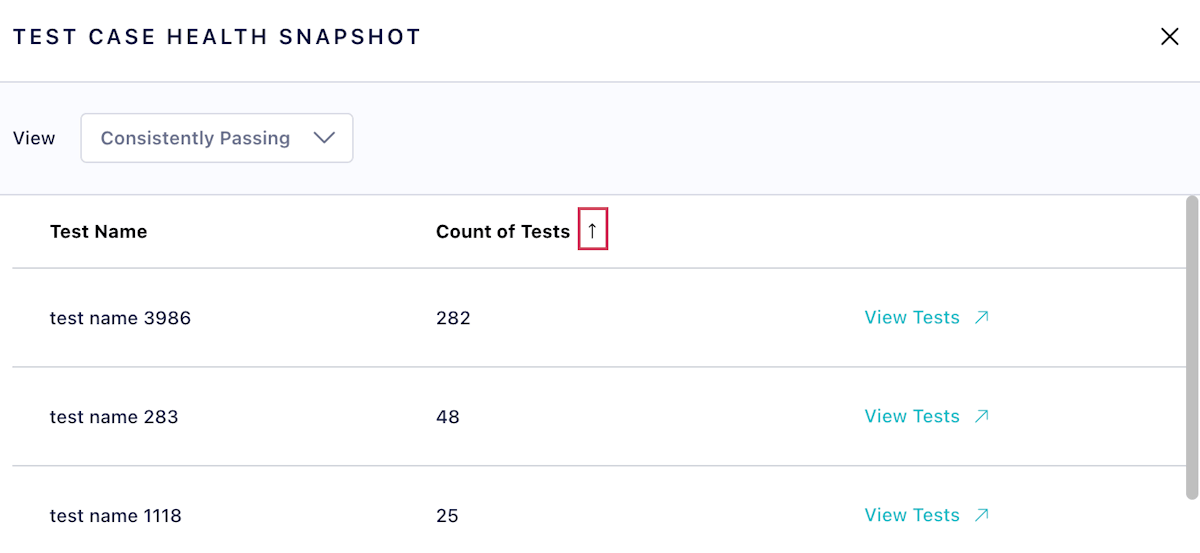
- We added the ability to filter the Test Case Health Snapshot view according to your Count of Tests.
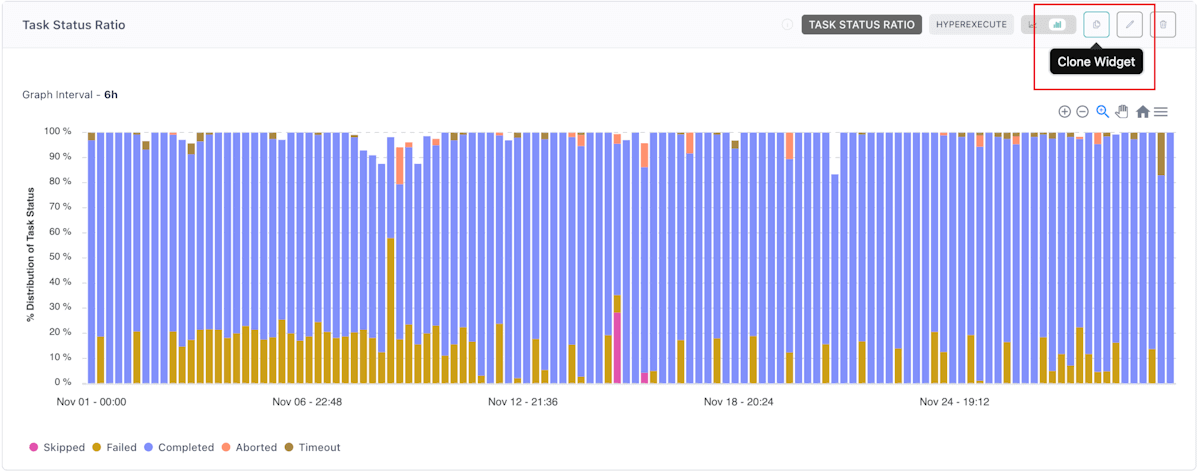
- The Analytics Dashboard now has the ability to clone its widgets.
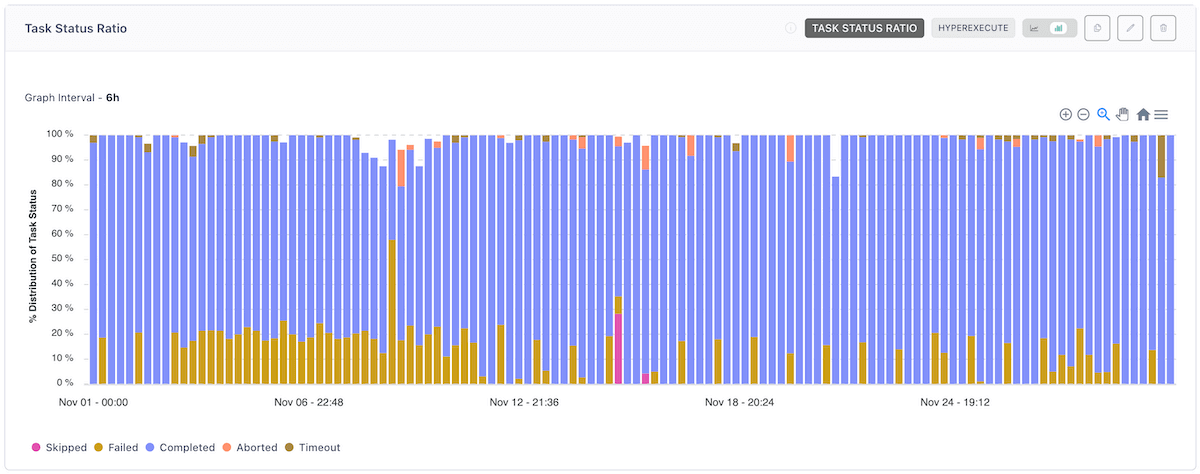
- TestMu AI’s new Task Status Ratio widget provides information about the quality of your tasks based on their status, including Skipped, Failed, Completed, and more.
Perform Cypress testing using WebKit
WebKit is a browser engine used in the Apple Safari and Google Chrome web browsers. It is an open-source software project that provides a collection of standards-compliant web rendering engines for web browser development.
TestMu AI’s Automation now offers Cypress testing using WebKit. You can get an idea of how your website will run in Safari by testing it with WebKit.
Here are the supported platforms to run Cypress tests using WebKit.
- Windows 11
- Windows 10
- macOS Monterey
- macOS Big Sur

Austin Siewert
CEO, Vercel
Discovered @TestMu AI yesterday. Best browser testing tool I've found for my use case. Great pricing model for the limited testing I do 👏
2M+ Devs and QAs rely on TestMu AI
Deliver immersive digital experiences with Next-Generation Mobile Apps and Cross Browser Testing Cloud

Real Device: Debug your apps with UI Inspector
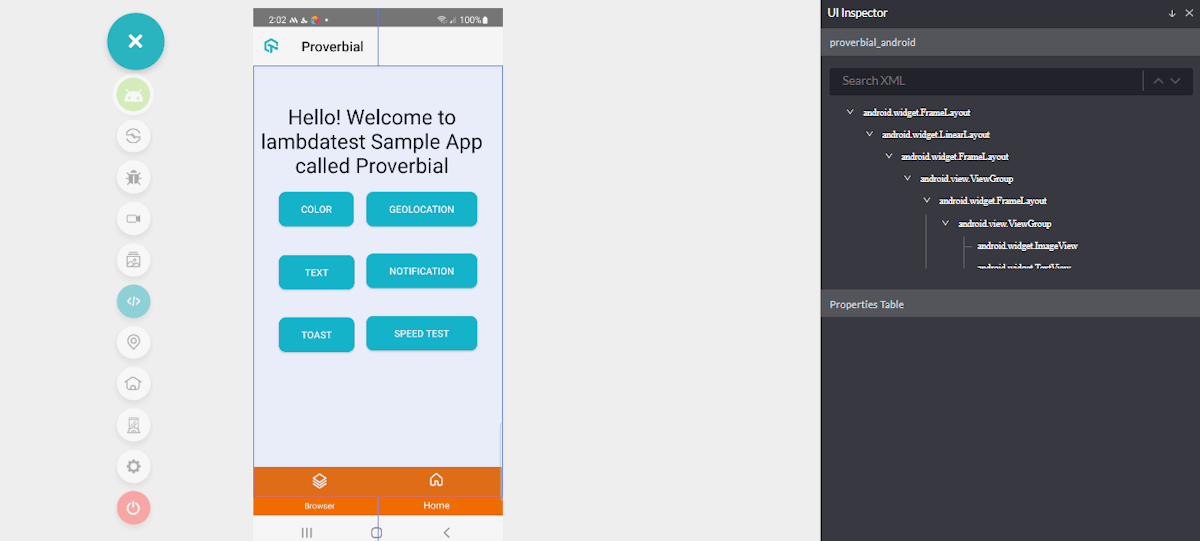
Want hassle-free debugging? With Real Device Testing, we’ve got you covered. Our new UI inspector makes it easy to inspect your mobile apps on real Android and iOS devices.
Bonus additional features:
- The Apple News application is now accessible on real iOS devices.
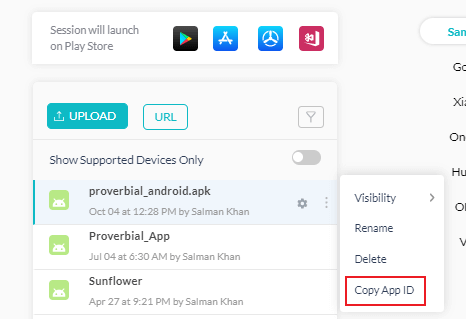
- Team members in your organization can now copy the App ID for the app they upload on TestMu AI cloud servers.
Summing Up
Hope you enjoy our most recent additions, and we look forward to hearing your feedback on the new features we’ve added. You can share your thoughts with us via our TestMu AI Community via our 24×7 Chat Support or by emailing us at [email protected].
Until then, follow TestMu AI Changelog and stay up to date with the latest features and improvements around our product offerings.
Happy Testing


Did you find this page helpful?
More Related Hubs
TestMu AI forEnterprise
Get access to solutions built on Enterprise
grade security, privacy, & compliance
- Advanced access controls
- Advanced data retention rules
- Advanced Local Testing
- Premium Support options
- Early access to beta features
- Private Slack Channel
- Unlimited Manual Accessibility DevTools Tests