

Power Your Software Testing with AI Agents and Cloud
The Native AI-Agentic Cloud Platform to Supercharge Quality Engineering. Test Intelligently and Ship Faster.


- TestMu AI (Formerly LambdaTest)
- /
- Learning Hub
- /
- Reqnroll Tutorial: BDD Setup to Test Execution
Reqnroll Tutorial: BDD Setup to Test Execution
Learn how to set up Reqnroll, write BDD feature files in Gherkin, and run tests. Explore migration from SpecFlow, Selenium, Appium, and API testing with Reqnroll.
Last Updated on:
On This Page
- What Is Reqnroll Framework?
- Features of Reqnroll Framework
- How to Migrate from SpecFlow to Reqnroll
- Migrating Selenium 3 Tests from SpecFlow to Reqnroll
- Migrating Selenium 4 Tests from SpecFlow to Reqnroll
- Migrating Appium Tests from SpecFlow to Reqnroll
- How to Perform API Testing with Reqnroll
- Conclusion
- Citations
Behaviour Driven Development (BDD) is built on the fundamentals of Test Driven Development (TDD). It focuses on describing features in a simplistic manner that can be well-understood even by the non-technical stakeholders of the project.
BDD has also become an integral part of automated testing in .NET projects. SpecFlow has been one of the preferred automation frameworks when it comes to writing Gherkin style scripts in C#/.NET. Post the retirement of the SpecFlow project in December 2024, Gáspár Nagy - the creator and maintainer of SpecFlow rebooted the project with the Reqnroll framework.
Reqnroll, a fork of the SpecFlow open-source core, is an open-source Cucumber-style BDD test automation framework for .NET. In case you are using SpecFlow testing, migrating the existing SpecFlow tests to Reqnroll is easy as it requires minimal changes in the implementation.
In this blog, we deep dive into the essentials of the Reqnroll framework and explore how it can be leveraged for scalable web and mobile testing.
Overview
To implement Behavior Driven Development in .NET, use Reqnroll to execute Gherkin-style scenarios bound to C# step definitions. For existing SpecFlow projects, you can migrate quickly using the Reqnroll.SpecFlowCompatibility package to retain namespaces, or perform a full migration by replacing NuGet packages.
- .NET BDD automation: Reqnroll is an open source, Cucumber style framework that supports Gherkin scenarios bound to C# step definitions, working across modern and legacy .NET versions with NUnit, xUnit, and MSTest.
- Quick SpecFlow migration: The Reqnroll.SpecFlowCompatibility package enables SpecFlow compatibility mode, allowing you to run existing tests on Reqnroll while keeping the TechTalk.SpecFlow namespace without immediate code changes.
- Complete framework transition: Full migration involves manually replacing SpecFlow NuGet packages with Reqnroll equivalents in the project file and updating namespaces from TechTalk.SpecFlow to Reqnroll via search and replace.
- Behavior-driven API validation: API testing with Reqnroll describes API behavior using Gherkin scenarios, executes HTTP requests via HttpClient or RestSharp in step definitions, and validates responses using NUnit assertions.
- Cloud-based test execution: TestMu AI executes Reqnroll Selenium and mobile automation tests at scale across a cloud grid, supporting parallel execution and secure authentication via environment variables.
What Is Reqnroll Framework?
Reqnroll, a reboot of the SpecFlow framework, provides a Cucumber-style framework for BDD automation. As Reqnroll uses Gherkin test cases, the requirements can be defined with Given-When-Then style scenarios, which are then bound to step definitions and executed as automated tests in .NET.
As stated in the official Reqnroll documentation, Reqnroll works seamlessly on all major operating systems (Windows, Linux, macOS) and commonly used .NET implementations (including .NET Framework 4.6.2+ and .NET 8.0). Reqnroll supports all major .NET test runners, including NUnit, xUnit, and MSTest.
The Reqnroll.SpecFlowCompatibility package helps in enabling SpecFlow compatibility mode for Reqnroll to ensure seamless compatibility with SpecFlow tests. At the time of writing this blog, the latest version of the Reqnroll package is 3.3.3.
Akin to the SpecFlow Actions package, Reqnroll also offers the Reqnroll.SpecFlowCompatibility.Actions add-on package that provides the SpecFlow Actions API inside Reqnroll. The package lets you use SpecFlow's Actions-based helper methods inside Reqnroll, whereby older SpecFlow projects can run without re-implementing the utilities.
Features of Reqnroll Framework
The Reqnroll framework is an excellent choice in case you are starting afresh with a BDD framework for .NET testing. Also, consider migrating your SpecFlow tests to Reqnroll if you are solely reliant on SpecFlow for BDD testing.
Here are some of the salient features of Reqnroll that might motivate you to migrate from the SpecFlow framework:
Community Support and Updates
The last release of the SpecFlow framework lacked .NET 8 support. On the other hand, Reqnroll supports both modern and legacy .NET versions, including:
- .NET Framework 4.6.2
- .NET Framework 4.7.2
- .NET Framework 4.8.1
- .NET 6.0, .NET 7.0, .NET 8.0, .NET 9.0
Like other open-source projects, Reqnroll also receives contributions from the passionate community. These contributions keep the framework more up-to-date for the latest advancements in the .NET platform and the broader BDD tooling landscape.
Effortless CI/CD Integration
Like other test automation frameworks, Reqnroll tests can also be executed continuously across a range of CI/CD tools. It integrates well with popular CI tools like Azure Pipelines, GitHub Actions, GitLab CI, Jenkins, TeamCity, among others.
In case you are porting SpecFlow tests to Reqnroll, the Reqnroll Visual Studio Extension eases the transition process by providing a side-by-side view of the SpecFlow and Reqnroll projects.
Support for Selenium, Playwright, and Mobile Automation
Like SpecFlow, the Reqnroll framework is also extensible as it lets you extend BDD scenarios to mobile and web testing. Reqnroll can be integrated with popular web automation frameworks like Selenium and Playwright for running reliable web automation tests at scale.
Reqnroll also lets you perform mobile app testing by integrating Appium for Android and iOS automation. Step definitions act as a bridge, allowing the Gherkin scenarios to drive real device actions or browser interactions.
Reqnroll Reporting Options
Automation test reports are an integral part of the QA lifecycle, as they provide visibility to every project stakeholder into the quality aspects of the application. The Reqnroll framework not only offers built-in reporters but also supports integration with external reporting tools like ReportPortal and Allure reports.
Built-in reporter formatters like HTML and Cucumber Messages formatters are available in Reqnroll v3.0 (or later). Both these formatters can be used simultaneously by adding a formatters section to the reqnroll.json configuration file.
ReportPortal can be integrated with Reqnroll tests by adding the ReportPortal.Reqnroll package in the .NET project. Post that, you need to configure the ReportPortal settings in the reportportal.config.json file.
On similar lines, you can generate visually engaging Allure reports for the Reqnroll tests by adding the Allure.Reqnroll package in the .NET project. The Allure Reqnroll adapter extends the standard reporting features of Reqnroll by providing the capabilities listed below:
| Allure Reqnroll Reporting | |
|---|---|
| Metadata Annotation | Enhance test reports with descriptions, links, and other metadata |
| Test Organization | Structure the tests into clear hierarchies for improved readability and maintainability |
| Attachments | Capture screenshots and other files during test execution |
| Parametrized Tests | Describe the parameters for parametrized testing |
| Environment Variables | Include comprehensive environment information in the generated report |
| Test Selection | Use a test plan file to select which tests to run, helping you with flexible execution |
Over and above, QA teams using Reqnroll get complete end-to-end visibility of the BDD scenarios since test cases can be organized and managed more efficiently with the Reqnroll framework.

Note: Run your Reqnroll tests at scale across 3000+ browsers and OS combinations. Try TestMu AI Now!
How to Migrate from SpecFlow to Reqnroll
As the Reqnroll framework is based on the open-source codebase of SpecFlow, it provides high-level compatibility with the SpecFlow framework. This applies equally when migrating SpecFlow tests on TestMu AI to Reqnroll on TestMu AI.
LambdaTest Now Called TestMu AI — the same trusted platform with a new name and powerful AI capabilities.
There are two approaches to realize SpecFlow to Reqnroll migration:
Using the Compatibility Package
The Reqnroll.SpecFlowCompatibilityenables the SpecFlow compatibility mode for Reqnroll. At the time of writing this blog, the latest version of this package is 3.3.3.
With the Reqnroll.SpecFlowCompatibility package installed, you can continue using the TechTalk.SpecFlow namespace when running the tests on Reqnroll. This approach is well-suited for larger projects as the porting can be well-achieved with minimal efforts and time!
End-to-End Migration With Namespace Changes
Like the earlier approach, the end-to-end migration of SpecFlow to Reqnroll also requires minimal changes to be done; the majority of them can be achieved using the search-replace mechanism.
The first step is removing the SpecFlow NuGet package references and replacing them with their Reqnroll equivalent. This can be done by modifying the project's .csproj manually. Packages starting with SpecFlow (e.g., SpecFlow.NUnit, CucumberExpressions.SpecFlow.*, etc.) have to be replaced with the respective Reqnroll packages (e.g., Reqnroll.NUnit, CucumberExpressions.Reqnroll.*, etc.).
The SpecFlow.Actions.* package also needs to be replaced with the Reqnroll.SpecFlowCompatibility.Actions.* package. Shown below is an example that shows how seamless it is to replace SpecFlow packages with the Reqnroll ones.
SpecFlow Project File [.csproj]
<Project Sdk="Microsoft.NET.Sdk">
  <PropertyGroup>
    <TargetFramework>net6.0</TargetFramework>
    <Nullable>enable</Nullable>
    <ImplicitUsings>enable</ImplicitUsings>
  </PropertyGroup>
  <ItemGroup>
    <!-- Some more packages -->
    <PackageReference Include="Selenium.WebDriver" Version="3.141.0" />
    <PackageReference Include="SpecFlow.Actions.LambdaTest" Version="0.1.332" />
    <PackageReference Include="SpecFlow.Plus.LivingDocPlugin" Version="3.9.57" />
    <PackageReference Include="SpecFlow.NUnit" Version="3.9.74" />
    <!-- Some more packages -->
  </ItemGroup>
</Project>
Reqnroll Port [.csproj]
<Project Sdk="Microsoft.NET.Sdk">
  <PropertyGroup>
    <TargetFramework>net6.0</TargetFramework>
    <Nullable>enable</Nullable>
    <ImplicitUsings>enable</ImplicitUsings>
  </PropertyGroup>
  <ItemGroup>
    <!-- Some more packages -->
    <PackageReference Include="Reqnroll.SpecFlowCompatibility.Actions.LambdaTest" Version="0.2.6" />
    <PackageReference Include="Reqnroll.NUnit" Version="2.4.1" />
    <!-- Some more packages -->
  </ItemGroup>
</Project>
Since SpecFlow+ LivingDoc plugin was closed-source, the Reqnroll community developed the Expressium.LivingDoc.ReqnrollPlugin that works with Reqnroll. The plugin produces Living Documentation style HTML reports.
The next step is to replace the TechTalk.SpecFlow namespace with Reqnroll. For this, perform a Match Case and Match Whole Word search for TechTalk.SpecFlow in the entire project and replace the same with Reqnroll.
SpecFlow [ScenarioContext Injection]
using TechTalk.SpecFlow;

[Binding]
public class LoginSteps
{
    private readonly ScenarioContext _scenario;

    public LoginSteps(ScenarioContext scenario)
    {
        _scenario = scenario;
    }

    [Given("the user id is (.*)")]
    public void GivenUserId(string id)
    {
        _scenario["UserId"] = id;
    }
}
Reqnroll Port [ScenarioContext Injection]
using Reqnroll;

[Binding]
public class LoginSteps
{
    private readonly ScenarioContext _scenario;

    public LoginSteps(ScenarioContext scenario)
    {
        _scenario = scenario;
    }

    [Given("the user id is (.*)")]
    public void GivenUserId(string id)
    {
        _scenario["UserId"] = id;
    }
}
As seen above, there is only a single line change related to the Namespace. The rest of the SpecFlow ScenarioContext Injection implementation remains unchanged!
Step-by-Step Guide: Migrating from SpecFlow to Reqnroll for Selenium Automation
As seen so far, the migration from SpecFlow to Reqnroll involves minimal changes in the implementation. Here are the high-level steps that detail the migration process:
- Install Reqnroll Visual Studio Extensions to enable Reqnroll support in your IDE.
- Disable SpecFlow Extensions to avoid any conflicts with SpecFlow.
- Update Project Properties to the latest .NET 8 framework.
- Upgrade all relevant Microsoft NuGet packages so that they are aligned (or compatible) with .NET 8.
- Install the required Reqnroll NuGet Packages, thereby replacing SpecFlow dependencies with their Reqnroll counterparts.
- Rebuild the project, post which Reqnroll generates a corresponding C# test class derived by converting Gherkin scenarios into C# test methods.
- Resolve Build Errors if any.
- Replace instances of TableRow with DataTableRow to ensure compatibility with Reqnroll.
The complete source code for Reqnroll web and mobile automation is available on GitHub.

How to Migrate Selenium 3 Tests from SpecFlow to Reqnroll
We would be migrating an existing SpecFlow Selenium project that uses TestMu AI cloud grid to the Reqnroll framework. The project uses Selenium 3.141.0 for automated browser testing.
<Project Sdk="Microsoft.NET.Sdk">
  <PropertyGroup>
    <TargetFramework>net8.0</TargetFramework>
    <Nullable>enable</Nullable>
    <ImplicitUsings>enable</ImplicitUsings>
  </PropertyGroup>
  <ItemGroup>
    <PackageReference Include="Microsoft.NET.Test.Sdk" Version="18.0.1" />
    <PackageReference Include="Selenium.WebDriver" Version="3.141.0" />
    <PackageReference Include="Reqnroll.SpecFlowCompatibility.Actions.LambdaTest" Version="0.2.6" />
    <PackageReference Include="Reqnroll.NUnit" Version="2.4.1" />
    <PackageReference Include="nunit" Version="4.4.0" />
    <PackageReference Include="NUnit3TestAdapter" Version="5.2.0" />
    <PackageReference Include="FluentAssertions" Version="8.8.0" />
  </ItemGroup>
</Project>
As seen above, all NuGet packages associated with the SpecFlow framework are now replaced with their Reqnroll equivalents.
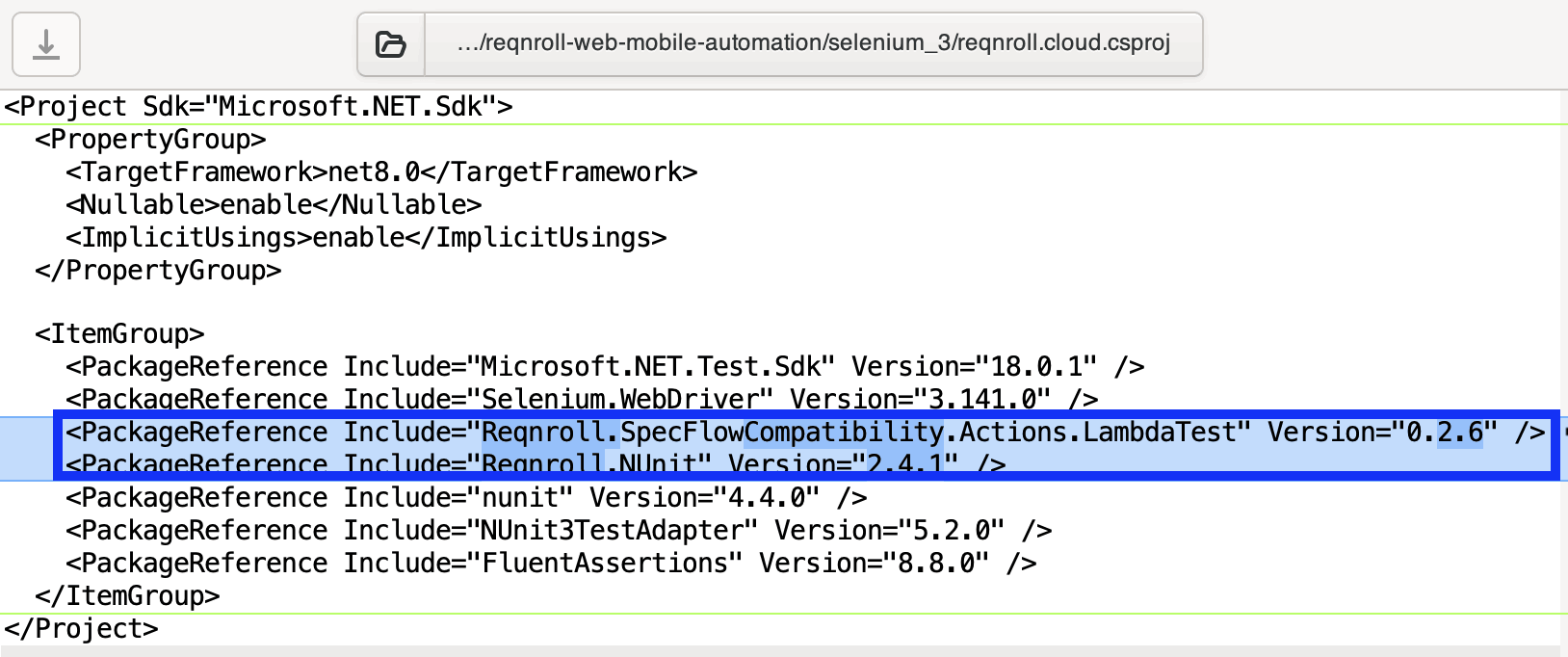
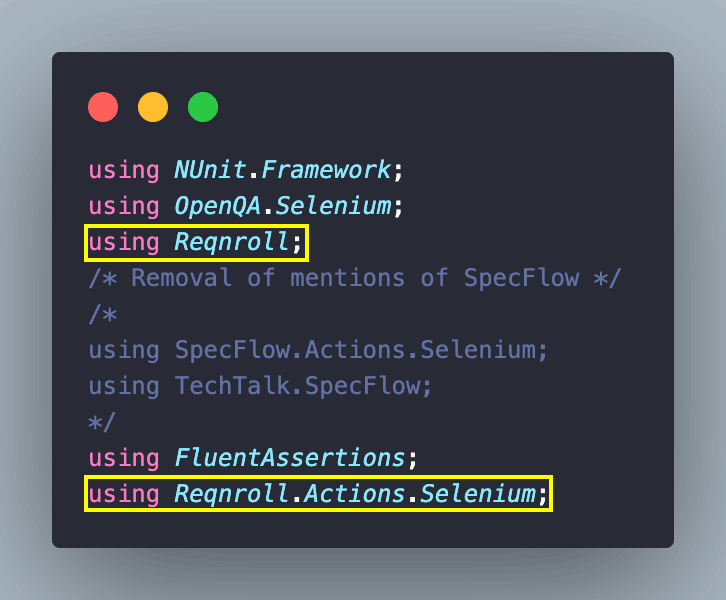
Since we are opting for a full migration, we replace all the SpecFlow namespaces with the corresponding Reqnroll namespaces across the project. This step can be skipped in case Reqnroll.SpecFlowCompatibility package was installed, as that package allows you to continue using the TechTalk.SpecFlow namespace temporarily.
The reqnroll.actions.json configuration file and environment-specific files are used by the Reqnroll TestMu AI Actions plugin to define the browser, platform, and execution settings for running tests on the cloud grid.
{
  "selenium": {
    "disabled": true,
    "browser": "Chrome",
    "capabilities": {
      "platform": "Windows 11",
      "version": "dev",
      "build": "[Reqnroll Selenium 3.14] Chrome: ReqNRoll on LambdaTest",
      "project": "ReqNRoll Demo"
    }
  }
}
Reqnroll.SpecFlowCompatibility.Actions.TestMu AI plugin also helps in creating and managing remote WebDriver sessions on the TestMu AI grid.
For parallel execution, we are using the capabilities of the NUnit framework. With [assembly: Parallelizable(ParallelScope.Fixtures)], we inform NUnit to run the tests in parallel. Different classes (or fixtures) are run in parallel, whereas tests inside the same fixture run in a sequential fashion. The maximum number of parallel worker threads is limited to 4 using [assembly: LevelOfParallelism(4)].
Export environment variables LT_USERNAME and LT_ACCESS_KEY that enable secure authentication when running tests on the TestMu AI cloud infrastructure. To find your credentials, go to the TestMu AI account settings → Password & Security.
Since the rest of the implementation is unchanged, let's execute the tests. Run the command make build to build the Reqnroll C# project.
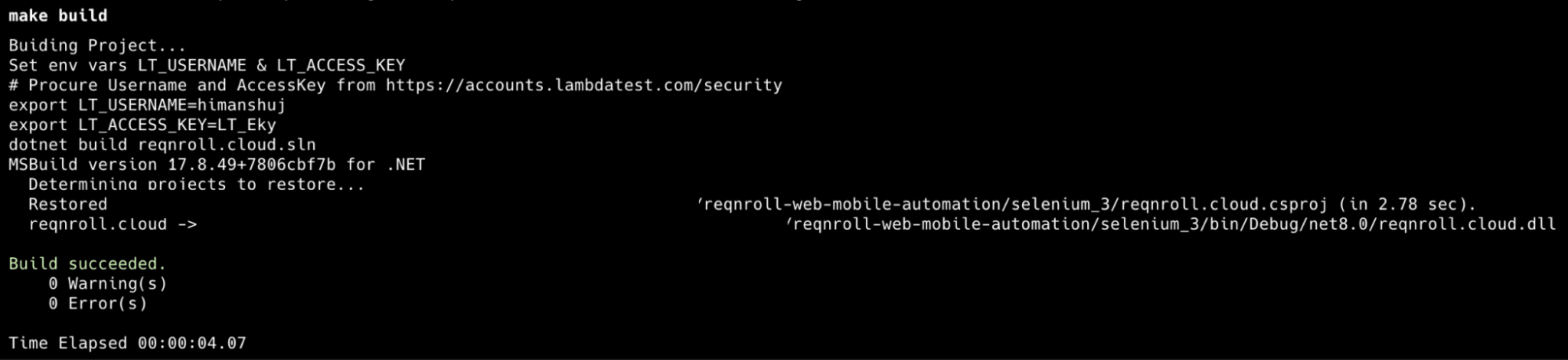
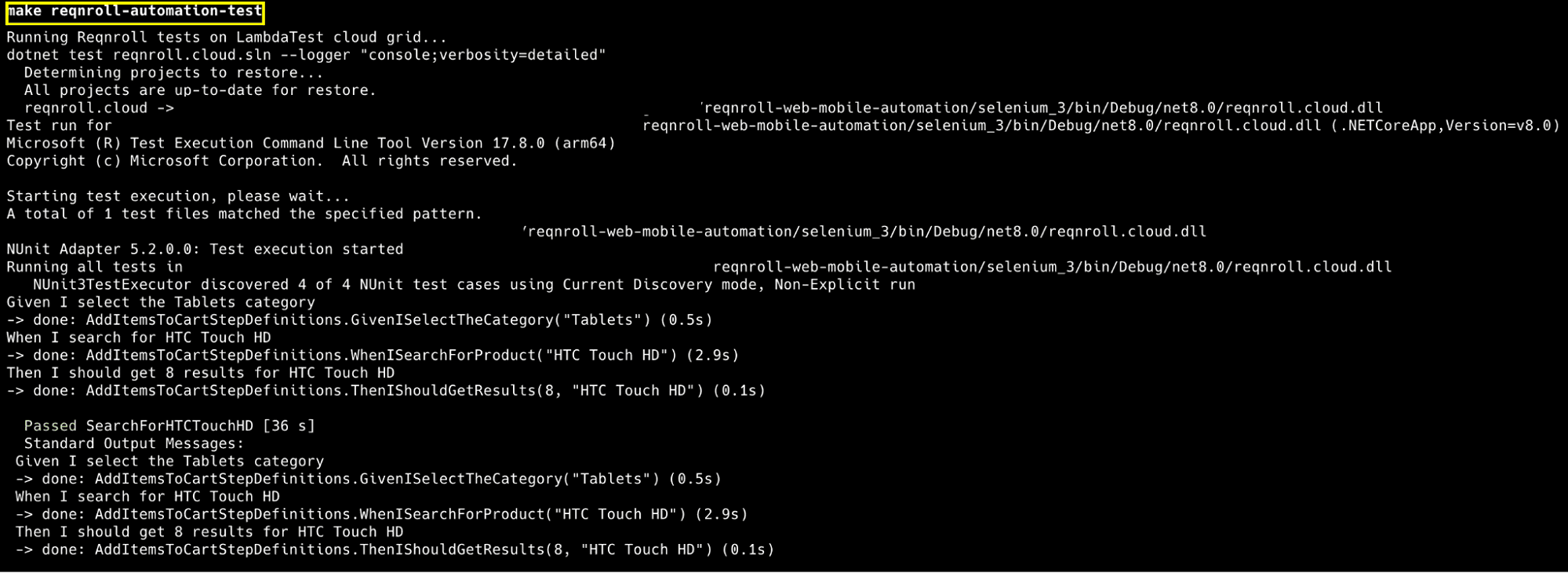
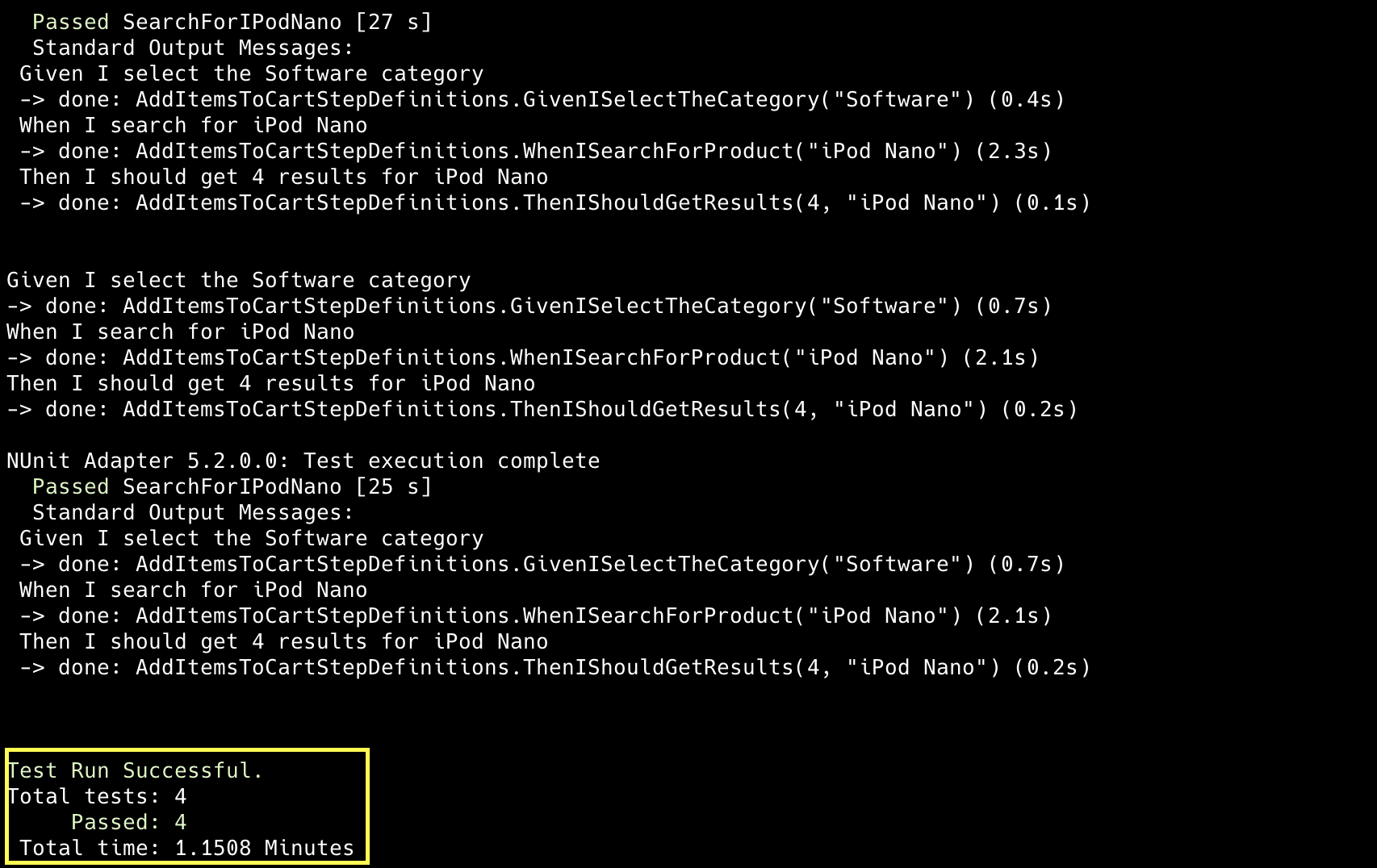
Now that the build is successful, execute the tests by triggering the command make reqnroll-automation-test on the terminal.
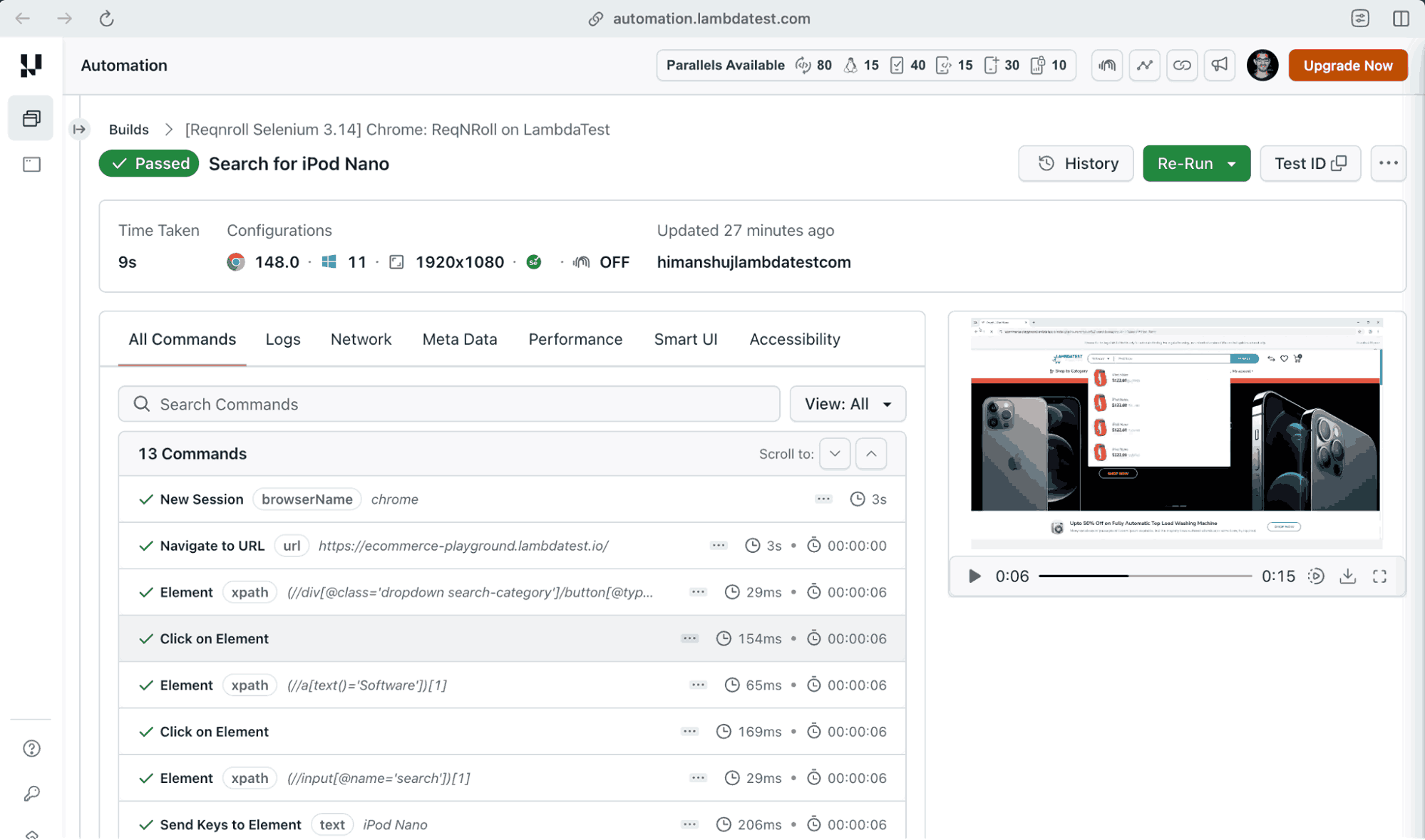
Navigate to the TestMu AI automation dashboard to get further details about the test execution. As seen below, the Reqnroll tests with Selenium 3.141.0 were executed successfully.
How to Migrate Selenium 4 Tests from SpecFlow to Reqnroll
The Reqnroll.SpecFlowCompatibility.Actions.TestMu AI plugin previously used in the project is compatible only with Selenium 3. As a result, it is not included in the Selenium 4 .NET project.
As shown below, Selenium WebDriver v4.38.0 has been introduced to the project, whereas Reqnroll.NUnit v2.4.1 remains unchanged.
<Project Sdk="Microsoft.NET.Sdk">
  <PropertyGroup>
    <TargetFramework>net8.0</TargetFramework>
    <Nullable>enable</Nullable>
    <ImplicitUsings>enable</ImplicitUsings>
  </PropertyGroup>
  <ItemGroup>
    <PackageReference Include="Microsoft.NET.Test.Sdk" Version="18.0.1" />
    <!-- Use the latest version of Selenium and NUnit -->
    <PackageReference Include="Selenium.WebDriver" Version="4.38.0" />
    <PackageReference Include="Reqnroll.NUnit" Version="2.4.1" />
    <PackageReference Include="nunit" Version="4.4.0" />
    <PackageReference Include="NUnit3TestAdapter" Version="5.2.0" />
    <PackageReference Include="FluentAssertions" Version="8.8.0" />
  </ItemGroup>
</Project>
In the case of Reqnroll with Selenium 3, Remote WebDriver initialization and session handling on the TestMu AI cloud were managed by the Reqnroll.SpecFlowCompatibility.Actions.TestMu AI plugin, reducing the need for custom driver configuration.
For Selenium 4 with Reqnroll, the same tasks are handled by a custom DriverFactory implementation. Custom-built for both local and cloud execution, it creates the appropriate Selenium driver.
public static IWebDriver CreateDriver(string scenarioName)
{
    var platform = Environment.GetEnvironmentVariable("EXEC_PLATFORM")?.ToLower() ?? "local";

    if (platform == "cloud")
    {
        return CreateCloudDriver(scenarioName);
    }
    return CreateLocalDriver("chrome");
}- The CreateDriver method decides where the test runs. If the environment variable EXEC_PLATFORM is set to cloud, it creates a RemoteWebDriver session on the TestMu AI cloud grid.
- In case EXEC_PLATFORM is set to local, it instantiates the Chrome driver locally on the machine.
private static IWebDriver CreateCloudDriver(string scenarioName)
{
    string userName = Environment.GetEnvironmentVariable("LT_USERNAME") == null ?
                    "LT_USERNAME" : Environment.GetEnvironmentVariable("LT_USERNAME");

    string accessKey = Environment.GetEnvironmentVariable("LT_ACCESS_KEY") == null ?
                    "LT_ACCESS_KEY" : Environment.GetEnvironmentVariable("LT_ACCESS_KEY");

    var gridUrl = new Uri($"https://{userName}:{accessKey}@hub.lambdatest.com/wd/hub");

    var ltOptions = new Dictionary<string, object>()
    {
        { "build", "[Selenium 4] ReqNRoll demo on LambdaTest" },
        { "project", "Reqnroll_Selenium4_Demo" },
        { "w3c", true },
        { "sessionName", scenarioName },
        { "platformName", "Windows 11" }
    };

    var options = new ChromeOptions();
    options.BrowserVersion = "latest";
    options.AddAdditionalOption("LT:Options", ltOptions);

    var driver = new RemoteWebDriver(gridUrl, options);
    driver.Manage().Timeouts().ImplicitWait = TimeSpan.FromSeconds(10);
    return driver;
}- The CreateCloudDriver method takes the scenario name as the input argument. The same scenario name is also used as the session name in the TestMu AI dashboard.
- The automation capabilities are added to the ltOptions dictionary.
- The remote Selenium grid URL is constructed using the TestMu AI credentials. This hub URL enables Selenium to authenticate with the grid and create a remote browser instance.
- Finally, the created RemoteWebDriver instance is returned to the test code.
Here is the important gist of the hooks implemented in the example:
private readonly ScenarioContext _scenarioContext;

public Hooks(ScenarioContext scenarioContext)
{
    _scenarioContext = scenarioContext;
}

[BeforeScenario]
public void setUp()
{
    string scenarioName = _scenarioContext.ScenarioInfo.Title;
    var driver = DriverFactory.CreateDriver(scenarioName);
    _scenarioContext["driver"] = driver;

    driver.Navigate().GoToUrl("https://ecommerce-playground.lambdatest.io/");
}

[AfterScenario]
public void tearDown()
{
    if (_scenarioContext.TryGetValue("driver", out IWebDriver driver))
    {
        driver.Quit();
    }
}- ScenarioContext is a Reqnroll class that stores information and shared data for the current scenario. The _scenarioContext variable stores the scenario name, shared objects (e.g., WebDriver), and data used across different test steps.
- The setUp() method is executed before the start of each scenario. It retrieves the scenario name from ScenarioContext and creates a RemoteWebDriver session. The session name helps in proper labelling of the test session on the TestMu AI automation dashboard.
- The tearDown() method is executed after every scenario, regardless of test status. It retrieves the driver instance from ScenarioContext and calls driver.Quit() to close the browser and end the WebDriver session.
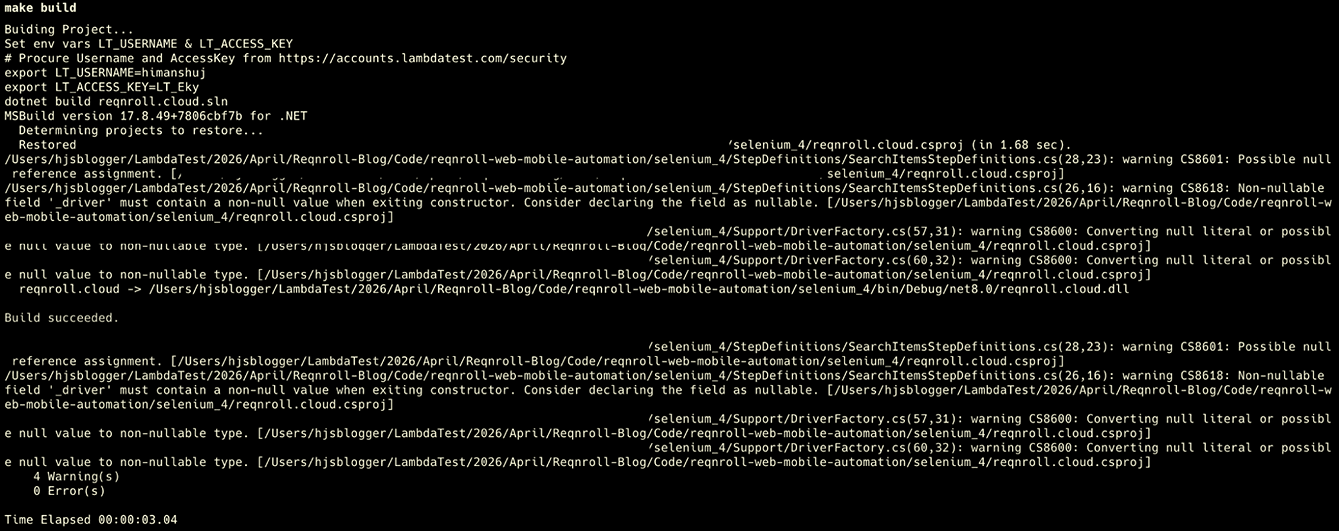
The Step Definition is the same as that used in Reqnroll tests built with the Selenium 3 framework. Once inside the Selenium 4 project directory, run the command make build to build the Reqnroll C# project.
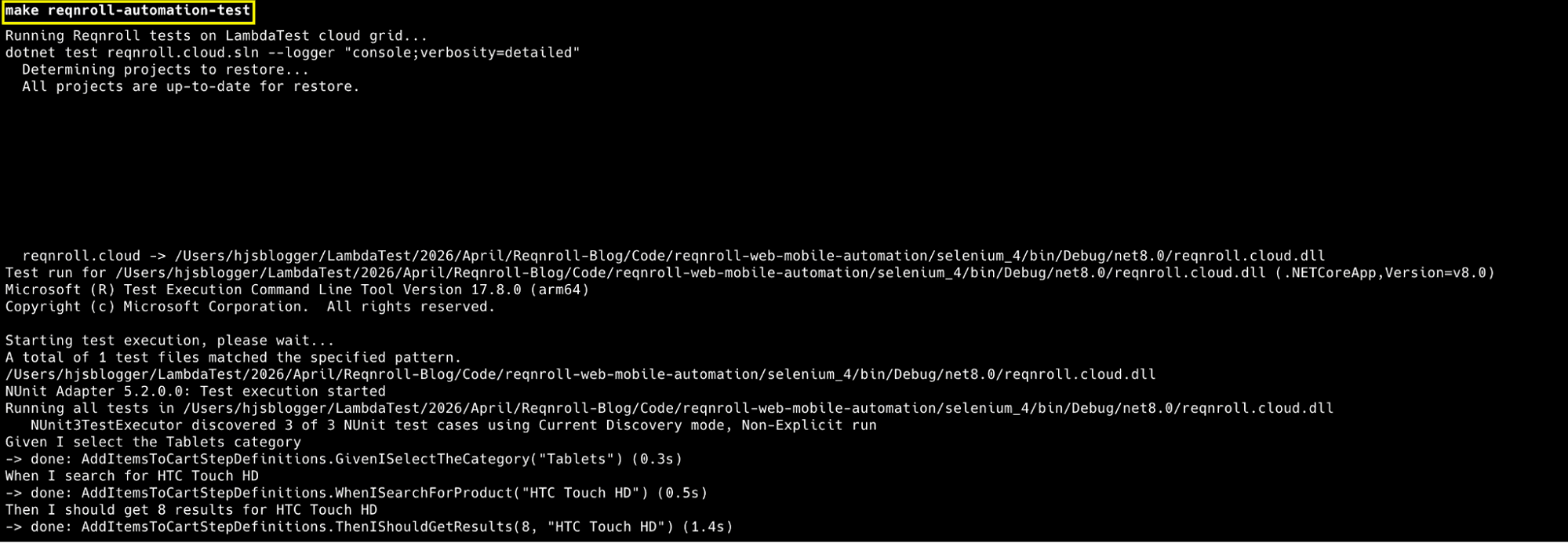
Now that the build is successful, execute the tests by triggering the command make reqnroll-automation-test on the terminal.
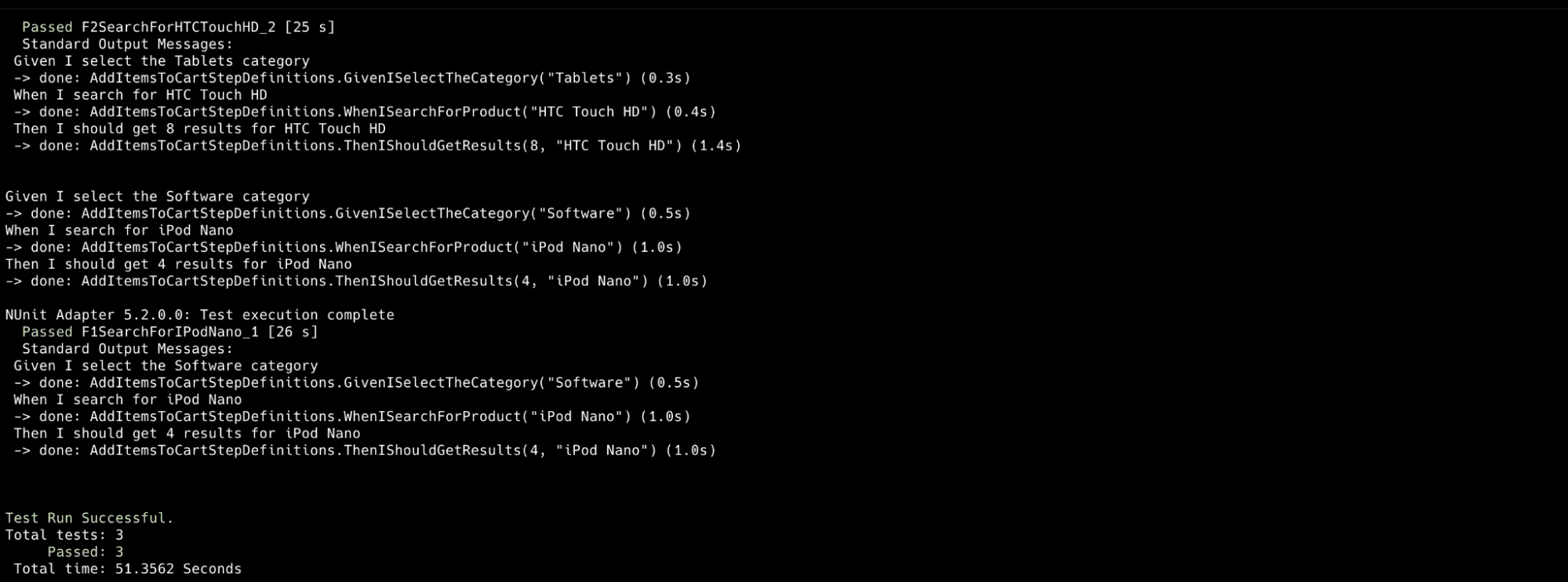
Navigate to the TestMu AI automation dashboard to get further details about the test execution. As seen below, the Reqnroll tests with Selenium 4.38.0 were executed successfully.
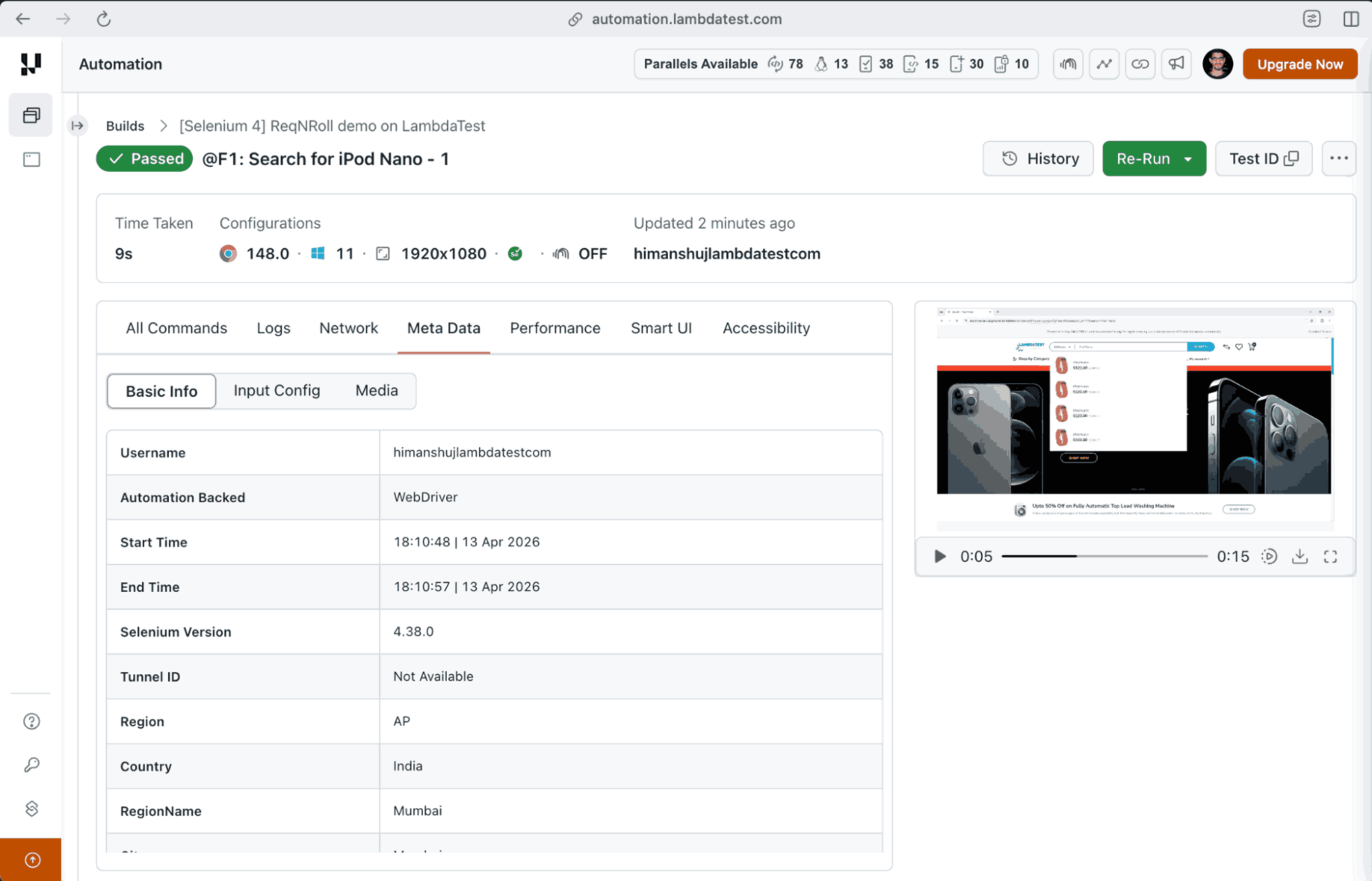
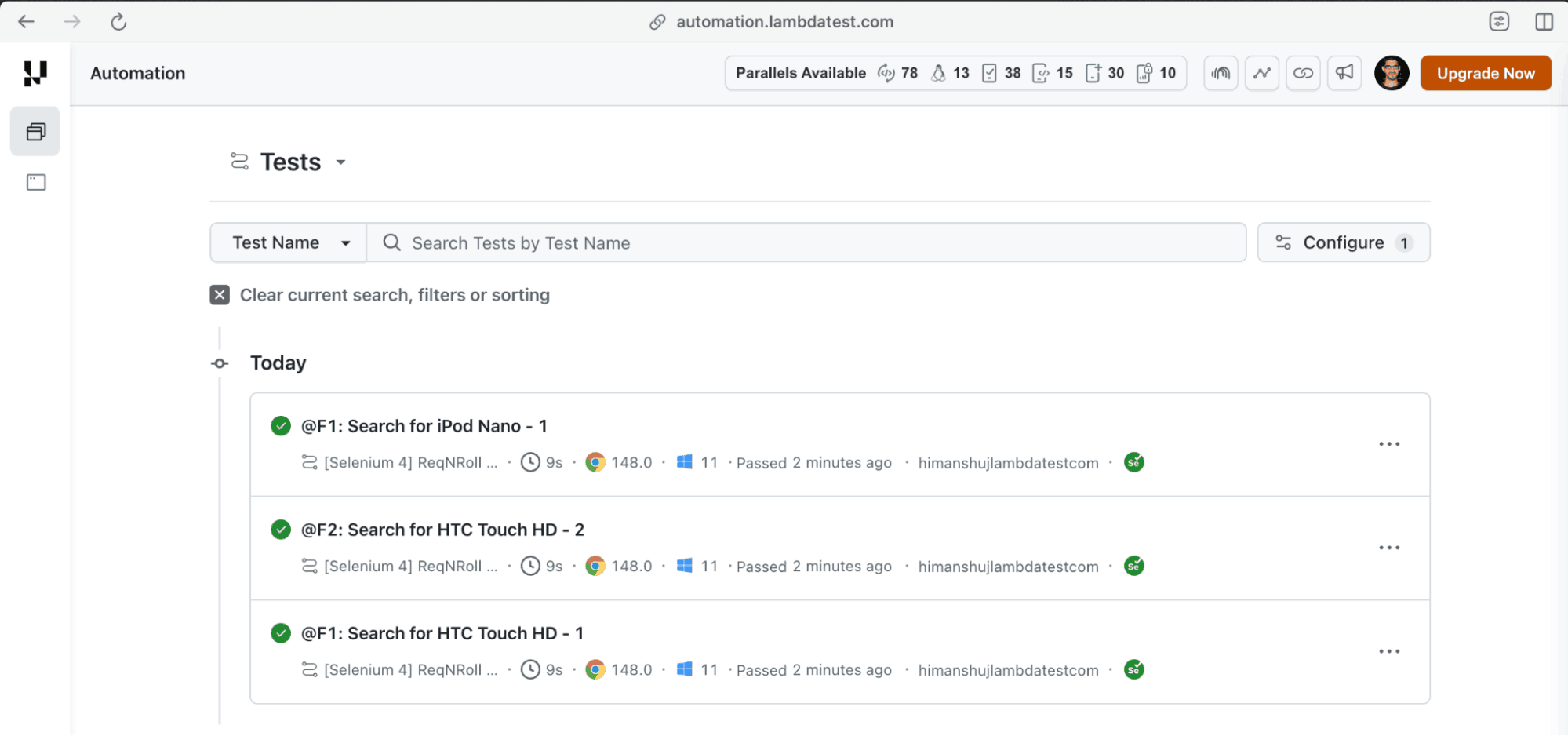
How to Migrate Appium Tests from SpecFlow to Reqnroll
The steps for migrating Appium tests are very much similar to the ones used for porting the Selenium-based automation tests from SpecFlow to Reqnroll. Here are the sample apps that are used for the demonstration:
Upload the app to TestMu AI storage either through App Live or by using the TestMu AI uploadAppRealDevice API.
curl -u "$LT_USERNAME:$LT_ACCESS_KEY" \
  -X POST "https://manual-api.lambdatest.com/app/upload/realDevice" \
  -F "appFile=@proverbial_android.apk" \
  -F "name=proverbial_android" \
  -F "type=android"
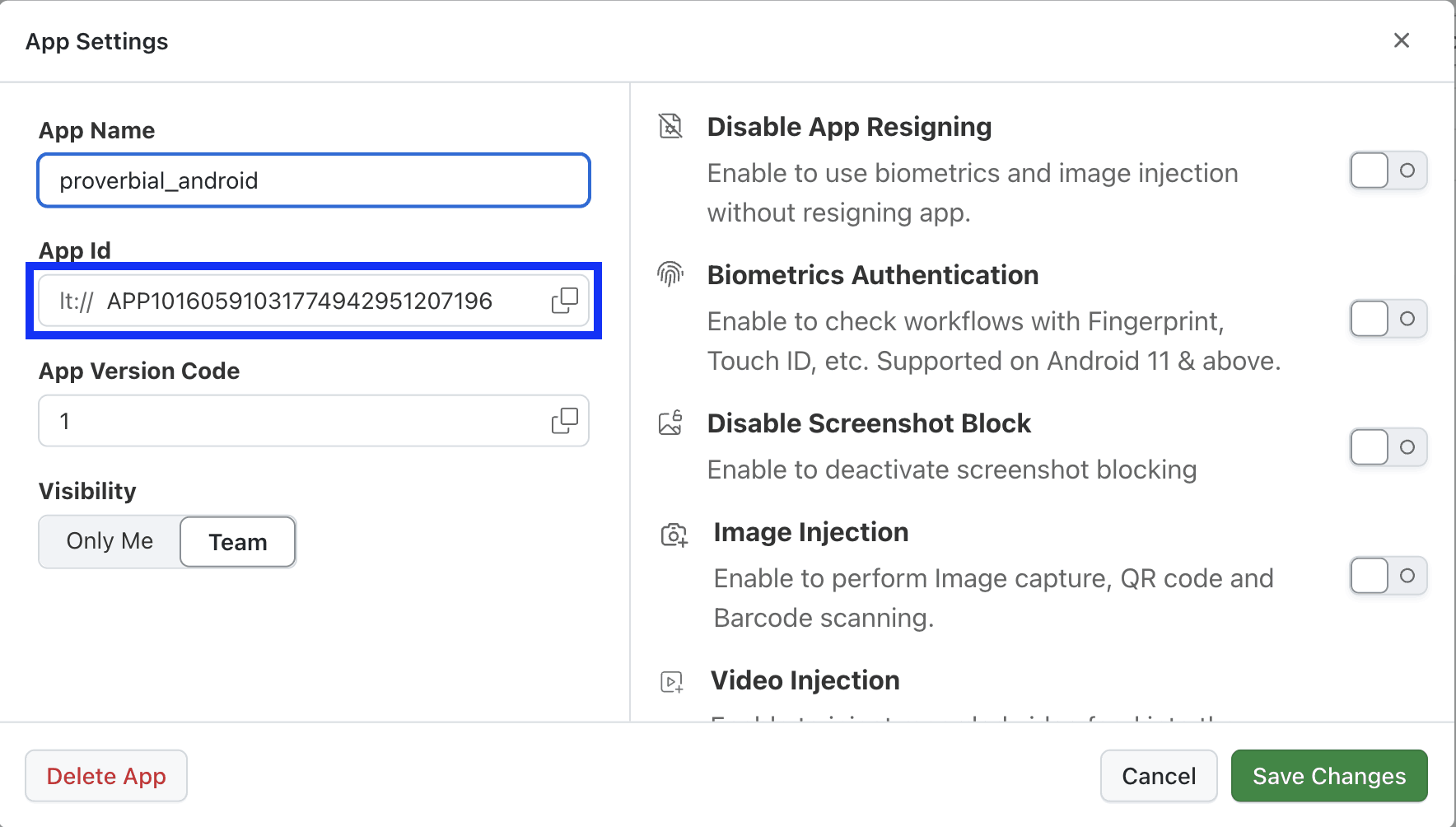
Once the app is uploaded, copy the App ID and add the same in the App Capabilities. Alternatively, the app name (i.e., proverbial-android) can also be retained if the name of the Proverbial app is not changed from the dashboard.
Shown below is the complete Reqnroll .csproj which uses Selenium WebDriver v4.38.0 and Appium .NET Driver v8.2.0 to enable mobile automation. Also, Reqnroll.NUnit v3.3.4 integration package allows Reqnroll to run tests using the NUnit framework.
<Project Sdk="Microsoft.NET.Sdk">
  <PropertyGroup>
    <TargetFramework>net8.0</TargetFramework>
    <Nullable>enable</Nullable>
    <ImplicitUsings>enable</ImplicitUsings>
  </PropertyGroup>
  <ItemGroup>
    <PackageReference Include="Microsoft.NET.Test.Sdk" Version="18.0.1" />
    <!-- Use the compatible versions of Selenium, Appium, and NUnit -->
    <PackageReference Include="Selenium.WebDriver" Version="4.38.0" />
    <PackageReference Include="Selenium.Support" Version="4.38.0" />
    <PackageReference Include="Appium.WebDriver" Version="8.2.0" />
    <PackageReference Include="DotNetSeleniumExtras.WaitHelpers" Version="3.11.0" />
    <PackageReference Include="Reqnroll.NUnit" Version="3.3.4" />
    <PackageReference Include="nunit" Version="4.5.1" />
    <PackageReference Include="NUnit3TestAdapter" Version="6.2.0" />
    <PackageReference Include="FluentAssertions" Version="8.8.0" />
  </ItemGroup>
</Project>
Shown below is the important code snippet for the Appium capabilities configuration:
var ltOptions = new Dictionary<string, object>()
{
    { "build", "[Appium 2.x] ReqnRoll demo on LambdaTest" },
    { "project", "Reqnroll_Appium2_Demo" },
    { "w3c", true },
    { "app", "proverbial-android" },
    { "platformName", "android" },
    { "deviceName", "Galaxy.*" },
    { "platformVersion", "14" },
    { "isRealMobile", true },
    { "autoAcceptAlerts", true },
    { "autoGrantPermissions", true },
    { "sessionName", scenarioName },
};

var AppiumOptions = new AppiumOptions();
AppiumOptions.AddAdditionalAppiumOption("LT:Options", ltOptions);- Create an AndroidDriver instance for running Appium tests on the TestMu AI cloud grid.
- Retrieve the credentials from environment variables to securely authenticate with the cloud hub. Using these credentials, it constructs the remote grid URL for the TestMu AI mobile hub.
Below is the gist of the Appium Reqnroll hook used to initialize the driver before each scenario:
[BeforeScenario]
public void setUp()
{
    string scenarioName = _scenarioContext.ScenarioInfo.Title;
    var driver = DriverFactory.CreateCloudAppiumDriver(scenarioName);
    _scenarioContext["driver"] = driver;
}- The scenario title is retrieved using _scenarioContext.ScenarioInfo.Title, which helps identify the test case being executed.
- Once the AndroidDriver is initialized using the DriverFactory, it is stored in the ScenarioContext using _scenarioContext["driver"].
Since the implementation of the Appium step definitions remains unchanged, we are skipping its walkthrough in this blog.
Run the command make build to build the Reqnroll Appium C# project.
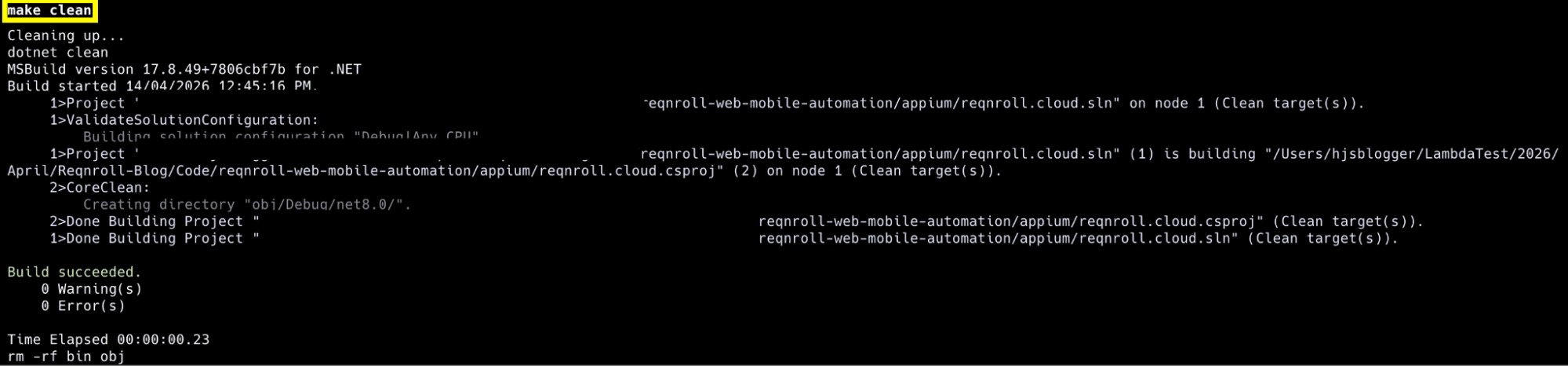
Now that the build is successful, execute the tests by triggering the command make reqnroll-automation-test on the terminal.
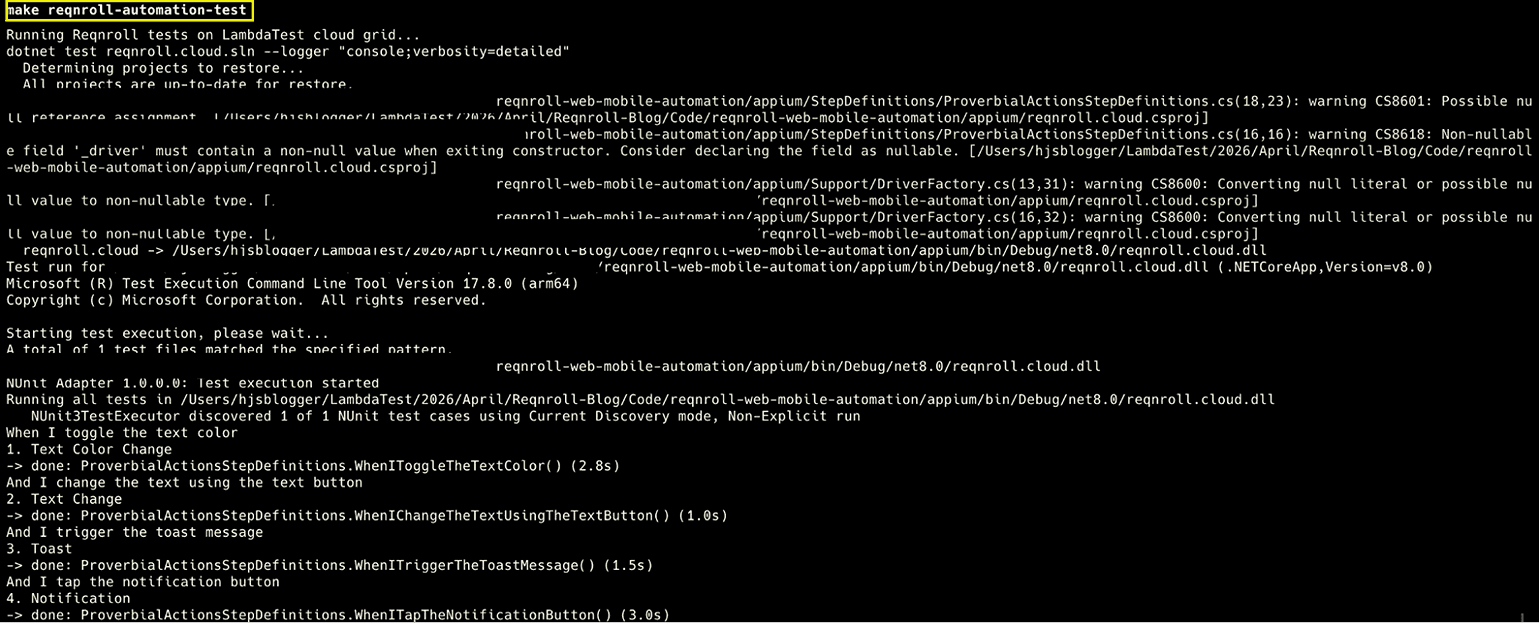
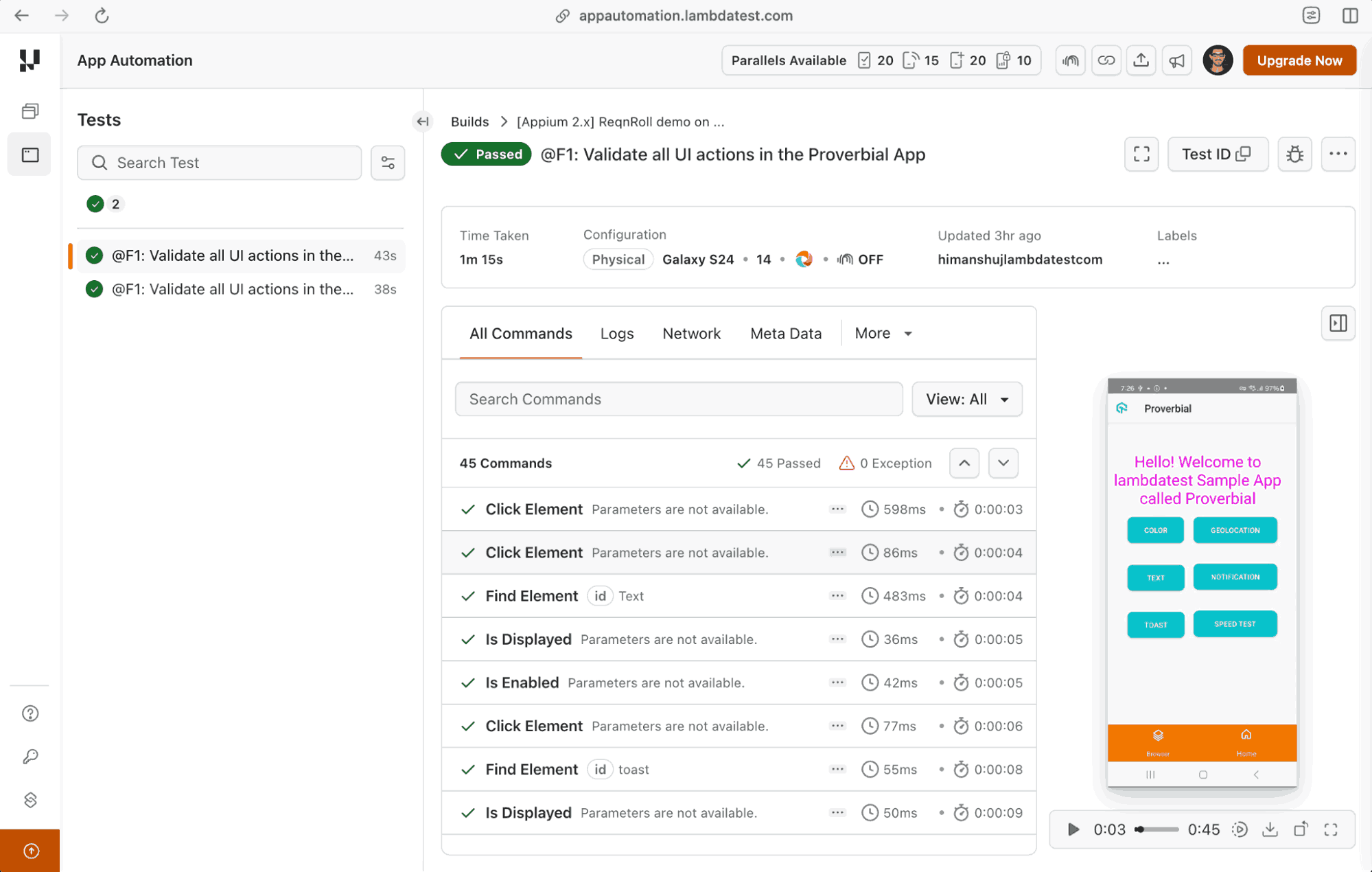
As seen in the automation dashboard, Reqnroll Appium tests have executed successfully.

How to Perform API Testing with Reqnroll
API testing with Reqnroll is used for validating backend services using BDD-style scenarios written in Gherkin. Test scenarios describe the API behavior. On the other hand, actual HTTP requests are implemented in step definitions using HttpClient, RestSharp, or other .NET libraries.
Automated API tests with Reqnroll help in verifying API responses, status codes, headers, and payload data. They can also be executed within an existing CI/CD pipeline. As Reqnroll can be integrated with popular C# frameworks like NUnit, xUnit, and MSTest, API tests can be executed as part of automated test suites.
For demonstration, we have created a DummyJSON Users API Integration feature file that describes an API test scenario for validating data returned by the DummyJSON Users API.
Feature: DummyJSON Users API Integration

@api
Scenario: Verify user exists by last name
    Given I request the users list from the DummyJSON API
    When I parse the API response
    Then I should verify that a user with the last name "Johnson" exists
Let's look into the integral aspects of the Users API Step Definition file.
private readonly HttpClient _httpClient;
private HttpResponseMessage _response;
private JsonDocument _jsonResponse;- _httpClient: HTTP client used to send API requests.
- _response: stores the HTTP response (i.e., status code, headers, response body, etc.) returned by the API call.
- _jsonResponse: holds the parsed JSON version of the API response object.
public UsersApiStepDefinitions()
{
    _httpClient = new HttpClient
    {
        BaseAddress = new Uri("https://dummyjson.com/")
    };
}- UsersApiStepDefinitions() constructor initializes the HttpClient instance when the step definition class is created.
- All API requests made using _httpClient will automatically use DummyJSON as the base URL.
[Given(@"I request the users list from the DummyJSON API")]
public async Task GivenIRequestTheUsersListFromTheDummyJSONAPI()
{
    _response = await _httpClient.GetAsync("users");
    Assert.That(_response.IsSuccessStatusCode, Is.True, "API request was not successful.");
}

[Then(@"I should verify that a user with the last name ""(.*)"" exists")]
public void ThenIShouldVerifyThatAUserWithTheLastNameExists(string lastName)
{
    var usersElement = _jsonResponse.RootElement.GetProperty("users");

    bool userExists = false;
    foreach (var user in usersElement.EnumerateArray())
    {
        if (user.GetProperty("lastName").GetString() == lastName)
        {
            userExists = true;
            break;
        }
    }

    Assert.That(userExists, Is.True, $"No user found with the last name '{lastName}'.");
}- The [Given] step sends an async GET request to the /users endpoint of the DummyJSON API. A NUnit assertion issues a failure in case the status code is not 200 (i.e., STATUS_OK).
- In the earlier step, the HTTP response body is read as a raw string and converted into a structured JsonDocument. It is subsequently stored in the _jsonResponse variable so that it can be accessed in the [Then] step.
- The users array in the parsed JSON is navigated, post which each entry is iterated for checking if any lastName field matches the expected lastName parameter.
- A NUnit assertion is raised with a descriptive message if no match is found after the full loop.
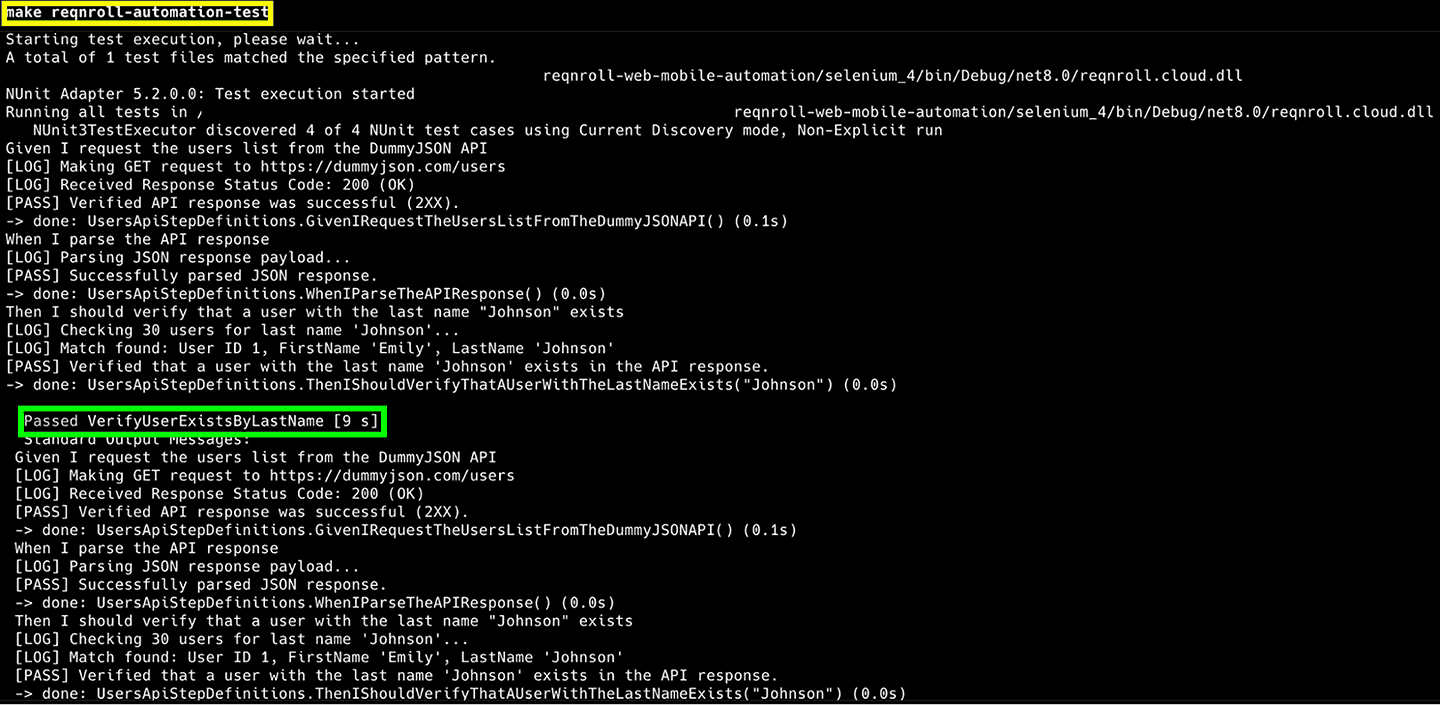
Post navigating to the selenium_4 directory, execute the API tests by triggering make reqnroll-automation-test on the terminal. The results below confirm that the API test using Reqnroll executed successfully.
Conclusion
In case you are a SpecFlow user, it takes minimal effort to migrate the entire suite to the Reqnroll framework. The SpecFlow compatibility package does all the heavy-lifting ensuring that the existing SpecFlow tests do not break during the migration process.
Reqnroll when integrated with TestMu AI cloud grid helps in harnessing the potential of BDD and cloud testing at scale. Over and above, Reqnroll can also be integrated with HyperExecute, AI-native end-to-end test orchestration cloud that runs your tests at blazing speed on a secure, scalable cloud.
Citations
- Migrating from SpecFlow to Reqnroll: https://docs.reqnroll.net/latest/guides/migrating-from-specflow.html
- Reqnroll GitHub Discussions: https://github.com/orgs/reqnroll/discussions/558
- Reqnroll Formatters Documentation: https://docs.reqnroll.net/latest/reporting/reqnroll-formatters.html
- Allure Reqnroll Documentation: https://allurereport.org/docs/reqnroll/
- Setup Reqnroll Project with .NET: https://medium.com/@karolina.marszalek97/setup-reqnroll-project-with-net-74393e995afa
Author

Himanshu Sheth
Blogs: 135


Himanshu Sheth is the Director of Marketing (Technical Content) at TestMu AI, with over 8 years of hands-on experience in Selenium, Cypress, and other test automation frameworks. He has authored more than 130 technical blogs for TestMu AI, covering software testing, automation strategy, and CI/CD. At TestMu AI, he leads the technical content efforts across blogs, YouTube, and social media, while closely collaborating with contributors to enhance content quality and product feedback loops. He has done his graduation with a B.E. in Computer Engineering from Mumbai University. Before TestMu AI, Himanshu led engineering teams in embedded software domains at companies like Samsung Research, Motorola, and NXP Semiconductors. He is a core member of DZone and has been a speaker at several unconferences focused on technical writing and software quality.


Frequently asked questions
Did you find this page helpful?
More Related Blogs
TestMu AI forEnterprise
Get access to solutions built on Enterprise
grade security, privacy, & compliance
- Advanced access controls
- Advanced data retention rules
- Advanced Local Testing
- Premium Support options
- Early access to beta features
- Private Slack Channel
- Unlimited Manual Accessibility DevTools Tests