Report Portal IO Integration for Cypress on TestMu AI
This article guides you on how to integrate the TestMu AI platform with the ReportPortal.io platform for running your Cypress automation tests. Before you get started, make sure you have an account on ReportPortal.io.
note
By default, the TestMu AI Cypress-Multi-Reporter mechanism generates mochawesome. To override it with another reporting option (ReportPortal in this case), create a separate file to define the reporting configuration and add the ReportPortal agent dependency.
Steps To Integrate
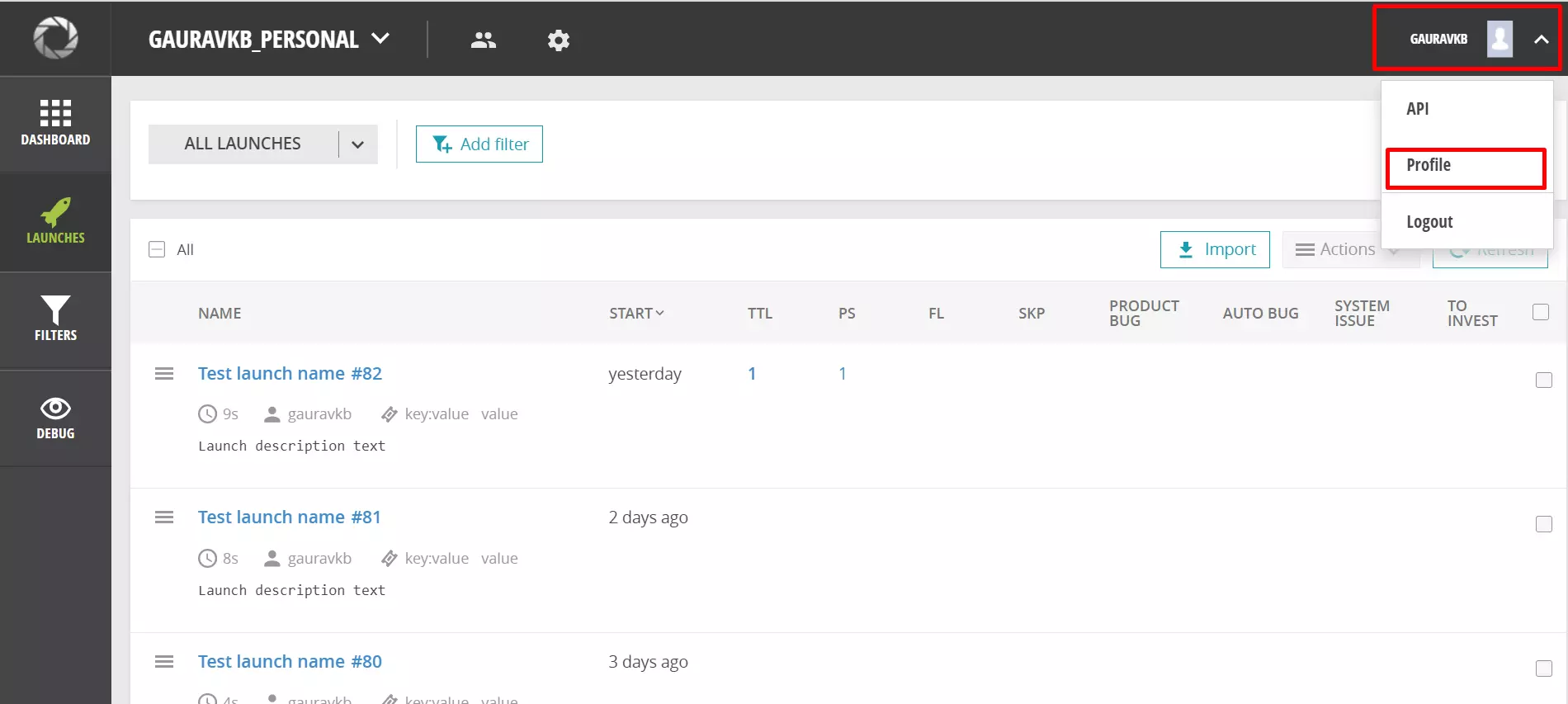
- Navigate to ReportPortal.io and log in to your account. Then open your Report Portal IO Profile.
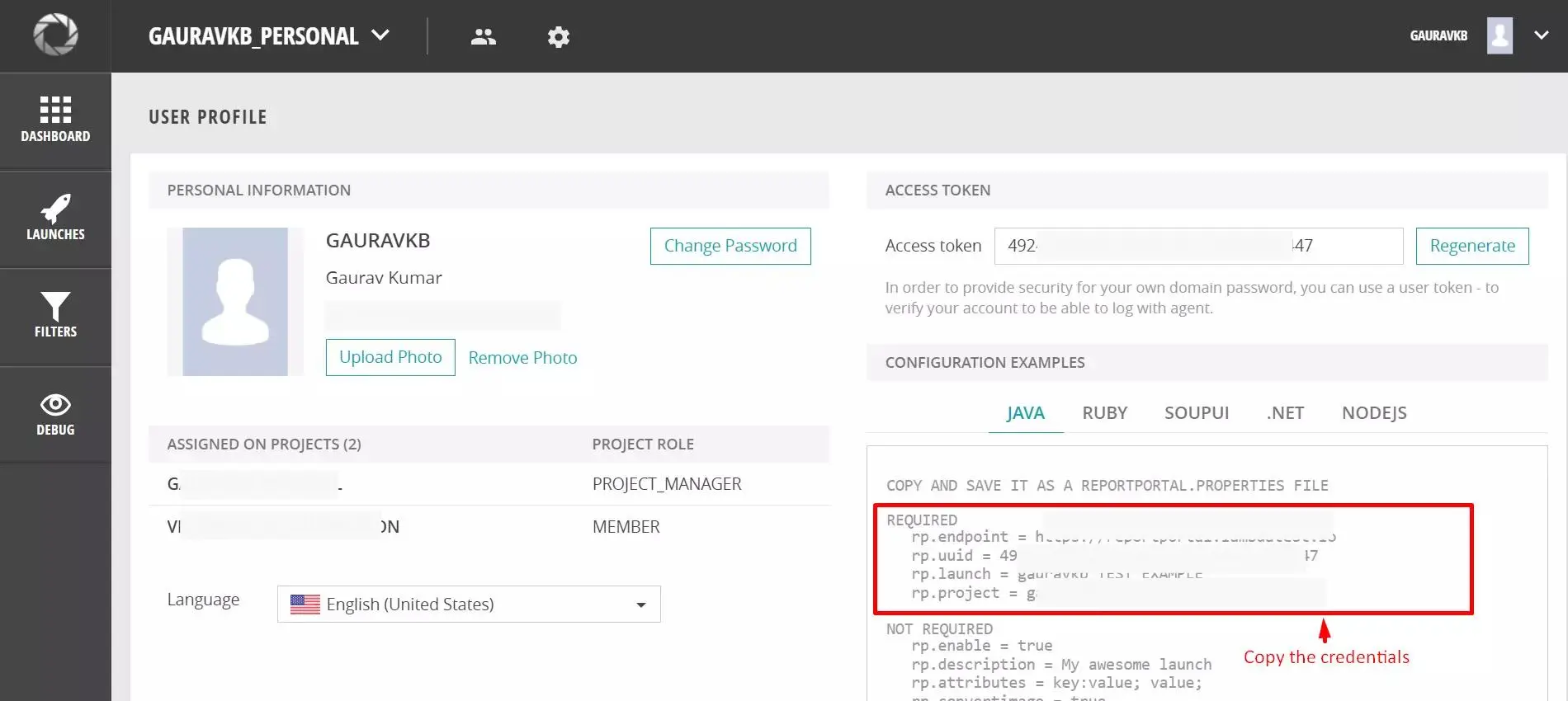
- Copy the ReportPortal credentials shown on your profile page.
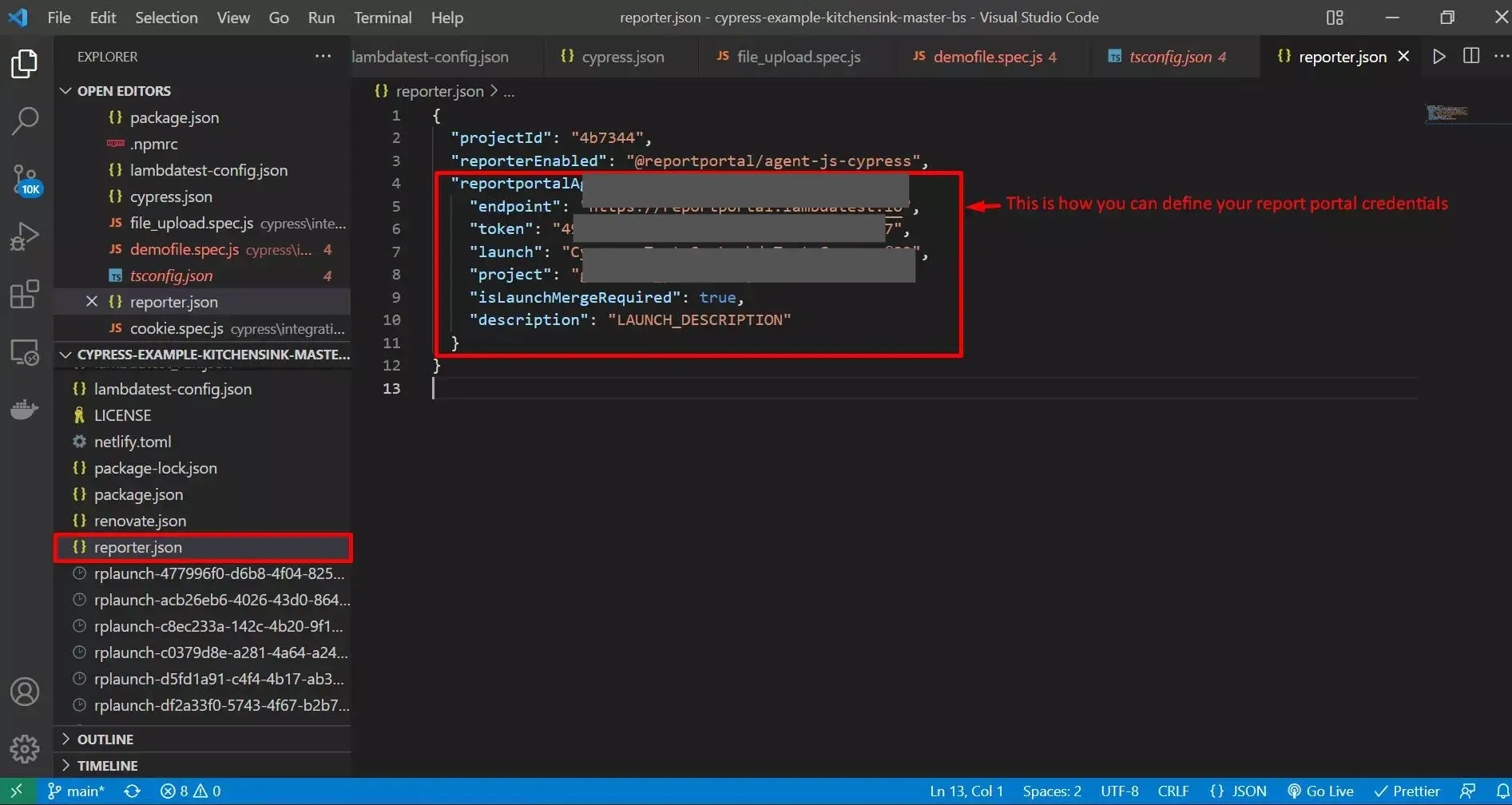
- Open your Cypress project and create a new file for defining the ReportPortal configuration and credentials.
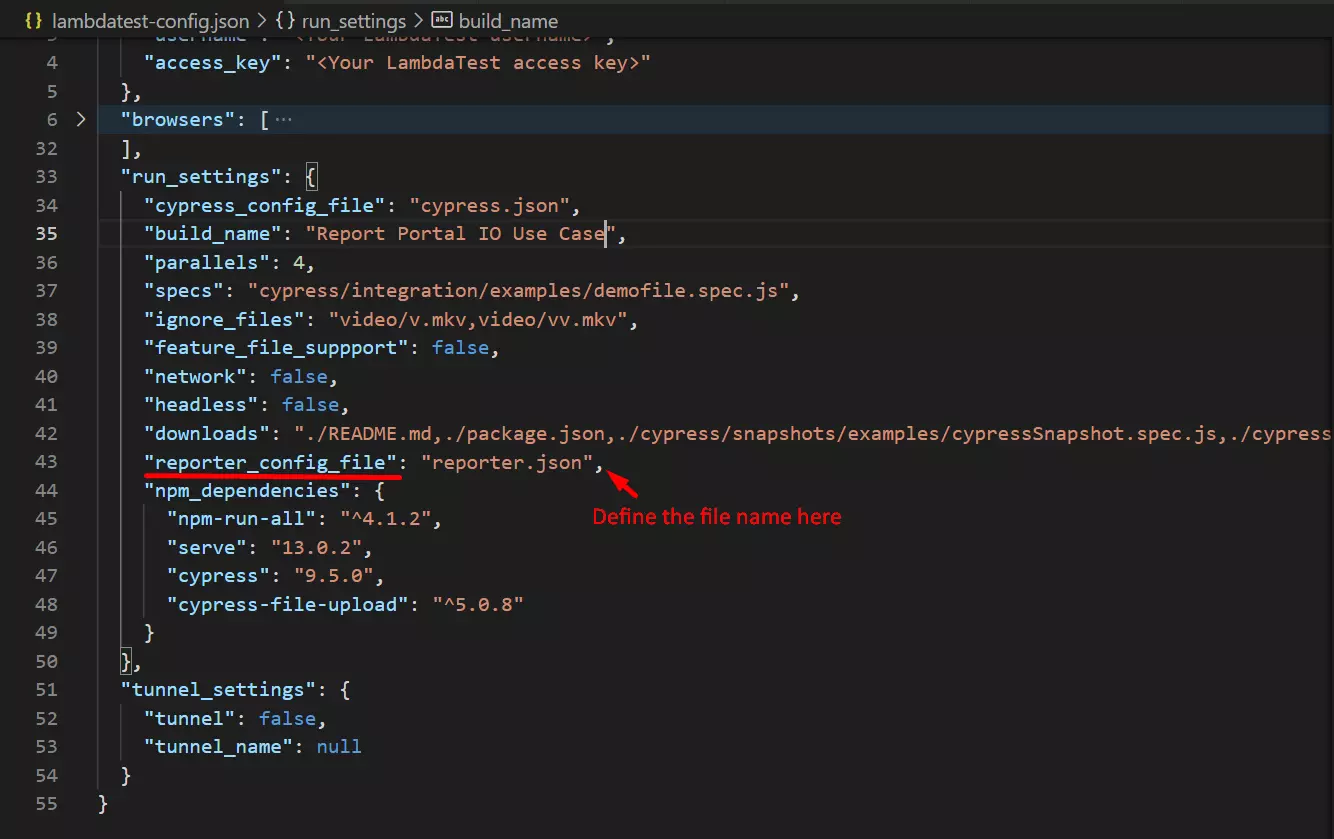
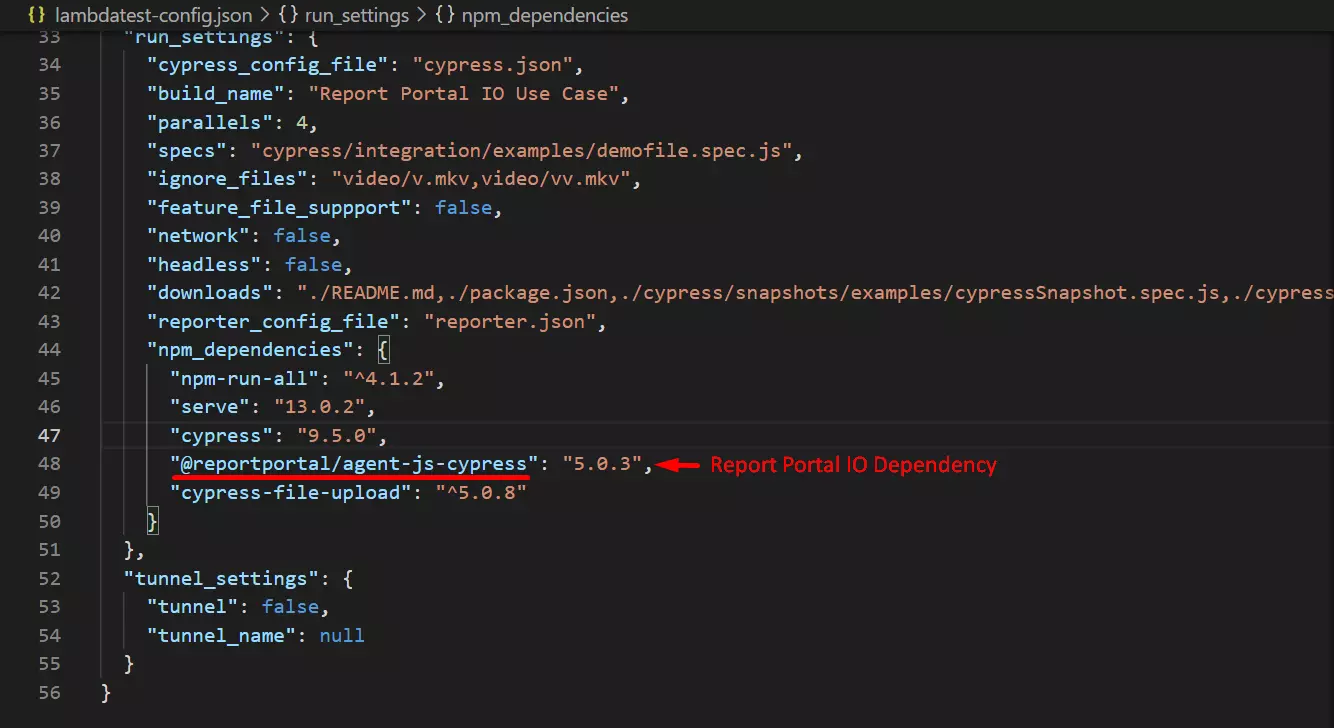
- Define the file name in the
reporter_config_filecapability of thelambdatest-config.jsonfile, as shown in the screenshot below.
- Define the ReportPortal.io dependency (
@reportportal/agent-js-cypress) in yourlambdatest-config.jsonorpackage.jsonfile.
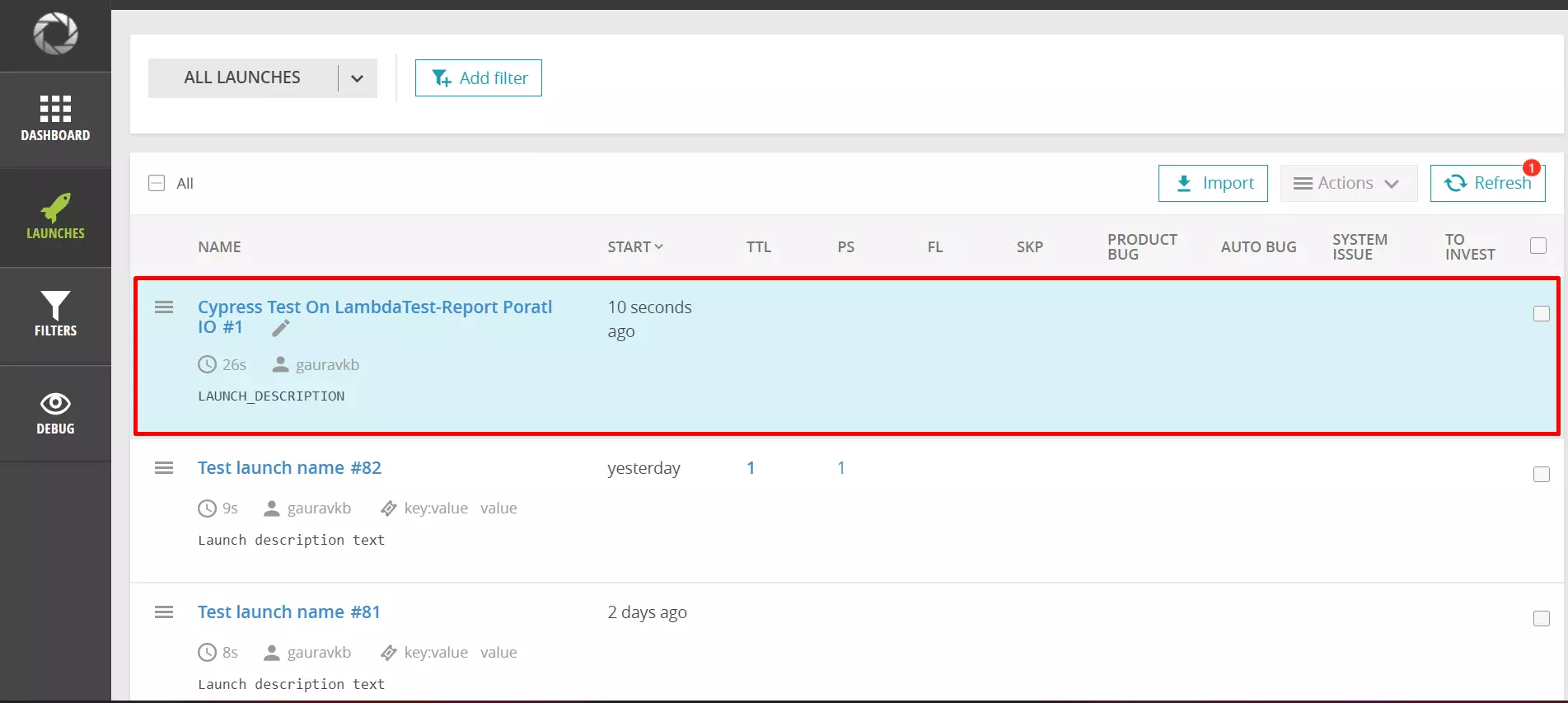
- The integration is now done. Open the Dashboard to see the results.
tip
That's all. You have successfully integrated ReportPortal.io and TestMu AI for running your Cypress tests. In case you have any questions or need any additional information, reach out at our 24X7 Chat Support or mail us directly at support@testmuai.com.

 Chat with Us