

Next-Gen App & Browser Testing Cloud
Trusted by 2 Mn+ QAs & Devs to accelerate their release cycles


What Should Your Mobile App Testing Strategy Focus On?
In this blog, we are going to see how to build a future-proof mobile app testing strategy.

Shwetha Ashokumar
December 29, 2025
There are millions of apps on the Apple App Store and Google Play Store, which means competition for the audience’s screen time is fierce and extremely high. Most users delete the app just after a single use.
Let us look at some numbers before proceeding with the what and why part of your mobile app testing strategy.
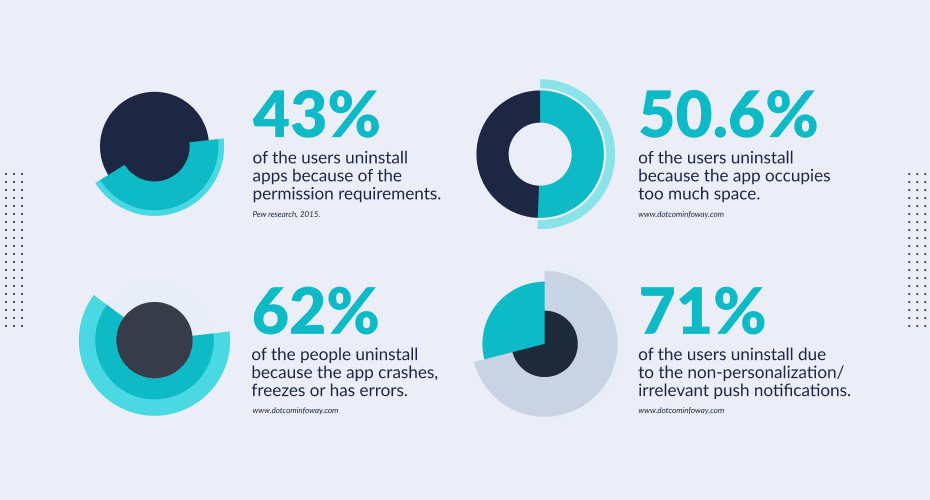
With the competition being so high, you cannot afford to make such mistakes. In this blog, we will learn about the best practices to implement in your mobile app testing strategy.
But, before we go ahead, let us dive a little deeper into understanding the common reasons why your audience uninstall your app.

Why Do Users Uninstall Apps?
App uninstalls are majorly due to the user’s dissatisfaction with the utility or the performance of the app. Testing the app for different use cases can help optimize your app and retain users.
- Long Sign Up Process – This is the first action that your users will be performing, a lengthy sign-up process can cause huge friction.
- Irrelevant Notifications – Sometimes apps tend to send a lot of notifications to their users, this could be because of improper segmentation. Too many irrelevant notifications can cause the user to uninstall.
- Occupies Memory – Users might uninstall the app when it occupies too much space.
- Data Usage – If your app consumes too much data then there is a high chance that the users might uninstall the app.
- Performance issues – When a user installs an app, they expect it to run smoothly. They tend to uninstall the app immediately in case of performance issues such as crashing, freezing, etc.
What Should You Be Doing?
Testing plays a crucial role in controlling churn. Users expect your app to work seamlessly without any performance issues and if it fails to do that, they simply uninstall it.
Test On Multiple Devices
As a tester, you do not have any control over which device the user is accessing the app from. What works seamlessly in one device might not work in another. Therefore, you need to test your app on multiple devices. But, given the number of devices that release year on year, maintaining an in-house library is a tedious task. This is where a cloud-based test execution platform like TestMu AI comes into the picture. Using TestMu AI you can perform live and automated tests on 3000+ devices. You can choose to test your apps using our virtual testing platform or real device cloud. Having access to a wide range of devices allows you to replicate any issue or bug on any device and resolve them instantly.
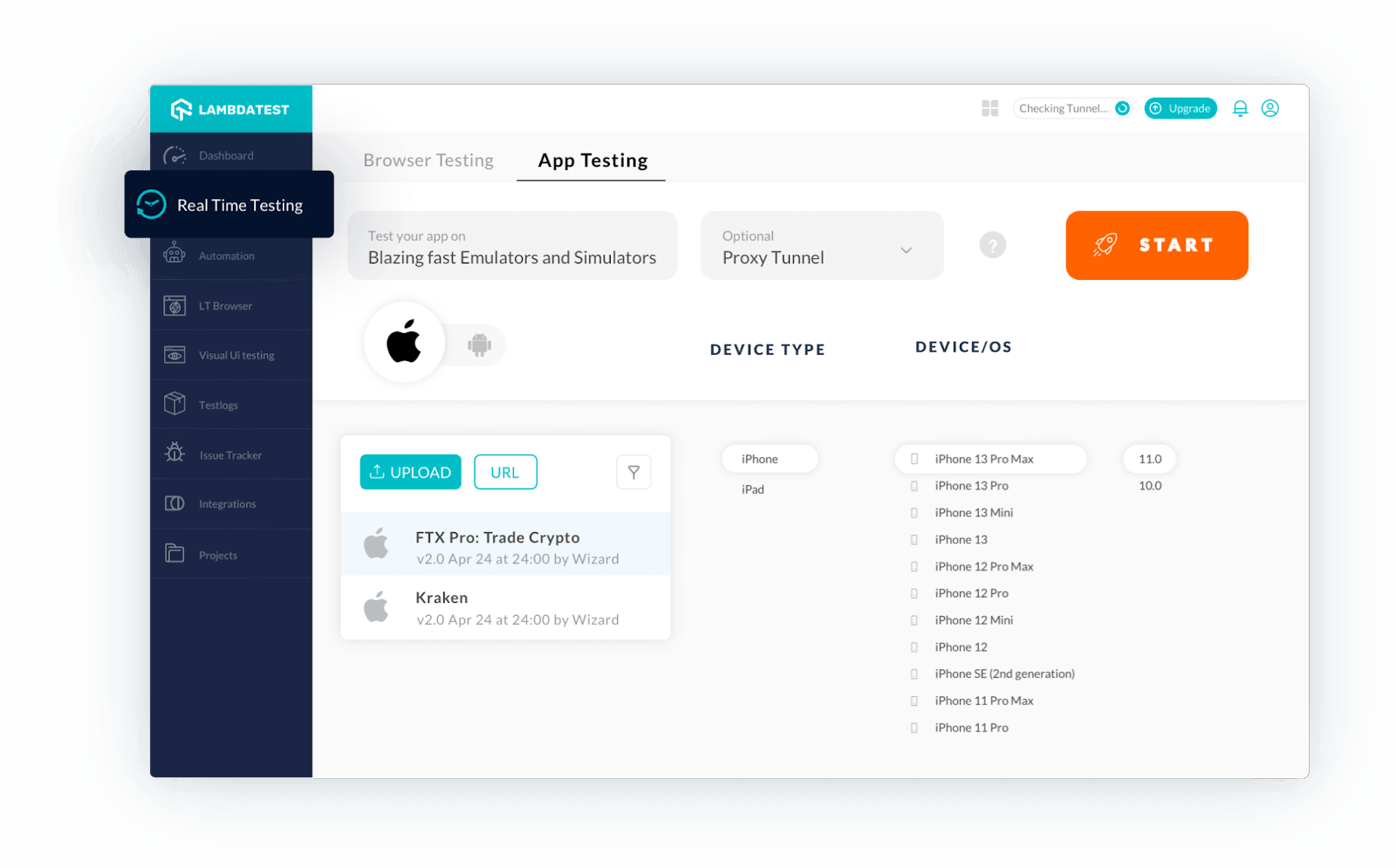
Get real device testing on the Cloud. Don’t have an Android device to test? No problem, there are always virtual devices to use when you don’t have a physical phone. Perform app testing on Vivo devices using the TestMu AI platform. Looking to perform Android and iOS app testing on Real Device Cloud, check out our video below –
Localization And Geolocation Testing
The next reason why churn is high is due to irrelevant notifications. What might be relevant to one location might not be to another. Using TestMu AI’s localization and Geolocation feature, you can personalize the experience and test how your app works in 50+ countries and align with the preferences of your users at different locations.
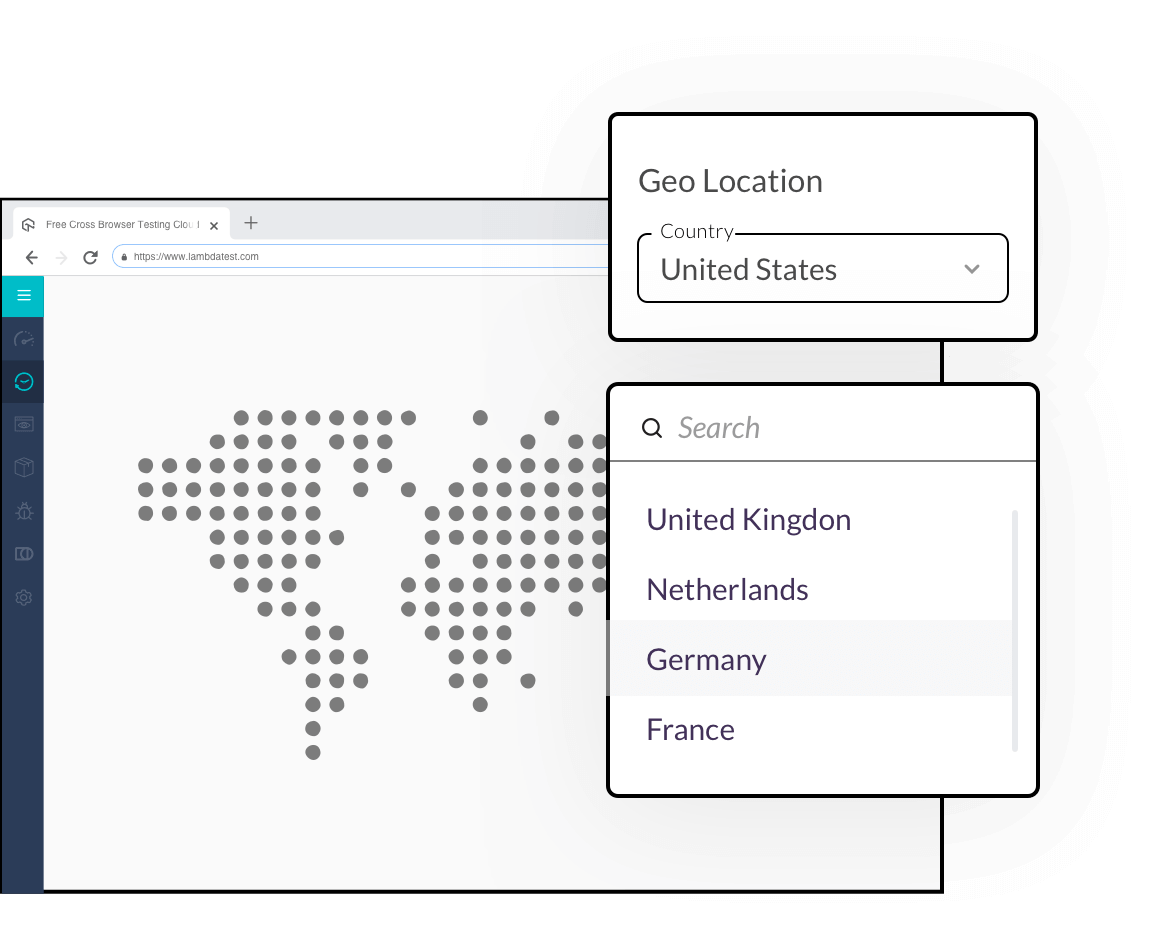
Test Use Cases
Long sign-up processes, and use cases that take time to complete often come up as blocks for the user. The main reason why users prefer using mobile apps over desktop or any other alternatives is to accomplish things faster. With TestMu AI you can test use cases on different devices and optimize them.
Memory Consumption And Network Throttling
You can upload your app file directly on any device and start testing instantly. This allows you to understand the memory it occupies and optimize storage accordingly. You can also test publicly available apps and update them in the upcoming releases to optimize the storage.
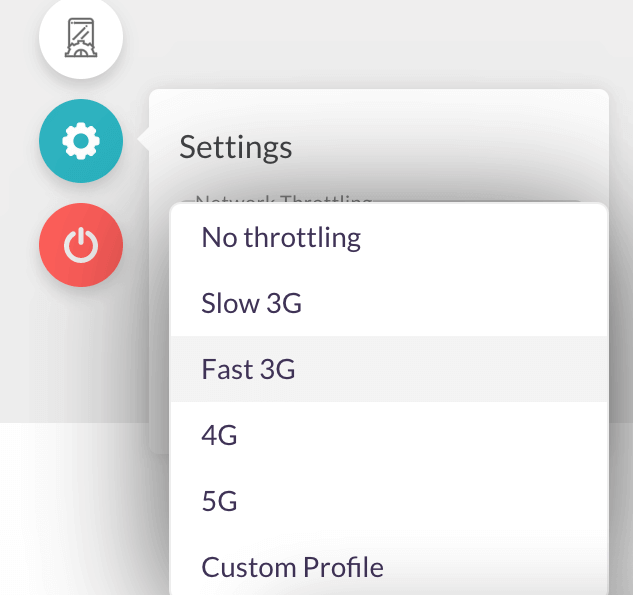
It is also critical for a tester to check the functionality of the app on different latency networks such as 2G, 3G, 4G or LTE. TestMu AI allows you to simulate network conditions, get insights on the variable upload and download speeds which helps you understand the performance of the app under different networks.

Summary
Churn is bad for any app. It directly affects your revenue, the perception of the company, and the brand. Having future-proof mobile app testing is essential considering the technology advancements. The devices and environments that you are using now might not be the same ones that you may target tomorrow. A future-proof mobile testing strategy allows you to adopt new testing routines to meet the new requirements and trends. With new devices releasing year on year, your device library and test enablement platform should be updated as well. Maintaining an on-prem library with an exhaustive list of devices comes with a huge setup and maintenance cost.
TestMu AI offers an easy and cost-effective solution to this problem. Start testing your applications on the cloud.
Sign up for a forever free account now and start testing today!



Did you find this page helpful?
More Related Hubs
TestMu AI forEnterprise
Get access to solutions built on Enterprise
grade security, privacy, & compliance
- Advanced access controls
- Advanced data retention rules
- Advanced Local Testing
- Premium Support options
- Early access to beta features
- Private Slack Channel
- Unlimited Manual Accessibility DevTools Tests