

Next-Gen App & Browser Testing Cloud
Trusted by 2 Mn+ QAs & Devs to accelerate their release cycles


Log Your Bugs With TestMu AI And Userback Integration
Seamless TestMu AI & Userback integration simplifies bug tracking & enhances collaboration for top-quality apps. Easily report bugs & streamline the process for a positive user experience.

Devansh Bhardwaj
January 29, 2026
In the fast-paced digital world, businesses must focus on delivering top-quality software applications. As customers’ expectations rise, organizations have understood the importance of having bug-free applications that provide a positive user experience. To tackle this challenge, bug-tracking tools have become essential for the development process.
These bug-tracking tools give developers a clear view of reported issues. By prioritizing bugs, developers can concentrate on fixing critical issues that need immediate attention while also planning for future improvements and bug fixes. This helps organizations stay on top of potential problems and maintain high-quality software, ensuring that users are satisfied.
Watch this video to seamlessly integrate TestMu AI with Userback for one-click UI bug logging.
Userback is one such bug-tracking tool that allows website and app teams to gather user feedback through screenshots, annotations, and comments, making it easier for teams to understand user suggestions or issues.
The integration between TestMu AI and Userback provides a seamless solution for tracking and managing bugs discovered during cross browser testing. With this integration, developers can effortlessly report bugs from TestMu AI to their Userback instance, streamlining the process and eliminating manual tasks. It’s a user-friendly and efficient way to handle bugs, making the testing experience hassle-free.
If you wish to know about this integration, you can follow our detailed documentation on integrating TestMu AI with Userback.
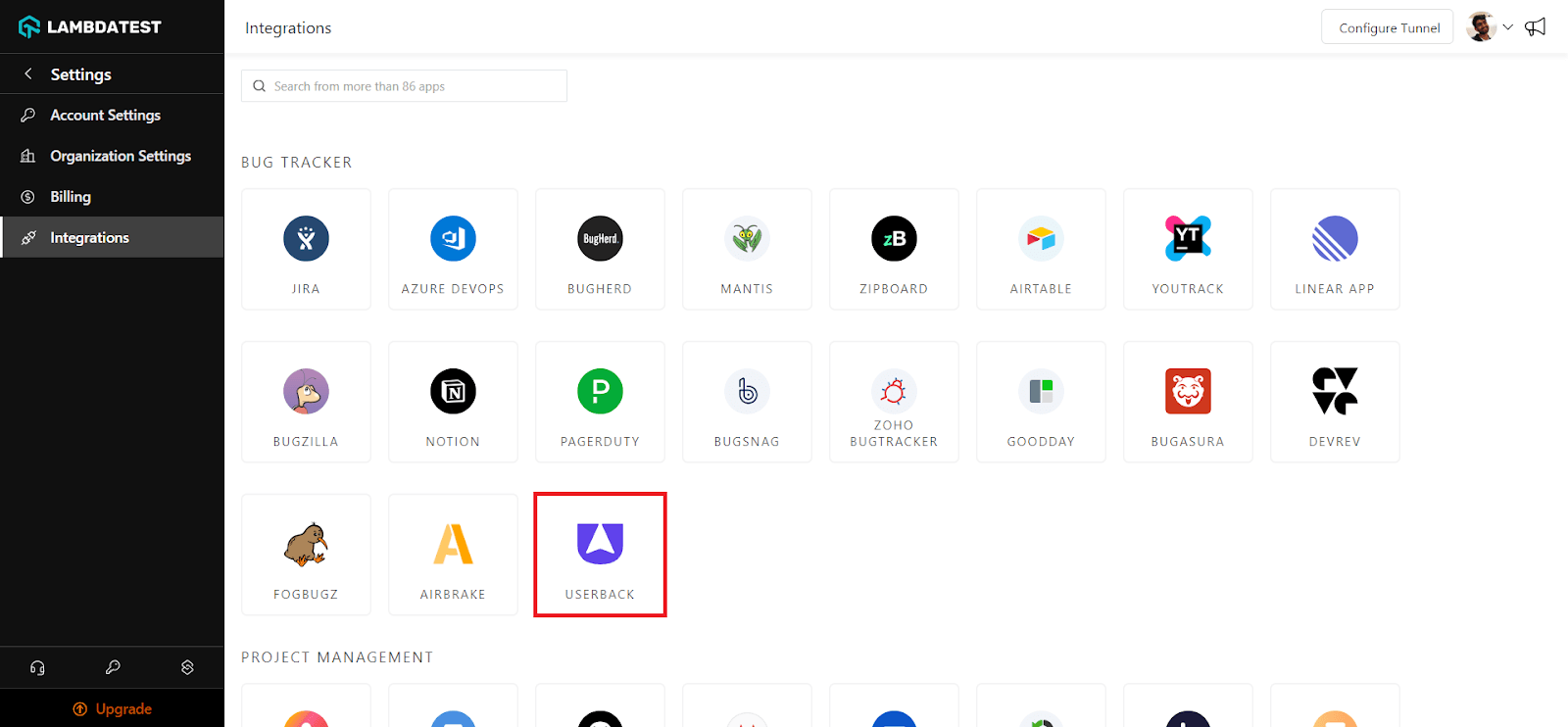
What is Userback?
Userback is a web-based platform that allows users to collect and manage feedback from clients, customers, or team members directly on their websites or web applications. It is commonly used for gathering feedback on website designs, user interfaces, or other web-based projects. Userback provides various tools, such as feedback forms, screenshot capture, annotation, and bug tracking, which make it easier for users to report issues, suggest improvements, or provide general feedback.

Here are some of the use cases of Userback that make it stand out:
- Website Feedback: Userback allows website owners and developers to collect valuable feedback from website visitors. Users can provide comments, suggestions, and bug reports directly on the website, making it easier to identify issues and make improvements.
- Bug Tracking: Userback’s bug-tracking capabilities enable teams to manage and prioritize reported issues efficiently. Users can capture screenshots, annotate them, and provide contextual feedback, streamlining the bug-reporting process.
- Project Management: Userback streamlines project management by centralizing feedback and bug tracking in one place. This helps teams stay organized, prioritize tasks, and communicate effectively during the development process.

Note: Log bugs using Userback integration. Try TestMu AI Today!
TestMu AI Integration with Userback
The integration between TestMu AI and Userback benefits users by providing a seamless and efficient testing and bug-tracking process. Users can easily report bugs found during cross-browser testing in TestMu AI directly to their Userback instance. This streamlines issue management, enhances collaboration among teams and reduces manual effort. TestMu AI allows you to perform automation testing on an online device farm of 3000+ real browsers and operating system combinations to achieve greater test coverage.
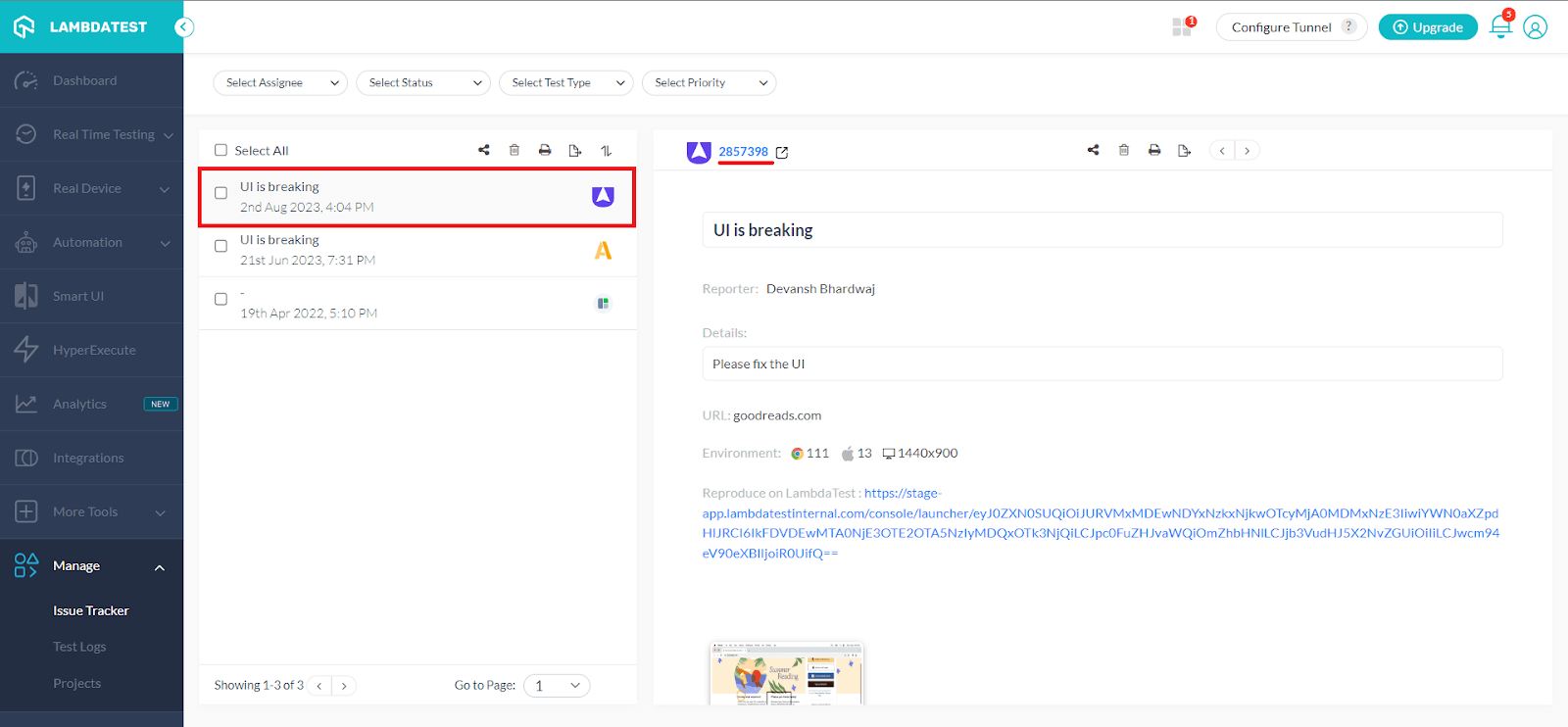
By streamlining issue management, the integration enhances collaboration among development teams, testers, and stakeholders. Bugs reported in Userback are accompanied by detailed information, such as screenshots and annotations, making it easier for developers to understand and address the issues.
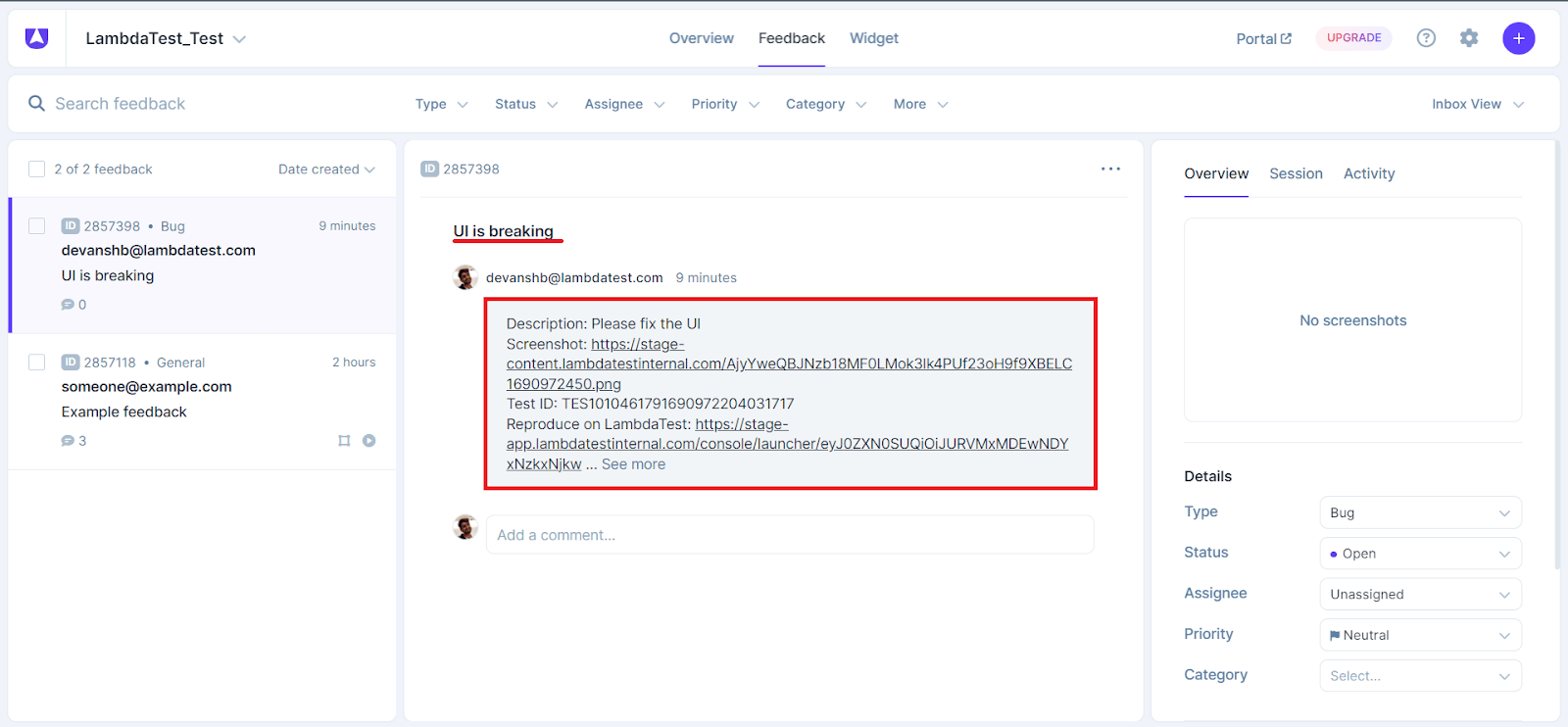
The real-time nature of the integration allows for instant feedback and bug reporting, enabling teams to respond quickly and make necessary adjustments. This results in quicker bug fixing, leading to a more efficient development process.
All in All
In closing, the seamless integration of TestMu AI and Userback offers a powerful solution to enhance the software testing and bug-tracking process for developers and teams. By combining TestMu AI’s cross browser testing capabilities with Userback’s efficient feedback and bug-reporting features, developers can easily identify, manage, and resolve issues found during testing. We hope this new integration with Userback will greatly benefit you while maximizing your productivity.
Try our new Userback integration and share your thoughts on the TestMu AI Community. You can also contact us via our chat portal or at [email protected].
Happy Testing! 😀


Did you find this page helpful?
More Related Hubs
TestMu AI forEnterprise
Get access to solutions built on Enterprise
grade security, privacy, & compliance
- Advanced access controls
- Advanced data retention rules
- Advanced Local Testing
- Premium Support options
- Early access to beta features
- Private Slack Channel
- Unlimited Manual Accessibility DevTools Tests