

Next-Gen App & Browser Testing Cloud
Trusted by 2 Mn+ QAs & Devs to accelerate their release cycles


How to Update Firefox Browser
Learn how to update Firefox browser easily. Ensure you're always on the latest version for enhanced security, performance, and new features.

Bhavya Hada
December 22, 2025
Keeping your Firefox browser up-to-date is crucial for optimizing both performance and security. When you update Firefox browser, it not only provides the latest features but also ensures that vulnerabilities are addressed, securing your browsing experience.
Overview
Firefox regularly releases updates to improve security, performance, and compatibility. Keeping your browser up to date ensures you get the latest features and patches.
Steps to Update Your Firefox Browser
Follow the steps below to update Firefox browser:
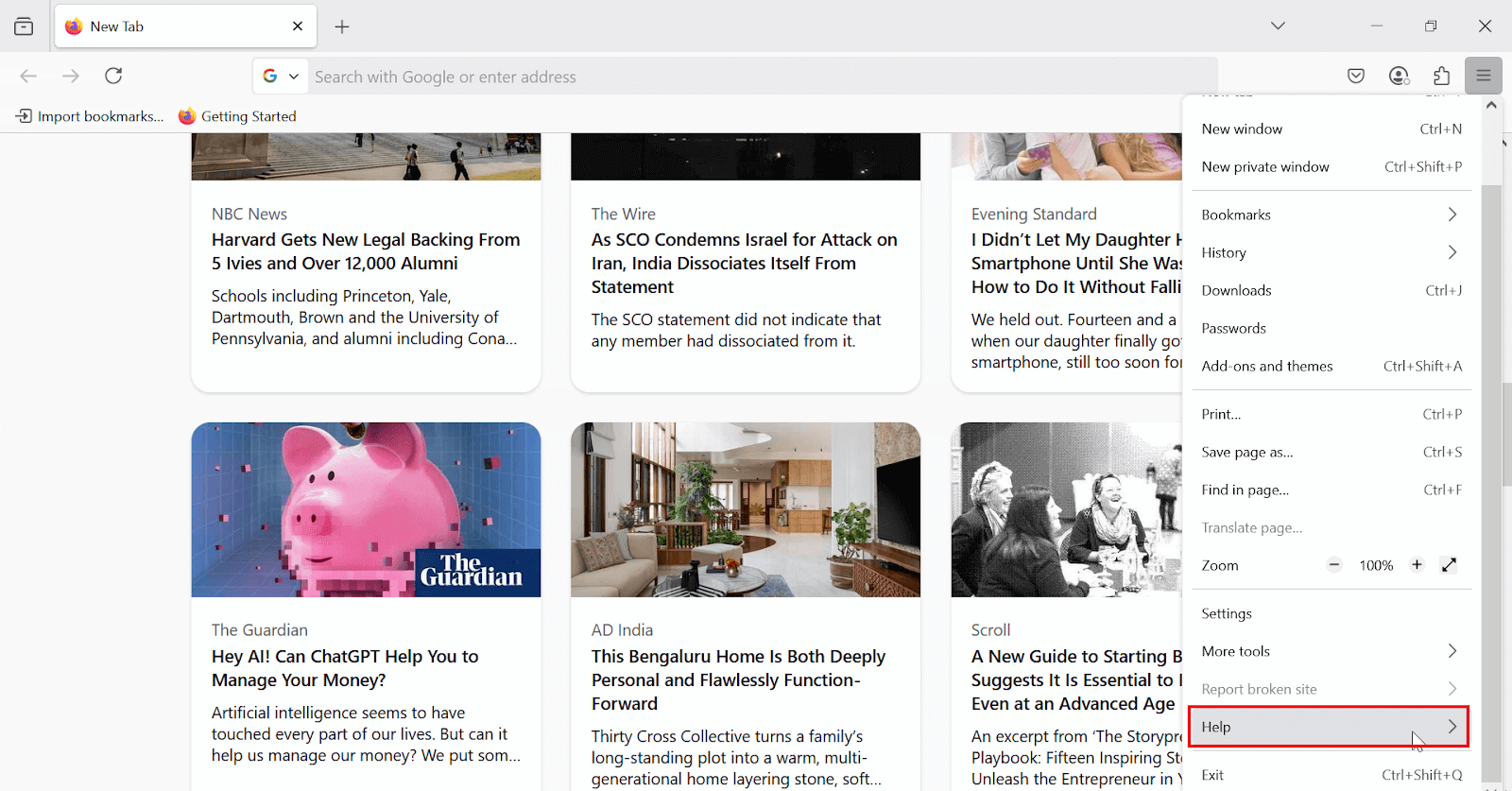
- Open Firefox browser and click the menu icon (☰), then select Help.
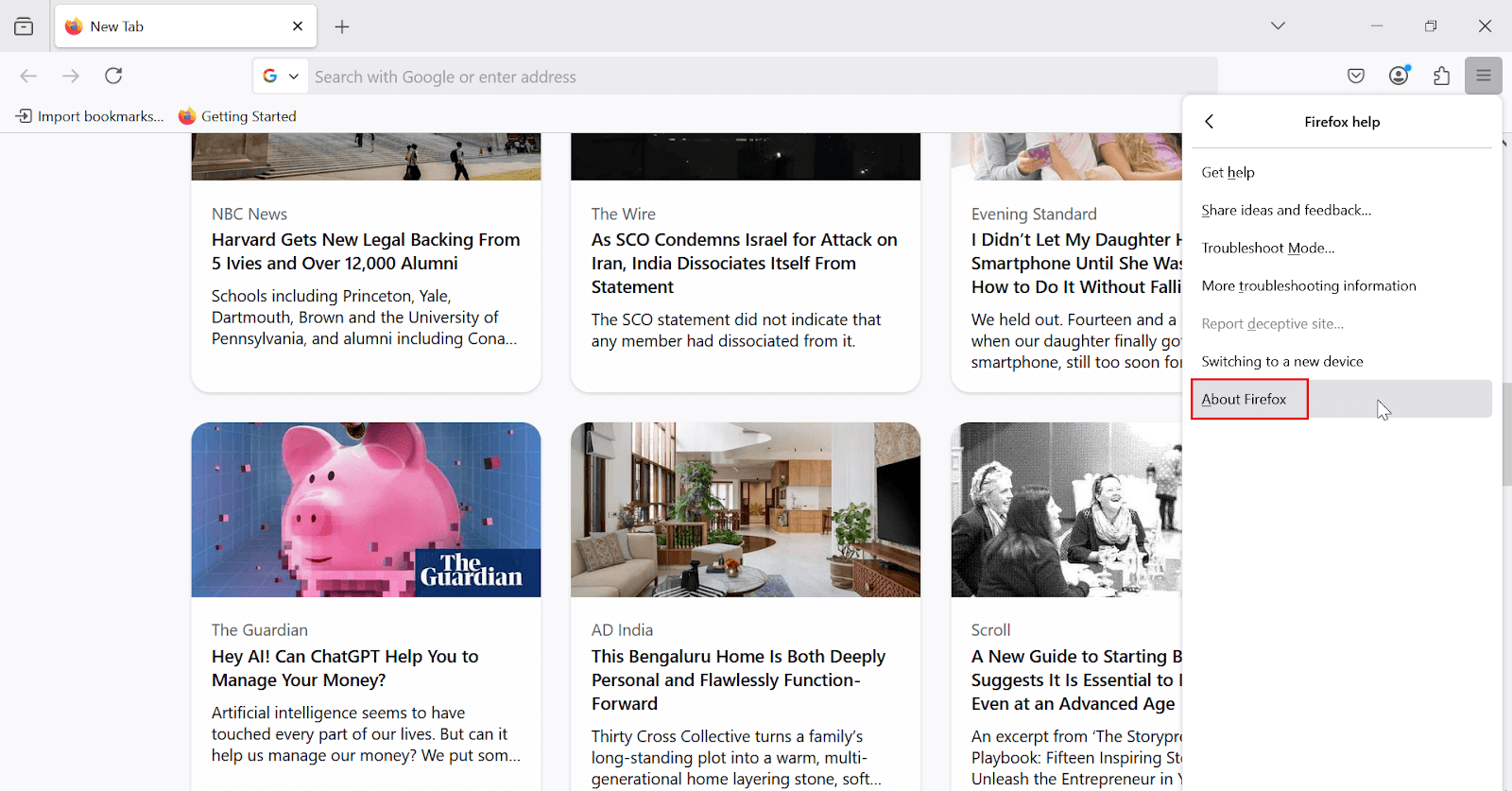
- Click About Firefox in the submenu.
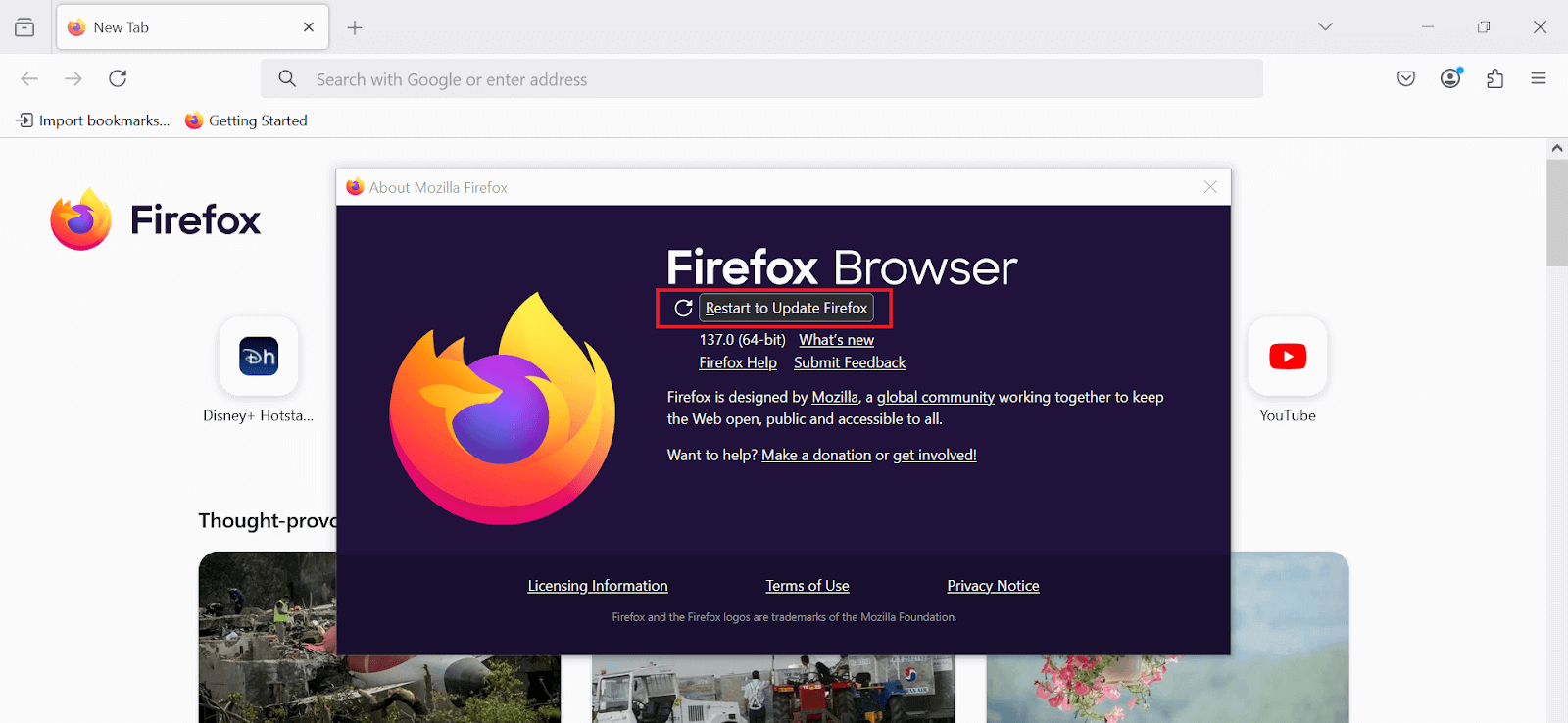
- A new window will appear, and Firefox will check for updates automatically.
- If an update is available, click Restart to Update Firefox.
Steps to Update Firefox Browser
Shown below are the steps to update Firefox browser manually:
1. Open Firefox browser, click the menu icon (☰) in the top-right corner and then click Help.
2. In the submenu that appears, click About Firefox.
3. A new window will open. Firefox will automatically check for available updates. Once done, click Restart to Update Firefox to finish the update.
Your Firefox browser will be updated successfully.
By default, Firefox automatically updates itself in the background to keep you protected with the latest security fixes and enhancements.
However, you can ensure that automatic updates are enabled or adjust the settings to your preference.
- Open Firefox browser, click the menu icon (☰) in the top-right corner and then click Settings.
- From the General section, navigate to the Firefox Updates section.
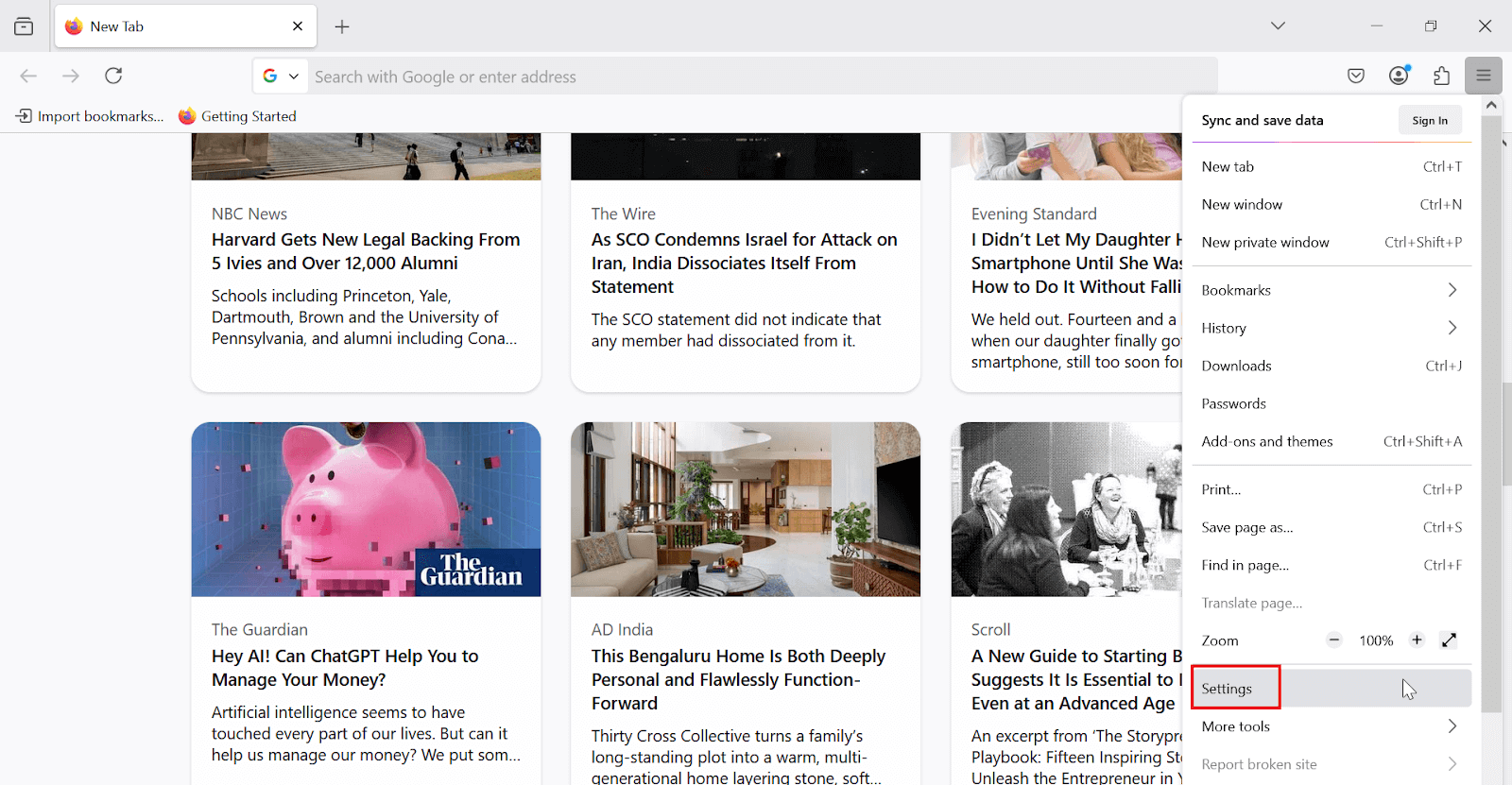
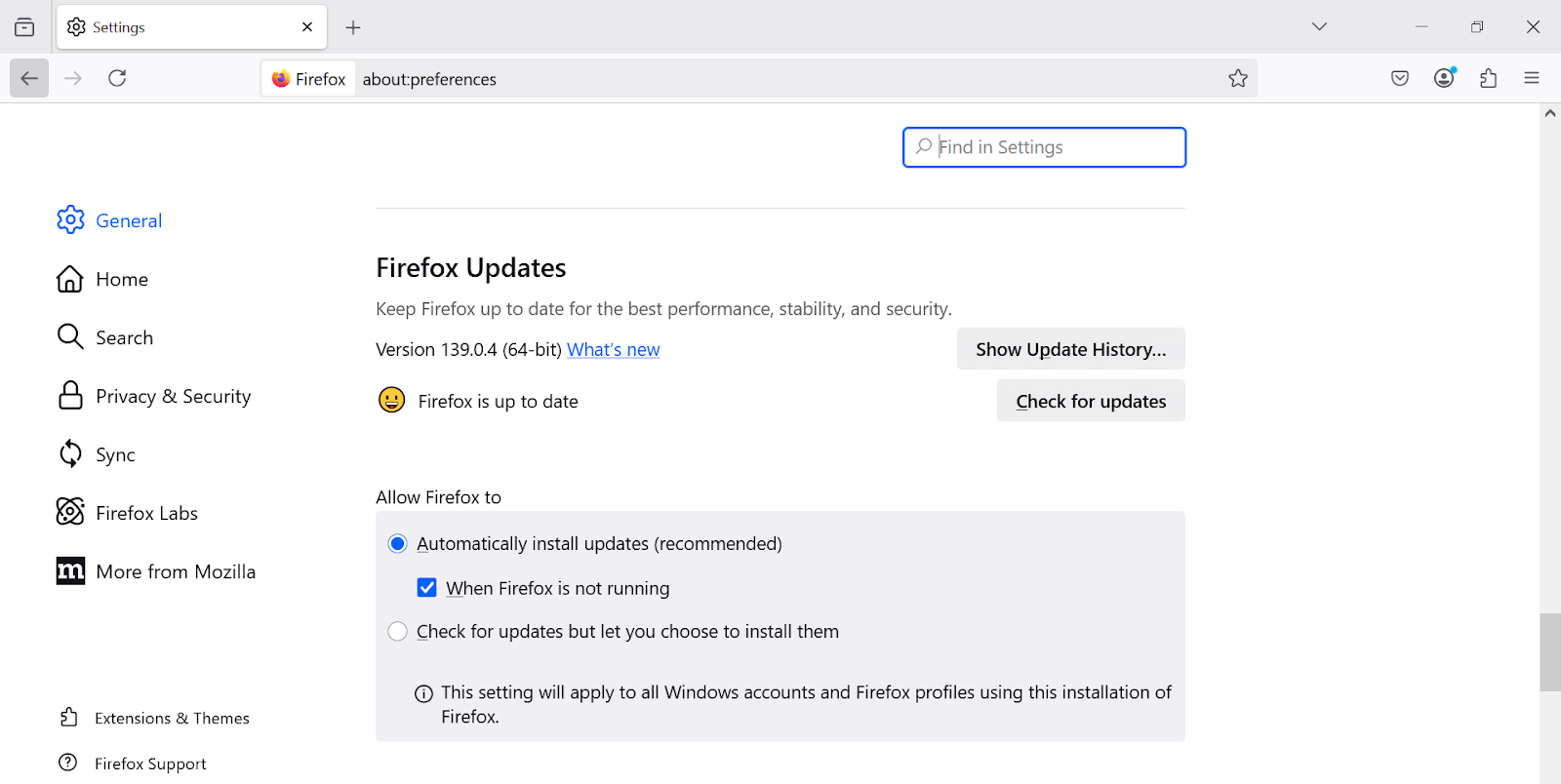
In the Firefox Updates section, you will see that the Automatically install updates (recommended) option is enabled. This ensures that Firefox remains updated in the background without requiring any manual intervention from you.
As per StatCounter, Mozilla Firefox holds a 2.64% global browser market share across platforms as of June 2025, highlighting its importance for thorough application testing. It ensures your website works seamlessly across different Firefox browser versions.
Using AI-native cloud testing platforms like TestMu AI, you can efficiently test on Firefox browsers and their different versions and platforms, ensuring cross-browser compatibility and a smooth user experience.

Why Update Firefox Browsers?
Regular updates to Firefox are not merely about accessing new features. The primary reasons to ensure that your browser is always updated include:
- Performance Enhancements: Updates often optimize Firefox’s speed, making it a more efficient tool for browsing.
- New Features and Interface Improvements: Browser updates typically introduce new features and enhance existing ones, improving user experience.
- Compatibility: New updates ensure that Firefox remains compatible with the latest web technologies and websites.
- Security Enhancements: Each new update addresses potential vulnerabilities, making your browser more resistant to cyber threats.
Conclusion
Ensuring that your Firefox browser is up to date is one of the simplest yet most effective actions you can take to protect your digital experience.
Whether you choose to update manually or rely on automatic updates, doing so guarantees that you will benefit from the latest security patches, performance upgrades, and new features. By keeping Firefox updated, you safeguard both your data and your overall browsing experience.


Frequently asked questions
Did you find this page helpful?
More Related Hubs
TestMu AI forEnterprise
Get access to solutions built on Enterprise
grade security, privacy, & compliance
- Advanced access controls
- Advanced data retention rules
- Advanced Local Testing
- Premium Support options
- Early access to beta features
- Private Slack Channel
- Unlimited Manual Accessibility DevTools Tests