

Next-Gen App & Browser Testing Cloud
Trusted by 2 Mn+ QAs & Devs to accelerate their release cycles


Test For Browser Compatibility With WordPress Plugin By TestMu AI
Ensure browser compatibility with our WordPress plugin by running full paged automated screenshots of WordPress pages on 2000+ real browsers on various devices.

Harshit Paul
January 30, 2026
Upto 32.6% of all the websites running on the World Wide Web is running on WordPress, and a majority out of them are online businesses. To say that WordPress is popular, would be an understatement. TestMu AI development team is among those WordPress fanbases too(our blog is built using WordPress). Considering the worldwide popularity of WordPress, it was only natural that our team came out with something to help fellow WordPress fans.
It is why we are up with a WordPress plugin of our own, to help you with browser compatibility of your WordPress pages and posts on more than 3000+ browsers and browser versions. Ensure browser compatibility with our WordPress plugin by running full paged automated screenshots of WordPress pages and posts across multiple real browsers running on real machines. This will not only help you make sure that all your end users get pixel-perfect experience every time, but will also help you in maintaining a regular as well as a thorough check of your WordPress web pages.
Now perform live interactive manual testing of your WordPress websites on TestMu AI.
Challenges Related To WordPress Cross Browser Compatibility
Vanilla out of the box, WordPress is pretty much compatible across all browsers. WordPress.com based websites are also quite compatible. However, no one really uses out-of-the-box WordPress. Everyone customize the platform heavily based on their requirements and this ease of customization is one of the reasons why the platform is so popular. However, this customizations sometimes mess up the browser compatibility. The root cause can be many areas, however, most WordPress compatibility issues creep up because of following features
→ Templates:
With the flexibility offered by templates, they have become a great way to deliver a powerful UI and UX. However, few templated may appear distorted on some browsers or legacy browser versions. It is why you should perform a thorough cross browser compatibility testing to realize the scope of browsers supporting your templates. Custom templates offers customization on the below-mentioned:
- Custom Menu
- Custom buttons and CTA
- JavaScript design elements
- Sliders
- Toggles
- Featured Images
- Tabs
- Custom dropdowns
- Date picker
Customizations are cool, but all these custom elements may suffer from cross browser compatibility issues. If you are planning to customize your WordPress template then be sure to perform cross browser testing.
→ Layouts:
There are numerous plugins for building layouts. This statement sounds great from a customization point of view. However, similar cannot be said in terms of browser compatibility in WordPress. Be mindful about performing a thorough round of cross browser testing when you decide to change or customize default layouts.
→ Plugins
WordPress has a huge library of available plugins developed by independent contributors. Though all these plugins are thoroughly tested by moderators and community contributors, quite a lot of time using multiple plugins may cause css and javascript browser compatibility issues. Old plugins that have not been updated for a long time, plugins created with specific wordpress versions in mind, and unplanned usage of plugins are some of the primary reasons behind these issue.
TestMu AI platform can help you to quickly make sure that your website’s look and feel does not get affected because of any new plugin. You can also use real time live interactive feature on our platform to ensure that functionality is working as well.
→ Typography:
Content is the king. Make sure yours get reflected accordingly. Some common cross browser compatibility issues related to text could lay with the alignment, padding, font-size etc. Performing a daily round of cross browser testing is imperative to keep your text typography in check.

How TestMu AI WordPress Plugin Will Benefit You?
WordPress offers an easy, scalable and highly customizable website and it does so with the help of numerous themes, APIs, plugins etc. However, the more you customize your website, the higher is the risk for cross browser compatibility as you will be integrating your website with components hosted by a 3rd party application. If that 3rd party application isn’t compatible on any major browser then you are missing on a lot of potential conversions.
TestMu AI offers a browser compatibility WordPress plugin to help you pace up the cross browser testing effort for people looking to improvise the user-experience of their WordPress website or Blog. Ultimately, boosting your daily basis productivity while ensuring better customer retention.
With TestMu AI, you can ensure browser compatibility by WordPress Plugin in the below ways.
Test Responsiveness Of Your Website
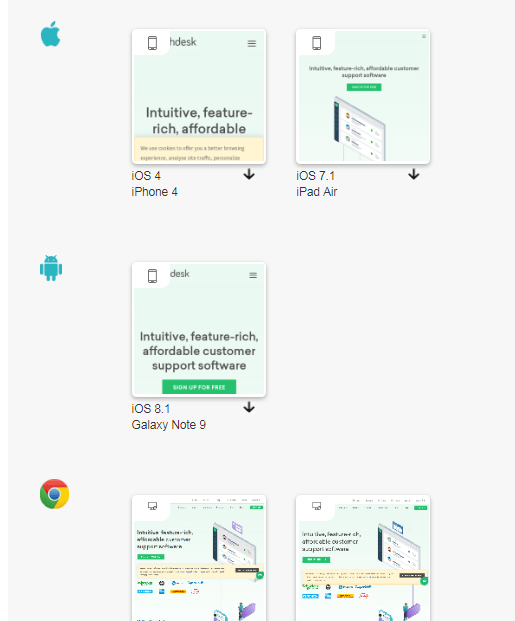
WordPress or not, RWD(Responsive Web Design) is a necessity for every business running online. However, testing how well your responsive web design is supported across various devices and browsers is not only mentally taxing but could also dig a hole in your pocket, if you go on buying all types of devices or a device lab. With TestMu AI WordPress plugin, you can perform responsive testing across a variety of mobile devices.
Perform Cross Platform Testing
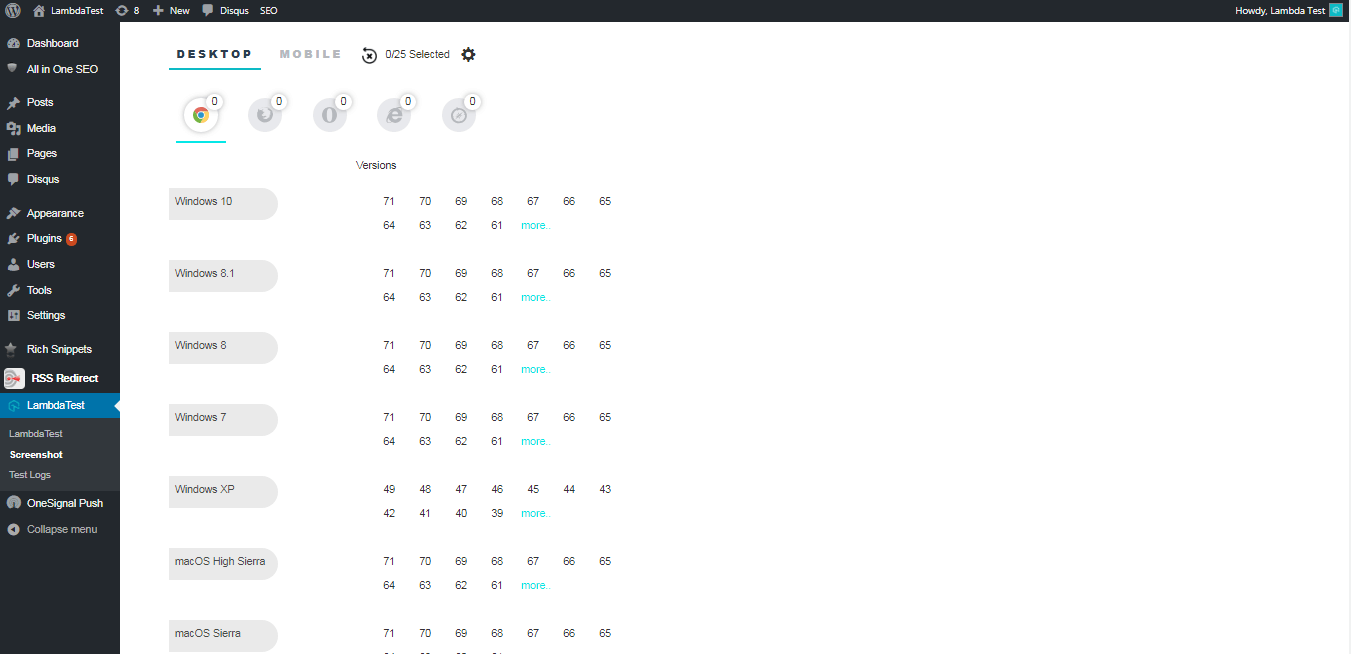
So if you are a web developer who has developed a WordPress website using MacOS, you can test your website on various versions of Windows OS to ensure a seamless web experience for all his end users.
Test Your WordPress Website View On All Major Browsers
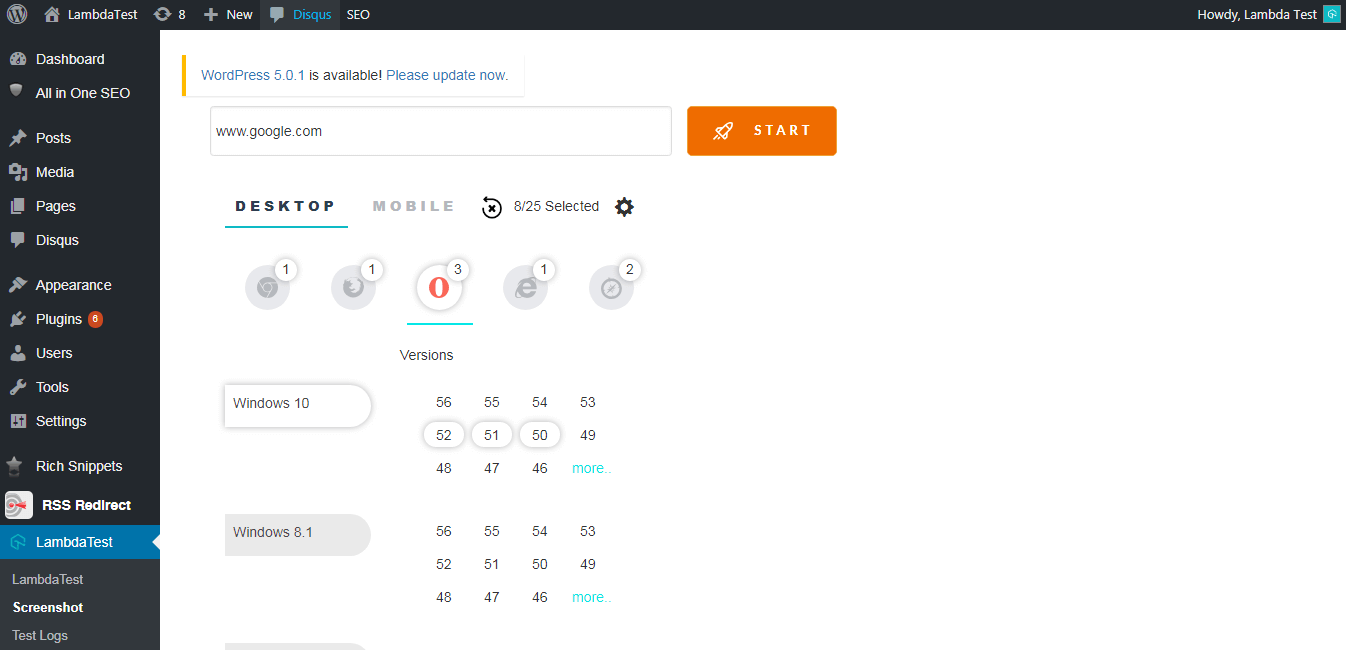
By far it is imminent that browser differences need to be scrutinized. With TestMu AI you can make sure that your WordPress website or blog is accessed seamlessly across all major browser vendors.
Test Your WordPress Website On Legacy Browser Versions
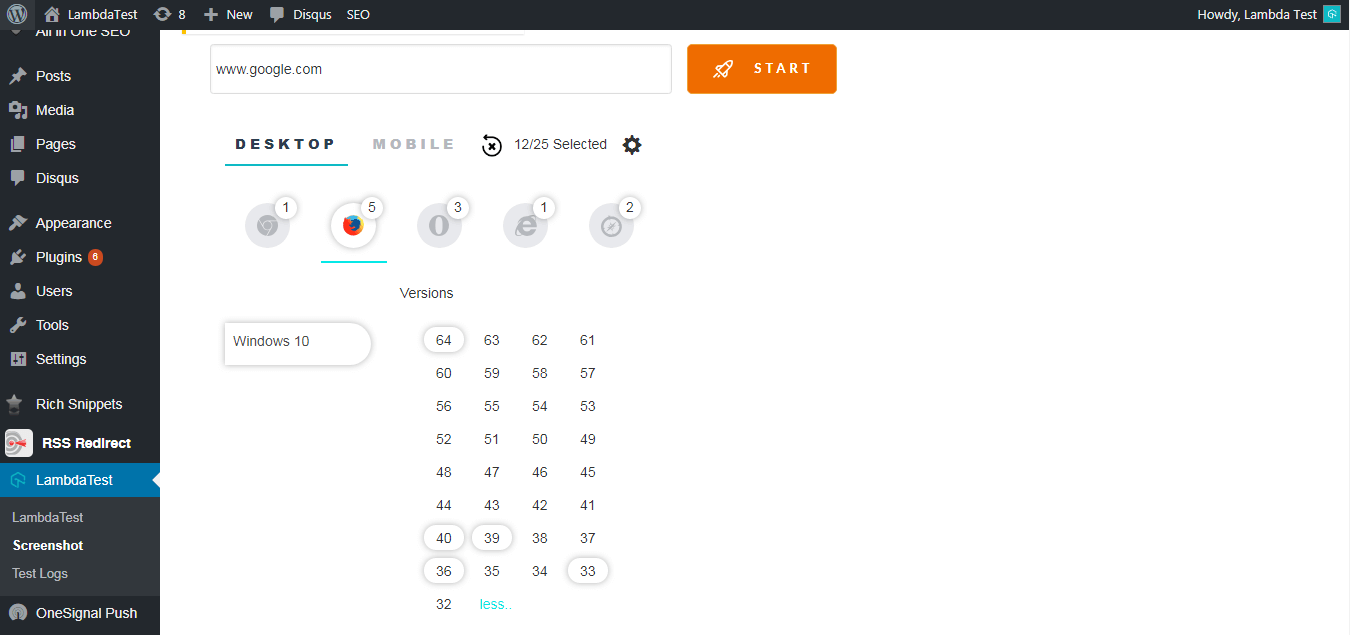
Most of the times we forget to give adequate attention to the legacy browsers as we develop our WordPress blog using recent browsers. It would be a hassle to install older versions of various browser vendors to realize the scope of supported browsers. This is where TestMu AI comes in to play, providing you with more than 3000+ browsers and browser versions, so you could ensure a robust web page for your visitors, even the ones coming from vintage browser versions.
Ensuring Browser Compatibility With WordPress Plugin Of TestMu AI
You can test your website for browser compatibility with WordPress plugin of TestMu AI immediately, by logging in to your WordPress account. Just search for ‘TestMu AI’ as you click to add a new plugin.
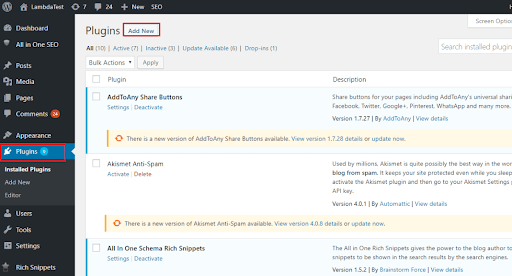
As you search for ‘TestMu AI’, click on the “Install Now”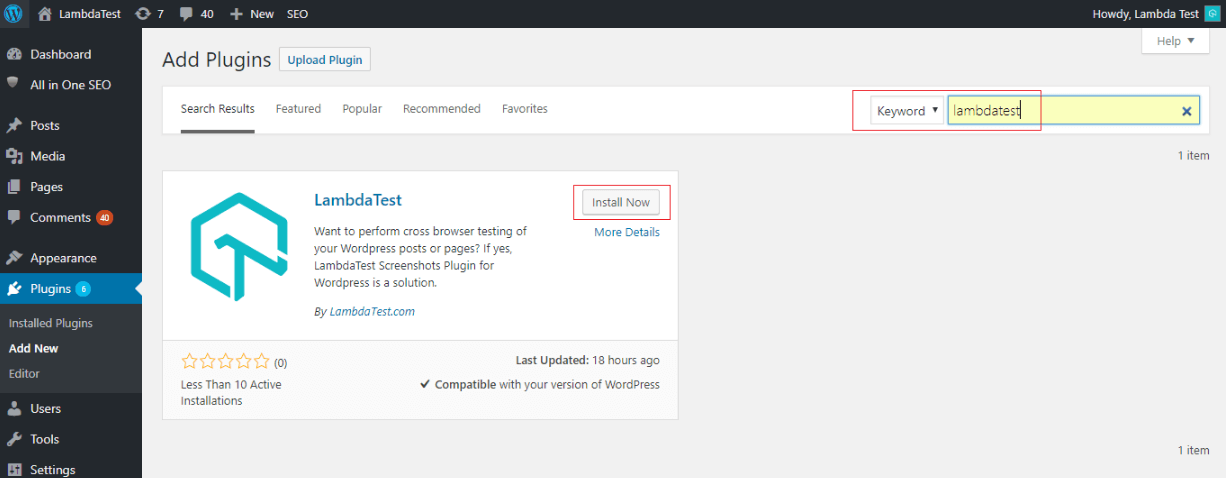
Click on the button that says ‘Activate’ and you are all done! You will now find TestMu AI under your section for added plugins.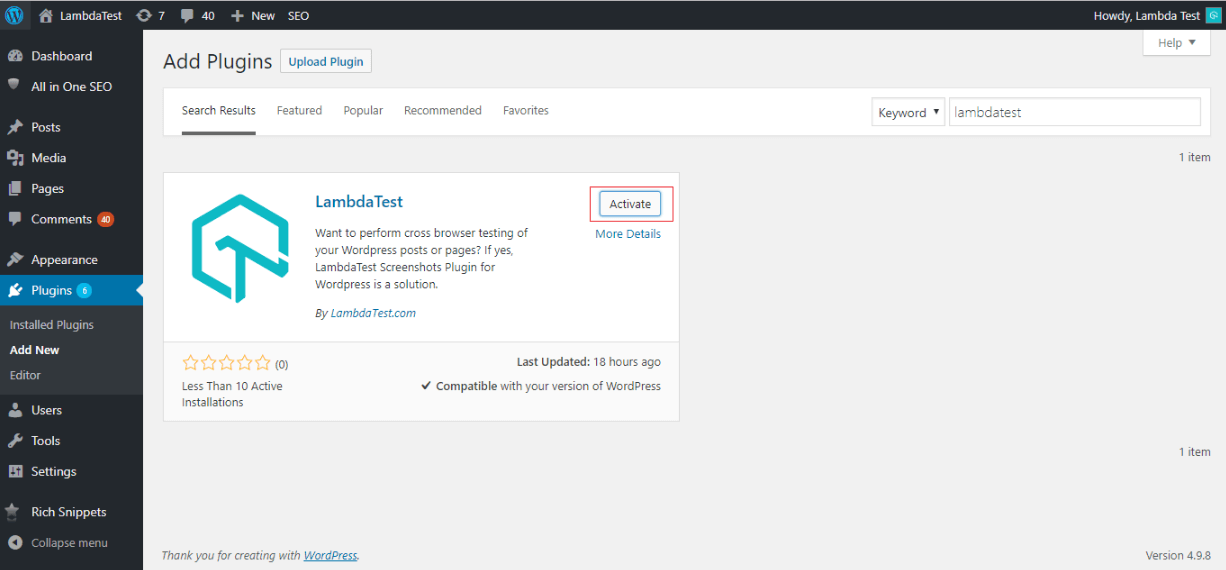
If you are an existing user of TestMu AI then all you need to do is provide your login email address and the Access key of your TestMu AI account.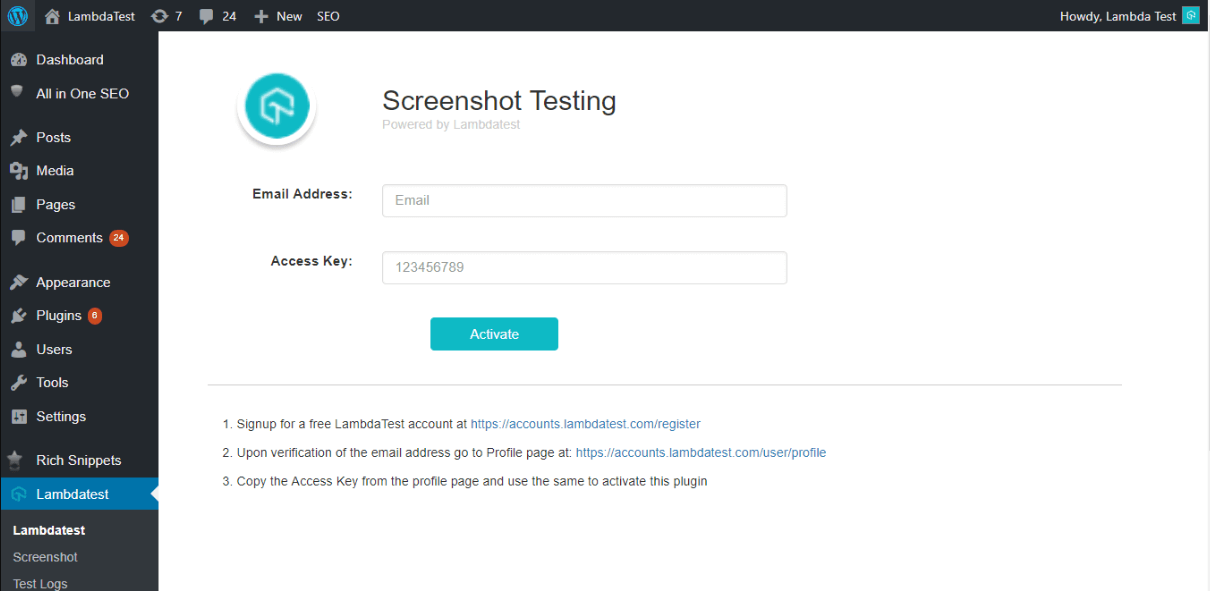
Now perform live interactive manual testing of your WordPress websites on TestMu AI.
If you have not yet signed up with TestMu AI then hurry up and do so for your free dose of browser compatibility testing.
Did TestMu AI WordPress plugin help you pace up your daily cross browser testing effort? Or drop an advise if you feel it could have done better? Let me know your thoughts in the comment section below. Happy Testing!



Did you find this page helpful?
More Related Hubs
TestMu AI forEnterprise
Get access to solutions built on Enterprise
grade security, privacy, & compliance
- Advanced access controls
- Advanced data retention rules
- Advanced Local Testing
- Premium Support options
- Early access to beta features
- Private Slack Channel
- Unlimited Manual Accessibility DevTools Tests