

Next-Gen App & Browser Testing Cloud
Trusted by 2 Mn+ QAs & Devs to accelerate their release cycles


TestMu AI Introduces Playwright Testing on Real iOS Devices with Safari
Run Playwright tests on real iOS devices with TestMu AI. Test on iPhones and iPads using Safari for accurate, reliable mobile web automation.

Bhawana
January 10, 2026
We at TestMu AI have been busy rolling out powerful updates to enhance your testing workflows, and this one’s for all the mobile web testers out there. We are thrilled to now offer Playwright testing on real iOS devices at TestMu AI. Now, you can run your Playwright scripts on actual iPhones and iPads using Safari browser, bringing real-world accuracy to your mobile browser automation testing. Here’s everything you need to know about this latest update.
The Challenge of Mobile Accuracy
Mobile web development teams face limitations when testing on emulators and simulators. They don’t fully replicate real-world behavior like touch interactions, browser rendering, or performance issues on physical devices. This often leads to unexpected bugs in production.
Automated testing on real iOS hardware eliminates these guesswork scenarios and helps you validate experiences that match how users actually interact with your app.
What’s New in Real Devices Mobile Automation?
The native support for Playwright test automation on real iOS devices enables more accurate and seamless mobile testing workflows.
This brings Playwright automation closer to real-user conditions by allowing tests to run against actual iOS hardware, capturing the subtle behaviors and quirks of Safari on iPhones and iPads that emulators often miss.
Ensures that developers can validate mobile experiences earlier in the dev cycle, especially for gesture-based interactions, layout shifts, and performance issues tied to real device constraints.
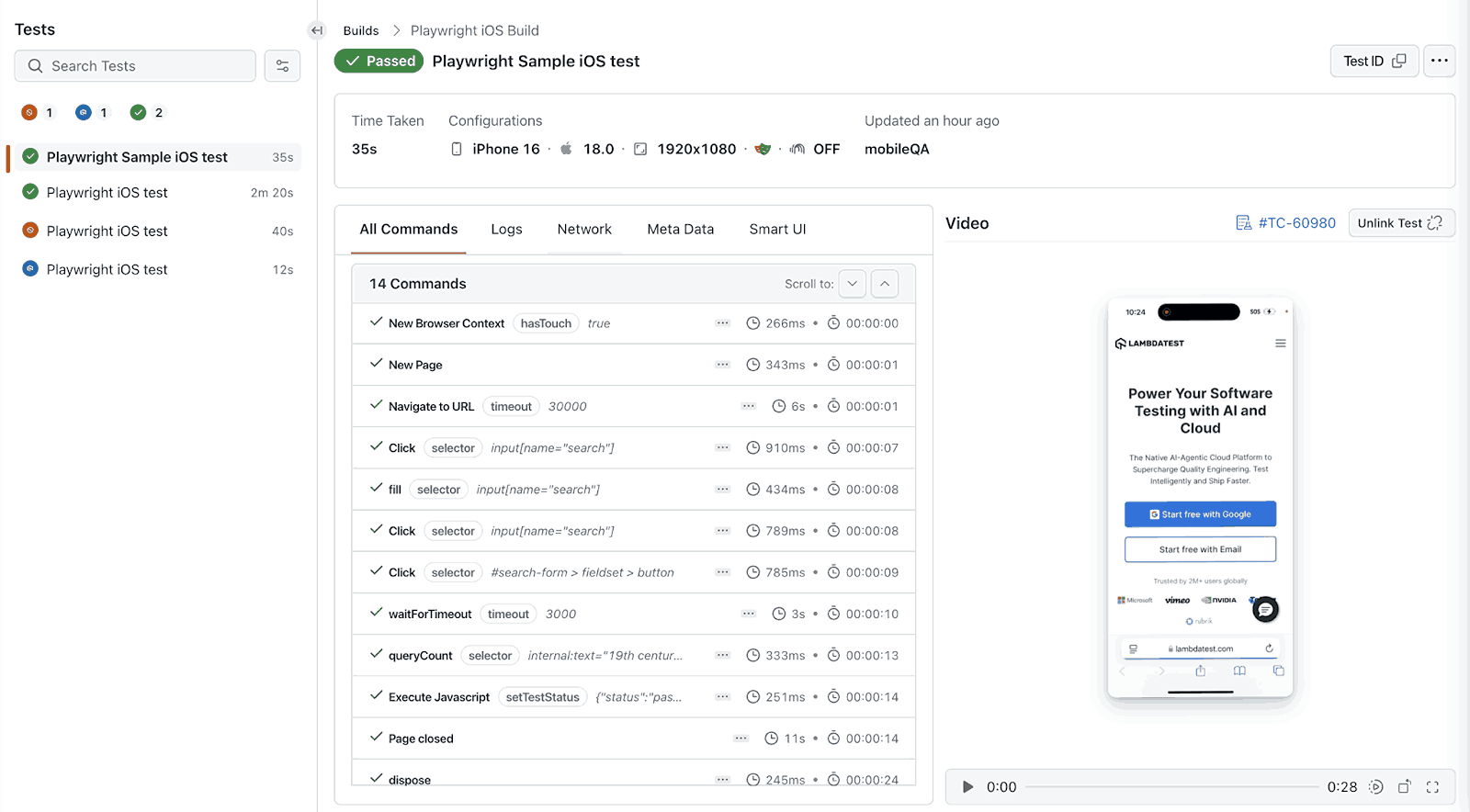
Key Capabilities:
- Real iPhones & iPads: Test on actual iOS hardware using Safari.
- CI/CD Integration: Easily integrate with your pipelines for fast feedback.
- Logs & Artifacts: Access command logs, network logs, video recordings and more for quick and easy debugging.
- Parallel Testing: Run parallel test executions across iOS real devices-Safari browser combination.

Note: Check out our detailed support documentation to get started with Playwright testing on iOS real devices

Conclusion
Playwright testing on real iOS devices marks a major step toward better mobile test accuracy. By moving beyond simulators and testing on actual hardware, development teams gain confidence and speed, without sacrificing quality.
Start testing your Playwright scripts on real devices today and ship mobile web experiences that truly work in the wild.
Happy Testing! 🚀


Did you find this page helpful?
More Related Hubs
TestMu AI forEnterprise
Get access to solutions built on Enterprise
grade security, privacy, & compliance
- Advanced access controls
- Advanced data retention rules
- Advanced Local Testing
- Premium Support options
- Early access to beta features
- Private Slack Channel
- Unlimited Manual Accessibility DevTools Tests