

Next-Gen App & Browser Testing Cloud
Trusted by 2 Mn+ QAs & Devs to accelerate their release cycles


Now Live With Latest Chrome, Firefox, Edge & Opera Browsers
We're now live with the latest Chrome, Firefox, Edge & Opera Browsers in real time testing. Improve your test coverage by performing tests on these browsers.

Rahul Rana
January 30, 2026
Howdy Testers! At TestMu AI, our users are a big part of our journey, as we constantly work towards giving the best experience to our users. While performing cross browser testing, it is essential to keep up with new browsers launched in the market, so that our users don’t lag in their testing efforts. So by keeping this in mind we’ve added more browsers on our platform, to ensure you have better test coverage. So, hang on to something, as we’ve got a lot to cover!
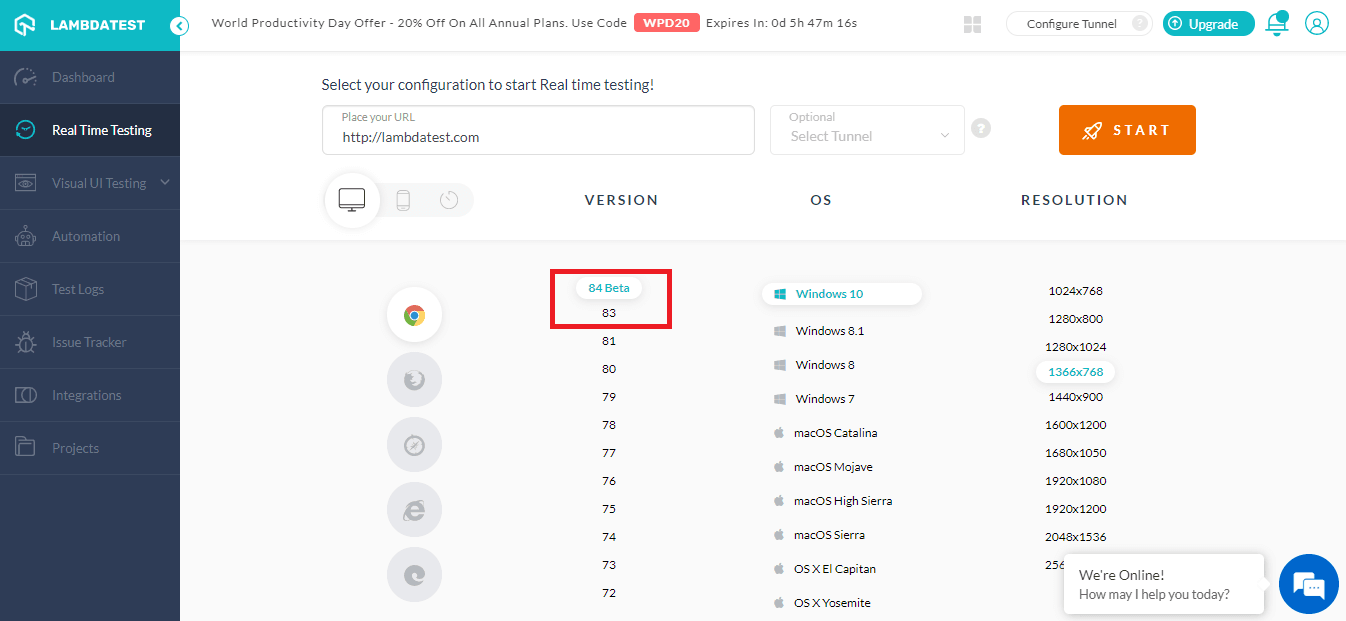
You can now perform browser compatibility testing on the Chrome latest version, latest Firefox version, latest version of MS Edge and latest version of opera. We’ve added their latest beta and stable version to improve your test coverage. Here are the latest browsers:
- Chrome 83
- Chrome 84 beta
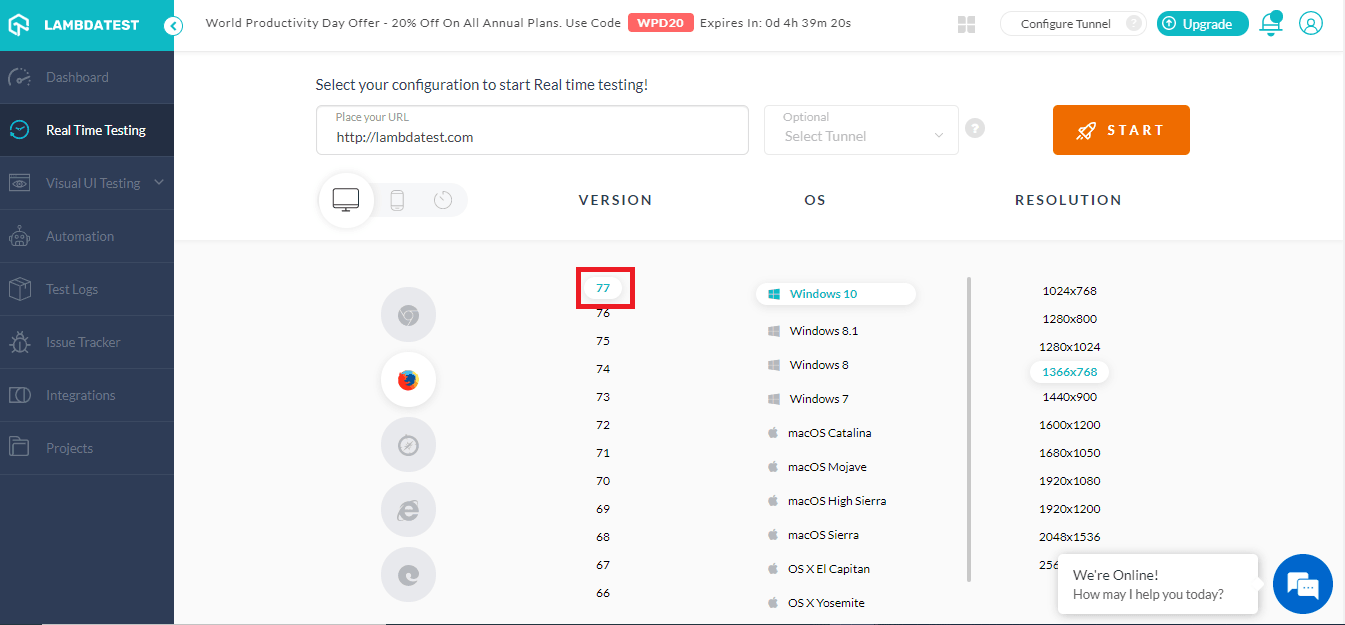
- Firefox 77
- Edge 81
- Edge 83
- Edge 84 Beta
- Opera 68
- Opera 69 Beta
Just as a side note, you can perform test on Firefox 20 to ensure your websites works on legacy browsers.
Real-Time Testing On Google Chrome 83 and 84 Beta
Chrome is one of the most popular browsers in the world right now, with around 63.91% of users opting for it. With such a huge share in the browser market, it goes without saying that you need to test on Chrome browsers. Be it the latest Chrome versions or the legacy ones.
What’s New In Chrome 83?
With every new browser version, you’d expect a few changes in how the browser renders certain elements, apart from the performance issues.
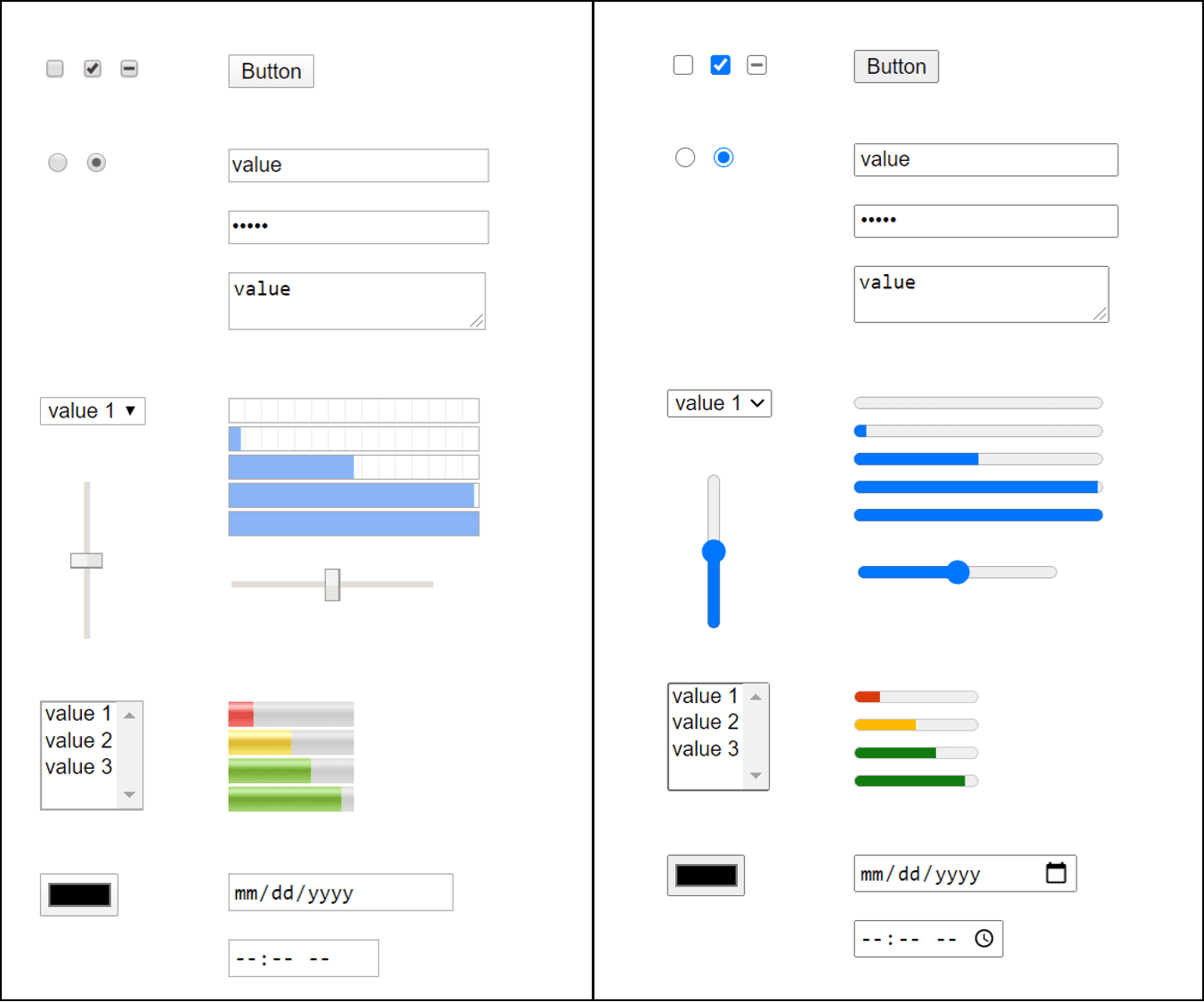
- HTML form elements have gone through a makeover!
- You can now identify memory leaks & measure memory usage with performance.measureMemory()
- Trusted types’ to prevent any security vulnerabilities due to DOM-based cross-site scripting.
Click on this link to know more about what’s new in chrome 83.
What’s New In Chrome 84 Beta?
There are certain removals and depreciation in the Chrome 84 you should keep an eye on:
- TLS 1.0 and TLS 1.1 has been removed. They have various weaknesses, which you can find in this article
- Also some, older APIs have been removed as they’re either superseded by newer versions, were previous experiments, or to be in alignment with other browsers.
There were also a few changes in the Chrome 84 Dev tools:
- New Issues Tab: To declutter the Console tab, a new issues tab is introduced to include the warning in a more structured manner.
- Accessibility Information in the Inspect Mode tooltip.
There are quite a few additions in the dev tools, you can refer google’s updateon the same.

Browser Compatibility Issues With Chrome 83 & Chrome 84 Beta
You can refer to the images below to understand the browser compatibility difference in the two browsers.
- Mixed Support

- Elements WIth No Support
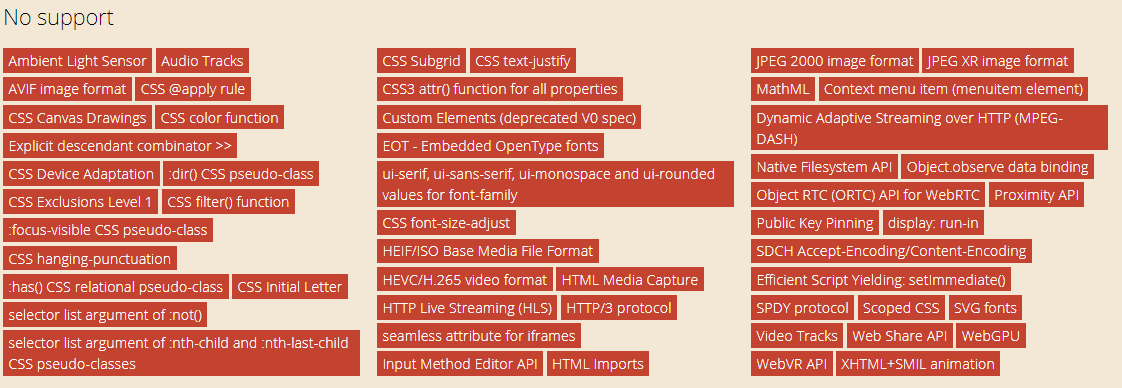
This will give you a clear insight into what elements you need to look for while performing browser compatibility testing.
Real-Time Testing On Mozilla Firefox 77
Mozilla Firefox is one of the widely used browsers only after Chrome and Safari browsers. This is why you should certainly not miss out in your test coverage. You need to perform browser compatibility testing on Firefox browsers, to ensure your users get a seamless experience.
What’s New in Mozilla Firefox 77?
Here are all the new features in Firefox 77:
- Pocket recommendations: You can now most popular stories on web in the new tab for UK users.
- WebRenderer: This feature is especially for Windows 10 users, you can now run web apps with 60 fps with WebRenderer in firefox.
For more information, refer to Mozilla Firefox release notes.
Browser Compatibility of Firefox 77 Browser
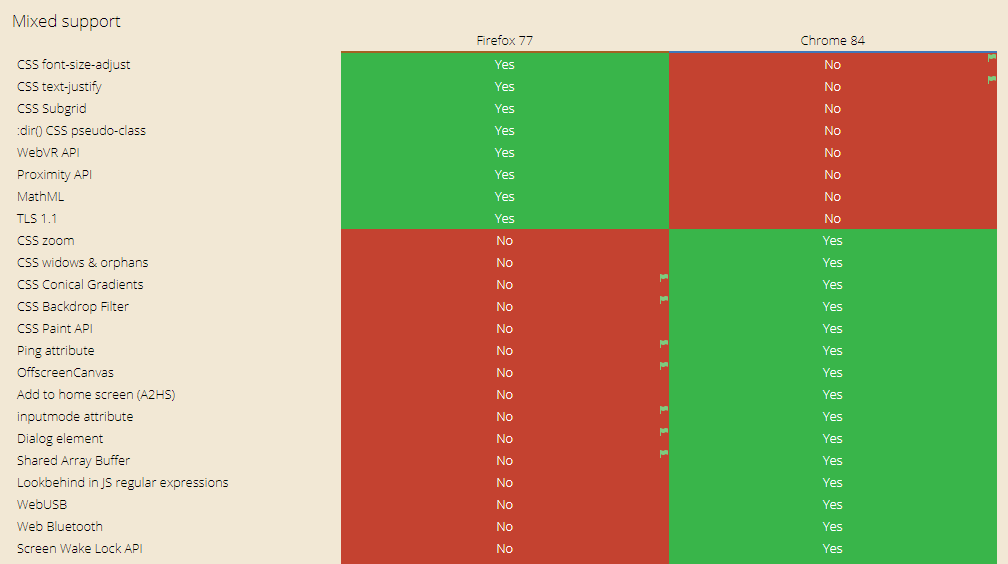
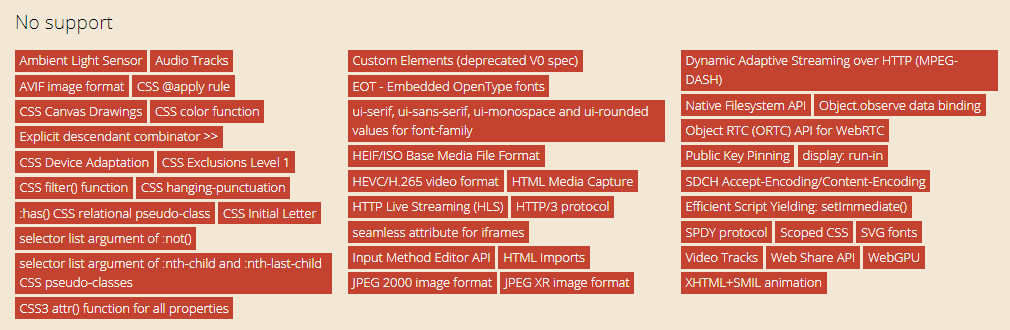
These are some of the features with mixed support in Firefox 77 and Chrome 84 browsers:
- Partially Supported
- Features with no support
Real-Time Testing on Microsoft Edge 81, Edge 83, Edge 84 Beta
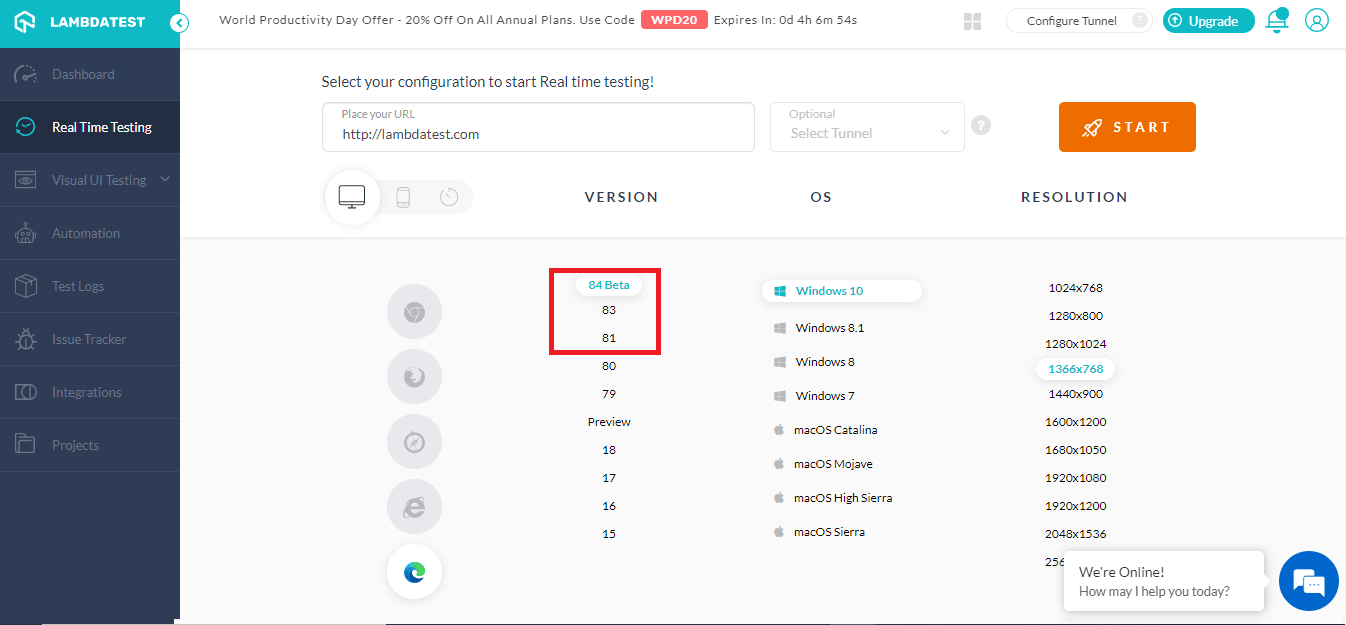
Microsoft has been rising up in the browsers wars, ever since they launched their Chromium-based Edge browsers. For testers and developers, it comes as a relief that the new Edge browsers are Chromium based and will follow standard web development norms. Edge browser has been the buzzword recently, gaining traction from various internet users. Consequently, it becomes pivotal to perform browser compatibility test on Edge browsers. Keeping this in mind, we’ve rolled out the latest Edge version, Edge 81, Edge 83, Edge 85 Beta on our platform to help you execute live-interactive test on Chromium Edge browsers.
What’s New In The Edge Browsers?
Edge 81
- Collection feature expanded to all users. Previously it was limited to Edge insiders in Canary and Dev channels.
- F12 Dev Tools are now localized for 10 new languages.
- User can now toggle Immersive reader by pressing F9.
- Added Support for Dolby Vision Playback.
You can refer to the Edge release notes to learn more about the release.
Edge 83
- Improvements in the collection feature.
- You can now sync all your extensions across every installation of edge.
- You can automatically switch in multiple profiles when you enter a website which requires authentication from your work profiles.
Edge 84 Beta
- TLS 1.0 and TLS 1.1 are now disabled
- You now get better mouse support when working in full-screen mode.
- Improvements made to the online purchase. You can now add custom nicknames to differentiate between credit cards while making payments.
Refer to Edge Beta release notes to know more about other feature rolled out in the beta release.
Browser Compatibility Of Edge Browsers
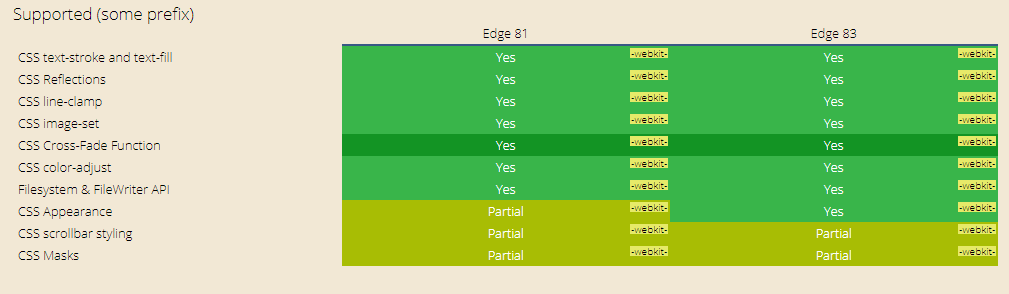
Here I’ve compared the Edge 81 browser wiith Edge 83 browser, in order to show which elements are supported in both the browser versions and what web elements are not supported.
- Supported Elements
- Elements Not Supported
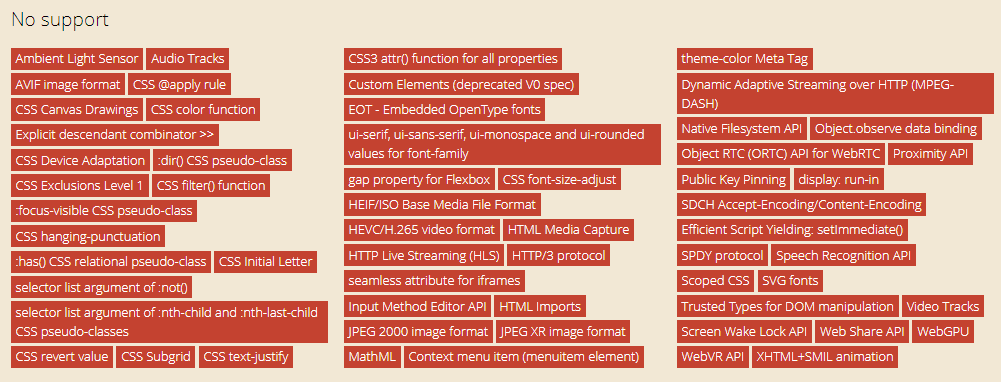
Real-Time Testing on Opera 68, Opera 69 Beta
Although Opera’s popularity has decreased slightly, it is still one of the top 5 browsers used currently. This is why you should make sure you perform browser compatibility test on Opera browsers, as a significant number of your users might still be using the Opera Browsers. We have added the latest version of Opera, i.e. Opera 68 and Opera 69 beta for real-time testing.
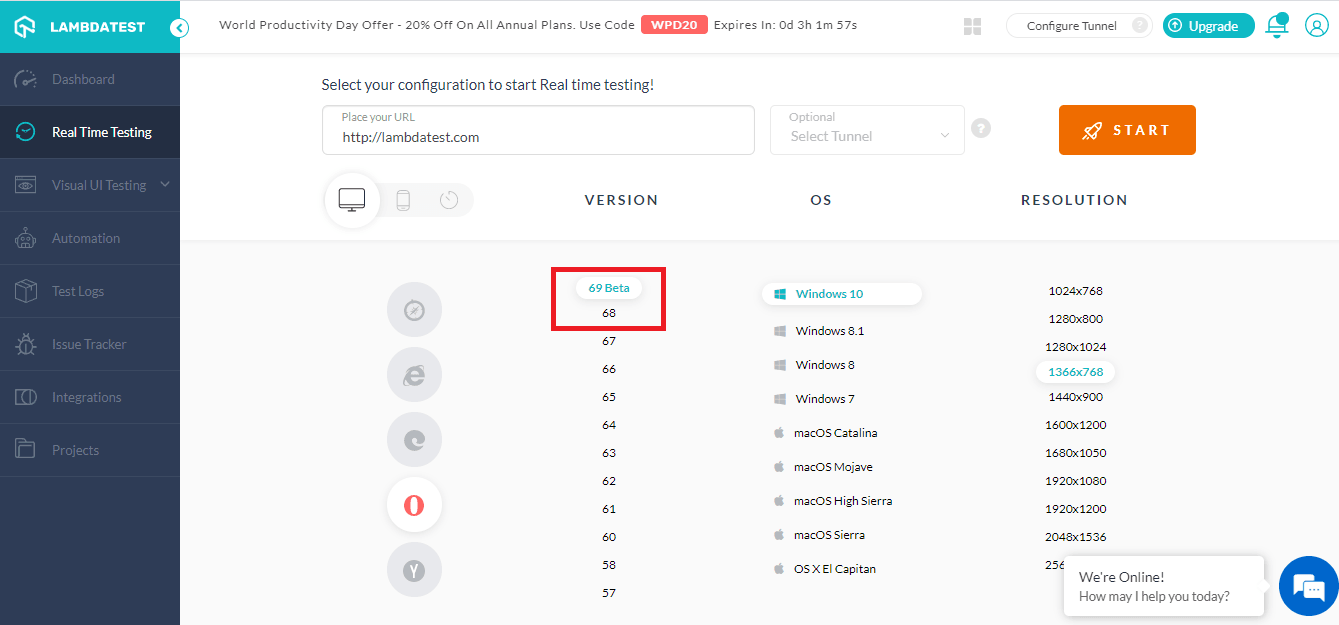
Browser Compatibility Of Opera Browsers
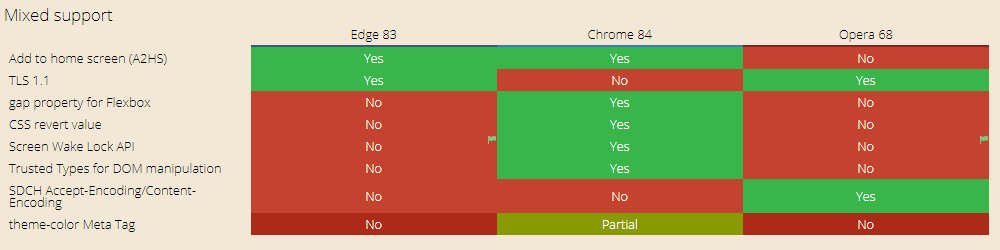
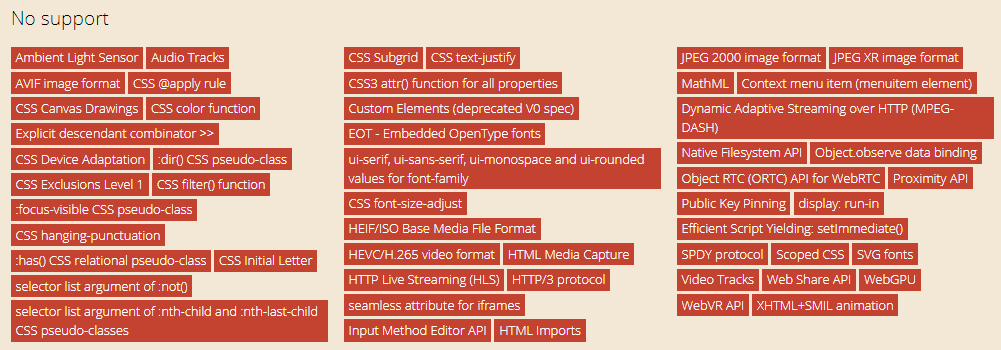
You might be already familiar with the fact that every browser has their own rendering engines and although a few web elements are supported in one browser, it might not be supported in others. In the images down below, I’ve compared the Opera 68 with Chrome 84 and Edge 83.
- Partially Supported Elements In Comparison to Latest Edge and Chrome Browses
- Elements Not Supported
The usage of translate over time in all document loads in Chrome has increased from 0.5 % in Aug 2022 to 0.20 % in March 2023.
Wait, There’s More!
Do check out all these latest browser versions and perform browser compatibility testing on them. But that’s not all we’ve been up to, we’re constantly working on new features, integrations and even new products to solve your testing needs. We’ve recently rolled TestMu AI integration with Airtable. Stay tuned for more, next week we’ll come out with more product updates.
In case if you have any questions or feature request, feel free to ask us in our 24/7 customer chat support or email us to [email protected]. Happy Testing!!!?



Did you find this page helpful?
More Related Hubs
TestMu AI forEnterprise
Get access to solutions built on Enterprise
grade security, privacy, & compliance
- Advanced access controls
- Advanced data retention rules
- Advanced Local Testing
- Premium Support options
- Early access to beta features
- Private Slack Channel
- Unlimited Manual Accessibility DevTools Tests