

Next-Gen App & Browser Testing Cloud
Trusted by 2 Mn+ QAs & Devs to accelerate their release cycles


- Home
- /
- Blog
- /
- November’25 Updates: Test on Comet & Atlas Browsers, Latest MCP Enhancements and Much More
November’25 Updates: Test on Comet & Atlas Browsers, Latest MCP Enhancements and Much More
This November releases include support for the Comet and Atlas browsers, new MCP improvements, and other changes that help you run and manage tests more easily.

Salman Khan
January 10, 2026
The November releases cover the latest web browsers (Comet and Atlas), changes to MCP authentication and regional handling, new HyperExecute features for faster test analysis, and much more!
Test on Latest Browsers: Comet & Atlas
We have added Comet and Atlas browsers for private manual and automation testing:
- Automated Testing: You can now run automated test scripts specifically on the Comet browser, allowing validation of functionality and regression scenarios within your existing pipelines.
- Private Manual Testing: You can perform interactive manual desktop browser testing on both Comet and Atlas browsers in the private cloud, enabling real-time debugging, UI verification, and direct exploration of workflows.
Note: Support for these browsers is available on demand. Atlas currently supports only manual testing, while Comet supports both automated and manual testing.
TestMu AI MCP: OAuth 2.1 Authentication and Regional Support
We have introduced new enhancements and support in the TestMu AI MCP Server that improve security and configuration flexibility. It helps you manage connections and analyze test results across regions without changing your code.
- OAuth 2.1 Authentication: MCP now supports only OAuth 2.1 Bearer token authentication. Username and access key methods have been deprecated. Clients that support OAuth2 handle authentication automatically, simplifying setup and ensuring secure connections.
- Regional Configuration: You can configure region-specific access to MCP servers, allowing you to run tests closer to your target users and reduce latency while maintaining consistent test behavior.
- Migration and Configuration Guidance: Update your MCP client to use OAuth2 and remove legacy credentials. No manual token handling is required, and all TestMu AI MCP tools remain compatible with this setup.
Deeplinks and Drag-and-Drop Support in TestMu AI KaneAI
In TestMu AI KaneAI, you can now test more complex interface behavior using deep links and drag-and-drop support.
- Deeplinks for Mobile App Authoring: Deeplinks in KaneAI let you open defined screens or actions in your mobile app through a URL.
- Drag and Drop for Web Applications: KaneAI now supports drag and drop and click-and-drag actions for desktop web apps.
Using them in KaneAI lets you jump to a specific view without walking through the usual steps. It’s useful for triggering flows, checking edge cases, or starting tests from a consistent state.
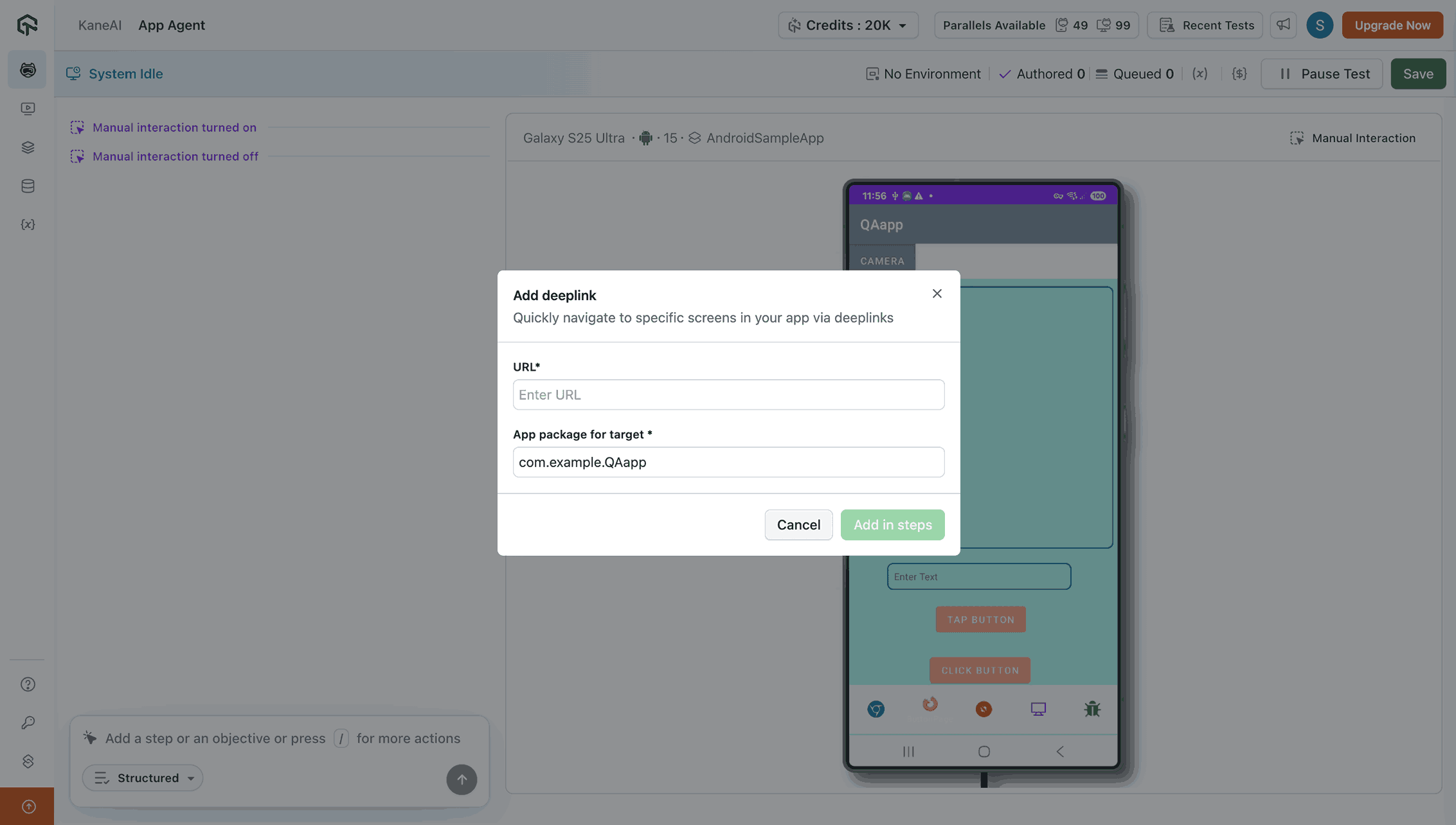
Using the KaneAI drag-and-drop feature, you can test moving items between containers, adjusting sliders, resizing elements, and working with diagrams. This makes it easier to confirm behavior in interfaces that rely on repositioning or steady motion.

New HyperExecute Features for Faster Analysis and Reliable Execution
TestMu AI HyperExecute now gathers information from different environments into a single view and lets you create reports directly inside the platform.
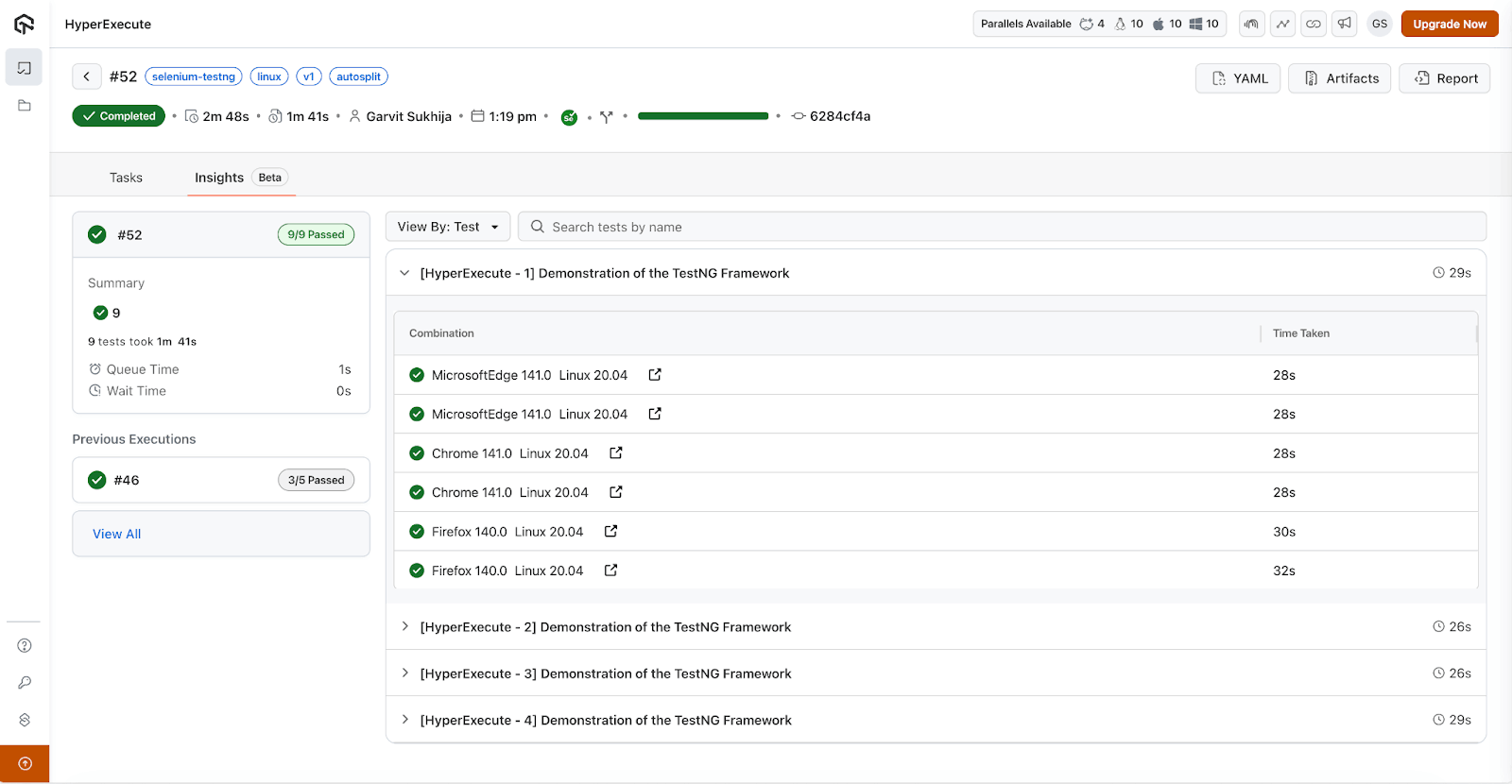
- Job Insights View: You can analyze consolidated test results from parallel or distributed test executions, track differences between runs, and identify trends to detect potential defects.
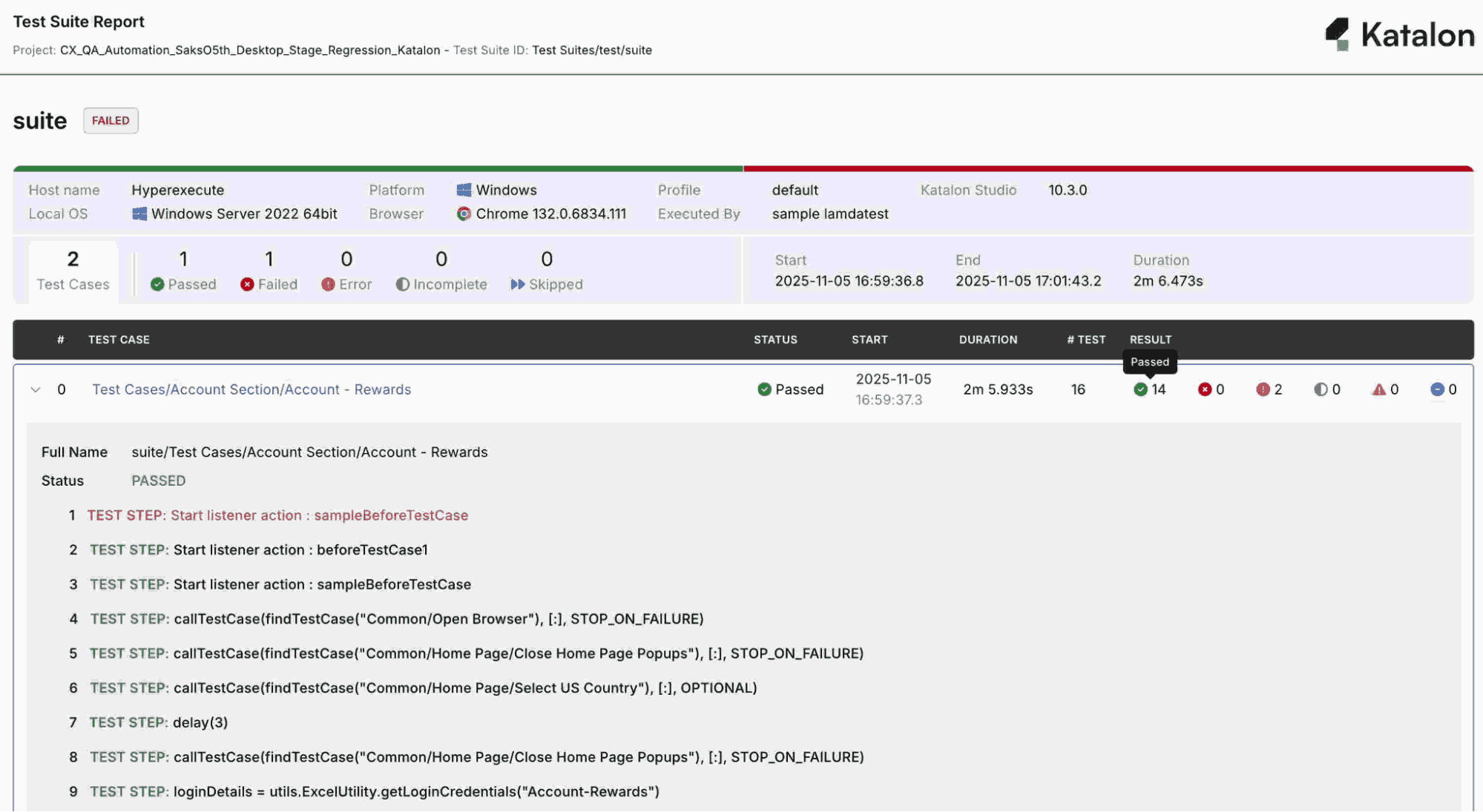
- Katalon Report Generation Support: You can export Katalon-compatible HTML reports, ensuring test results remain consistent with formats used in Katalon Studio 10 and later.
- Rerun Failed Tests on HyperExecute: You can rerun failed tests in HyperExecute or rerun the full test suite directly from the HyperExecute dashboard. The same YAML configuration applies to each rerun, and you can choose the commit and concurrency level without adjusting other settings.
- Snooper Compatibility: HyperExecute Snooper depends on Glibc (GNU C Library), so you won’t be able to run tests on Alpine images that use Musl. Using a non-Alpine base avoids compatibility issues and keeps the environment steady during troubleshooting or updates.
- View and Verify Code-Signed HyperExecute CLI Binaries: You can now verify authenticity of HyperExecute CLI binaries by checking their digital signatures. Each release includes a signature that you can verify on Linux, macOS, or Windows before using the HyperExecute CLI binaries.
Latest SmartUI Features for Enhancing Visual Test Reliability
These updates help you analyze visual test results more consistently by controlling dynamic content and protecting sensitive information during snapshot capture.
- Custom CSS Injection: SmartUI Custom CSS Injection feature lets you apply test-specific styles during snapshot capture without modifying your application source code. This feature enables:
- Stabilizing Visual Tests: Normalize dynamic content to ensure consistent results across different environments.
- Masking Sensitive Information: Hide private data during tests to keep your test environment secure.
- Centralized Test Logic: Manage all visual testing rules in one place, ensuring easy maintenance while keeping them separate from your production code.
- SmartUI WebScanner Capabilities: These features help you analyze how your application behaves across devices, locations, and access scenarios, improving coverage and reliability.
- Device Preview (DP): Simulate your app on multiple device types and screen sizes to verify that UI elements render correctly and interactions work as expected.
- Geolocation Simulation: Test location-dependent features by simulating users from different geographic regions, ensuring functionality behaves consistently across locations.
- Tunnel Access: Securely connect to applications behind firewalls, allowing tests to reach internal or restricted environments safely.
- Login Configurations: Set up multiple authentication scenarios to test different login flows and verify access control behavior across user types.
- Delete Project: You can permanently delete a project from SmartUI. This operation cannot be reversed, and the project cannot be recovered once removed.
Only the project admin or the project creator can delete a project, ensuring that project removal stays restricted to users with the appropriate permissions.
Email Enhancements in Build Insights
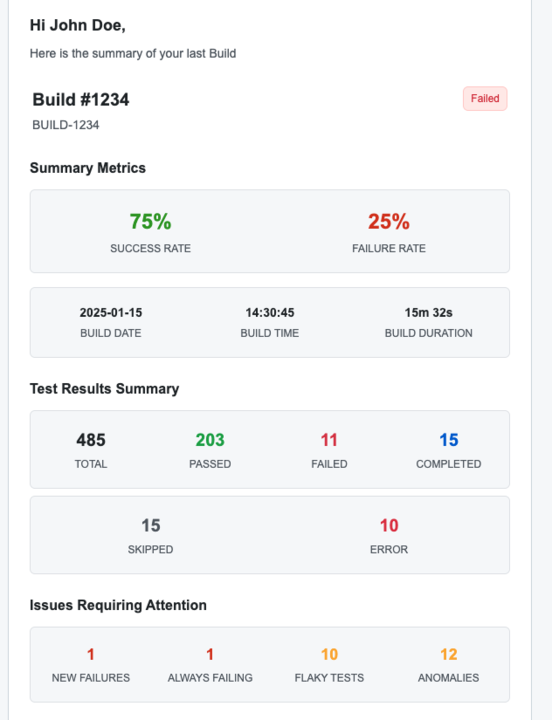
In TestMu AI Test Insights, we have updated Build Insights email notifications to make it easier for you to inspect test metrics directly from your inbox.
- Interactive Dashboard Summary: Emails for user-created dashboards now include clickable test counts. Selecting a number takes you straight to the corresponding test results in Build Insights.
- Improved Navigation: You can access specific test information without opening the dashboard manually, helping you analyze test results with fewer steps.
- Workflow Efficiency: These updates reduce navigation time for teams relying on email notifications and make the metrics in each summary immediately actionable.

Note: Analyze builds quality through AI-native test reports. Try TestMu AI Today!
Wrapping Up!
Overall, these updates extend browser options, improve result analysis in HyperExecute, add stability and control in SmartUI, and align MCP with current authentication standards. They give you more flexibility in how you run tests, review outcomes, and manage configurations without changing your existing workflows.


Did you find this page helpful?
More Related Hubs
TestMu AI forEnterprise
Get access to solutions built on Enterprise
grade security, privacy, & compliance
- Advanced access controls
- Advanced data retention rules
- Advanced Local Testing
- Premium Support options
- Early access to beta features
- Private Slack Channel
- Unlimited Manual Accessibility DevTools Tests