

Next-Gen App & Browser Testing Cloud
Trusted by 2 Mn+ QAs & Devs to accelerate their release cycles


New TestMu AI Tunnel Binary For Better UI, Enhanced Security, Performance & More!
We have now upped the level of our existing TestMu AI Tunnel by introducing new and exciting features like color-coded logs, enhanced security, MITM mode, environment variable support & much more. Find out what’s new in our tunnel binary in this blog.

Salman Khan
January 10, 2026
Hey folks! We hope this announcement finds you well amid this pandemic. In 2018, we announced the first release of the TestMu AI Tunnel to help our customers conduct cross browser testing on their locally hosted web applications and web pages before pushing them out for the world to see. If you have been following our latest updates, you know the TestMu AI team has been hard at work, updating the existing platform and putting together some great new features for our users. Now, we’re back again with our latest product update.
We’re delighted to announce that from November 2020 onwards, we have rolled out an upgraded version of the TestMu AI Tunnel binary with a new user interface, enhanced security mechanisms, and much more.
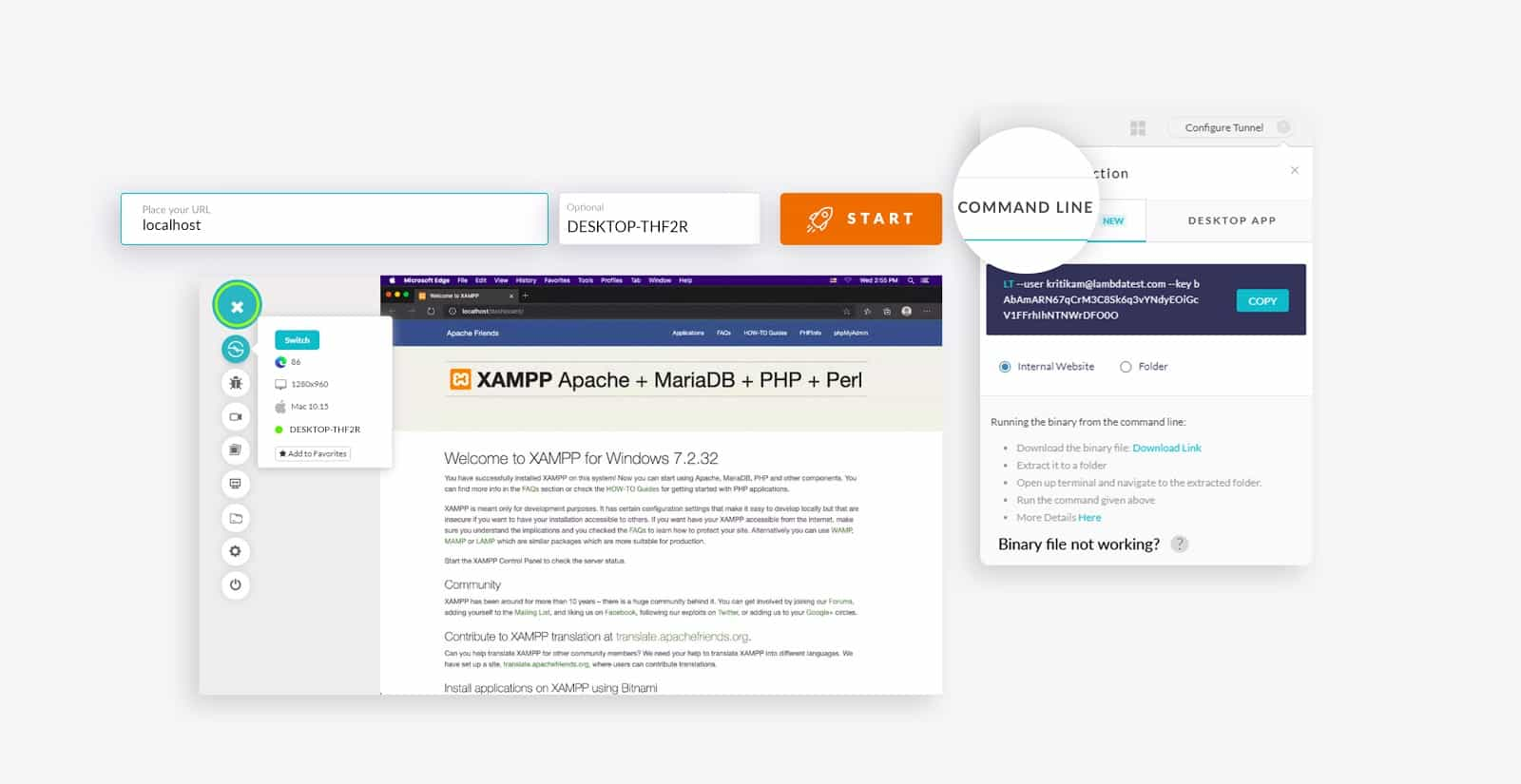
Let’s dive in to uncover the great features of this new binary.
What’s New In The Revamped TestMu AI Tunnel?
Without further ado, let us start right off with everything there is to know about the all-new TestMu AI Tunnel. Here are the details of all the best features you can expect to see in our latest version of the binary tunnel.
1. Added Colored Logs
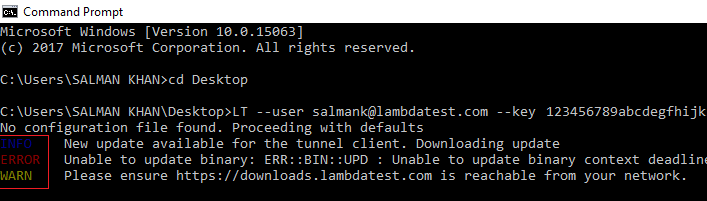
With the current release, we have enabled a color-coded terminal output for viewing tunnel logs. You can see your logging messages in standard colors. Here is the demo screenshot for the tunnel view logs that shows the tunnel info message, an error message, and a warning message.
2. More Secure Than Ever
Along with Secure Shell, tunnel now covers multiple protocols such as Web Socket, HTTPS to help you build a secure and dedicated tunnel connection between your device and TestMu AI cloud servers via corporate firewalls.

3. MITM Mode Is Now Supported
Earlier MITM mode was supported only in UnderPass. But now we have incorporated MITM mode in our new binary for testing websites using self-signed certificates on your local system. In case your local system does not have valid SSL certificates, you can leverage MITM mode to perform local testing of your web apps. With the latest support for the tunnel info APIs, you can retrieve the tunnel’s current status and use it to halt the tunnel.
If you test a website on the localhost which does not have SSL certificates, you may get the following error:
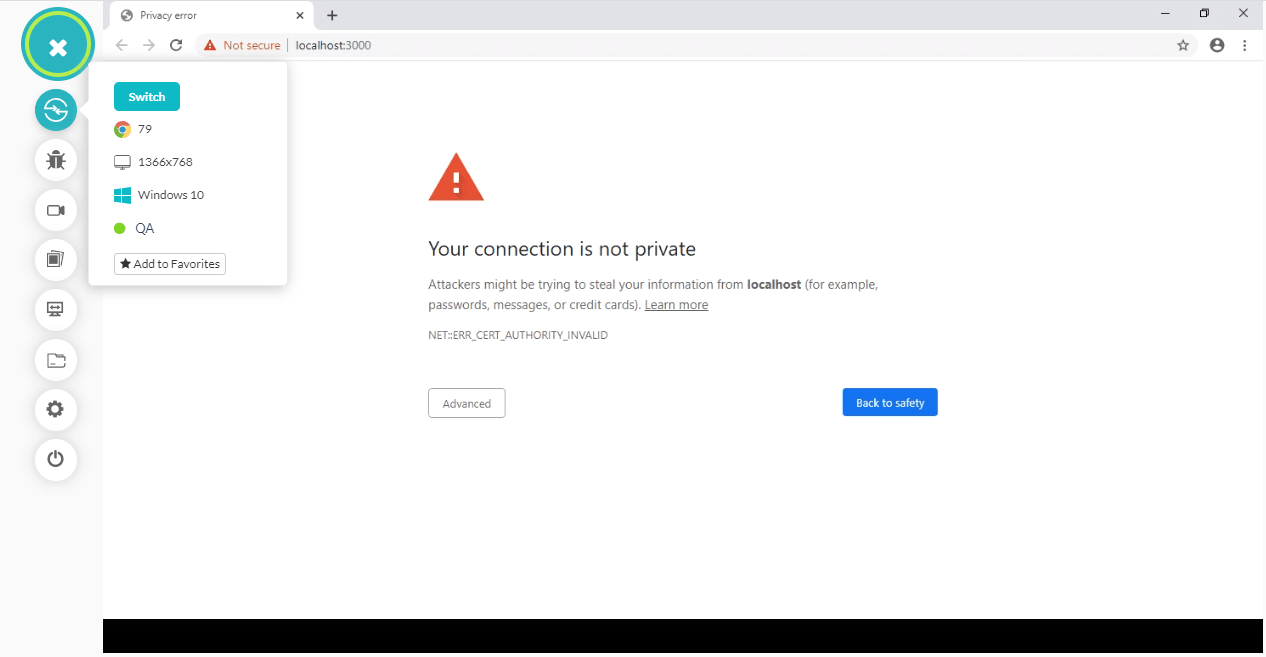
In such cases, you can execute the MITM mode. The command for MITM mode will look like.
LT --user [email protected] --key 123456789abcdefghijklmnopqrstuv --tunnelName LambdaTest --mitm
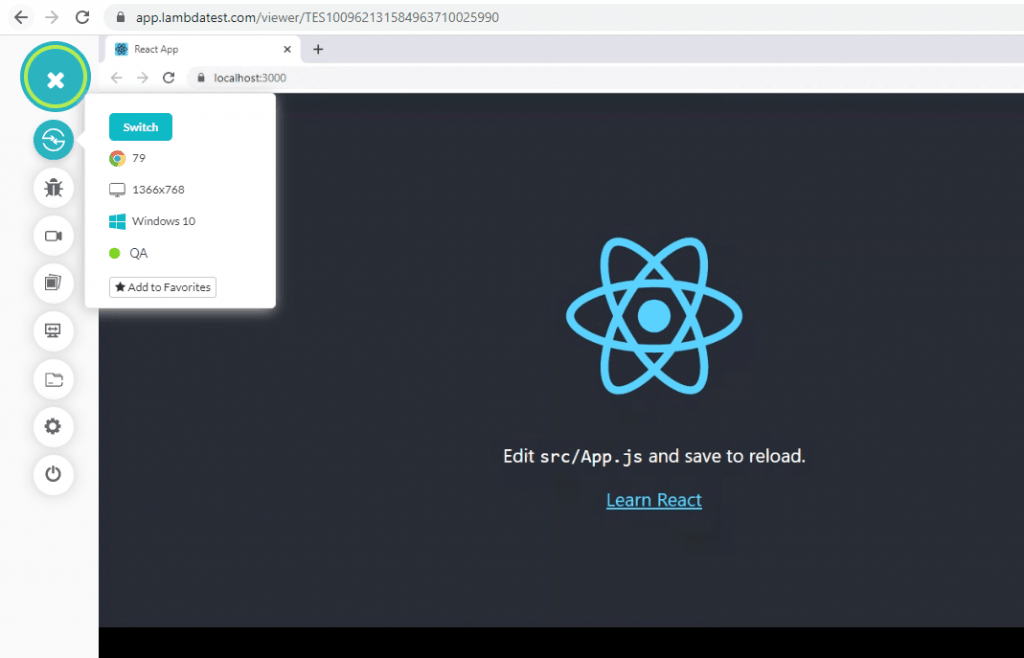
Here’s a screenshot of the same website that was throwing an error earlier, but now it can be tested by executing the MITM mode.
4. Support For Environment Variables
We have added different proxies that can be used simultaneously to connect to the TestMu AI Tunnel server and proxy browser requests. If you wish to run an automation test, you can leverage these environment variables to define your proxy settings. You can refer to the documentation Environment Variables Supported By TestMu AI Tunnel.
5. Newly Added Lambda Modifiers
Additional new flags have been added to the new binary, and few of them have been excluded. To get a look at all of the modifiers/arguments used in the TestMu AI Tunnel, you can check out our documentation on TestMu AI Tunnel Modifiers.
Here is the list of newly added modifiers-
| Command | Description | Type |
|---|---|---|
--bypassHosts | Comma separated list of hosts to bypass the tunnel. These will be routed via the internet. | String |
--callbackURL | Callback URL for tunnel status | String |
--egress-only | Uses proxy settings only for outbound requests | N/A |
--mitm | MITM mode to test locally hosted pages | N/A |
--no-proxy | Comma separated list of hosts to bypass proxy when using tunnel | String |
--sshConnType | Specify type of ssh connection (over_22, over_443, over_ws) | String |
--skip-upgrade | Skips Check for Burrow Updates | N/A |
6. Legacy Binary Still Works
In case you wish to set up the legacy version, you can download the files using the option ‘Binary file not working?’ by clicking the question mark next to the Configure Tunnel button.
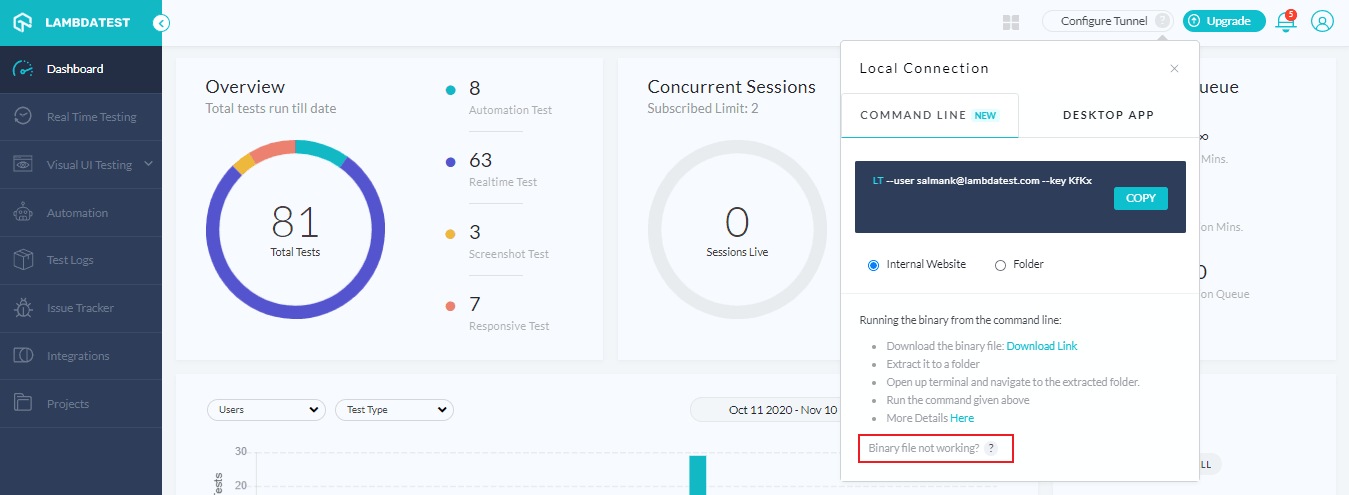
You can refer to our step-by-step guide to TestMu AI Tunnel if you’d like to dive deeper into the new binary.

Use TestMu AI Tunnel With Docker Image For Development
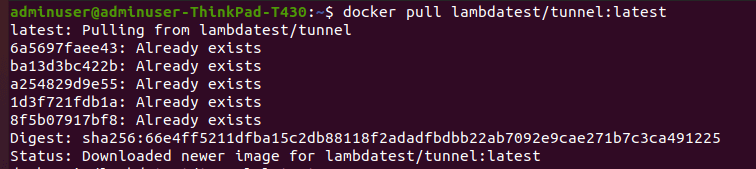
By default, the TestMu AI Tunnel will no longer be able to access web apps running on host machines or other docker containers using localhost or 127.0.0.1 when you run it using docker containers.
What does it mean for you?
Your test scripts need to be modified to access the target web app, according to the docker network topology and host operating system. This applies to Linux, Windows & Mac machines. The most idiomatic way of testing docker infra is creating a custom bridge network and access services using their container names. We recommend creating a custom bridge network and accessing services using their container names for testing docker infra.
You can refer to our guide to Docker tunnel for testing locally hosted pages.
Bonus Additions & Fixes!
Before we wrap up this update, let’s share some more interesting features & updates that we recently added. You can now perform cross browser testing for Chrome 87 (beta) & Edge 86. Additionally, we have added the option to configure a Queue Timeout in your tests. You will also notice an enhanced version of our concurrency API & command logs. Lastly, we have also fixed assertion errors/ Terminal Logs pipeline & video error messages that some of our users reported. And we hope these new updates help make our users’ lives even easier than they were before.
Wrapping Up!
That is all for today, folks. Hope you have a good time testing your website locally without any hiccups. That’s exactly what the new TestMu AI Tunnel is for! If you do come across any issues, feel free to reach out to our 24*7 chat support.
Stay tuned for more amazing updates from our side. We are always looking to provide you with the best cloud testing product ever.
Happy testing!


Did you find this page helpful?
More Related Hubs
TestMu AI forEnterprise
Get access to solutions built on Enterprise
grade security, privacy, & compliance
- Advanced access controls
- Advanced data retention rules
- Advanced Local Testing
- Premium Support options
- Early access to beta features
- Private Slack Channel
- Unlimited Manual Accessibility DevTools Tests