

Next-Gen App & Browser Testing Cloud
Trusted by 2 Mn+ QAs & Devs to accelerate their release cycles


Mar’23 Updates: App Profiling For Appium, Widget Enhancements In Test Analytics, And More
This release includes some new features like App Profiling for Appium tests, support for Selenium 4.8.0, and more. Check out what’s new at TestMu AI in March.

Salman Khan
January 27, 2026
Amid an exciting phase of product development at TestMu AI, a lot is happening in parallel at the moment. Last month, we unveiled the new features and enhancements to our digital experience testing platform, striving to provide our users with the capabilities they need to optimize testing workflows and drive their digital transformation forward.
Our latest features for March include support for Selenium 4.8.0 for web automation, new Firefox browsers on HyperExecute, enhancements in Test Analytics and Smart UI testing, an App Profiling feature for Appium tests, and much more.
Read on to know what we have in store for you.
HyperExecute unveils the latest features and enhancements
Now unleash the power of HyperExecute Cloud with the newly added features and enhancements. From new Firefox browsers to filtering through screenshots on Smart UI tests, HyperExecute has everything to hasten your testing process.
Here is a brief overview of each of these features in turn:
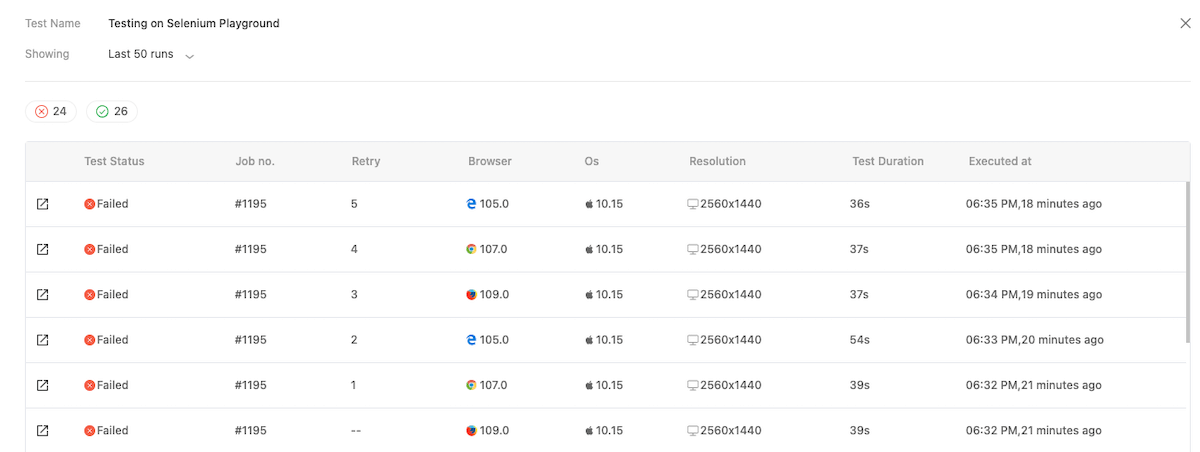
- You can now view the recent history of your tests. This will help monitor the changes to your web application and understand exactly how they affect it.
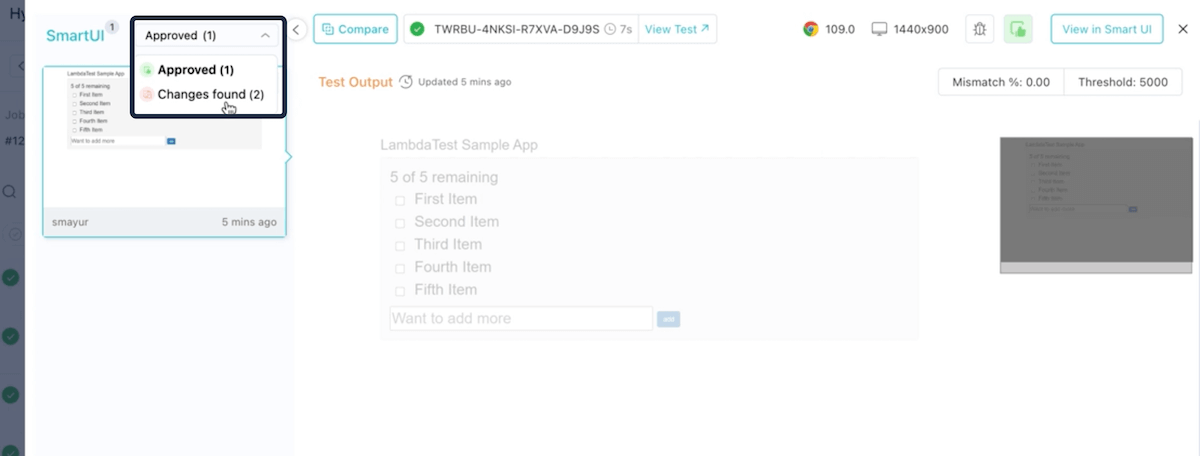
- You can now filter through your screenshots while running Smart UI tests on the HyperExecute platform. This filter enables you to toggle through the screenshots based on their status, such as Approved or Changes found.
- The latest browser versions of Firefox are available for testing – Firefox 109 and Firefox 108.
Web Automation Testing with Selenium 4.8.0
Selenium 4.8.0 is the latest release of the popular framework that brings a range of new features and improvements to the table. Some key features of Selenium 4.8.0 are – support for Chrome DevTools on Chrome 107, 108, and 109, Initial BiDi support for JavaScript and Ruby, and more.
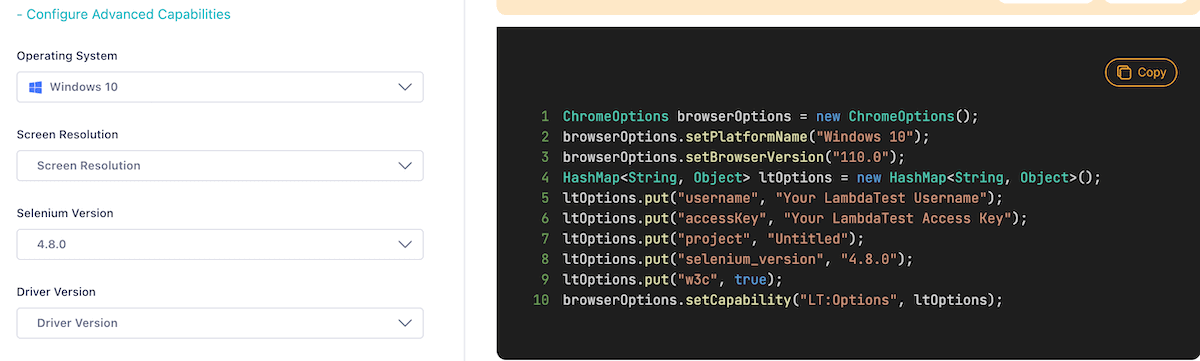
We are pleased to announce that TestMu AI Automation now supports Selenium testing with the latest Selenium 4.8.0.
You can generate desired capabilities for Selenium 4.8.0 from the TestMu AI Automation Capabilities Generator.
Here is the support document to get started with Selenium testing.

Widget enhancements in TestMu AI Test Analytics
The latest release of TestMu AI Test Analytics includes significant enhancements to Edit Widget functionality and improved metric customization options.
Check out the below enhancements:
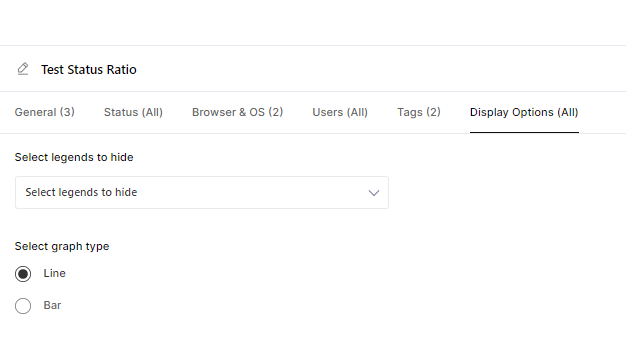
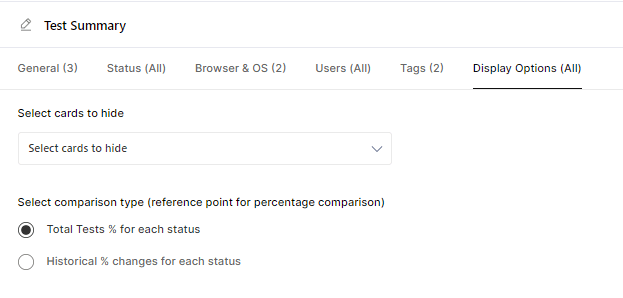
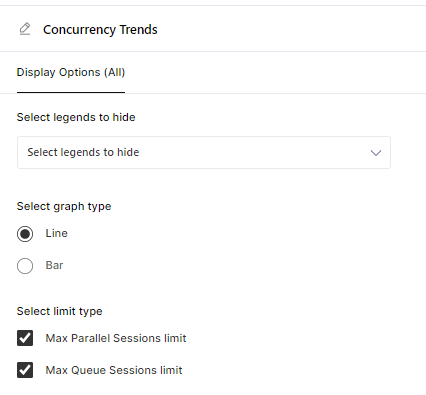
- We have expanded our widget customization capabilities. Now you can customize the widgets’ visualization more easily, with features such as
- Changing the graph type to represent the data better.
- Making graph legends visible or invisible for a cleaner, more focused view.
- Ability to customize the percentage value displayed on the Test Summary and Test Case Health Snapshot cards for Web Automation, App Automation, and HyperExecute. With this added flexibility, you can customize the metrics displayed to meet your specific web project needs.
- With Concurrency Trends, you can now show or hide parallel and queued annotation lines. This feature will help you focus on the most relevant data while analyzing concurrency trends.
New features in Smart UI Testing for Storybook
We have released the latest features and upgrades for Smart UI testing using Storybook. Here are the ones:
- Added support for an intelligent Git-based baseline branching system to easily select baseline build for Storybook. This feature selects an appropriate baseline build based on the code changes committed to Git. You can easily track these changes with commit numbers and commit messages.
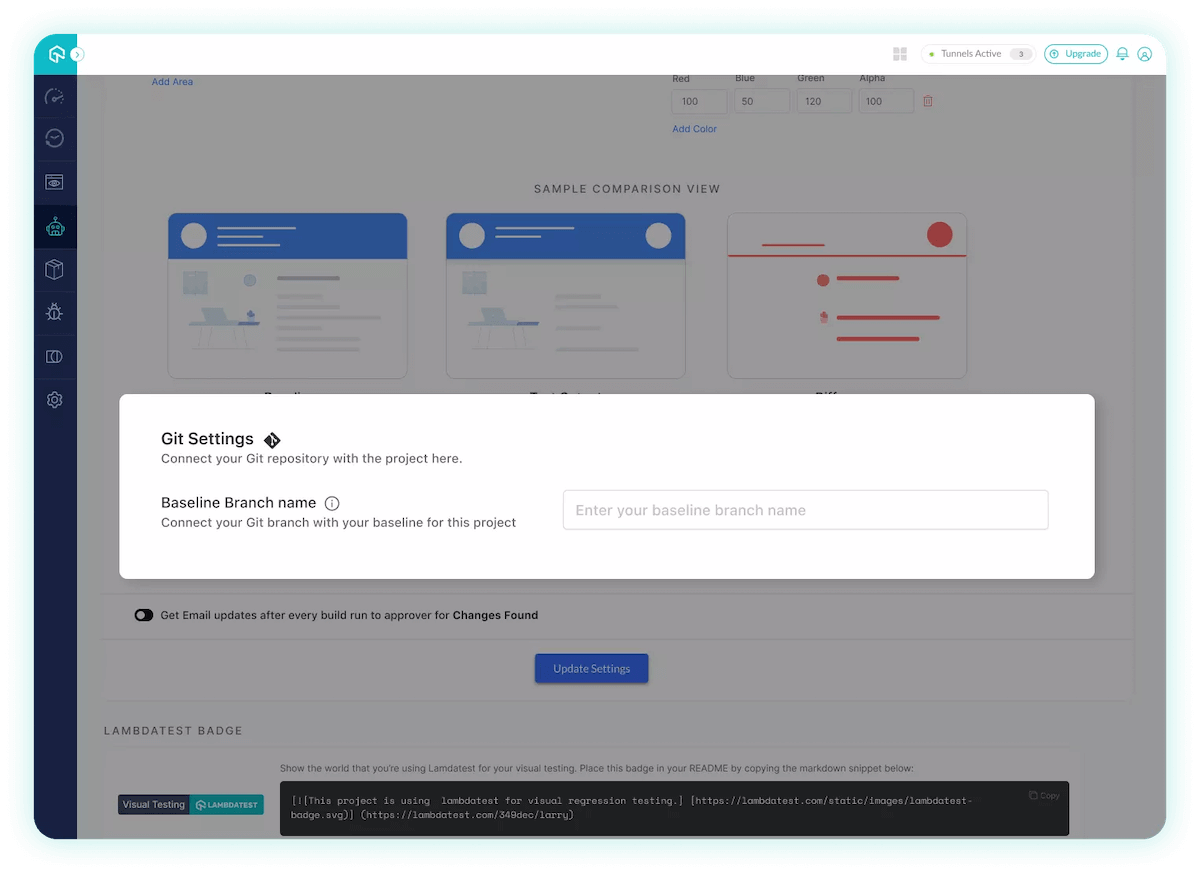
For more details, please check our documentation on Git Branching Strategy in Smart UI.
- Our latest NPM package (version 1.1.4) enhances Storybook static build support by allowing you to compress your Storybook static folder and run stories across different browsers and resolutions specified in .smartui.json configuration file. This upgrade also supports advanced web elements like iframes, external resources, and canvas elements.
Track your Mobile App Performance with App Profiling
When building a mobile application, it’s crucial to track its performance. With the App Profiling feature for Appium automated tests, you can identify performance bottlenecks and deliver a flawless mobile app experience with comprehensive App Profiling metrics like CPU Consumption, Memory Consumption, Battery, Temperature, Network Usage, Rendering, and more.
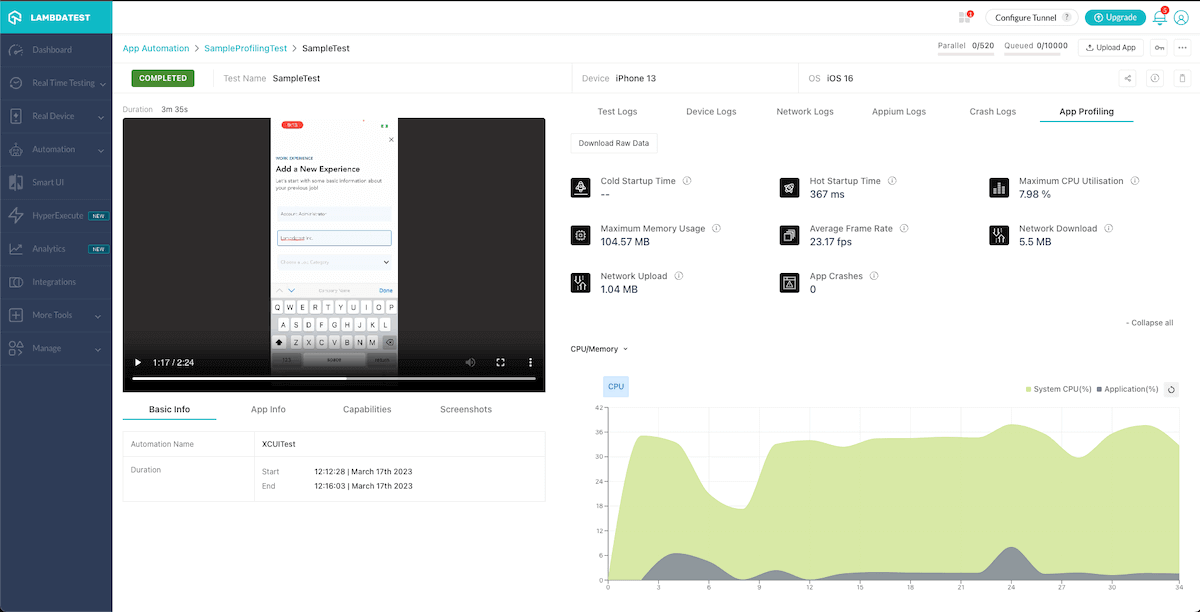
For more details, please refer to our documentation on Application Performance Analytics.
Note: Currently, the App Profiling feature for Appium is in the Beta phase. You can read more about appium inspector through our blog for further debugging.

Test your iOS Apps using Safari Web Inspector
TestMu AI’s real device cloud for mobile browser testing lets you perform debugging of iOS apps using Safari Web Inspector on real iOS smartphones.
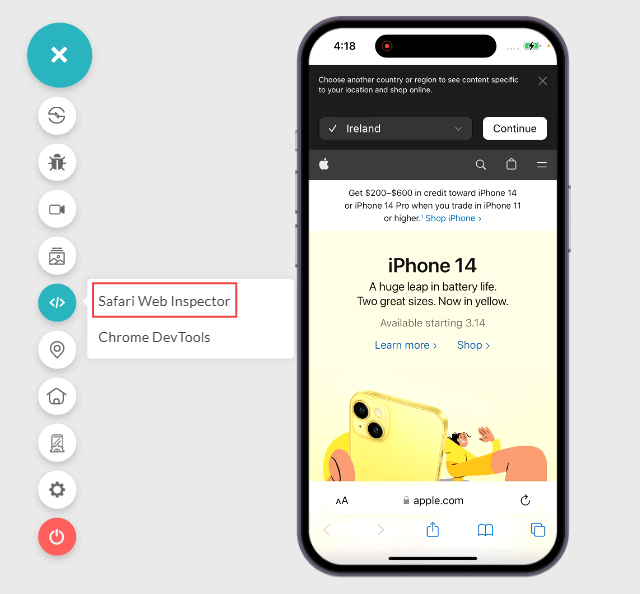
In addition, we also released the following feature for mobile app testing on real devices.
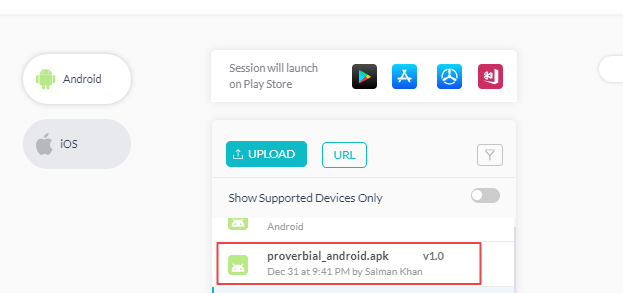
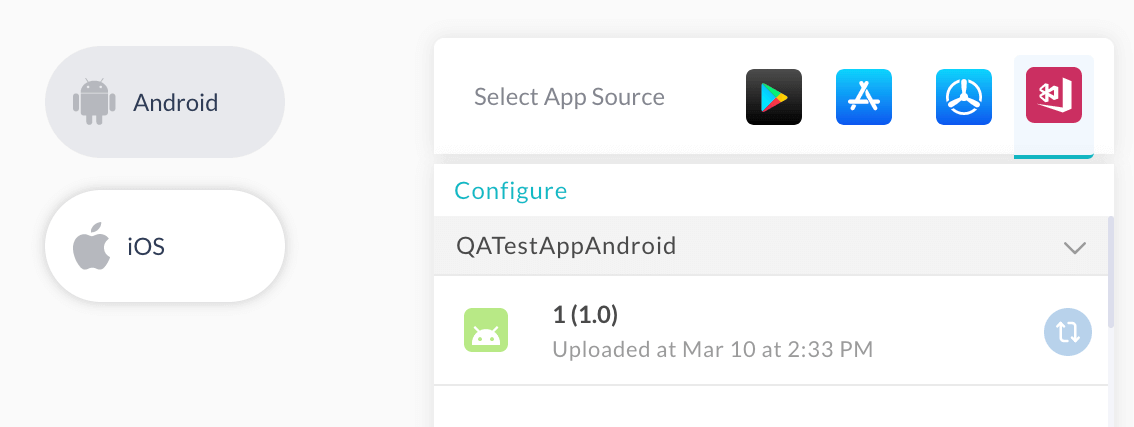
- Ability to view the version of your uploaded apps in the App Listing section.
- The App Listing section in Real Device App Testing previously displayed the last time the user synced App Centre with TestMu AI, instead of when you uploaded the app to App Centre. However, we have now updated the App Listing section to display the exact time you uploaded the app.
Rounding up!
#TestMu AIYourApps and try out these new features!
As part of our commitment to user and customer satisfaction, we constantly strive to provide the best possible experience and bring in more features and capabilities on the TestMu AI platform. To help us enhance our platform to meet your needs better, you can share feedback on the TestMu AI Community or through our 24×7 Chat Support.
Till then, keep an eye out for future updates and improvements to come!


Did you find this page helpful?
More Related Hubs
TestMu AI forEnterprise
Get access to solutions built on Enterprise
grade security, privacy, & compliance
- Advanced access controls
- Advanced data retention rules
- Advanced Local Testing
- Premium Support options
- Early access to beta features
- Private Slack Channel
- Unlimited Manual Accessibility DevTools Tests