

Next-Gen App & Browser Testing Cloud
Trusted by 2 Mn+ QAs & Devs to accelerate their release cycles


Run Assisted Tests With Keyboard Scan Feature Using Accessibility DevTools
Level up accessibility testing with features like Keyboard Scan and build-level reports, making it easier to find, track, and fix issues for inclusive experiences.

Mythili Raju
January 10, 2026
Accessibility testing often presents challenges, particularly around tab navigation and keyboard interactions, making the process complex and time-intensive. To address this, we’ve introduced the Keyboard Scan feature in the Accessibility DevTools, enabling teams to conduct comprehensive keyboard accessibility testing with precision and ease.
In addition, we’ve launched build-level accessibility reports, a significant enhancement designed to bring greater clarity and control to your accessibility workflow. These updates collectively ensure a more structured, efficient, and reliable approach to accessibility testing.
To get started, check out this documentation on Keyboard Scan in Accessibility DevTools.
What Is Keyboard Scan in Accessibility DevTools?
Keyboard Scan in Accessibility DevTools is a semi-automated feature that helps you quickly identify how a website responds to keyboard navigation. It’s useful for ensuring websites are accessible to users who rely on keyboards instead of a mouse, such as individuals with motor disabilities or screen reader users.
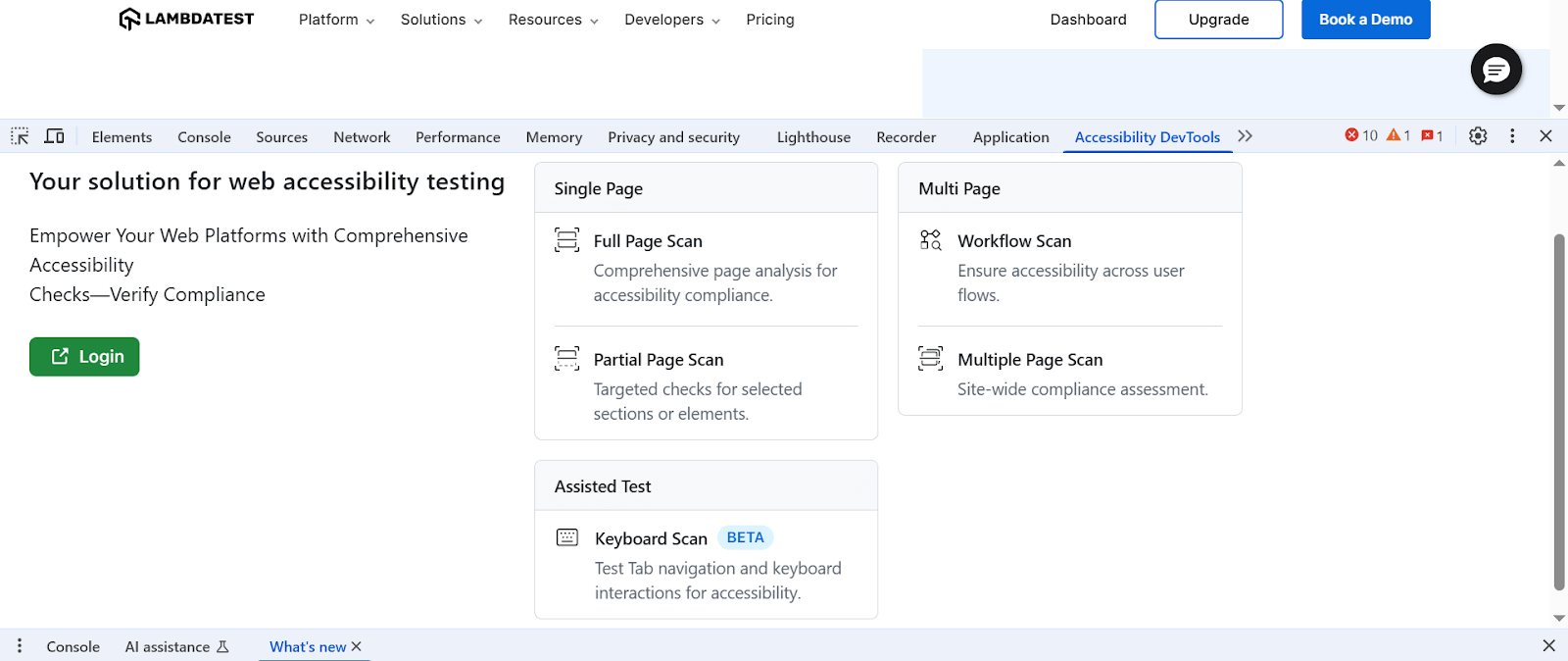
When you run a Keyboard Scan, it checks the logical flow of navigation and identifies any missing or unreachable elements. The scan also provides useful details like the Accessible Name, Role, and current state (enabled, disabled, hidden, etc.) of each interactive item.
How Keyboard Scan Feature Helps You?
The Keyboard Scan feature helps you quickly check how easy it is to use your website with just a keyboard.
Key Benefits:
- Highlights Tab Order Automatically: The scan shows each focusable element in the order a user would reach them by pressing the Tab key. It lets you quickly understand how keyboard navigation flows without manually checking every part.
- Gives Key Details About Elements: For every interactive element (like buttons or form fields), the scan shows important info such as its Accessible Name, Role (what the element does), and current state (enabled, disabled, hidden, etc).
- Lets You Review and Add Missed Items: Once the scan is complete, you can go through the results and manually mark any elements the tool didn’t catch. It ensures a full and accurate check.
- Creates a Detailed Accessibility Report: You can export a report with everything the scan found, including which elements need fixes, along with suggestions to help you make your site more keyboard-accessible.
Bonus: Get Build-Level Accessibility Testing Reports
Keeping track of accessibility issues in large projects can be challenging, especially when you have hundreds of test results to go through. That’s why we’ve added a feature where you can get test reports at a build level in accessibility automation.
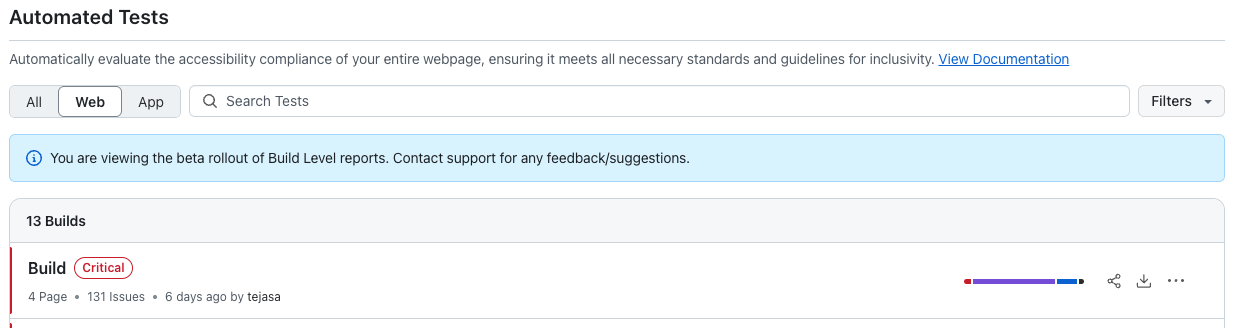
Instead of looking at test results one by one, you now get a single, clean report that gives a big-picture view of accessibility across your entire build. It helps you stay organized, track progress faster, and focus your efforts where they’re really needed.
Key Highlights:
- At-a-Glance Summary: Get a quick, top-level view of your accessibility status without digging into every individual test result.
- Smarter Issue Prioritization: Easily spot the major issues and understand how widespread they are, so you can fix what matters most first.
- Deep Dive When Needed: If you need more details, the individual test reports are still there. You can drill down anytime for a closer look at specific issues and their fixes.
All In All!
Get ready to elevate your accessibility testing game with the new features, like Keyboard Scan in Accessibility DevTools and build-level automated accessibility reports in Accessibility Automation. These features represent our commitment to making accessibility testing more efficient and actionable, helping teams focus on what matters most: creating inclusive digital experiences.


Did you find this page helpful?
More Related Hubs
TestMu AI forEnterprise
Get access to solutions built on Enterprise
grade security, privacy, & compliance
- Advanced access controls
- Advanced data retention rules
- Advanced Local Testing
- Premium Support options
- Early access to beta features
- Private Slack Channel
- Unlimited Manual Accessibility DevTools Tests