

Next-Gen App & Browser Testing Cloud
Trusted by 2 Mn+ QAs & Devs to accelerate their release cycles


Smart Ignore for Visual Testing: Focus on What Matters Most
Streamline visual testing with TestMu AI Smart Ignore. Hide layout shifts and reduce false positives, allowing teams to focus on meaningful content changes.

Mythili Raju
January 29, 2026
In visual testing, web applications frequently produce numerous false positives due to layout shifts and content displacement, making it difficult for teams to focus on actual changes that impact user experience. Traditional pixel-by-pixel comparison tools often struggle with this, as they are overwhelmed by visual noise from these displacements, resulting in cluttered and unclear test results.
To address these challenges, TestMu AI SmartUI has introduced Smart Ignore, a new feature to hide displacement differences, enabling testers to focus on real content changes. By intelligently distinguishing between significant content modifications and irrelevant layout shifts, Smart Ignore reduces false positives and streamlines visual testing processes.
Let’s dive in to learn about Smart Ignore and how it works to enhance your testing experience!
What Is Smart Ignore?
Smart Ignore lets you overcome the challenge of displacement differences in dynamic web websites and web applications. When content is added, removed, or adjusted, some changes often cause visual displacements on the web page. Traditional visual comparison tool can flag these shifts as significant differences, leading to false positives and clutter in test results.
The Smart Ignore feature of the SmartUI leverages AI to intelligently filter out displacement-related differences. By filtering out irrelevant layout shifts, Smart Ignore provides a clearer, more accurate view of meaningful visual element differences, making your visual tests more efficient and reliable.

Note: Want to know more about Smart Ignore? Check out our detailed support documentation on Ignoring Displacement Differences using Smart Ignore.
Why Choose Smart Ignore?
TestMu AI Smart Ignore offers a range of benefits that enhance the accuracy and efficiency of your visual testing efforts:
- Focused Visual Comparisons: Smart Ignore filters out irrelevant changes caused by layout shifts, allowing testers to focus solely on important content modifications, improving test precision.
- Reduced Visual Noise: By minimizing the clutter caused by displacement, Smart Ignore makes it easier to identify genuine differences, reducing the time spent on false positives.
- Optimized for Dynamic Content: For websites with frequent updates, Smart Ignore improves efficiency by focusing on significant changes, making visual tests quicker and more reliable.
- Improved Precision for Major UI Changes: During large-scale UI updates, Smart Ignore helps testers filter out non-critical layout shifts, ensuring that the focus remains on important content changes.
- Time-Saving: It reduces the time teams spend investigating non-critical changes, allowing them to streamline their workflows and deliver better results faster.
How to Get Started With Smart Ignore?
To demonstrate how Smart Ignore can improve visual testing by filtering out irrelevant displacement differences, let’s walk through an example that compares the traditional pixel-to-pixel comparison with the Smart Ignore feature.
- Head over to the SmartUI dashboard. Select the project and the platform you want to test on.
- Navigate to the list of builds and select a screenshot variant from the available options.
- Next, return to the Diff Options dropdown menu. Select the Smart Ignore mode. The Smart Ignore feature filters out layout shifts and displacement-related changes that do not affect the user experience.
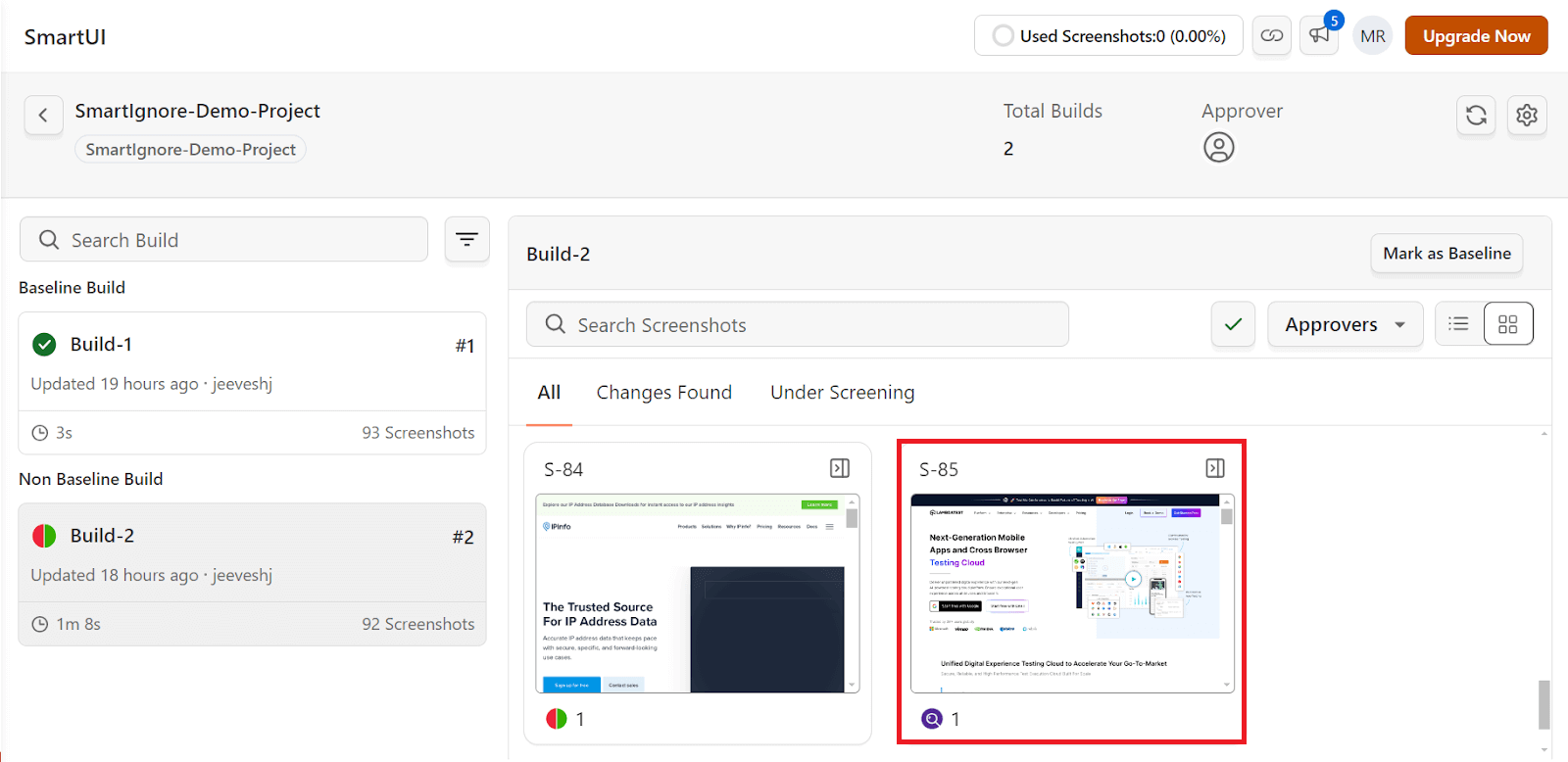
The Diff Options dropdown menu shows the pixel-to-pixel output. The pixel-to-pixel comparison will detect even minor visual displacement shifts in layout or element position, flagging them as differences. It can include irrelevant changes, such as button displacement or slight shifts in images, which often lead to false positives and visual noise.
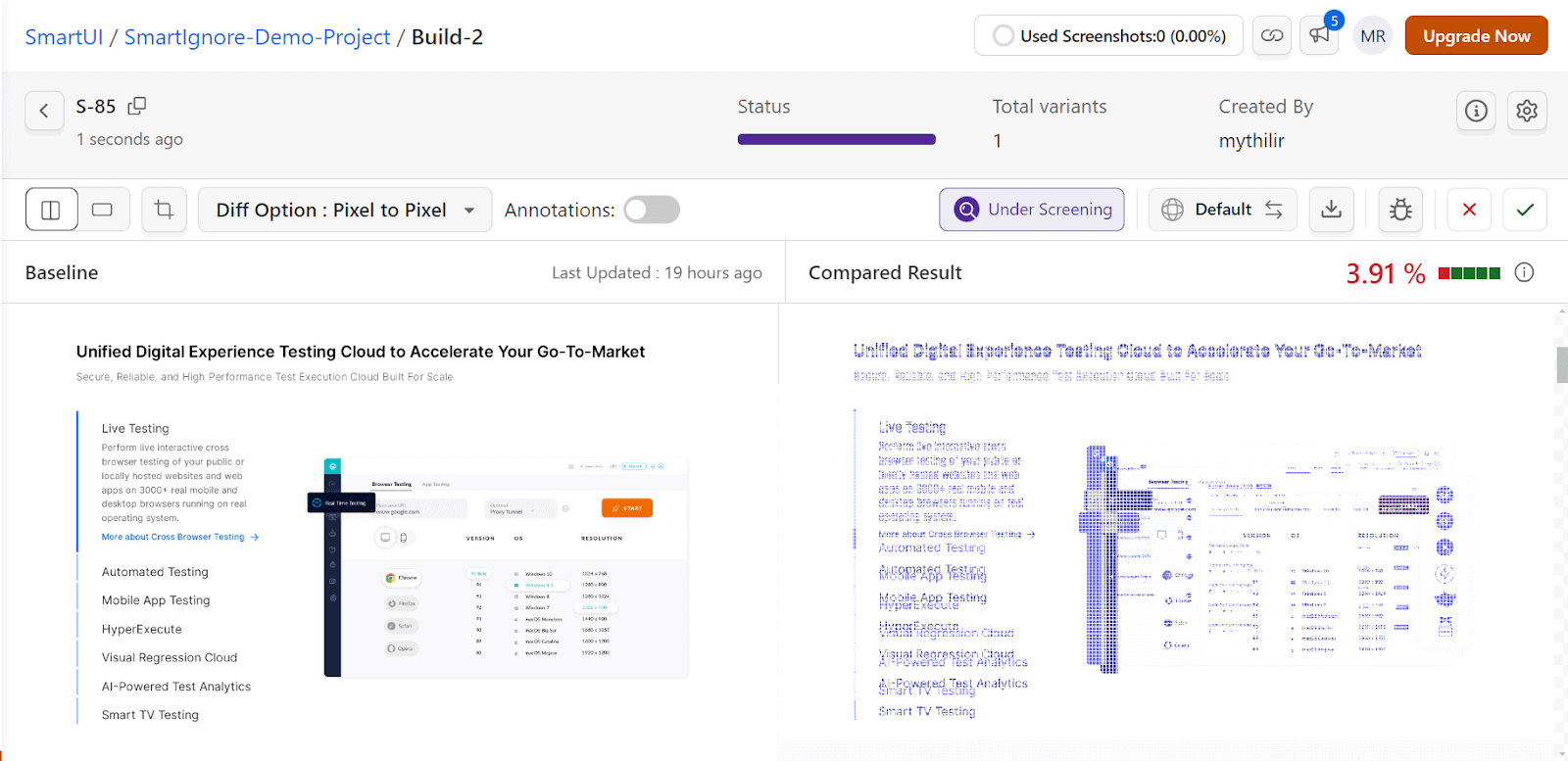
In this case, we see that the baseline image on the left is what is considered the reference layout, while the image on the right shows the current version that is being tested. The areas marked in blue on the right image indicate the detected differences.
Since this mode detects every minor pixel shift, even unintentional or irrelevant changes, it can lead to a cluttered comparison, making it challenging to identify the significant changes.
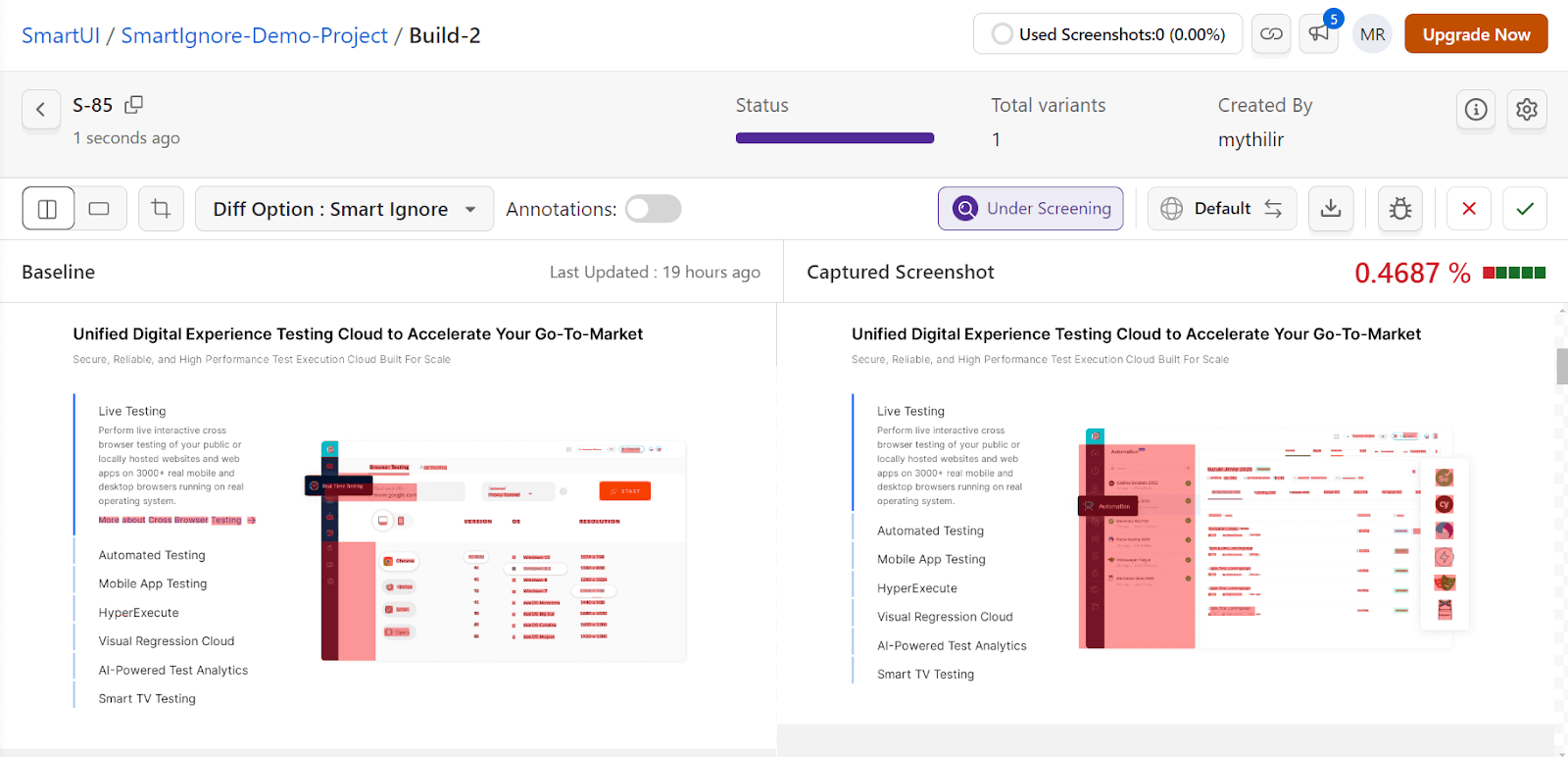
The key difference here is that Smart Ignore ignores minor shifts like slight button displacements or layout alignment adjustments. The highlighted areas are, therefore, much more refined, with fewer irrelevant changes being flagged.
As shown above, the comparison shows a much cleaner and more focused set of differences, with less visual noise compared to the previous pixel-to-pixel comparison.
Conclusion
TestMu AI Smart Ignore is a game-changing feature that enables teams to conduct more focused and efficient visual testing. Whether you’re working with frequently updated content or navigating major UI changes, Smart Ignore ensures smoother, more effective visual comparisons using a reliable visual engine.
Feel free to explore the Smart Ignore feature and see how it can enhance your testing processes. If you need assistance or have any questions, feel free to reach out to us at [email protected] or via our in-app chat support. We’re here to help you at every step of your journey.
Happy testing!


Did you find this page helpful?
More Related Hubs
TestMu AI forEnterprise
Get access to solutions built on Enterprise
grade security, privacy, & compliance
- Advanced access controls
- Advanced data retention rules
- Advanced Local Testing
- Premium Support options
- Early access to beta features
- Private Slack Channel
- Unlimited Manual Accessibility DevTools Tests