

Next-Gen App & Browser Testing Cloud
Trusted by 2 Mn+ QAs & Devs to accelerate their release cycles


How to Clear History in Microsoft Edge
Learn how to clear history in Microsoft Edge on desktop, mobile, and with shortcuts. Boost privacy and performance by clearing history today.

Tahneet Kanwal
January 12, 2026
If you wish to enhance both your browsing privacy and the performance of your browser, know how to clear history in Microsoft Edge. This process of clearing your browsing history not only helps protect your privacy but can also boost the speed and responsiveness of Microsoft Edge.
Steps to Clear History in Microsoft Edge on Desktop
To clear browsing history in the latest version of MS Edge on desktop, follow the steps below.
- Open the Microsoft Edge browser.
- Click on the three horizontal dots (menu) in the top-right corner.
- Select Settings from the drop-down menu.
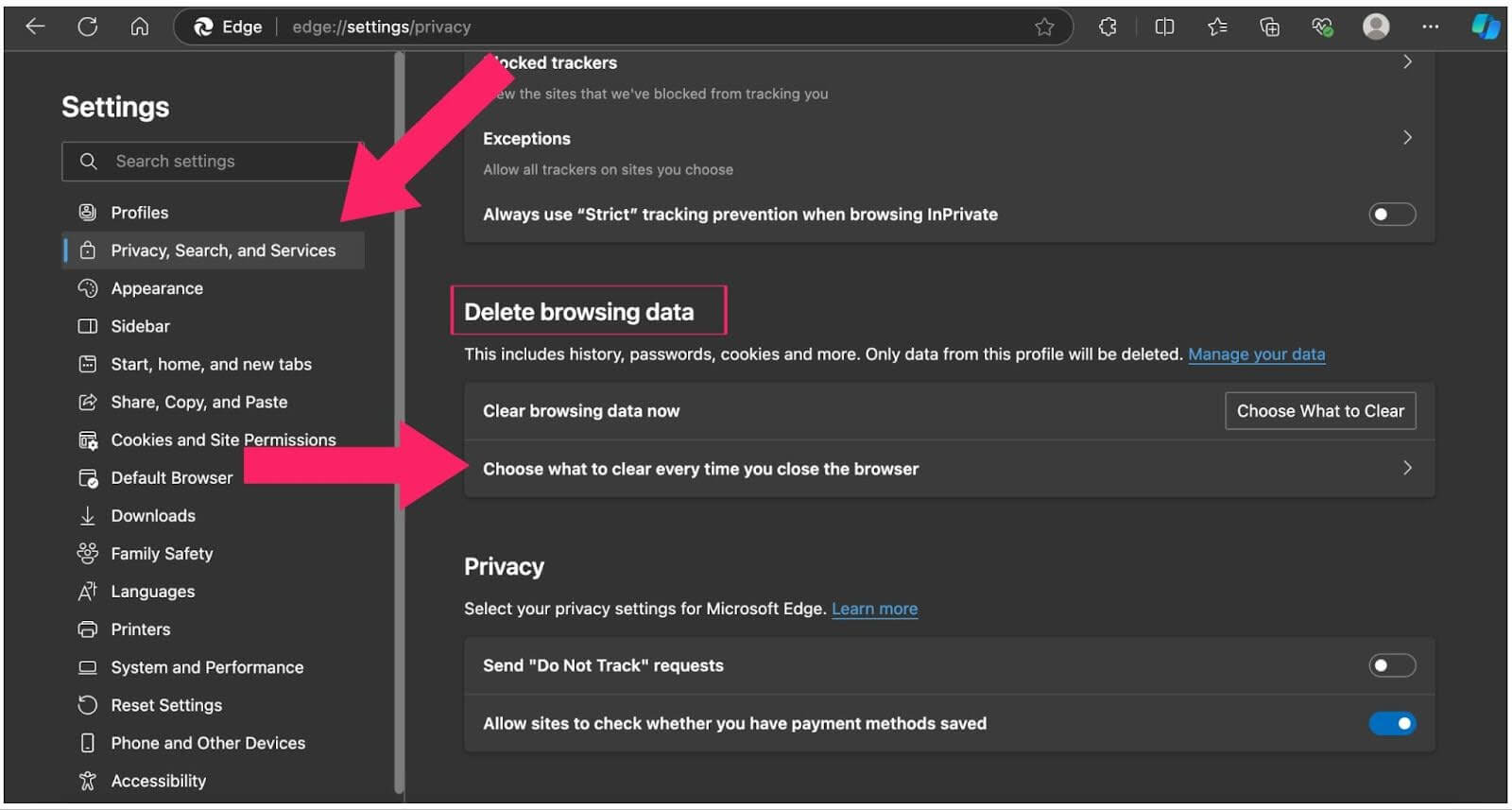
- In the Settings window, scroll down and click on Privacy, Search, and Services.
- Under the Delete browsing data section, click on Choose What to Clear.
- Select a Time range (Last hour, Last 24 hours, All Time).
- Click on Clear Now to remove the selected data.
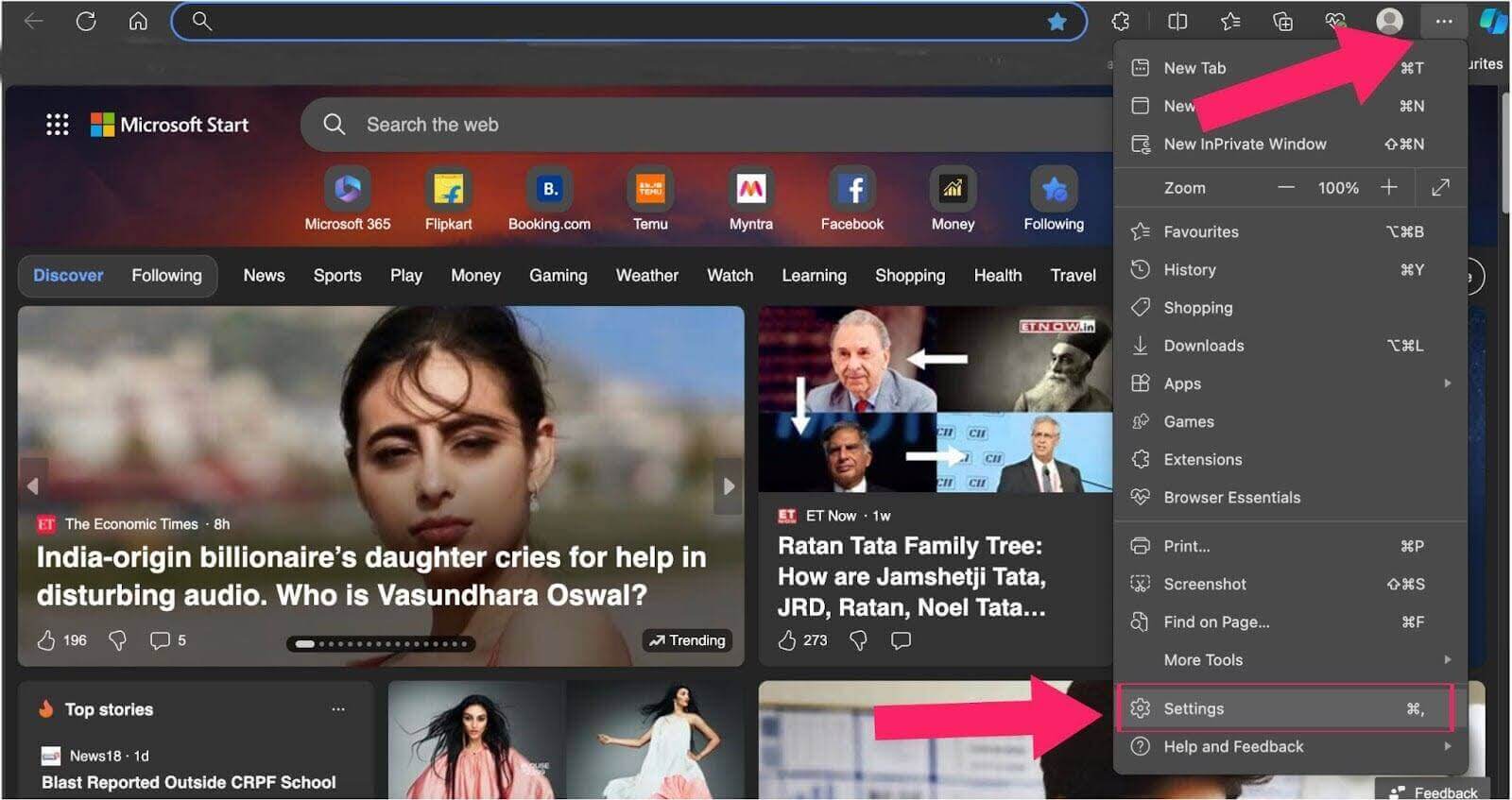
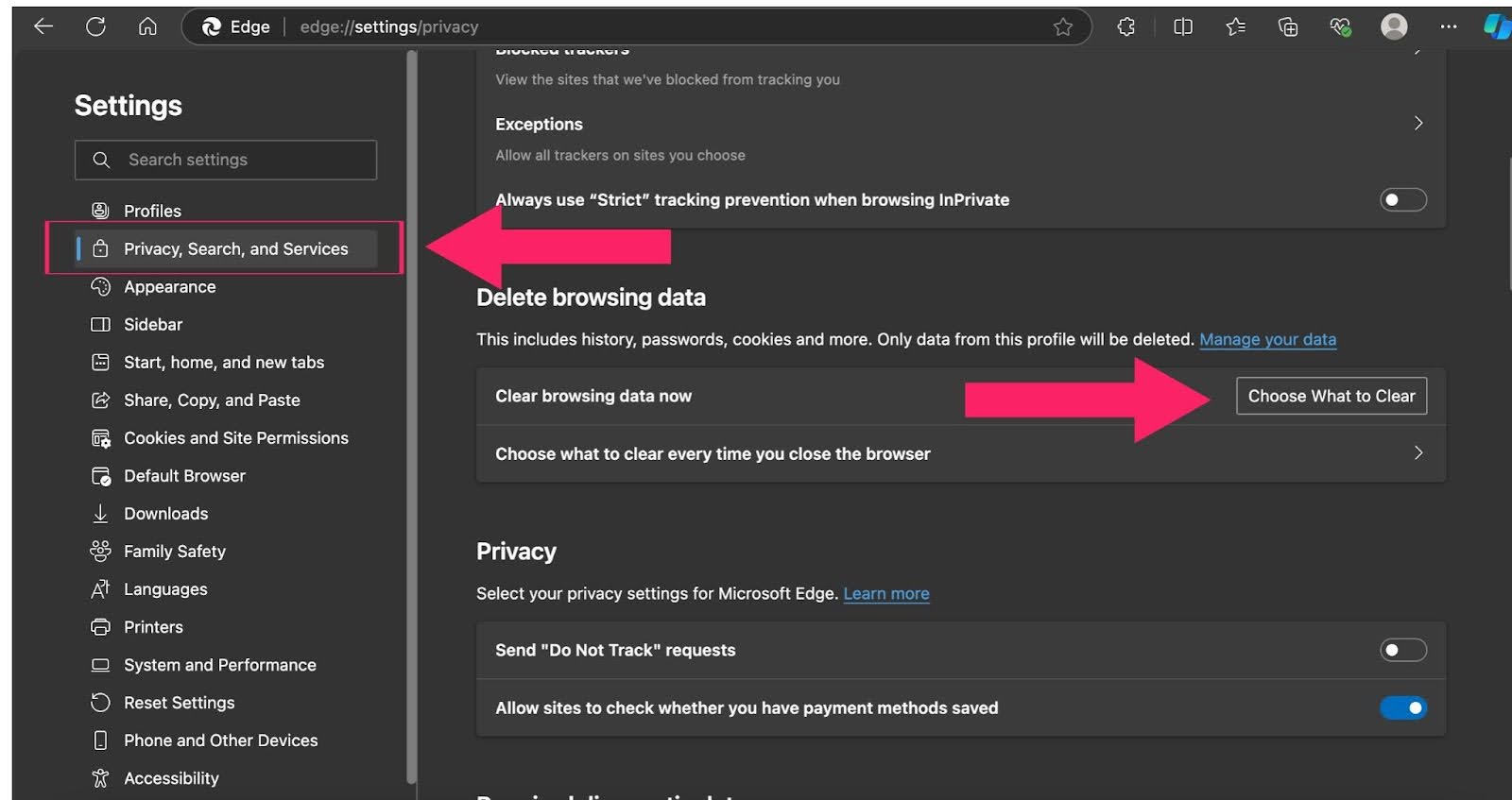
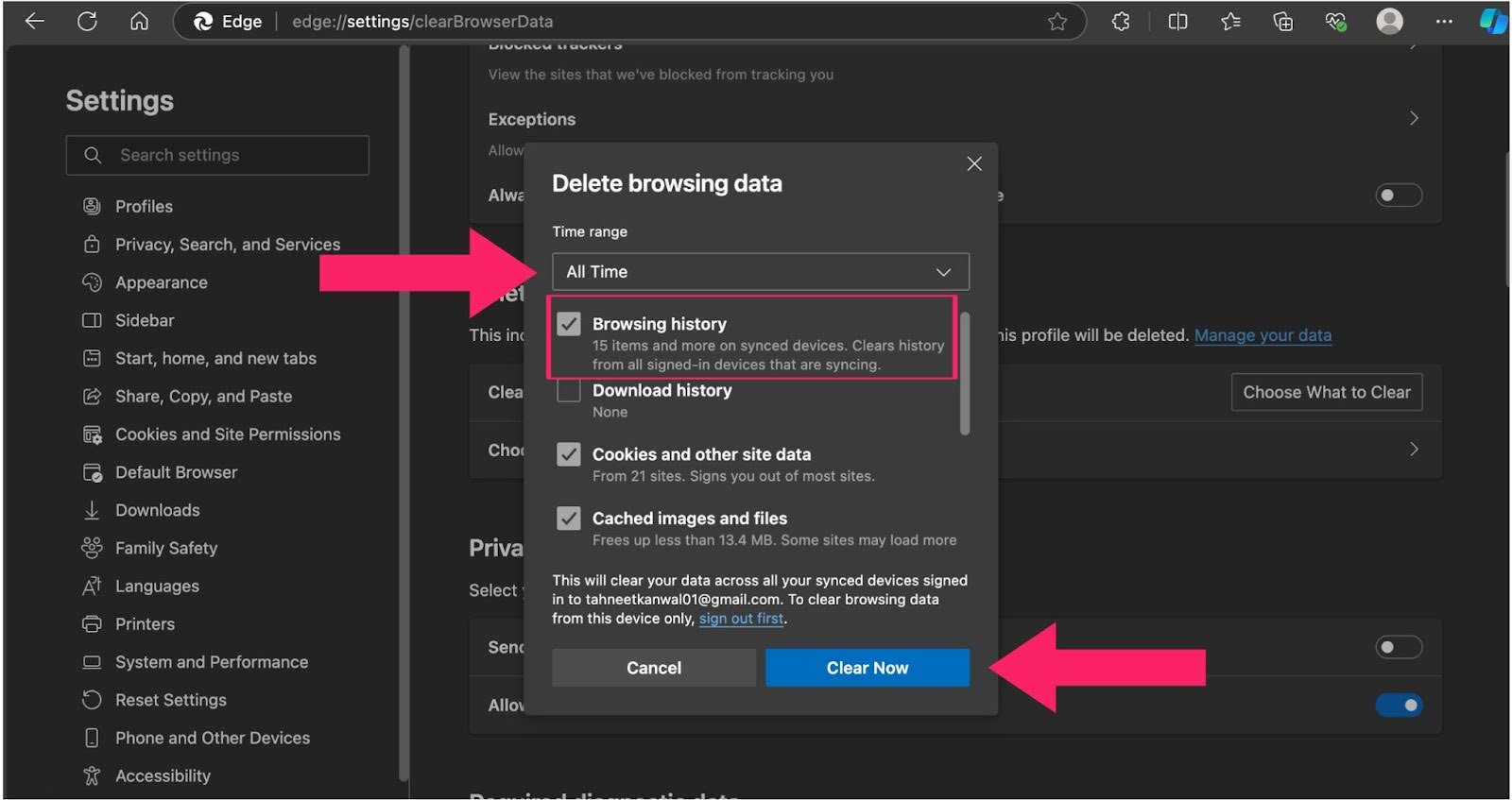
The above steps will help you keep your browsing activity private and ensure a smoother browsing experience!
Steps to Automatically Clear History in Microsoft Edge
Follow these steps to automatically clear browsing data every time you close Microsoft Edge:
- Open Microsoft Edge and click on the three horizontal dots in the top-right corner.
- Select Settings from the menu.
- Navigate to Privacy, Search, and Services in the left-hand panel.
- Scroll down to the Clear browsing data section and click on Choose what to clear every time you close the browser.
- From the list of data types, toggle on Browsing history and any other data you’d like to clear automatically.
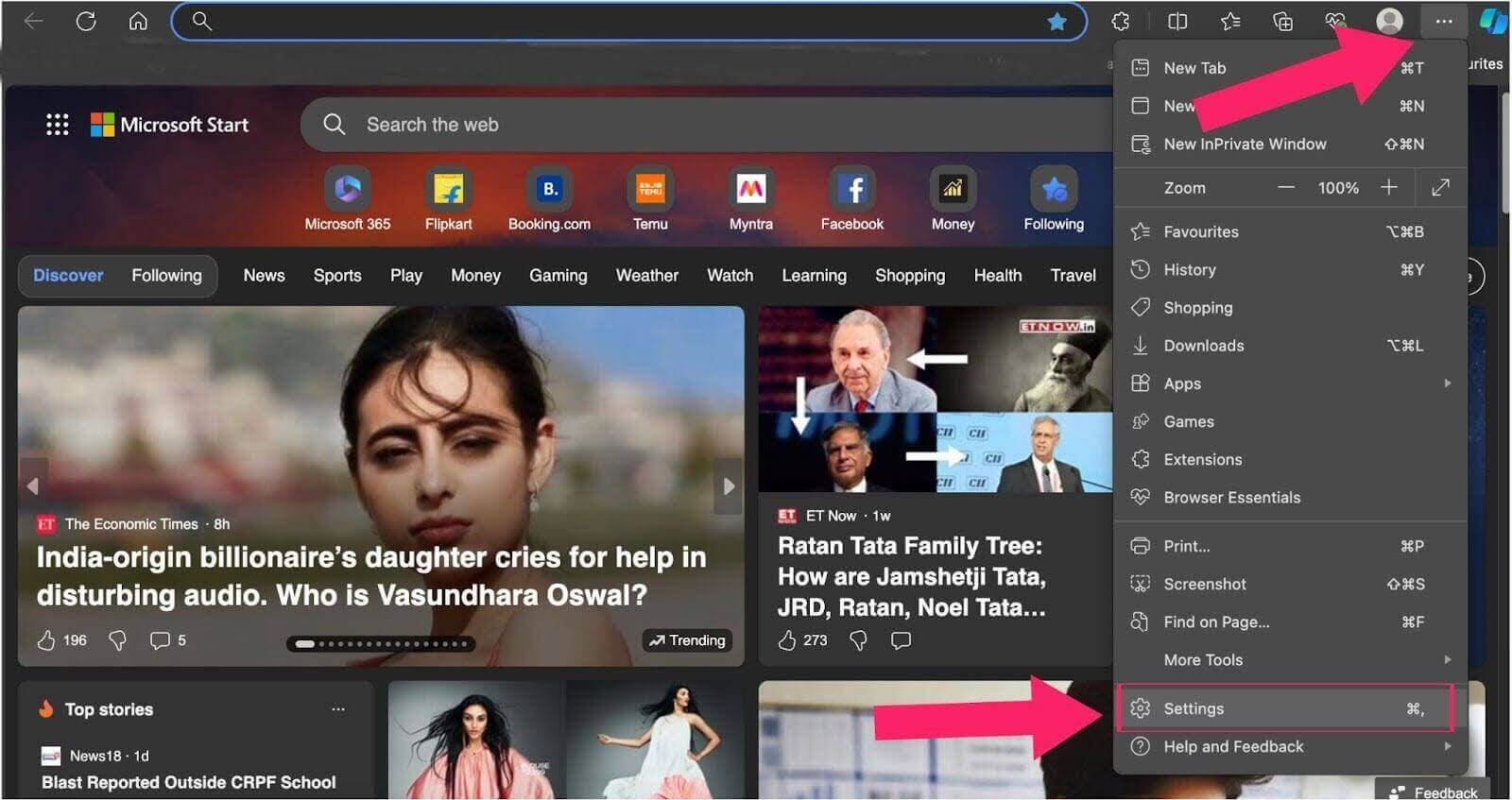
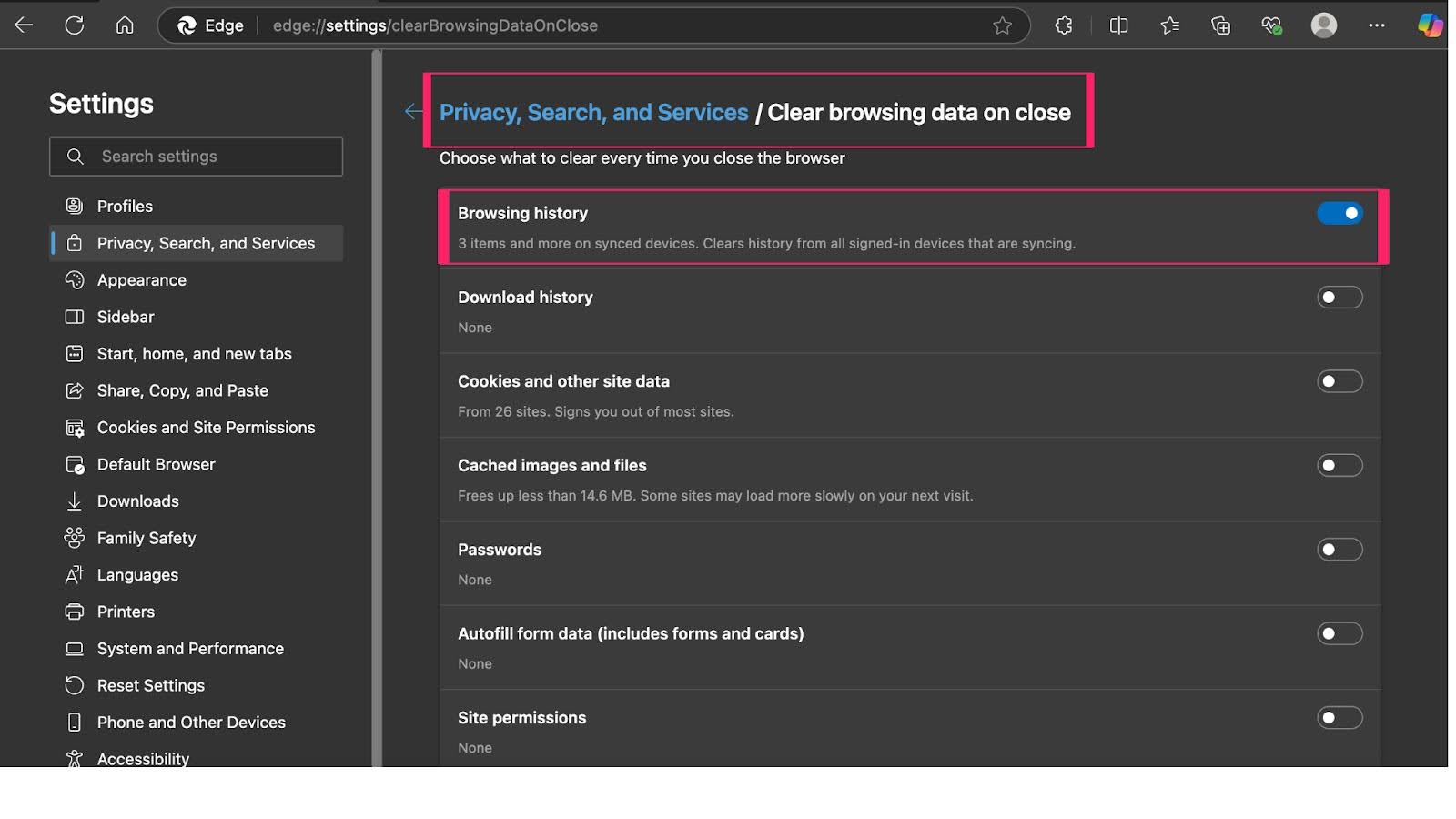
Once you have selected the desired options, close the settings tab. This feature ensures that your browsing history is always erased when you finish using the browser.
This feature helps maintain your privacy by ensuring that your browsing history is cleared every time you close the browser.
Steps to Clear History in Microsoft Edge on Mobile Device
Below, you will learn how to clear history in Microsoft Edge on Android and iPhone devices.
On Android:
Below are the steps to help you clear history in Microsoft Edge for Android devices.
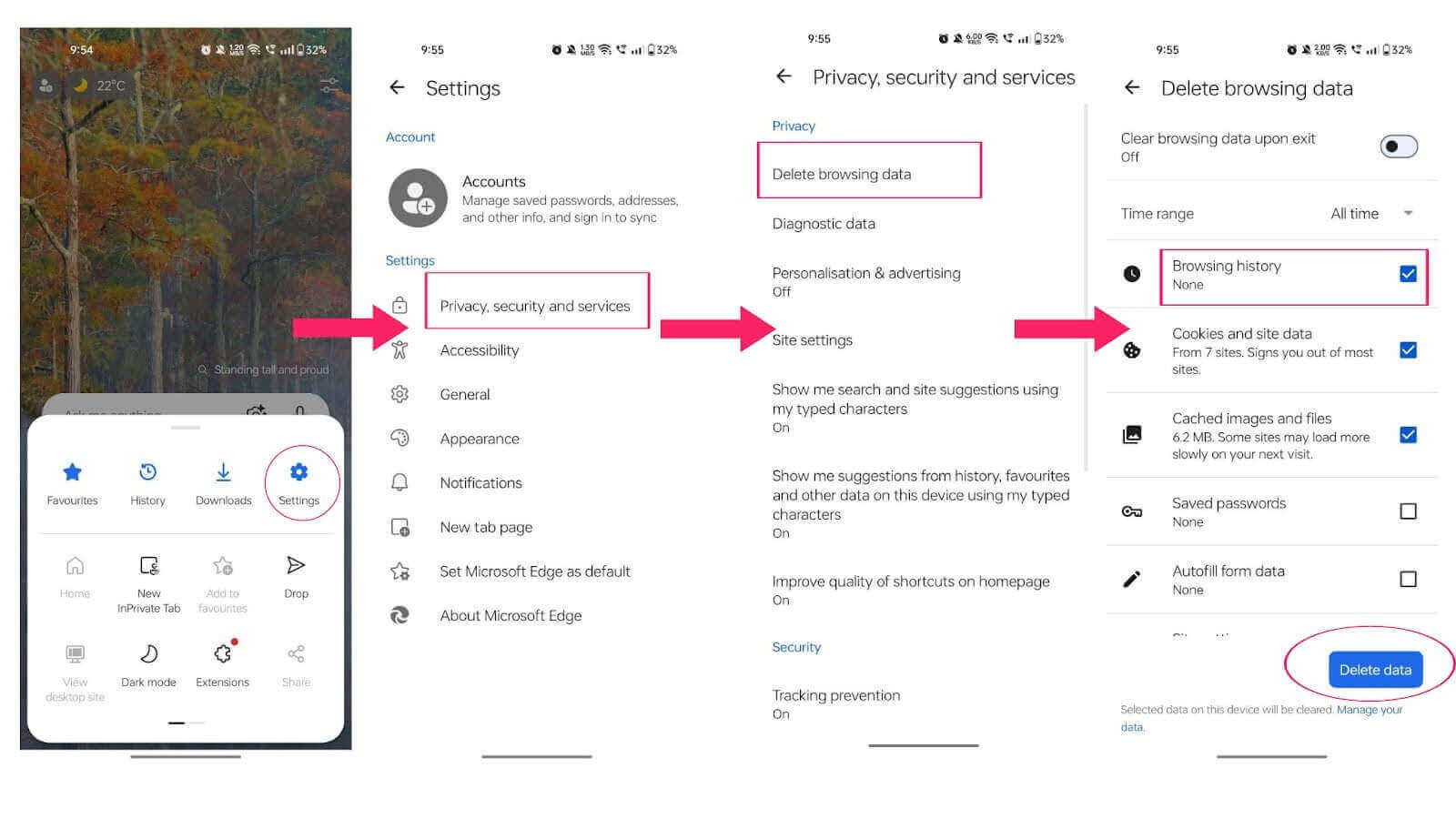
- Open the Microsoft Edge app on your Android device and tap the three-dot menu in the bottom or top corner.
- Navigate to Settings and select Privacy, security, and services from the menu.
- Tap Delete browsing data, which is the first option under the privacy settings.
- Choose All time from the Time range menu to clear the entire browsing history.
- Select the data you wish to delete, such as browsing history, cookies, and cached files.
- Scroll down and tap Delete data, then confirm by tapping Delete now.
On iPhone:
Below are the steps to help you clear history in Microsoft Edge for iPhone devices.
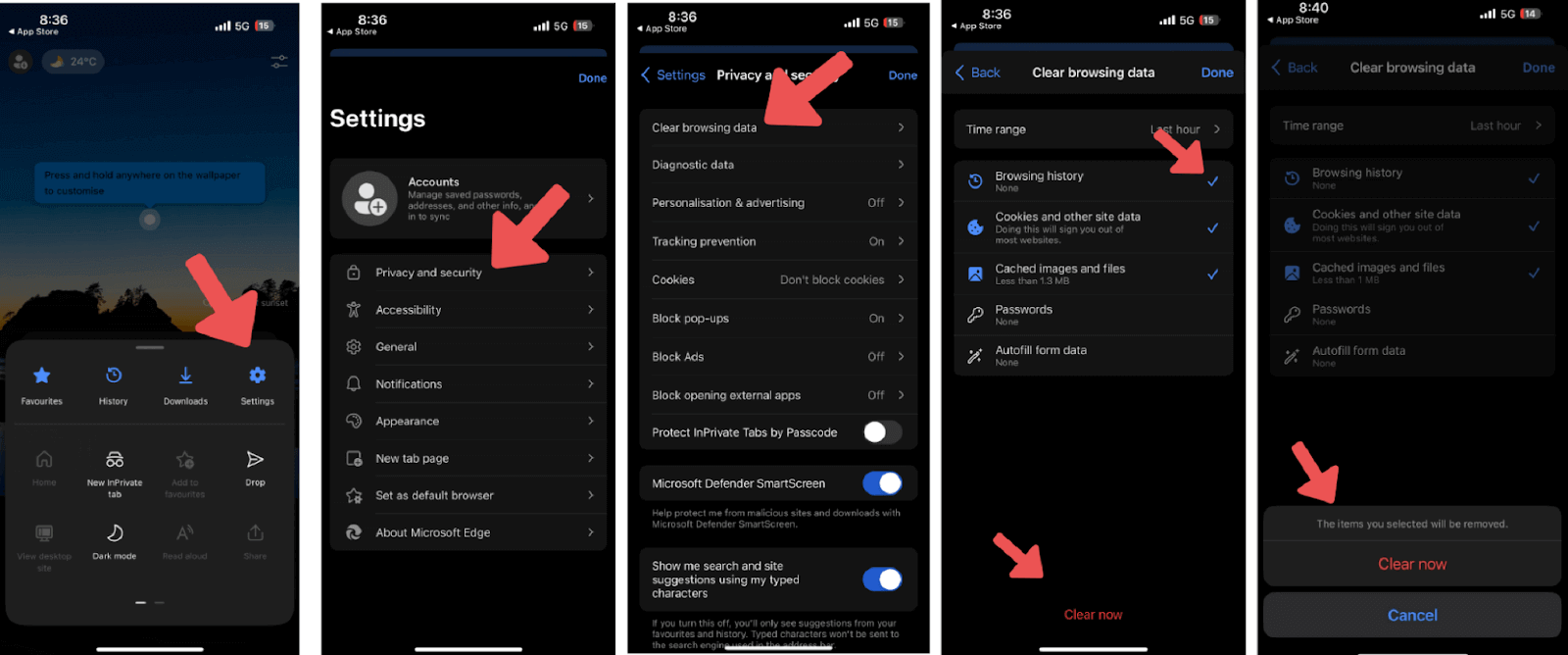
- Open the Microsoft Edge app on your iPhone and tap the three-dot menu located at the bottom.
- Go to Settings and tap on Privacy and security.
- Select Clear browsing data under the privacy options.
- Pick All time from the Time range menu for a full history deletion.
- Check the items you want to delete, such as browsing history, cookies, and cached images.
- Tap Clear browsing data, then confirm by selecting Clear.
Steps to Clear History in Microsoft Edge Using Keyboard Shortcuts
To quickly clear history on Microsoft Edge using keyboard shortcuts, follow these steps:
- Launch the browser on your desktop.
- Press Ctrl + Shift + Delete (Windows) or Command + Shift + Delete (Mac). This will open the Clear browsing data menu.
- Choose the types of data you want to delete, such as browsing history, cached images, and cookies.
- Select a time range (e.g., Last hour, Last 24 hours, or All time).
- Press the Clear now button to remove the selected data.
Using this shortcut helps you quickly and easily clear history on Microsoft Edge without navigating through the settings menu.

Conclusion
Clearing Microsoft Edge browsing history is crucial for protecting your privacy and enhancing browser performance. Whether you prefer to manually clear it on your desktop or mobile device, use keyboard shortcuts, or enable automatic clearing, these methods ensure a smoother browsing experience. Start implementing these techniques today to make the most of Microsoft Edge. Regularly managing your data by clearing history in Microsoft Edge keeps your browsing safe and efficient.


Frequently asked questions
Did you find this page helpful?
More Related Hubs
TestMu AI forEnterprise
Get access to solutions built on Enterprise
grade security, privacy, & compliance
- Advanced access controls
- Advanced data retention rules
- Advanced Local Testing
- Premium Support options
- Early access to beta features
- Private Slack Channel
- Unlimited Manual Accessibility DevTools Tests