

Next-Gen App & Browser Testing Cloud
Trusted by 2 Mn+ QAs & Devs to accelerate their release cycles


How to Clear History in Internet Explorer
Learn how to clear history in Internet Explorer to maintain privacy, improve browser performance, and manage your browsing data efficiently.

Tahneet Kanwal
December 22, 2025
When using Internet Explorer, your browsing activity is automatically saved through the history feature. While this can be helpful for revisiting sites, there are times when you must clear history in Internet Explorer is necessary.
Managing your browsing history is important for maintaining privacy and improving browser performance and many users don’t know how to manage their browser history or why it’s important to clear it.
Steps to Clear History in Internet Explorer
To clear history in Internet Explorer, follow the steps given below:
- Launch Internet Explorer.
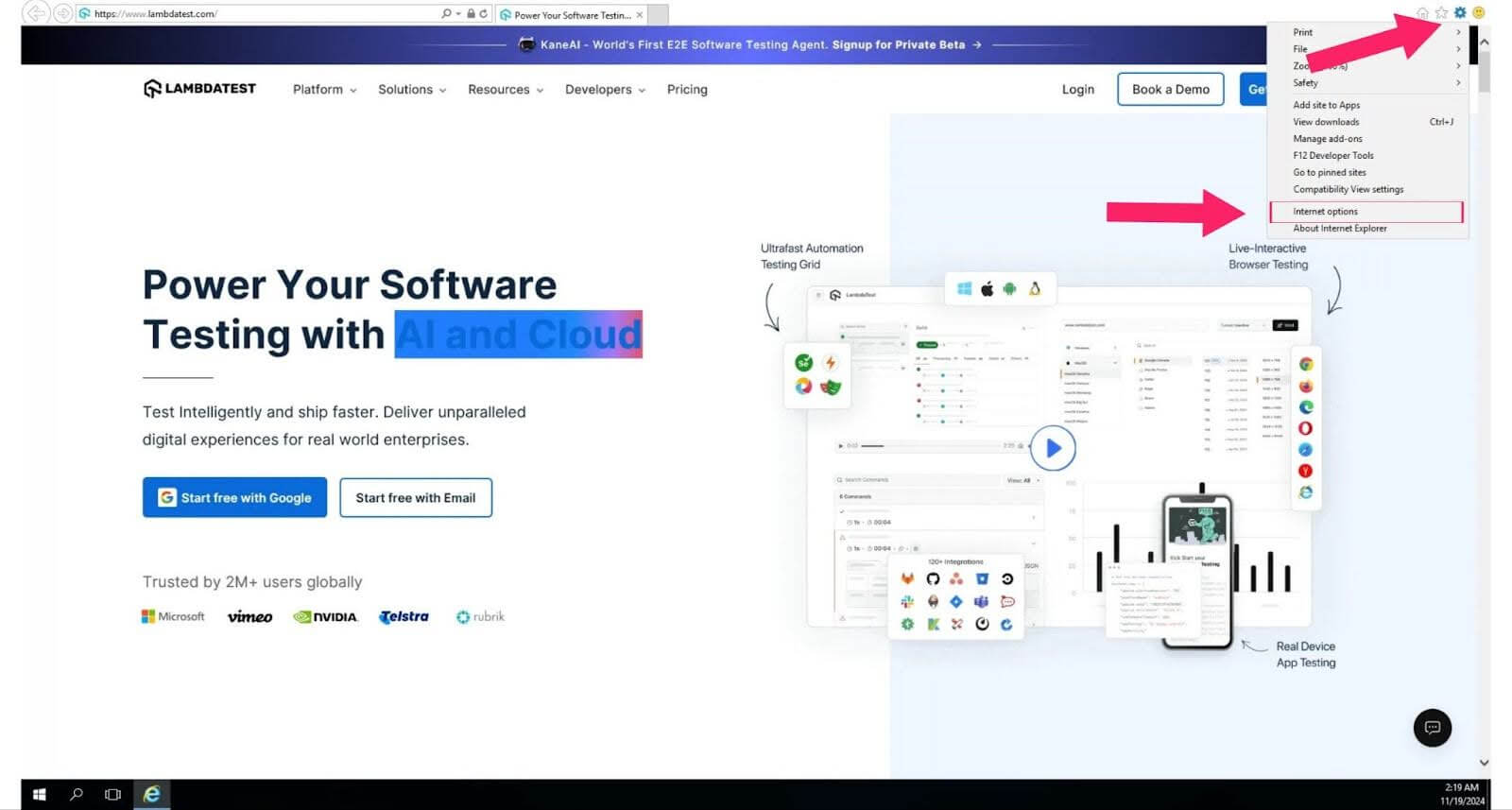
- Click the gear icon and click on Internet options to open the settings window, or press (Alt + X) as a quick shortcut.
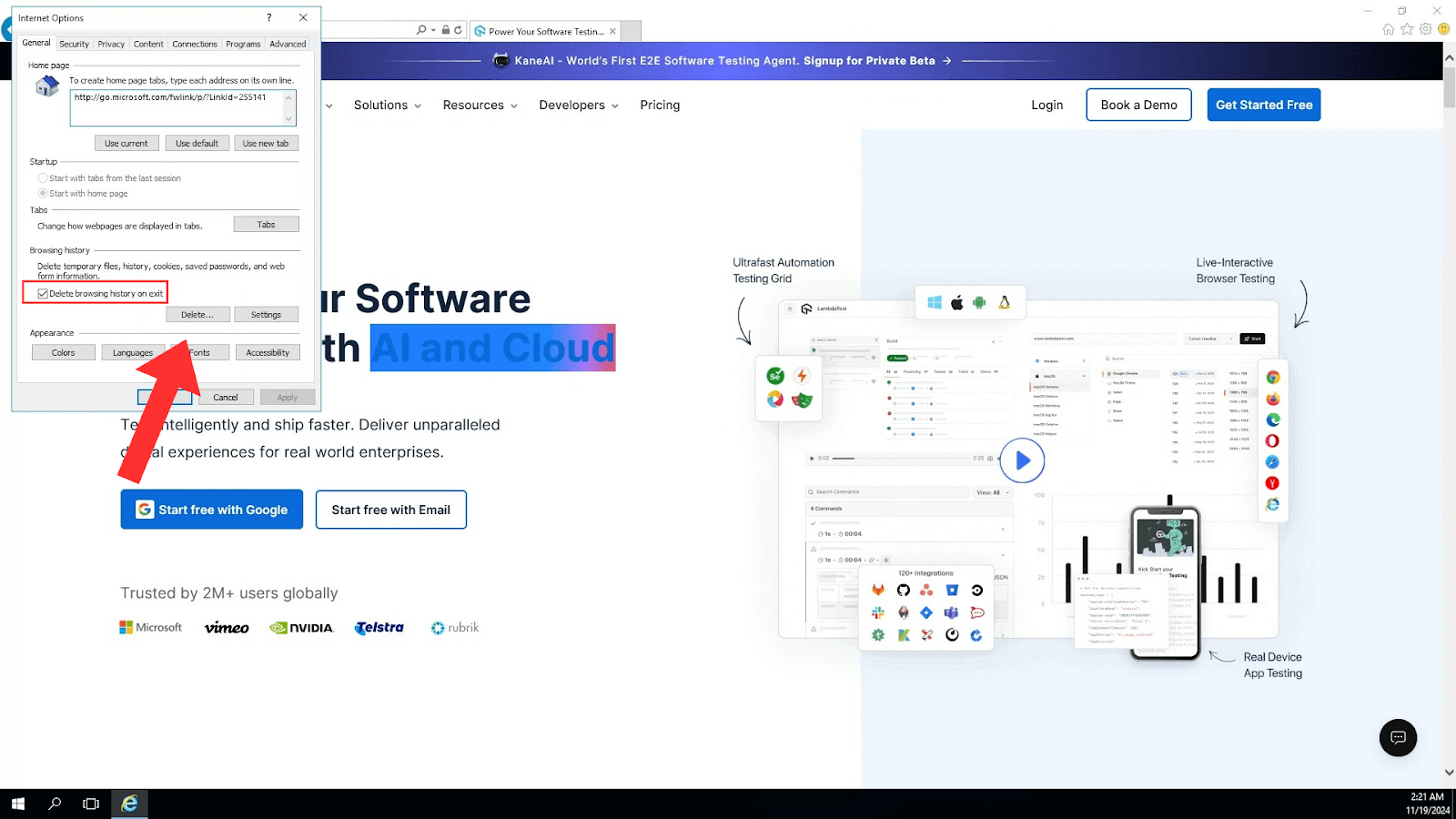
- In the General tab, you will find the Browsing history section; click on the Delete button. A new window will pop up with options to delete various types of data.
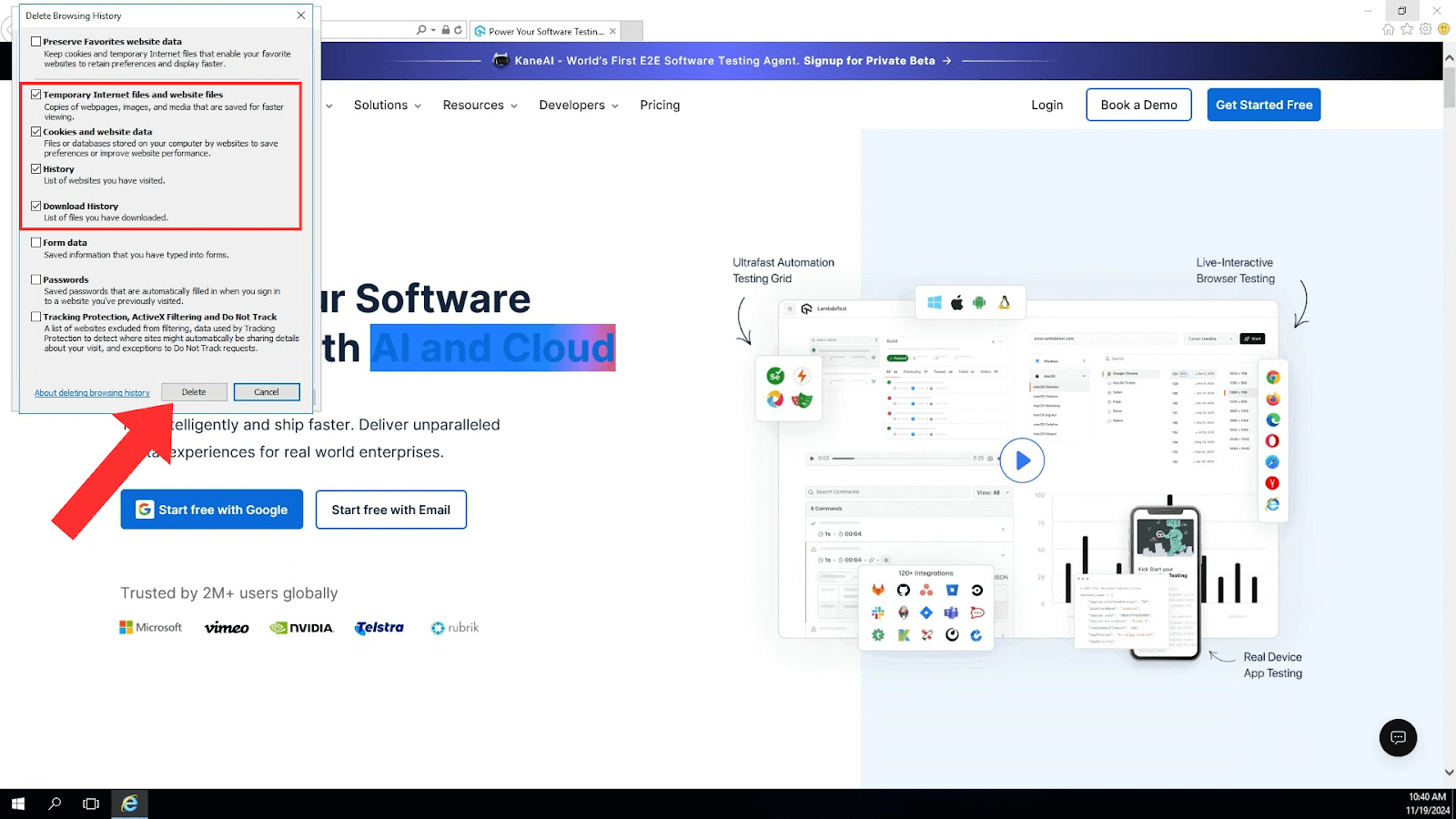
- Mark the checkboxes for the browsing history you want to remove.
- If you want to preserve your favorite websites, make sure to uncheck Preserve Favorites website data.
- After selecting the data you want to clear, click Delete again to confirm. Internet Explorer will then remove the selected items from your history.
And that’s how your Internet Explorer browser history is cleared!

Steps to Clear History in Internet Explorer With Keyboard Shortcuts
You can quickly clear your browser history using a keyboard shortcut in Internet Explorer:
- Open Internet Explorer.
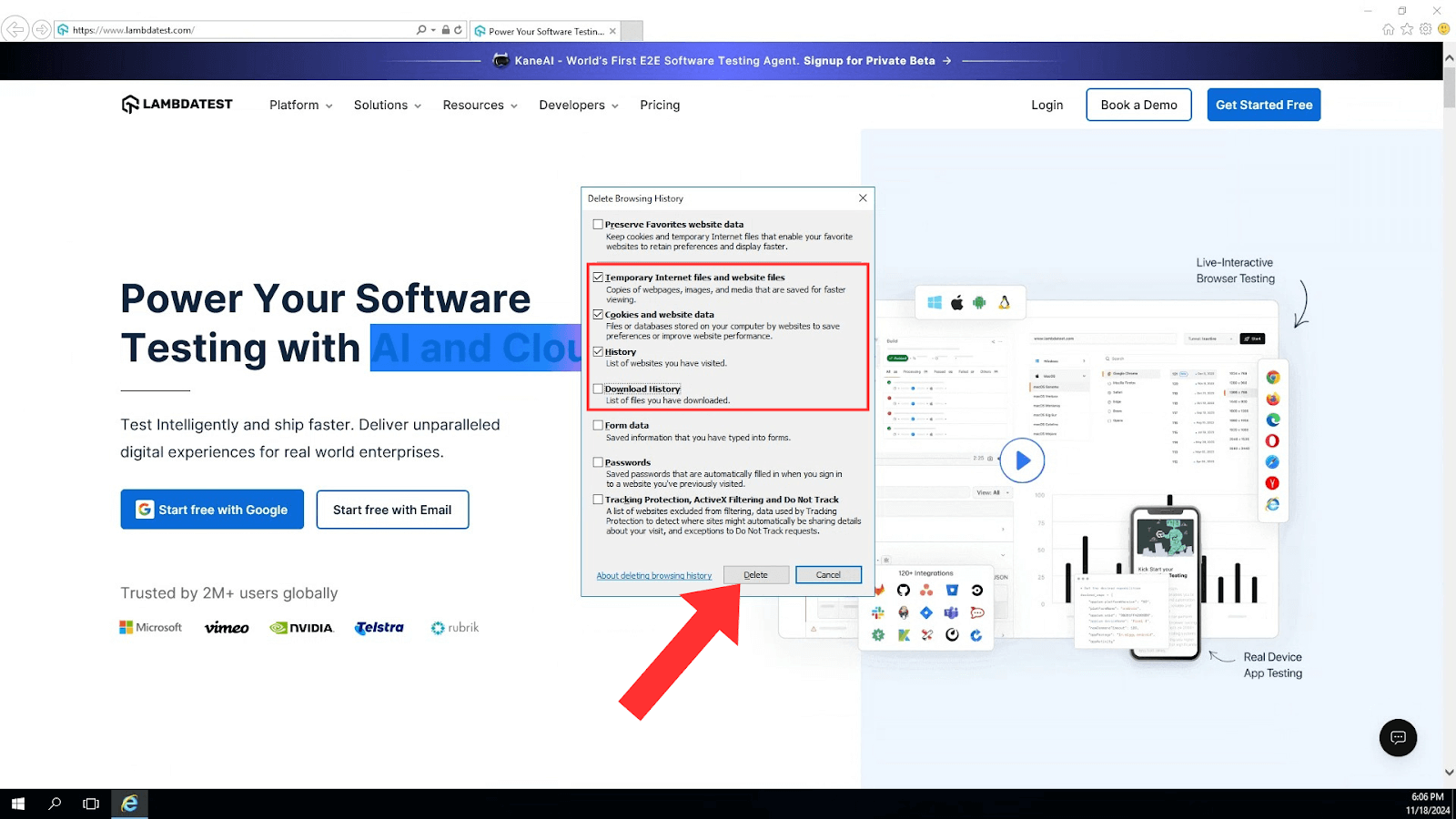
- Press Ctrl + Shift + Delete on your keyboard. This shortcut immediately opens the Delete Browsing History dialog.
- Use the Tab key to move through options and the Space key to select the browser history and other data.
- Press the Tab key to go to the Delete button, then finally press Enter to delete.
Conclusion
Clearing your browser history in Internet Explorer is essential for your privacy, browser performance, and the protection of personal information. By following the steps provided in this blog, you can easily manage your browsing data and reduce potential risks associated with stored information.


Frequently asked questions
Did you find this page helpful?
More Related Hubs
TestMu AI forEnterprise
Get access to solutions built on Enterprise
grade security, privacy, & compliance
- Advanced access controls
- Advanced data retention rules
- Advanced Local Testing
- Premium Support options
- Early access to beta features
- Private Slack Channel
- Unlimited Manual Accessibility DevTools Tests