

Next-Gen App & Browser Testing Cloud
Trusted by 2 Mn+ QAs & Devs to accelerate their release cycles


On This Page

August’22 Updates: Live With Android 13, Test On macOS Ventura, Safari 16, And More!
Here we are again with the great feature updates for August. Take a close look at what our all-in-one testing platform is doing right now from Shakura.

Shakura Banu
January 29, 2026
August was a super-exciting month for the entire team at TestMu AI. We successfully hosted our first ever online summit – Testµ Conference 2022 and commemorating TestMu AI’s fifth anniversary.
Hold on a second! August is more than just that, though! We release numerous features in automation testing, app test automation, HyperExecute, smart visual regression testing, and much more.
Here is a monthly summary of what’s new at TestMu AI in August.
Introducing HyperExecute at the Microsoft Azure Marketplace!
Our blazing fast test orchestration cloud – HyperExecute supports all programming languages and popular test automation frameworks. To perform end-to-end automation tests as quickly as possible, testers and developers can use our HyperExecute. It is now available on the Microsoft Azure Marketplace.

Now that the productive and dependable Azure platform is available, testers and developers can deploy and manage their cloud apps. Customers may now benefit from the streamlined deployment and maintenance of the reliable and effective Azure cloud platform.
We are one step closer to helping the QA & developer communities ship code at lightning speed.
Latest Features in Automation Testing
The advancement of automation is fascinating. Updates to browsers and new features for creating desired capabilities are all included in the most current edition.
Below is a list of the new automation testing features.
- Our Test Session API now includes a Public URL key that allows you to share test information with QA developers.
- We are happy to announce that you can now run your Playwright tests with its latest version, 1.24.1
- You can now identify the command failures, debug your Selenium test errors and enhance speed in your quality delivery.
- Test your website’s behavior in different time zones by passing the timezone capability:
browserOptions.setCapability("timezone","Los Angeles")
New features in Real time App testing and App Automation [Real devices]
It gives us great pleasure to announce that TestMu AI’s Real Time and Automated app testing has gone live with the iOS Camera Injection capability.
On the TestMu AI Real Device Cloud Platform, you can now test your app’s image capture, QR code scanning, and barcode scanning using more than 3000+ real mobile devices.
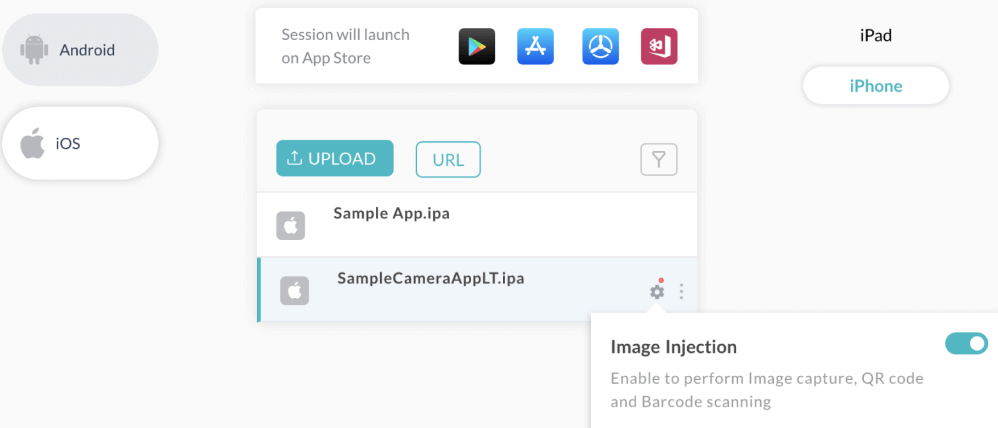
Note: The Camera Image Injection feature is available only for iOS devices. We will be launching it for Android soon!
Check out the other cool features in Real device testing.
- TestMu AI now supports browser and app testing on real Nothing Phone 1 and Tecno Spark 7, both live and automated.
- Long-press gestures on iOS are now supported by TestMu AI’s App testing on real devices.
- As you run automated app testing on real devices, you can now view video recording for each test case execution.
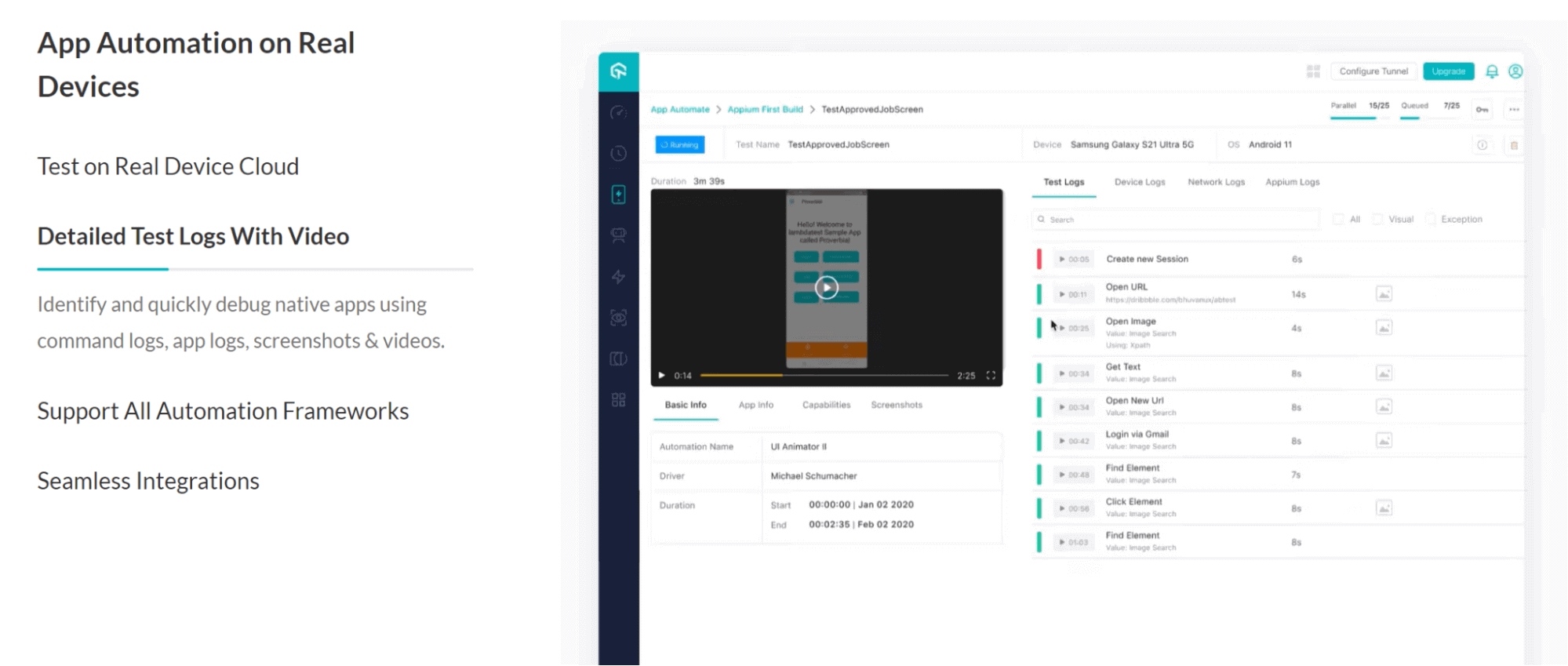

Note: Run app automation test across 3000+ real devices. Try TestMu AI Now!
Test on macOS Ventura Preview and Safari 16 (Beta)
Great news, right here! We are officially live with the macOS Ventura Preview and Safari 16.
Is your web applications ready for macOS Ventura? Test them right away across various real browsers running real macOS Ventura. You can also Test on Real macOS Ventura Online for a seamless experience.
Also, you can run automated tests of your websites and ensure a pixel-perfect experience on the latest Safari 16 (Beta).
You can generate the automation capabilities for macOS Ventura and Safari 16 from our automation capabilities generator.
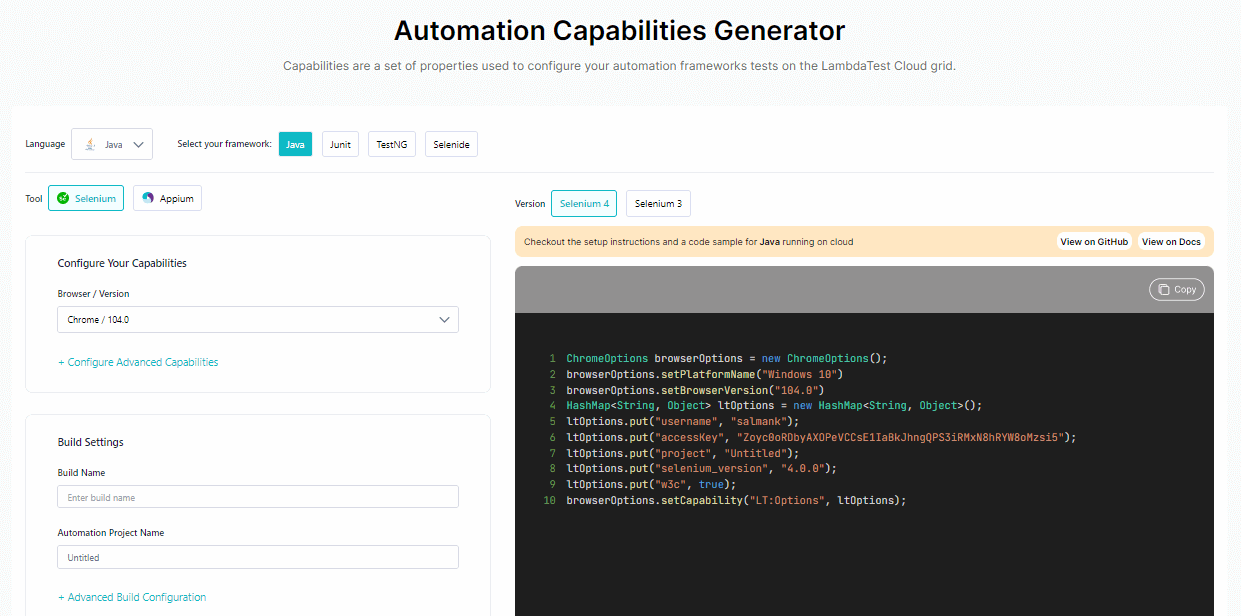
Now test on Android 13
Are your web and mobile apps compatible with Android 13?
Test your apps using TestMu AI’s online Android 13 emulators to ensure they work with the latest Android devices and browsers.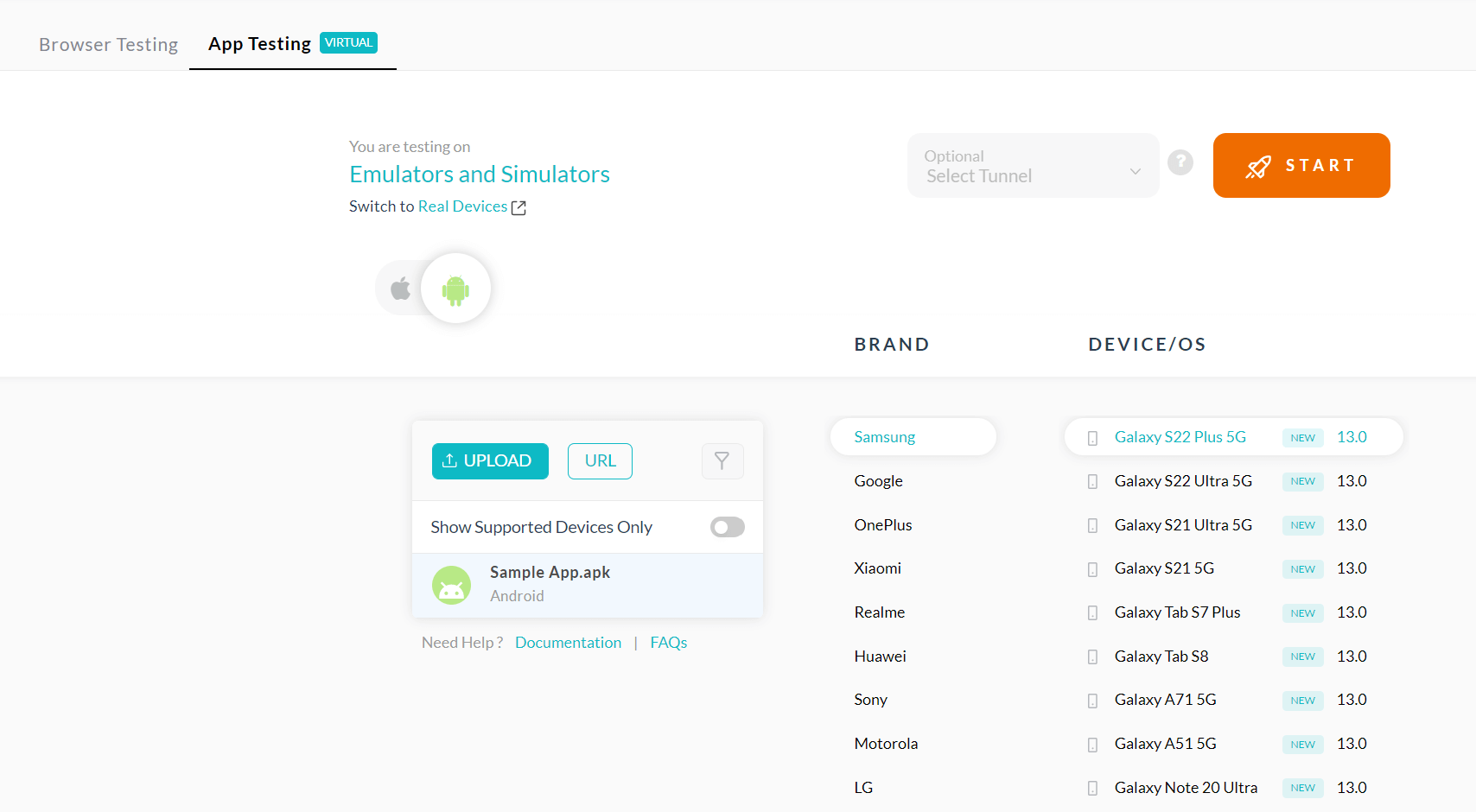
Test on Samsung Galaxy A7 Emulator on TestMu AI cloud for cross browser compatibility
Test on Latest Browsers
With the most recent versions of Chrome, Firefox, and Edge, you can now automate your web testing and real time browser testing. The list of recently added browser versions is seen below.
Web Automation
With our latest update, macOS users can test their websites on:
- Chrome 104.
- Firefox 104 Beta & 103.
- Edge 104 & 103.
Windows users can now seamlessly get the testing done on:
- Chrome 105 Beta & 104.
- Edge 105 Beta & 104.
- Firefox 104 Beta & 103.
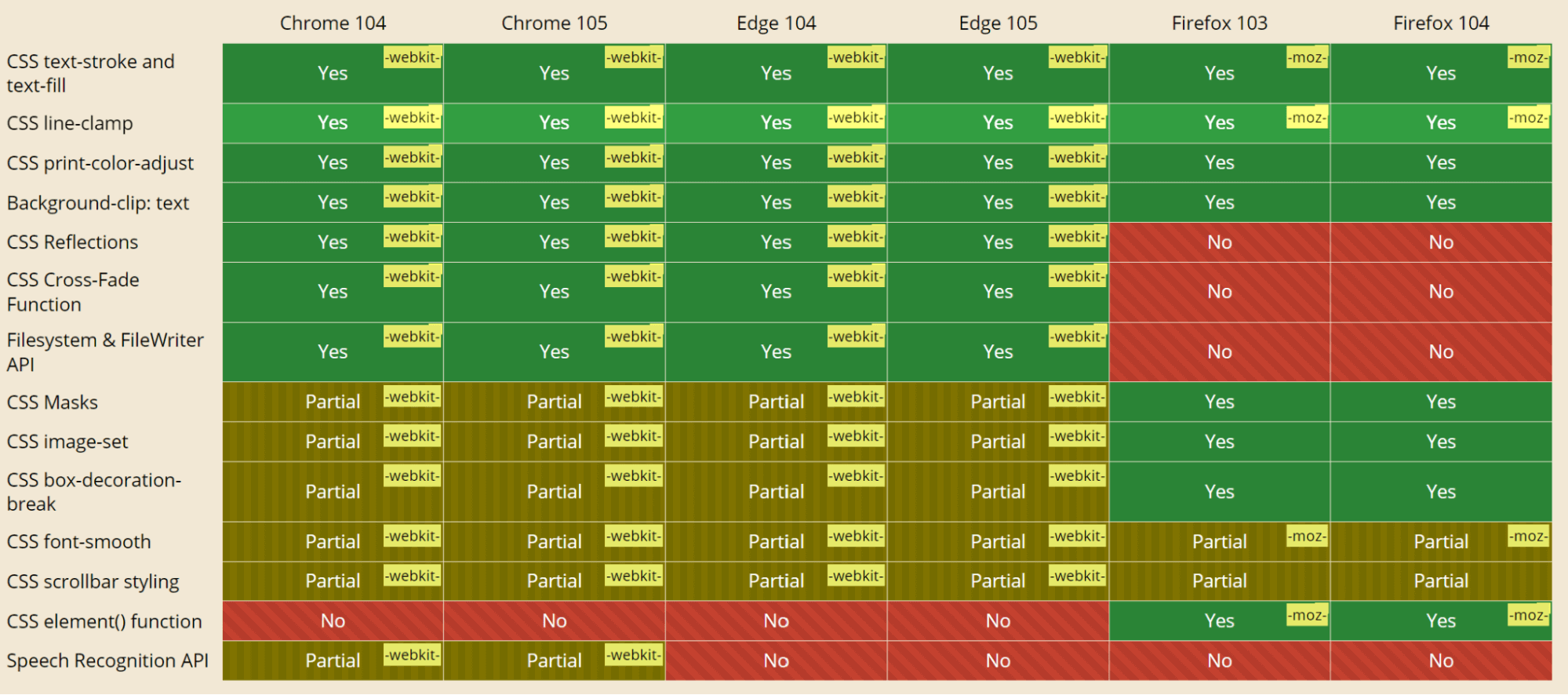
Let’s analyze the level of compatibility between the latest versions of Edge 104, Edge 105, Firefox 99, Firefox 103, Firefox 104, Chrome 104, and Chrome 105:
Real Time Browser Testing:
Here are the latest browser versions added in Real Time Browser Testing.
- Chrome 105 Beta, 104
- Firefox 104 Beta, 103, 102
- Edge 105 Beta, 104
Enhanced Visual Regression Testing Capabilities
Regression testing can be carried out with only one click on the TestMu AI platform, and Smart Visual Testing makes it simple to identify Visual UI Regression problems. You can extend your browser coverage by running automation scripts on an online browser farm with more than 3,000 desktop and mobile environments.
- In SmartUI testing, we have changed our default value of the transparency for the comparison screen from 0.0 to 0.3 to provide a better visual screening experience.
- Set your custom mismatch % acceptance rate in decimal values from the Project Settings page for SmartUI automation.

Wrap Up!
Here’s a video to summarise the updates.
That’s all I have for now. Watch out for even more amazing features. Hope you enjoy our most recent additions. Your feedbacks on the new features we’ve added would be greatly appreciated.
Please share your thoughts and suggestions on the new features via the TestMu AI community. You can also contact us by email at [email protected] or through our live chat site, which is accessible around the clock.
Happy Testing!


Did you find this page helpful?
More Related Hubs
TestMu AI forEnterprise
Get access to solutions built on Enterprise
grade security, privacy, & compliance
- Advanced access controls
- Advanced data retention rules
- Advanced Local Testing
- Premium Support options
- Early access to beta features
- Private Slack Channel
- Unlimited Manual Accessibility DevTools Tests