

Next-Gen App & Browser Testing Cloud
Trusted by 2 Mn+ QAs & Devs to accelerate their release cycles


Live With the All-New TestMu AI UnderPass Desktop Application
Learn about TestMu AI Tunnel's latest enhancements for simpler SSH connections and web app testing.

Devansh Bhardwaj
January 29, 2026
Setting up a Secure Shell (SSH) connection and preparing a local development environment for testing your website can be challenging. To simplify this process, we have revamped our TestMu AI UnderPass Tunnel desktop application with some out-of-box features for local testing. This application establishes an SSH (secure shell) connection between your computer and our cloud servers. It allows you to test web applications hosted locally or privately across various browsers before they go live.
We’ve continuously collected user feedback to improve TestMu AI UnderPass Tunnel. We are thrilled to share that the latest version of the TestMu AI Tunnel application is now available, packed with new and enhanced features!
Let’s dive in!
Before jumping onto the latest features, let us recap and understand TestMu AI UnderPass Tunnel.
What is the TestMu AI UnderPass Desktop Application?
TestMu AI UnderPass Tunnel allows you to test web applications hosted on your local server on 3000+ browsers on both mobile and desktop platforms.
This is done without executing any commands from your terminal. It’s a desktop application that sets up a Secure Shell (SSH) tunnel between your operating system and our cloud servers using a graphical user interface (GUI), making the process straightforward and user-friendly.
Now, let’s look at our new features for TestMu AI UnderPass.
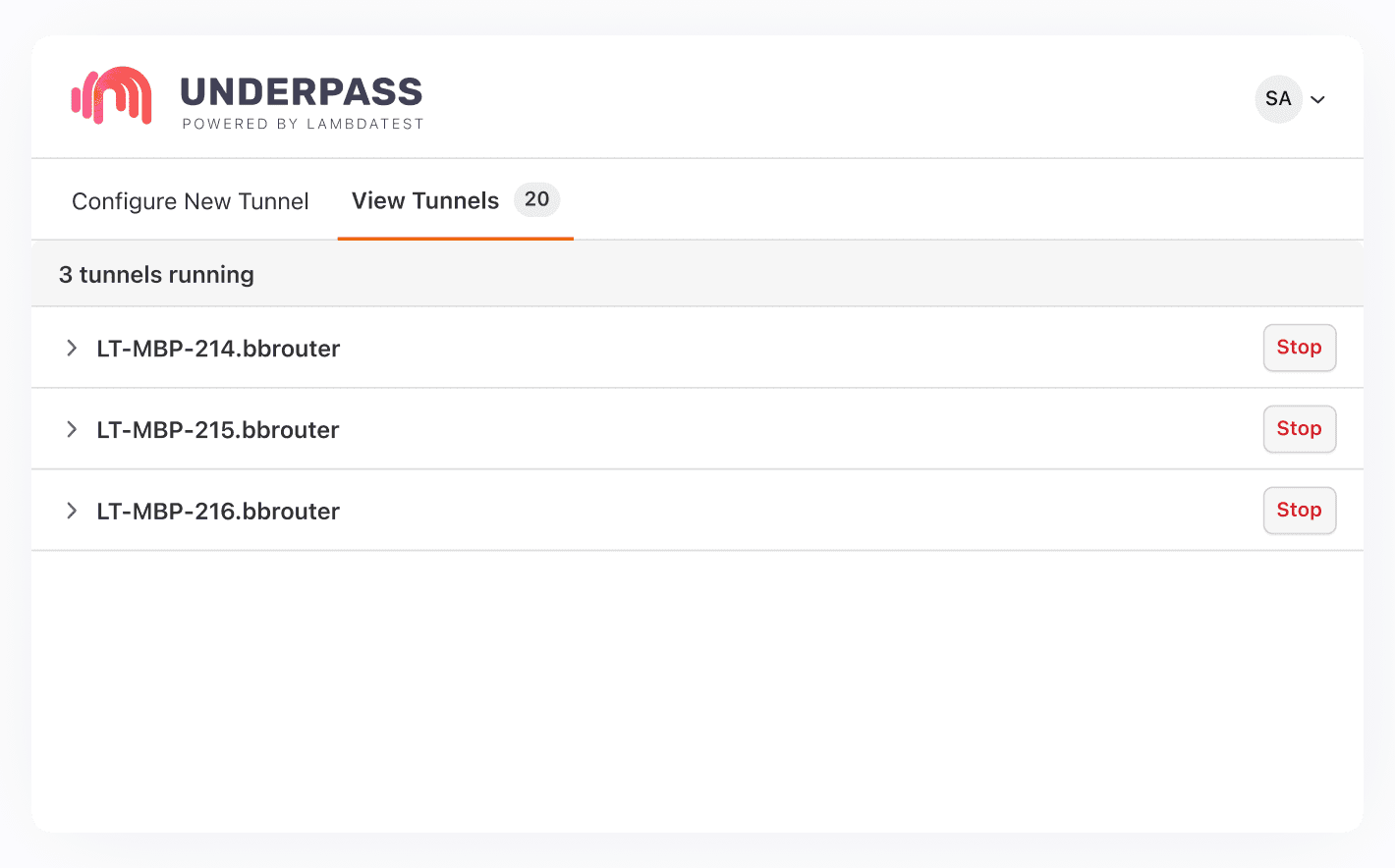
Multiple Tunnel Management
With the all-new TestMu AI Tunnel desktop application, users can launch and manage several tunnels simultaneously, enhancing the efficiency of testing processes. This update allows users to perform tests across various environments simultaneously. This capability is particularly beneficial for those who need to test web applications in different settings or on multiple versions of browsers and operating systems at the same time.
Note: Check out our detailed UnderPass Tunnel support documentation to know more.
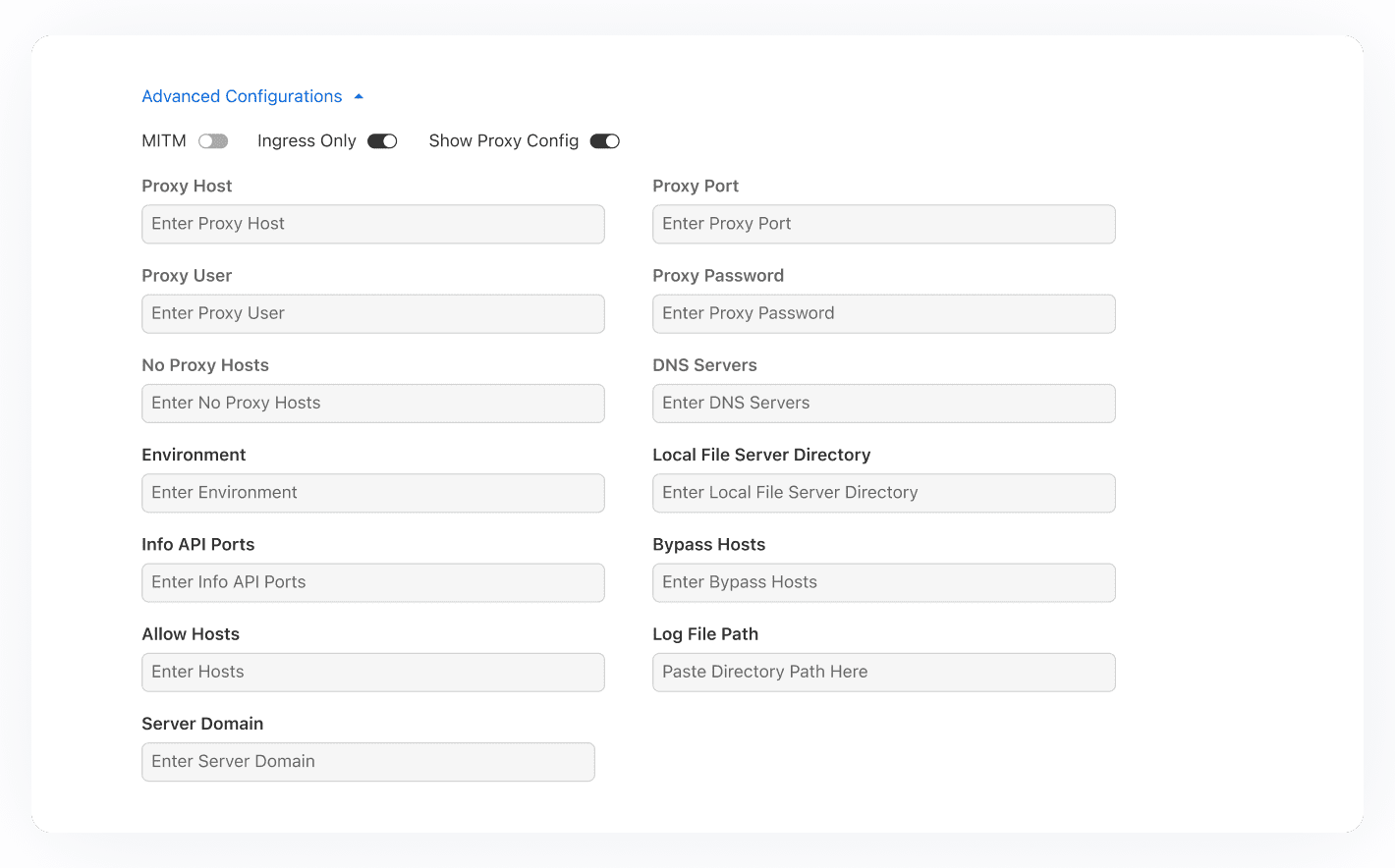
Access to Advanced Configurations
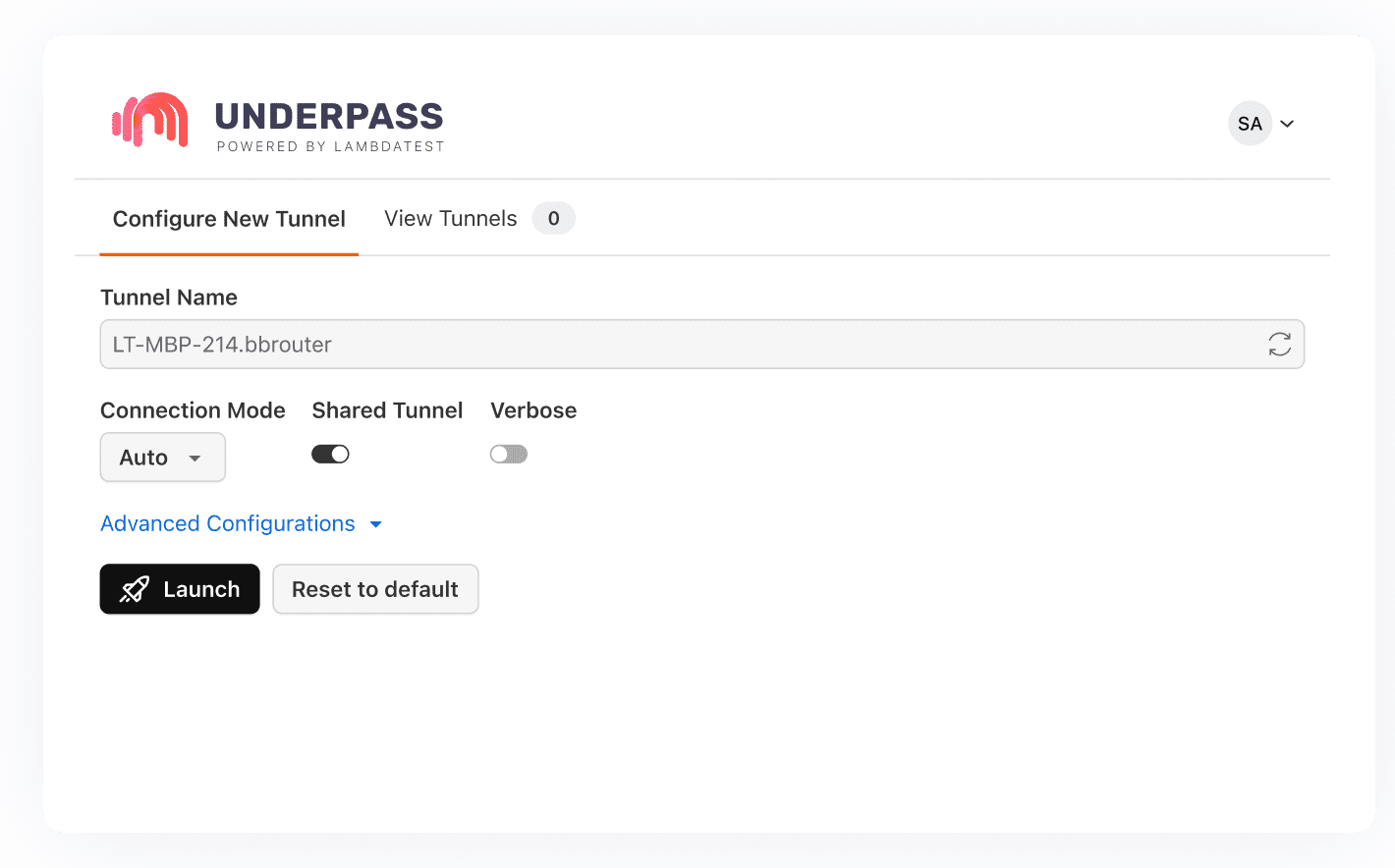
With advanced tunneling options for users who need customized setups, these configurations are designed to meet basic and complex requirements, ensuring a versatile and effective testing environment for all situations. Before starting the UnderPass tunnel application, you can set up detailed configurations like proxy information, an environment label, an info API port, a local server port, and more. This allows for a more tailored testing experience that fits your specific needs.
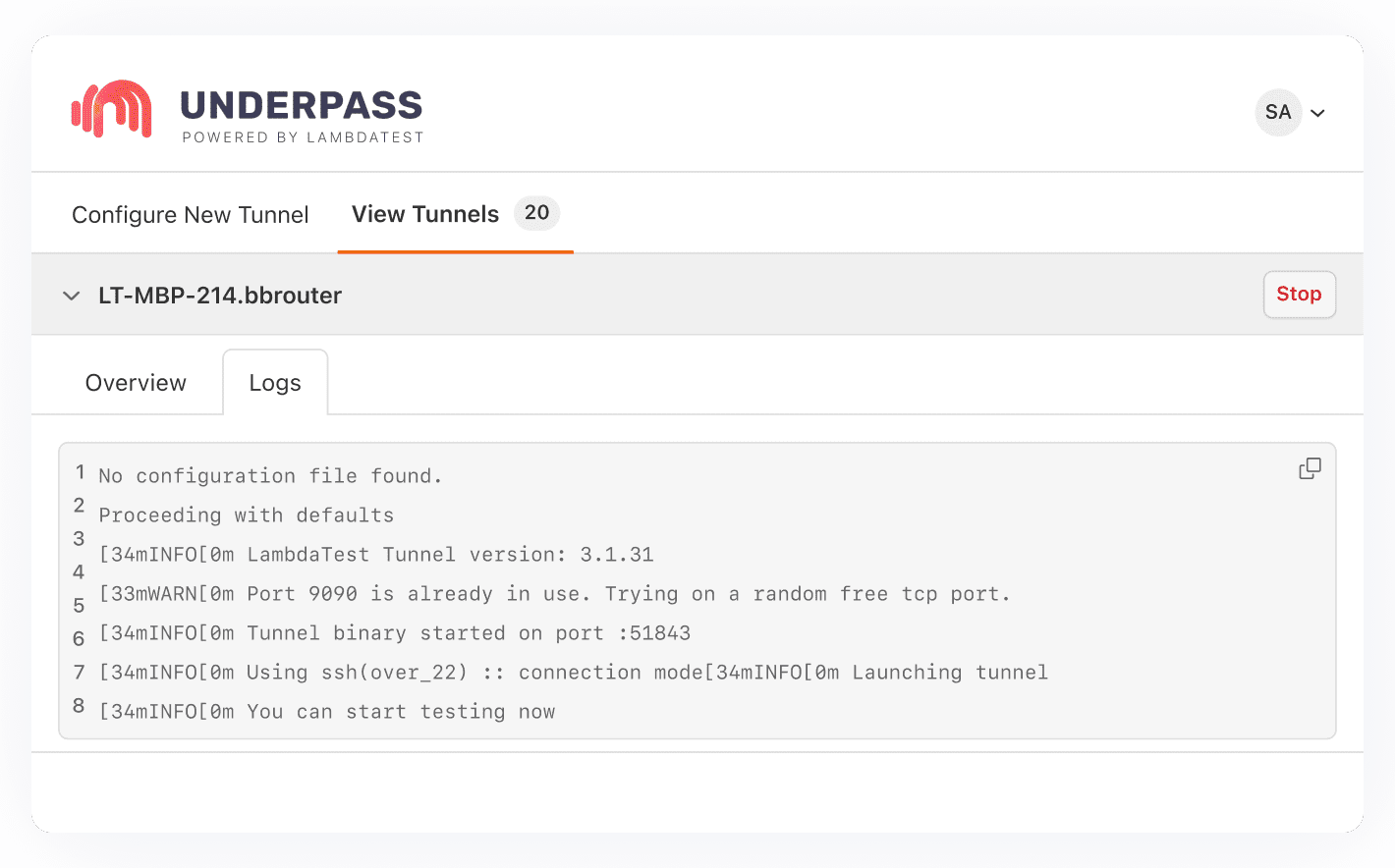
Streamlined Log Sharing
To simplify the debugging process, the all-new TestMu AI UnderPass desktop application comes with an easy-to-use log copying mechanism. This allows users to quickly share and analyze logs, enhancing collaboration and speeding up issue resolution. You can find messages populated through the command line by clicking the Logs button.
Note: Download the TestMu AI UnderPass Tunnel Desktop Application as per your preferred OS:
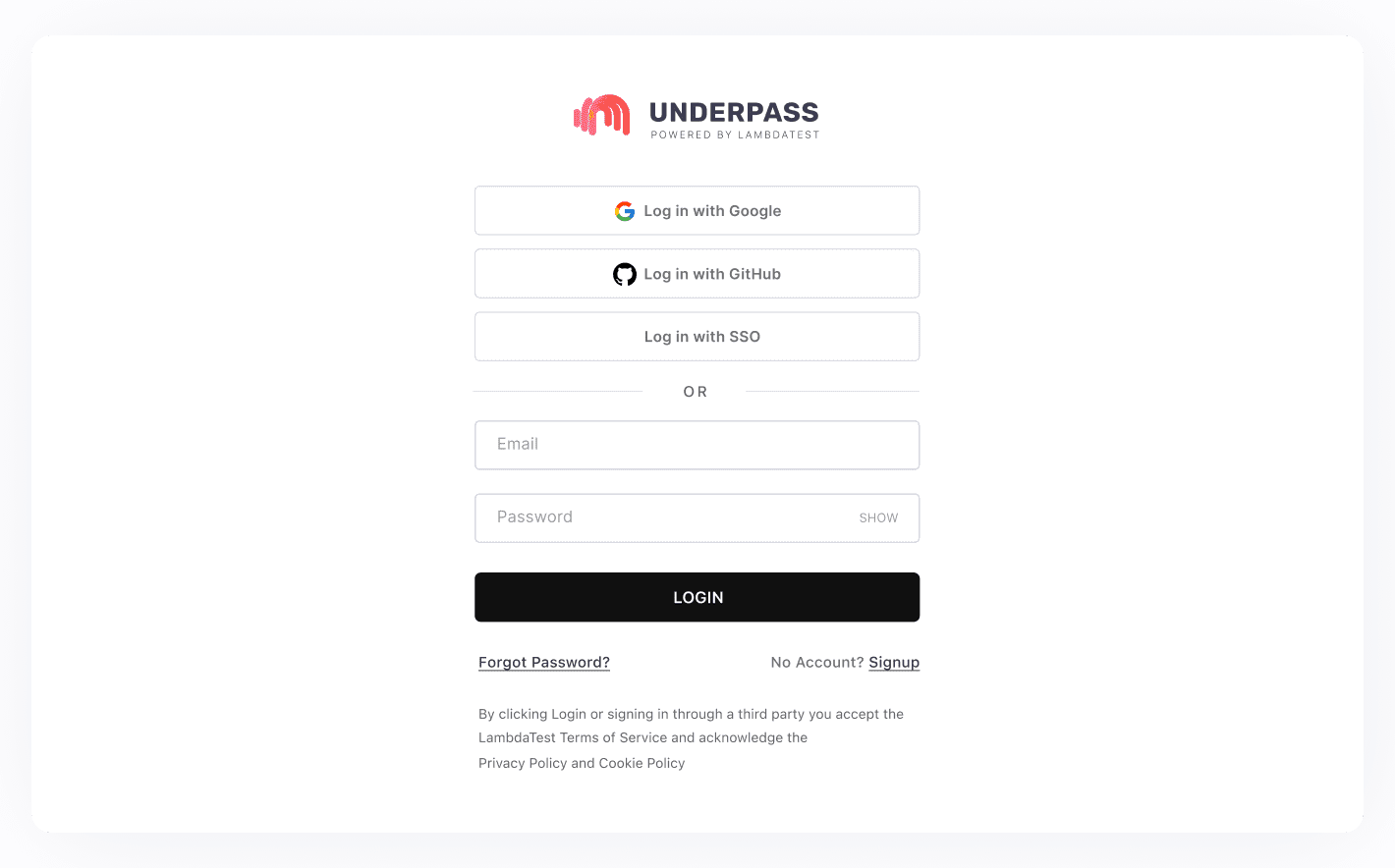
Enhanced Login Flexibility
Accessing the TestMu AI UnderPass Tunnel is now extremely easy. With its various authentication methods for your convenience, you can now use the usual email-password method or choose to log in through Google, GitHub, or Single Sign-On (SSO), ensuring a seamless and secure experience.
Revamped User Interface (UI)
Experience smoother navigations and efficient tunneling operations with the all-new intuitive user interface of the TestMu AI UnderPass Tunnel desktop application.
Bonus Features
Here are a few more features that make the TestMu AI UnderPass Tunnel desktop application your ideal choice for testing locally hosted web pages:
- Eliminate the need to launch the tunnel through CLI with instant TestMu AI tunnel activation.
- Test websites with support for MITM for sites with self-signed certificates.
- Conduct testing on localhost for websites behind proxies by setting up the PROXY HOST, PORT, USER, and PASSWORD.
- Simplify project setup for the team and test using a shared tunnel.
All In All!
The TestMu AI UnderPass Tunnel desktop application has significantly streamlined setting up an SSH connection and testing web applications on local servers. With its array of new and improved features, the latest version offers an even more user-friendly and efficient experience.
Whether managing multiple tunnels, accessing advanced configurations, sharing logs easily, or enjoying enhanced login flexibility, TestMu AI Tunnel caters to fundamental and complex testing needs. We hope this new update will greatly benefit you while maximizing your productivity.
Try the UnderPass Tunnel and share your thoughts on the TestMu AI Community. You can also contact us via our chat portal or at [email protected].
Happy Testing! 😀


Did you find this page helpful?
More Related Hubs
TestMu AI forEnterprise
Get access to solutions built on Enterprise
grade security, privacy, & compliance
- Advanced access controls
- Advanced data retention rules
- Advanced Local Testing
- Premium Support options
- Early access to beta features
- Private Slack Channel
- Unlimited Manual Accessibility DevTools Tests