

Next-Gen App & Browser Testing Cloud
Trusted by 2 Mn+ QAs & Devs to accelerate their release cycles


How to Unblock a Website: Step-by-Step Guide
In this guide, let’s learn how to unblock a website on different browsers.

Salman Khan
December 28, 2025
Most of us have encountered a blocked website at some point. Unblocking a website can be essential to access information and services that network policies, geographical limitations, or government regulations may restrict.
Whether you are a student trying to access educational resources, a working professional needing to visit specific websites, or anyone looking for an unrestricted browsing experience, several methods are available to unblock a website and access the content you need!
What Are Blocked Websites?
A blocked website is one on which access has been limited by someone—like the government, workplace, or even your Internet provider- for various reasons, including regulatory compliance and policies.
These blocks can be implemented through various means, such as IP blocking, DNS filtering, geofencing, URL filtering, etc., to prevent users from accessing specific websites.
Why Do Websites Get Blocked?
Why a website is blocked can vary depending on who blocks it.
For instance, governments might block websites to prevent the public from accessing certain information they don’t want out there or to stop people from engaging in illegal activities online.
Schools and workplaces block sites, too, typically those they think might pose security risks or distract students and employees from their tasks. You might find they’ve blocked social media, streaming websites, or games in workplaces to keep everyone focused on work or studies.
Then there’s the security side of things. Some websites get blocked because they’re risky—they might be hosting viruses or trying to steal personal information.
Copyright issues are another reason; websites that offer pirated content are often off-limits to help stop illegal downloading. These blocks are usually enforced with tech tricks that filter out specific Internet addresses or types of data. When you try to get onto a blocked site, you’ll likely bump into a message telling you it’s not allowed.
Understanding the reasons behind these blocks is crucial before bypassing them. Each block is there for a reason, often linked to safety and legality. So, before trying to unblock a website on various web browsers online, you need to consider why the blocks were put in place and what the risks might be if you ignore them.

What Are Different Ways to Block Websites?
You might be blocked from accessing a website for several reasons:
- Network Restrictions: Workplaces often block sites to keep you focused, using URL filters.
- Government Blocks: The government prevents access to websites that violate their guidelines.
- ISP Blocks: These are less common and usually enforce local laws or terms of service. Changing your DNS settings or using a VPN can often bypass these.
- Geo-Restrictions: Streaming services might limit content by region.
- Direct Blocks: If you’re banned by a website for violating terms of service, you might need a new account or use a VPN to change your IP address if the ban is IP-based.
Techniques to Unblock a Website
Various techniques are available that you can use to unblock a website on different browsers, such as VPNs, proxy extensions, browser settings, and others. Let’s have a look at those techniques.
- Use a VPN: Most VPN services have extensions for browsers like Chrome, Firefox, and Safari. Just install the extension, activate it, and you’re good to go.
- Proxy Extensions: Similar to VPNs, proxy extensions can be added to your browser. They reroute your traffic, helping you access blocked sites. Check the extension store of your browser for options.
- Browser Settings: Some browsers allow you to change network settings directly. You can manually add a proxy through the settings menu.
- Switch from HTTP to HTTPS: Change “http” to “https” in the website URL. This might bypass some blocks, especially on work or school networks.
- Use the Website’s IP Address: Instead of the website URL, use its IP address. This can sometimes bypass URL-based blocks.
- URL Shorteners: Use services like TinyURL to shorten the blocked URL. This might get around certain restrictions.
- Change Your DNS Server: Switch to a public DNS server like Google’s (8.8.8.8) in your network settings to bypass DNS-based blocks.
- Online Translators: Enter the blocked URL into Google Translate or another translator. This can provide an alternative link that bypasses filters.
- Caches and Archives: Access older versions of websites through Google Cache or the Wayback Machine.
- Opera Browser: Use the free built-in VPN that Opera browser provides to unblock a website.
- Tor Browser: If you need strong anonymity, download and use the Tor browser. It routes your traffic through multiple relays, hiding your identity and unblocking sites.
So far, VPN is one of the most used methods to access blocked websites. There could be various reasons for unblocking any website. For example, VPNs can be used in web development or even for testing purposes as well. This includes testing websites in different browsers from various geographies or regions.
However, in some cases, VPNs are not secure as some countries block the use of VPNs to secure their infrastructure, and you may face challenges, especially in your testing process. Therefore, there are different cloud testing platforms, such as TestMu AI, that allow geolocation testing to access websites or mobile apps across various countries on a secure infrastructure. It helps test scenarios such as geoblocking and geofencing as well.
This way, you can access region- or country-specific blocked content using the geolocation testing feature.

Note: Run Your Geolocation Tests Across 53+ Countries. Try TestMu AI Today!
How to Unblock a Website on Different Browsers?
It’s important to know how to unblock a website on different browsers to get access to important pieces of information. According to Statcounter, Chrome, Safari, Edge, Firefox, and Opera are the popular browsers.
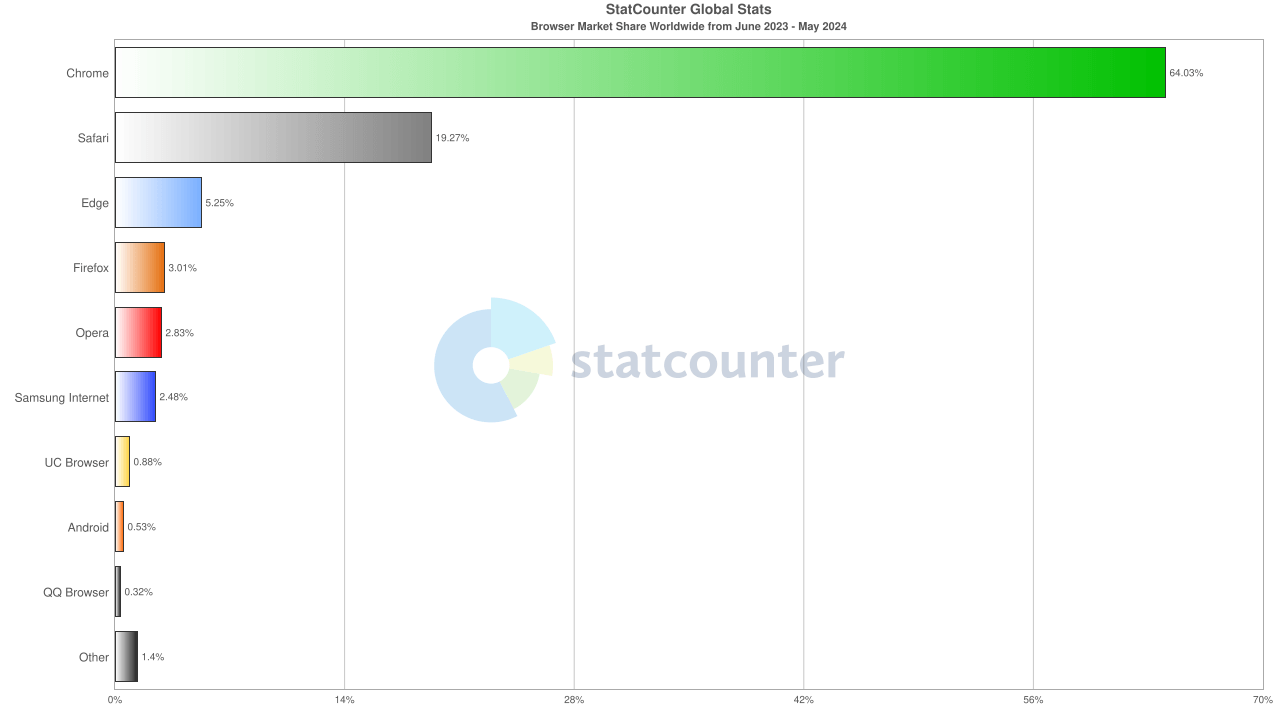
Let’s take a look at how to unblock a website on these browsers (Chrome, Safari, Edge, Firefox, Opera) using their settings. This will help users get control over access restrictions directly within their web environments.
Chrome
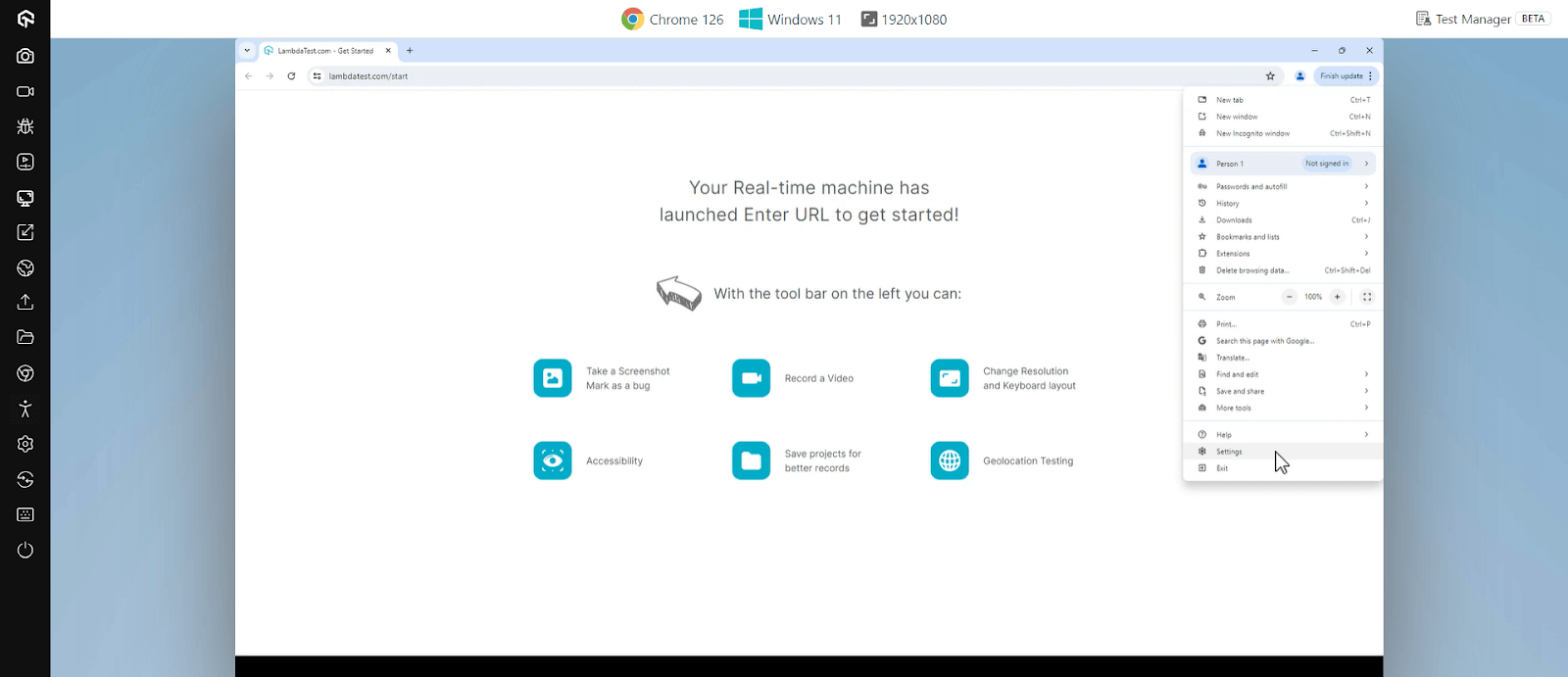
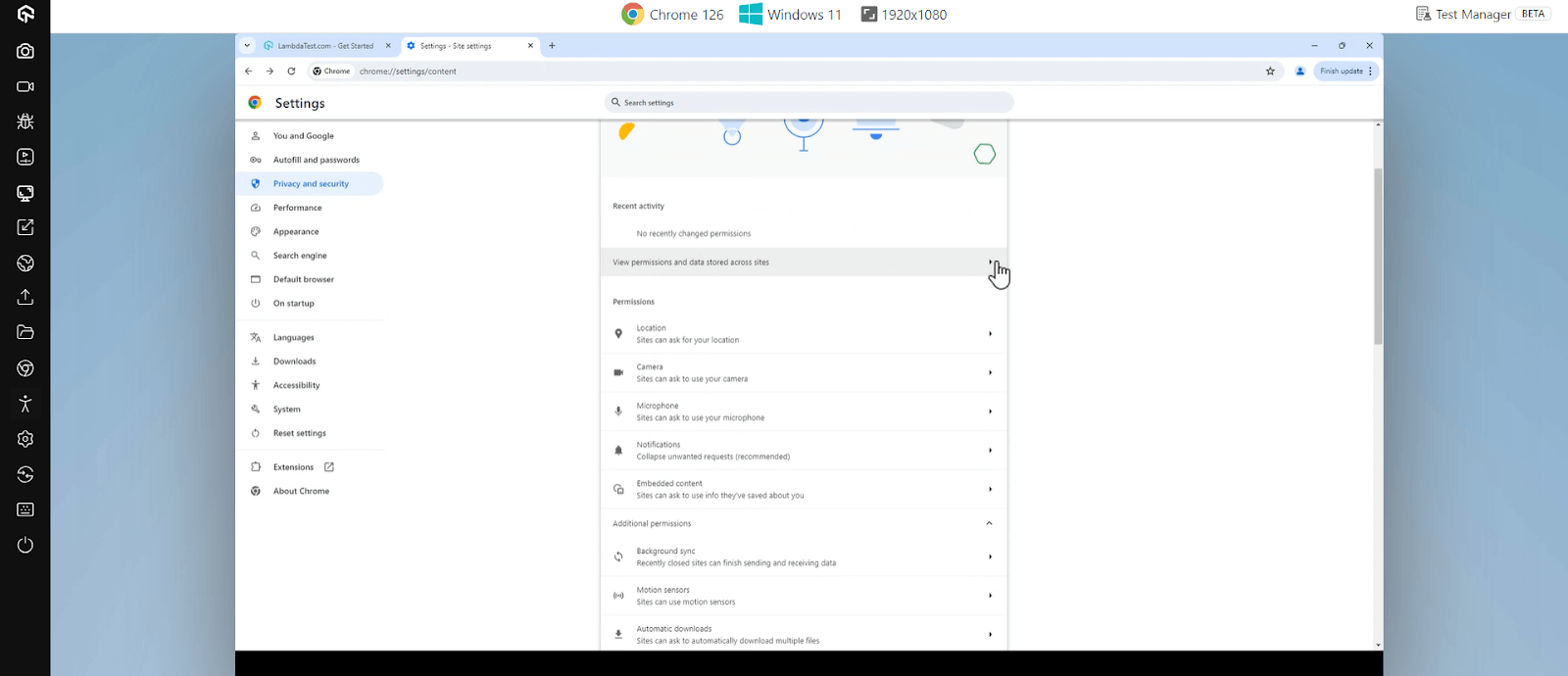
- Launch Chrome, navigate to the three-dot menu and click Settings.
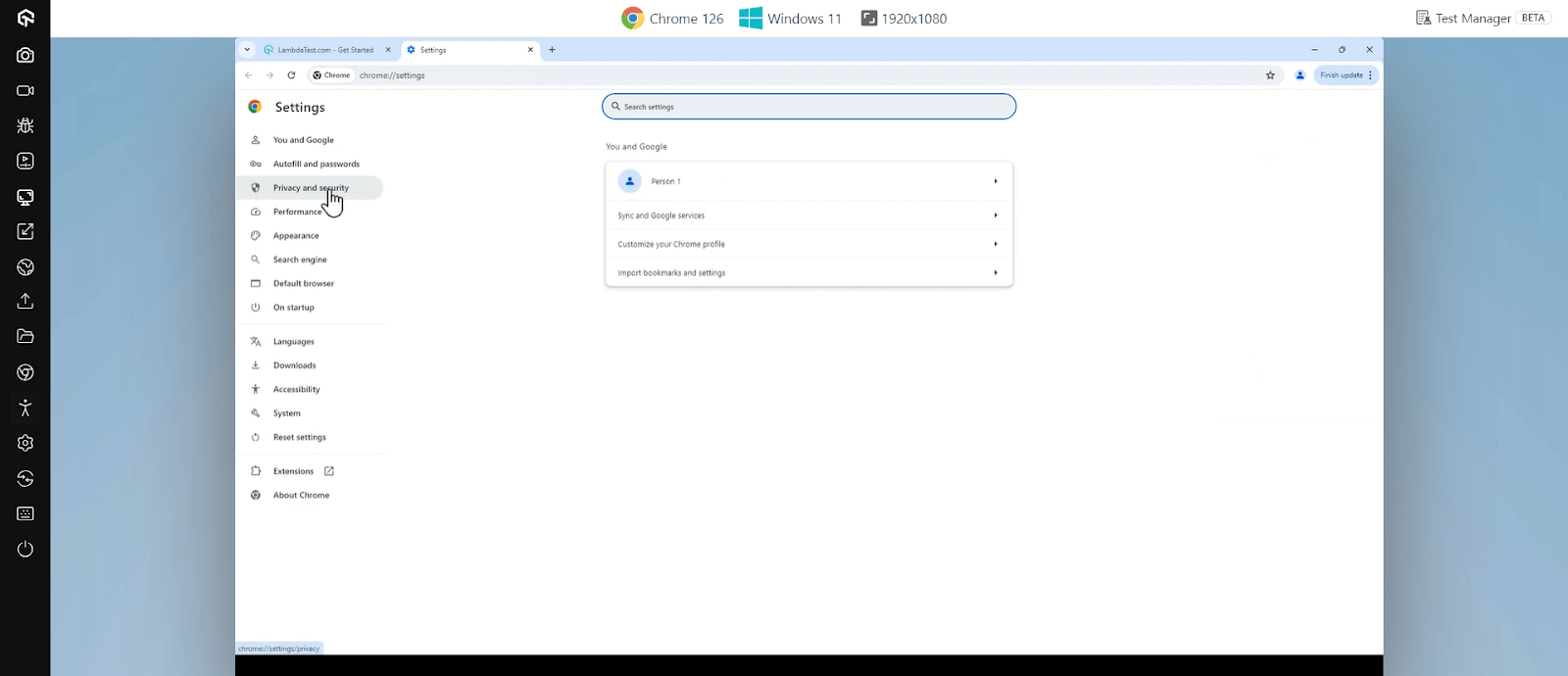
- Click Privacy and security from the left sidebar.
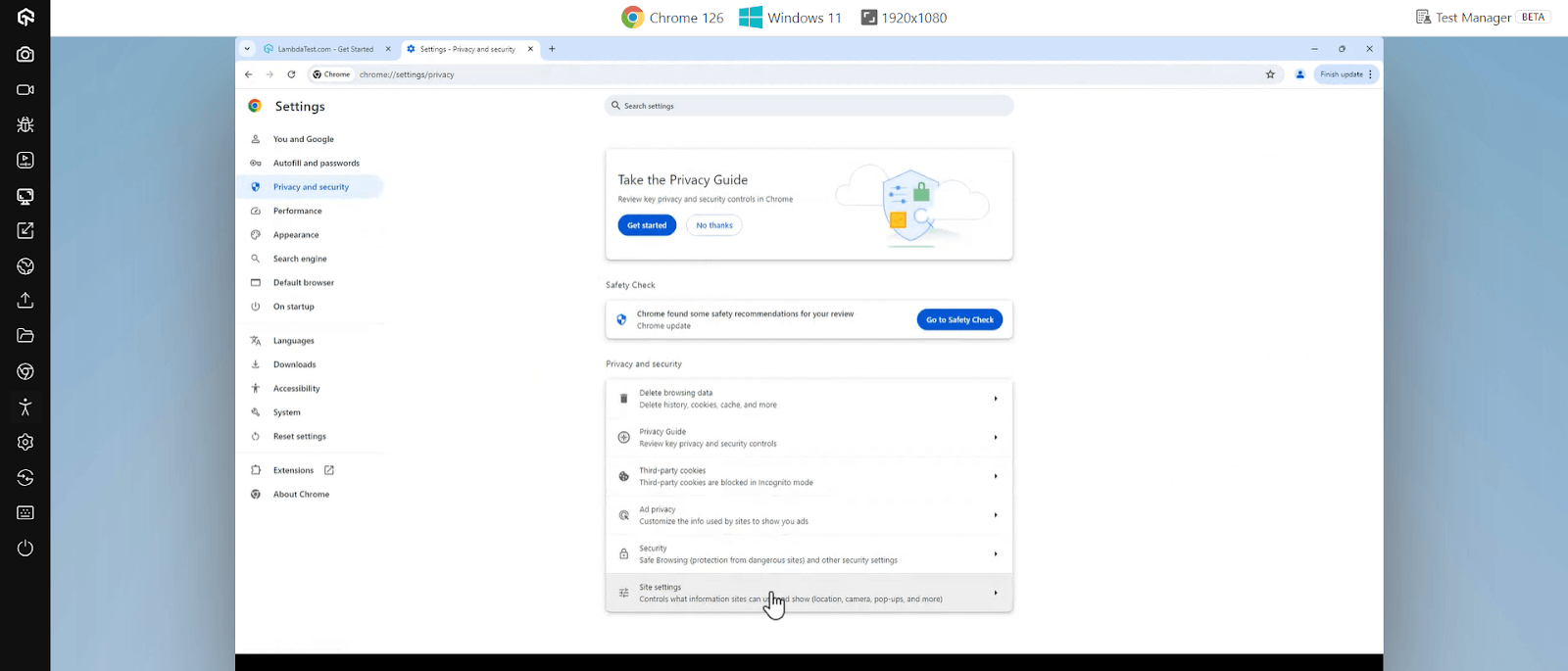
- Under Security, click Site settings.
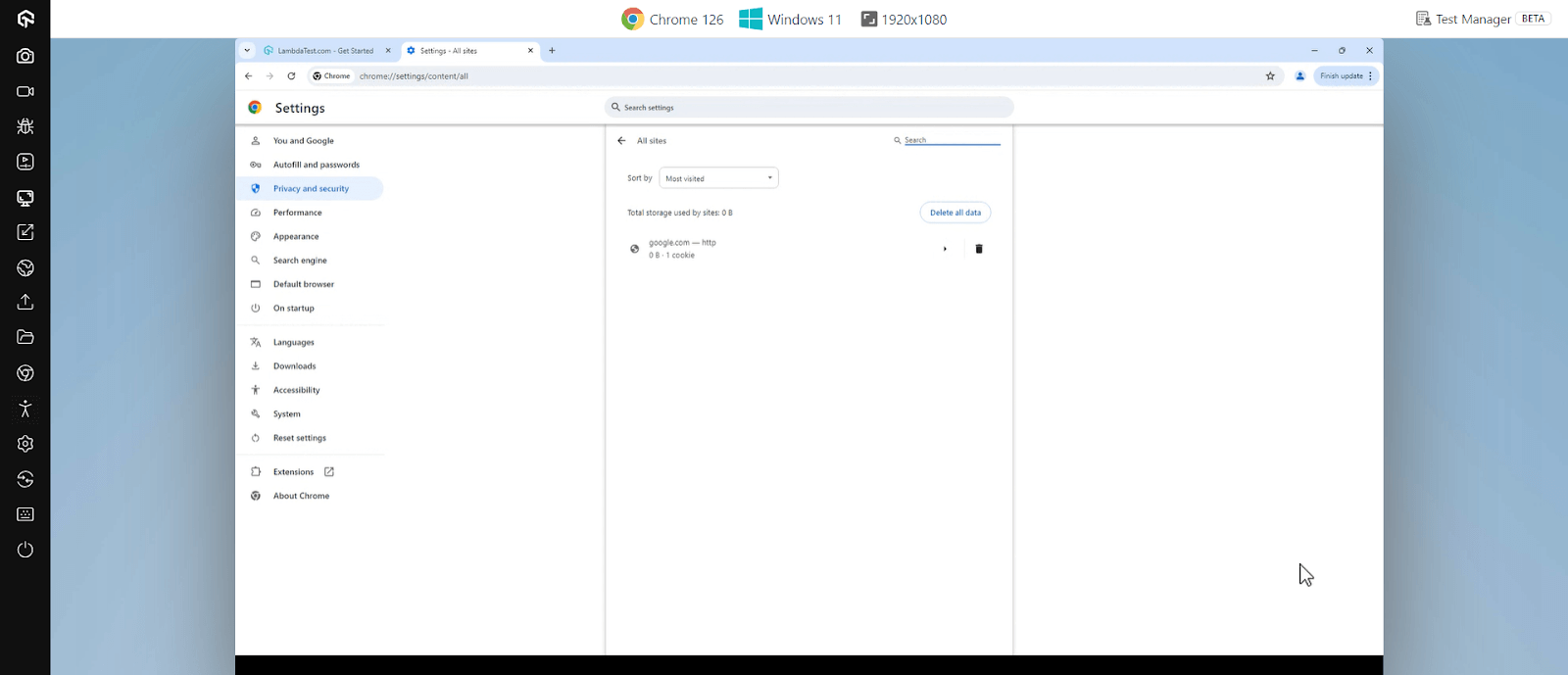
- Click on the View permissions and data stored across sites.
- Search for the website you want to unblock and click on the trash icon.
Safari
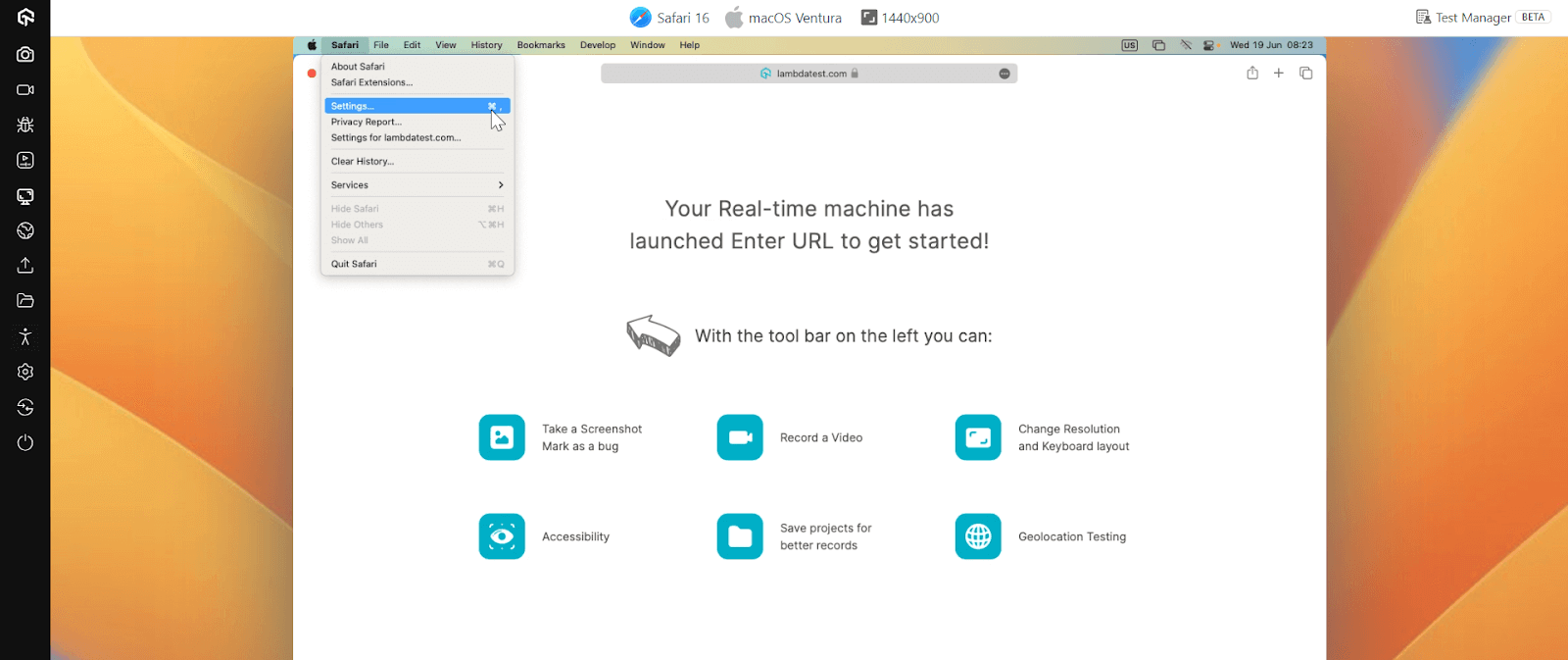
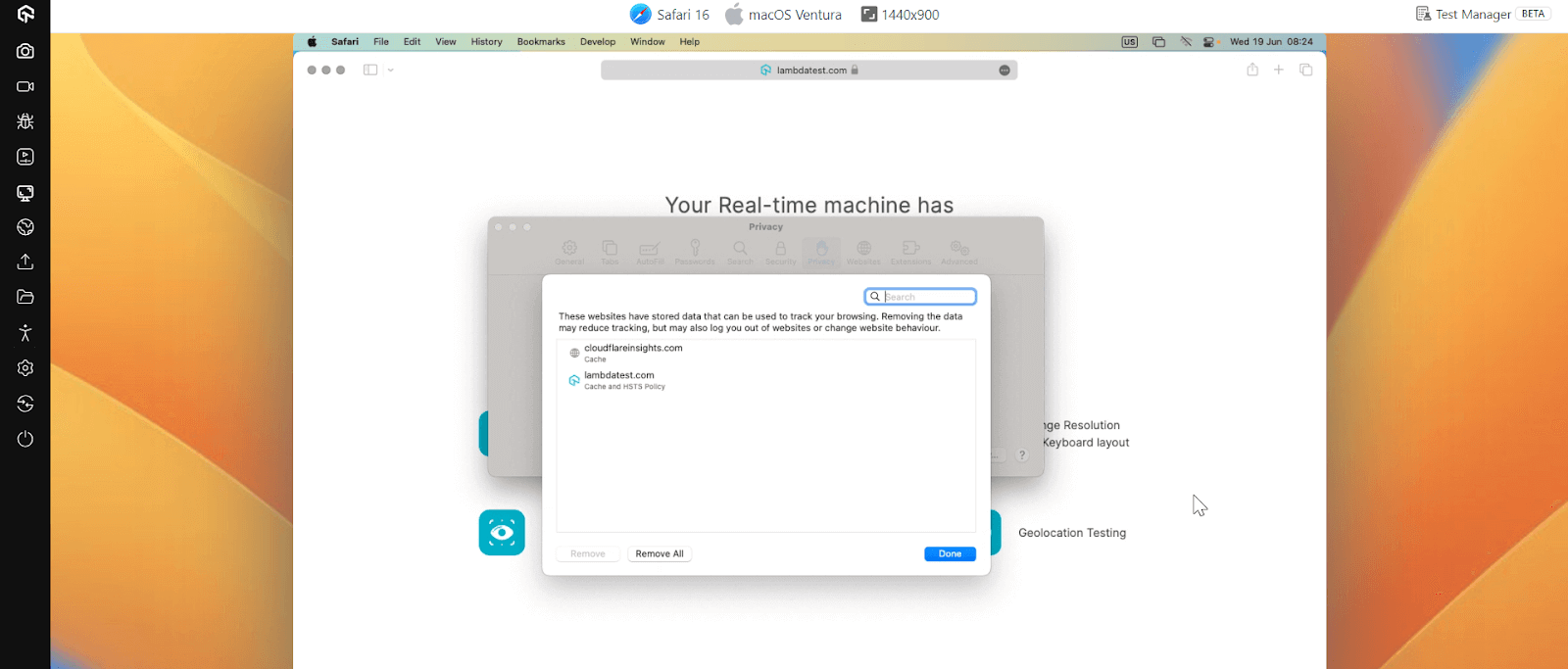
- Open Safari and click on Safari in the menu bar, then select Settings.
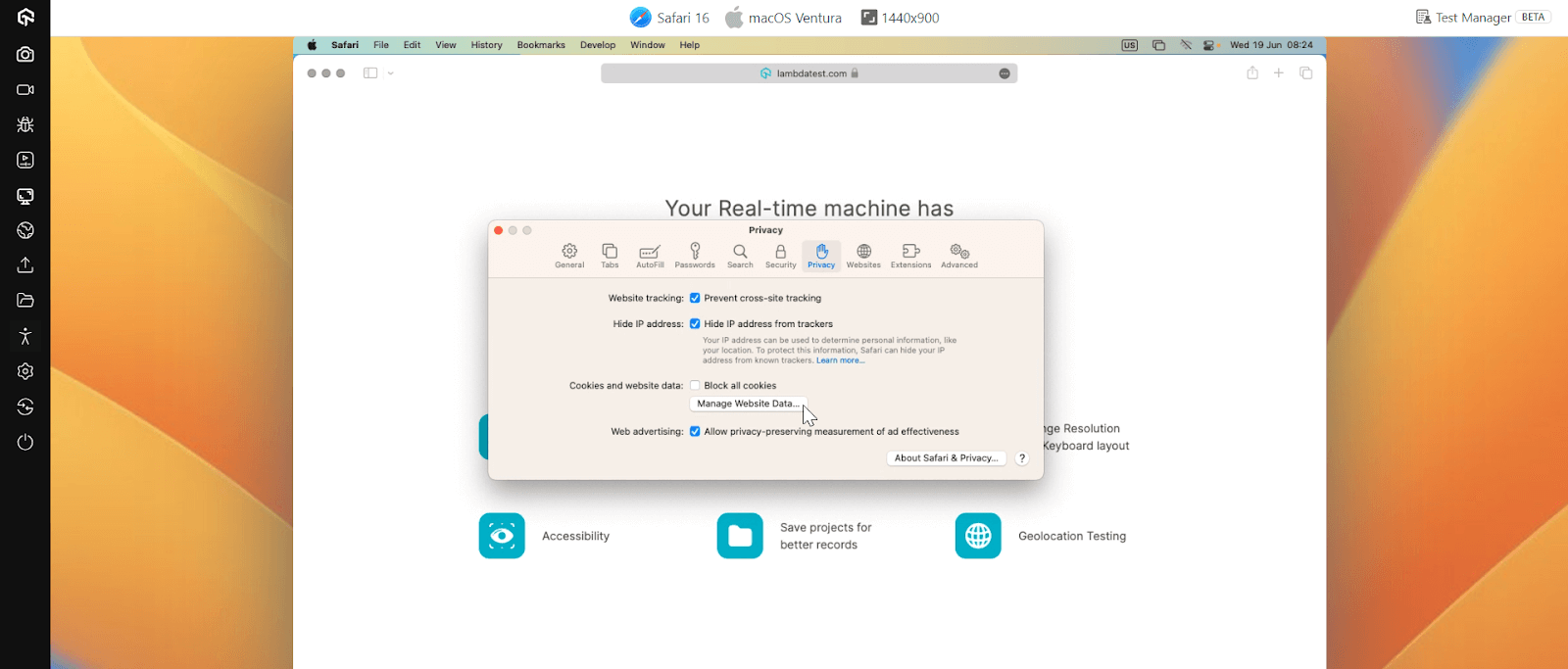
- Go to the Privacy tab and click on Manage Website Data.
- Search for the website you want to unblock, select it, and click Remove or Remove All to clear data that might be causing the block.
Edge
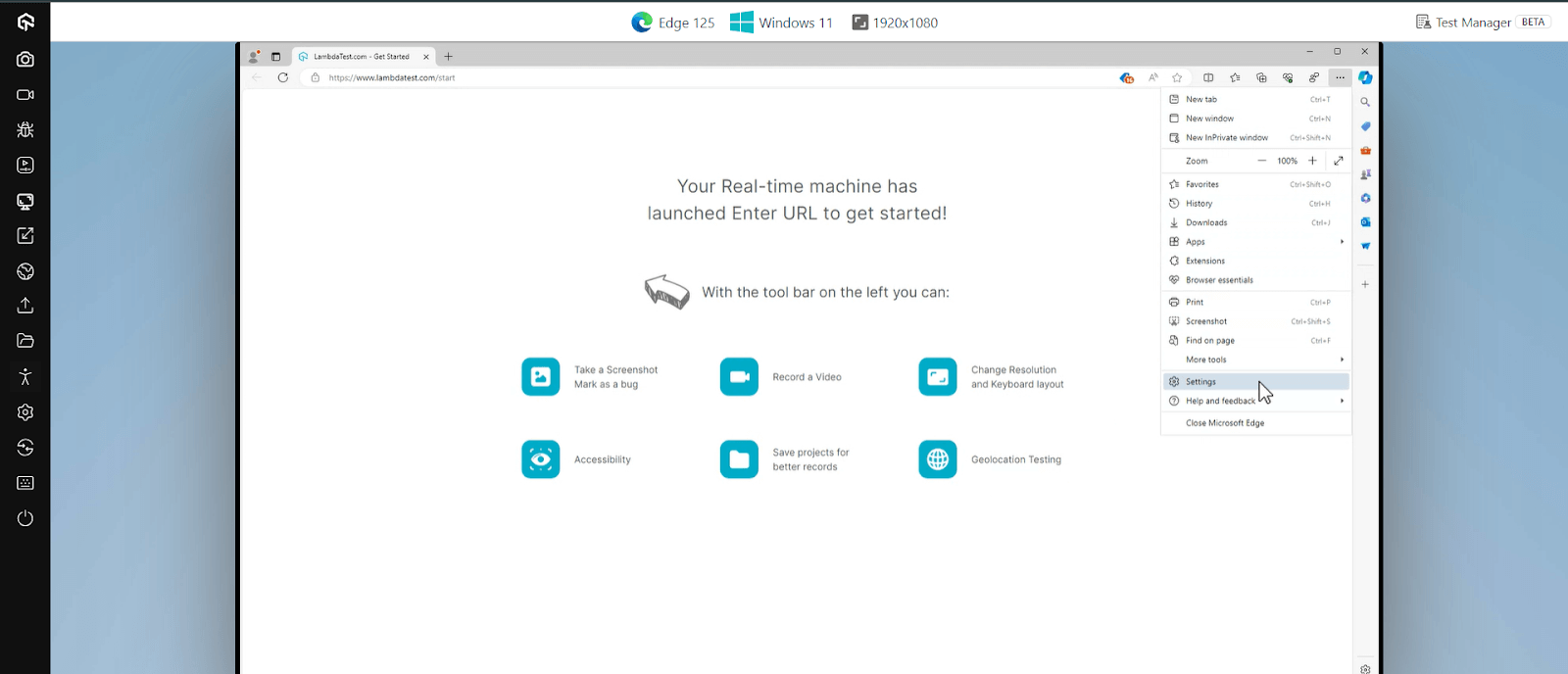
- Launch Edge, click on the three dots menu and select Settings.
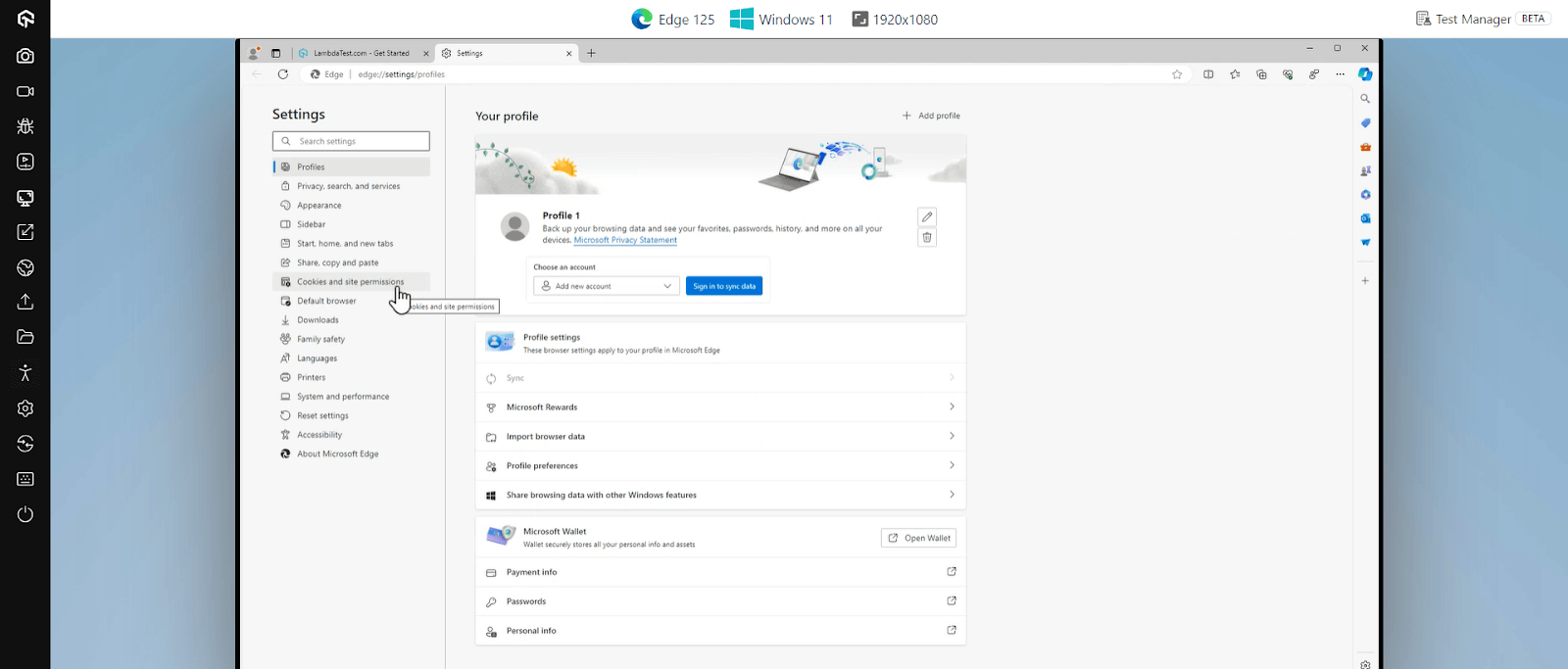
- Click Cookies and site permissions.
- Select Manage and delete cookies and site data and check if any specific permissions block the website.
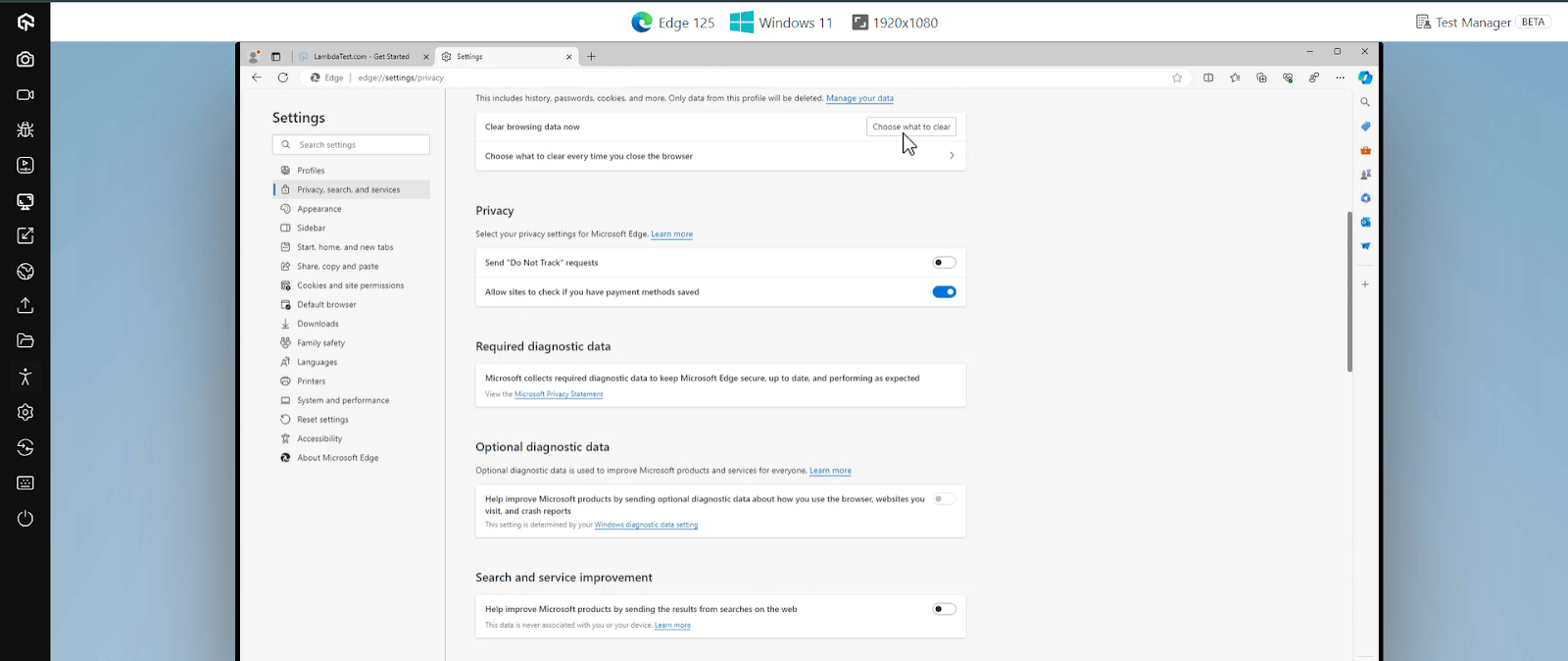
In the Settings menu, under Privacy, search, and services, you can scroll to Clear browsing data now and click on Choose what to clear.
Firefox
- Launch Firefox, click the three horizontal lines and go to Settings.
- Click on Privacy & Security.
- Scroll down to the Permissions section and click Exceptions to check if any site is blocked here. If so, you can remove it.
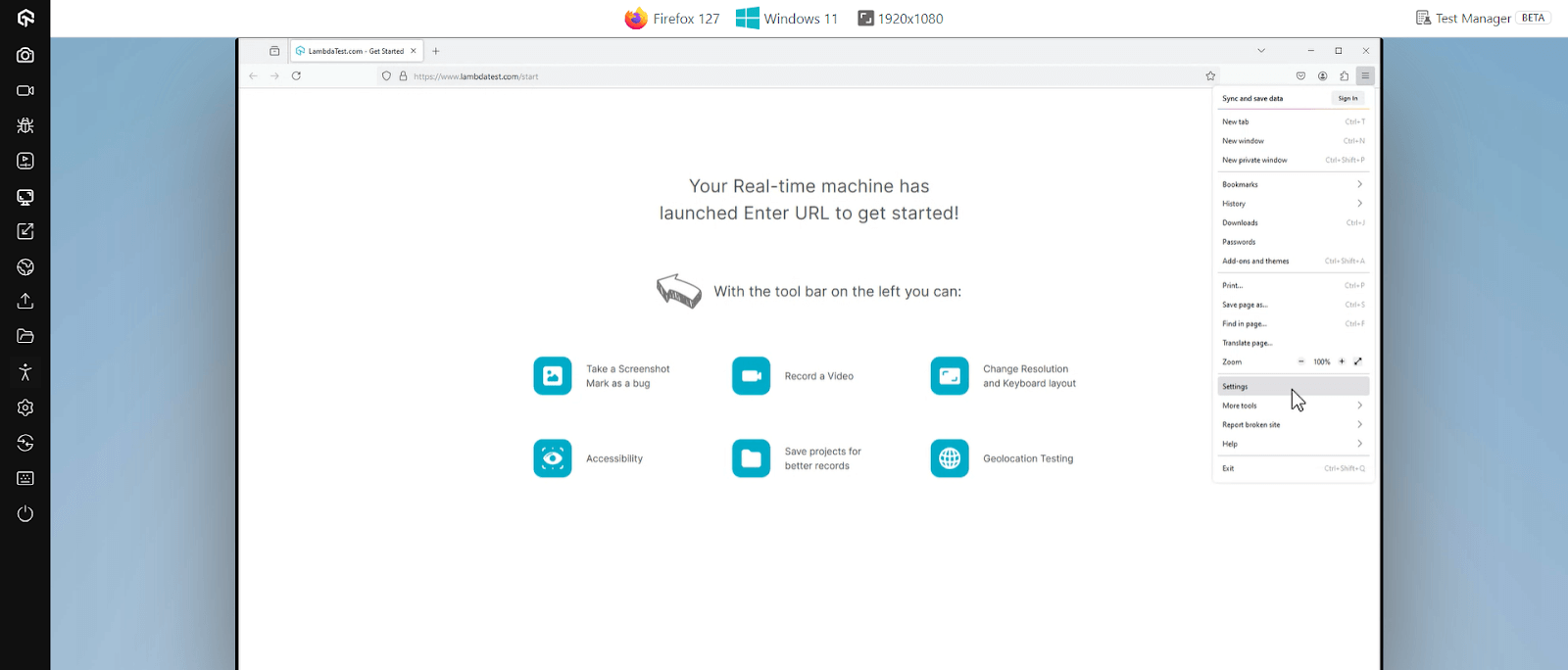
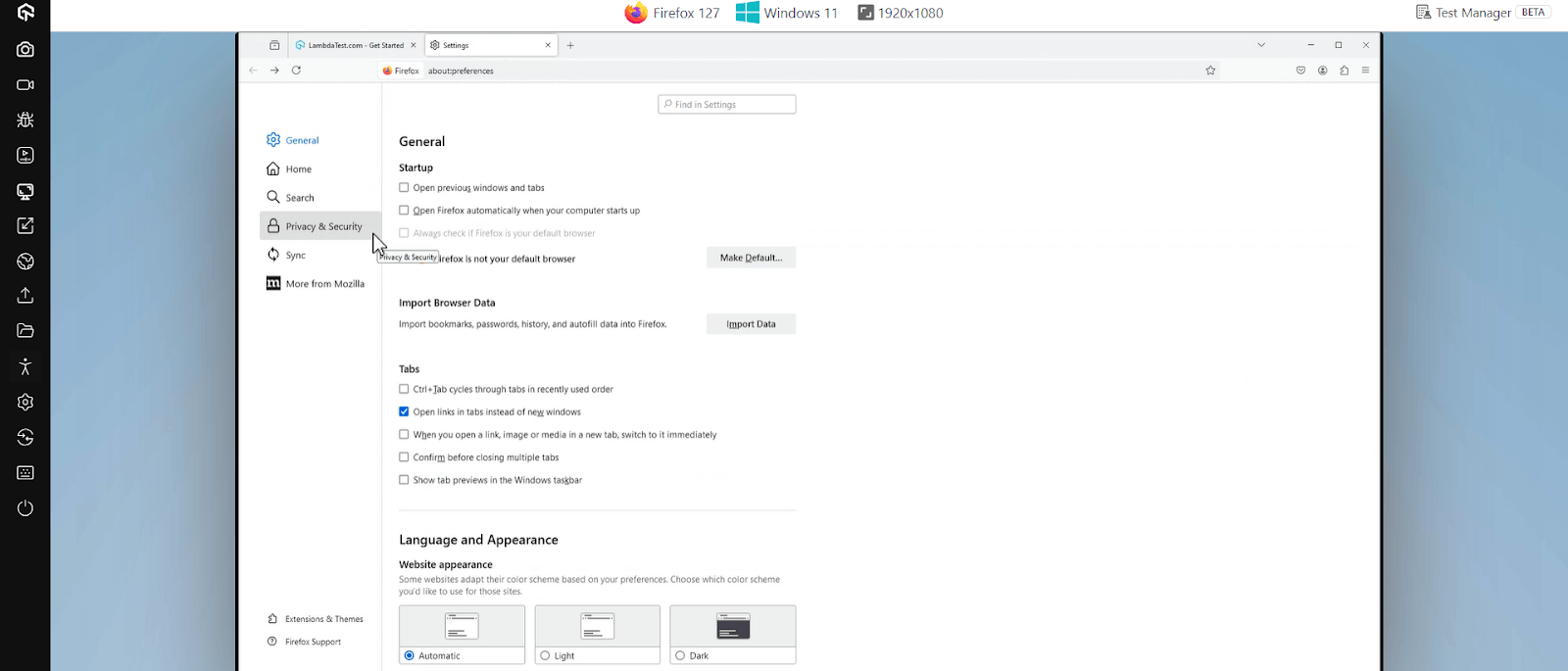
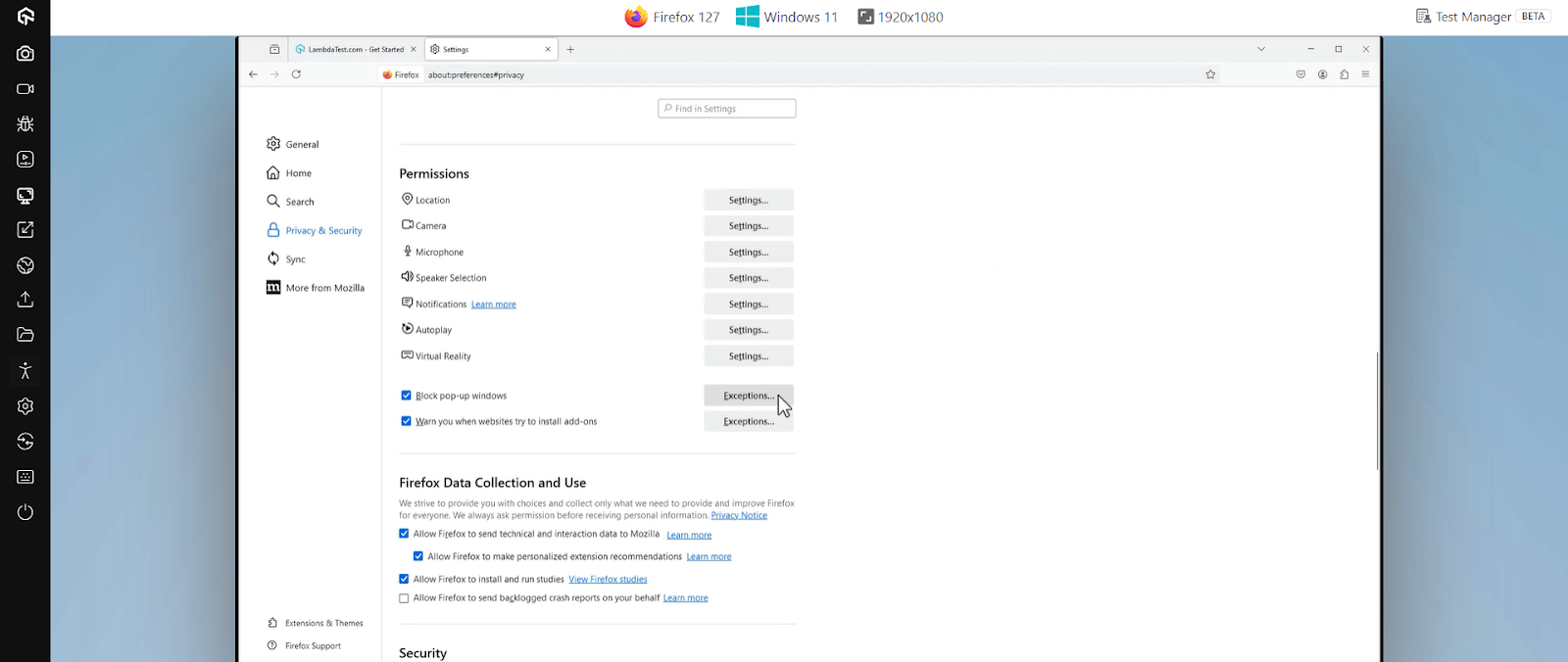
Opera
- Open Opera and navigate to the website you want to unblock.
- Click on the padlock icon in the address bar.
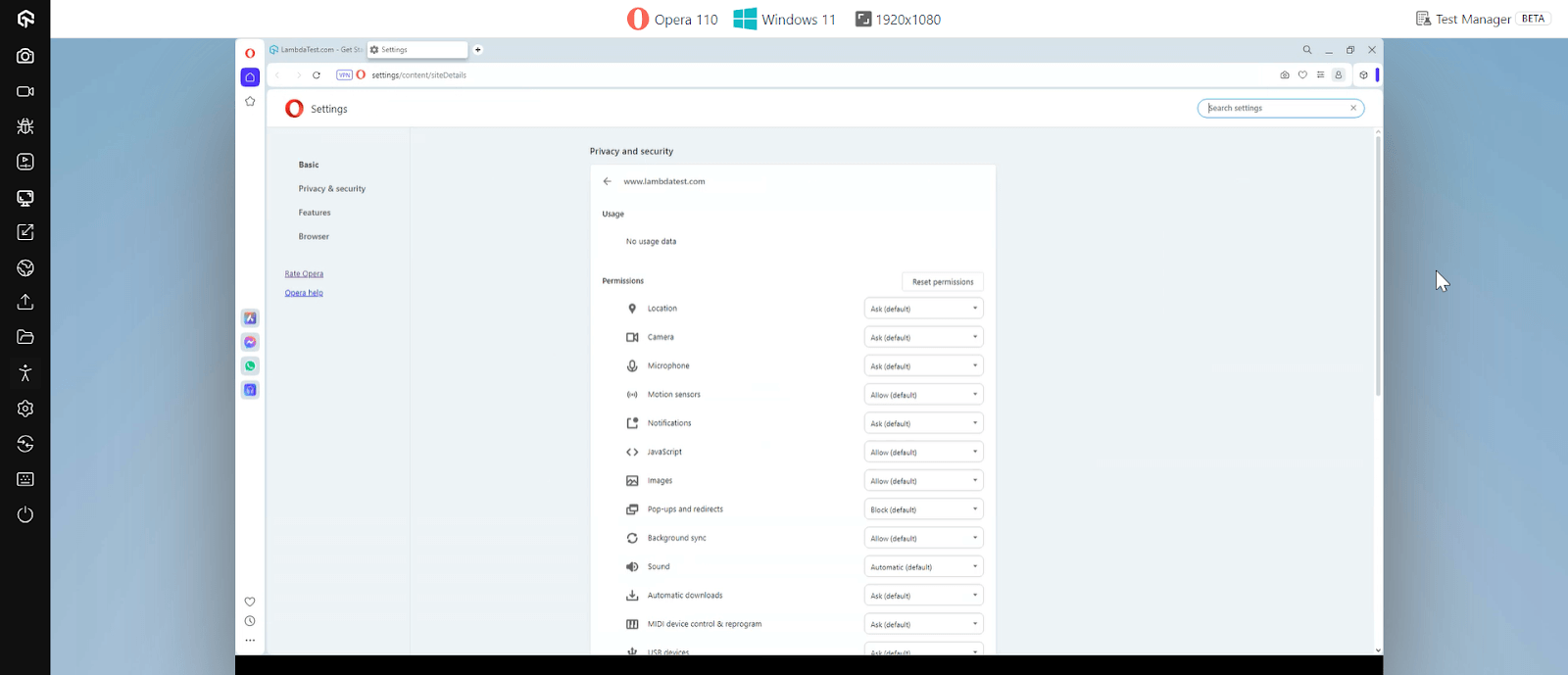
- Click on the Site settings.
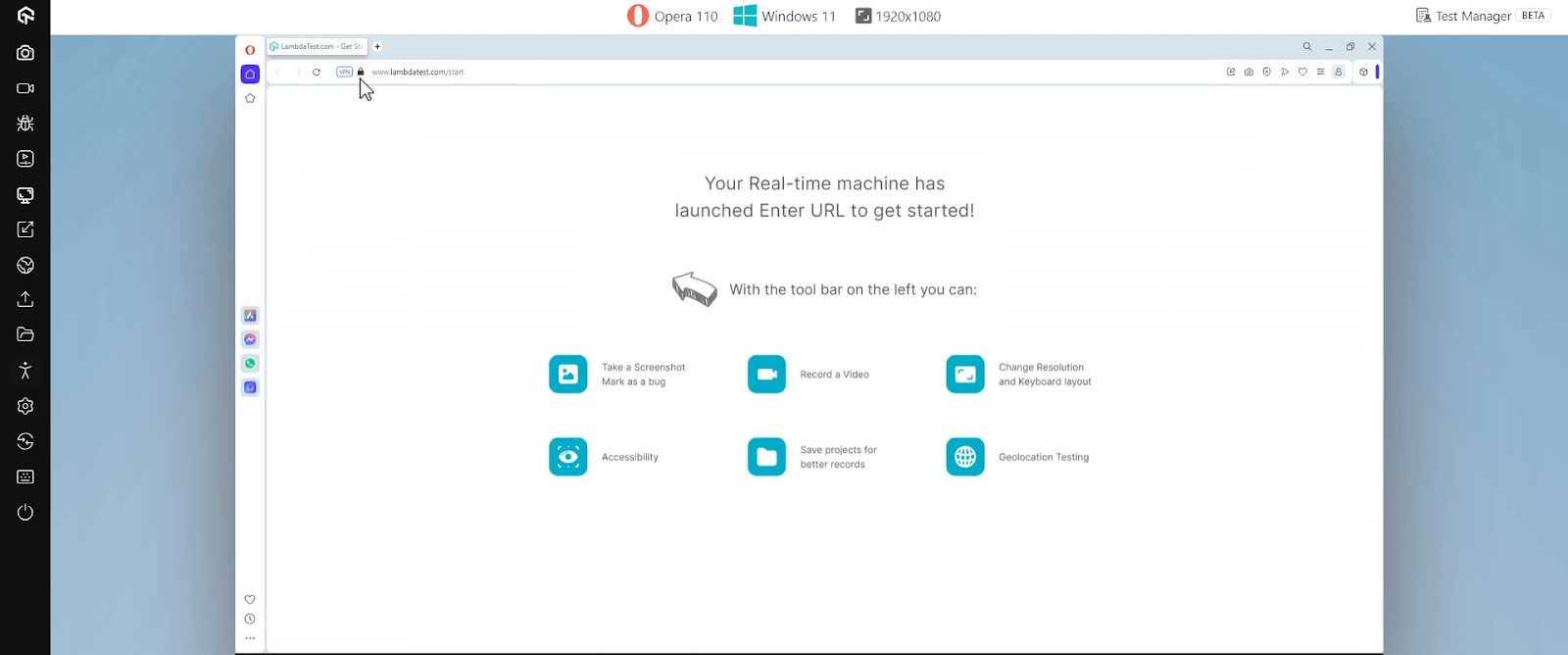
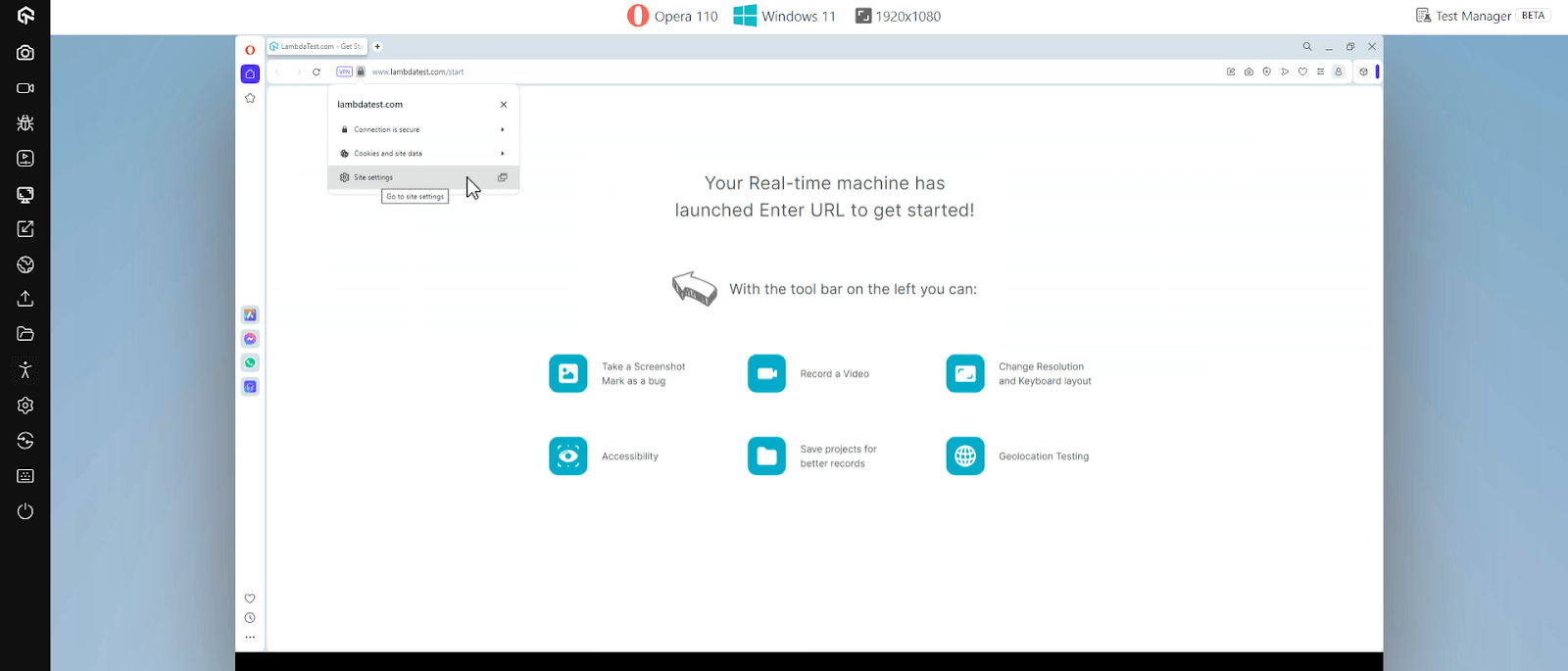
Here, you can modify permissions related to cookies, pop-ups, and other features that restrict the website. Adjust these settings to allow access.
Conclusion
There are various ways to unblock a website. Among those, VPN is the most popular one. VPN providers offer thousands of servers worldwide, making it easy to access restricted content while keeping your privacy secure.
That said, browser settings, proxies, and other techniques can also be quite effective in many scenarios. The main point to remember is that to unblock a website, you need to either change your IP address or use a different URL.


Frequently asked questions
Did you find this page helpful?
More Related Hubs
TestMu AI forEnterprise
Get access to solutions built on Enterprise
grade security, privacy, & compliance
- Advanced access controls
- Advanced data retention rules
- Advanced Local Testing
- Premium Support options
- Early access to beta features
- Private Slack Channel
- Unlimited Manual Accessibility DevTools Tests