

Next-Gen App & Browser Testing Cloud
Trusted by 2 Mn+ QAs & Devs to accelerate their release cycles


TestMu AI Now Integrates With Breeze
Synchronize your Breeze Project with TestMu AI account and share your UI suggestions with colleagues in a jiffy while performing cross browser testing at TestMu AI.

Harshit Paul
March 7, 2026
Howdy testers!! Today, TestMu AI goes live with a new integration to a renowned project management tool called Breeze to help you collaborate faster as you perform .
Breeze facilitates project management on-cloud through an intuitive platform, offering Gantt charts, kanban tool, task management, and time tracking to help you finish your release cycles on time. With Breeze, you can keep track of deadlines, an individual effort of your colleagues, and acknowledge who is doing what in a project.
What Makes Breeze A Right Fit For Project Management?
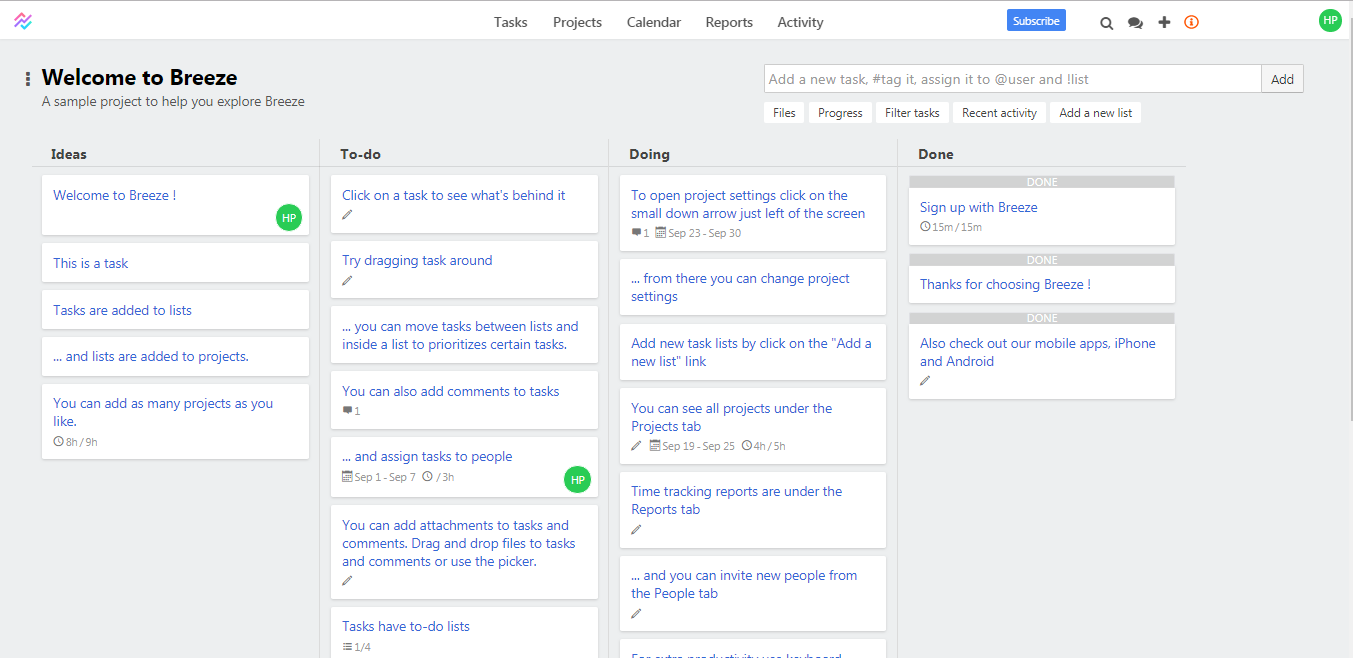
Other than offering an intuitive and minimalist design approach, Breeze offers multiple features to help you perform your tasks quickly and in an organized manner.
- Keep A Track On Progress Of Various Projects At All-Time – Breeze allows you to look into multiple projects in great detail, simultaneously. You can track the progress of each project, along with their deadlines. It also allows you to get a collaborative idea of your overall progress.
- User-Friendly Kanban Board – Simple drag and drop the ability to shift your tasks from one list to another. You can assign a task to a colleague, drop a comment, tag an attachment, mark a deadline. You also get notifications to your registered Email ID, in case there are any activities involving you on the board.
- Effective Reporting – Breeze provides an effective reporting mechanism to help you figure out how well your project is going along. You can look into different tasks, filter them with due dates to figure out which tasks are facing impediments, so you could come up with a resolution to speed the project delivery. You also get cumulative flow diagrams to determine if you are running short on resources or any other bottlenecks.
- Effortless Time Tracking & Billing – You can declare a time frame for each task and tag the tasks which are assigned to non-billable resources. That way you get to know when a task was worked upon, by what time should it be completed, and by whom?
- Multi-platform support – Breeze offers a mobile application for Android and iOS devices to help you seamlessly manage your projects 24/7.
TestMu AI + Breeze Integration
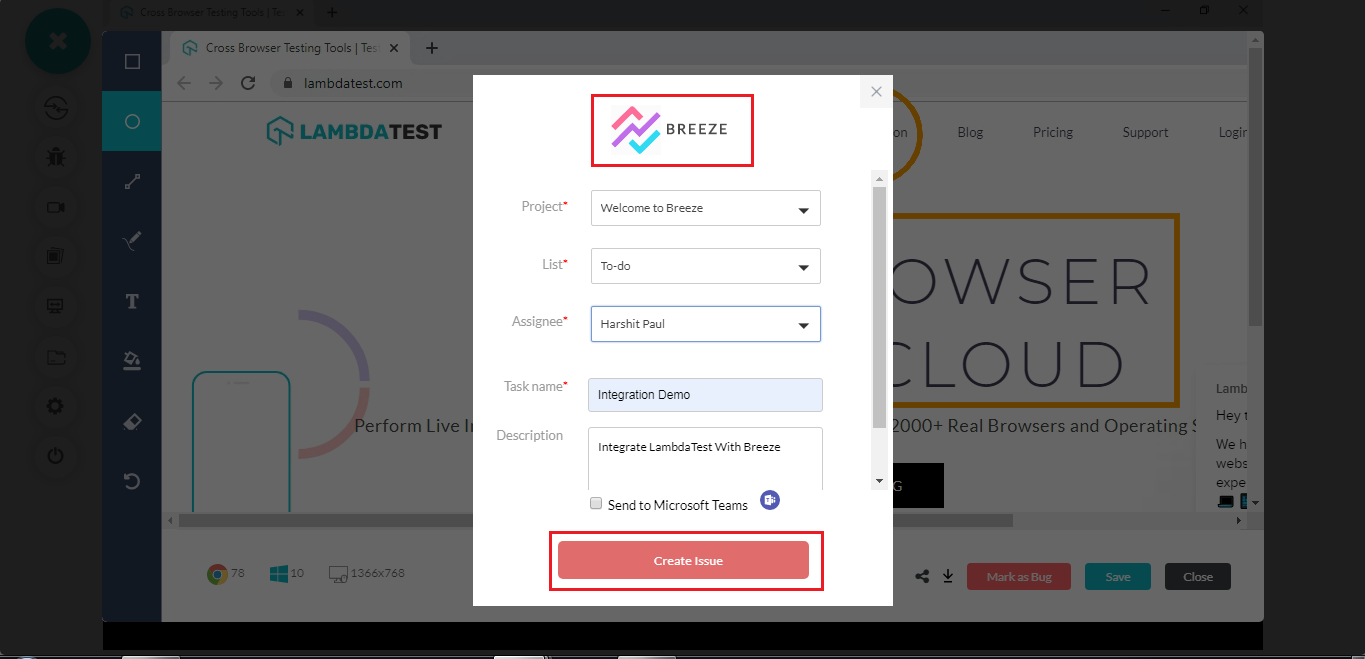
We at TestMu AI, know how exhausting it could be to report a bug to your colleagues. Which is why we offer one-click bug logging to renowned project management tools such as Breeze. TestMu AI integration with Breeze will help you log UI bugs or observations in your Breeze project as you perform cross browser testing on TestMu AI. You can capture a screenshot of your website over a browser discrepancy, highlight the UI bug, report that bug to your colleague, provide a summary of the issue, all from the middle of your test-session at TestMu AI. All of the details that you may mention around a bug would be auto-populated in your respective Breeze project.
Curious to get started with TestMu AI integration to Breeze? You can follow our support document to know the step-by-step process of integrating your TestMu AI account with your Breeze project.
Stay Tuned For More!
We are planning to brew more integrations at our platform to help you conveniently perform cross browser testing. Do give our integration with Breeze a spin, and let us know how it goes? Your suggestions are invaluable to us!
Just drop a shout to our 24/7 in-app customer chat support, or simply email your queries/suggestions to [email protected]. Oh and yes, don’t forget to hit the notification bell for subscribing to our blog, so you stay up-to-date on everything we bring on-board. Happy testing! 🙂



Did you find this page helpful?
More Related Hubs
TestMu AI forEnterprise
Get access to solutions built on Enterprise
grade security, privacy, & compliance
- Advanced access controls
- Advanced data retention rules
- Advanced Local Testing
- Premium Support options
- Early access to beta features
- Private Slack Channel
- Unlimited Manual Accessibility DevTools Tests