

Next-Gen App & Browser Testing Cloud
Trusted by 2 Mn+ QAs & Devs to accelerate their release cycles


On This Page
- Chromium in iOS simulators
- Test Scheduler For Automated Screenshot Testing
- Test On Google Chrome 78 And 77 Stable Versions In Live-Interactive Testing
- Test On Mozilla Firefox 70, 69 And 68 Stable Versions In Live-Interactive Testing
- Test On Opera 64 Stable Version In Live-Interactive Testing
- New Mobile Simulators For Android and iOS In Live-Interactive Testing
- That Was All For Now!

Test Scheduler, Chromium in iOS, & New Browsers for Mobile and Desktop
This product update, we are bringing you the all-new Chromium browser for iOS for cross browser testing, along with the latest stable versions of Chrome, Firefox, & Opera browsers, Android and iOS simulators for live-interactive testing. Now, you can also schedule screenshot testing!

Harshit Paul
January 29, 2026
Hello, Testers! Ever since the inception of TestMu AI, we have been rigorously working on polishing our platform to make your overall experience better. Our aim has been to not only give you a platform that increases your wider browser compatibility testing coverage but also reduce the overall testing time. This product update, we are bringing you the all-new Chromium browser for iOS. We are also bringing the latest stable versions of Google Chrome, Mozilla Firefox, and Opera browsers, Android and iOS simulators for live-interactive testing. All of it along with the convenience to schedule screenshot testing with our test scheduler.
This article, I will help you walk along with these new additions made over our platform. Here is everything that is added onto TestMu AI in this product update.
- Chromium in iOS simulators
- Screenshot Test Scheduler
- Google Chrome 78 and 77 stable versions in live-interactive testing.
- Mozilla Firefox 70, 69, and 68 stable versions in live-interactive testing.
- Opera 64 stable version in live-interactive testing.
- New mobile simulators for Android and iOS in Live-Interactive Testing.
Chromium in iOS simulators
If you are not already aware, Chromium is an open-source project initiated by Google along with Chrome back in 2008. Google Chrome is based upon Chromium but that doesn’t mean that you will be able to work with Chromium in an exact way as you work with Chrome. However, in a similar way is definitely possible. Reason being, Google Chrome is an upgrade of Chromium, it adds more functionality and features. Being an open-source project, Chromium has been used as a base for many of the other browsers too, few of them are Brave, Vivaldi, and Opera!
Yes, previously Opera used to render using their own developed Presto engine but that changed in 2013 when they opted to go with Blink engine, which is also used for Google Chrome. The idea behind was to gain browser market share from Chromium-based engine with the cost of losing a few distinctive features such as Opera Integrated Mail. Of course, they added up a few features that set them apart from Google Chrome such as integrated adblocker, built-in VPN, Opera turbo, and more.
Recently, Microsoft Edge has also made an announcement of migrating to a Chromium-based Edge browser. So now, you can expect Microsoft to dump their EdgeHTML rendering engine as their focus changes towards the open-source Chromium. Not sure of what rendering engines are? We have a detailed article written to help you understand it all.
Would Chromium Affect The Cross Browser Compatibility Of Your Website?
Let’s start that questions with the most basic statistics to look up to i.e. browser market share for Chromium browsers. As per the statistics provided by the NETMARKETSHARE, the browser market share for Chromium is 0.05% for the time period Nov 2018 – Nov 2019.
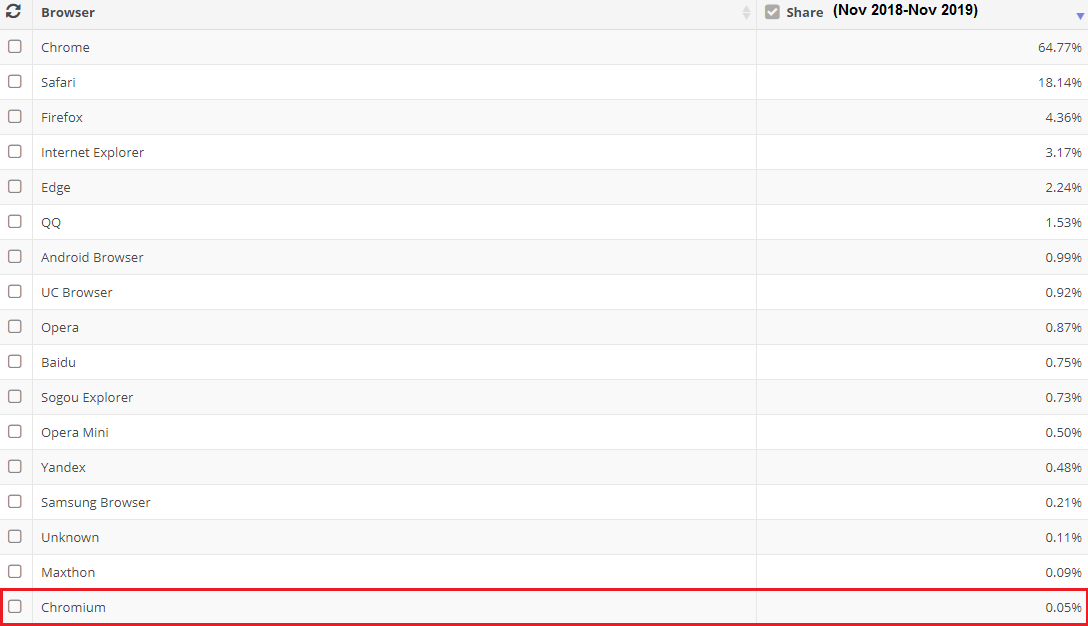
Is that a significant enough number for you to include in cross browser testing?
Now even though on paper, the market share percentage for Chromium is as tiny as 0.05%, however, that number is very deceptive. A lot of other browsers, which have a higher percentage share in the browser usage, are based out of Chromium itself. For example, and we mentioned this above as well, browsers like Chrome, Opera, all mobile Samsung browsers, Brave browser, east Asian browsers like QQ, Baidu, Sogou browser, and even the upcoming Edge browsers, are all using Chromium engines in the backend.
So the overall number of Chromium users are much much higher. So if you ask me, then Chromium must be included in your cross browser testing checklist.
What priority should you test Chromium with?
That depends upon numerous factors such as your project deadlines, resources on-board etc. However, one thing I would like to highlight is that with numerous browser vendors opting to go Chromium-based. It would only be wise to keep your website rendering compatible towards the open-source browser. That way, your website or web application would be browser compatible with at least the standard functionalities offered by Chromium for any browser vendor that is planning to migrate for Chromium-based rendering engine.
What about the added functionalities offered by different browser vendor?
Of course, every browser vendor will try to differentiate their user experience to compete in the browser wars. As a result, they would add a few features in their Chromium-based browser engine. And when that happens, you will have to keep these features in mind while performing cross browser testing.
For example, although Google Chrome is based upon Chromium, it did add a few closed-source codes for unique features which makes Google Chrome a favourable choice over Chromium. Here are few of them that are worth noting down for your website.
- Google Chrome offers support for MP3, AAC, H.264 to help you experience media content while browsing. Especially, websites or web-applications using HTML5 video for streaming the H.264 videos.
- Pepper API(PAPPI) to automatically update the latest Adobe Flash version. Basically, Google automatically provides an update to Chrome using a sandboxed Pepper API Flash plugin. It is considered a better option than the older version of the NPAPI Flash plugin which you get to download from the Adobe’s official website. Also, this is the only possible way as of now for Linux users to download the latest Flash version.
- Google Chrome also allows its users to send crash and error reports, statistics, to help Google analyze the issue.
- Google Chrome restricts access to any extension that is not listed in the Chrome Web Store.
What Should You Do To Be Chromium Compatible?
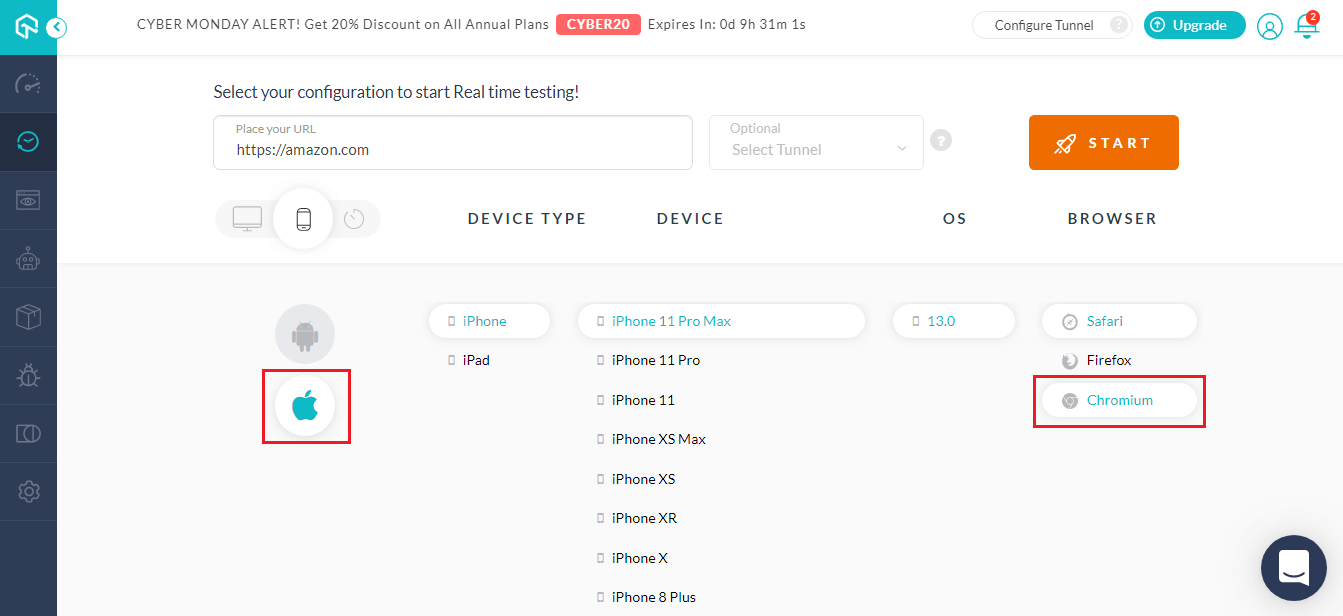
The first thing to do is to test your website or web-application over the Chromium browser itself. You can now perform cross browser testing over the latest Chromium browser, using our iOS simulators. Simply go to Real Time Testing → Click on the mobile icon → Click on Apple and select the Chromium browser after opting for the right operating system.
Test Scheduler For Automated Screenshot Testing
TestMu AI offers automated screenshot testing functionality that allows you to capture numerous full-page screenshots of your website over different browsers, automatically. You can capture screenshots of your website up to 25 combinations of browsers + OS. And now, you can even schedule these automated screenshot tests. All you need to do is log in to TestMu AI and visit Screenshot testing to select the frequency and date, day, and time on which you want your screenshot tests to run and we’ll do the rest. You’ll get your screenshot test results directly in your mailbox!
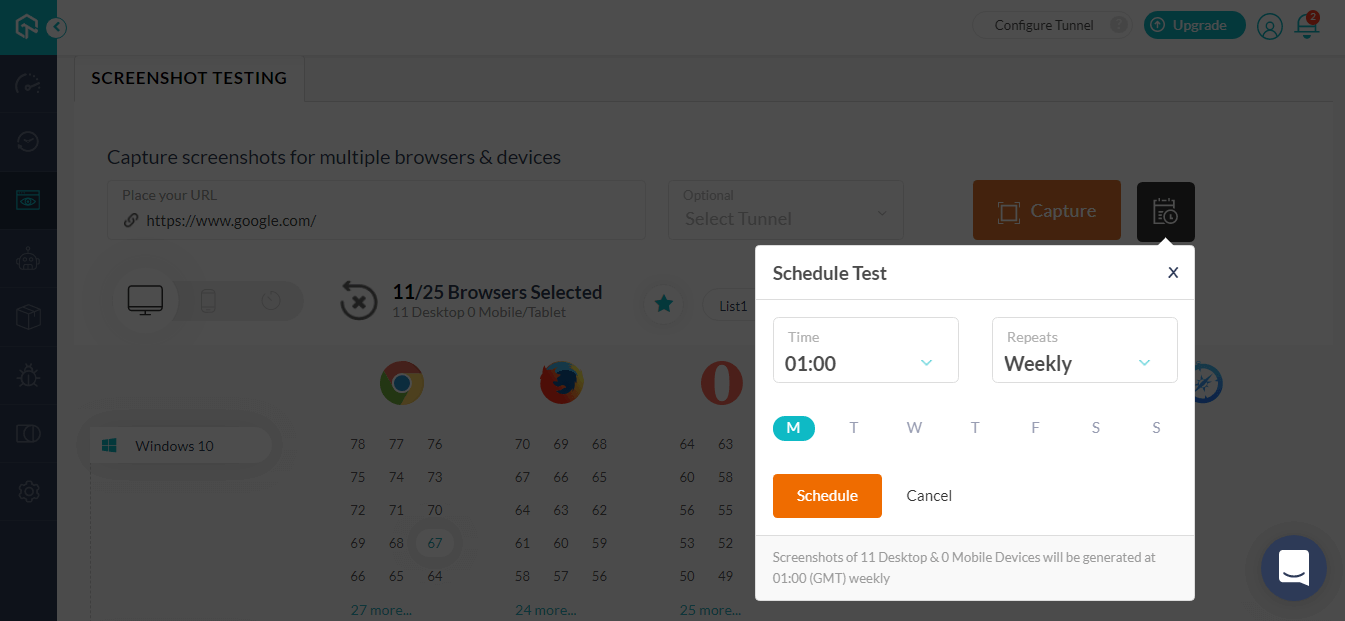
Note: The time mentioned in the dropdown is according to GMT(Greenwich Mean Time).
Test On Google Chrome 78 And 77 Stable Versions In Live-Interactive Testing
You can now perform cross browser testing over the latest stable versions of Google Chrome using our real time testing. Go to TestMu AI application and under the Real Time Testing select the Google Chrome browser. You will find the latest stable versions of Google Chrome i.e. Chrome 78 and Chrome 77 available to be tested on.
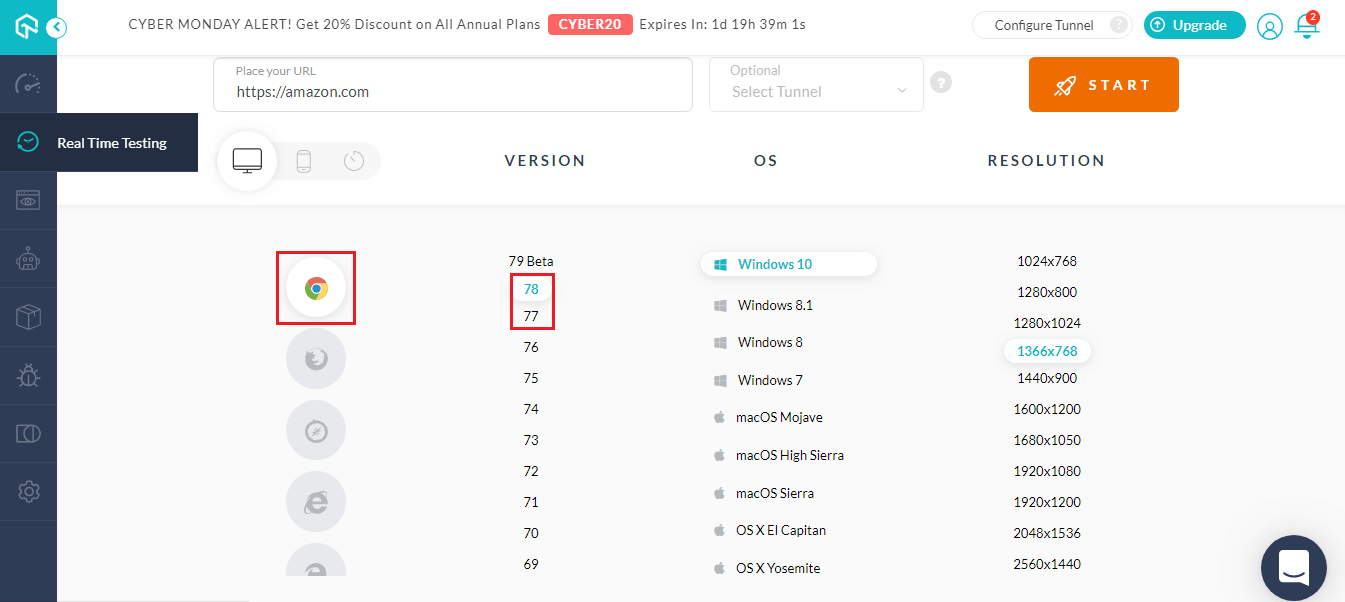
While performing cross browser testing over the latest Google Chrome versions, you can note the following unsupported features and CSS properties.
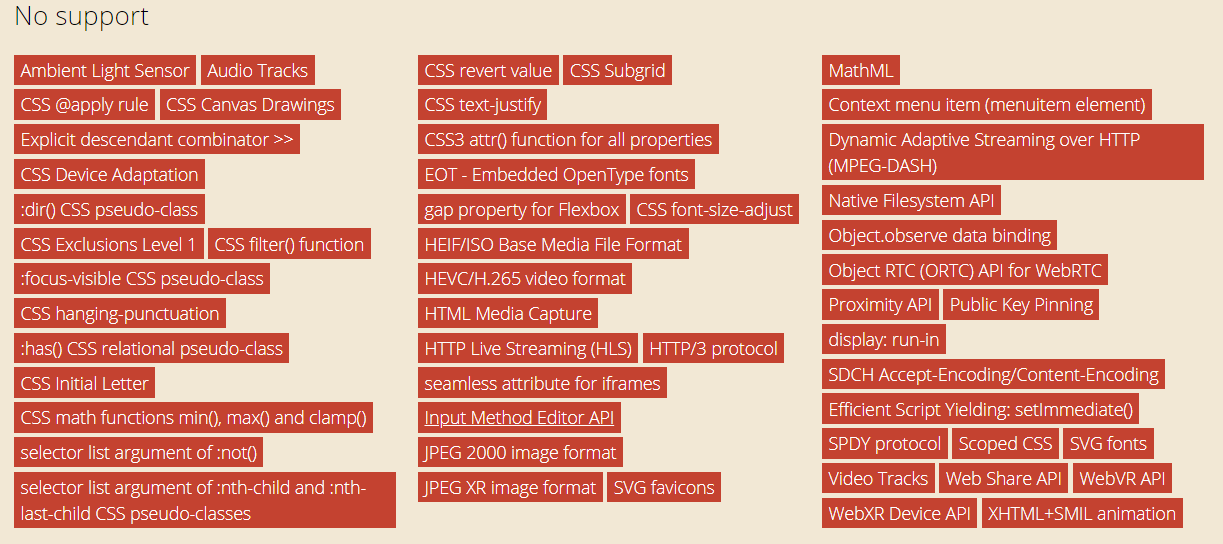
Src:https://caniuse.com/#compare=chrome+77,chrome+78
Test On Mozilla Firefox 70, 69 And 68 Stable Versions In Live-Interactive Testing
You can now perform cross browser testing over the latest stable versions of Mozilla Firefox using our real time testing. Go to TestMu AI application and under the Real Time Testing select the Mozilla Firefox browser. You will find the latest stable versions of Mozilla Firefox i.e. Firefox 70, Firefox 69 and Firefox 68 available to be tested on.
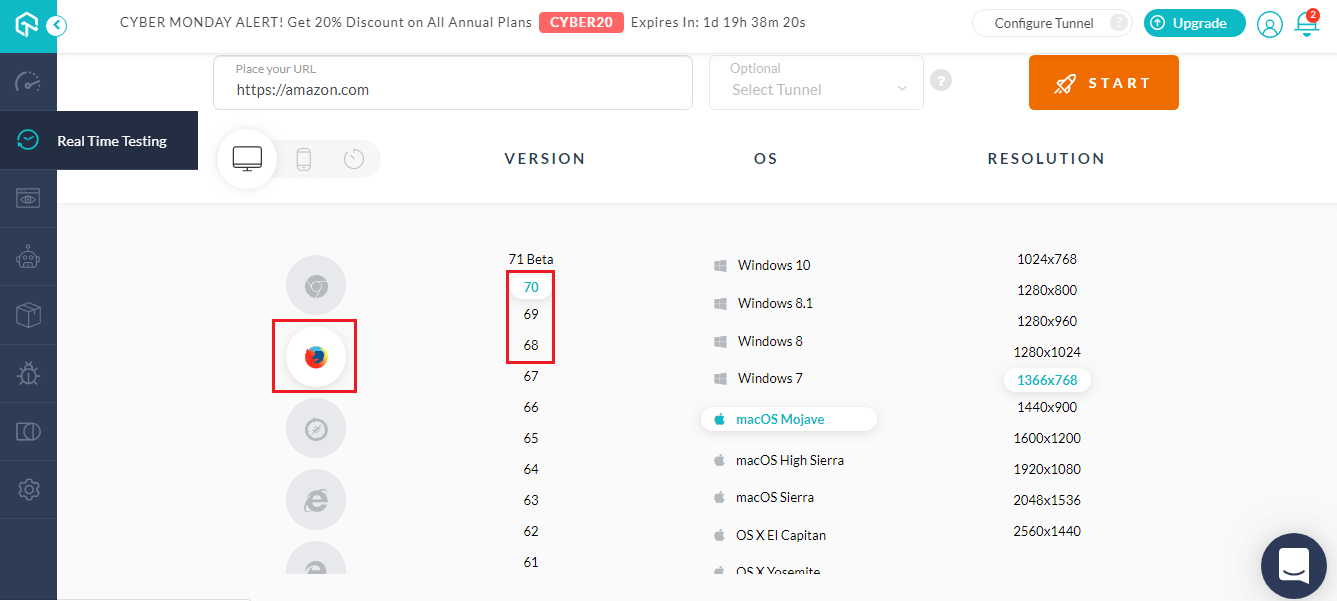
While performing cross browser testing over the latest Mozilla Firefox versions, there are a few features that were previously unsupported but now provide support.
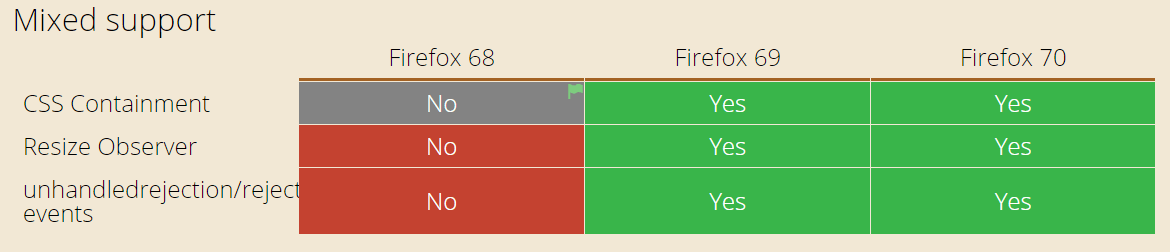
You can also note the following unsupported features and CSS properties for Mozilla Firefox 70.
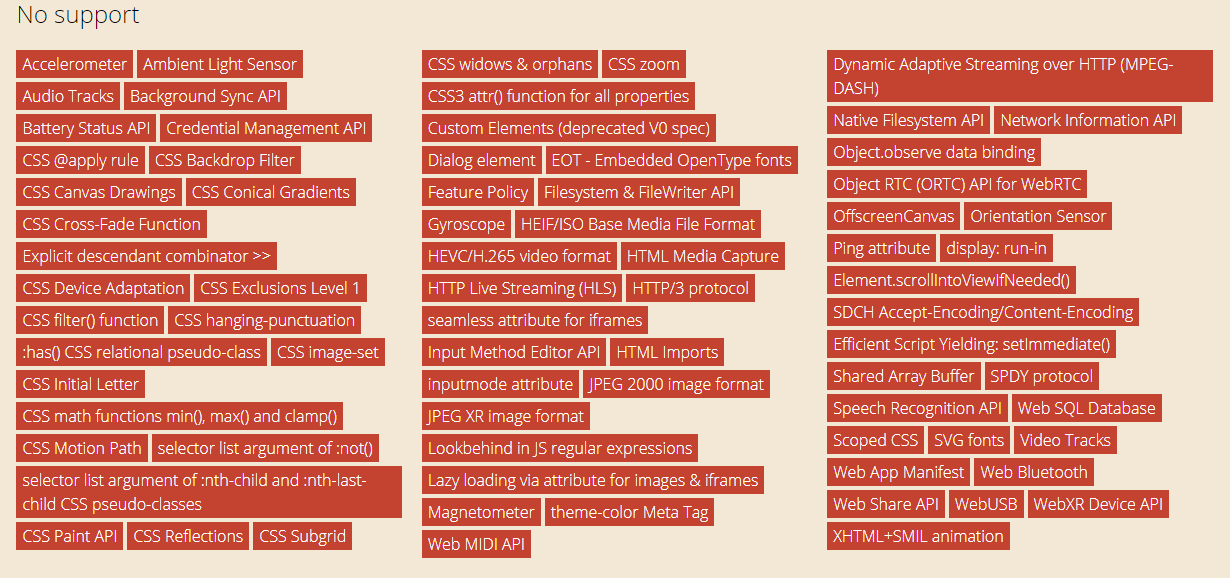
Src:https://caniuse.com/#compare=firefox+68,firefox+69,firefox+70
Test On Opera 64 Stable Version In Live-Interactive Testing
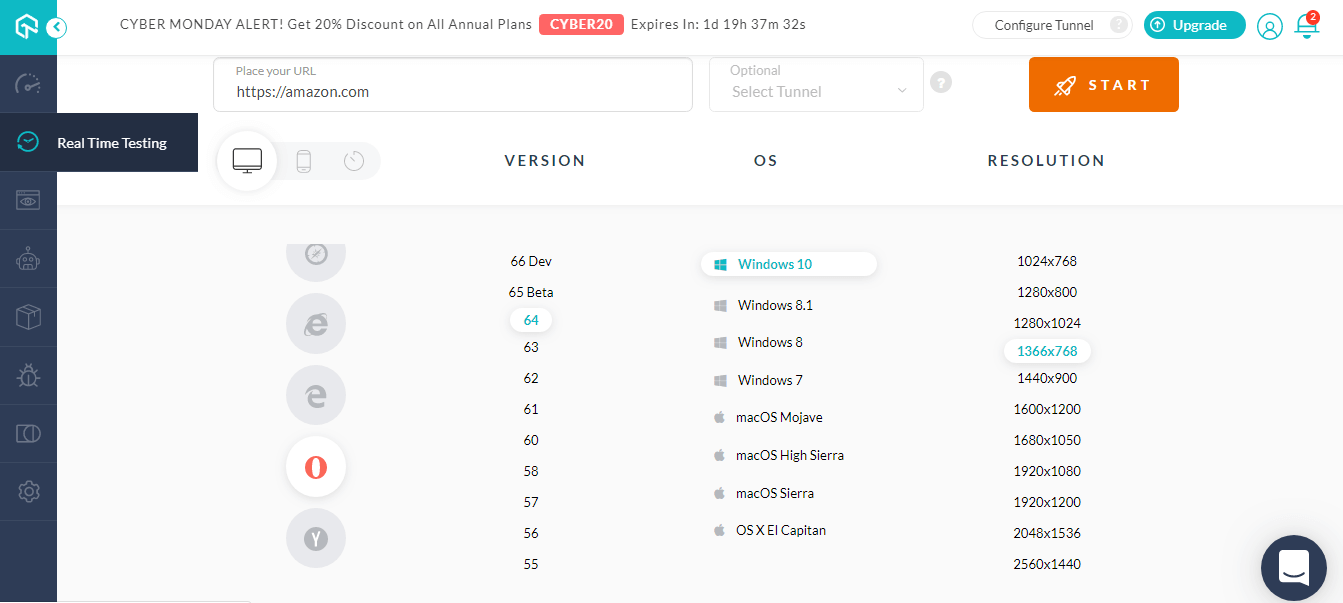
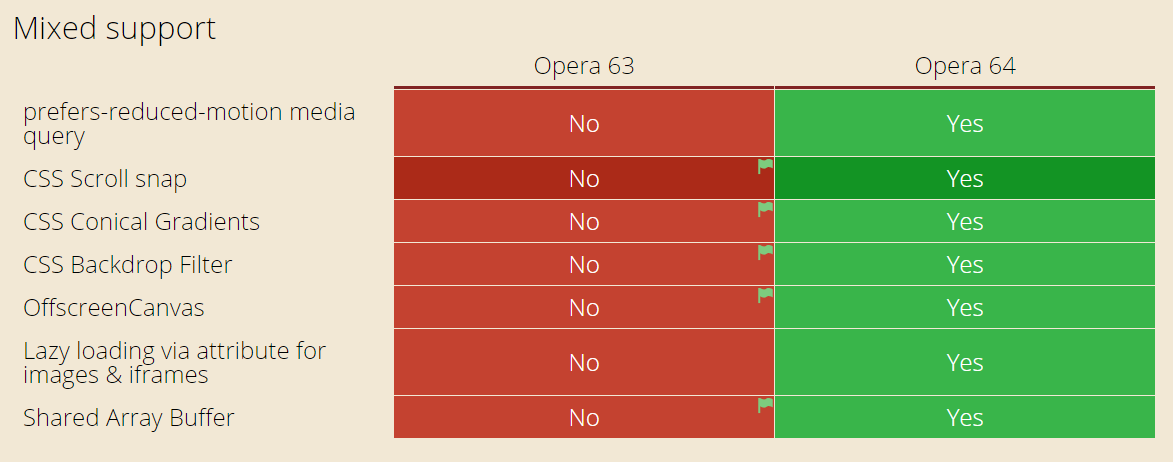
Opera has gone through some major update with their latest stable version i.e. Opera 64. When compared with Opera 63, Opera 64 has added support for the below-highlighted features and CSS properties.


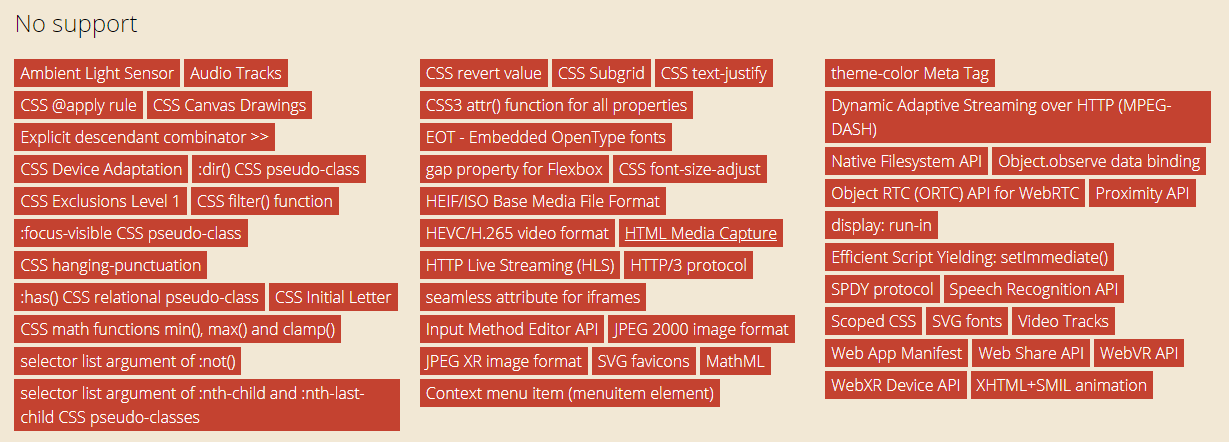
You can also note the following unsupported features and CSS properties for Opera 64.
New Mobile Simulators For Android and iOS In Live-Interactive Testing
Test your web application on more mobile browsers and viewports as we are up with new Android and iOS simulators. Let us start with the new Android emulators to test on Google Pixel, Samsung Galaxy and One Plus.

New Android Simulators Added
1. Samsung Galaxy Note 10 Plus
Dimensions: 162.3 x 77.2 x 7.9 mm Android: 9.0 Screen size: 6.8-inch Resolution: 1440 x 3040
2. Samsung Galaxy Note 10
Dimensions: 151.0 x 71.8 x 7.9 mm Android: 9.0 Screen size: 6.3-inch Resolutions: 1080×2280
3. One Plus 7
Dimensions: 157.7 x 74.8 x 8.2 mm Android: 9.0 Screen size: 6.41-inch Resolutions: 1080 x 2340
4. One Plus 7 Pro
Dimensions: 162.6 x 75.9 x 8.8 mm Android: 9.0 Screen size: 6.67-inch Resolutions: 1440 x 3120
5. Google Pixel 3A
Dimensions: 151.3 x 70.1 x 8.2 mm Android: 9.0 Screen size: 5.6-inch Resolution: 1080 x 2220 pixels
6. Google Pixel 3AXL
Dimensions: 160.1 x 76.1 x 8.2 mm Android: 9.0 Screen size: 6-inch Resolution: 1080 x 2160 pixels
New iOS Simulators Added
1. iPhone 6
Dimensions: 138.10 x 67.00 x 6.90 iOS: 12.4, 11.3, 11.2, 11.1, 11.0, 10.3, 10.2, 10.1, 10.0, 9.3, 9.2, 9.1, 9.0, 8.4, 8.3, 8.2, 8.1 Screen size: 4.7-inch Resolution: 750×1334 pixels
2. iPad Pro 10.5
Dimensions: 250.6 x 174.1 x 6.1 iOS: 13.0, 11.3, 11.2, 11.1, 11.0, 10.3 Screen size: 10.5-inch Resolution: 2224×1668 pixels
That Was All For Now!
This sums up everything that we have launched recently. Be sure to give it a spin and let us know how it went. You feedbacks are always appreciated and worked upon. To drop feedback or any query, you can ping hello to our 24/7 customer chat support or you could simply mail to [email protected].
Oh yeah, and we will be coming with more exciting updates very shortly so make sure to hit the notification bell icon and subscribe to our blog. Cheers and happy testing! 🙂

Austin Siewert
CEO, Vercel
Discovered @TestMu AI yesterday. Best browser testing tool I've found for my use case. Great pricing model for the limited testing I do 👏
2M+ Devs and QAs rely on TestMu AI
Deliver immersive digital experiences with Next-Generation Mobile Apps and Cross Browser Testing Cloud



Did you find this page helpful?
More Related Hubs
TestMu AI forEnterprise
Get access to solutions built on Enterprise
grade security, privacy, & compliance
- Advanced access controls
- Advanced data retention rules
- Advanced Local Testing
- Premium Support options
- Early access to beta features
- Private Slack Channel
- Unlimited Manual Accessibility DevTools Tests