

Next-Gen App & Browser Testing Cloud
Trusted by 2 Mn+ QAs & Devs to accelerate their release cycles


Pop-Ups on Chrome: How to Allow or Disable Them
Discover how to allow, enable, or disable pop-ups on Chrome. Manage pop-up settings for specific sites and optimize your browser for a seamless browsing experience.

Bhavya Hada
January 12, 2026
Pop-ups on Chrome can be both helpful and annoying. They are typically used for ads, notifications, or sign-in requests. Knowing how to control pop-ups on Chrome gives you a better browsing experience. Here’s a detailed guide on how to manage pop-ups on Google Chrome, including enabling and disabling them as per your needs.
Steps to Allow Pop-Ups on Chrome
Follow these steps to allow pop-ups on your desktop:
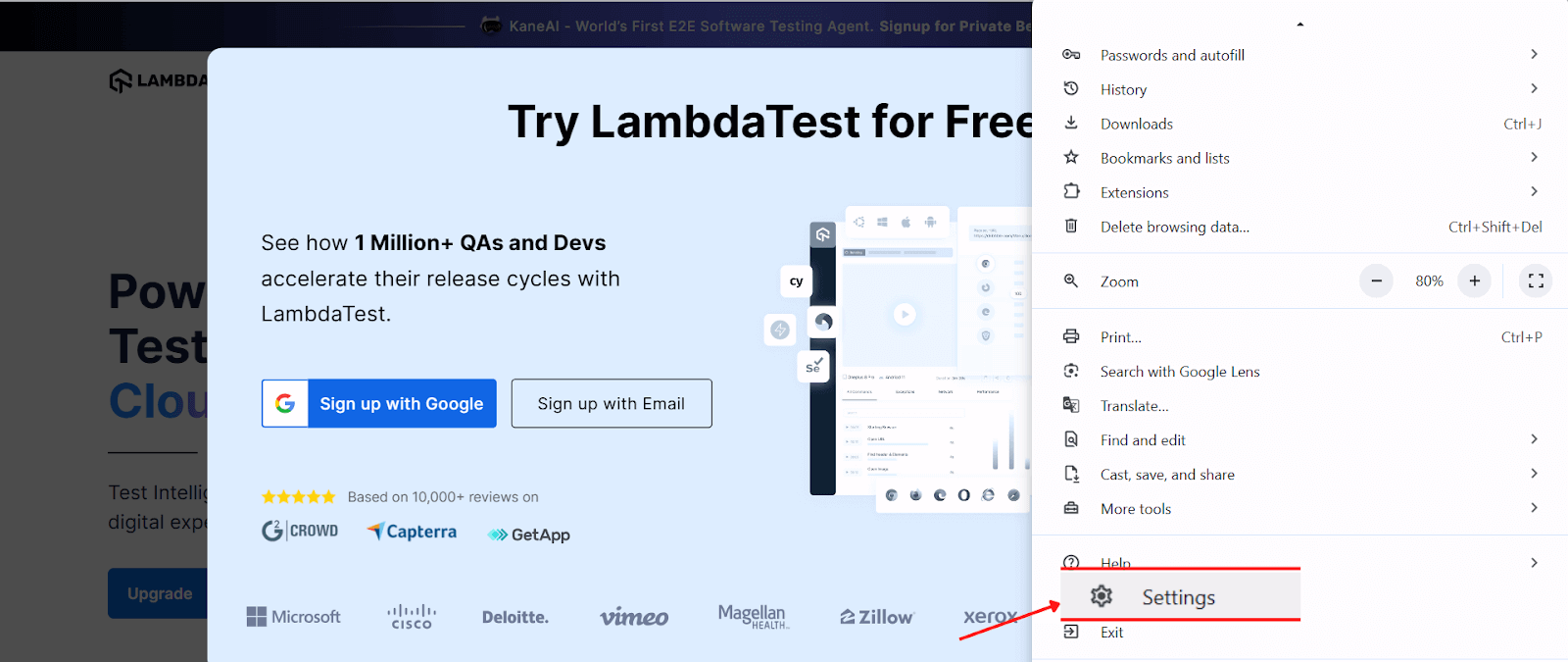
- Open Chrome, click on the three dots at the top-right corner and Navigate to Settings.
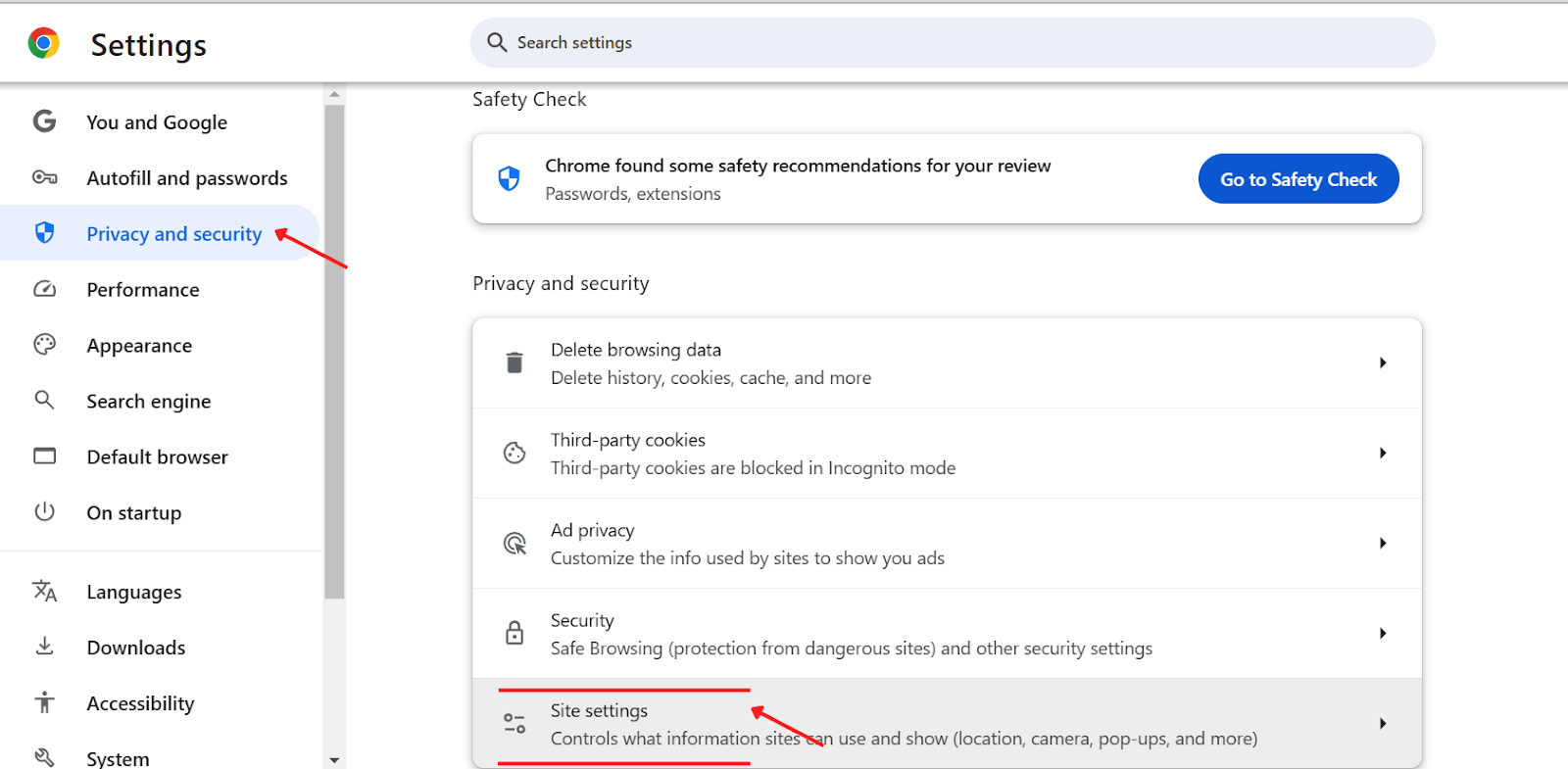
- Go to Privacy and security and Select Site settings.
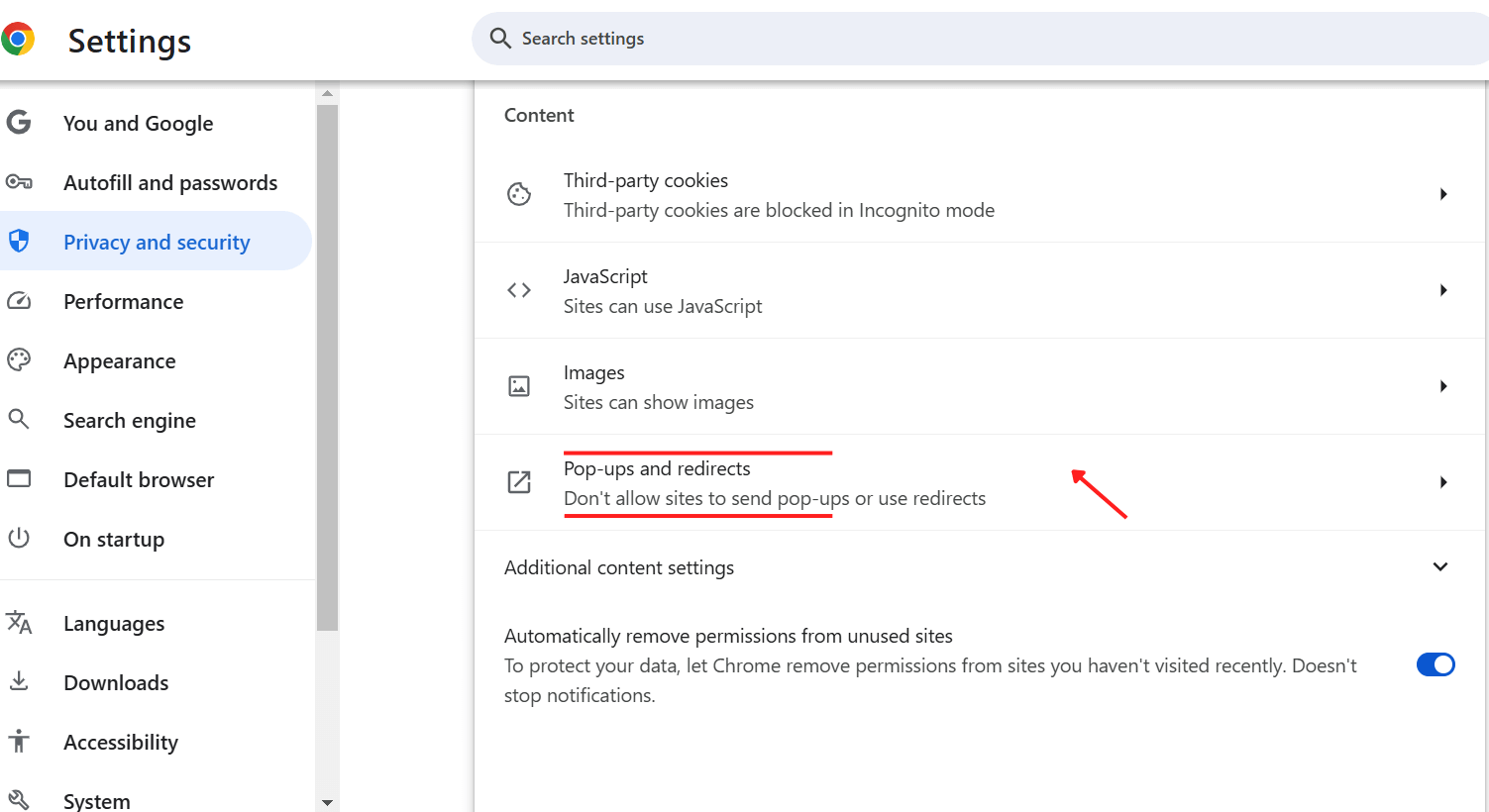
- Click Pop-ups and redirects.
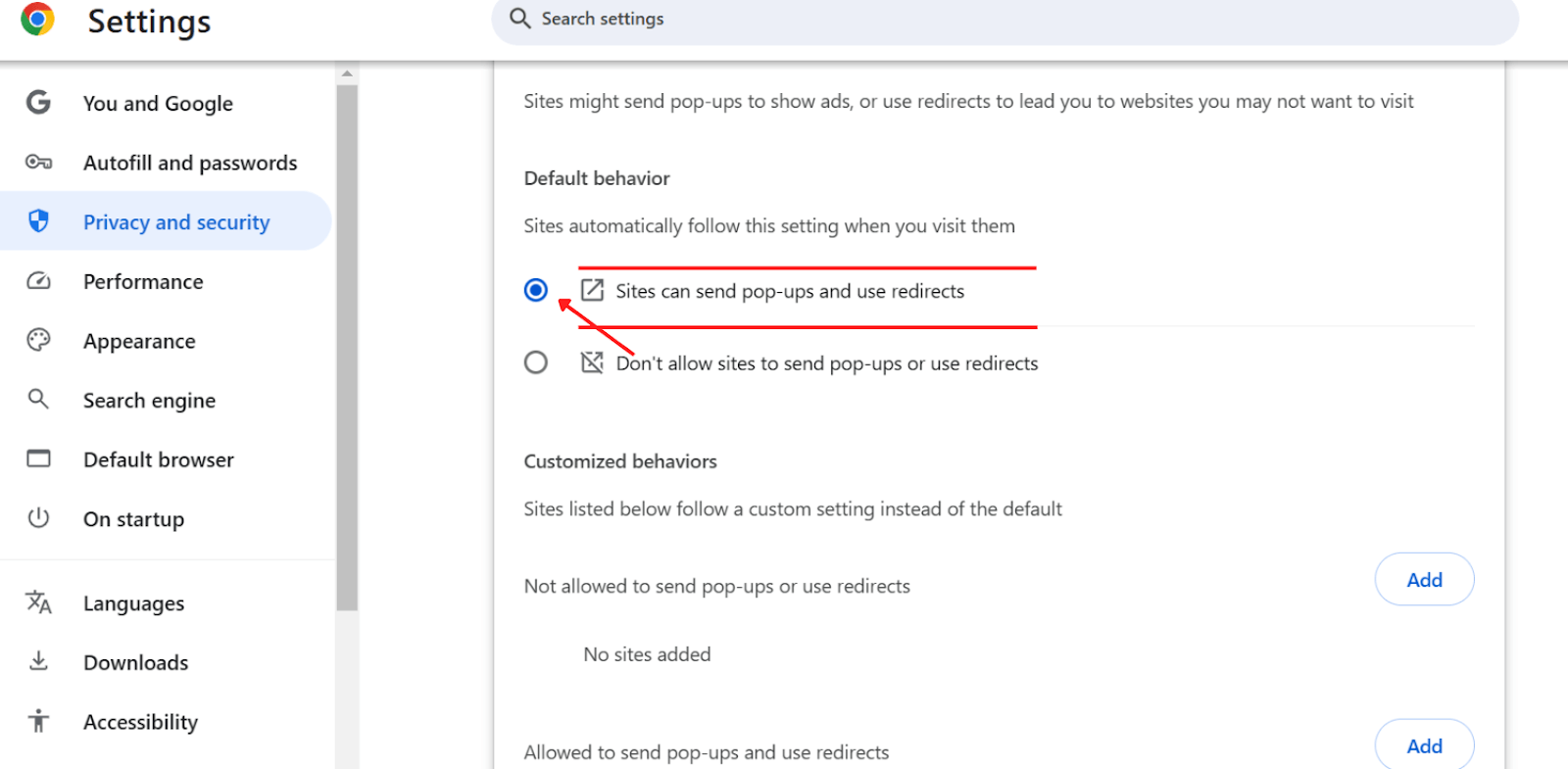
- Change the global setting to “Sites can send pop-ups and use redirects”.
Steps to Allow Pop-Ups for Specific Sites
Enabling pop-ups can be necessary for particular sites that rely on them for essential features like forms, login windows, or tutorials. If you find that a specific website’s pop-ups are getting blocked and you want to enable them, follow these steps:
- Navigate to the website where you want to allow pop-ups (in this example, taking TestMu AI), and open the Site settings.
- When a pop-up is blocked for that particular website, you’ll see Pop-ups and redirects selected as “Block”.
- Click on the icon and choose Allow (default).
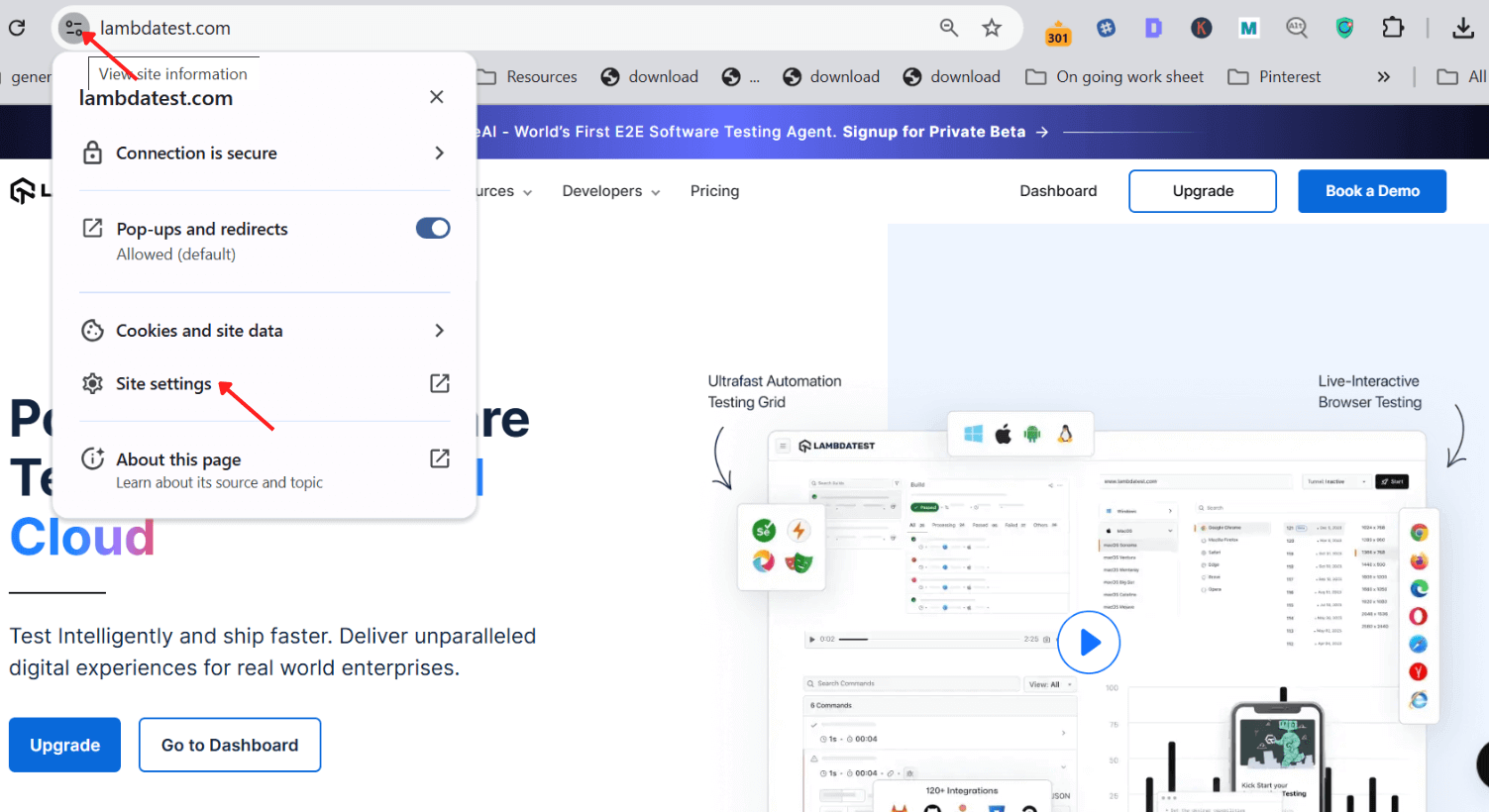
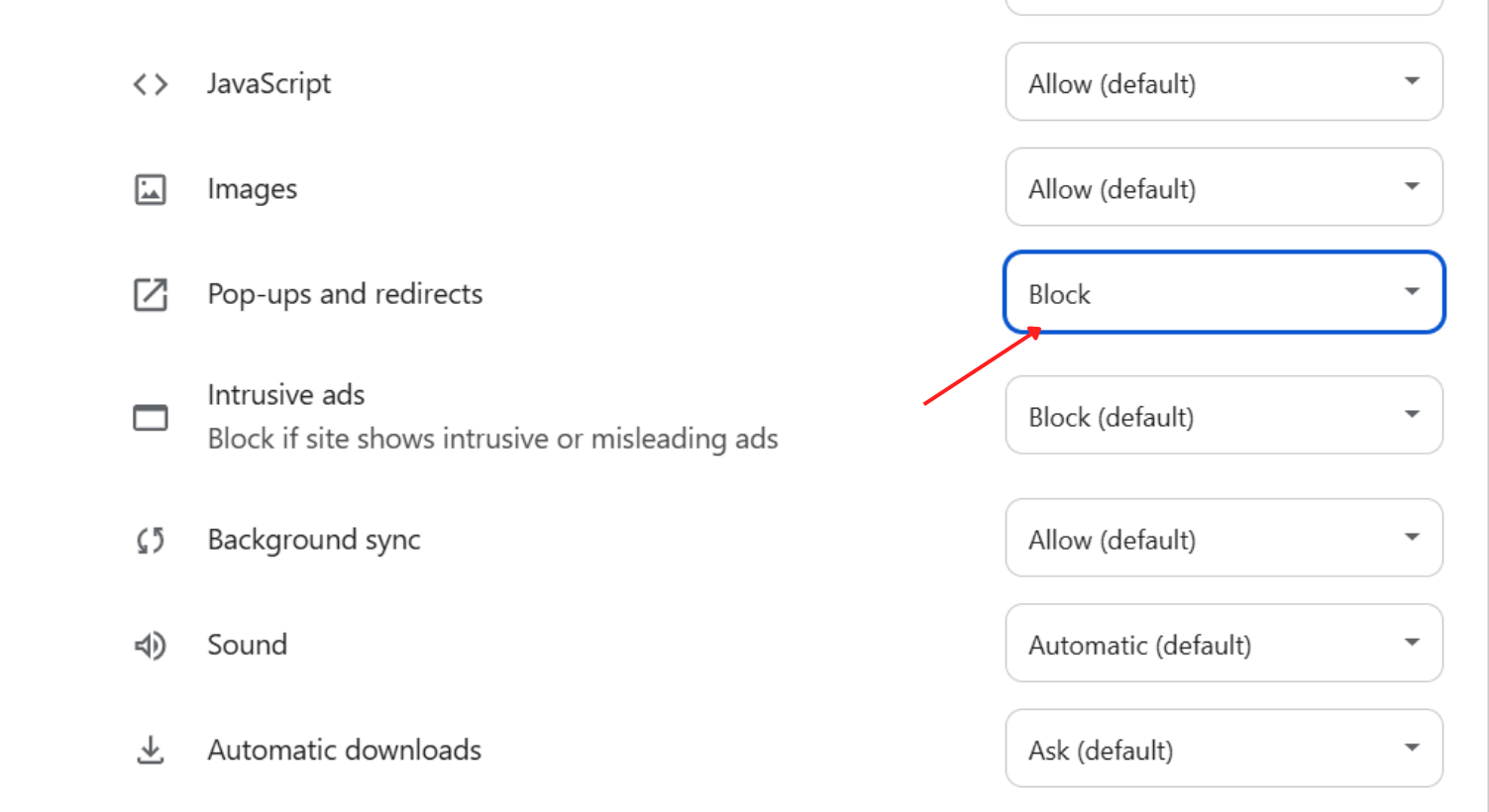

Enabling pop-ups for specific sites ensures you get the functionality you need without compromising overall browsing safety.

Note: Test your web page on the latest to legacy Chrome Browser versions. Try TestMu AI Today!
Steps to Disable Pop-Ups on Chrome
Blocking Pop-Ups Globally:
- Open Chrome, and click on the three dots in the top-right corner.
- Go to Settings, then Privacy and security.
- Select Site settings and choose Pop-ups and redirects.
- Set the global option to “Don’t allow sites to send pop-ups or use redirects”.
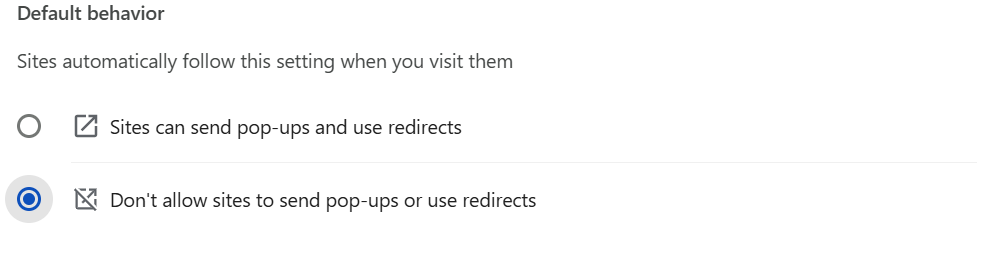
Steps to Block Pop-Ups from Specific Sites
- Go to Settings, select Privacy and security, then choose Site settings, and go to Pop-ups and redirects (the same first four steps as for allowing pop-ups).
- Scroll down to the Customized behaviors option.
- Click on Add to enter the URL of the site you wish to block.
- Click the Add button.
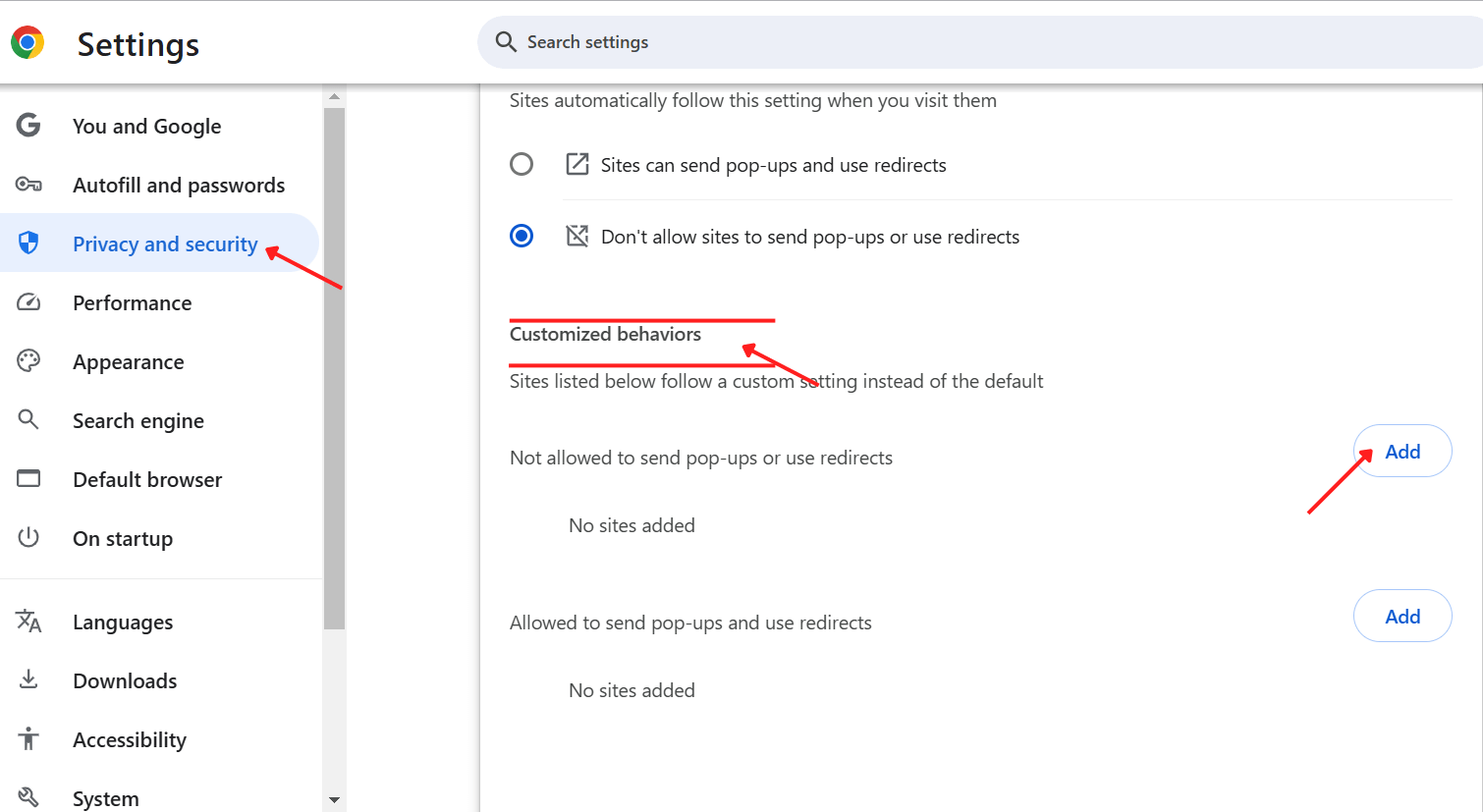
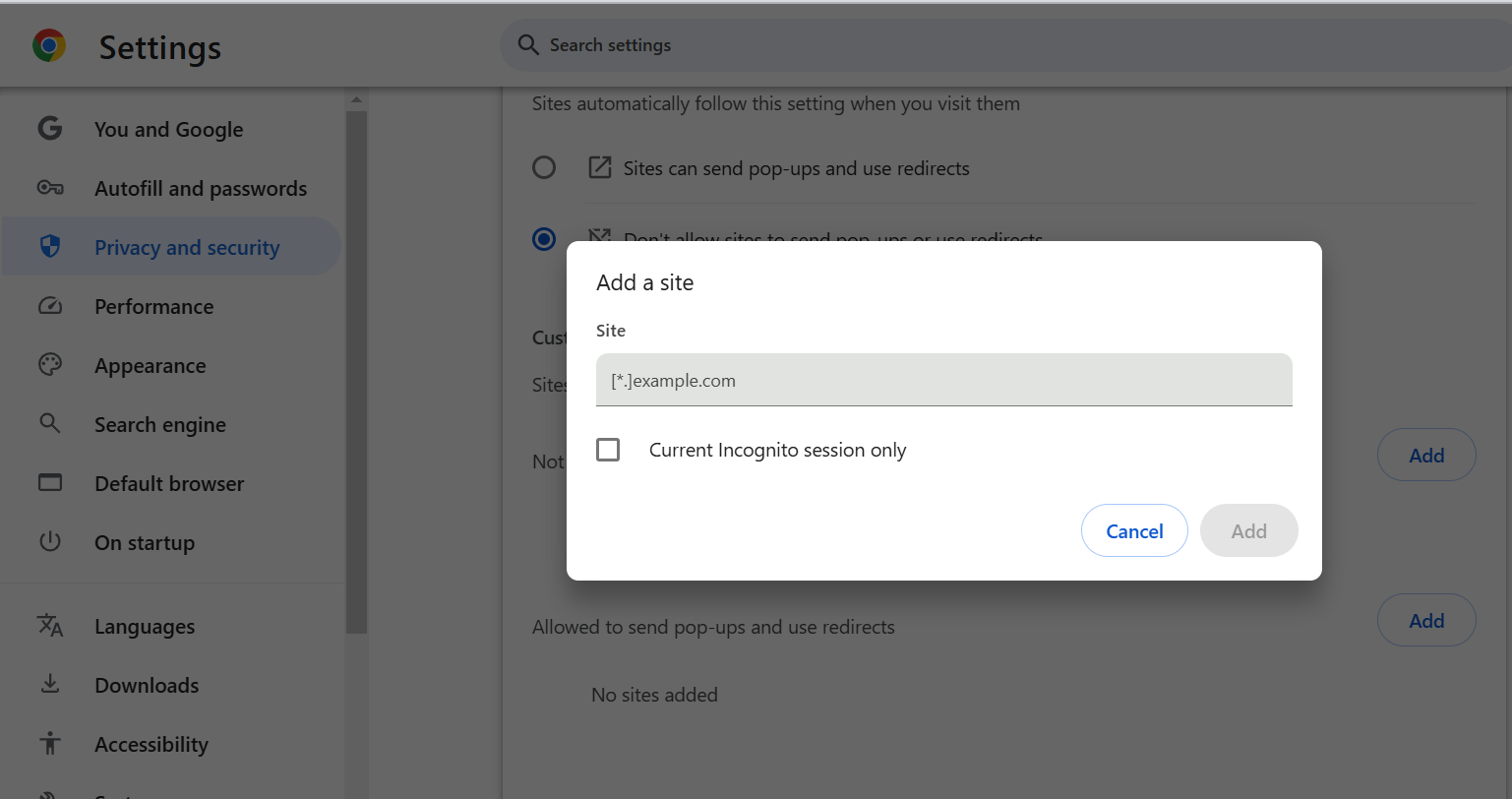
This ensures that pop-ups are blocked from sites you don’t trust or find unnecessary.
Steps to Troubleshoot Pop-Up Issues
If you are still experiencing unwanted pop-ups after adjusting your settings in Chrome latest version, consider these steps:
- Clear Your Browser Cache: Cached files may conflict with your settings.
- Check for Malware: Run a malware scan to ensure your system is not infected.
- Update Chrome: Ensure you have the latest version of Chrome to prevent security risks.
Final Words
Managing pop-ups on Chrome is essential for maintaining a smooth and secure browsing experience. By understanding how to allow or disable pop-ups effectively, you can reduce distractions, protect your privacy, and ensure that important site features work properly. Always exercise caution and only allow pop-ups from trusted sites to keep your online experience safe and enjoyable. Implement these steps, and you’ll have complete control over your browser’s behavior, creating a more tailored and productive web experience.


Frequently asked questions
Did you find this page helpful?
More Related Hubs
TestMu AI forEnterprise
Get access to solutions built on Enterprise
grade security, privacy, & compliance
- Advanced access controls
- Advanced data retention rules
- Advanced Local Testing
- Premium Support options
- Early access to beta features
- Private Slack Channel
- Unlimited Manual Accessibility DevTools Tests