

Next-Gen App & Browser Testing Cloud
Trusted by 2 Mn+ QAs & Devs to accelerate their release cycles


Test For Compatibility On New Browsers, Microsoft Teams Integration, And More
We are live with new browsers on our platform to help you expand your test coverage even further. Along with integration to Microsoft teams for faster collaboration.

Harshit Paul
January 30, 2026
Hola testers! The first half of 2019 is about to be over, and it has been an exciting one for TestMu AI. After we went live with Selenium Grid for automated cross browser testing, we introduced Selenium API for our users to help them effortlessly extract test reports of their automated test scripts executed on our cloud-based Selenium Grid, without logging into our platform.
We have been constantly working to add more integrations on TestMu AI to deliver a hassle-free testing experience. We brought in integrations with:
- Project management tools such as Paymo, Hive, Teamwork etc.
- CI CD tools such as Travis CI, Jenkins, Circle CI, etc.
- Version control tools offering repositories such as GitHub, GitLab, Bitbucket, etc.
- Collaborative Instant Messaging tools such as Slack.
Other than our chrome extension, & plugin for WordPress, we also introduced a Jenkins plugin to help our users speed up their continuous testing process along with their deployment pipeline.
This time, we are bringing in new devices & browsers on our platform to help you expand your test coverage even further. Along with integration to Microsoft teams to help you collaborate better. Below is a list of everything new that you will be getting to perform cross browser testing on our platform:
- Latest browsers versions added to Real Time Testing.
- Google Chrome version 75, 76 Dev
- Opera version 60, 61 Beta
- Mozilla Firefox version 67, 68 Beta
- Edge Insider
- New browsers versions to perform automated Screenshot Testing.
- Google Chrome version 74
- Mozilla Firefox version 66
- Opera version 56, 57, 58, 60
- New devices to perform automated Screenshot Testing.
- Galaxy S9 Plus
- Galaxy S9
- Galaxy Tab S4 10.5
- Galaxy Tab S3 9.3
- New iOS 12.2 In Real Time Testing for mobile devices.
- Integration With Microsoft Teams.
In addition, you can test on Samsung Galaxy A7 mobile browser online.
New Browsers For Real Time Cross Browser Testing
Real-time testing helps you interact live with your website or web-app so you can ensure cross browser functional testing over different browsers running on different operating systems. Our library of 3000+ real browsers & browser versions just got a bit bigger. We have added the latest beta, dev, and stable versions of various browsers to help you incorporate them in your testing workflow. That way, you can ensure cross browser compatibility of your website for any browser update that is yet to arrive.
Here are the latest browsers and browser versions we added to our real time live interactive testing feature:
- Google Chrome version 75, & 76 Dev
- Opera 60, & 61 Beta
- Mozilla Firefox 67, 68 Beta
New Browsers In Automated Screenshot Testing
Our automated screenshot testing screen has gone through some major overhaul as we added not only new browser versions but new devices too. These changes will be observed when you perform screenshot testing on TestMu AI for both desktops as well as mobile devices.
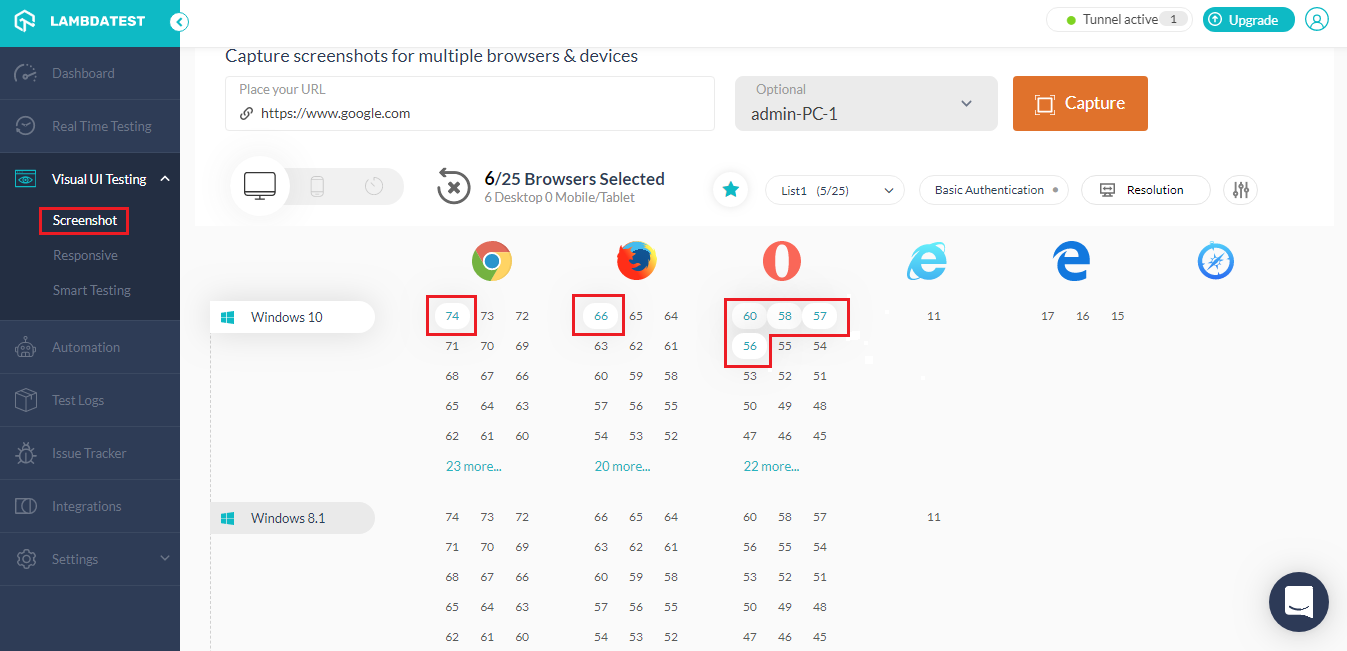
Latest Desktop Browser Versions For Screenshot Testing
Here is a list of every browser version added for screenshot testing of Desktop devices.
- Google Chrome 74
- Mozilla Firefox 66
- Opera 56, 57, 58, 60
Latest Devices Added For Mobile In Screenshot Testing
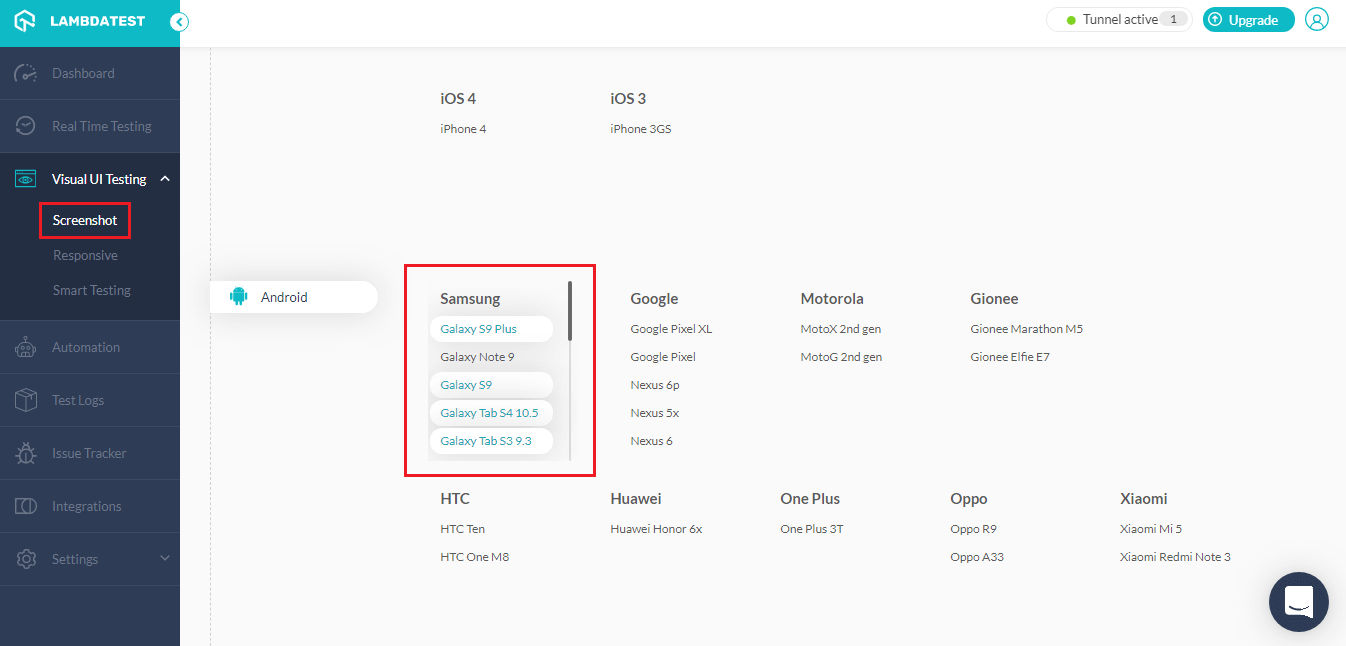
Now, you can expand your cross browser testing & responsive testing coverage, as we added new mobile devices in Screenshot testing. Now, ensure your web UI layout by cross browser testing on the cloud. Below is the list of newly added devices:
- Samsung Galaxy S9 Plus
- Samsung S9
- Samsung Galaxy Tab S4 10.5
- Samsung Galaxy Tab S3 9.3
For the detailed oriented, here are the web rendering specifications for these devices.
- Samsung S9 PlusScreen size – 6.2 inches Screen Resolution – 2,220 x 1,080 pixels Operating System – Android v8.0 (Oreo)
- Samsung S9Screen size – 5.8 inches Screen Resolution – 2,220 x 1,080 pixels Operating System – Android v8.0 (Oreo)
- Samsung Galaxy Tab S3 9.3Screen size – 9.7-inch inches Screen Resolution – 2048 x 1536 pixels Operating System – Android v8.0 (Oreo)
- Samsung Galaxy Tab S4 10.5Screen size – 10.5 inches Screen Resolution – 2560 x 1600 pixels Operating System – Android v8.0 (Oreo)
On a sidenote you can also test on Samsung Galaxy A3 online?
iOS 12.2 Now Live For Real Time Testing
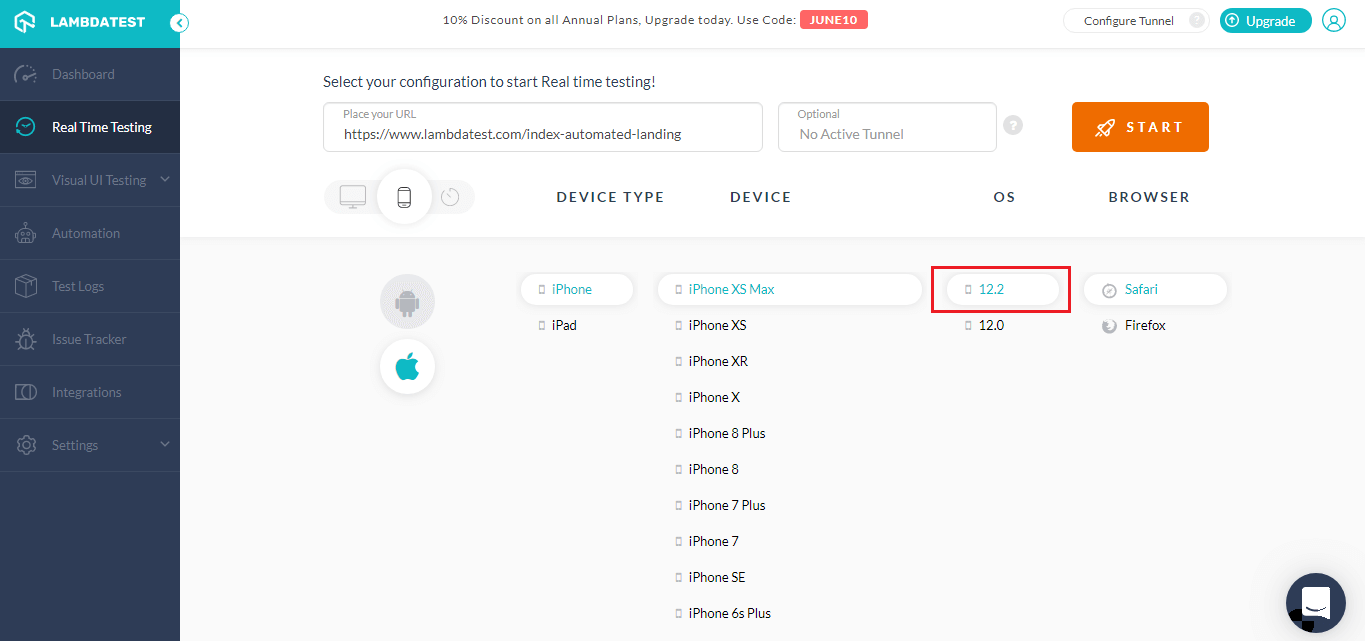
We have also introduced a new operating system for you to perform cross browser testing through mobile devices. We are live with iOS 12.2 on our platform.
You can find it by going to Real Time Testing → Click On Mobile Icon → Click On Apple Icon.

TestMu AI Now Integrates With Microsoft Teams
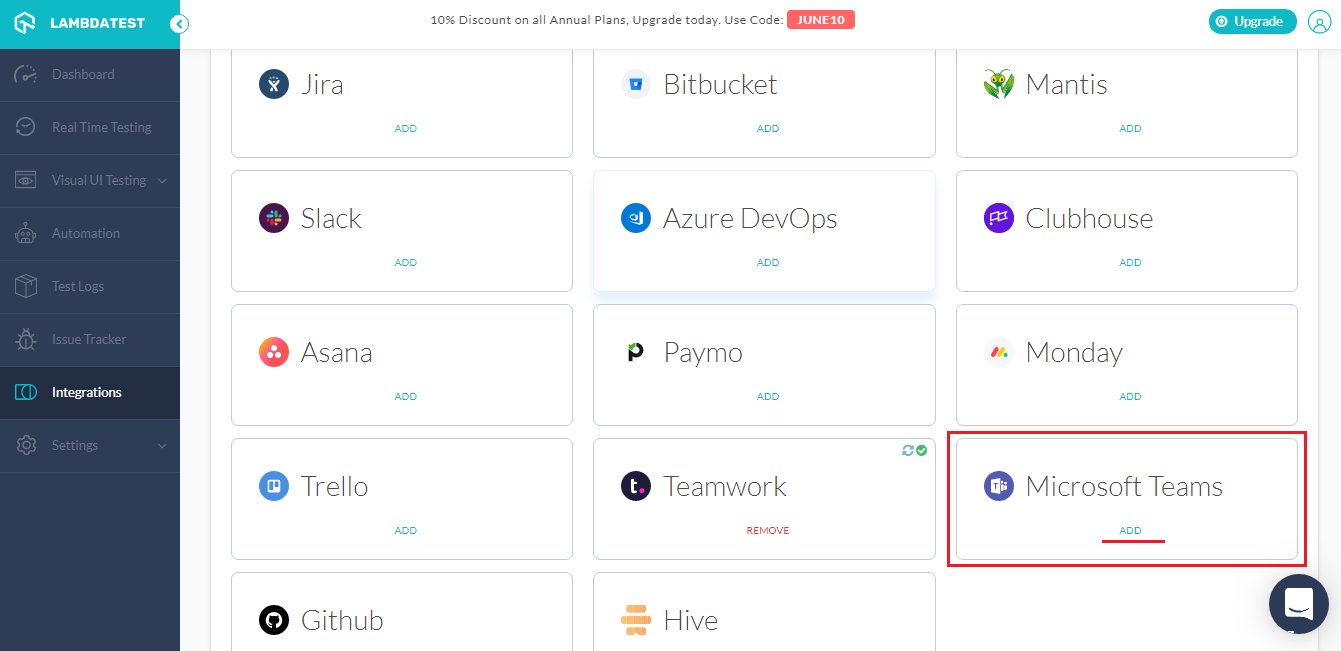
Microsoft teams is a cloud-based group chat software meant to get everyone in your team on the same page. You can conduct online meetings, voice-calling, instant messaging, file sharing with your colleagues for faster and thorough collaboration.
By integrating your TestMu AI account with Microsoft Teams, you will be able to share a bug or your UI observation with your colleagues in a single click. You can capture an image of the bug while cross browser testing on TestMu AI, highlight it using the in-built image editor before you share it to your respective Microsoft Teams channel. Find it in our app under the Integrations tab & start collaborating faster than before.
Stay Tuned, We Got More Incomings Shortly!
June has been a little hectic for us, but we ain’t taking breaks yet. We will very soon be coming up with mobile web automation through our Appium Grid. We are also working on APIs for screenshot testing and we would also be bringing in more integrations with CI/CD tools on our platform. Not to forget, we will be bringing you the latest browser versions as soon as they are made live from their vendors. Stay tuned for more updates on our product. If you got any questions related to any of our product updates, feel free to give 24×7 customer chat support, a shout or you could drop us an email on [email protected] in case you have any suggestions of queries. Happy Testing! 🙂



Did you find this page helpful?
More Related Hubs
TestMu AI forEnterprise
Get access to solutions built on Enterprise
grade security, privacy, & compliance
- Advanced access controls
- Advanced data retention rules
- Advanced Local Testing
- Premium Support options
- Early access to beta features
- Private Slack Channel
- Unlimited Manual Accessibility DevTools Tests