

Next-Gen App & Browser Testing Cloud
Trusted by 2 Mn+ QAs & Devs to accelerate their release cycles


LT Browser Is Live On Product Hunt!
We are excited to share that our mobile debugging tool LT Browser is now live on Product Hunt. We’d love for you to check it out and leave your thoughts, warm words, or constructive criticism!

Kritika Murari
January 10, 2026
Hey everyone! We’re thrilled to announce that we’ve launched LT Browser on Product Hunt! Do check it out and we would absolutely love to see your feedback and suggestions over there.
This launch marks a big step towards our goal of helping developers, designers, product managers, testers, and anybody who wants to ensure that their website looks great across all mobile viewports and desktop resolutions easily and quickly. Wondering how?
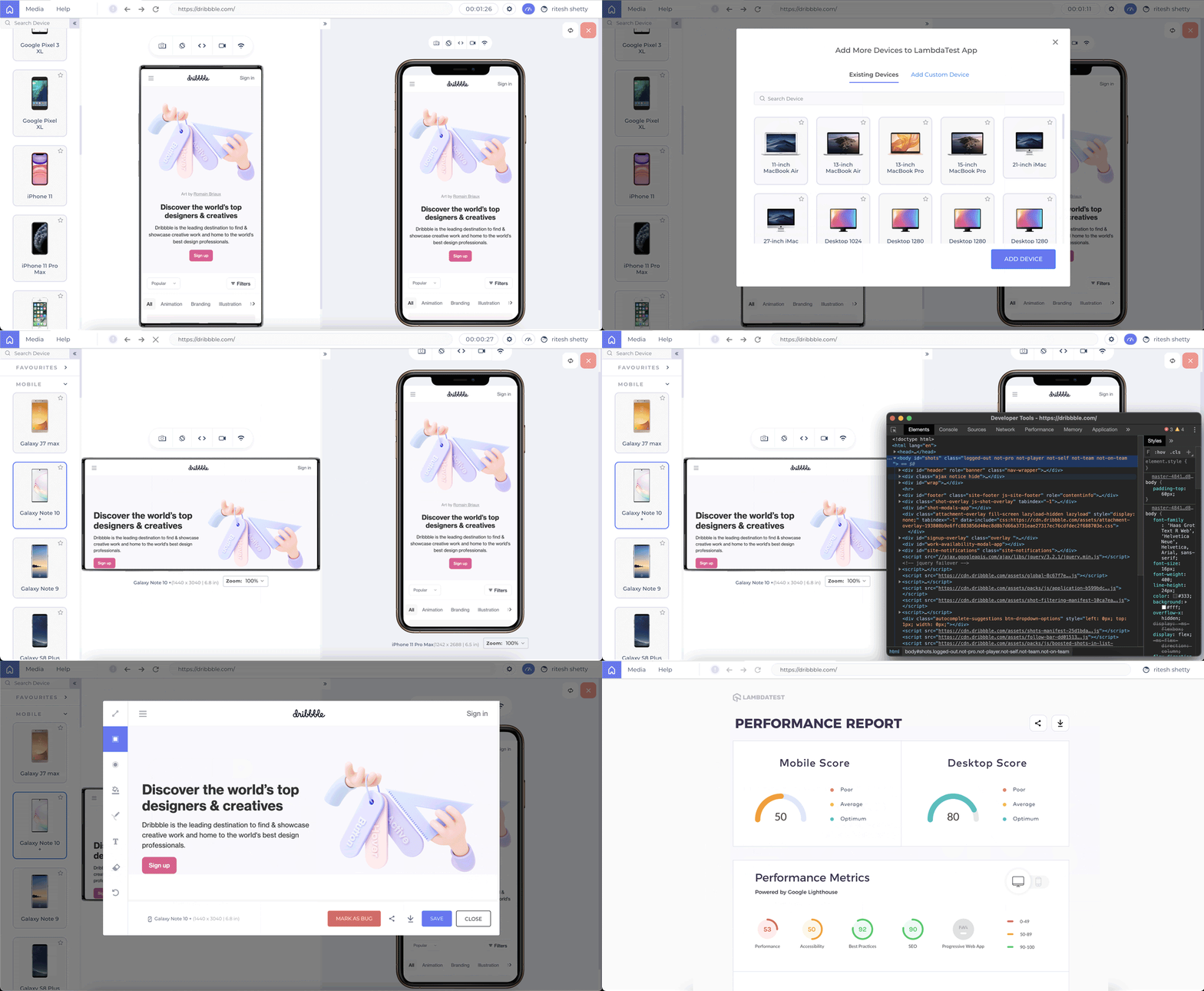
LT Browser is a desktop application that will help you instantly View, Build, and Debug your website on 45+ mobile, tablet, & desktop resolutions. Whether it’s an iPhone, iPad, Samsung, or even a MacBook, you get all the resolutions in the LT browser!! You can capture full-page screenshots, record your sessions, mark bugs, debug and test your web app on two devices side by side. If you want to check how your web app is rendering on different viewports and resolutions, LT Browser is your go-to tool.
Think Mobile Debugging, Think LT Browser
LT Browser is a dedicated application that can assist you in making your website responsive across a wide range of screen sizes, view ports, and resolutions. This app will fast track your and move on to one-click live interactive testing.
LT Browser lets you-
- Check mobile view of a website on different screen sizes and resolutions, be it Android or iOS.
- Test website on different pre-installed mobile device view ports.
- Create your own custom device viewport (mobile, tablet & desktop) and save it for future use.
- Test on two devices simultaneously and perform mobile website tests on different tablets, and desktop devices and inspect websites on different resolutions simultaneously.
- Use inbuilt DevTools to debug multiple devices while performing responsive testing on your devices simultaneously.
- Check the mobile view of your website and perform mobile website tests of your local website without any extension or tunnel.
- Generate a detailed performance report of your website to analyse key performance metrics, accessibility score, SEO, and a scope to improvise the overall performance.
- Mark a bug and share the same with your colleagues on their favorite project management/bug tracking tools such as Jira, Trello, Asana, Github, etc.
- Sync two device resolutions by the movement on the primary device.
- Allows you to test your website on low to high network profiles with an inbuilt network simulation feature.
- Use hot reloading to help you see your changes instantly in real-time.
Here’s a little preview-

What Do You Say?
There you go; that’s what LT Browser is all about. Give it a spin and let us know what you think about the tool? The entire TestMu AI team (and the other Product Hunters) will highly appreciate your feedback.
Last year, we launched Screenshot Scheduler on Product Hunt, and we ranked as the #3 Product of the Day. The biggest benefit has been the feedback that helped us in shaping our product. We’re so fortunate with how helpful our users were in giving us advice and support. We’re continually polishing our product based on the community feedback; with a community like this, we can’t help but improve in leaps and bounds! It will mean a lot for us if you give us your feedback about our product this time too. Join us on Product Hunt and let us know your thoughts – we will highly appreciate it!
See you there!

Austin Siewert
CEO, Vercel
Discovered @TestMu AI yesterday. Best browser testing tool I've found for my use case. Great pricing model for the limited testing I do 👏
2M+ Devs and QAs rely on TestMu AI
Deliver immersive digital experiences with Next-Generation Mobile Apps and Cross Browser Testing Cloud



Did you find this page helpful?
More Related Hubs
TestMu AI forEnterprise
Get access to solutions built on Enterprise
grade security, privacy, & compliance
- Advanced access controls
- Advanced data retention rules
- Advanced Local Testing
- Premium Support options
- Early access to beta features
- Private Slack Channel
- Unlimited Manual Accessibility DevTools Tests