

Next-Gen App & Browser Testing Cloud
Trusted by 2 Mn+ QAs & Devs to accelerate their release cycles


June’25 Updates: AI-Native Test Case Generator, Mobile Accessibility Testing, and More!
Discover what's new in June 2025 at TestMu AI - from AI-native test case generation, mobile accessibility testing, to key Smart UI features, Insights improvements, and much more.

Salman Khan
January 10, 2026
We’ve been working behind the scenes to bring you updates that make testing more intelligent, accessible, and efficient. Right from our AI Test Case Generator to mobile accessibility testing, here’s everything new to supercharge your QA workflow.
Test on the Latest Operating Systems
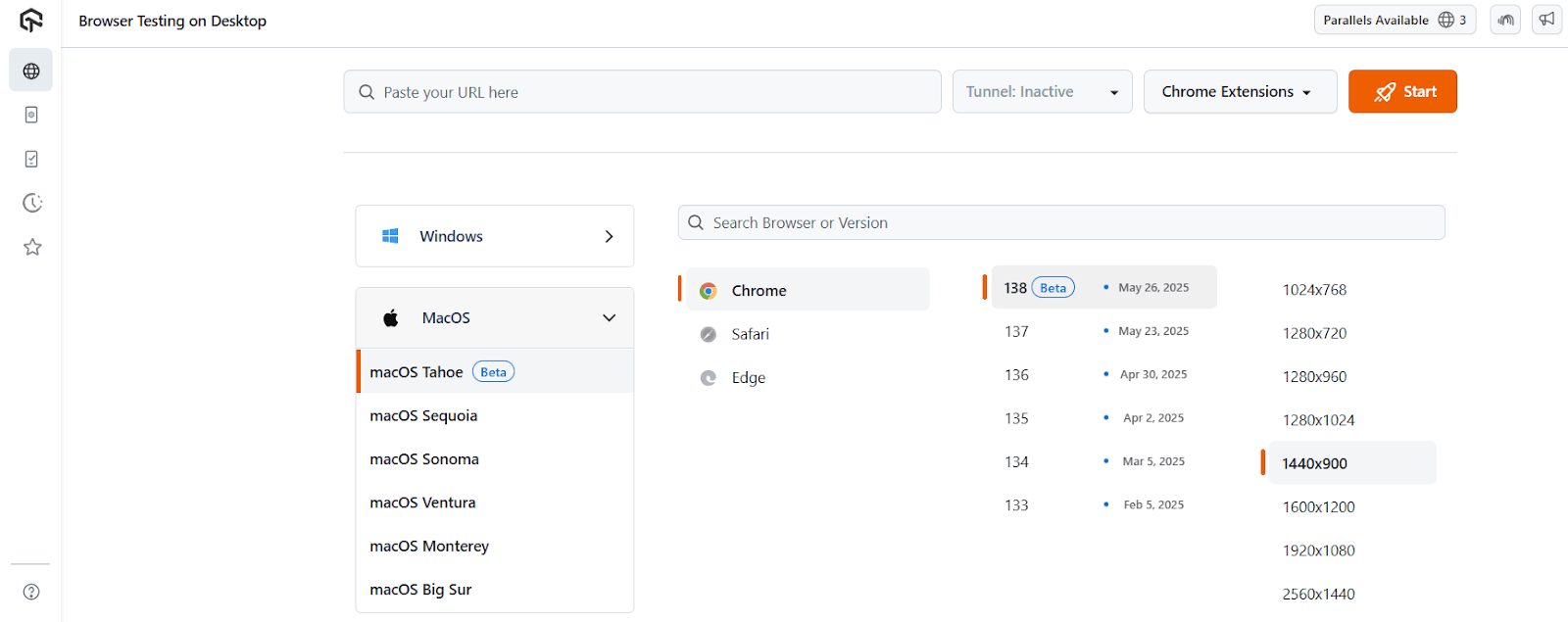
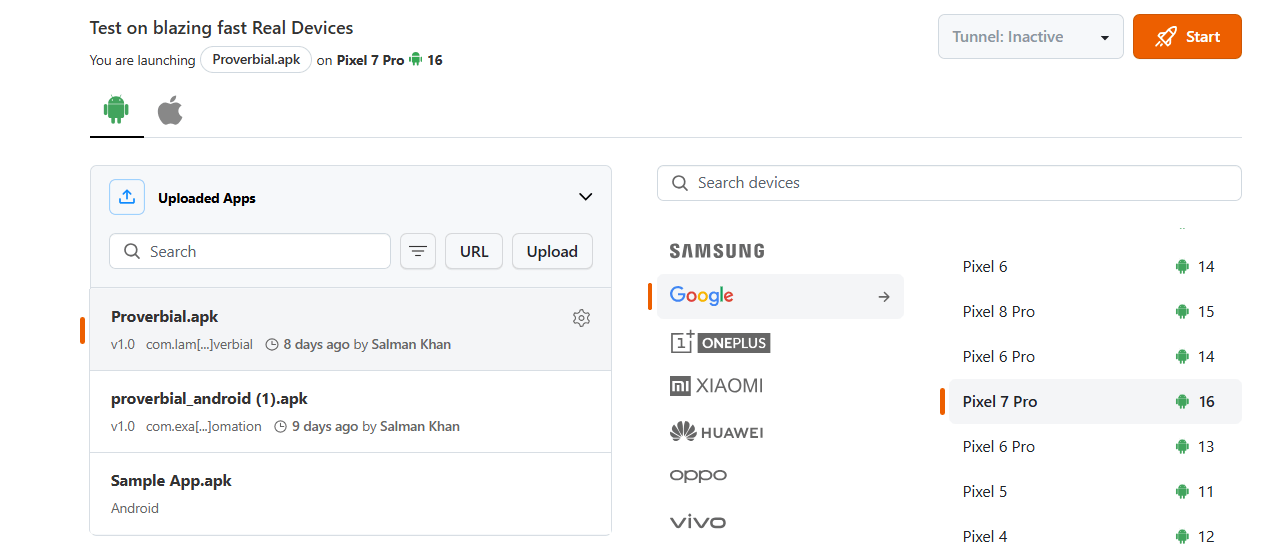
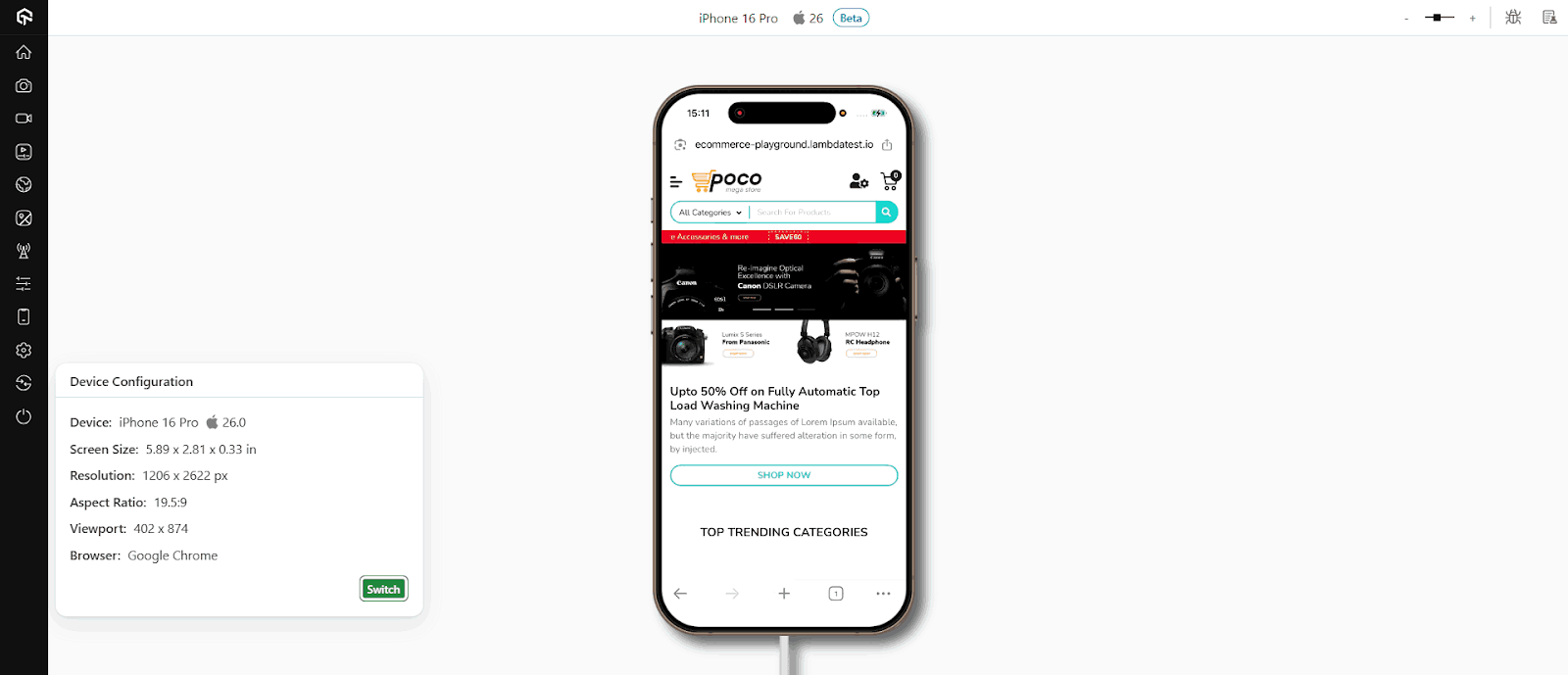
You can now run tests on the latest versions of macOS, Android, and iOS. This helps you check how your websites or mobile apps behave in the latest environments and fix issues before they reach your users.
- macOS Tahoe: You can now test your websites and web applications on the latest macOS Tahoe using both real-time and automation testing. This helps you identify compatibility issues early and ensure everything functions as intended.
- Android 16: Support for Android 16 is now available. You can test how your mobile apps perform on the latest Android version to avoid unexpected behavior and ensure a smooth user experience.
- iOS 26: You now have access to iOS 26 for testing. This allows you to ensure that your mobile app works as expected on the newest iOS version and meets user expectations.

Note: Run tests across real desktop and mobile browsers. Try TestMu AI Today!
Create Test Cases With AI Test Case Generator
With the AI Test Case Generator, you can now simplify and speed up your test case creation process.
You can feed in inputs like plain text, Jira tickets, PDFs, images, spreadsheets, audio notes, or even videos. The AI Test Case Generator will process the content and return structured, context-rich test cases.
Features:
- Multi-format support: Supports natural language, screenshots, documents, and other formats.
- Contextual generation: Understands user journeys to create test steps that actually match real-world scenarios.
- Flexible output: Works across both manual and automated testing workflows.
- Smarter coverage: Identifies edge cases and gaps you might otherwise miss.
New Features in TestMu AI KaneAI
In TestMu AI KaneAI, we have added new features to simplify secure authentication and step-by-step debugging in web tests.
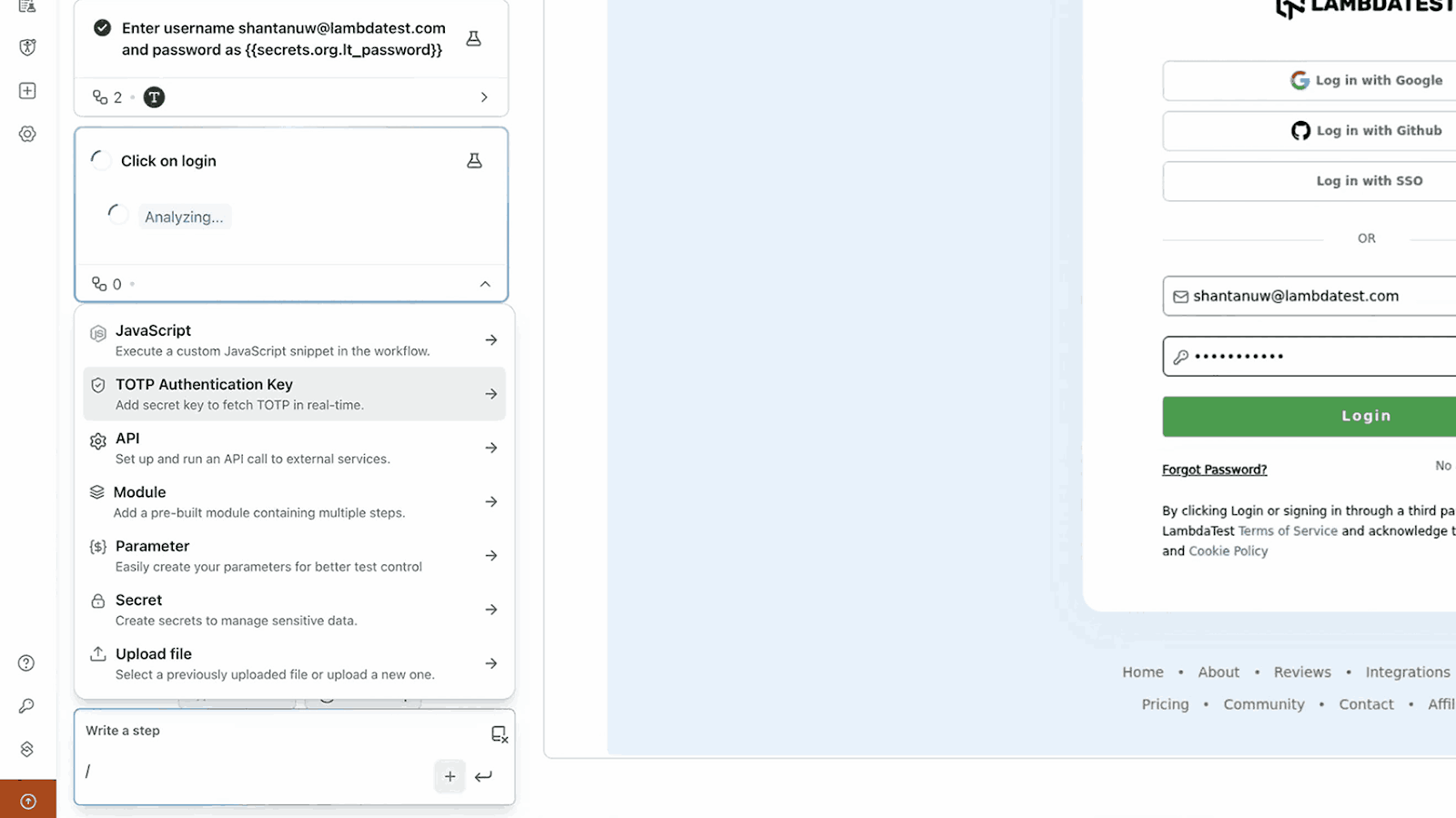
- TOTP Authentication: KaneAI now supports time-based one-time password (TOTP) generation out of the box. With TOTP authentication in KaneAI, you can test login flows that require a 6-digit OTP, whether it’s for SSO or MFA, without using any third-party scripts or tools.
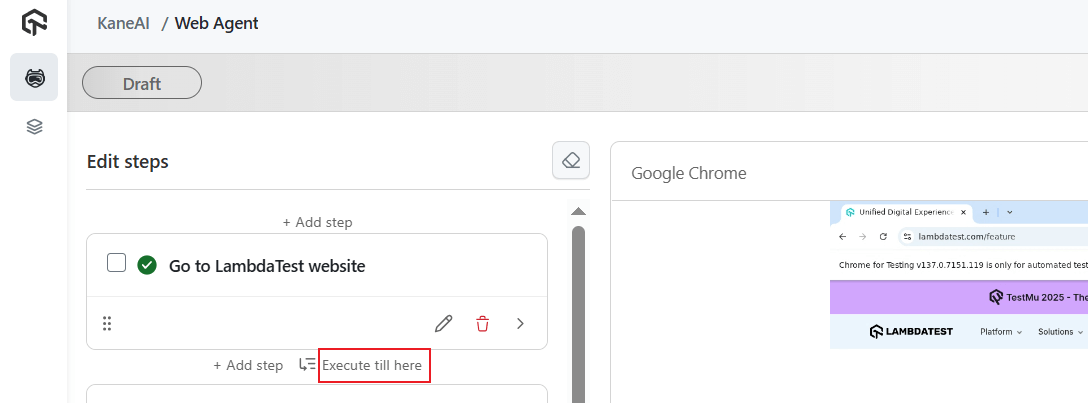
- ‘Execute till here’ Feature: When editing web tests, you’ll now see an ‘Execute till here’ icon next to each step. Click it to run the test up to that point and pause. This helps you check what’s going wrong without re-running the whole flow.
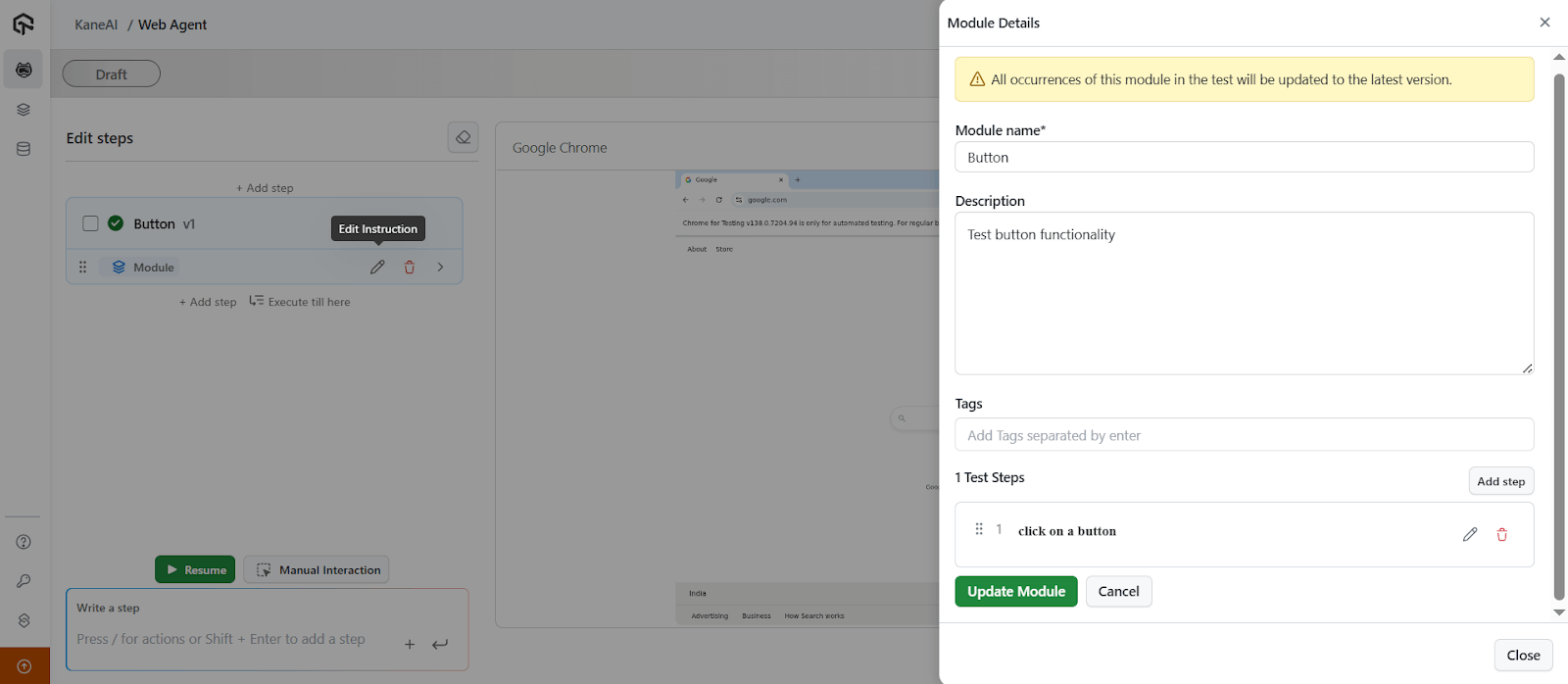
- Update Module Steps: You can now make live changes to module steps while editing without stopping or restarting your test execution.
- Other Enhancements:
- Unified Web Engine: Test creation, replays, code exports, and live runs now all use the same engine.
- Fixes on the Fly: If a locator fails while you’re creating a test, KaneAI auto-fixes it and flags it for review.
- Manual Step Healing: Even if you’re writing test steps manually, they’ll still heal during edit or run.
- Shadow DOM Scroll Support: Hidden elements inside shadow DOMs are now auto-scrolled and detected.
- Waits Built In: Each step waits up to 10 seconds for elements before failing – useful for reducing flakiness in Selenium Python scripts.
- Auto Step Replay: If a step has already run, KaneAI replays it automatically instead of making you do it again.
- Better Authoring Experience: Faster UI, inline error messages, smooth editing – works for both web and mobile tests.
Just add your shared secret key, and KaneAI will handle the OTP generation. Everything runs inside the platform.
You can edit any test step, and KaneAI replays from the first change to validate instantly. You can also manually fix flaky steps or insert new actions directly into the module.

Run Accessibility Tests of Mobile Apps
You can now run accessibility tests on your mobile apps both manually and through automation.
- Test Android App Accessibility With App Scanner: You can use Android App Scanner to manually test the accessibility of Android native apps in real-time. This lets you catch issues live while interacting with your mobile app on real Android devices.
- Automate Accessibility Testing for Android and iOS Apps: Automated accessibility testing is now supported for both Android and iOS apps using Appium. You can run your tests on real devices and surface accessibility issues directly through automation.
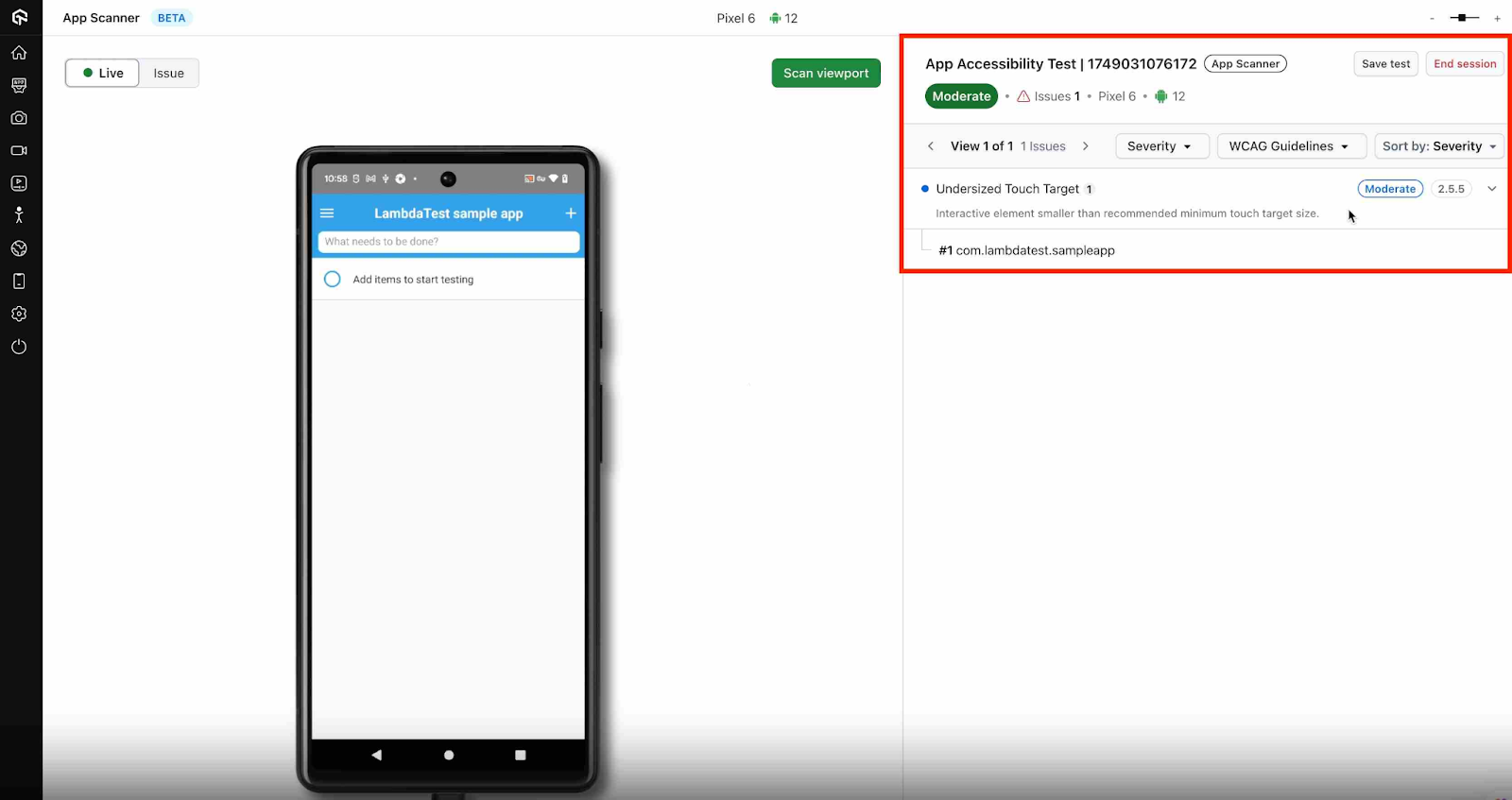
To set it up, check out this guide on native app accessibility automation.
Test Date and Time-Based Scenarios on Real Devices
Validating date and time-based scenarios is a common requirement in mobile app testing, whether it’s scheduled notifications, date-sensitive UI changes, or regional formatting.
We now support testing of date and time-based scenarios on real devices. You can run both tests in real-time.
To begin with, check out this guide on real-time testing of date and time-based scenarios.
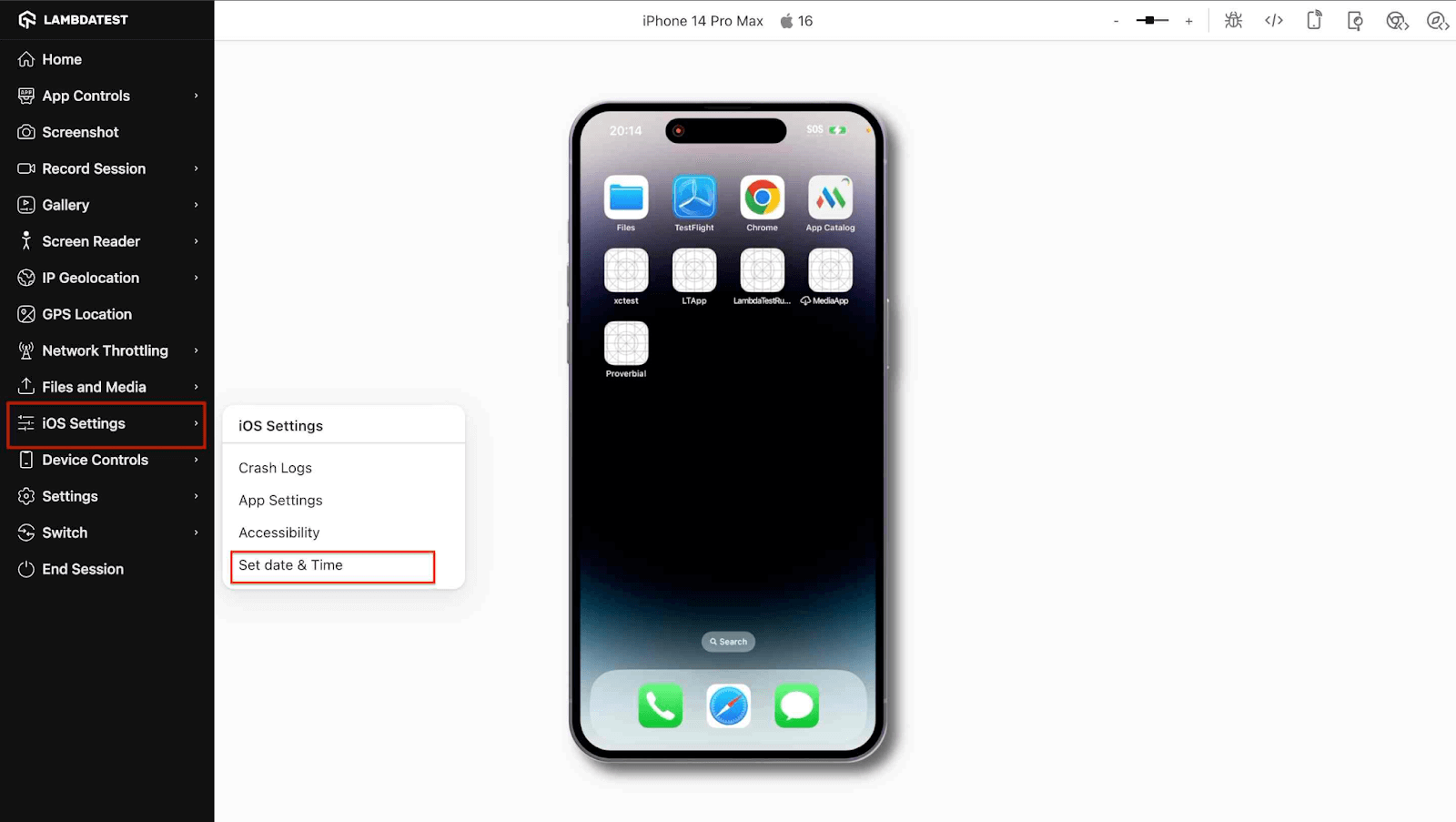
Other than that, you can also automate testing of date and time-based scenarios. You can do this with the Appium framework.
Compare and Merge Your SmartUI Builds
SmartUI now makes it easier to handle visual regression tests across builds and branches. With the new Compare & Merge feature, you can run visual comparisons and merge builds without leaving the dashboard.
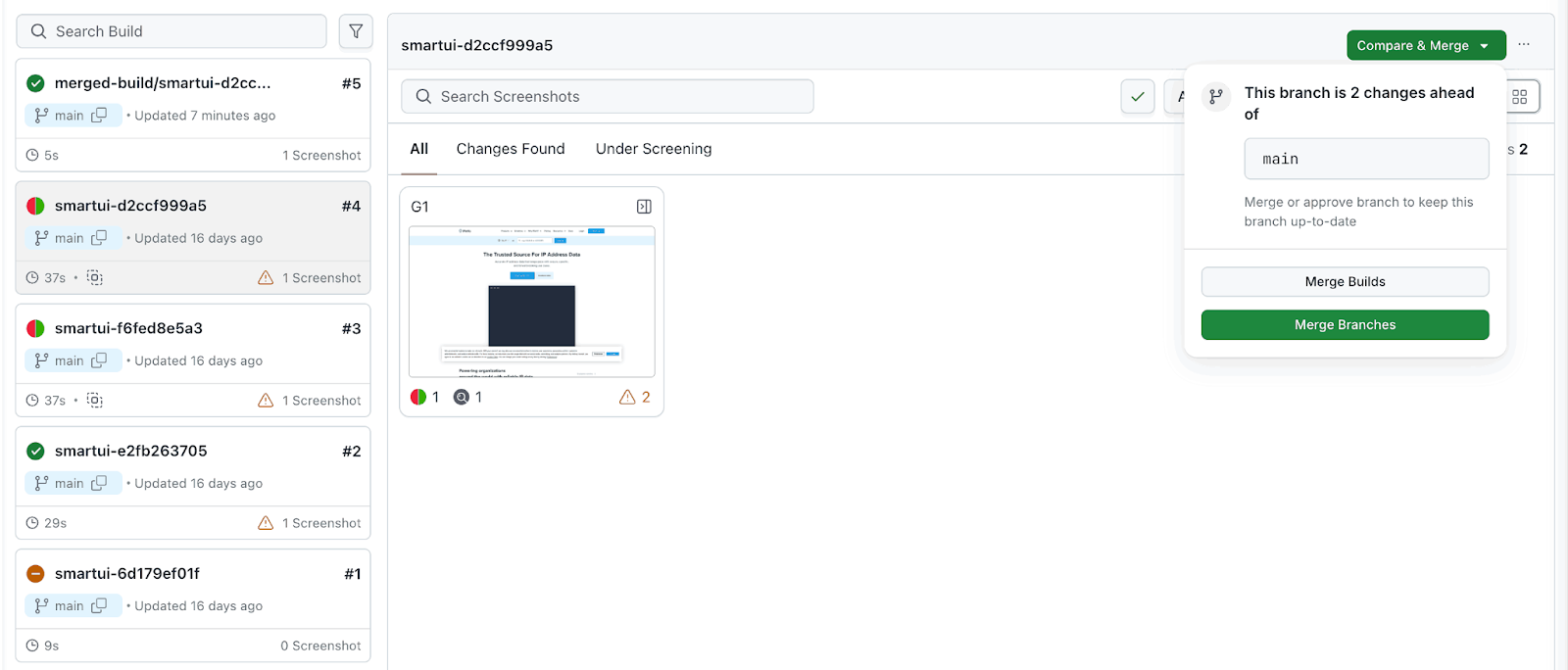
Features:
- Quick Access: You’ll see a Compare & Merge button on every build view.
- Merge Suggestions: When a branch is ahead of the main branch, SmartUI flags it and provides merge options.
- Two Merge Paths: You can choose between Merge Builds or Merge Branches depending on your workflow.
- Merged Build Preview: Once merged, the combined build appears in the UI with tracked patterns for your review.
- Cross-Branch Indicators: Branch labels make it clear when you’re comparing across different branches.
- One-Click Merge: Once ready, you can trigger the merge instantly with a single visible action button.
Latest Features in Insights
We have rolled out some new features in Insights. This brings smarter dashboards, customizable widgets, and helps you get deeper analytics into test trends, failure patterns, and more.
- Custom Widgets Now Support Auto-Heal Data: You can now use widgets for auto-heal tests as a data source when creating custom widgets in the Test Insights dashboard.
- Enhanced Slack Integration: You can now send key dashboard updates directly to your Slack channels with improved Slack notification controls.
- Flaky Test Detection Logics: With flaky test detection logics, you can now have more control over how flaky tests are detected in Test Intelligence.
- Default: Uses both test status and command logs for a detailed analysis.
- Failures Only: Focuses only on failure remarks, ideal for teams that want a simpler, failure-focused view.
With this feature, you can track test healing activity, spot patterns, and measure the impact of auto-healing. This way, you can build dashboards that reflect real maintenance trends and improve visibility across your test suite.
You can customize how and when updates are shared, set daily or weekly frequency, choose specific date ranges, and even target specific dashboards or views.
You can choose between two detection modes:
Enhancements in HyperExecute
The HyperExecute platform has gone through some minor enhancements. Here are a few of them:
- Improved the Windows 11 test infrastructure to make test runs faster and more stable.
- We have optimized the performance and accuracy of Smart UI Playwright tests for better speed and more reliable results.
- Enabled GPU acceleration to significantly speed up emulator-based testing.
Don’t forget to register for our upcoming global virtual testing conference – TestMu 2025. Join thousands of QA professionals, developers, and industry leaders from around the world to explore the future of testing, AI in QA, automation strategies, and much more.

Summing Up!
This release brings a lot of updates across the board. Whether you’re using AI to speed up test case creation, running accessibility checks on real mobile devices, or testing date/time scenarios, there’s something here to make your day a little easier.
With improvements to SmartUI, Insights, HyperExecute, and more, we’re making testing faster, smarter, and more intuitive. Give the new features a try and let us know what you think – we’re building this with you, and for you.


Did you find this page helpful?
More Related Hubs
TestMu AI forEnterprise
Get access to solutions built on Enterprise
grade security, privacy, & compliance
- Advanced access controls
- Advanced data retention rules
- Advanced Local Testing
- Premium Support options
- Early access to beta features
- Private Slack Channel
- Unlimited Manual Accessibility DevTools Tests