 Decode AI-Powered Quality Engineering from AI & QA Leaders,Register for Free!

Next-Gen App & Browser Testing Cloud
Trusted by 2 Mn+ QAs & Devs to accelerate their release cycles

Top 11 iPhone Emulators for 2026
Discover the ultimate iPhone emulators that revolutionize mobile development and testing! Power up your workflow with top-tier tools for seamless app functionality.

Harish Rajora
February 8, 2026
iPhone emulators are programs that replicate the hardware of an iPhone so you can run iOS apps on other operating systems. App developers often use emulators to test iPhone software on the Windows or Mac systems they use for programming.
While they can’t directly run apps from the Apple App Store, these iPhone emulators faithfully mimic the basic functionality of an iPhone. It’s important to highlight that iPhone emulators have a dual role.
In this blog, we will look into some of the top iPhone emulators that make mobile app testing efficient.
Note: The term iPhone emulator is often used, but it’s more accurately called an iOS simulator. iOS simulators replicate the software environment of an iOS device for app testing on a computer. Understanding this difference is crucial in discussions about iOS app development and testing.
What are Emulators for iPhones?
An emulator is a handy software tool that precisely replicates a specific device’s functions directly on your computer, including its hardware and software. It achieves this by intelligently translating the Instruction Set Architecture (ISA) of the targeted device (in this case, iPhones) into the architecture used by your computer. This capability enables you to test and experiment with the device without needing physical devices.
Why use Emulators for iPhones/iOS?
Emulators offer a practical and cost-effective iPhone/iOS testing solution, especially when compared to solely relying on physical devices. Building and maintaining a device lab can be expensive, making emulators attractive, particularly for smaller companies with limited budgets.
Several free emulators, such as Xcode, Xamarin TestFlight, and Appetize.io, provide accessible testing alternatives. By opting for such iPhone emulators, companies can save on costs by eliminating the need to invest in multiple devices and frequent upgrades. This allows them to manage their budget more efficiently while ensuring effective testing procedures.
Before delving into the list of free iPhone emulators, let’s first understand who benefits from these iPhone emulators.

Note: Enhance your mobile app testing skills using emulators and simulators for Android and iOS. Try TestMu AI Today!
Top iPhone Emulators
While many iPhone emulators are available, the following list highlights the most favorable ones, showcasing their key features.
TestMu AI
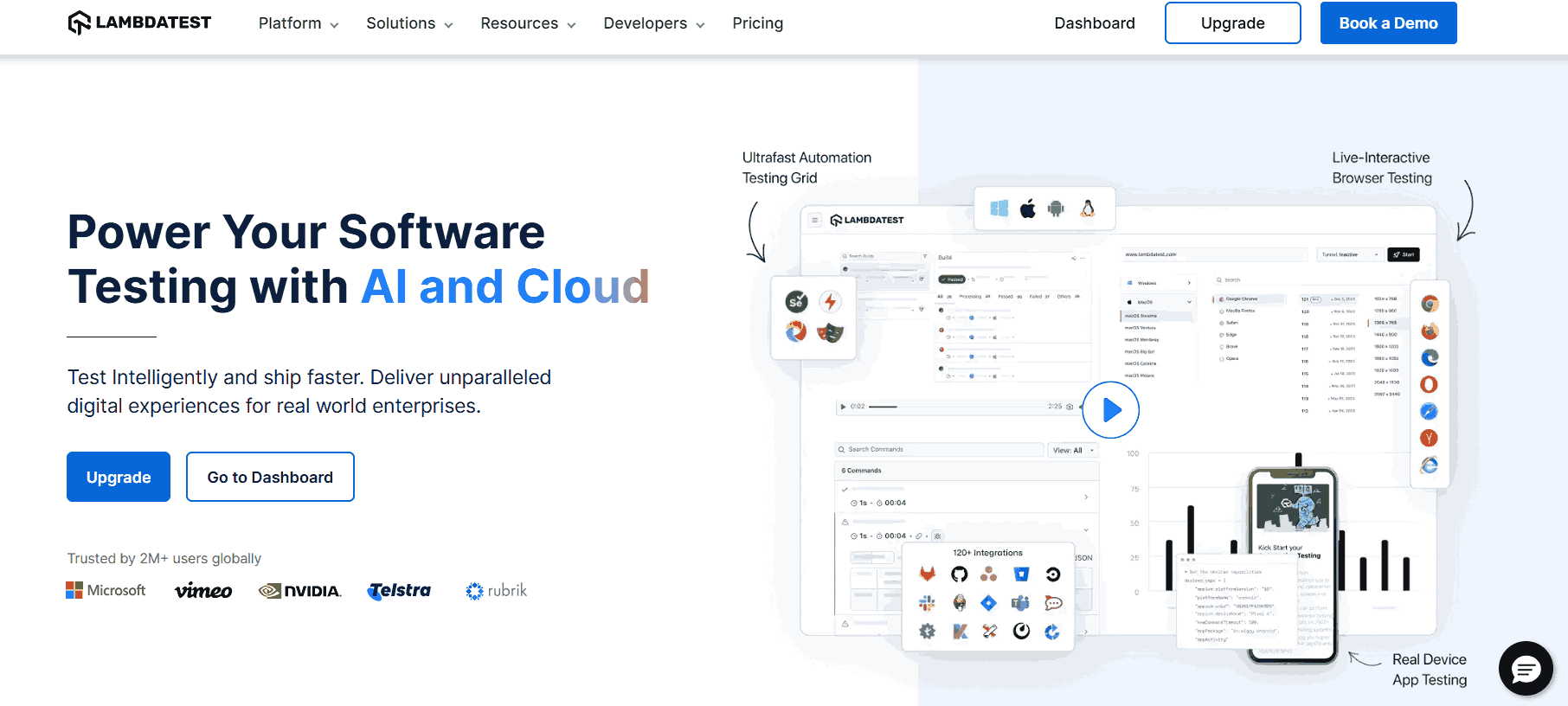
TestMu AI is an AI-native test execution platform that allows you to run manual and automated tests on a vast scale, featuring over 5000 mobile devices, browsers, and OS combinations.
As a virtual device cloud, it serves the needs of developers and testers, offering iPhone emulators for app testing. It provides access to the latest devices, which can be operated directly on the website for testing purposes.
Features of TestMu AI:
Below are the key features of why TestMu AI is a better iPhone emulator.
- Wide range of emulators: This platform extends beyond emulators, encompassing various mobile and web application testing functionalities. This centralized approach eliminates the need for testers to navigate multiple tools for different tasks.
- Simple one-click uploads: This platform allows you to effortlessly upload .apk or app.zip files, streamlining the testing process for a hassle-free experience.
- Extensive emulators and simulators: It allows you to access diverse emulators and simulators, ensuring focused and successful testing on real devices without unnecessary diversions.
- Responsive testing: It offers responsive testing services to ensure software applications adapt swiftly to various screen sizes and resolutions.
- Global geolocation testing: It allows you to perform geolocation testing by simulating GPS or IP geolocation, allowing your mobile app to adapt to location-specific behaviors.
To get started, head over to this guide on real time mobile app testing.

RetroArch
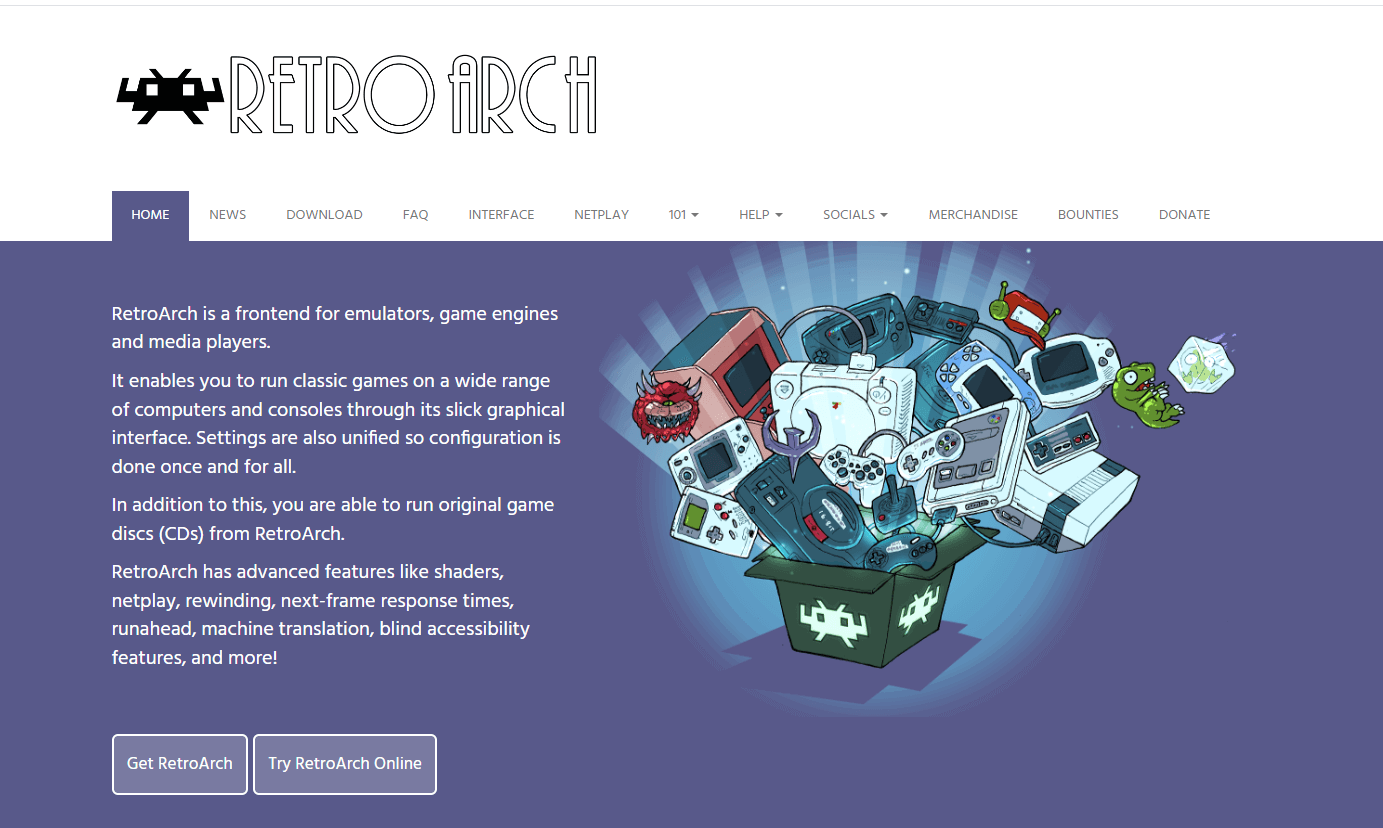
RetroArch is a frontend for emulators, game engines, and media players. Its user-friendly interface lets users enjoy classic games on various computers and consoles. The unified settings streamline configuration, providing a one-time setup.
Notably, RetroArch supports the running of original game discs (CDs). It offers advanced features such as shaders, netplay, rewinding, next-frame response times, run ahead, machine translation, blind accessibility features, and more, enhancing the gaming experience.
Features of RetroArch:
Below are the key features of RetroArch that make it better as an iPhone emulator.
- Comprehensive support: It has extensive support across various platforms. It can be used on Windows, macOS, Linux, PlayStation, Xbox, Wii U, browsers, Haiku, and many more.
- Large community: Its popularity has generated a large community base that is always active in resolving user queries.
- Disc support: It maintains a retro feel by allowing game runs using CDs.
- Shader support: It enhances the video and imaging experience using advanced shaders that efficiently run algorithms, resulting in better processing.
- Modern game features: It also supports features that came into the picture with modern gaming. It includes managing savestate and button overlays for touchscreen devices.
- AI inclusion: It includes artificial intelligence on selected features, such as translating text using machine translation.
This platform explicitly serves gamers. If you intend to run a game on an iPhone device, RetroArch is the ideal choice for you.
Eclipse
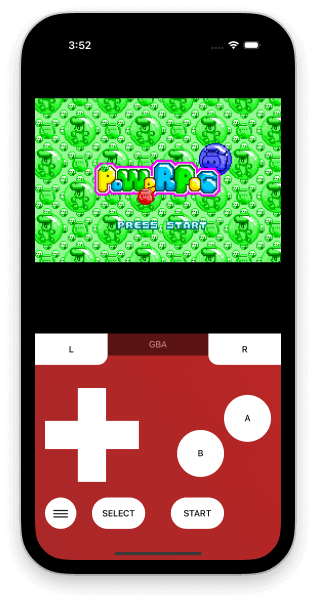
Eclipse is a web-based emulator that does not care about revoking iOS applications. It brings a swift interface to play iOS games even without the internet using local files. It’s simple to operate and an optimum choice for non-iOS users and iOS users looking to play revoked games on any device.
Features of Eclipse:
Below are the key features of why Eclipse is better as an iPhone emulator.
- Library feature: It introduces the “Library” concept, allowing users to organize their favorite games in one place. Even if games are removed from the official Apple store, they remain accessible in the library, enabling users to switch between games and play them offline.
- Web-based accessibility: It only requires a web browser for operation that enhances user-friendliness, providing a hassle-free experience.
- Game inclusion support: It supports including games from various platforms in the library. Users can import games from Google Drive and Dropbox, expanding the range of accessible titles.
- System compatibility: It supports games from diverse systems, including Game Boy, Game Boy Color, Game Boy Advance, Nintendo Entertainment System, Super Nintendo, Sega Master System, and Sega Game Gear. The emulator continually expands this list to accommodate more systems.
- Multiple input support: It offers versatile input support, including touch, keyboard, and controller options. These input methods are integrated into the built-in emulator settings, allowing users to customize them according to their preferences.
Eclipse is a simple and effective emulator focusing on the gaming part. While there are other gaming emulators, users prefer Eclipse due to its offline feature and the library arrangement of applications that never get revoked.
Dolphin
Dolphin is a free-to-use emulator with a 20-year history. It extends its support beyond iPhone and iOS apps, catering to various systems such as Windows and macOS. The emulator’s enduring success in overcoming challenges and continual improvements has significantly contributed to its popularity, particularly in the video gaming industry.

Features of Dolphin:
Below are the key features of why Dolphin is better as an iPhone emulator.
- Open-source and free: It is an ideal choice for a community of capable developers for continuous enhancements.
- No location-based restrictions: It ensures users face no restrictions based on location, offering unrestricted access to applications.
- Use of real controllers: It allows using real controllers, including Wii Remotes, through USB or Bluetooth for an authentic gaming experience on various systems, including iPhones.
- Multiplayer support: It supports local multiplayer options and online Wi-Fi connections, promoting collaborative gaming experiences among Dolphin users.
- Supports save state: It enables users to save the game state directly on the emulator, allowing them to resume from that point later. Additionally, it supports saving game states on GameCube Memory Cards and emulating Wii flash memory.
- 3D graphic support: It excels in executing stereoscopic 3D graphics, including support for Nvidia 3D vision, enhancing the visual experience for iPhone emulator users.
Dolphin is a powerful iPhone emulator for gaming and beyond. For someone who is looking for trustworthy software that has proved its existence over time and has constantly maintained its quality and features, Dolphin would be the best choice.
Smartface
In our selection of top iPhone emulators, we include Smartface, recognizing that developing generic emulators can be costly, and only a few may excel in every domain. Focusing on a specific domain is more beneficial if the emulator proves its worth. Certain emulators are designed for particular purposes, like Eclipse for games, while others, such as Smartface, excel in testing.
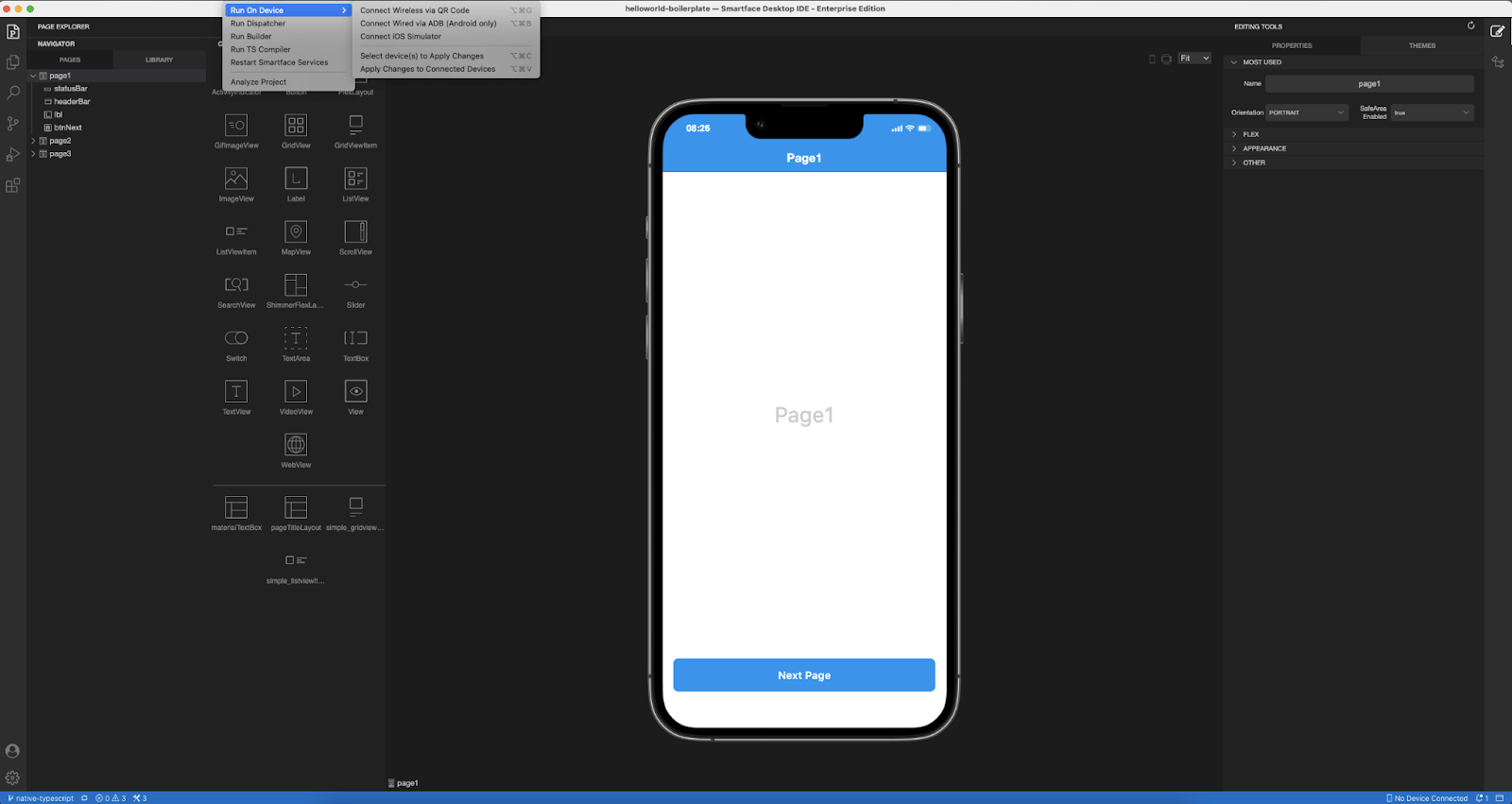
Smartface offers a comprehensive package, operating as an Integrated Development Environment (IDE) rather than a standalone emulator. Despite featuring a built-in emulator, we recommend this software for testing.
Features of Smartface:
Below are the key features of why Smartface is better as an iPhone emulator.
- Efficient performance: It is known for its swift performance as an iPhone emulator. The duration between selecting the emulator and its actual execution is concise. It makes it an excellent choice for testers who need to quickly switch between different devices, countering the common issue of slow emulators.
- Cross-platform availability: It is versatile, supporting both macOS and Windows operating systems, providing users with flexibility in choosing their preferred platform.
- Robust debugging tools: It enhances the testing phase with robust debugging support, offering features like watches, breakpoints, and real-time verification of code changes. It ensures efficient and effective testing procedures.
- Dedicated support: It prioritizes user assistance by offering vital support features. Users can easily connect with the in-house support team to address any issues, ultimately saving time in debugging software problems.
Smartface stands out as a reliable iPhone emulator, meeting all the essential criteria for practical testing. However, its exclusive availability for enterprises and potential usability constraints might limit its accessibility to a broader audience.
Xamarin TestFlight
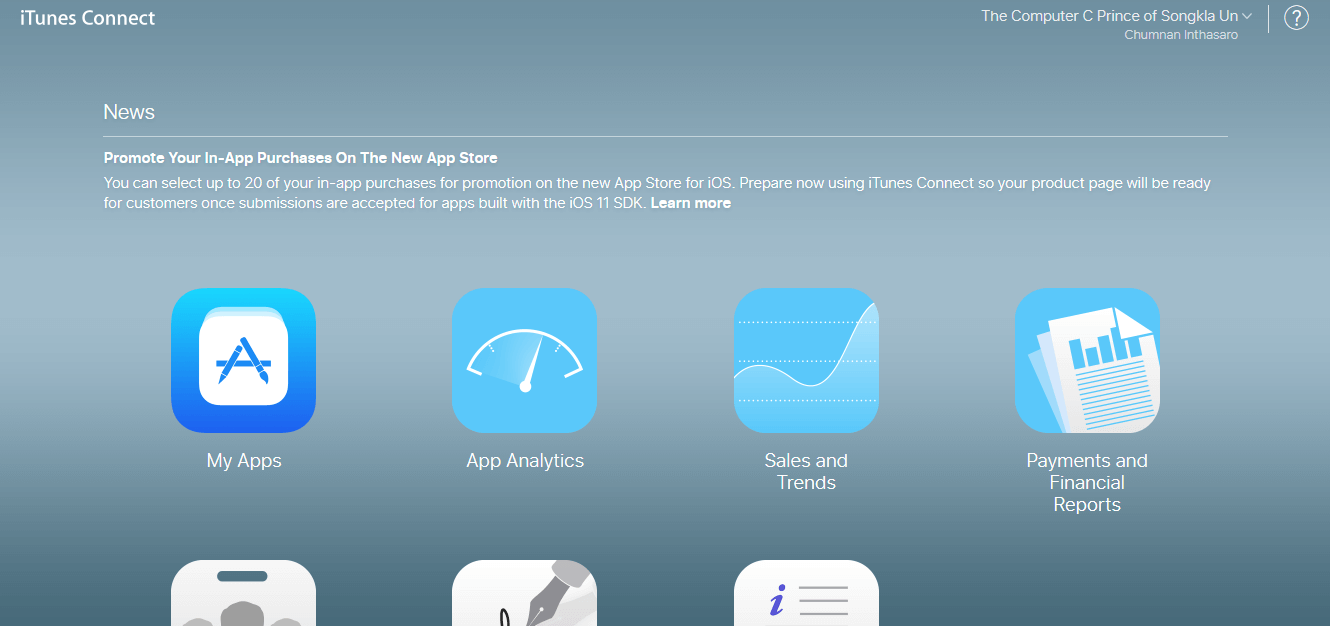
Xamarin TestFlight is an Apple-owned emulator, which makes it an “authorized” software for people looking to test their applications on iOS devices. It is the official testing solution for organizations and individuals looking to beta-test their applications.
The main advantage of using Xamarin TestFlight as an iPhone emulator is that the users can upload their build and connect to the App Store for download and testing. It allows gathering good testers worldwide without any specific campaign or paid methods.
Features of Xamarin TestFlight:
Below are the key features of why Xamarin TestFlight is better as an iPhone emulator.
- Robust parallel testing capability: It can invite up to 10 thousand testers through a single link or email invitation, enabling simultaneous testing by a large user base, making it one of the most efficient testing apps.
- Significant member accounts: It supports up to 100 members for testing, marketing, and other purposes, with the flexibility to assign various responsibilities based on their tasks.
- Streamlined feedback process: It simplifies the feedback loop, allowing testers to provide feedback directly within the application using screenshots, eliminating additional steps, and expediting the overall process.
- Expansive build base: It enables testers to efficiently test beta builds on up to 30 devices concurrently, making it an excellent choice for cross-browser testing.
Xamarin TestFlight is an Apple-owned emulator, which means testers might have limitations compared to other applications. However, it is an excellent choice for testing iOS applications while adhering to all the necessary protocols.
AIR SDK
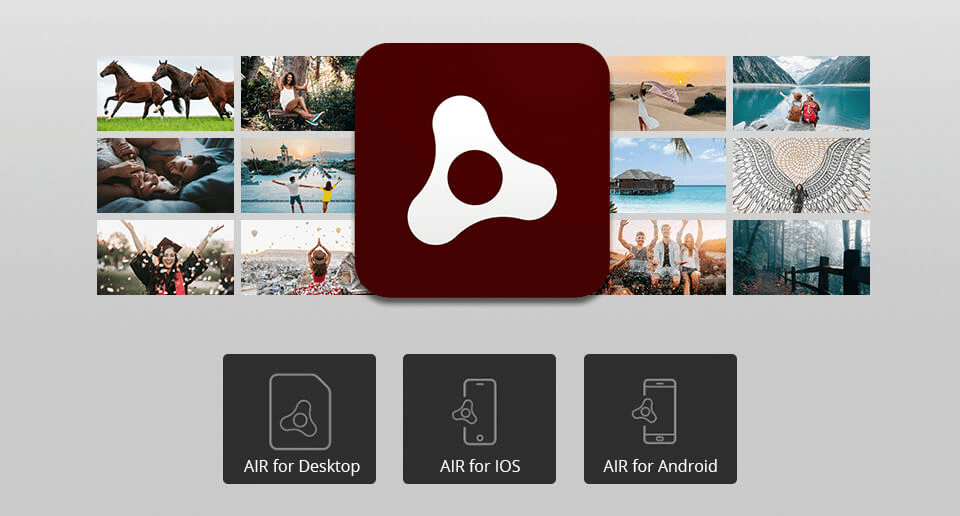
AIR SDK is an iPhone emulator explicitly designed for developers. Initiated initially as an Adobe project in 2008, it is now managed by HARMAN with ongoing support from Adobe. This cross-browser development platform empowers developers to create standalone iOS applications using a combination of Flex, HTML, and ActionScript.
Features of AIR SDK:
Below are the key features of why AIR SDK is better as an iPhone emulator.
- Easy to navigate: It offers an intuitive and user-friendly interface, making it accessible for beginners to grasp quickly.
- Touch Screen support: It accommodates touch screen events, enabling developers to create precise functionalities around touch interactions. It also provides support for multi-touch gestures.
- Hardware and sensor access: It enables developers to seamlessly integrate hardware and sensor-specific functions into their applications as AIR SDK grants access to essential components such as the camera, microphone, accelerometer, and geo-location.
- Integrated Adobe support: It is compatible with other Adobe applications. This integration ensures a smooth workflow for developers using Adobe tools.
- Application track record: It boasts a track record of over 100,000 applications built using its platform. While this signifies a robust development community, the emulator may benefit from updates aligning with modern functionalities and supporting newer technologies.
AIR SDK boasts a substantial track record, with claims of over 100,000 applications successfully built on its platform. Nonetheless, it is worth noting that the emulator may benefit from updates to incorporate more modern functionalities and align with the requirements of newer technologies.
If the objective is to expedite the iOS application development process and leverage the synergy with other Adobe applications, the AIR SDK iPhone emulator stands out as a valuable tool.
Electric Mobile Studio
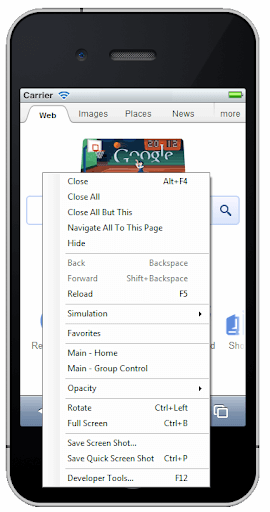
The Electric Mobile Studio is an iPhone emulator for Visual Studio, primarily available for Windows operating systems. Praised for its simplified design, it also faces criticism for its relatively high cost compared to alternative options. This pricing factor contributes to its limitation in reaching a broader audience.
Features of Electric Mobile Studio:
Below are the key features of why Electric Mobile Studio is better as an iPhone emulator.
- Easy to integrate: It can be used with Visual Studio with a single click. It can be incorporated within the software and opened through the “Browse With..” option inside the IDE.
- Mobile web support: It is efficient in mobile web support and can replicate web processes on iPhone devices easily. It includes orientation, JavaScript APIs, Web SQL, and local storage.
- SPA support: It also supports single-page application testing, a popular web development method today.
- Gesture support: It supports gestures such as touch to test their impact on the application.
- Network impact testing: It is efficient enough to test the impact of different network bandwidths on the iOS application.
Electric Mobile Studio is a good choice for testers who use Windows OS and Visual Studio, particularly for development. However, its usage presents challenges in consuming high system resources and being expensive today.
Xcode
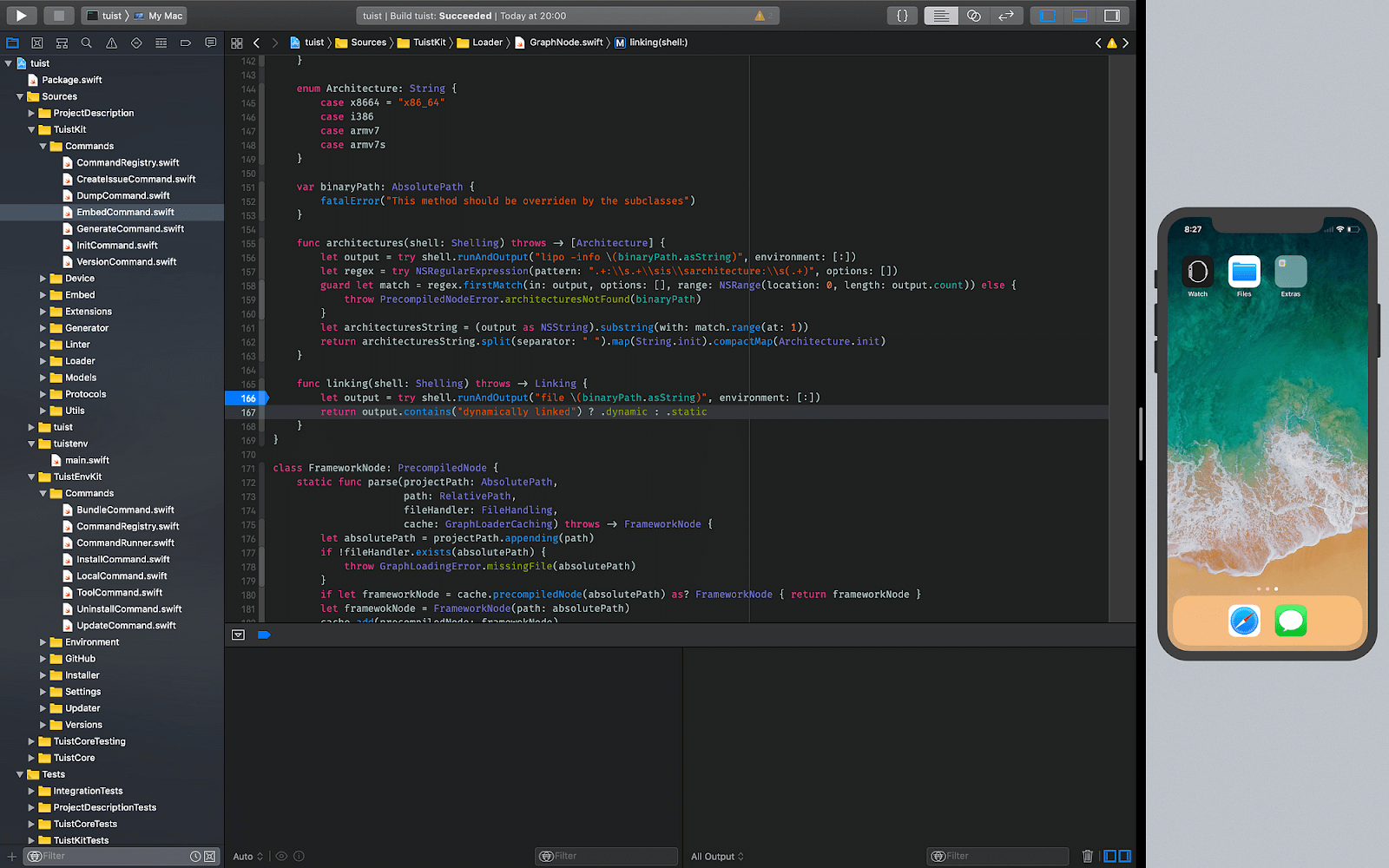
Xcode is Apple’s comprehensive tool, encompassing development, testing, and application submission. While it includes an iPhone emulator, specifically for iOS-based emulation, it offers additional tools for various purposes. If your goal is to develop an application within the Apple ecosystem, Xcode is the ideal starting point.
Features of Xcode:
Below are the key features of why Xcode is better as an iPhone emulator.
- Comprehensive emulator: It is a professional tool offering coding support, testing capabilities, fast debugging, and other essential features for accelerated application development.
- System resource monitoring: It supports metrics for monitoring system resource consumption during application development, aiding in optimizing applications.
- Apple-centric approach: It is exclusively designed for and by Apple. It provides direct access to Apple resources for developing applications on their systems, including support for performance metrics and Silicon chip compatibility for Mac systems.
- Extensive language support: It offers various programming languages for project initiation, encompassing C++, Objective-C, and Swift.
- Machine learning integration: It empowers developers to train machine learning models and conduct tests within the application on any iOS-based device.
Xcode is the best choice for developers and testers looking to work on their applications running on an Apple operating system. They can get all the support in the form of tools and functionalities to produce the most optimum version of their app.
However, they cannot break any rules or go beyond this circle. It is impossible if a user wishes to run a jailbreak app or some deleted app. Running it on a different platform than Apple’s is also impossible.
QEMU
QEMU, or Quick Emulator, distinguishes itself as a unique emulator emphasizing hardware simulation rather than software emulation. It enables virtualization, allowing users to create virtual machines with customized hardware configurations. Following the open-source paradigm, QEMU is freely available for use by everyone.
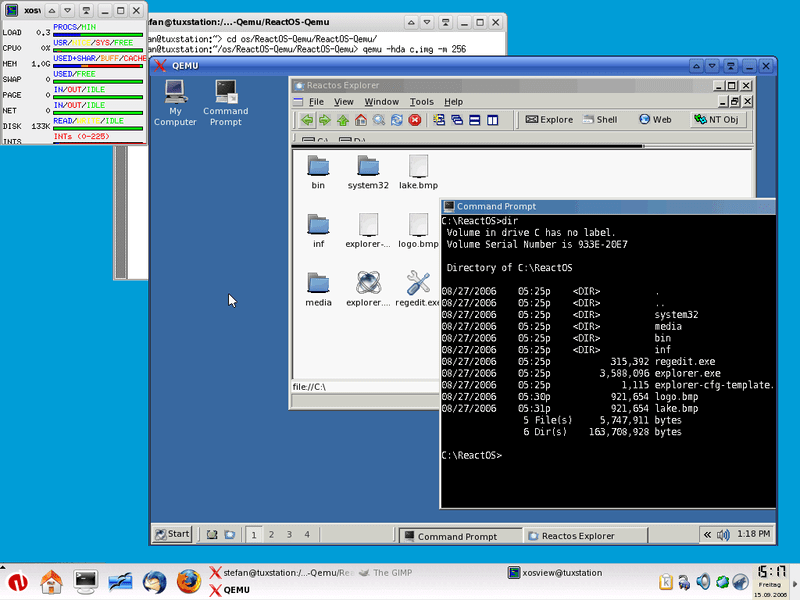
Features of QEMU:
Below are the key features of why QEMU is better as an iPhone emulator.
- Hardware replication: It excels in replicating processors and their capabilities, ensuring accurate testing results for the targeted device.
- Architecture support: It supports a range of architectures for replication, including x86, ARM, PowerPC, RISC-V, and others.
- Virtual machine implementation: It facilitates the creation of virtual machines, including Kernel-based Virtual Machines (KVMs), delivering near-native performance and cost-effective solutions for developers and testers.
- Parallel execution design: Its ability to execute multiple virtual CPUs in parallel enhances efficiency by enabling simultaneous work on multiple machines.
- Open-source and free: It is an open-source platform. QEMU is freely accessible to all, aligning with its commitment to open collaboration and development.
QEMU is too conscious about hardware and its impact on executing an application on a device. Therefore, a user must know the exact details of the hardware before proceeding. If hardware concerns you as a tester or a developer, you can opt for QEMU.
Appetize.io
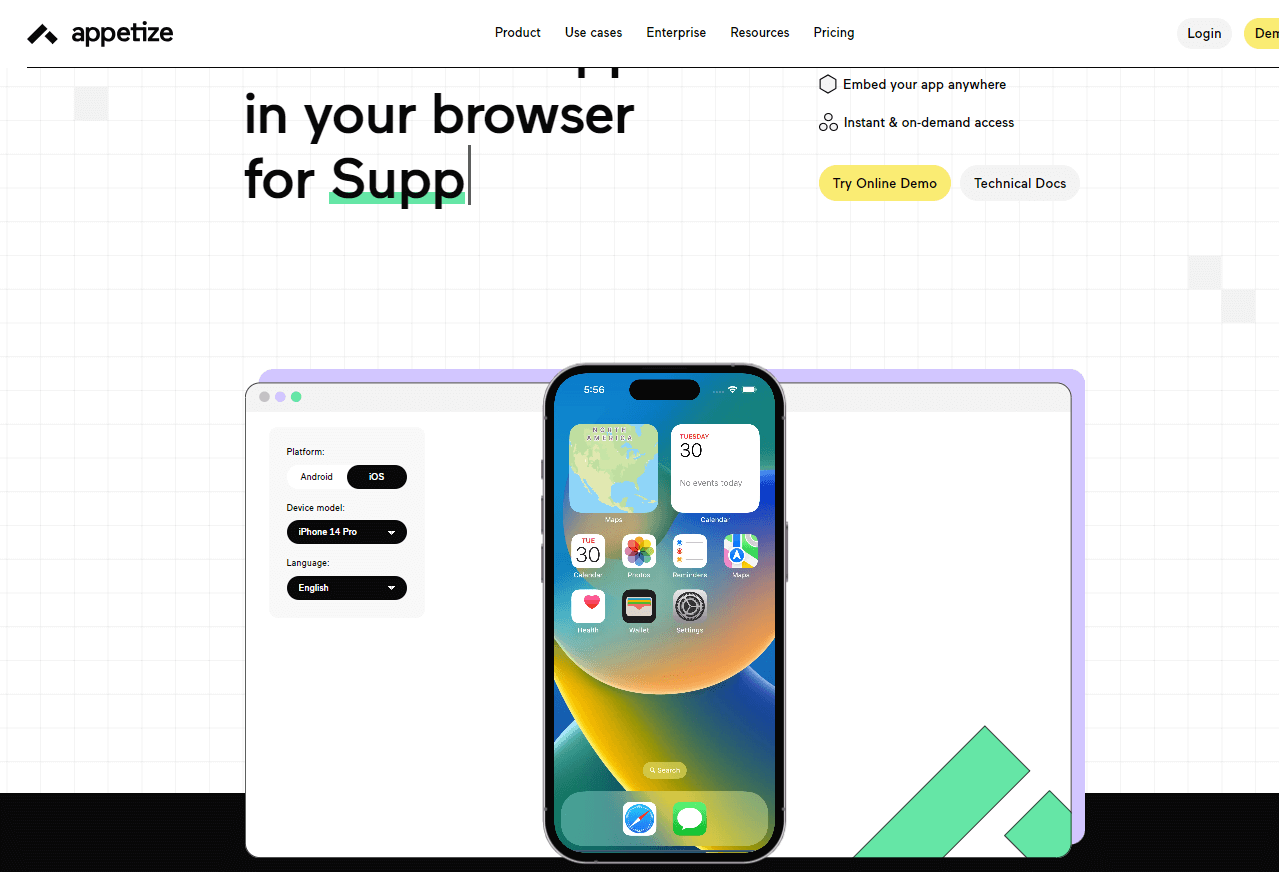
Appetize.io is a handy browser-based emulator, so you don’t have to install applications. You can easily upload and install the app directly from your browser without extra tools or plugins.
The process of uploading might vary for different experts in specific fields. You can upload it directly like a file if you’re just using the emulator to run an application. However, for testers and developers, there’s the option to use an API or third-party integrations.
Features of Appetize.io:
Below are the key features of why Apperize.io is better as an iPhone emulator.
- Playback options: This iPhone emulator website offers various URL options during a single run of an iOS application, featuring numerous query parameters for easy note-taking.
- Application embedding: Utilizing a web browser with URL links that allows the embedding of iPhone emulator application URLs directly onto your website using iFrame-based embedding.
- Direct command issuing: Testers can issue direct commands on their embedded iPhone emulator iFrame through query parameters. These commands, once received, translate into actions reflected on the web page. For example, postMessage(‘requestSession’, ‘*’) is equivalent to the “play” action.
- Customer support: The team provides comprehensive technical and management support for their iPhone emulator. They can even create a custom template for your launch page if needed, enhancing the reliability and trustworthiness of the organization.
Appetize.io stands out as a convenient browser-based iPhone emulator, eliminating the need for application installations. It allows users to seamlessly upload and install apps directly through the browser, offering a hassle-free experience.
With features like versatile playback options, application embedding, direct command issuing, and robust customer support, Appetize.io is a top choice for iPhone emulators.
When to use a Real Device?
When deciding between emulators and real devices for testing, the choice depends on the specific tasks at hand. Emulators offer a quick way to run and test applications, simulating end-user interactions.
However, they may not accurately reflect hardware-related aspects, such as battery drain rates during prolonged usage, where real devices are more reliable.
On the other hand, emulators excel in tasks related to the visual domain, such as UI/UX testing, and functions not reliant on hardware, like file uploading.
For a comprehensive approach, leveraging virtual and real device cloud, primarily through cloud-based platforms like TestMu AI, ensures a well-rounded testing strategy addressing various aspects of mobile application functionality. This clarity in task allocation enhances testing efficiency and precision throughout the development cycle.
Conclusion
People in many professions need a real iPhone device to do their work. They can belong to fields like engineering or marketing or just be students. Relying on a simulator would provide inaccurate results, and purchasing real devices is not economical. The path in between is what satisfies all the requirements, and this is where emulators come into the picture.
iPhone emulators can open any iPhone device (or iOS device) on a desktop operating system such as a PC, Linux, or macOS. They can be cloud-based like TestMu AI or hardware-specific like QEMU. Such a high demand excites a lot of developers, which we see in this post with a list of top iPhone emulators.
These emulators are listed with their strengths, weaknesses, and focus points to let the user understand the best fit for their project. Also, we recommend that the developers and testers keep exploring newer technologies and use a mix of devices to accomplish their goals effectively.


Summarize with AI


Frequently asked questions
Did you find this page helpful?
More Related Hubs
TestMu AI forEnterprise
Get access to solutions built on Enterprise
grade security, privacy, & compliance
- Advanced access controls
- Advanced data retention rules
- Advanced Local Testing
- Premium Support options
- Early access to beta features
- Private Slack Channel
- Unlimited Manual Accessibility DevTools Tests