 Decode AI-Powered Quality Engineering from AI & QA Leaders,Register for Free!

Next-Gen App & Browser Testing Cloud
Trusted by 2 Mn+ QAs & Devs to accelerate their release cycles

How to Make Safari Default Browser on Mac, iPhone, and iPad
Learn how to make Safari default browser on Mac, iPad, and iPhone with easy steps. Experience faster and secure browsing across all Apple devices

Prince Dewani
January 11, 2026
This blog guides you through simple steps on “how to make Safari default browser”. Setting Safari as your default browser on Mac, iPhone, and iPad ensures a seamless browsing experience across Apple devices, leveraging its speed, privacy features, and deep integration with the Apple ecosystem.
Steps to Make Safari the Default Browser on Mac
Safari comes as the pre-installed default browser on a new Mac. If you’ve switched to another browser by mistake or wish to revert to Safari, you can quickly and easily set it back as your default.
Let’s look at how to make Safari the default browser on your Mac system:
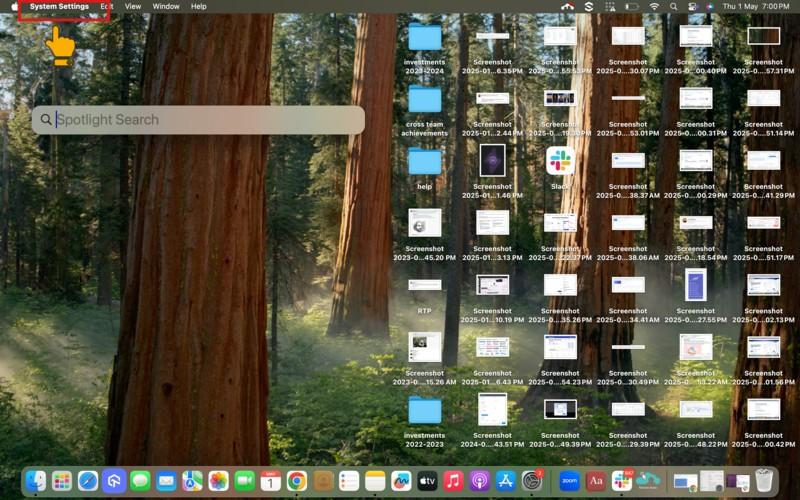
Step 1: Click the Apple icon on the top left and then System Settings (or System Preferences for older macOS versions).
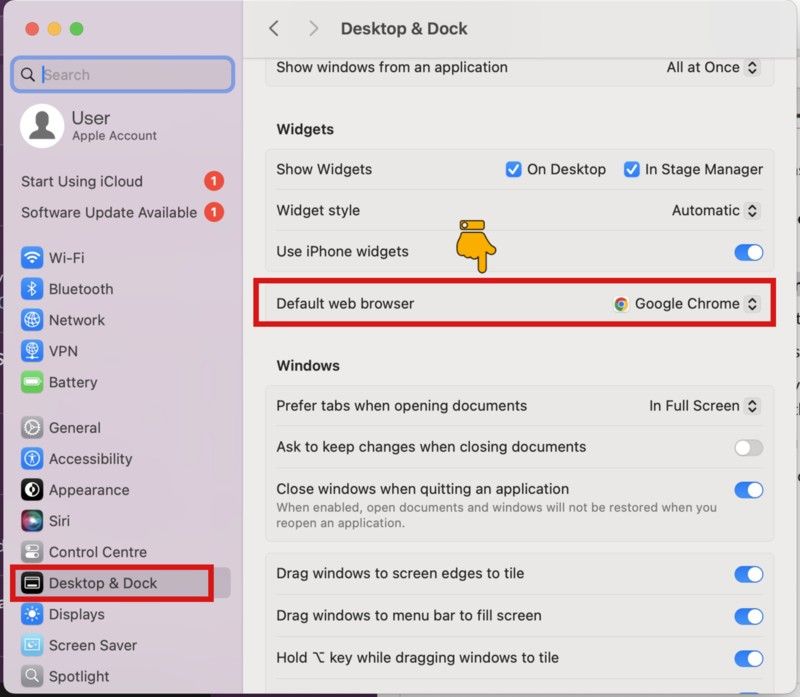
Step 2: Click Desktop & Dock > Default web browser.
Step 3: Click Safari from the dropdown menu.
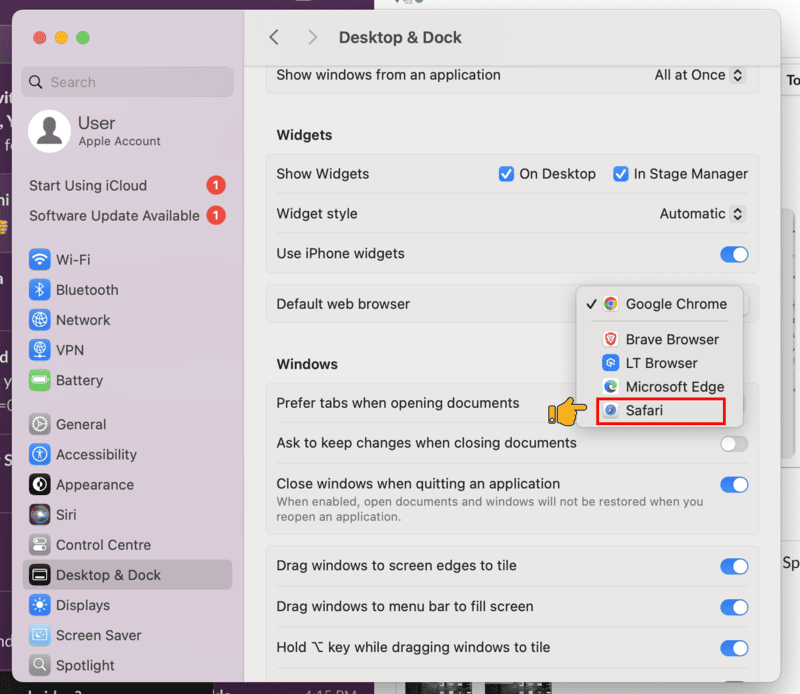
Close the window. And now you are all set to use Safari as your default browser on your Mac system.
Quick Trick: Use Spotlight Search
If you prefer shortcuts, you can use the Spotlight Search feature.
Here are the steps to use it:
Step 1: Press Command + Space key to open Spotlight Search box.
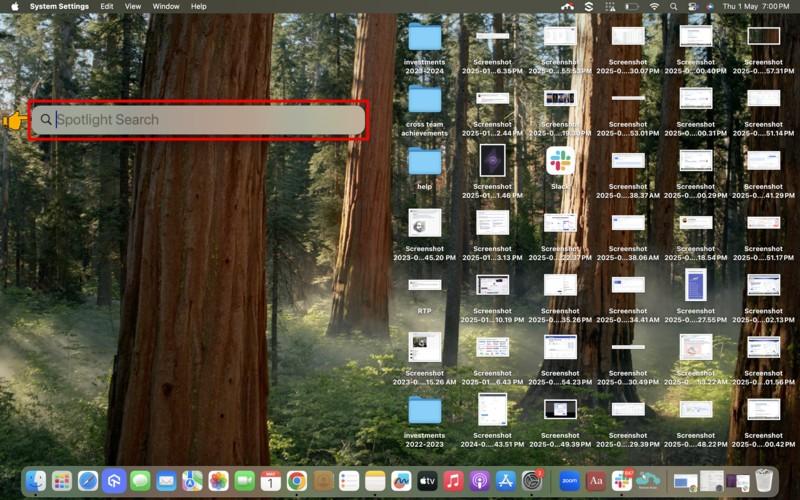
Step 2: Type “default web browser” and press Enter.
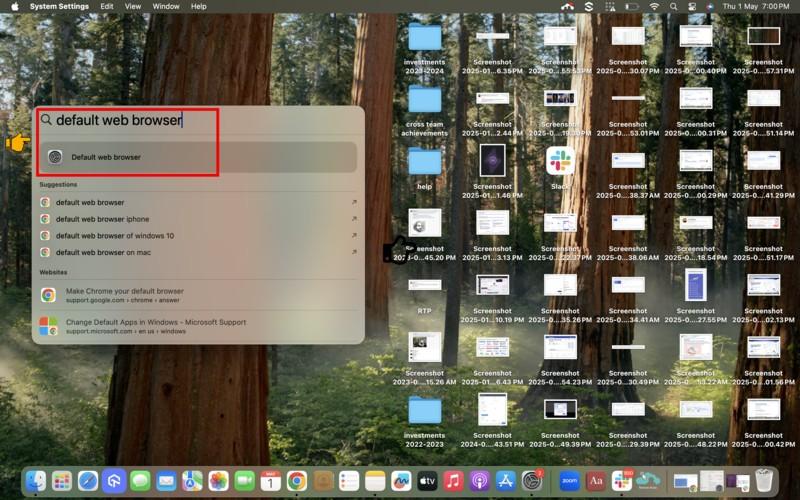
This navigates you directly to the System Settings, where you can choose Safari from the dropdown as explained before.

Steps to Make Safari the Default Browser on iPhone/iPad
To make Safari your default browser on iPad/ iPhone, follow the same steps as shown below:
Note: For this tutorial, we are using the iPhone to illustrate the steps.
Step 1: Tap Settings on your iPhone/iPad device.
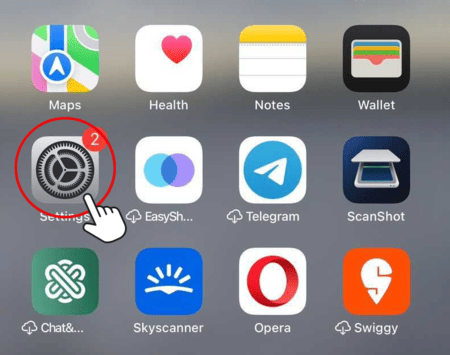
Step 2: Scroll down and tap on Safari.
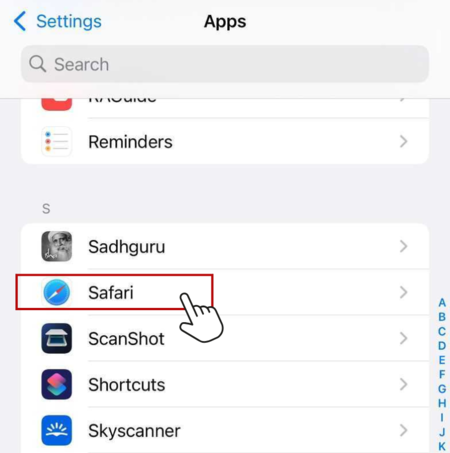
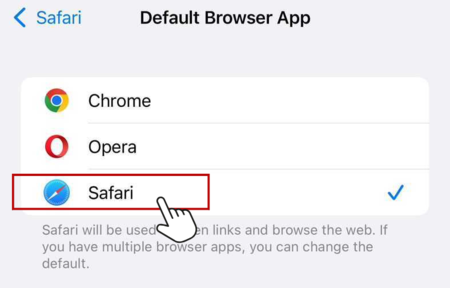
Step 3: Tap on Default Browser App.
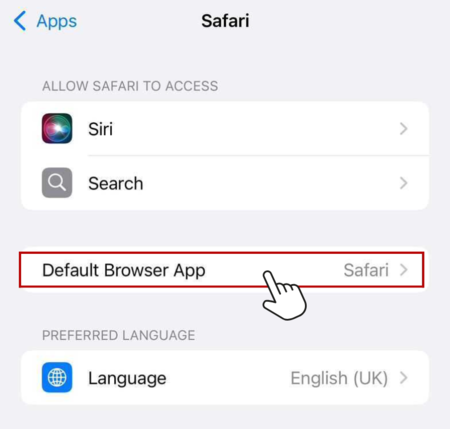
Step 4: Tap Safari to set it as your default browser.
Conclusion
Making Safari your default browser on Mac, iPhone, or iPad is a quick way to get a smoother and more secure browsing experience. It has privacy tools built right in, works great with your other Apple services, and it’s easy to set up. If you want to get the best browsing on your devices, Safari is a good choice.



Summarize with AI


Frequently asked questions
Did you find this page helpful?
More Related Hubs
TestMu AI forEnterprise
Get access to solutions built on Enterprise
grade security, privacy, & compliance
- Advanced access controls
- Advanced data retention rules
- Advanced Local Testing
- Premium Support options
- Early access to beta features
- Private Slack Channel
- Unlimited Manual Accessibility DevTools Tests