

Next-Gen App & Browser Testing Cloud
Trusted by 2 Mn+ QAs & Devs to accelerate their release cycles


Exploring the GPU Load Testing Through Generative AI Workloads[Testμ 2024]
Explore GPU load testing with generative AI to accurately simulate real-world AI workloads and optimize GPU performance for cutting-edge applications.

TestMu AI
March 2, 2026
Traditional GPU load testing methods often fall short of accurately simulating the high-intensity, parallel processing demands of generative AI models. This difficulty in replicating complex workloads makes it challenging to assess GPU performance under real-world conditions.
In this session with Vishnu Murty Karrotu, a Technical Staff Member (DMTS) at Dell Technologies, you will learn how to tackle the challenge of accurately simulating real-world AI workloads to ensure that GPU infrastructure can effectively handle the intense parallel processing required for cutting-edge applications.
If you couldn’t catch all the sessions live, don’t worry! You can access the recordings at your convenience by visiting the TestMu AI YouTube Channel.
Agenda
- Introduction to GPU
- CPU vs GPU
- Intro to Generative Al
- Tools and Technologies
- Demo
- Q&A
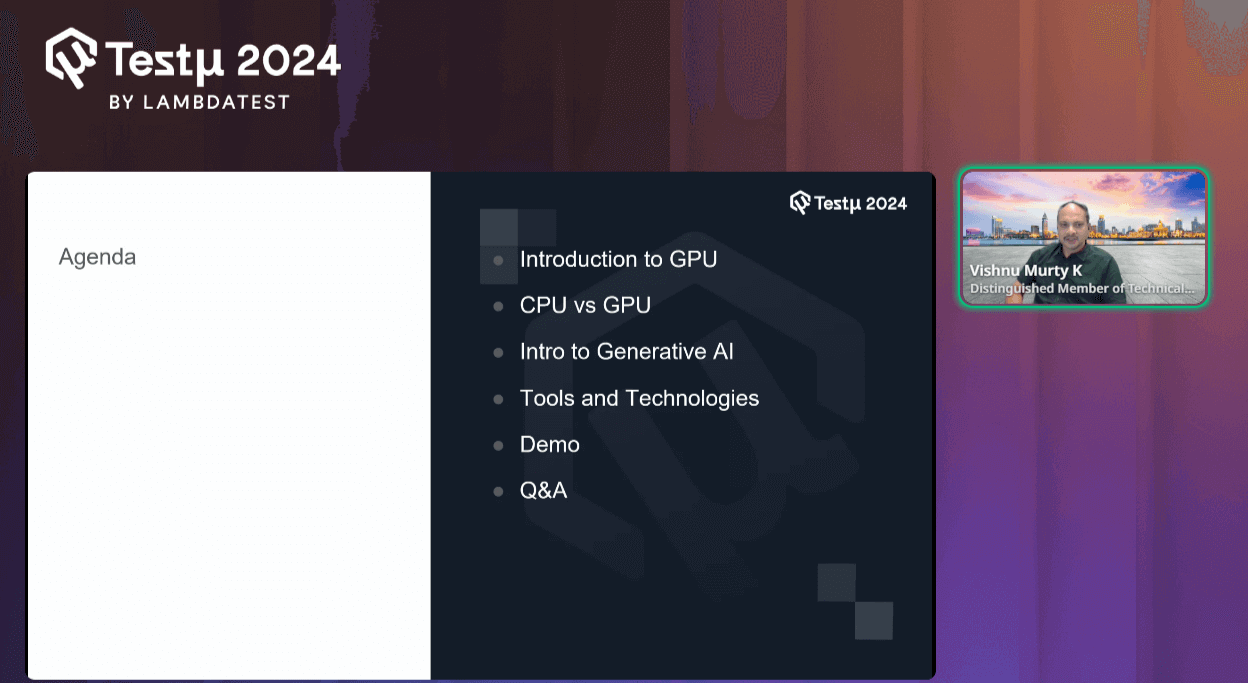
Vishnu began his session by briefly introducing GPUs.
Introduction to GPU
He started by stating that a GPU (Graphics Processing Unit) is a highly specialized electronic circuit crafted to accelerate the rendering of computer graphics. Unlike CPUs, which handle a broad range of tasks, GPUs are engineered to excel at graphics-intensive operations. This makes them significantly faster for tasks such as video games, 3D modeling, and the sophisticated demands of Generative AI.
By leveraging parallel processing capabilities, GPUs efficiently manage complex graphical computations and data processing, revolutionizing how we experience and interact with digital content.
He further proceeds by explaining the difference between CPU and GPU systems below.
CPU vs GPU
When explaining the difference, he mentioned that a CPU (Central Processing Unit) is designed for general-purpose computing, handling a wide range of tasks with strong sequential performance. In contrast, a GPU excels in parallel processing, making it ideal for tasks like rendering graphics and accelerating complex computations.
Want to speed up your AI/ML model training? @vishnumurty_k explains how GPUs can supercharge the process compared to CPUs, making your models faster and more efficient! pic.twitter.com/cbe7Kj7oEE
— LambdaTest (@testmuai) August 21, 2024
He provided a comparison between CPUs and GPUs, discussed how Generative AI has revolutionized data generation for GPUs, and how it works with their parallel processing capabilities. He stated that GPU is not only faster at rendering graphics but also excels in handling the complex computations required for Generative AI tasks.
Intro to Generative AI
He further explained how Generative AI produced diverse and high-quality datasets that fed into GPUs, enhancing their performance and application across various fields. By understanding this interplay, you see how Generative AI boosts the efficiency and effectiveness of GPUs in generating and managing discrete data.
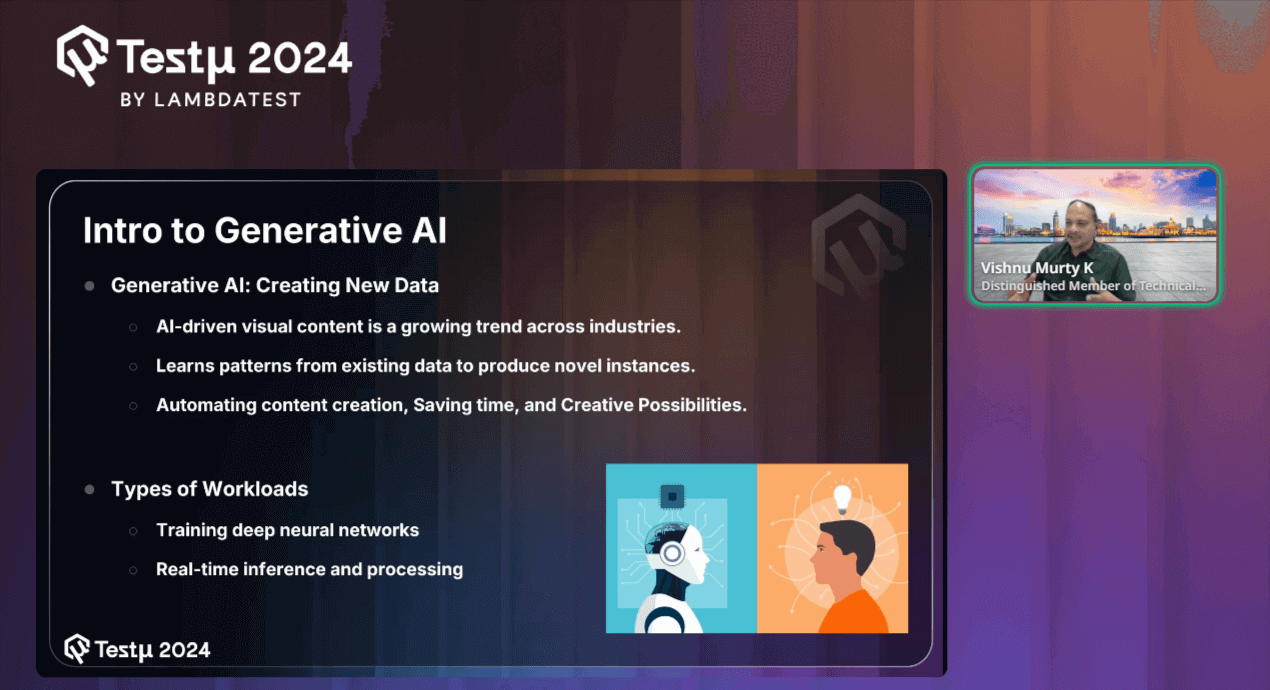
Generative AI is reshaping industries by creating new data and content. One key factor is that AI-driven visual content is rapidly becoming a significant trend across various fields. This technology enables the generation of content that didn’t previously exist, making it a powerful tool for innovation.
Generative AI learns from existing data patterns to produce novel instances. By analyzing patterns from previously provided data, such as those used in ChatGPT and similar systems, AI can generate new, unique content based on learned trends and information.
Additionally, the automation of content creation through Generative AI not only saves time but also opens up creative possibilities. This technology streamlines the process of producing content, allowing for the development of unique solutions and the enhancement of existing data.
When it comes to testing, Generative AI is transforming the landscape of software testing as well by automating the creation of test cases, improving accuracy, and significantly reducing manual effort. This is where AI-native test agents like KaneAI takes this concept further by offering AI-driven capabilities that enable teams to create, debug, and evolve tests using natural language.
KaneAI is a GenAI native QA-Agent-as-a-Service platform that is first of its kind, offering industry-first AI features like test authoring, management, and debugging capabilities, all built from the ground up for high-speed quality engineering teams. It allows users to create and evolve complex test cases using natural language, greatly reducing the time and expertise required to get started with test automation.

With the rise of AI in testing, its crucial to stay competitive by upskilling or polishing your skillsets. The KaneAI Certification proves your hands-on AI testing skills and positions you as a future-ready, high-value QA professional.
Types of Workloads
As he continued discussing Generative AI, he highlighted that there are two key types of workloads involved.
- Training deep neural networks: This task is typically handled by a single individual. It involves selecting a dataset, training the model over several months, and eventually producing an output based on the data provided. This process is time-consuming and requires substantial hardware resources to develop and fine-tune the model.
- Real-time inference and processing: This involves processing a query in real-time and providing relevant information almost immediately. This type of workload is designed to handle quick, on-the-spot requests, enabling rapid decision-making and immediate data processing. Both workloads are essential, each serving different purposes within the broader scope of AI.
Applications of AI
Further explaining the types of workloads, he also touched upon the various types of applications of AI, such as:
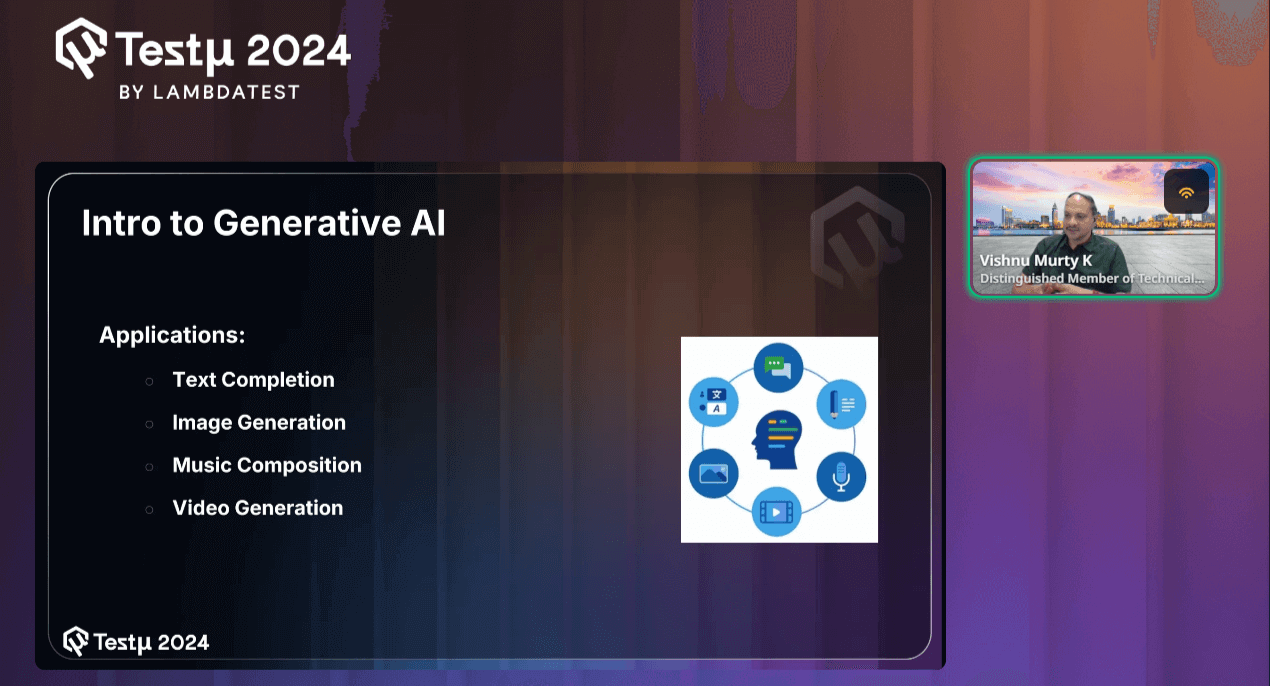
- Text Completion: Generative AI can be used to predict and complete text based on a given prompt, making it a powerful tool for writing assistance, chatbots, and content generation.
- Image Generation: It can create entirely new images from scratch or enhance existing ones, and it is widely used in fields like digital art, advertising, and design.
- Music Composition: Generative AI can compose original music by learning from existing compositions, offering new possibilities for musicians and producers.
- Video Generation: It can generate or enhance video content, enabling the creation of realistic animations, deep fakes, and even entirely new video sequences from minimal input.
Generative AI Workloads
After providing an overview of the applications of Generative AI, the speaker proceeded to discuss two specific Generative AI workloads:
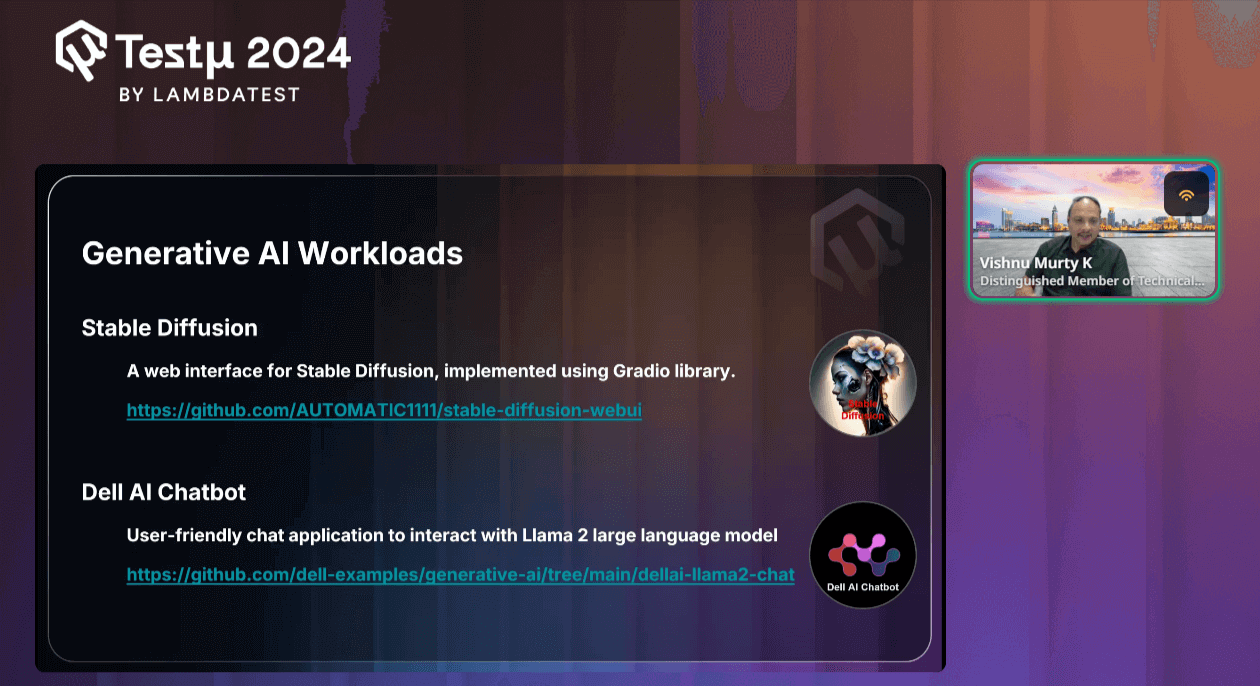
- Stable Diffusion
He explained that the Stable Diffusion library is an open-source tool designed to generate images based on a given prompt. It stands out for its ease of use, offering a user-friendly GUI that makes the process accessible even to those without deep technical expertise.
- Dell AI Chatbot
On the other hand, the Dell AI Chatbot is a user-friendly chat application designed to interact with the Llama 2 large language model. It assists users in addressing queries by leveraging the AI library, providing an intuitive interface for engaging with complex AI systems. These examples illustrate how Generative AI workloads are being applied in practical, user-centric ways, enhancing accessibility and functionality across different domains.
Overview of the System Test
As Vishnu continued the session, he provided an overview of the system test process using the structure shown.
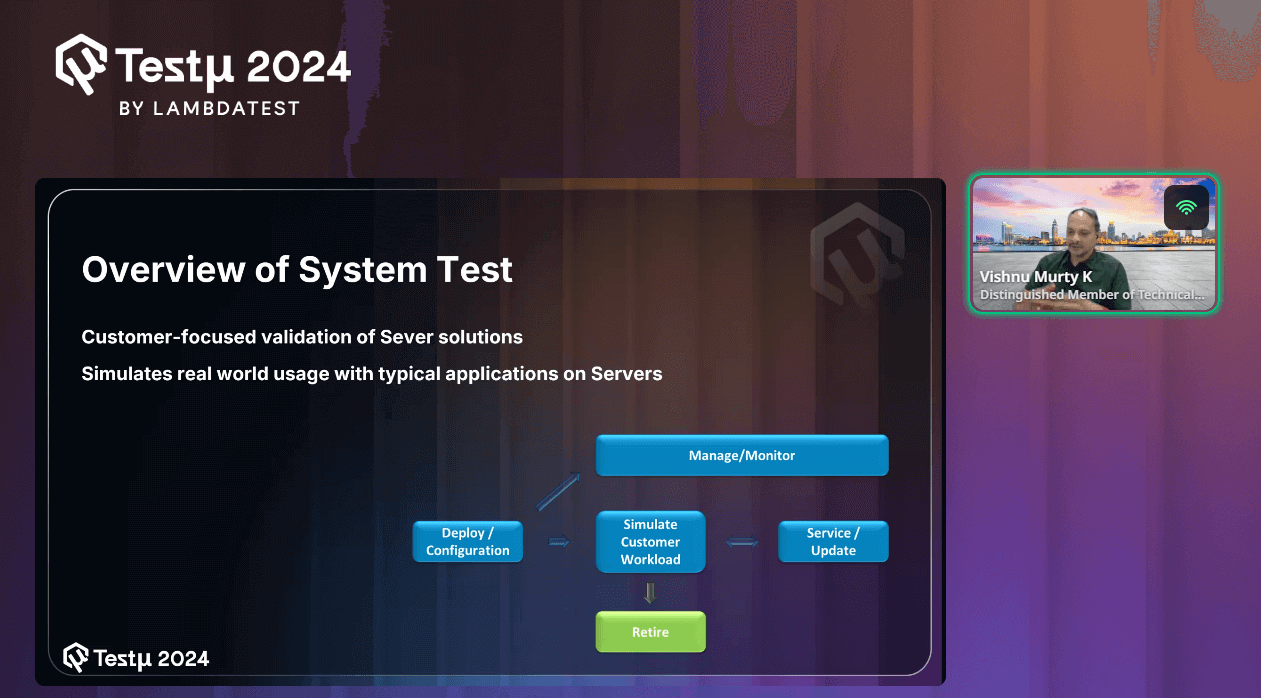
Before diving into the detailed workings of the system test process, he gave a brief explanation of the structure, highlighting the following key points:
- Customer-focused validation of Server solutions: This involves testing server solutions to ensure they perform effectively for customers. The tests are designed to reflect how customers will actually use the servers, ensuring the solutions meet their real-world needs.
- Simulates real-world usage with typical applications on Servers: The testing process includes running the same types of applications that customers typically use. This approach helps to verify how the servers perform in actual usage scenarios, ensuring they can handle everyday tasks reliably.
Workflow:
- Deploy / Configuration: This is the initial step where the system or server is set up and configured according to the requirements. It involves installing software, setting up the environment, and ensuring that everything is ready for operation.
- Simulate Customer Workload: After the system is deployed and configured, the next step is to simulate real-world customer usage. This involves running typical applications and workloads that a customer would use on the server to evaluate its performance, stability, and behavior under expected conditions.
- Service / Update: Once the customer workload has been simulated, the system may require servicing or updating. This step includes applying patches, updating software, or making necessary adjustments to ensure the system continues to operate efficiently and securely.
- Manage / Monitor: Throughout the process, continuous management and monitoring are essential. This step involves keeping an eye on the system’s performance, identifying potential issues, and ensuring that it runs smoothly. Monitoring helps in making informed decisions about updates, services, or further configurations.
- Retire: After the system has been used for its intended lifecycle, it may eventually be retired. This step involves decommissioning the system, securely handling data, and ensuring that resources are properly reallocated or disposed of.
Proposed Solutions
After providing a detailed explanation of the system test process, Vishnu further discussed the proposed solution for handling these challenges.
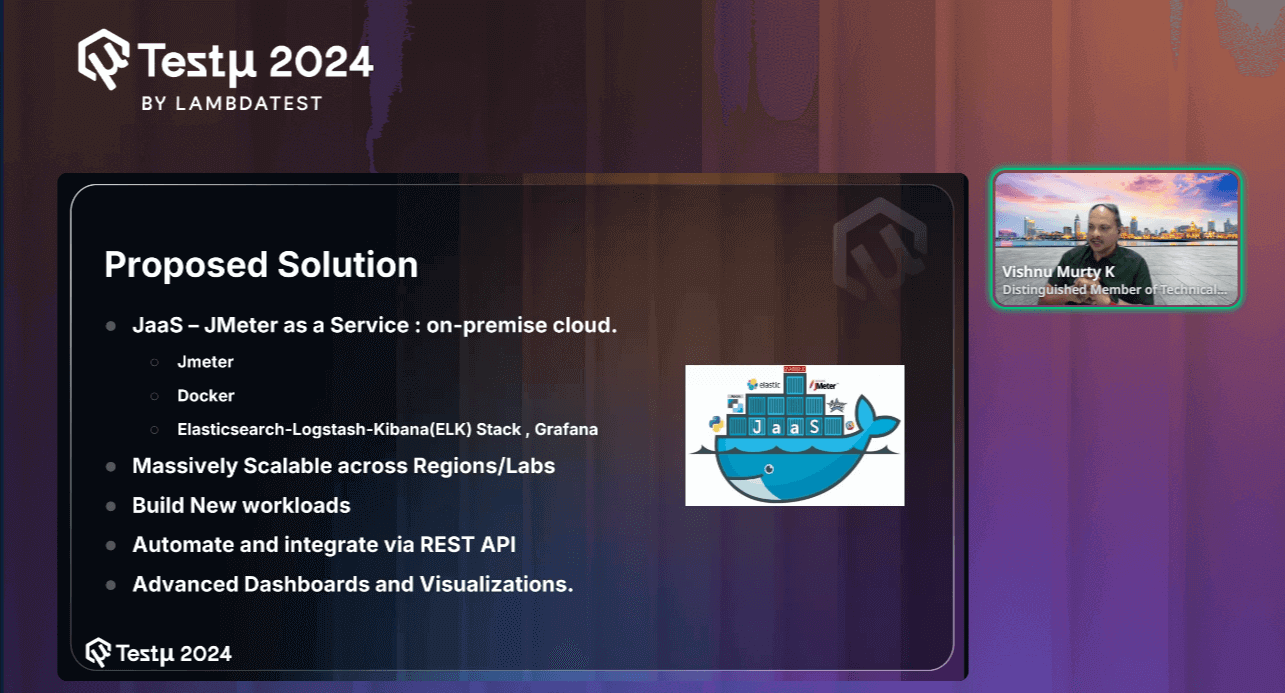
He explained that they have utilized open-source technologies to build this JaaS (Java as a Service) solution, emphasizing the flexibility and reliability that open-source tools bring to the table.
This approach allows them to effectively manage and scale the testing process while leveraging the benefits of community-driven innovation.
- JaaS — JMeter as a Service: Implemented in a cloud-based, on-premise setup.
- JMeter: For performance and load testing.
- Docker: To manage containerized environments.
- ELK Stack and Grafana: For advanced data analysis, logging, and visualizations.
These solutions enable massive scalability across regions and labs, the creation of new workloads, automation, and integration through REST APIs, and provide advanced dashboards and visualizations.
After introducing the proposed solutions, he further discusses the key technologies in detail and their key factors.
Key Technologies
Vishnu mentioned several basic tools, including JMeter, which is commonly used for load testing. He also discussed other technologies in detail, such as Docker, Docker Swarm, and Elasticsearch.
Join Vishnu Murty Karrotu as he shares how Dell tests their systems by simulating real-world customer workloads. Using JMeter, Docker, and the ELK stack, they load test GPUs with open-source tools! pic.twitter.com/sJawVYOE4Y
— LambdaTest (@testmuai) August 21, 2024
- JMeter: It is a widely used open-source tool for performance and load testing. It supports various types of tests and allows users to simulate multiple users to test the performance of web applications and other services.
- Supports many types of load tests
- Full multithreading framework
- Open Source
- Docker: It is a platform that enables developers to package applications and their dependencies into containers. These containers are portable, resource-efficient, and can run consistently across different environments.
- Portable / Disposable
- Resource-efficient
- Open Source
- Docker Swarm: It is a native clustering and orchestration tool for Docker. It provides capabilities for managing a cluster of Docker nodes, ensuring high availability, and distributing workloads effectively.
- Cluster management and orchestration
- Load balancing
- RESTful API
- Elasticsearch: It is a distributed, real-time search and analytics engine designed to handle large volumes of data. It is schema-free, allowing flexible data modeling and querying through a RESTful API.
- Distributed real-time search and analytics engine
- Schema-free & RESTful API
- Open Source
Key Factors:
Key Factors:
Key Factors:
Key Factors:
As Vishnu walked us through the session, he provided a detailed explanation of their open-source proposed solution: JaaS (JMeter as a Service). He elaborated on how this solution integrates various open-source technologies to offer a comprehensive and scalable testing framework.
JaaS Solution Overview
JaaS (Java as a Service) is a cloud-based solution designed to streamline Java application development and deployment. Offering scalable, on-demand Java environments allows developers to focus on building and optimizing their applications without worrying about infrastructure management.
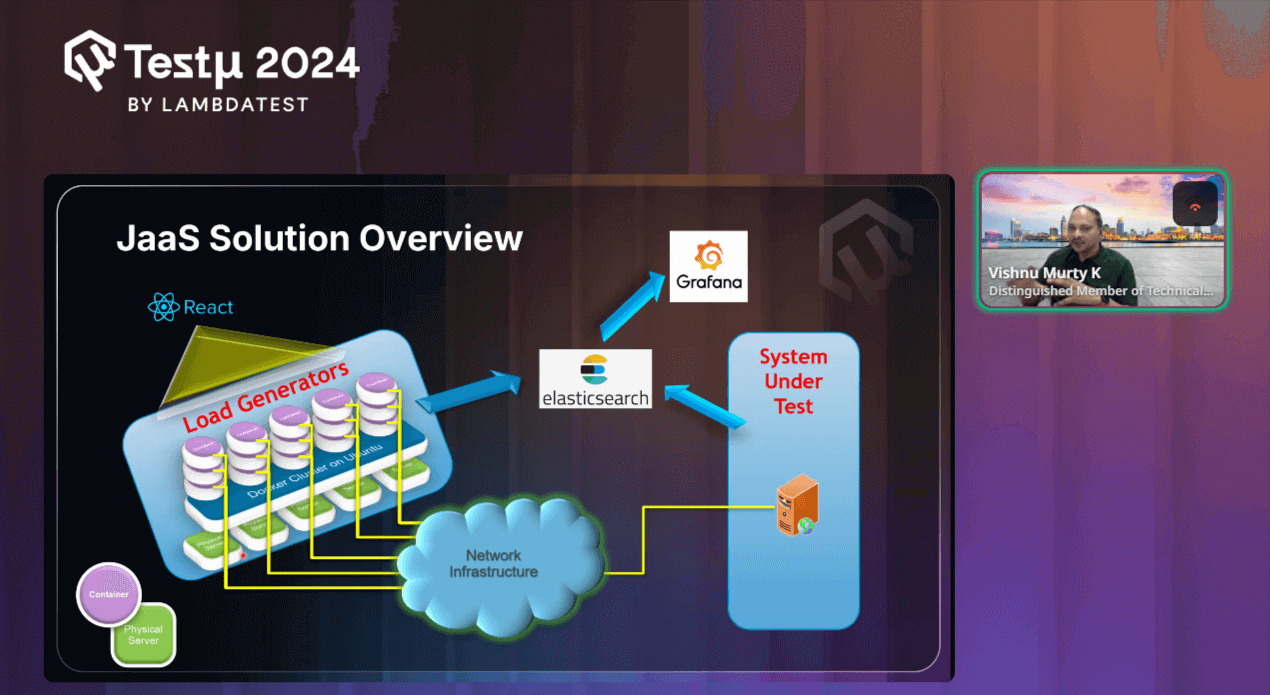
With this basic understanding of JaaS, Vishnu further proceeds to explain how JaaS works and the technology behind it.
He begins by explaining Load Generators, which are essentially virtual machines that are responsible for creating simulated traffic. These load generators run within Docker containers on an Ubuntu cluster. Vishu emphasizes how these containers are the core engines driving the load onto the System Under Test (SUT)—the actual application or system you’re evaluating.
Next, he points out the React Interface, which is what you’re interacting with. Built using React, this user interface allows you to control and monitor the testing process. It’s user-friendly and gives you the ability to manage everything from one place.
He then touches on the Network Infrastructure, highlighting its role in connecting the load generators with the system under test. This infrastructure is crucial because it ensures that the traffic generated by the load generators is properly directed towards the SUT.
Moving forward, he introduces Elasticsearch, where all the data generated during the tests is stored. As the system under test is put under pressure, all relevant performance data is collected and sent to Elasticsearch. This allows for effective storage and quick retrieval of test results.
Finally, he explains the role of Grafana in this setup. Once the data is in Elasticsearch, Grafana comes into play by visualizing this information. Vishu shows how you can use Grafana to create detailed dashboards and graphs, making it easy to analyze how well the system performed under load.
With this, he proceeded to demonstrate how to use the mentioned AI libraries, Stable Diffusion and Dell AI Chatbot.
Demonstration
To clarify the concept, he began with a demonstration of how to utilize the open-source AI libraries mentioned in his session. He also showed how to monitor GPU usage based on the actions or inputs provided.
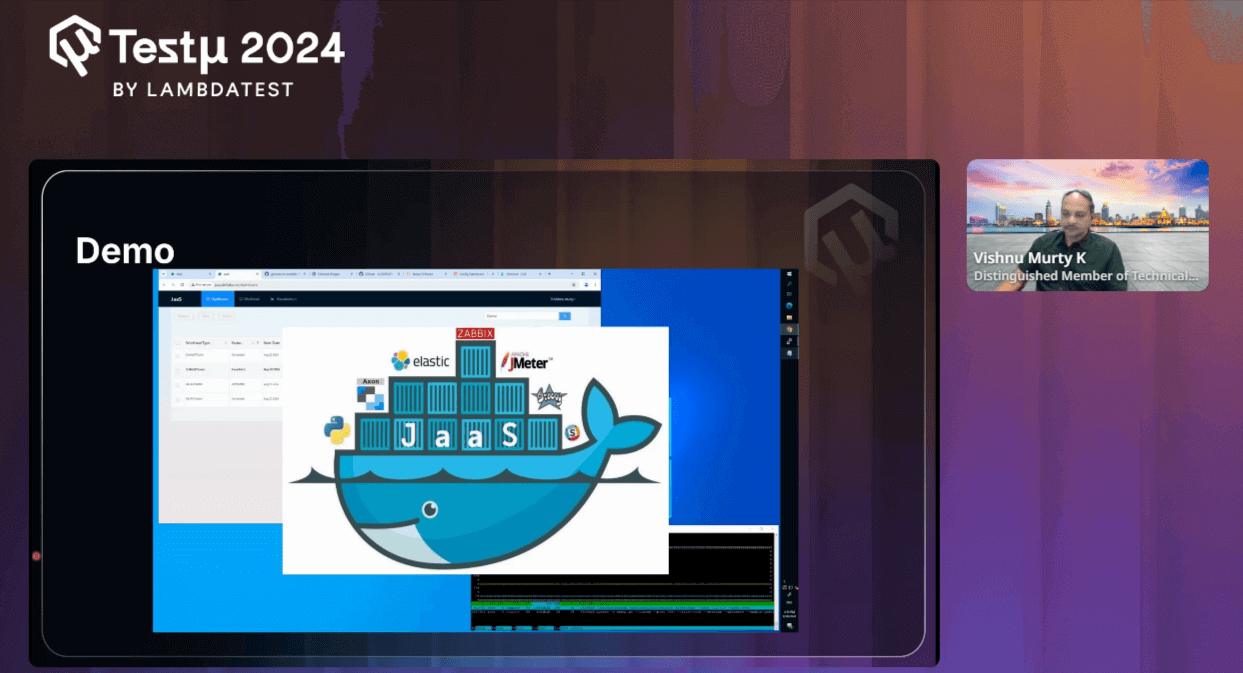
In the demo session, he walked through the lightweight REST-based React application. It’s designed to be small and efficient, featuring a simple interface where you can monitor jobs, start workloads, and observe their relationships. He then demonstrated a chatbot application published by Dan, which runs locally on your system and can query responses from the internet. You were shown how this chatbot interacts with the system, retrieving information and displaying it through a user-friendly UI.
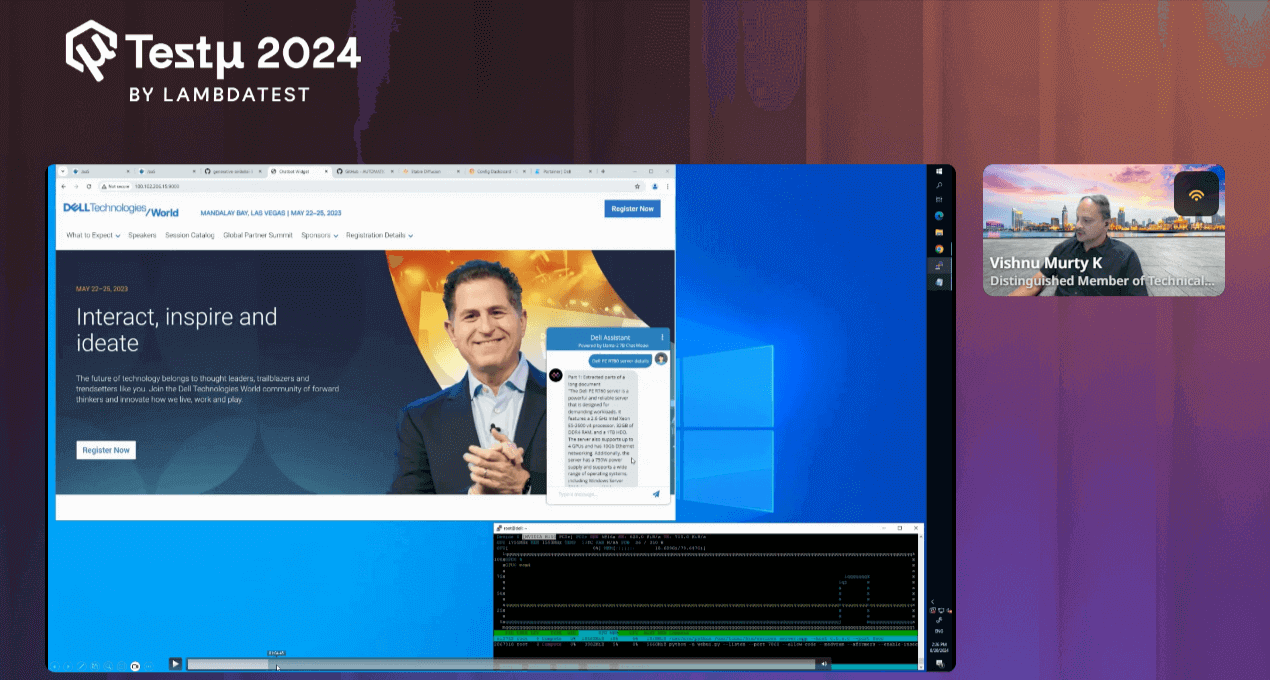
As the demo progressed, he highlighted the powerful GPU capabilities, showing you how the GPU utilization spikes when running specific requests. He then shifted focus to another application, Stable Diffusion, which you can find on GitHub. This application allows you to generate images from text prompts, and Vishnu illustrated how to deploy and run it, emphasizing the impact on GPU load.
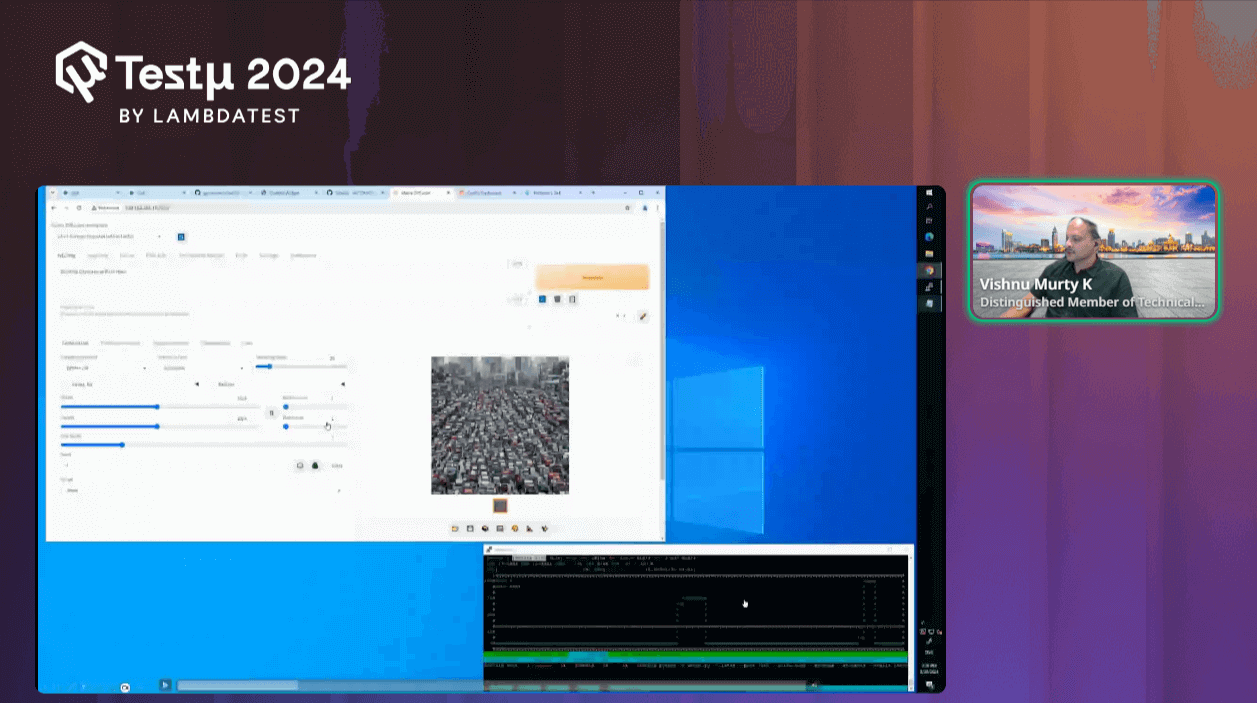
Throughout the session, he showed how various workloads are executed, how they interact with Docker services, and how the system orchestrates these tasks. He also demonstrated the monitoring tools that allow you to track the GPU and CPU performance, especially during load testing. He concluded by explaining how the system dynamically adjusts workloads over time, ensuring efficient resource utilization.
Finally, he wrapped up the demo by mentioning that all the tools and applications discussed are open source and readily available for internal projects, system testing, or load generation.
With this, he effectively demonstrated the flexibility of JaaS in managing complex workflows and also how seamlessly it can integrate with AI tools like Stable Diffusion to deliver powerful results.
Q & A Session
- How does GPU load testing differ when applied to generative AI workloads compared to traditional workloads?
Vishnu: Traditional workloads primarily focus on the CPU, while generative AI workloads are more GPU-intensive. This shift towards GPU usage is due to the nature of AI tasks, which require extensive parallel processing. To ensure optimal performance, we run these generative AI processes in our lab, thoroughly testing them on the system before releasing them into the market.
- Beyond GPU utilization, what other performance metrics did you track, and how did you correlate them with the generative AI workload?
Vishnu: To optimize GPU performance during AI workload load testing, it’s essential to monitor not just the GPU but the entire system. Collect data on CPU, memory, thermal performance, and power usage alongside GPU metrics. Pay special attention to cooling (e.g., fan speeds) and power management, as these directly impact GPU efficiency. Visualize this data through dashboards to track performance trends and ensure the GPU operates within optimal parameters, preventing bottlenecks and overheating.
- Have you explored using other generative AI models (e.g., GANs, VAEs) for GPU load testing? If so, what were the key differences and challenges?
Vishnu: Yes, we’ve started exploring various generative AI workloads, including GANs and VAEs, to see how they impact GPU load. However, we’re still in the process of evaluating which models and use cases are most relevant to our testing needs. One challenge is that not all workloads are equally representative of customer use cases, so we’re working closely with our marketing and quality teams to identify the most widely used and impactful scenarios.
Additionally, some models require significantly more intensive testing due to their smaller size or complexity, which adds to the challenge of ensuring comprehensive coverage before releasing to the market. This is an ongoing learning process as we continue to refine our approach.
Please don’t hesitate to ask questions or seek clarification within the TestMu AI Community.


Did you find this page helpful?
More Related Hubs
TestMu AI forEnterprise
Get access to solutions built on Enterprise
grade security, privacy, & compliance
- Advanced access controls
- Advanced data retention rules
- Advanced Local Testing
- Premium Support options
- Early access to beta features
- Private Slack Channel
- Unlimited Manual Accessibility DevTools Tests