

Next-Gen App & Browser Testing Cloud
Trusted by 2 Mn+ QAs & Devs to accelerate their release cycles


How to Disable Cookies on a Browser
Learn how to disable cookies in your browser to enhance privacy, protect personal data, and reduce online tracking.

Bhavya Hada
December 27, 2025
There might be a scenario where you need to disable cookies on your browser to protect your privacy, stop personalized ads, and reduce unwanted tracking. While cookies enhance site features like login and preferences, they can also collect your data. So, disabling them gives you more control but may affect some website functions.
Overview
How to Disable Cookies?
Follow the steps below to disable cookies on your browser:
- Open the Chrome browser
- Click the three-dot menu in the top-right corner
- Select Settings
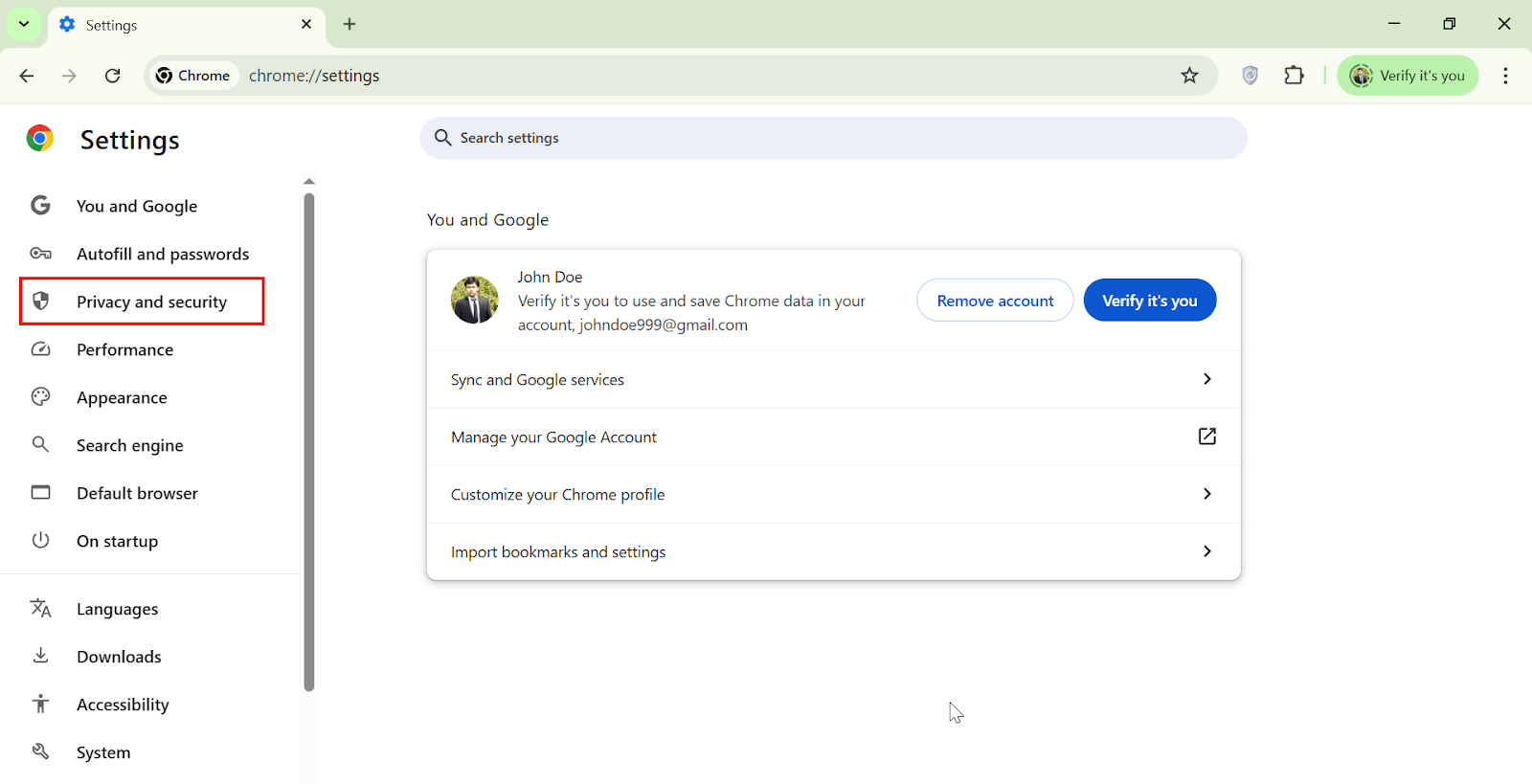
- Go to Privacy and security
- Click Third-party cookies
- Choose Block third-party cookies
Steps to Disable Cookies on a Browser
If you want to disable cookies, blocking third-party cookies helps prevent tracking across sites without breaking most website functions.
Follow the steps below to disable cookies:
- Open the Chrome browser. Click on the three-dot menu from the top-right corner and then click Settings.
- Click Privacy and security.
- Under the Privacy and security section, click Third-party cookies > Block third-party cookies.
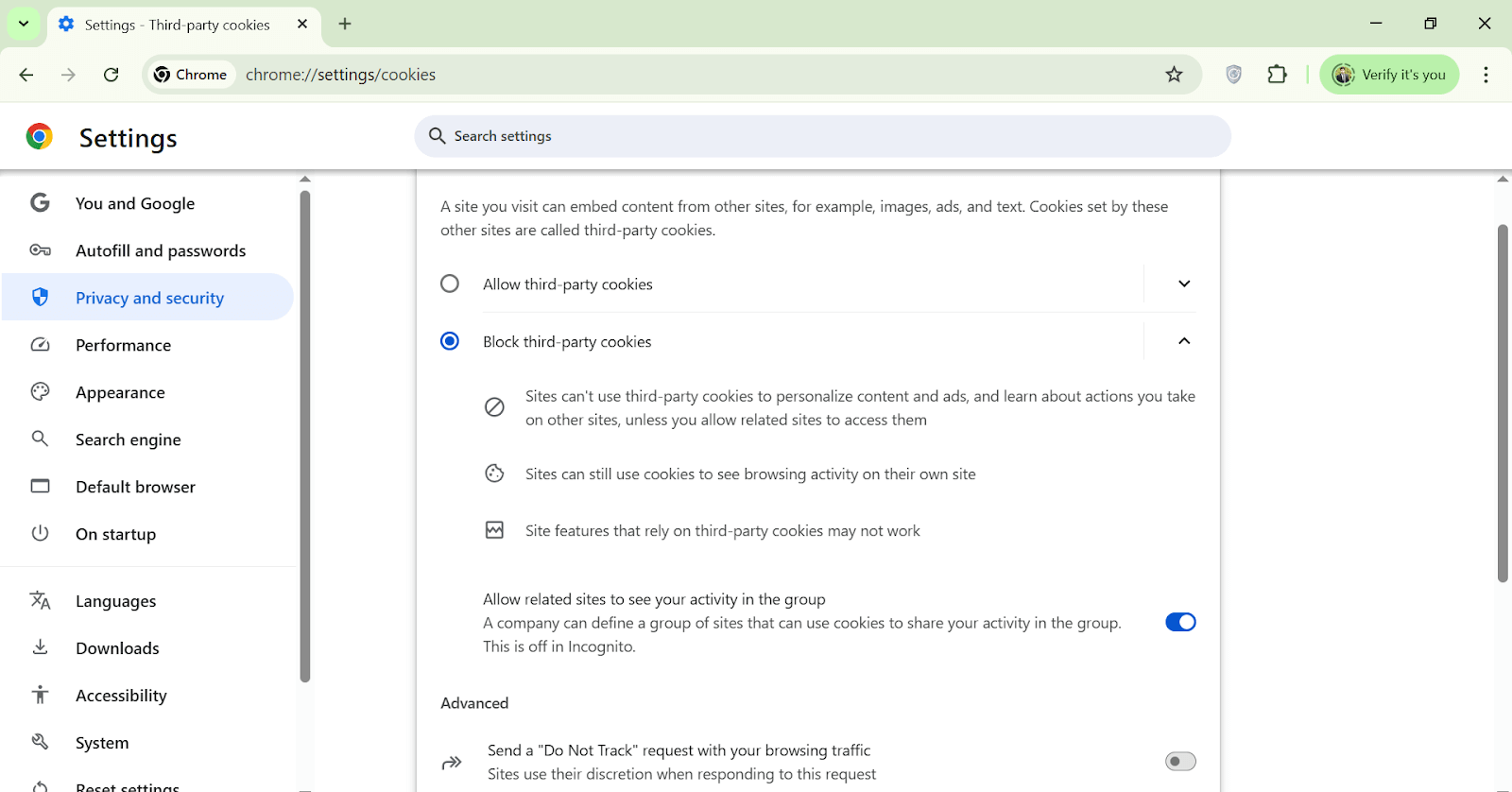
When you block third-party cookies, it prevents websites from using cookies set by other domains. However, websites can still use their own (first-party) cookies to maintain essential features like login sessions and user preferences.
While this setting helps reduce personalized ads and unwanted tracking, it may cause certain site functionalities that rely on third-party cookies to break or behave unexpectedly.

Conclusion
Disabling browser cookies helps you secure your digital presence and minimize online tracking. While cookies do enhance some aspects of web browsing, not everyone is comfortable with how their data is used. By managing your cookie settings, you take control of your privacy across all websites.


Frequently asked questions
Did you find this page helpful?
More Related Hubs
TestMu AI forEnterprise
Get access to solutions built on Enterprise
grade security, privacy, & compliance
- Advanced access controls
- Advanced data retention rules
- Advanced Local Testing
- Premium Support options
- Early access to beta features
- Private Slack Channel
- Unlimited Manual Accessibility DevTools Tests