 Decode AI-Powered Quality Engineering from AI & QA Leaders,Register for Free!

Next-Gen App & Browser Testing Cloud
Trusted by 2 Mn+ QAs & Devs to accelerate their release cycles

How to Clear History on Android
Learn how to clear history on Android in Chrome, Microsoft Edge, and Firefox to protect your privacy and improve your browsing experience.

Tahneet Kanwal
January 11, 2026
You must clear history on Android to protect your privacy and improve your browsing experience. Past searches can shape future results, so clearing your browser history ensures that old keywords don’t influence what you see next. Whether you’re looking to avoid specific suggestions or want a fresh start, regularly clearing history on Android can make a noticeable difference.
Steps to Clear History on Android Using Google Chrome
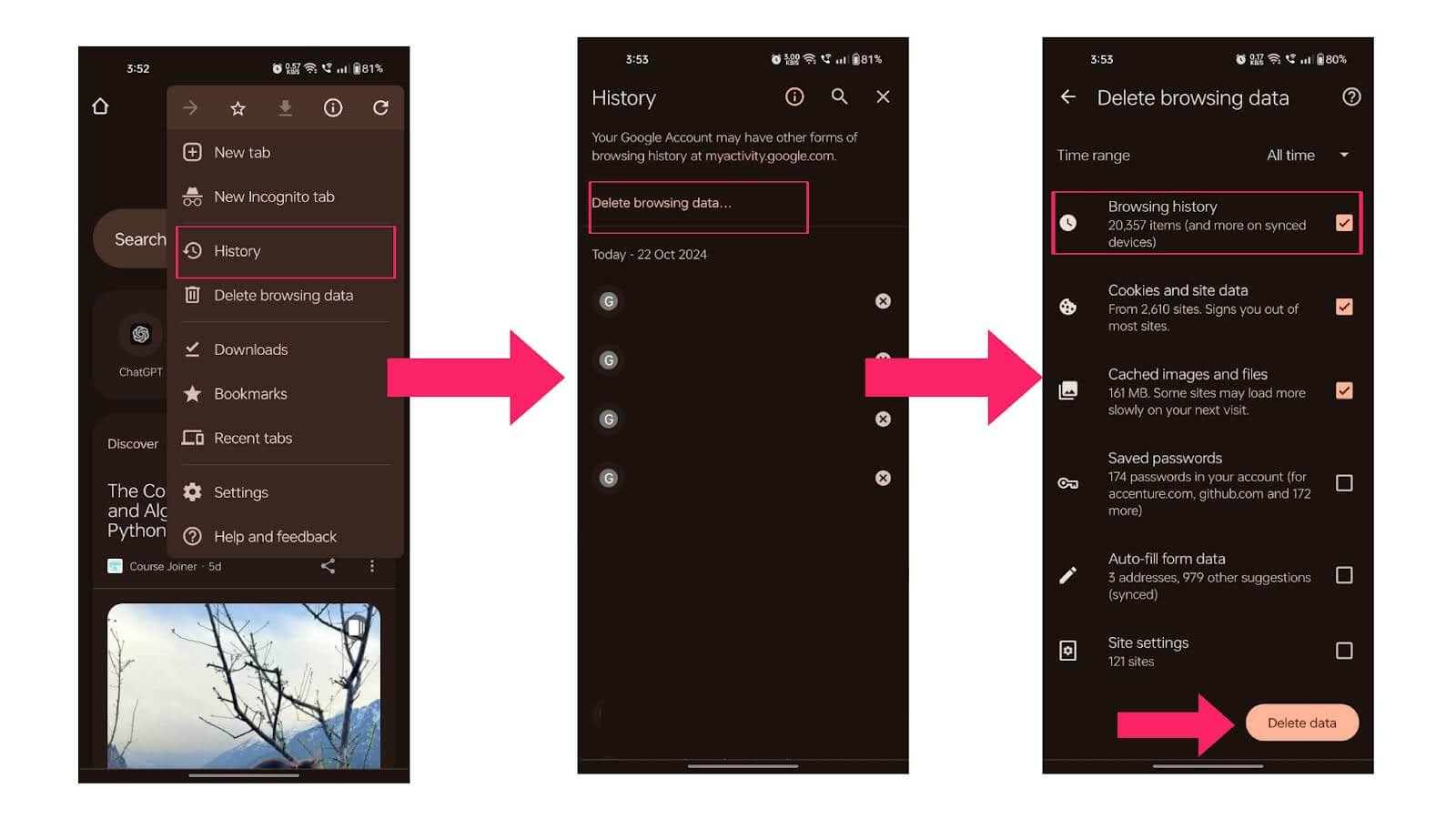
Below are the steps to help you clear your history on Android using Google Chrome.
- Open the Google Chrome app on your Android.
- Tap on More (three dots) in the top right corner, then select History.
- Tap on Delete browsing data.
- At the top, choose the time range. To remove all history, select All time.
- Check the box next to Browsing history.
- Tap Delete data at the bottom right of the screen.
Steps to Clear History on Android Using Microsoft Edge
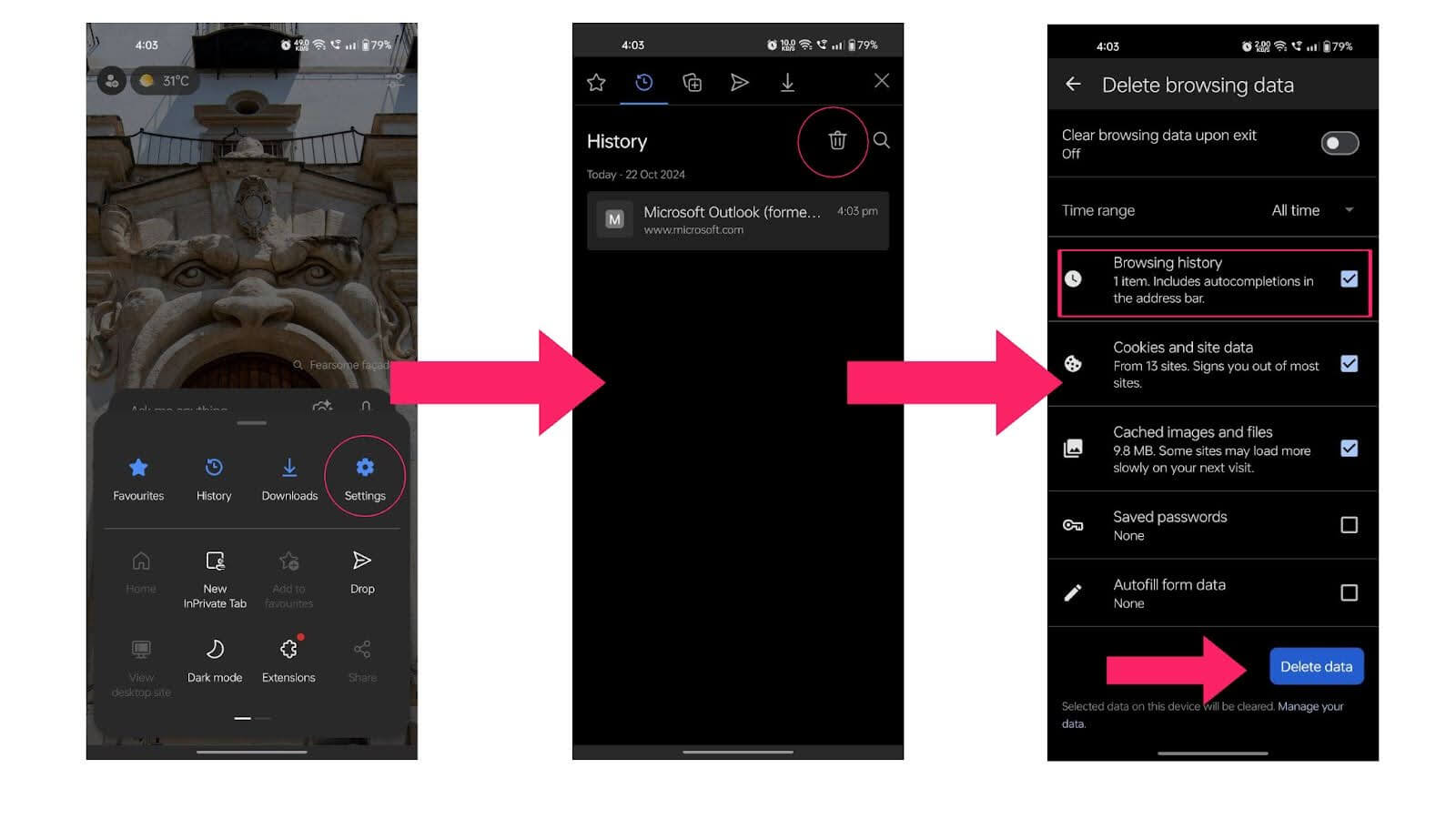
Below are the steps to help you clear your history on Android using Microsoft Edge.
- Open Microsoft Edge on your Android and tap the three-line button.
- Select History to view the websites you visited, similar to Chrome.
- Tap the Trash icon in the top right corner to open a new screen.
- Select the data you want to delete, choose the time range, and tap Delete data.
Steps to Clear History on Android Using Firefox
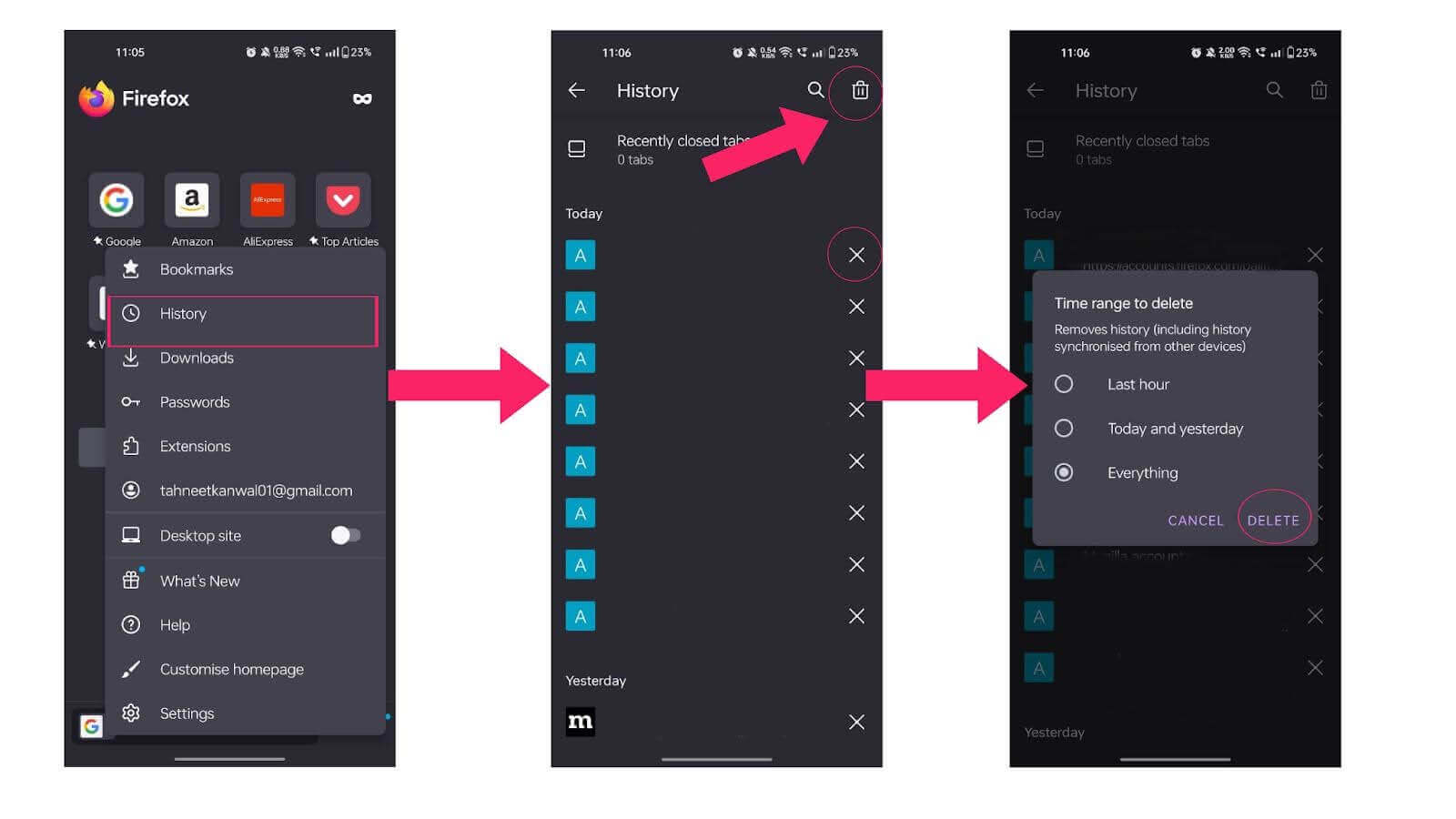
Below are the steps to help you clear your history on Android using Firefox.
- Open Firefox and tap the menu (three dots) icon in the top-right corner.
- Select History from the menu.
- To delete individual items, tap the X next to each entry.
- To clear all browsing history, tap the Trash icon, select a time range, and tap DELETE.

Conclusion
Maintaining your privacy is essential in today’s digital world. It’s important to follow the methods outlined in this blog to clear the history on Android devices for each browser. If you want to remove your browsing history, simply follow the provided steps. These actions will help you effectively clear your history on Android and safeguard your privacy.


Summarize with AI


Frequently asked questions
Did you find this page helpful?
More Related Hubs
TestMu AI forEnterprise
Get access to solutions built on Enterprise
grade security, privacy, & compliance
- Advanced access controls
- Advanced data retention rules
- Advanced Local Testing
- Premium Support options
- Early access to beta features
- Private Slack Channel
- Unlimited Manual Accessibility DevTools Tests