 Decode AI-Powered Quality Engineering from AI & QA Leaders,Register for Free!

Next-Gen App & Browser Testing Cloud
Trusted by 2 Mn+ QAs & Devs to accelerate their release cycles

How to Clear History in Firefox
Learn how to clear history in Firefox on desktop, Android, and iPhone to boost privacy and performance for a more secure browsing experience.

Tahneet Kanwal
January 11, 2026
Firefox automatically saves a record of every website you visit, making navigation easier by auto-filling URLs on future visits. For privacy reasons, it is important to clear history in Firefox browser if you don’t want your browsing history to be saved indefinitely. While it offers strong privacy features, such as blocking trackers and third-party cookies, it still stores browsing data like cookies and cache.
Steps to Clear Firefox History on Desktop
Below are the steps that will help you clear the Firefox history on your desktop
- Launch the Firefox browser and click on the menu icon in the top-right corner (three horizontal lines).
- From the drop-down menu, select History to view your browsing records.
- Click on Clear recent history from the options available.
- Ensure that the History checkbox is selected. You can also choose to clear additional data types if desired.
- Click on Clear to remove your browsing history along with any other selected data.
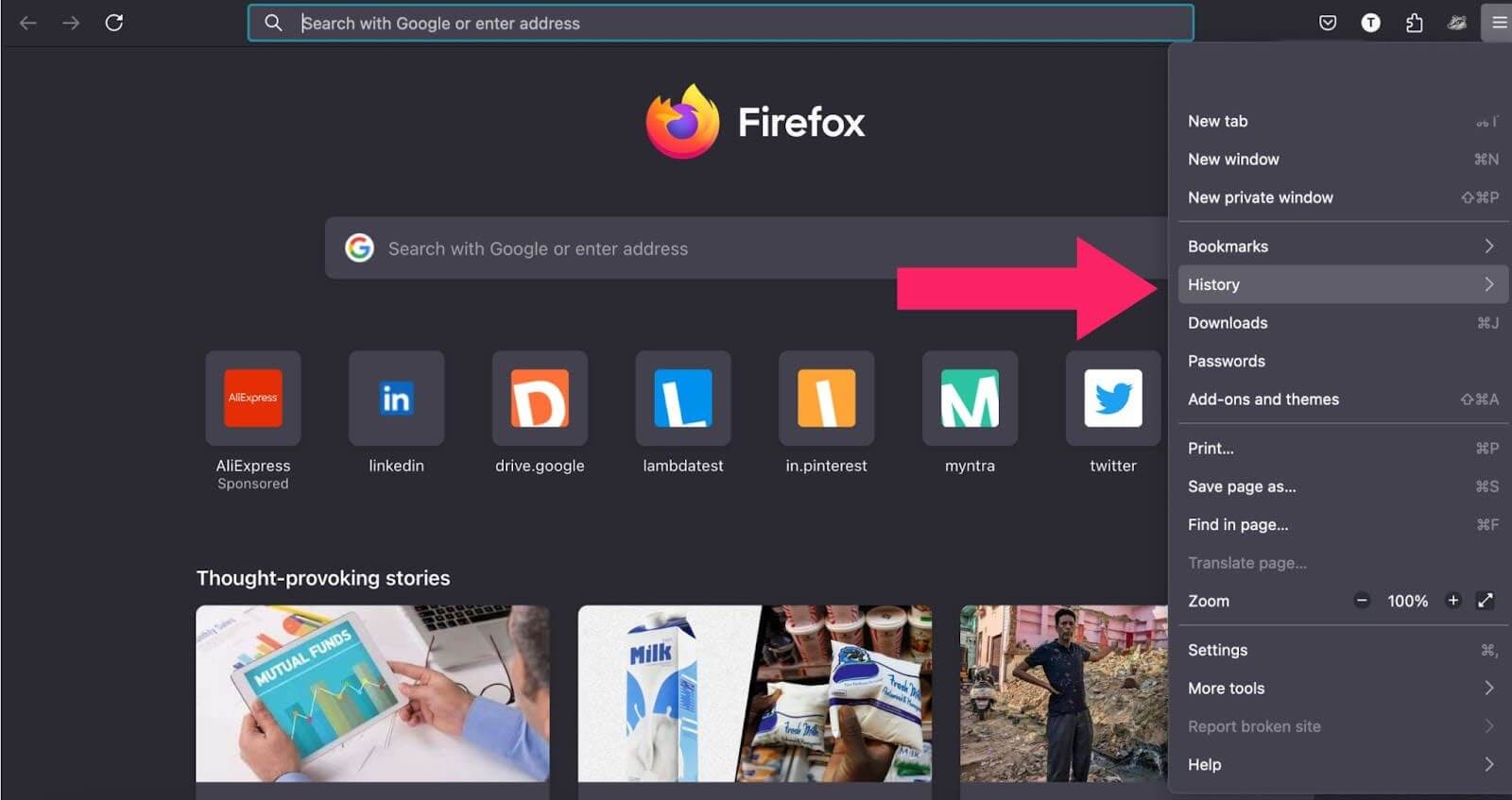
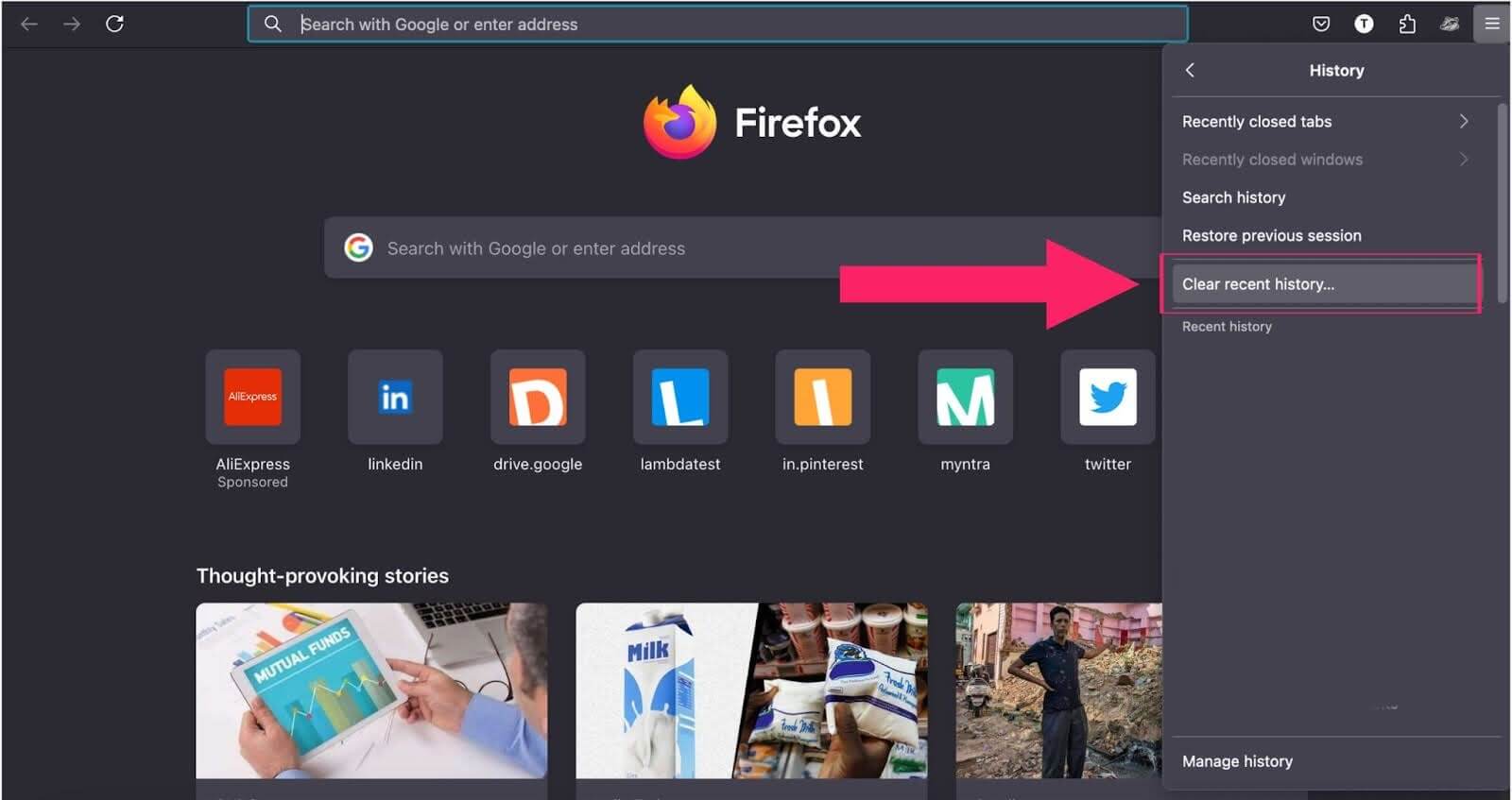
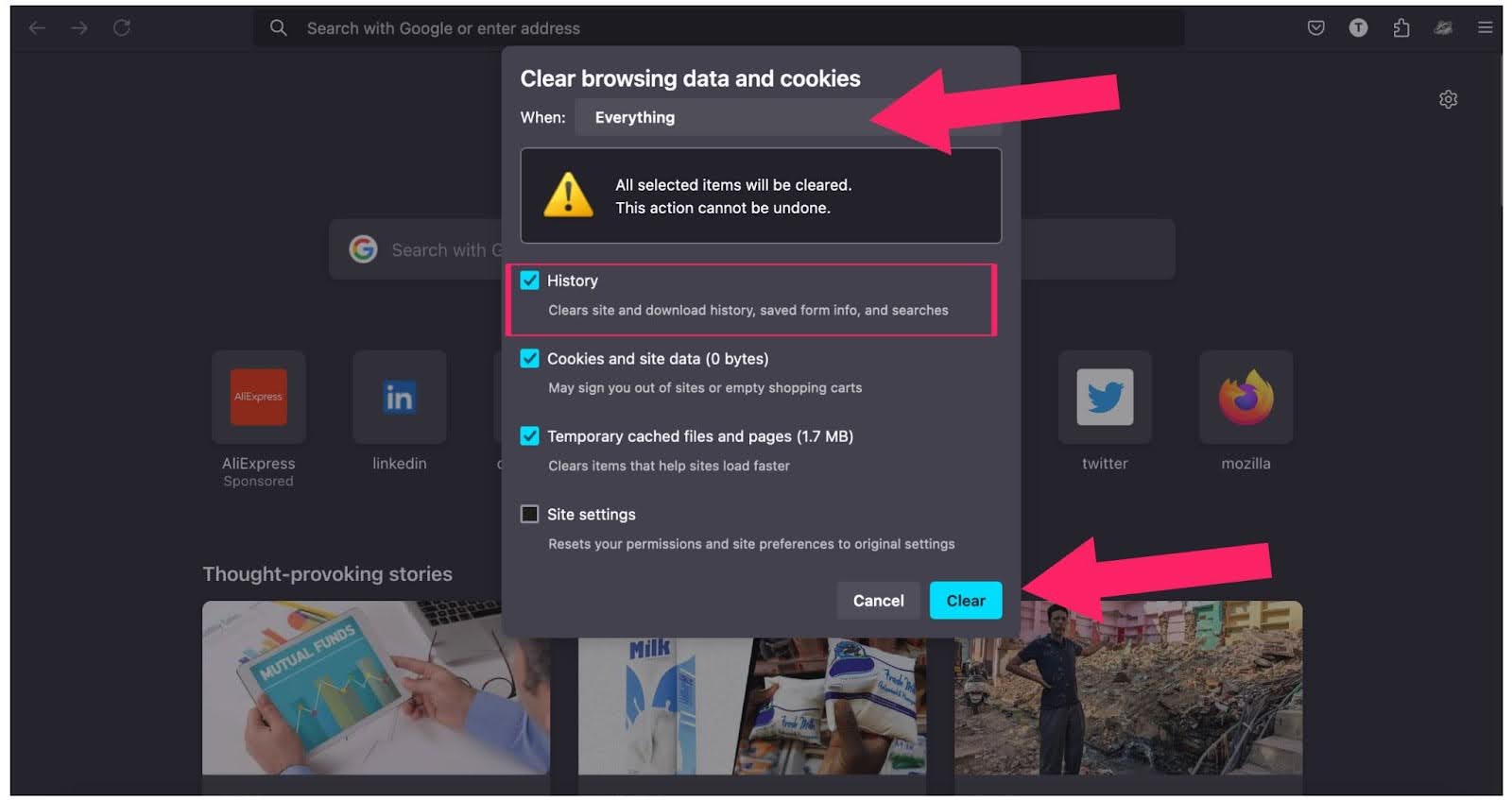
This will clear your browsing history along with any other selected data.
Steps to Clear Firefox History on Android and iPhone
Here’s how to clear your Firefox browsing history on Android and iPhone devices.
Android Devices
- Launch Firefox and tap the menu (three dots icon) in the top-right corner.
- Select History from the dropdown menu.
- Tap Clear Browsing Data at the top of the screen.
- Choose the types of data you wish to clear, including history, cache, and cookies.
- Select a time range, then tap DELETE to finalize your choice.
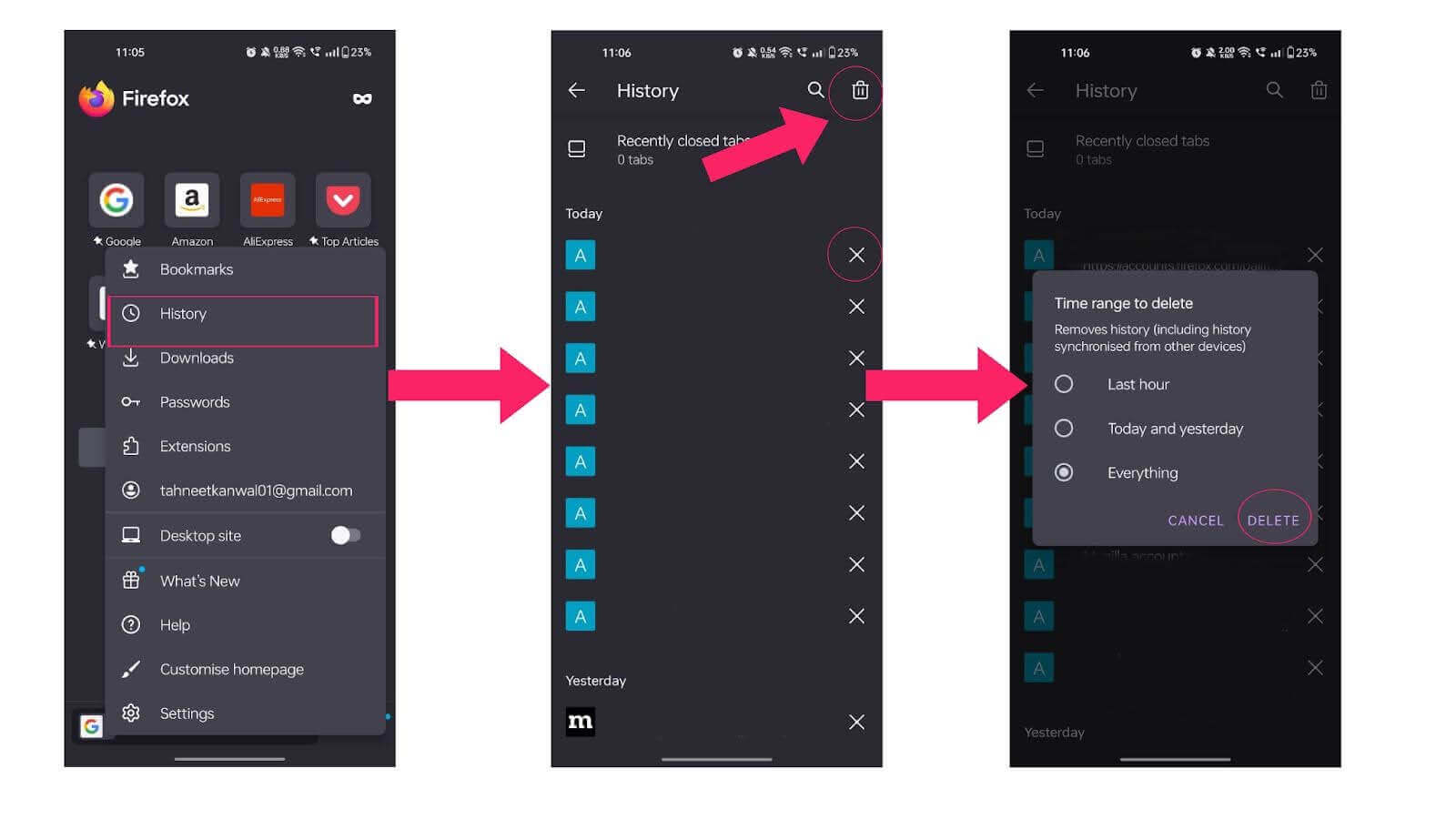
iPhone Devices
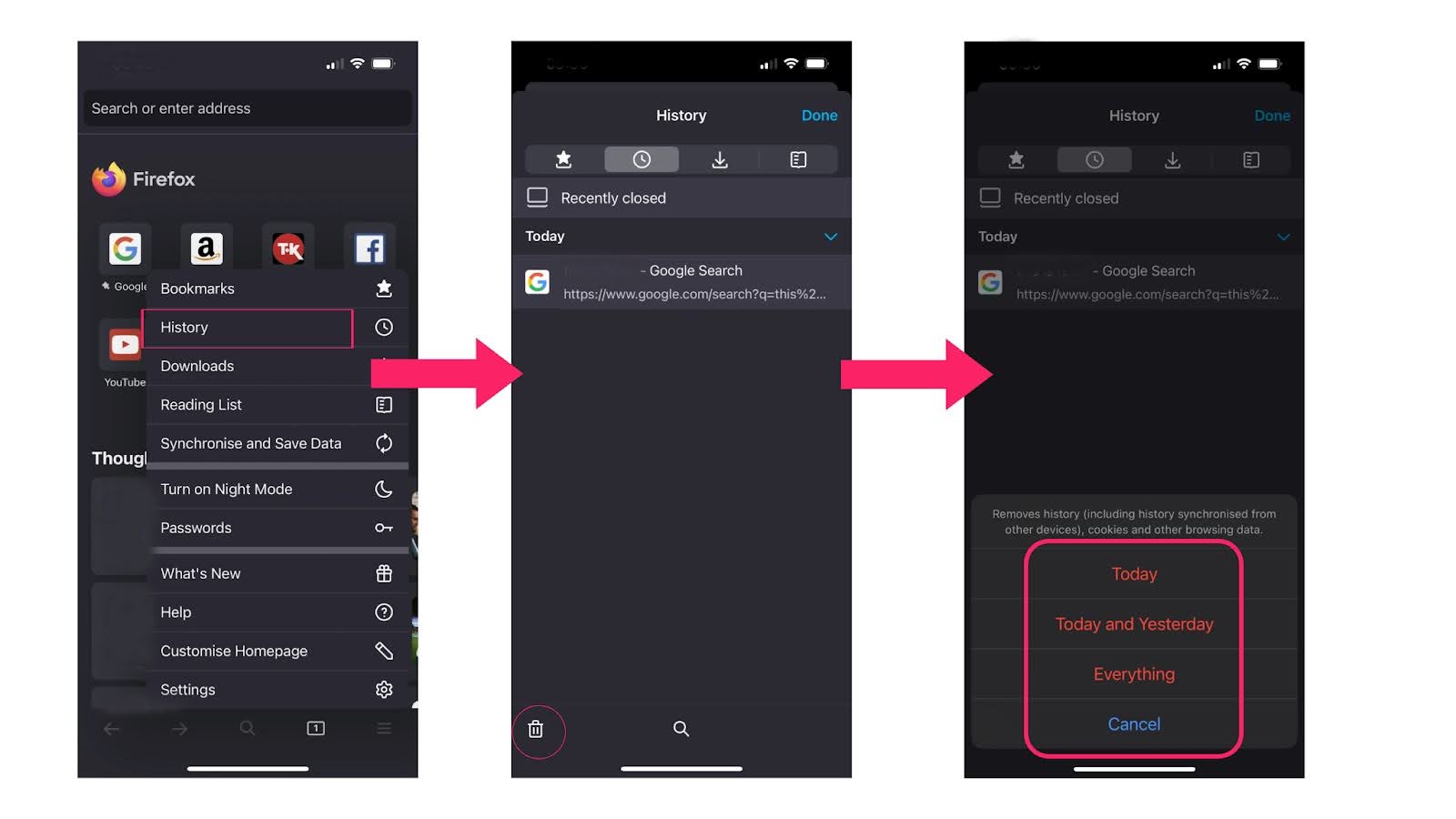
- Open Firefox and tap the menu (three lines icon) in the bottom-right corner.
- Tap History from the bottom menu bar.
- Tap Clear recent history and select a time range from the options available.
- Confirm the action to clear your browsing history for the selected period.
Steps to Clear Firefox History With Keyboard Shortcuts
To clear Firefox history with keyboard shortcuts, follow these steps:
- Open the window to clear history by pressing Ctrl + Shift + Delete (Windows/Linux) or Command + Shift + Delete (macOS)
- Press the Tab key to navigate to the When dropdown and select the desired range.
- Again, press the Tab key to navigate to the list of data options, then use the arrow keys to scroll to the History option and press the Space key to select it.
- Press the Enter key to clear the cache.

Conclusion
Keeping your browsing history in check is important for your privacy and device performance. This blog provides various methods to clear your Firefox history across different devices. By following these steps, you can enjoy a more secure browsing experience and reduce the clutter of saved data.


Summarize with AI


Frequently asked questions
Did you find this page helpful?
More Related Hubs
TestMu AI forEnterprise
Get access to solutions built on Enterprise
grade security, privacy, & compliance
- Advanced access controls
- Advanced data retention rules
- Advanced Local Testing
- Premium Support options
- Early access to beta features
- Private Slack Channel
- Unlimited Manual Accessibility DevTools Tests