 Decode AI-Powered Quality Engineering from AI & QA Leaders,Register for Free!

Next-Gen App & Browser Testing Cloud
Trusted by 2 Mn+ QAs & Devs to accelerate their release cycles

How to Clear Cache in Safari on iPhone
Learn how to clear cache in Safari on iPhone to free up storage, boost browsing speed, and protect privacy for a smoother browsing experience.

Tahneet Kanwal
January 11, 2026
One essential maintenance tip to keep your iPhone running smoothly is to clear cache in Safari on iPhone. Cached data, like images, scripts, and website data, accumulates over time, which can slow down browsing, consume storage, and sometimes display outdated content. Regularly clearing the cache in Safari on iPhone frees up space, enhances performance, and protects your privacy.
Steps to Clear Cache in Safari on iPhone
Here are the steps to clear cache in Safari on iPhone:
- From your Home Screen, locate and tap the Settings app.
- Scroll down and tap on Safari.
- Scroll down within Safari’s settings and click on the Clear History and Website Data option.
- A prompt appears, then click on the Clear History and Data option to clear your browsing data; if you choose not to clear the data, you can choose Cancel (or press the Home button) to stop the process.
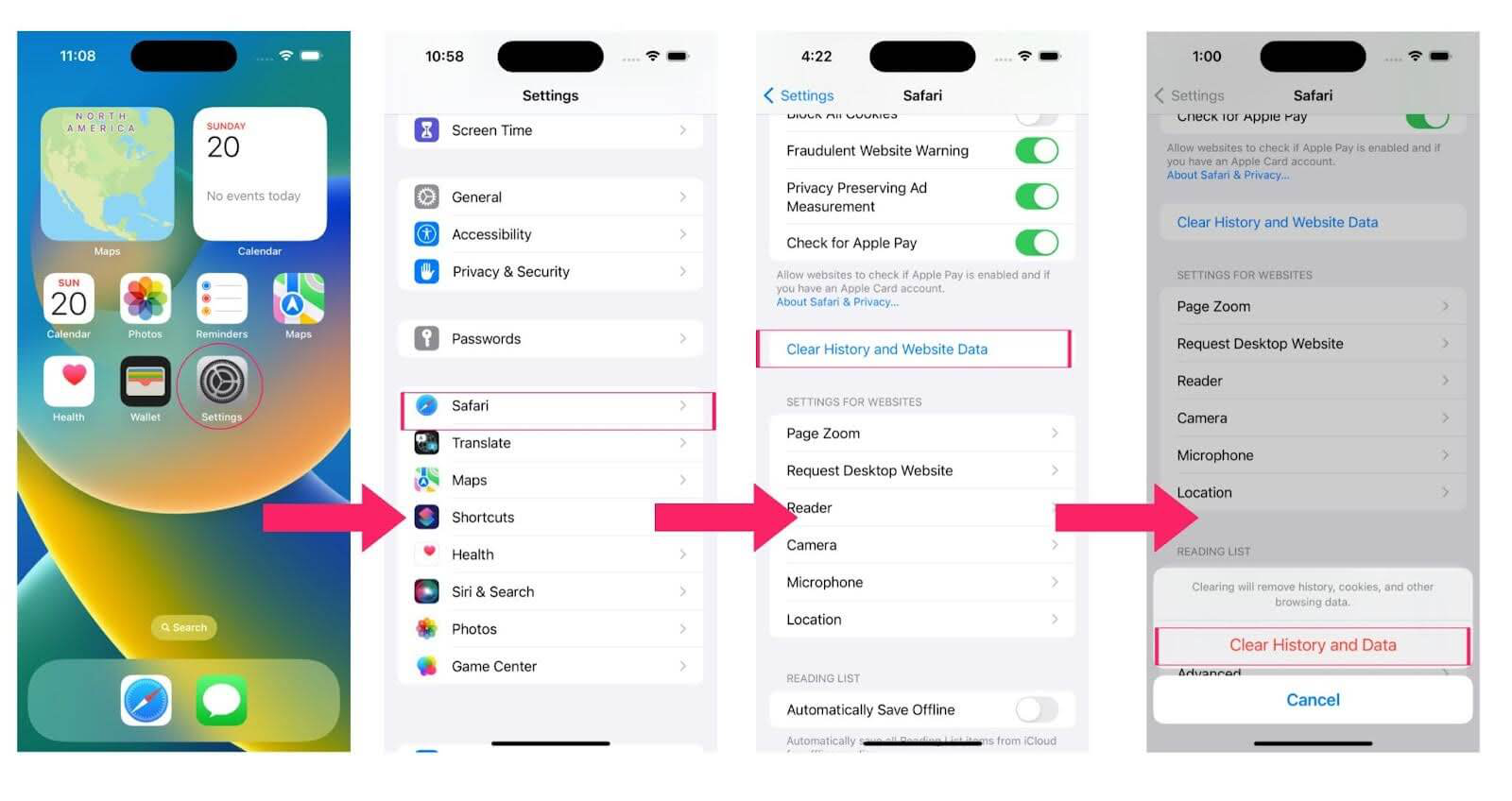
Steps to Clear Cache and Cookies on iPhone
To clear cache and cookies on an iPhone, follow these steps:
- Open the Safari browser and go to the Settings app.
- Scroll down and tap on Safari.
- Scroll down and tap on the Clear History and Website Data option.
- Confirm by tapping on the Clear History and Data option.
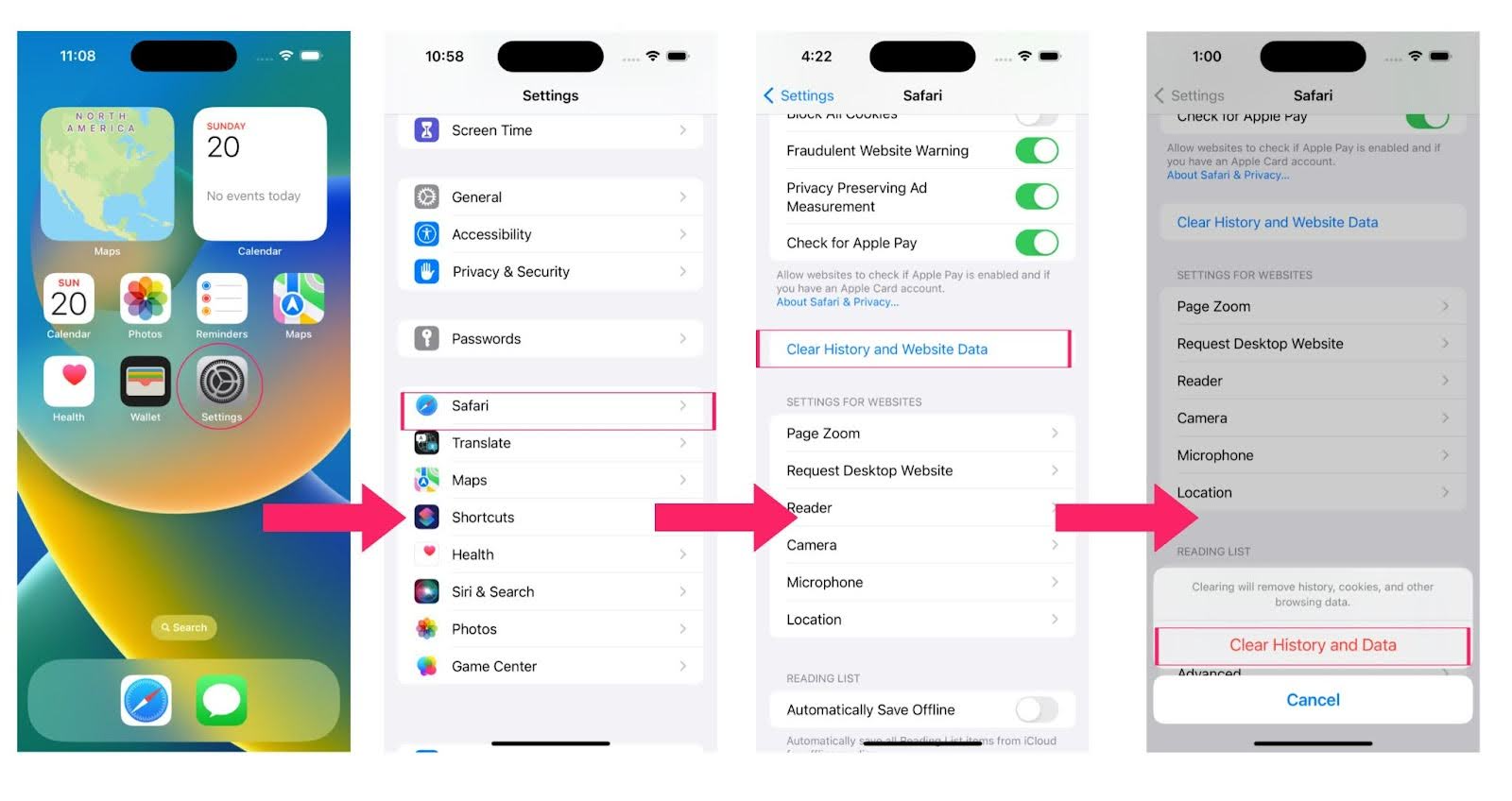
This will clear your browsing history, cache, and cookies in Safari.

Conclusion
Clearing the cache in Safari on iPhone is an effective way to keep your device running at its best. By following the steps above, you can quickly free up valuable storage, improve browsing speed, and ensure that you’re viewing the most current web content. Regularly clear cache in Safari on iPhone to maintain privacy and prevent minor issues from building up over time. Make it a habit for a faster, smoother browsing experience.


Summarize with AI


Frequently asked questions
Did you find this page helpful?
More Related Hubs
TestMu AI forEnterprise
Get access to solutions built on Enterprise
grade security, privacy, & compliance
- Advanced access controls
- Advanced data retention rules
- Advanced Local Testing
- Premium Support options
- Early access to beta features
- Private Slack Channel
- Unlimited Manual Accessibility DevTools Tests