 Decode AI-Powered Quality Engineering from AI & QA Leaders,Register for Free!

Next-Gen App & Browser Testing Cloud
Trusted by 2 Mn+ QAs & Devs to accelerate their release cycles

How to Clear Cache in Safari
Learn how to clear cache in Safari quickly to boost performance and fix loading issues for macOS and iOS users.

Tahneet Kanwal
January 11, 2026
Your Safari browser stores certain items in a cache to improve loading speeds and reduce data usage. This includes photos, temporary files, and previously visited pages. With regular use, this cache can build up and may need to be cleared to free up space or improve performance.
Therefore, it’s important to clear cache in Safari to maintain browser performance and ensure a smooth browsing experience. By removing this temporary data, you can free up storage and refresh website content.
In this blog, let’s look at how to clear cache in Safari browser.
Steps to Clear Cache in Safari on macOS
There are two primary methods to clear cache in Safari on a macOS. The first method removes all stored data related to websites you have visited. The second method is more targeted and focuses only on the cache files.
Clearing All Website Data
This method removes all stored website data, including cached files, cookies, and other related information:
- Open the Safari browser on your macOS.
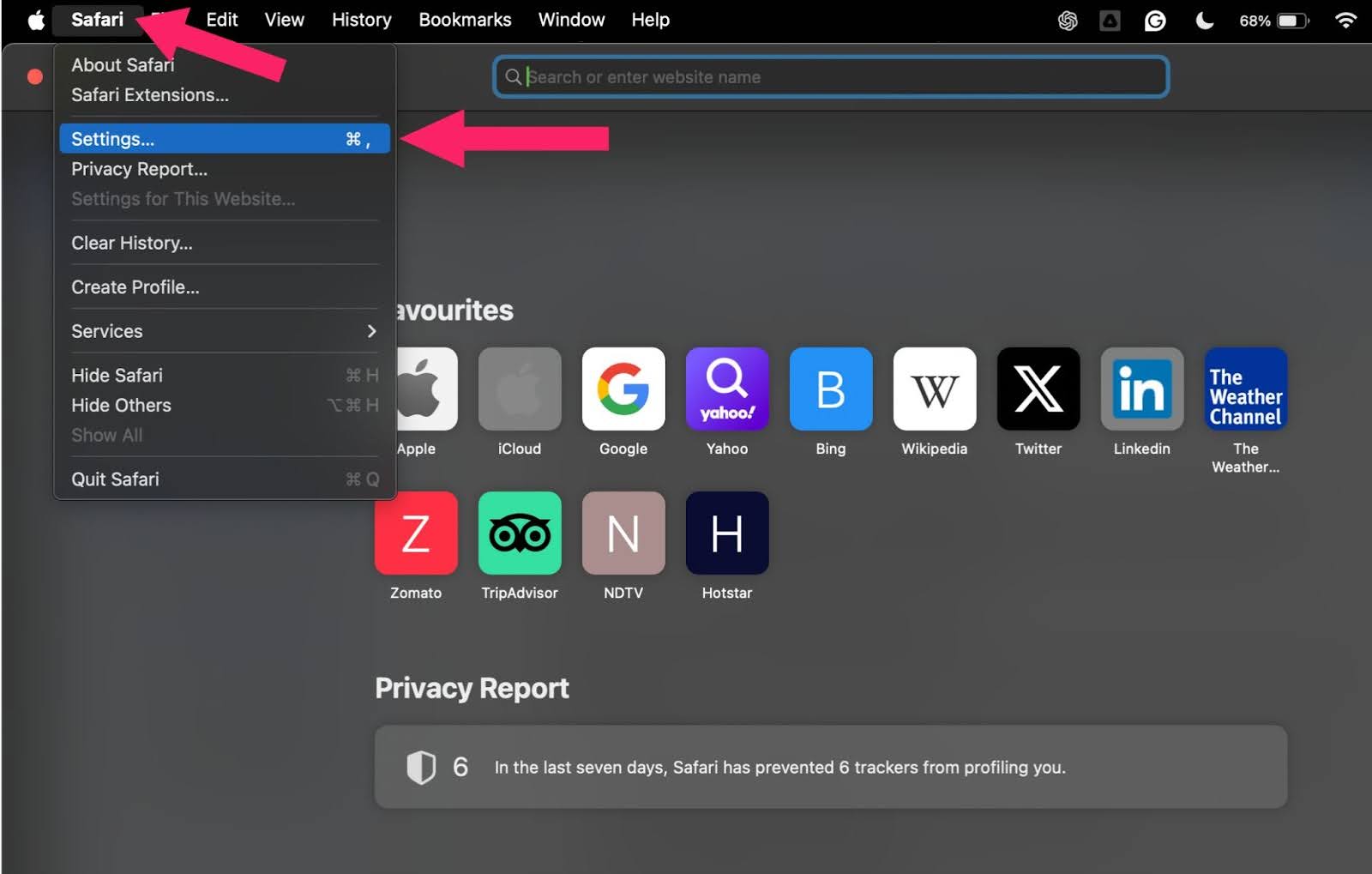
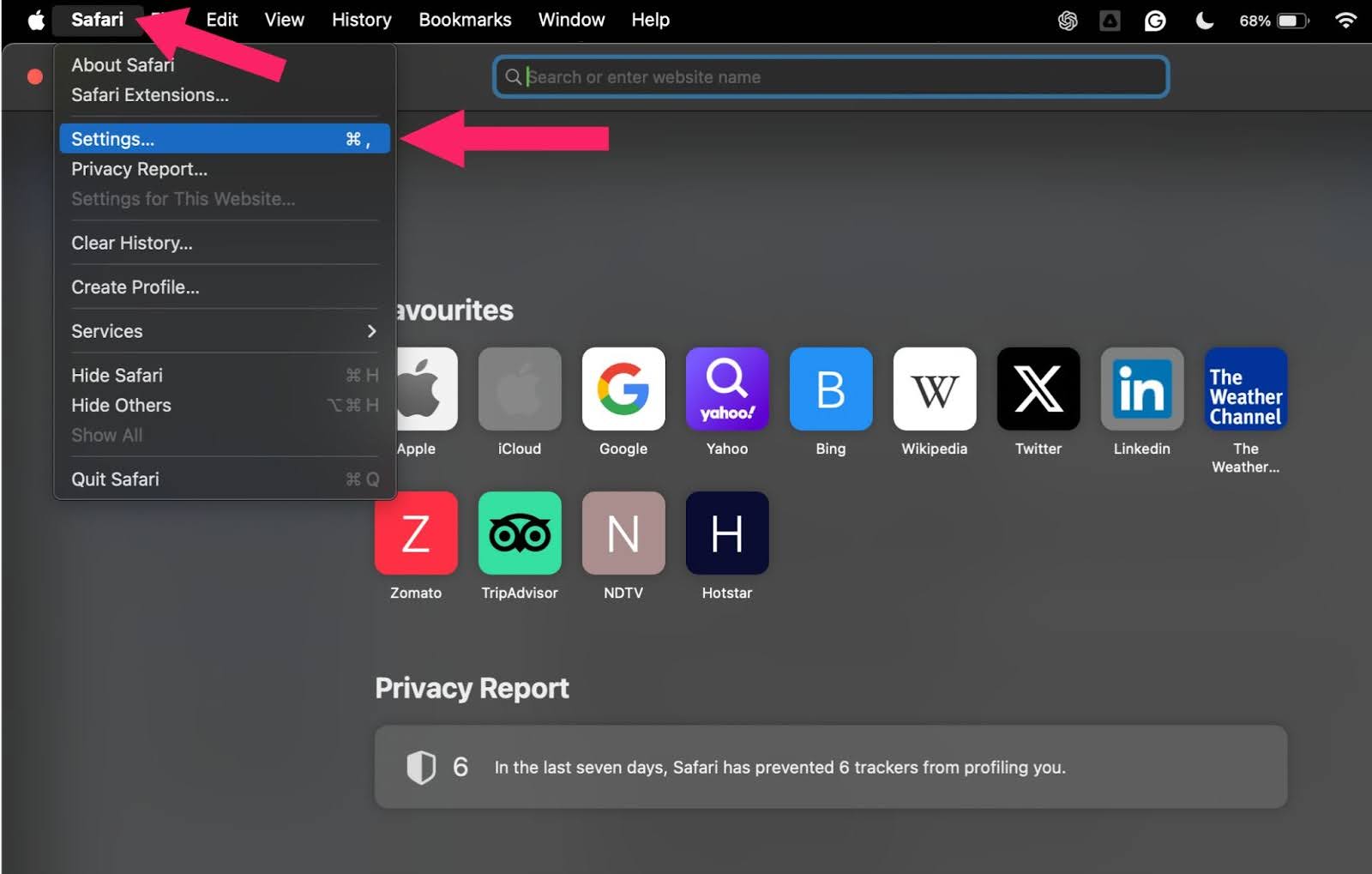
- From the top menu, click on Safari, then Settings.
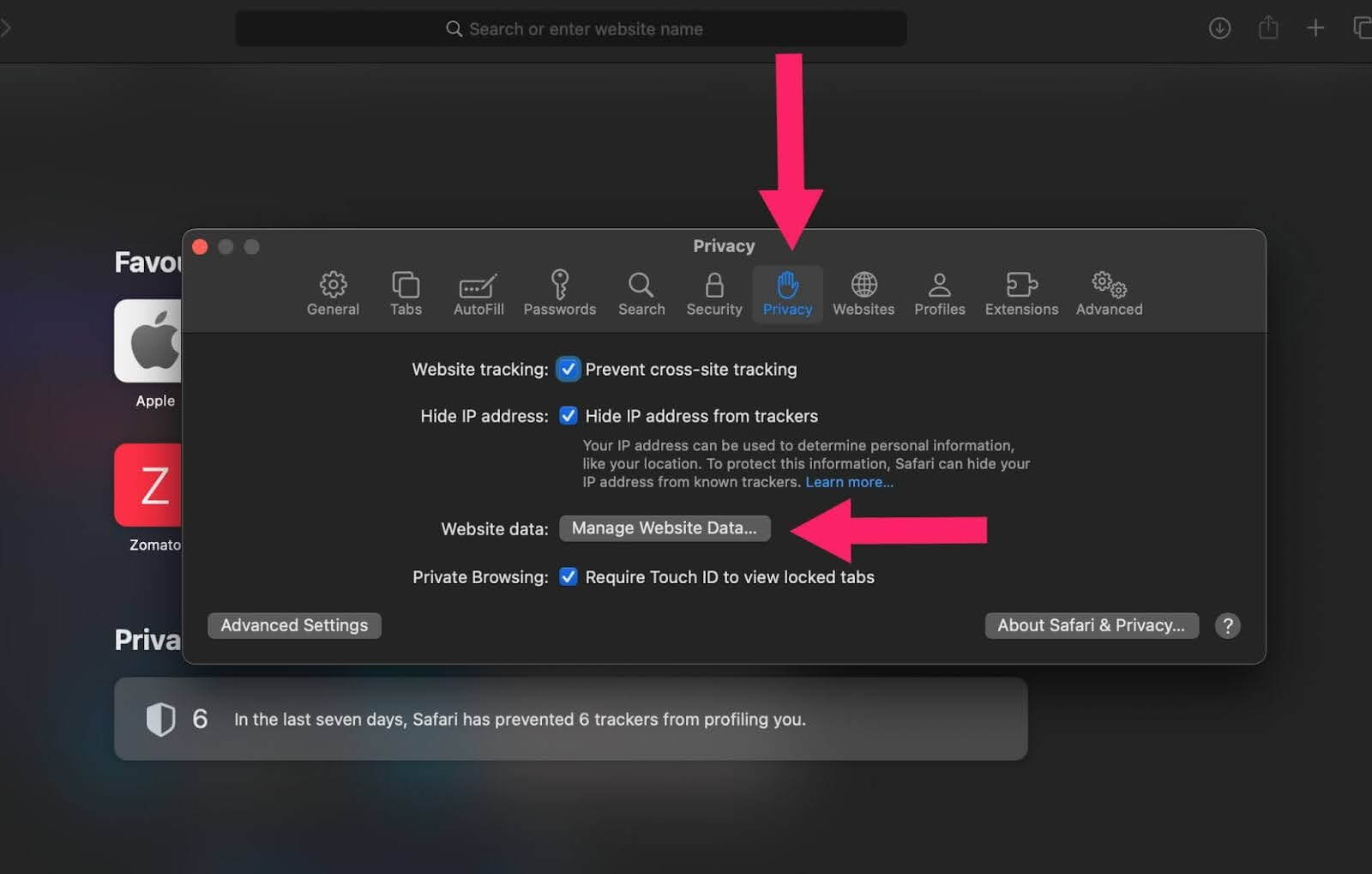
- Go to the Privacy tab and click on Manage Website Data.
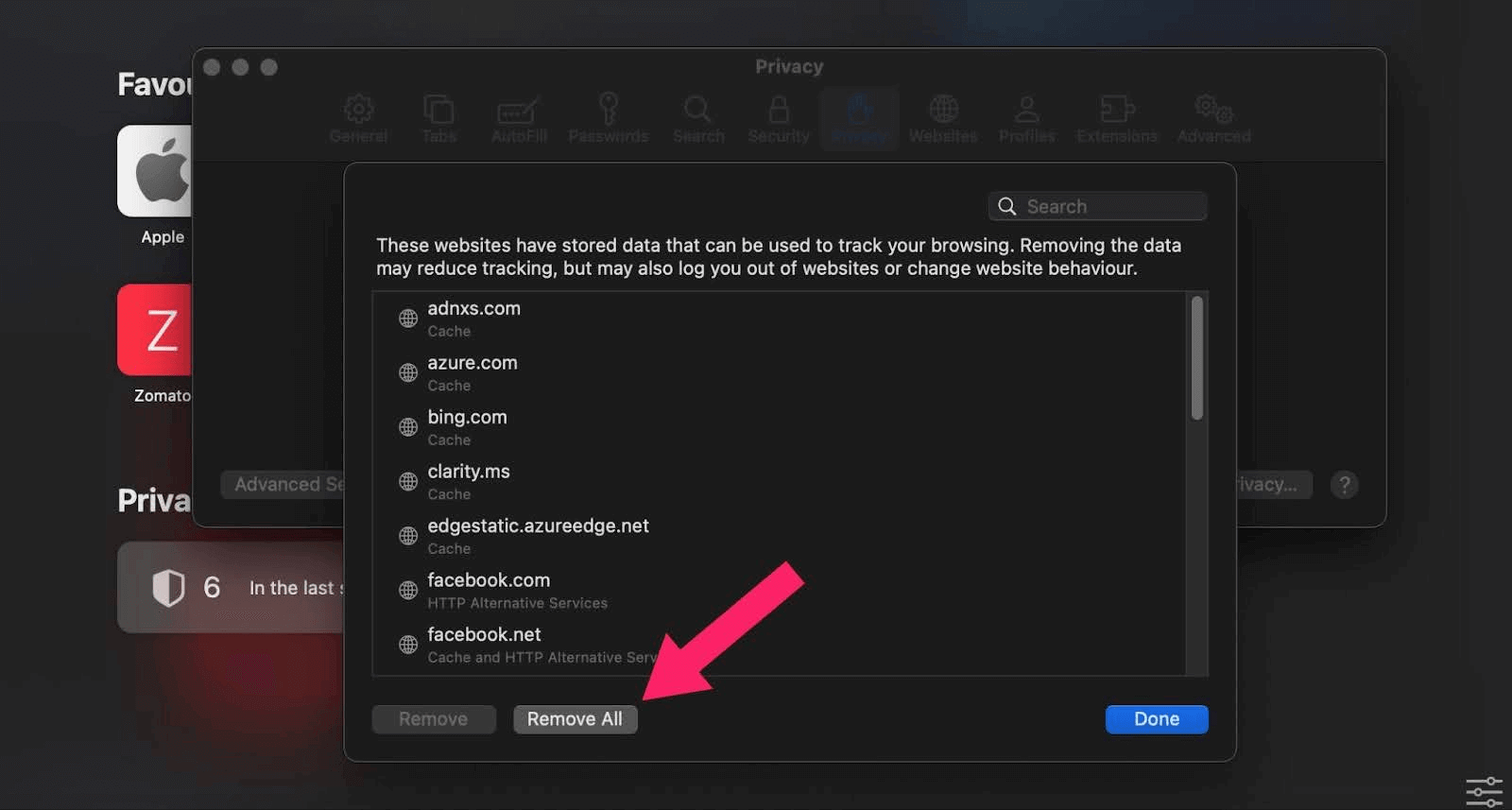
- In the new window, you can either:
- Select a specific website and click on Remove to clear data for that site only.
- Click on Remove All to clear data for all listed websites.

Note: Test your websites on real Safari browsers. Try TestMu AI Today!
Clearing Only the Cache
This method focuses on clearing the cache and preserving other data. It requires you to activate a hidden menu:
- Open the Safari browser on your macOS.
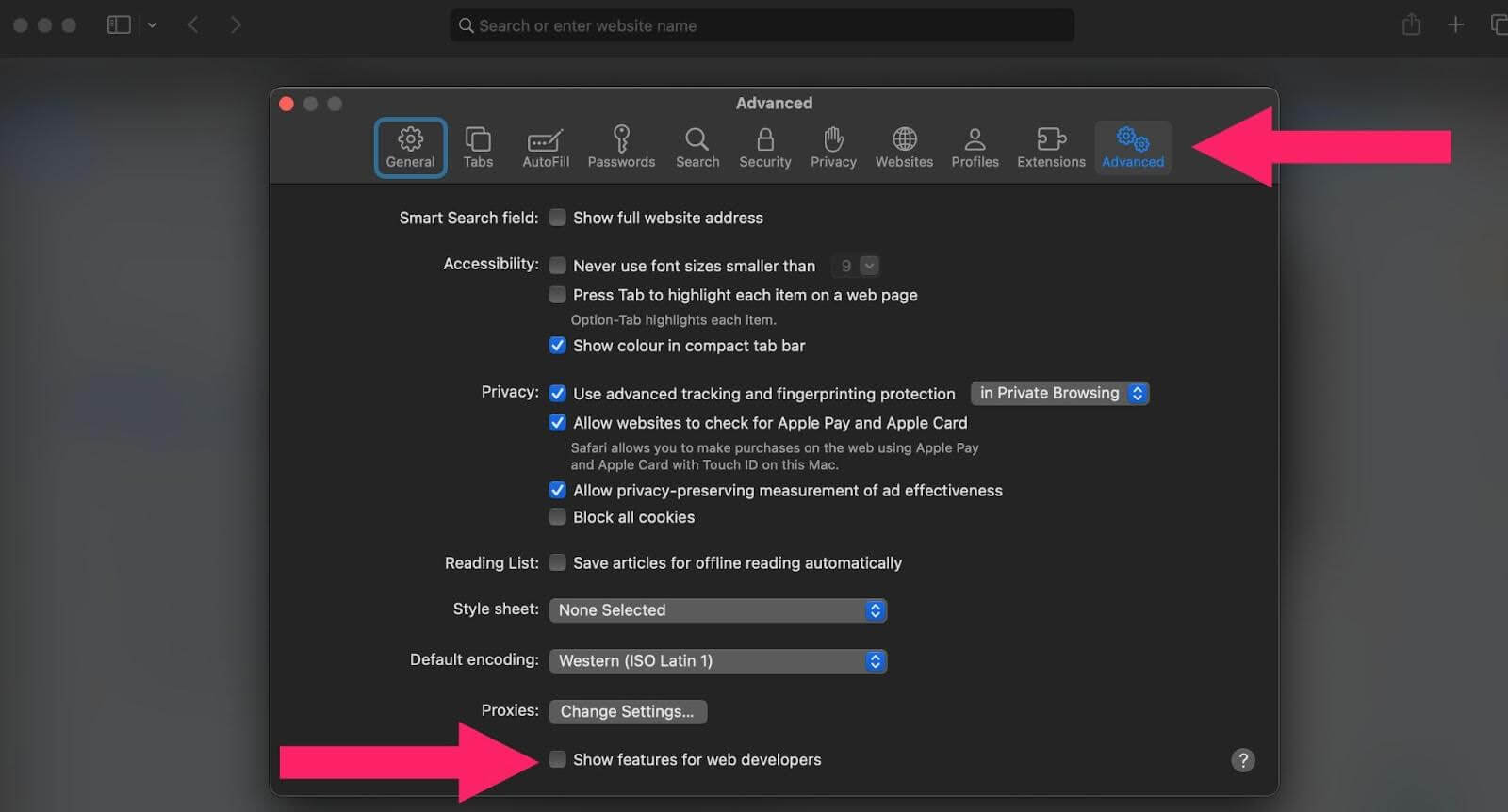
- Click on Safari and then Settings.
- Go to the Advanced tab and tick the Show features for web developers checkbox.
- Close the Settings window.
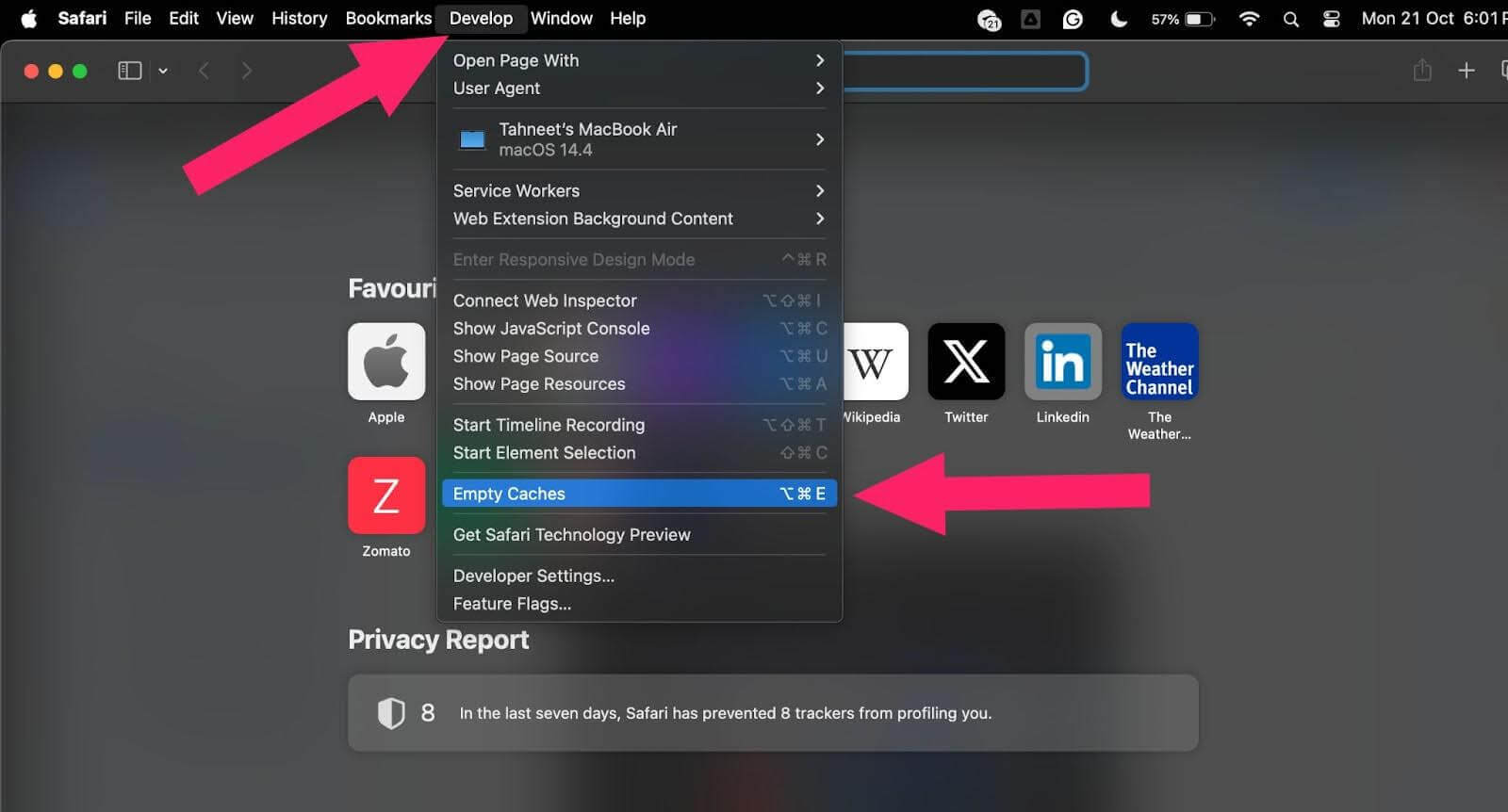
- In the Develop menu, click Empty Caches. This will clear the cache in your Safari browser.
Steps to Clear Cache in Safari on iPhone or iPad
The process for iOS devices is more simple but less selective. These steps will remove all browsing history, cache, and cookies from your iPhone or iPad:
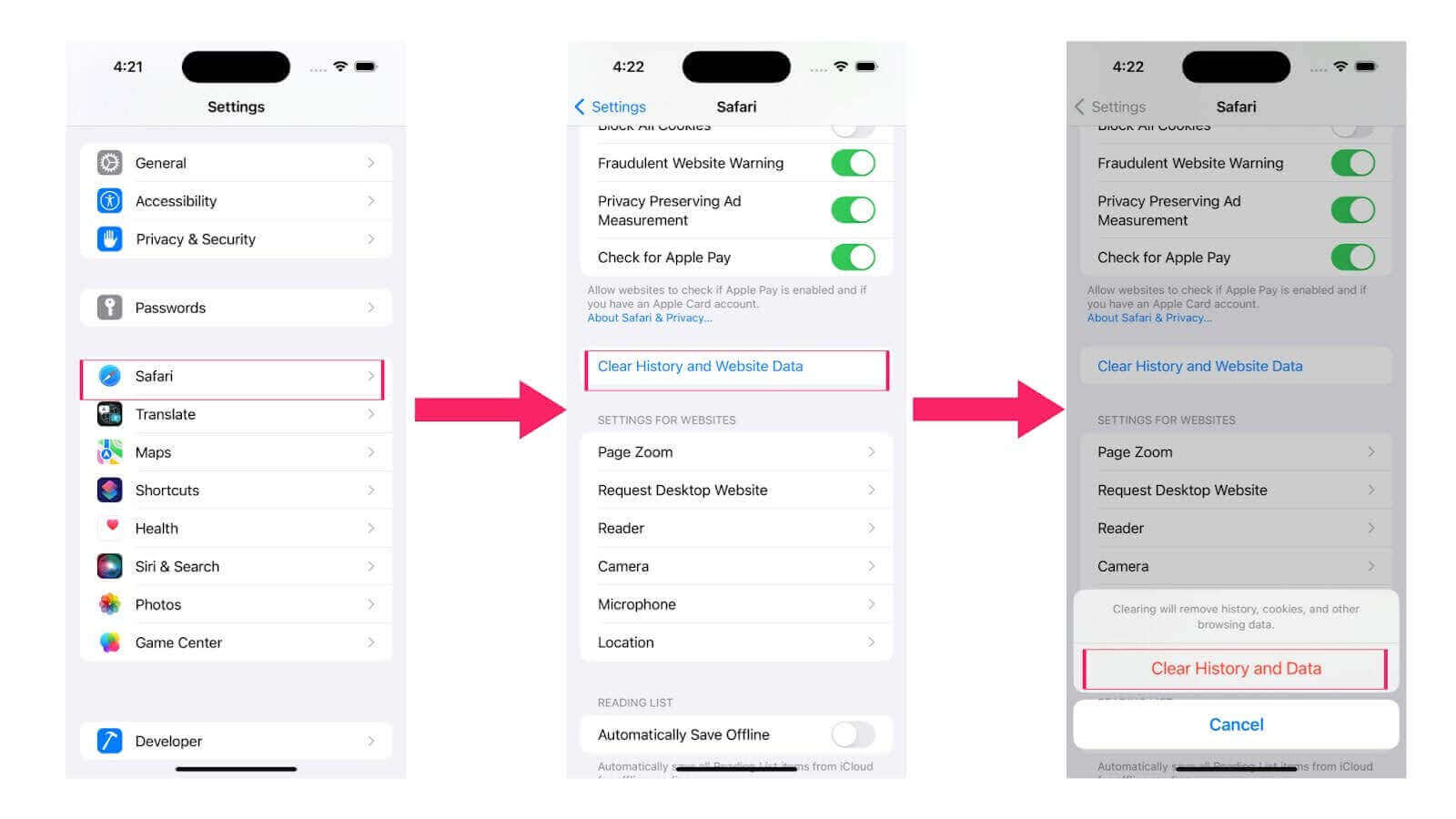
- Go to Settings on your iPhone or iPad device.
- Scroll down and select Safari.
- Tap Clear History and Website Data.
- A prompt will appear asking you to confirm. Tap Clear History and Data to proceed.
Alternative Method for iOS
To delete specific website data and clear history based on a timeframe, follow these steps:
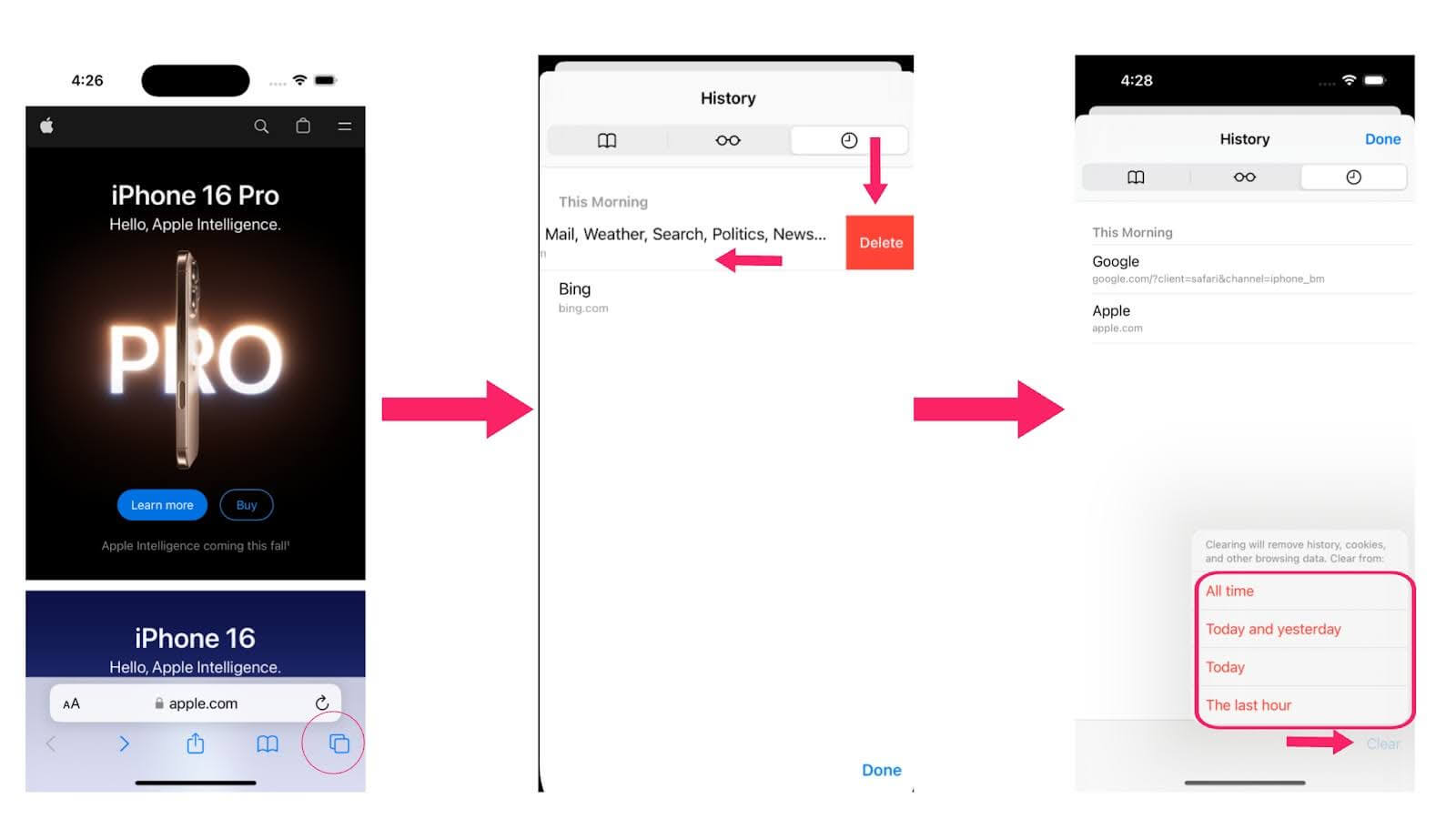
- Open the Safari browser on your iPhone or iPad device.
- Select the bookmarks icon in the bottom panel.
- Go to the History section by tapping the clock icon.
- You’ll find a list of all the websites you’ve visited before. To delete a certain webpage’s data, swipe left on the desired website and tap Delete.
- To clear history from a specific time period, tap Clear in the bottom panel.
- In the pop-up menu, choose the timeframe for clearing: All time, Today and yesterday, Today, or The last hour.
Clearing Cache in Safari With Keyboard Shortcuts
To clear the cache in Safari using keyboard shortcuts, follow these steps:
- Open Safari.
- Enable the Develop Menu by going to Safari > Settings (or Preferences) > Advanced.
- Check the box that says Show Develop menu in menu bar.
- Press Command + Option + E. This shortcut clears Safari’s cache instantly.
- To clear all browsing data, press Command + Shift + Delete and follow the prompts.
Using the keyboard shortcut Command + Option + E is a quick way to refresh the cache without affecting cookies and browsing history.

Conclusion
Storing temporary files in your Safari cache helps websites load faster on repeat visits. But sometimes clearing this cache is necessary. It can fix loading errors that happen when cached data doesn’t match the latest website updates.
Clearing cookies and history also helps free up storage space and keeps your browsing faster. Plus, it protects your privacy by removing login details and browsing history that others might see. While every browser handles cache clearing a bit differently, Safari makes it simple whether you’re on macOS or iOS.


Summarize with AI


Frequently asked questions
Did you find this page helpful?
More Related Hubs
TestMu AI forEnterprise
Get access to solutions built on Enterprise
grade security, privacy, & compliance
- Advanced access controls
- Advanced data retention rules
- Advanced Local Testing
- Premium Support options
- Early access to beta features
- Private Slack Channel
- Unlimited Manual Accessibility DevTools Tests