 Decode AI-Powered Quality Engineering from AI & QA Leaders,Register for Free!

Next-Gen App & Browser Testing Cloud
Trusted by 2 Mn+ QAs & Devs to accelerate their release cycles

How to Clear Browser History
Learn how to clear browser history to protect your privacy and enhance browsing speed. Check out these easy steps to clear your browsing history quickly.

Tahneet Kanwal
January 11, 2026
Clearing your browser history is a simple process that can boost your privacy and improve the performance of your browser. When you browse the web, your browser keeps a record of the sites you visit, along with cookies and other data.
This information can build up over time and affect how well your browser works. Therefore, you may need to clear browser history to keep your browsing private.
In this blog, let’s look at how to clear your browser history on different browsers.
Steps to Clear Browser History in Google Chrome
If you sync your Chrome data, including history, bookmarks, and passwords, clearing your history once will remove it everywhere. However, if Chrome data isn’t synced, you’ll need to clear the history on each system separately.
To clear your browser history in Chrome, follow the below steps:
- Open Chrome browser and click the kebab (three-dot) menu in the top-right corner.
- Go to History or press Ctrl+H to view your saved browser history.
- Click Delete browsing data.
- Make sure that the Browsing history option is selected.
- Choose a time range from the drop-down menu and click All time.
- Click Delete data to clear your Chrome history.
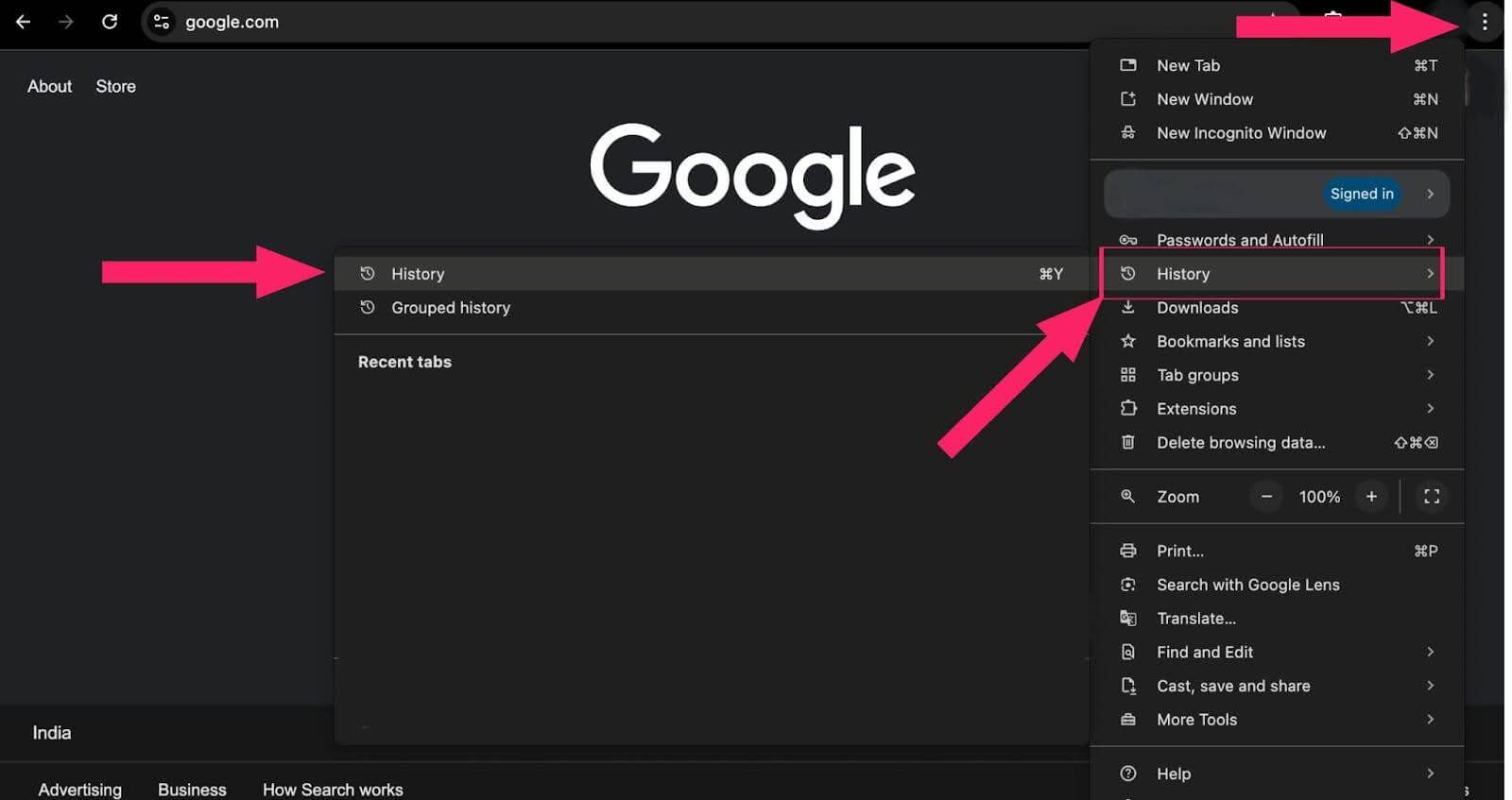
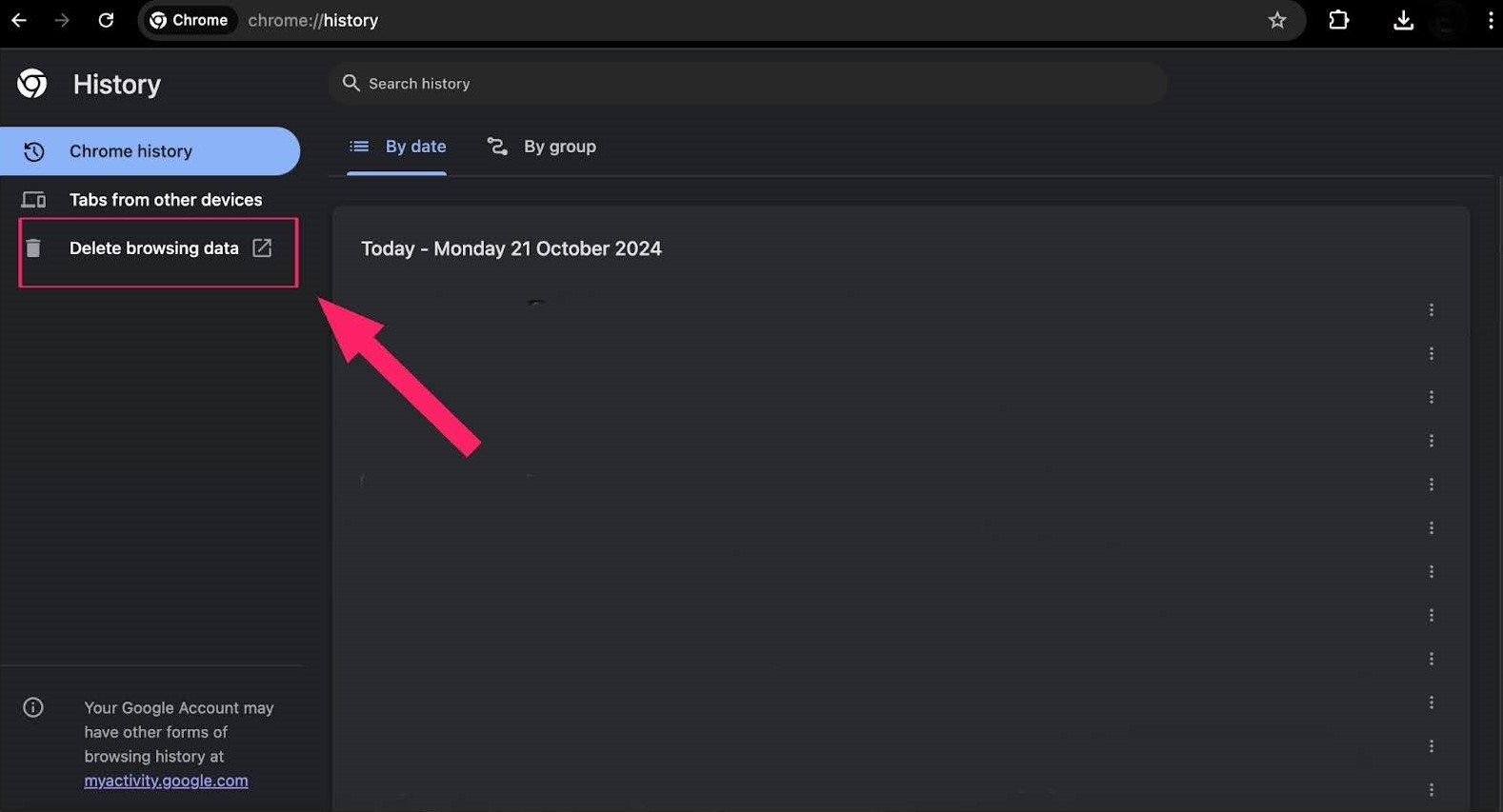
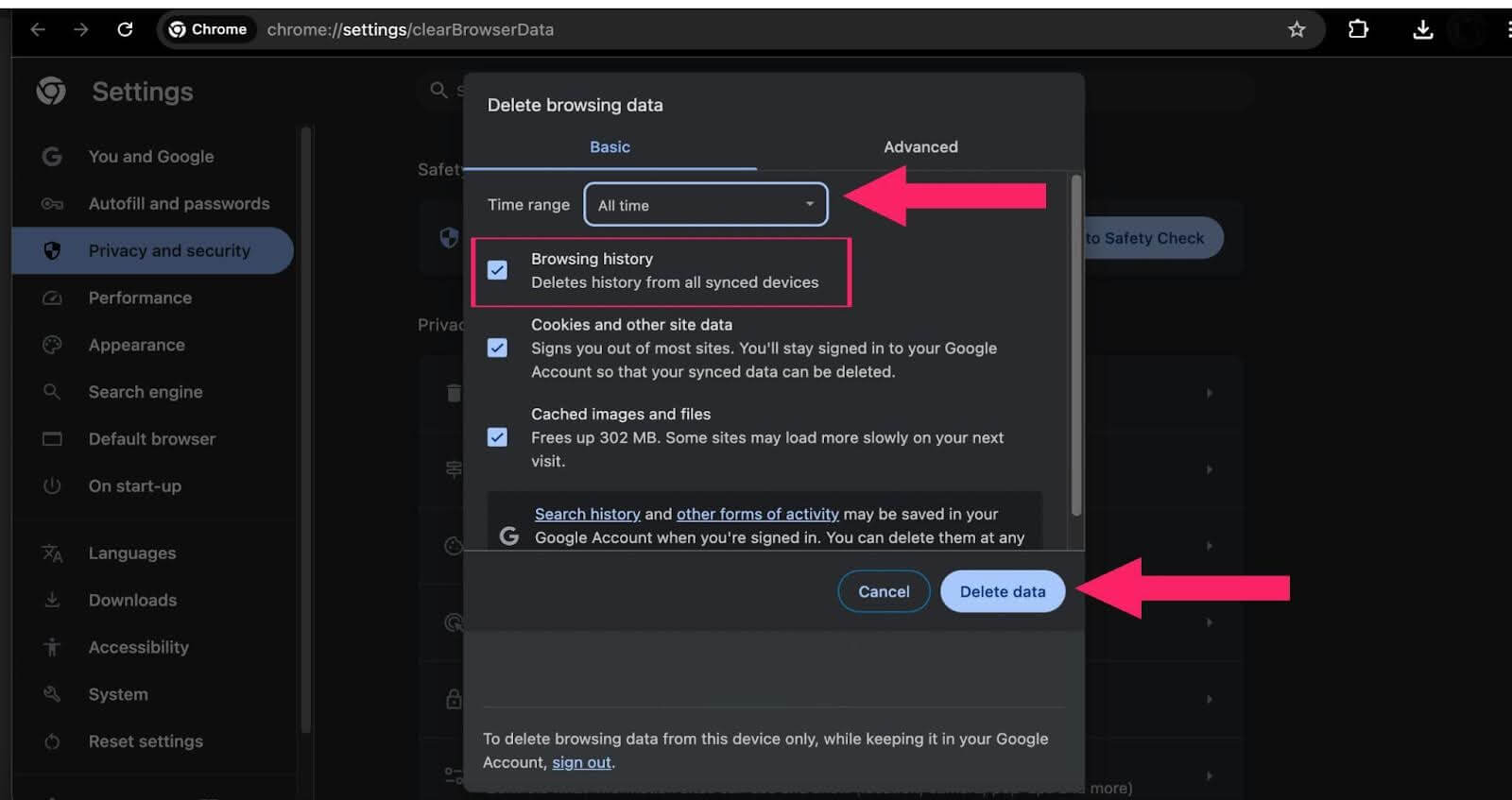
Whether you’re on a desktop or laptop running Windows or macOS, this process will work.

Note: Test your websites on different browsers and OSes. Try TestMu AI Today!
Steps to Clear Browser History in Mozilla Firefox
To clear your browsing history in Firefox on your desktop, follow the steps below.
- Open the Firefox browser and click the hamburger (three-line) menu in the top-right corner.
- Select History from the menu.
- Click Clear recent history.
- Make sure that the History checkbox is ticked.
- Choose a time range from the drop-down menu and click Clear.
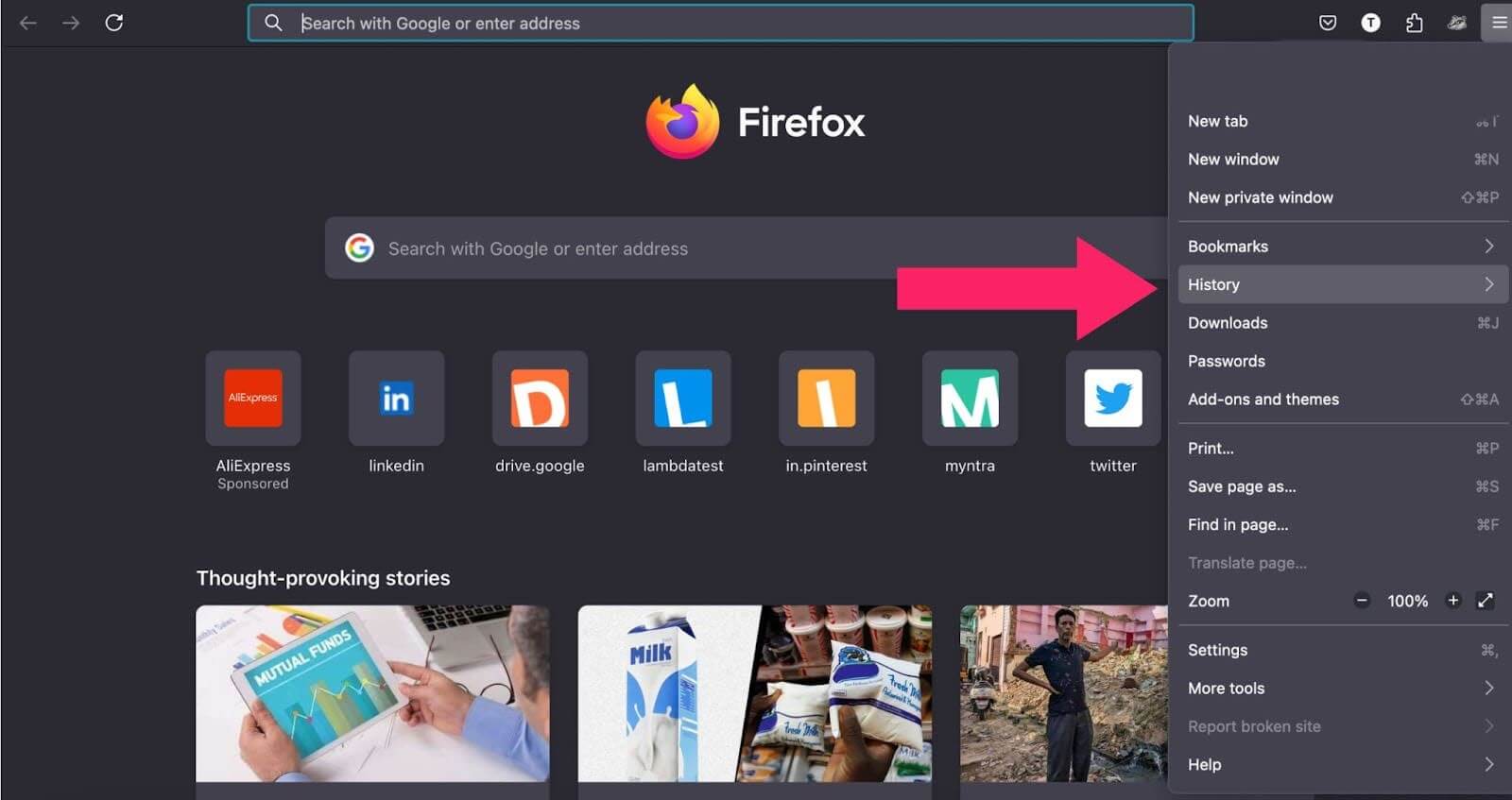
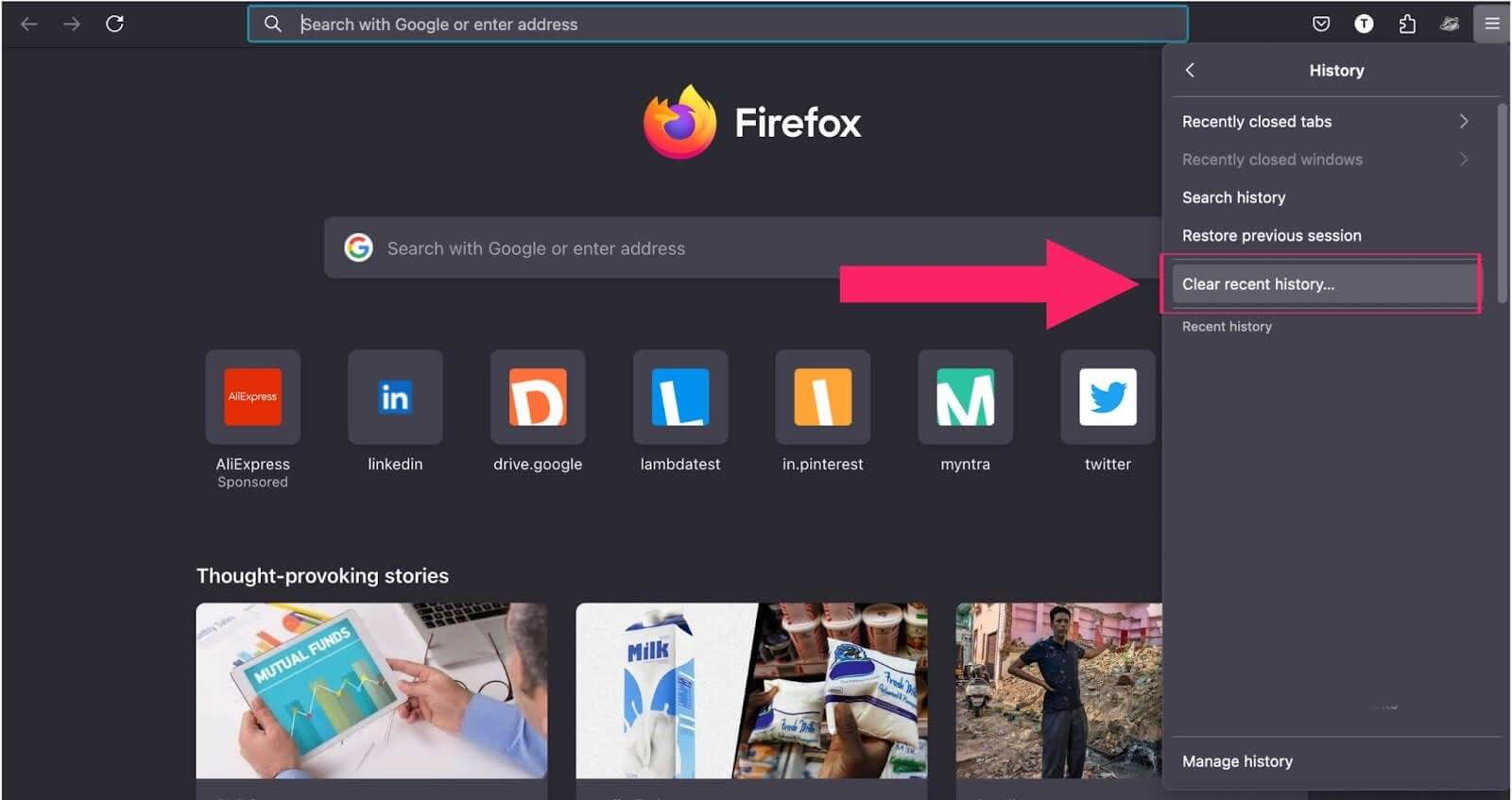
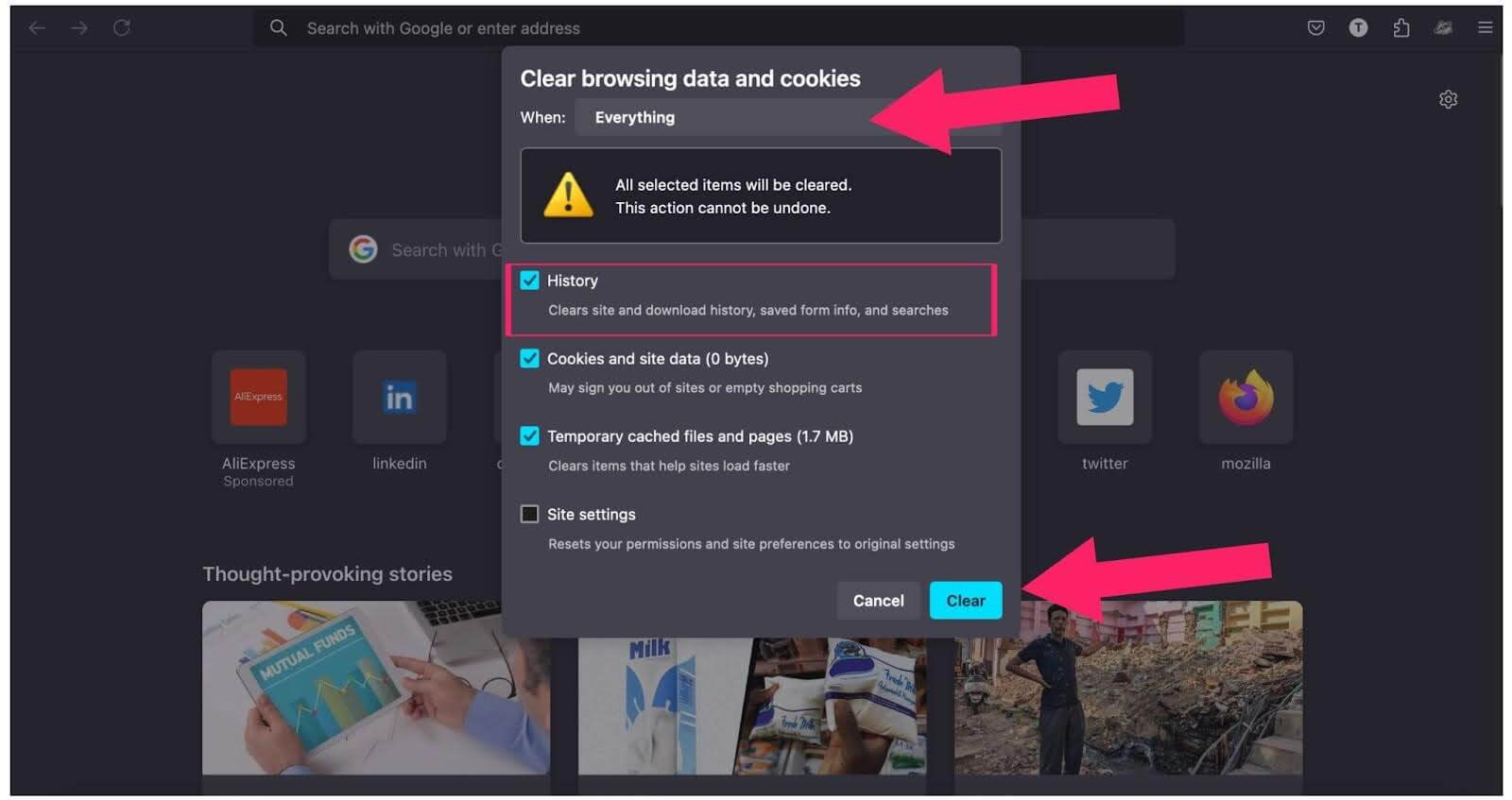
This will clear your browsing history along with any other selected data.
Steps to Clear Browser History in Microsoft Edge
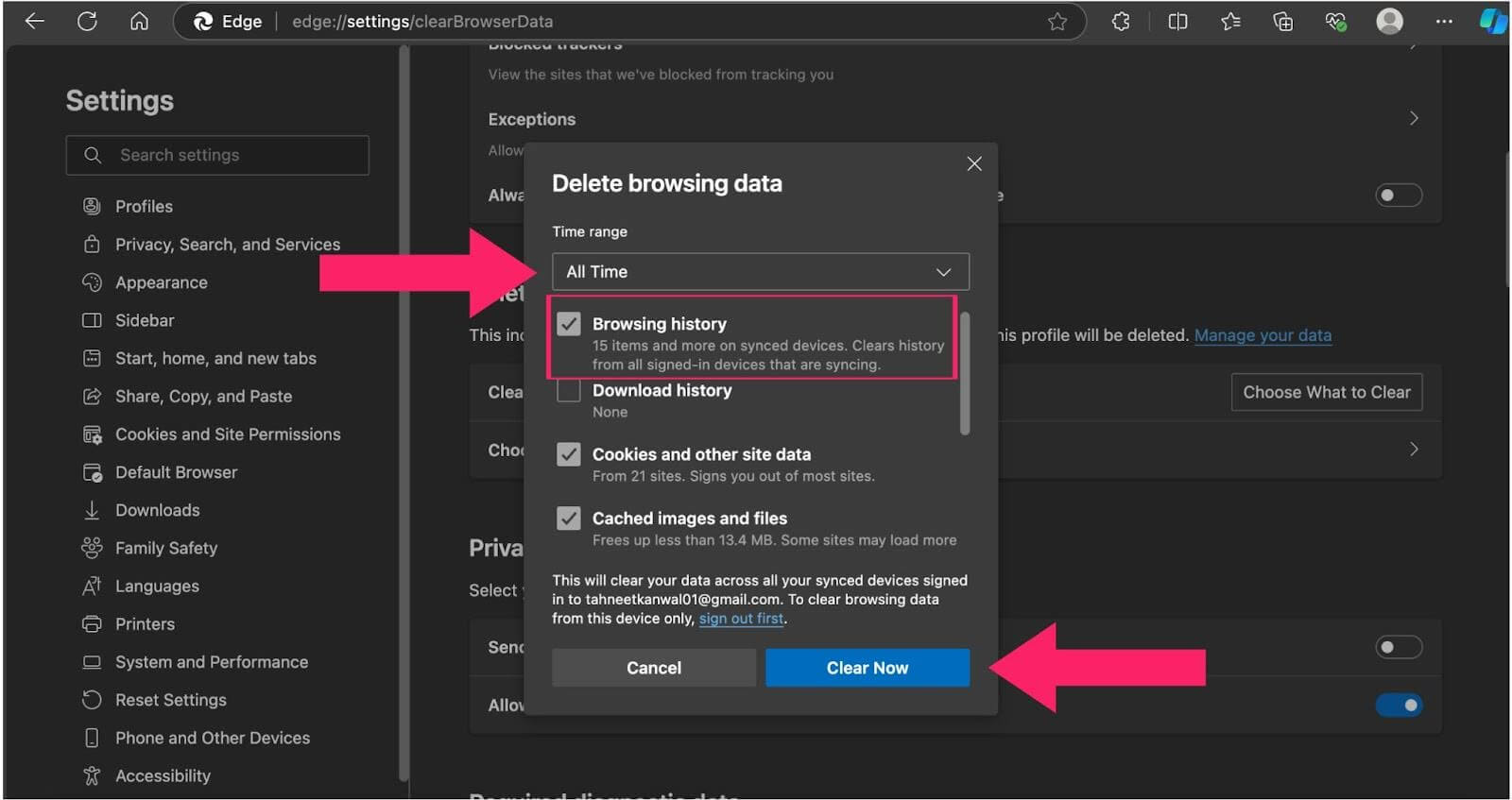
To clear your browsing history in Microsoft Edge on your desktop, follow the steps below.
- Open the Microsoft Edge browser. Click on the three-dots menu and then Settings.
- In the sidebar, click on Privacy, Search, and Services.
- Under the Delete browsing data section, click Choose What to Clear.
- Select the time frame from the Time range section from which you want to clear your browsing data.
- Select the types of browsing data that you want to clear. Then, click Clear Now.
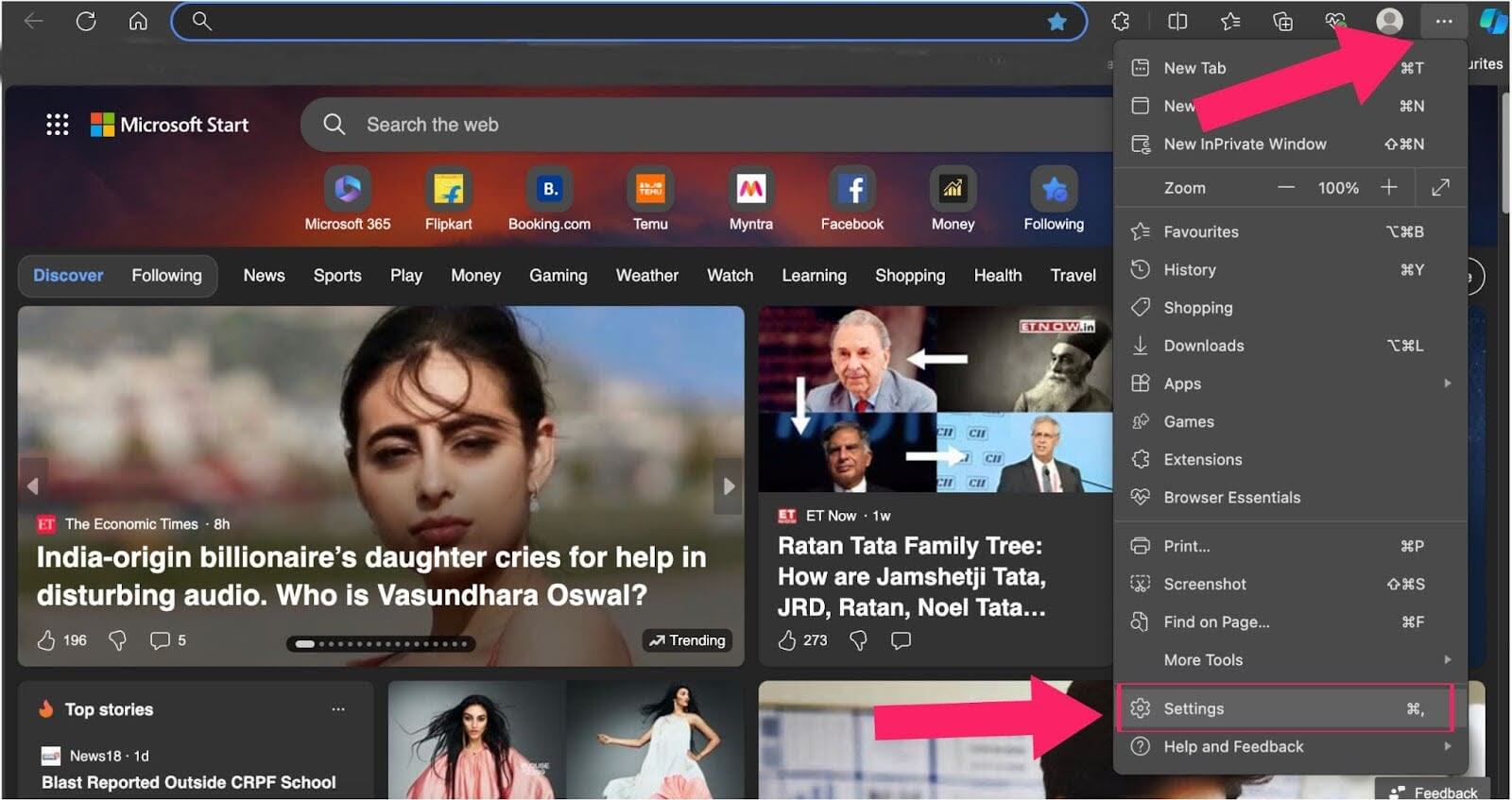
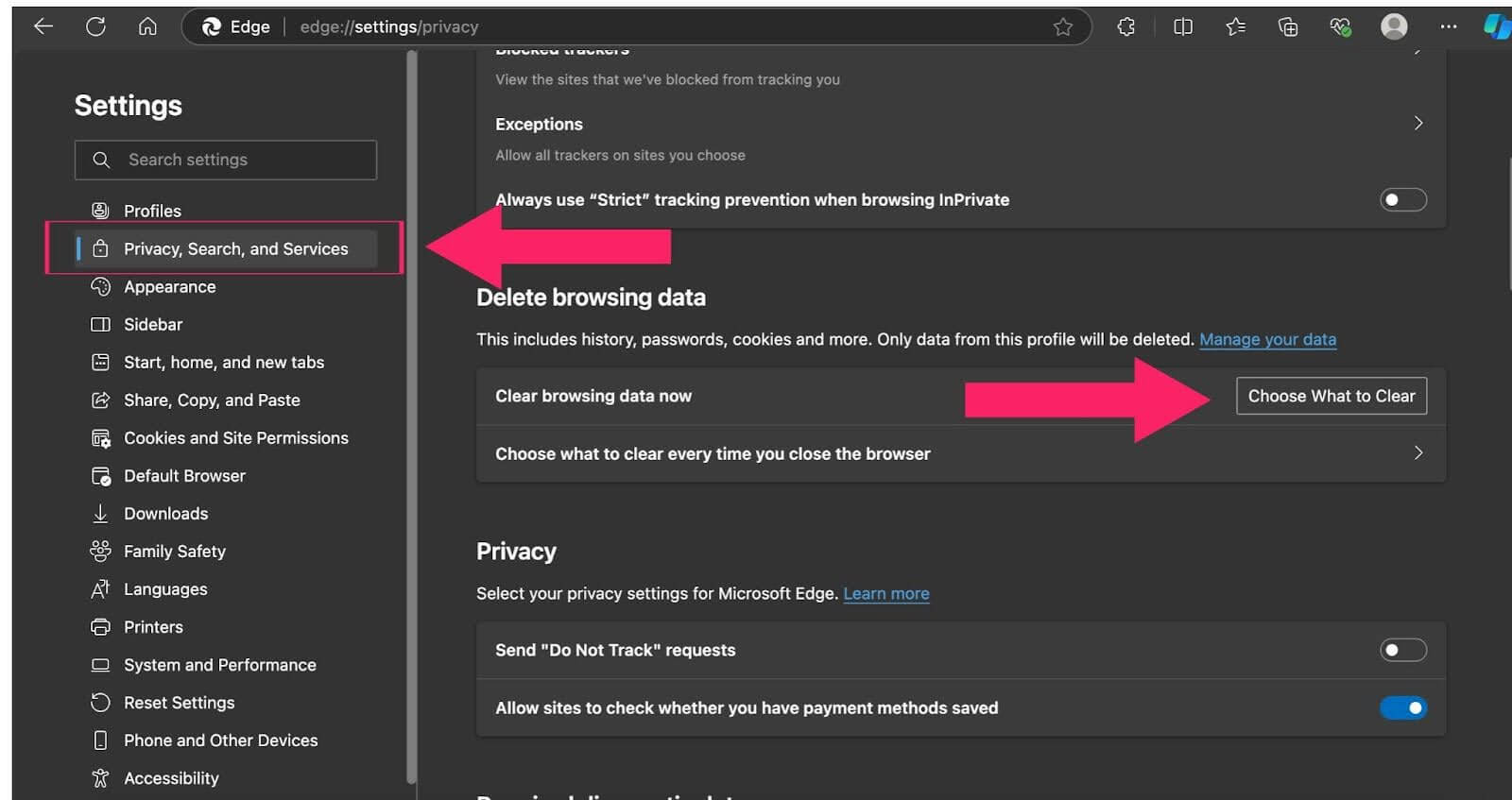
Steps to Clear Browser History in Safari
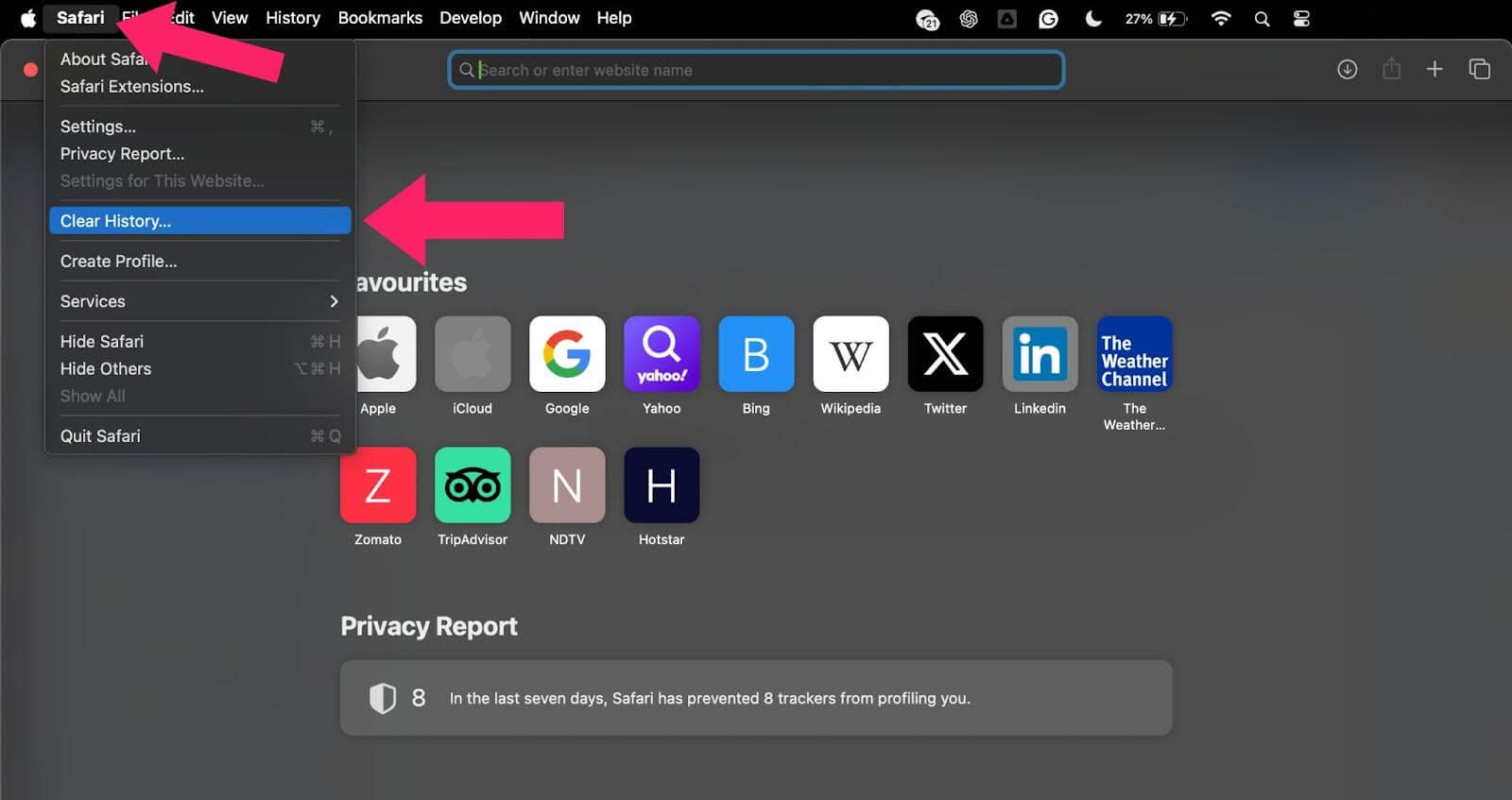
To clear your browsing history in Safari on your desktop, follow the steps below.
- Open Safari on your macOS.
- Click on Safari and then Clear History.
- A pop-up window will appear. Use the dropdown menu to choose the desired time range to clear. Then, click Clear History.
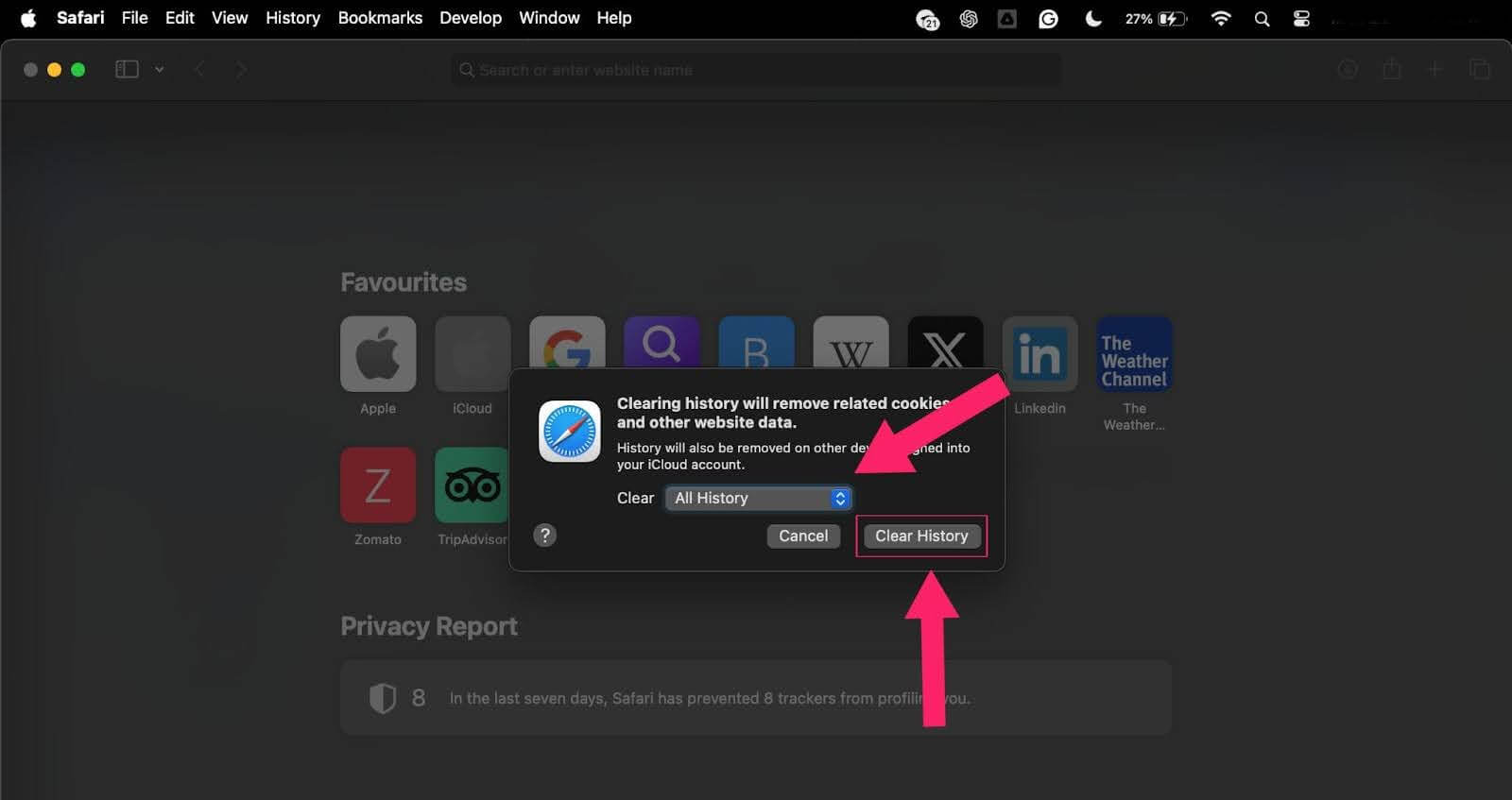
Note: Safari doesn’t offer a confirmation step, so make sure you’re ready before clearing your history.

Conclusion
Clearing your browser history is a simple yet essential step to protect your privacy, speed up your browser, and ensure a clutter-free browsing experience. Whether you are using Chrome, Firefox, Safari, or any other browser, it is good practice to regularly clear your history.
By understanding the options available, such as clearing cookies and cached data, you can make informed decisions about which history to clear and what to keep. Remember to customize the process based on your needs to maintain a secure and efficient online environment.


Summarize with AI


Frequently asked questions
Did you find this page helpful?
More Related Hubs
TestMu AI forEnterprise
Get access to solutions built on Enterprise
grade security, privacy, & compliance
- Advanced access controls
- Advanced data retention rules
- Advanced Local Testing
- Premium Support options
- Early access to beta features
- Private Slack Channel
- Unlimited Manual Accessibility DevTools Tests